
이 페이지는 앱이나 개발자의 공식 페이지가 아니며, 정보 제공 및 논평을 목적으로 작성된 독립 편집 간행물입니다. 명시적으로 달리 언급되지 않는 한, 해당 앱이나 개발자는 MWM, Apple, Google Play, 앱 퍼블리셔 또는 앱 개발자와 제휴, 보증, 후원, 승인 또는 공식적으로 연결되어 있지 않으며, 이 페이지의 어떤 내용도 해당 앱이 MWM의 서비스를 사용하여 개발되었음을 의미하지 않습니다. 모든 상표, 로고, 스크린샷 및 기타 콘텐츠는 해당 소유자의 자산입니다.

AirDroid Kids - Screen Time
현대 부모를 위한 올인원 동반자로, 스크린 타임을 관리하고, 유해한 콘텐츠를 차단하며, 실시간 위치를 추적하여 최고의 디지털 안전을 보장합니다.
다운로드
351K+사용자 평점
총 평가 수
100개발사
카테고리
Lifestyle지원 언어
15최신 버전
1.8.0크기
131.5 MB출시일
2024년 5월 6일가족의 디지털 웰빙을 마스터하세요
자녀를 보호하고 가정을 균형 있게 유지하는 강력한 도구로 기술과 안전 사이의 간극을 손쉽게 좁히세요.
스마트 지오펜싱 및 실시간 추적
자녀가 학교에 도착하거나 안전 구역을 벗어나는 순간 실시간 위치 업데이트와 즉각적인 알림으로 완벽한 마음의 평화를 얻으세요.
고급 콘텐츠 및 앱 차단
부적절한 웹사이트를 차단하고 단 한 번의 탭으로 앱 액세스를 관리하여 성인용 콘텐츠와 디지털 방해 요소로부터 자녀를 선제적으로 보호하세요.
자주 묻는 질문
에 대해 알아야 할 모든 것 AirDroid Kids - Screen Time
What is the purpose of the AirDroid Kids app?
AirDroid Kids 앱은 보호자용 AirDroid Parental Control 앱과 연동되며, 자녀의 기기에 설치됩니다. 이를 통해 보호자는 자녀를 모니터링하고, 화면 시간을 관리하며, 자녀의 안전을 확보할 수 있습니다.
How do I install AirDroid Kids on my child's device?
AirDroid Kids를 설치하려면 먼저 보호자의 기기에 AirDroid Parental Control을 다운로드하세요. 그런 다음 자녀의 기기에 AirDroid Kids를 설치하세요. 두 앱을 연결하면 원활하게 관리할 수 있습니다.
What monitoring features does AirDroid Kids offer?
AirDroid Kids는 웹사이트 및 앱 사용 모니터링, 경로 기록 및 지오펜스 알림을 포함한 위치 추적, 기기 활동에 대한 보호자 실시간 알림 기능을 제공합니다.
Can I block websites and apps with AirDroid Kids?
네, AirDroid Kids를 사용하면 게임, 음란물, 도박과 같은 카테고리를 포함한 웹사이트를 차단할 수 있습니다. 보호자는 특정 앱 및 웹사이트에 대한 일일 사용 시간 제한을 설정할 수도 있습니다.
Does AirDroid Kids sell my family's data to third parties?
아니요, AirDroid Kids는 가족 또는 자녀의 데이터를 제3자에게 판매하지 않습니다. 화면 시간 활동 및 개인 정보는 전적으로 보호자의 눈에만 보입니다.
Does AirDroid Kids require special permissions on iOS devices?
네, iOS용 AirDroid Kids 앱은 인터넷 트래픽을 제어하기 위해 특별 MDM 프로파일을 설치하고 특정 권한을 수락해야 합니다. 이 프로파일은 제거할 수 있습니다.
Can children communicate with parents using AirDroid Kids?
네, 자녀는 AirDroid Kids 앱을 사용하여 부모와 소통하고 문제가 발생했을 때 즉시 알릴 수 있습니다. 이 앱은 또한 '가족 채팅' 기능도 제공합니다.
How do I connect the AirDroid Kids app to the parent app?
QR 코드 또는 숫자 코드를 사용하여 자녀의 기기를 바인딩하면 AirDroid Kids 앱을 연결할 수 있습니다. 이것은 설정 과정의 1단계로 표시됩니다.
What is the Smart Connector feature in AirDroid Kids?
2단계에서 액세스할 수 있는 Smart Connector는 모든 기능을 잠금 해제합니다. 자녀의 iOS 기기를 USB로 컴퓨터에 연결하고 페어링 코드로 감독 모드를 활성화해야 합니다.
Does AirDroid Kids include an emergency feature for children?
네, AirDroid Kids에는 성공적으로 바인딩된 후 앱 인터페이스에 표시되는 '긴급 SOS' 기능이 포함되어 있습니다. 이를 통해 자녀는 부모에게 신속하게 알릴 수 있습니다.
다음 스크린샷과 설명은 앱의 공식 스토어 목록에서 직접 가져온 것이며 앱 개발자의 자산입니다.
앱 스토어
스크린샷
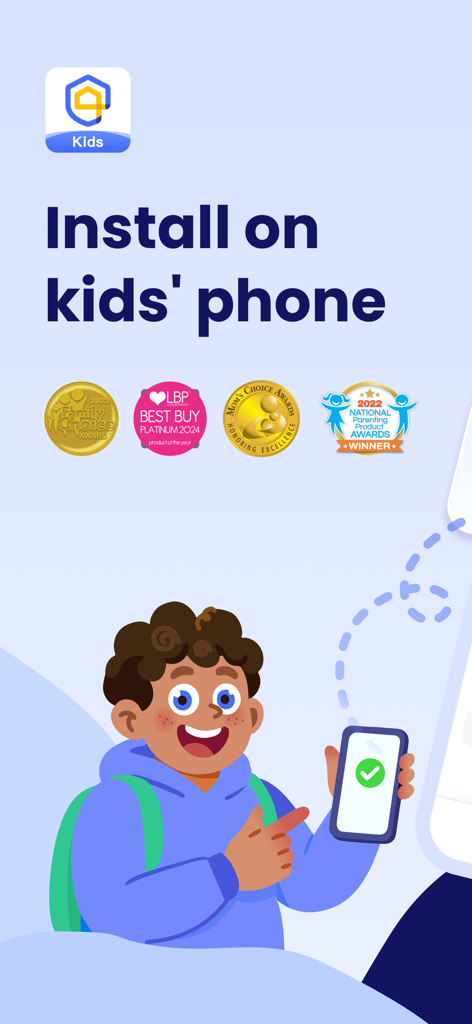
자녀의 휴대폰에 AirDroid Kids 앱을 설치하는 화면, 부모 승인 수상 내역 포함.
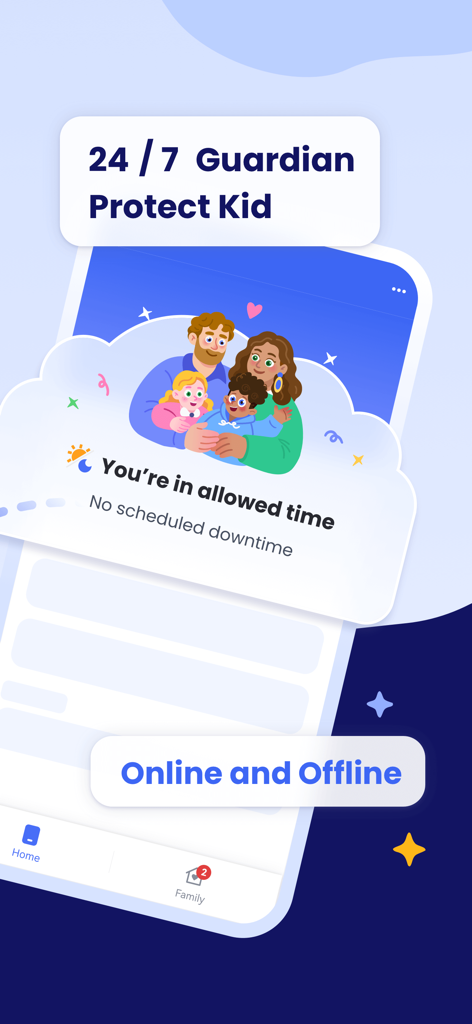
AirDroid Kids 앱 인터페이스, 24/7 보호자 보호 및 자녀 스크린 타임 관리 기능 표시.
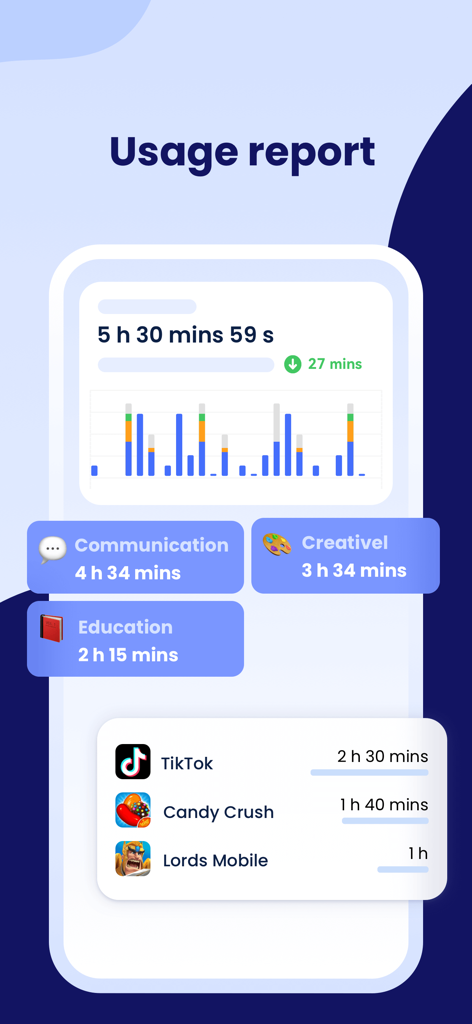
AirDroid Kids 스크린 타임 사용 보고서, 자녀 앱 활동 및 카테고리 표시.
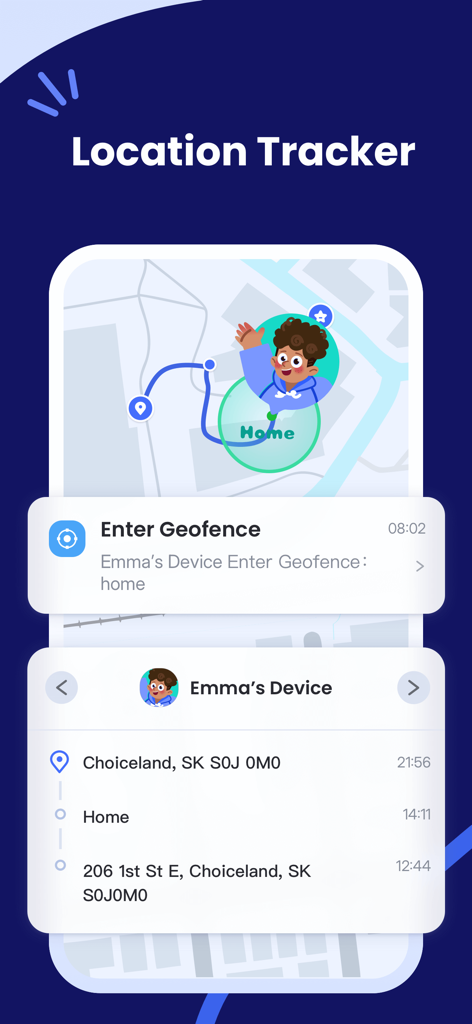
AirDroid Kids 위치 추적기, 지도 경로 및 지오펜스 알림 표시.
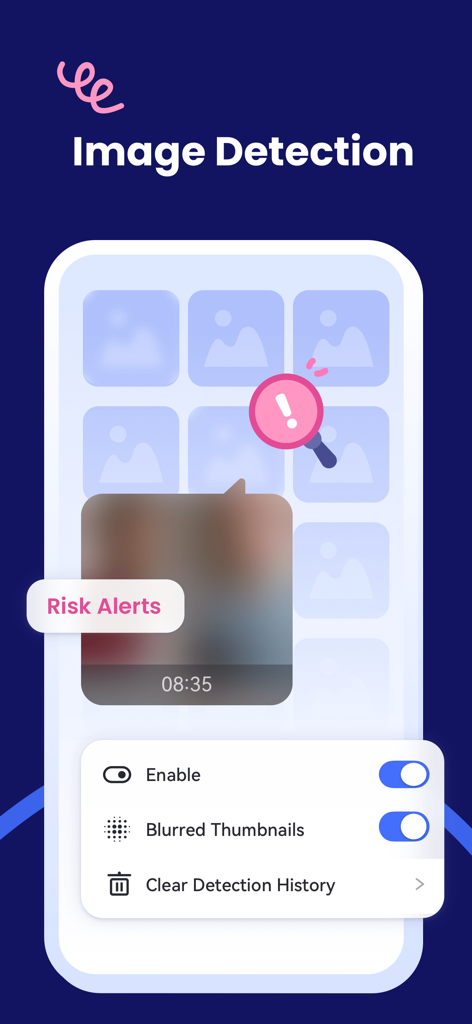
AirDroid Kids 이미지 감지 기능, 위험 알림 및 자녀 안전을 위한 축소판 미리보기 설정 표시.
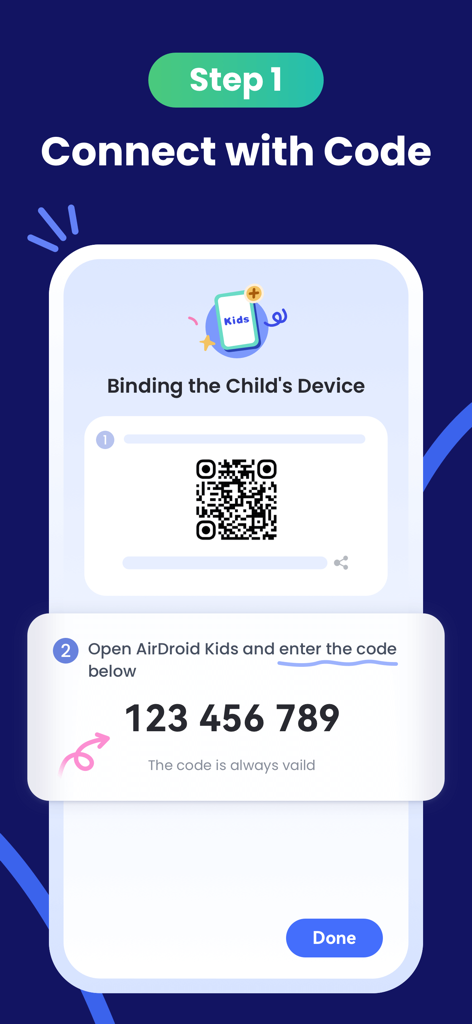
AirDroid Kids에서 9자리 페어링 코드와 QR 코드를 사용하여 자녀 기기를 바인딩하는 방법 표시 설정 화면.
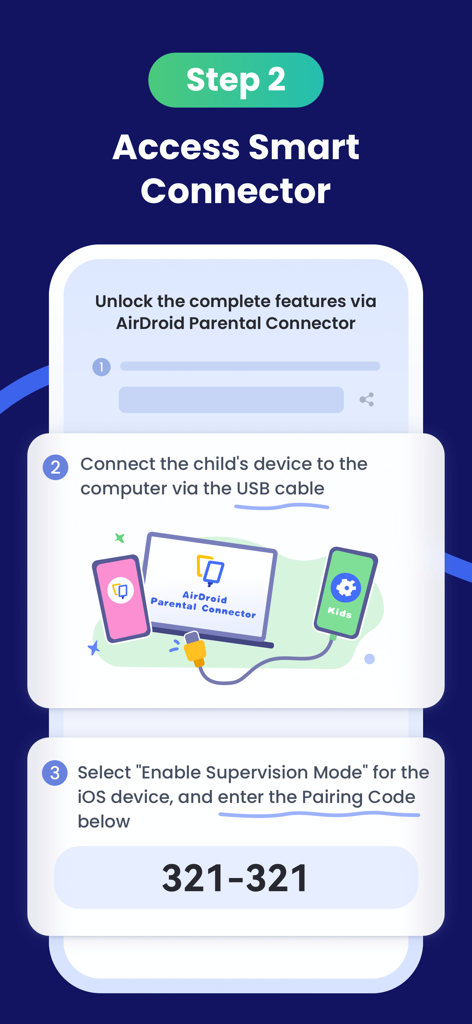
페어링 코드 및 컴퓨터 연결 USB를 사용하여 감독 모드를 활성화하는 단계를 보여주는 AirDroid Kids용 설정 화면.
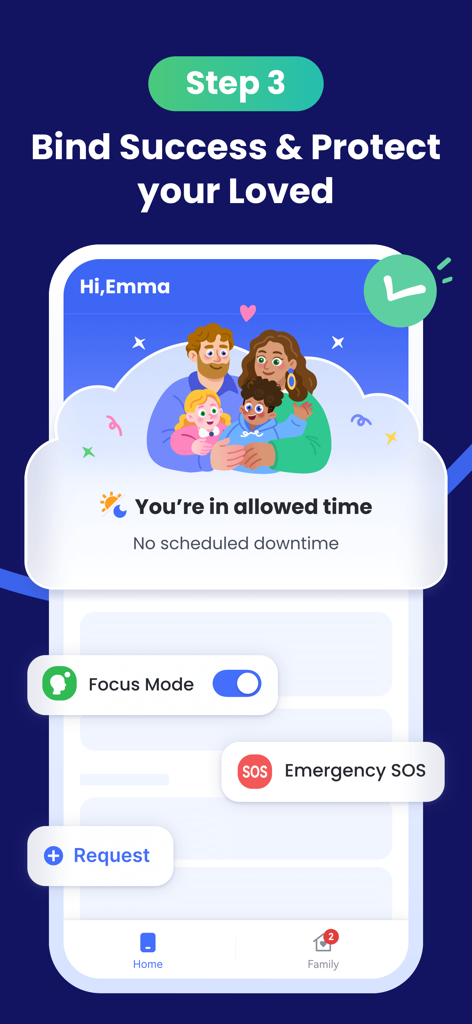
AirDroid Kids 인터페이스, 성공적인 기기 바인딩 및 안전 기능 표시.
설명
Download
비슷한 앱
유사한 기능과 사용자 경험을 가진 앱

Findos - Find My Device
Pollux Bilisim Teknolojileri Sanayi ve Ticaret Limited Sirketi

Boost Family Guard
Smith Micro Software, Inc.

Google Family Link
Google LLC

Findmykids: GPS Phone Tracker
LETEM LTD

Nintendo Switch Parental Cont…
Nintendo Co., Ltd.

Parental Control App Kids360
ANKO SOLUTIONS LLC

JusTalk Kids - Safe Messenger
Ningbo Jus Internet Technology Co., Ltd.

FlashGet Kids:parental control
HONGKONG FLASHGET NETWORK TECHNOLOGY CO., LIMITED

Parental Control App: AirDroid
SAND STUDIO CORPORATION LIMITED
이 페이지는 앱이나 개발자의 공식 페이지가 아니며, 정보 제공 및 논평을 목적으로 작성된 독립 편집 간행물입니다. 명시적으로 달리 언급되지 않는 한, 해당 앱이나 개발자는 MWM, Apple, Google Play, 앱 퍼블리셔 또는 앱 개발자와 제휴, 보증, 후원, 승인 또는 공식적으로 연결되어 있지 않으며, 이 페이지의 어떤 내용도 해당 앱이 MWM의 서비스를 사용하여 개발되었음을 의미하지 않습니다. 모든 상표, 로고, 스크린샷 및 기타 콘텐츠는 해당 소유자의 자산입니다.