ArchiTouch 3D - Home Design
다운로드: App Store

이 페이지는 앱이나 개발자의 공식 페이지가 아니며, 정보 제공 및 논평을 목적으로 작성된 독립 편집 간행물입니다. 명시적으로 달리 언급되지 않는 한, 해당 앱이나 개발자는 MWM, Apple, Google Play, 앱 퍼블리셔 또는 앱 개발자와 제휴, 보증, 후원, 승인 또는 공식적으로 연결되어 있지 않으며, 이 페이지의 어떤 내용도 해당 앱이 MWM의 서비스를 사용하여 개발되었음을 의미하지 않습니다. 모든 상표, 로고, 스크린샷 및 기타 콘텐츠는 해당 소유자의 자산입니다.


로고: ArchiTouch 3D - Home Design
다운로드: App Store

ArchiTouch 3D - Home Design

즉각적인 2D-3D 탐색으로 DIY와 전문가 디자인의 격차를 해소하세요. iPad 또는 Mac에서 정밀한 평면도, 복잡한 지붕, 부지 개요를 제작하세요. 전문가급 도구로 개인 정보와 예산을 존중합니다.

주요 수치

다운로드

793K+

사용자 평점

4.0/5

총 평가 수

2K+

개발사

GELYSOFT

카테고리

Productivity

지원 언어

4

최신 버전

4.15

크기

44.1 MB

출시일

2014년 6월 22일
기능

전문적인 정밀도의 건축 디자인

ArchiTouch 3D는 기술적인 CAD 성능과 모바일 사용 편의성을 결합하여, 데스크톱 소프트웨어의 가파른 학습 곡선 없이도 완성된 평면도를 디자인하고 3D로 시각화할 수 있습니다.

즉각적인 2D/3D 탐색

정밀한 평면도와 몰입형 3D 보기 간을 원활하게 전환하세요. 모든 변경 사항은 실시간으로 업데이트되어, 건축 시작 전에 볼륨을 시각화하고 디자인 결함을 발견할 수 있습니다.

고급 기술 제어

단순한 방 배치 이상을 구현하세요. 자동화된 치수 및 각도 조정을 통해 경사진 벽, 복층, 다중 경사 지붕과 같은 복잡한 건축 요소를 마스터하세요.

다음 스크린샷과 설명은 앱의 공식 스토어 목록에서 직접 가져온 것이며 앱 개발자의 자산입니다.

앱 스토어

스크린샷
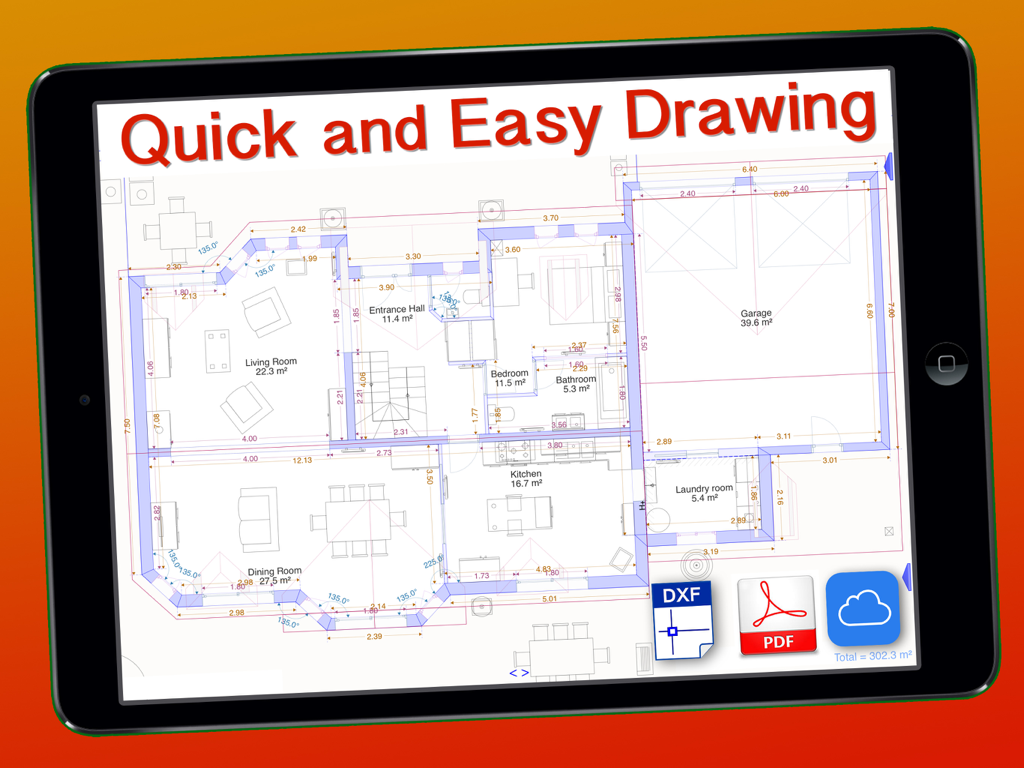
ArchiTouch 3D - Home Design - iPad 화면에 표시된 상세한 건축 2D 평면도

iPad 화면에 표시된 상세한 건축 2D 평면도

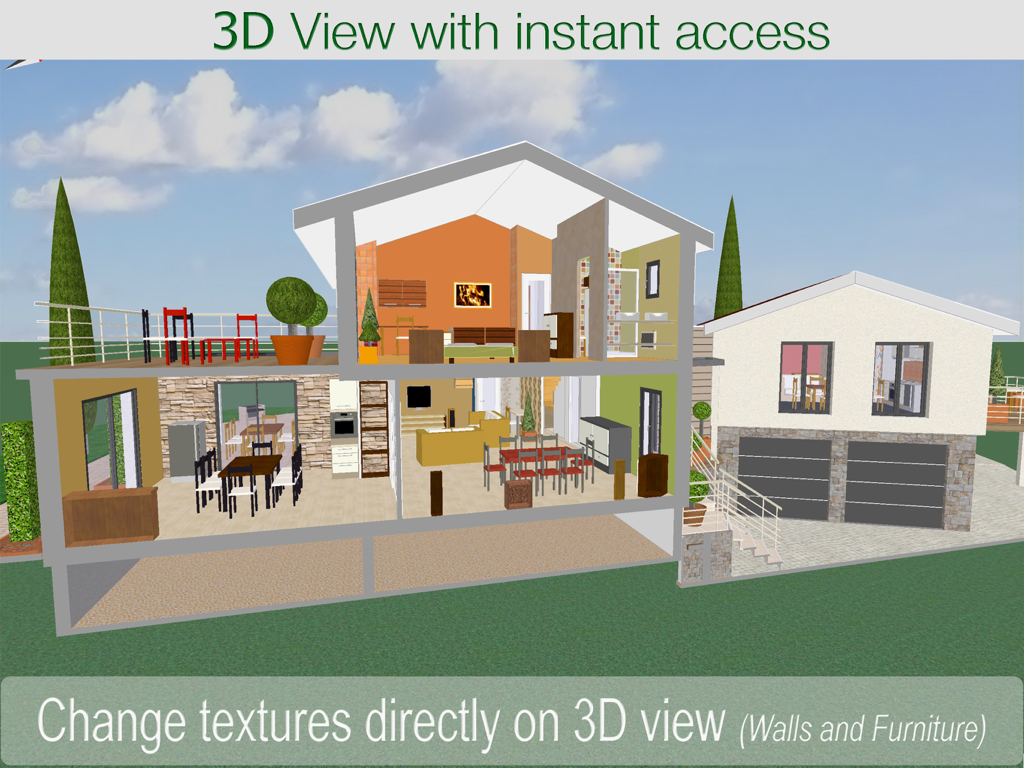
ArchiTouch 3D - Home Design - 가구와 질감이 보이는 다층 주택 디자인의 3D 단면도

가구와 질감이 보이는 다층 주택 디자인의 3D 단면도

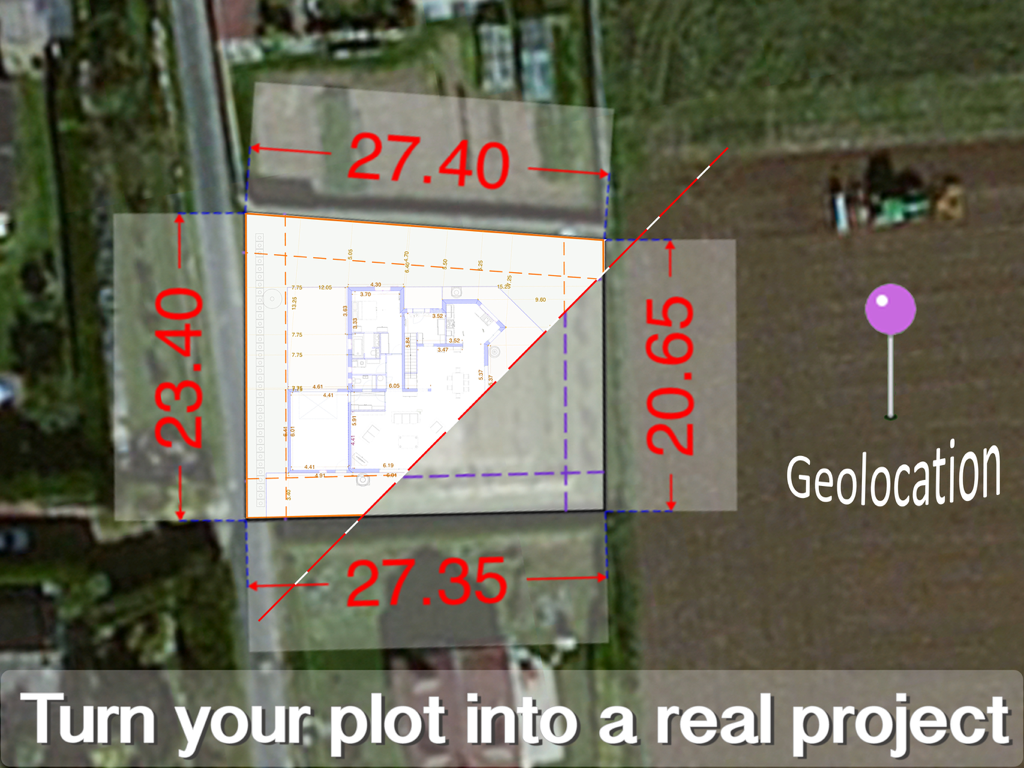
ArchiTouch 3D - Home Design - 주택 디자인 프로젝트의 부지 치수와 지리적 위치를 보여주는 위성 지도상의 평면도 오버레이
주택 디자인 프로젝트의 부지 치수와 지리적 위치를 보여주는 위성 지도상의 평면도 오버레이

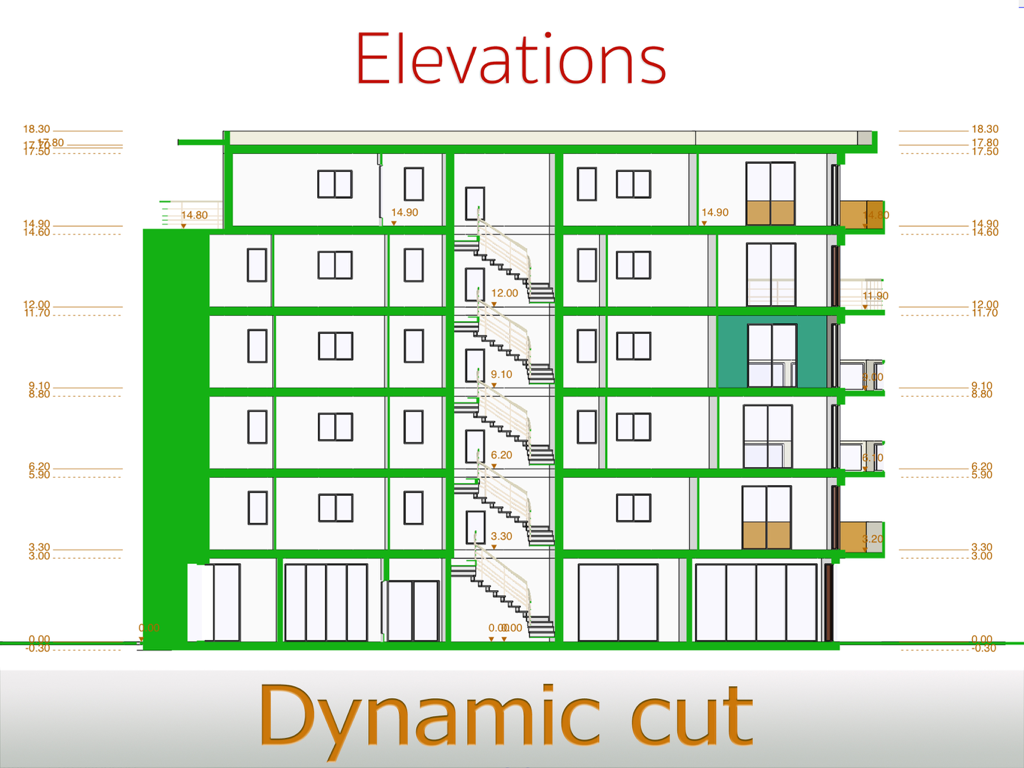
ArchiTouch 3D - Home Design - 높이 측정이 있는 여러 층의 동적 단면도를 보여주는 기술 건물 입면도
높이 측정이 있는 여러 층의 동적 단면도를 보여주는 기술 건물 입면도

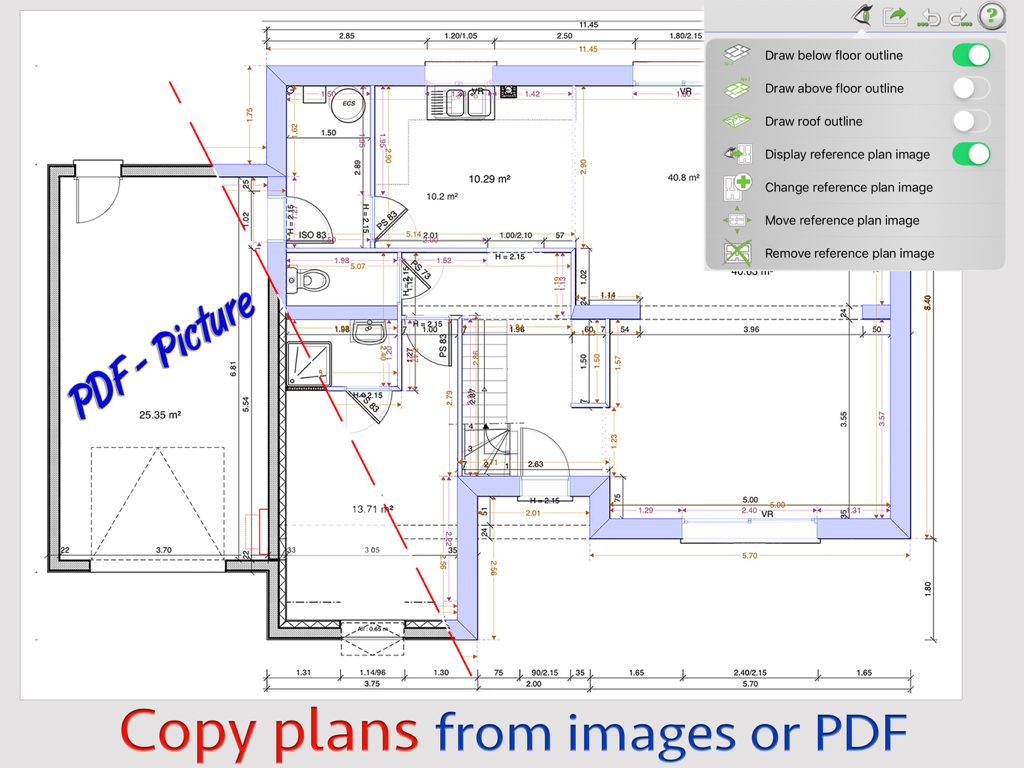
ArchiTouch 3D - Home Design - PDF 및 이미지 참조 파일에서 평면도를 복사하기 위한 건축 앱 인터페이스
PDF 및 이미지 참조 파일에서 평면도를 복사하기 위한 건축 앱 인터페이스

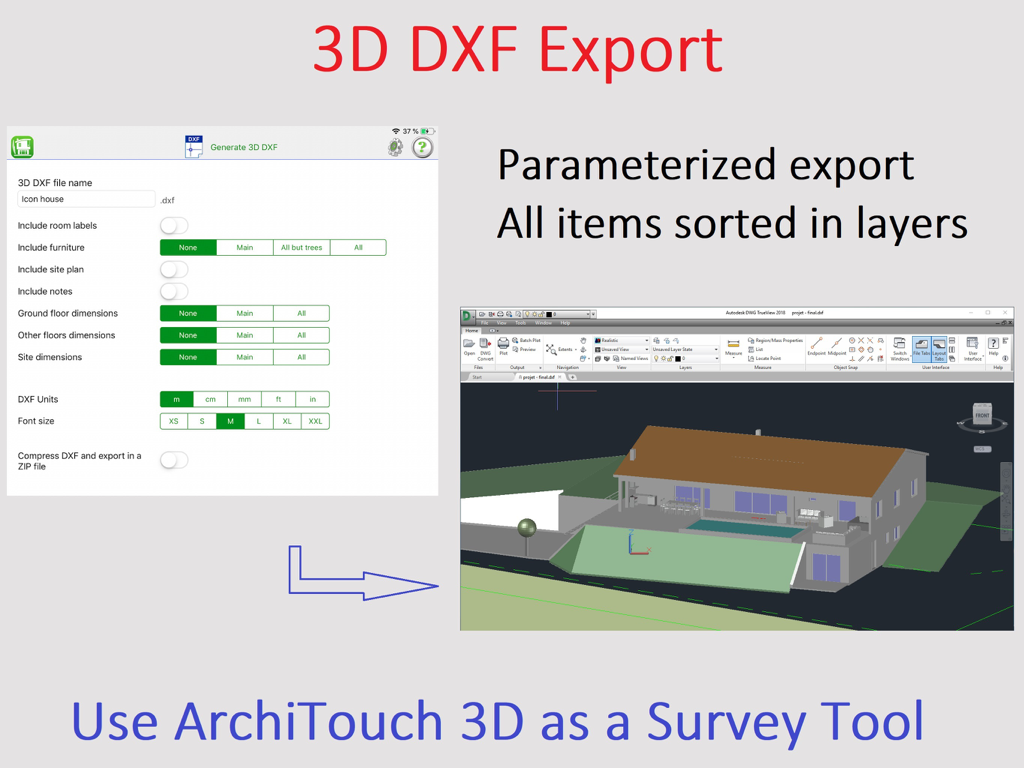
ArchiTouch 3D - Home Design - 렌더링된 주택 디자인 모델과 함께 3D DXF 내보내기를 위한 ArchiTouch 3D 앱 인터페이스

렌더링된 주택 디자인 모델과 함께 3D DXF 내보내기를 위한 ArchiTouch 3D 앱 인터페이스

설명

Enjoy Creative Architecture with ArchiTouch 3D ! You are looking for an Architecture design app combining efficiency and creative freedom ? ArchiTouch 3D is made for you! Feature-rich and easy to use, ArchiTouch 3D gives shape to your ideas. Every change is fast and easy, at any stage of your project. Instant navigation between 2D and 3D makes ArchiTouch 3D unique. Above all, ArchiTouch 3D is the most complete Architecture Design App available on both Mac and iPad. You can store your plans in iCloud and work on them anywhere. ● Design complete floor plans with doors, windows, staircases, different wall sizes and any angle. All dimensions, angles and surfaces are adjusted in real time. ● Adapt ceiling heights and floor levels with a simple input and all impacted elements are automatically positioned. ● Define slab level shifts, sloped walls, mezzanines… ● Create customized roofing. Roofs can be flat, mono or multi pitched but also Mansard, jointed and even curved, with dormers or roof windows… Your architectural choices have no limits! ● Draw an outline of your property directly on the satellite map and insert a site plan image to ease this process. This way, it becomes very easy to draw on top of the image to copy the exact property shape and dimensions. ● Design terraces and exterior items to see your project globally. ● Visualize volumes and control design flaws using the horizontal and vertical 3D cross sections in real time. ● Unlimited undo/redo feature provides a visual feedback. … All that at your fingertips ! ArchiTouch 3D contains a complete help system with illustrated examples. And our technical support is at your disposal for more specific questions. Send us an email and we will answer in a few hours. WHAT’S FREE: ● A trial project to explore all ArchiTouch 3D’s design features (changes are not saved). ● A single floor plan, complete with furniture, 3D view, all dimensions, angles, surfaces… Free floor plan generation in JPG or PDF is reserved for personal use (discrete watermark included). ● Viewing projects received by email or shared in the Cloud is free. Only project author needs a subscription. IN-APP PURCHASES (SUBSCRIPTIONS): ● Purchase only the needed duration. ● No automatic renewal: you are not committed to renew subscriptions. ● You can purchase a lifetime subscription (unlike a software license purchase, a lifetime subscription means no fee when updating to future versions) Subscriptions give you access to: ● All complete features ● Unlimited number of projects ● Professional and high-quality blueprints generation in JPEG or PDF ● DXF 2D and 3D file export. A subscription purchased on your iPad also activates ArchiTouch 3D for Mac, and vice versa. If you decide not to renew at the end of the subscription period you can choose a single project which will remain editable without time limit. However, you will need a new subscription to work on multiple projects, generate final plans or export DXF files. ArchiTouch 3D does not include advertising, requires no login and does not request your e-mail address – even when using only the free floor plan.

Download

다운로드: App Store

이 페이지는 앱이나 개발자의 공식 페이지가 아니며, 정보 제공 및 논평을 목적으로 작성된 독립 편집 간행물입니다. 명시적으로 달리 언급되지 않는 한, 해당 앱이나 개발자는 MWM, Apple, Google Play, 앱 퍼블리셔 또는 앱 개발자와 제휴, 보증, 후원, 승인 또는 공식적으로 연결되어 있지 않으며, 이 페이지의 어떤 내용도 해당 앱이 MWM의 서비스를 사용하여 개발되었음을 의미하지 않습니다. 모든 상표, 로고, 스크린샷 및 기타 콘텐츠는 해당 소유자의 자산입니다.