Astropad Studio Drawing Tablet
다운로드: App Store

이 페이지는 앱이나 개발자의 공식 페이지가 아니며, 정보 제공 및 논평을 목적으로 작성된 독립 편집 간행물입니다. 명시적으로 달리 언급되지 않는 한, 해당 앱이나 개발자는 MWM, Apple, Google Play, 앱 퍼블리셔 또는 앱 개발자와 제휴, 보증, 후원, 승인 또는 공식적으로 연결되어 있지 않으며, 이 페이지의 어떤 내용도 해당 앱이 MWM의 서비스를 사용하여 개발되었음을 의미하지 않습니다. 모든 상표, 로고, 스크린샷 및 기타 콘텐츠는 해당 소유자의 자산입니다.


로고: Astropad Studio Drawing Tablet
다운로드: App Store

Astropad Studio Drawing Tablet

iPad를 Mac 및 PC용 하이엔드 크리에이티브 워크스페이스로 바꾸세요. 지연 없는 성능, 완벽한 제스처 커스터마이징, 어디서나 작업할 수 있는 자유를 원하는 전문가를 위해 제작되었습니다.

주요 수치

다운로드

883K+

사용자 평점

4.6/5

총 평가 수

4K+

개발사

Astro HQ LLC

카테고리

Productivity

지원 언어

4

최신 버전

5.5.2

크기

109.8 MB

출시일

2017년 1월 11일
기능

전문가용 워크플로우를 위해 설계됨

Astropad Studio는 Apple Pencil의 정밀함과 데스크톱 크리에이티브 도구의 강력한 성능을 결합하여 iPad를 하이엔드 프로덕션 툴로 탈바꿈시킵니다.

전문가급 속도 및 정밀도

Liquid Extreme 기술과 데스크톱을 완벽하게 미러링하는 색교정 레티나 해상도로 지연 없는 드로잉을 경험하세요.

커스텀 매직 제스처

터치와 펜슬을 조합해 나만의 단축키를 만들어보세요. 손을 키보드에서 떼고 캔버스에만 집중할 수 있습니다.

다음 스크린샷과 설명은 앱의 공식 스토어 목록에서 직접 가져온 것이며 앱 개발자의 자산입니다.

앱 스토어

스크린샷
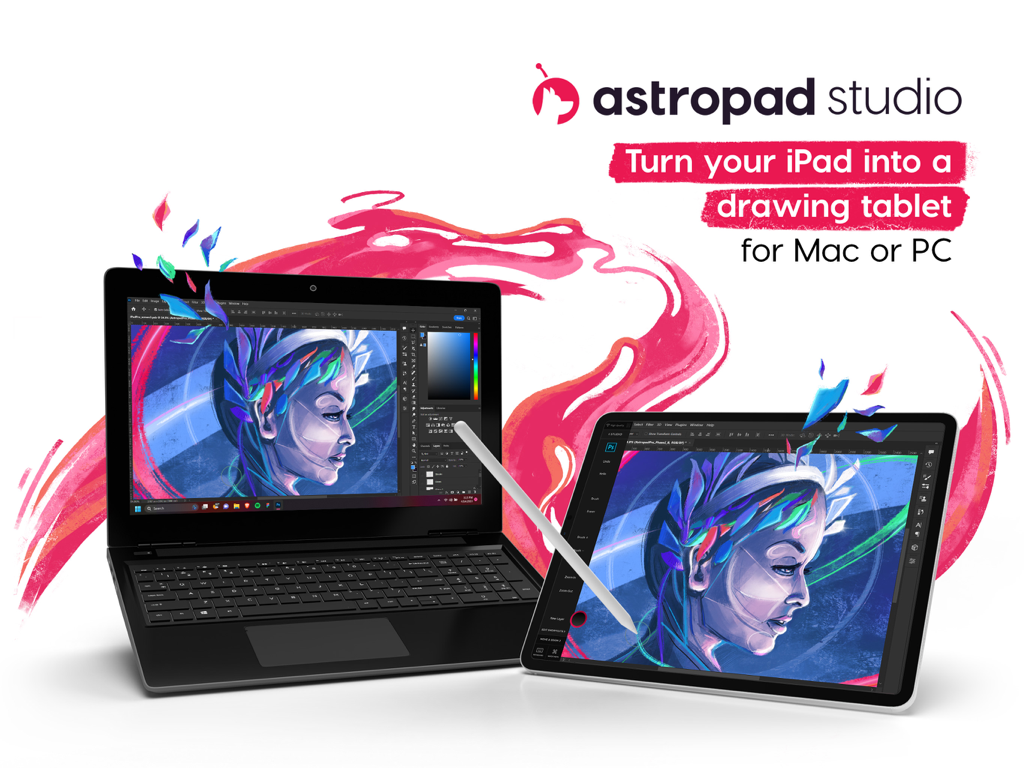
Astropad Studio Drawing Tablet - 크리에이티브 소프트웨어를 실행 중인 노트북에 연결되어 전문가용 드로잉 태블릿으로 사용 중인 iPad
크리에이티브 소프트웨어를 실행 중인 노트북에 연결되어 전문가용 드로잉 태블릿으로 사용 중인 iPad

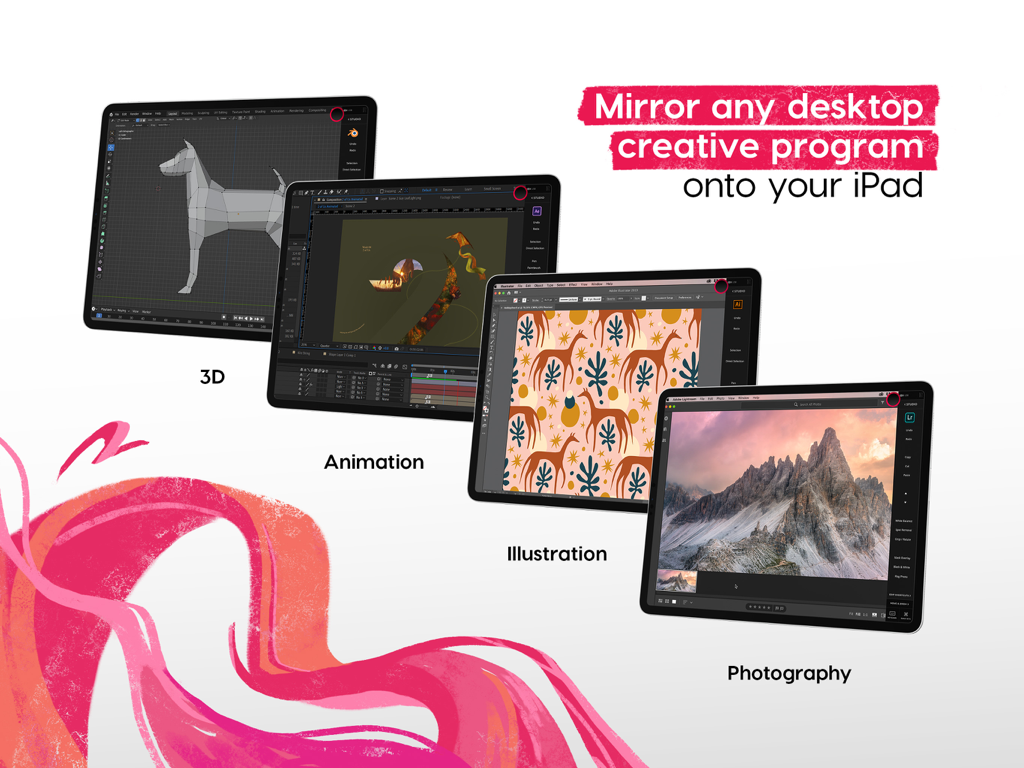
Astropad Studio Drawing Tablet - 3D 애니메이션 및 일러스트레이션과 같은 데스크톱 크리에이티브 소프트웨어를 iPad로 미러링하는 Astropad Studio
3D 애니메이션 및 일러스트레이션과 같은 데스크톱 크리에이티브 소프트웨어를 iPad로 미러링하는 Astropad Studio

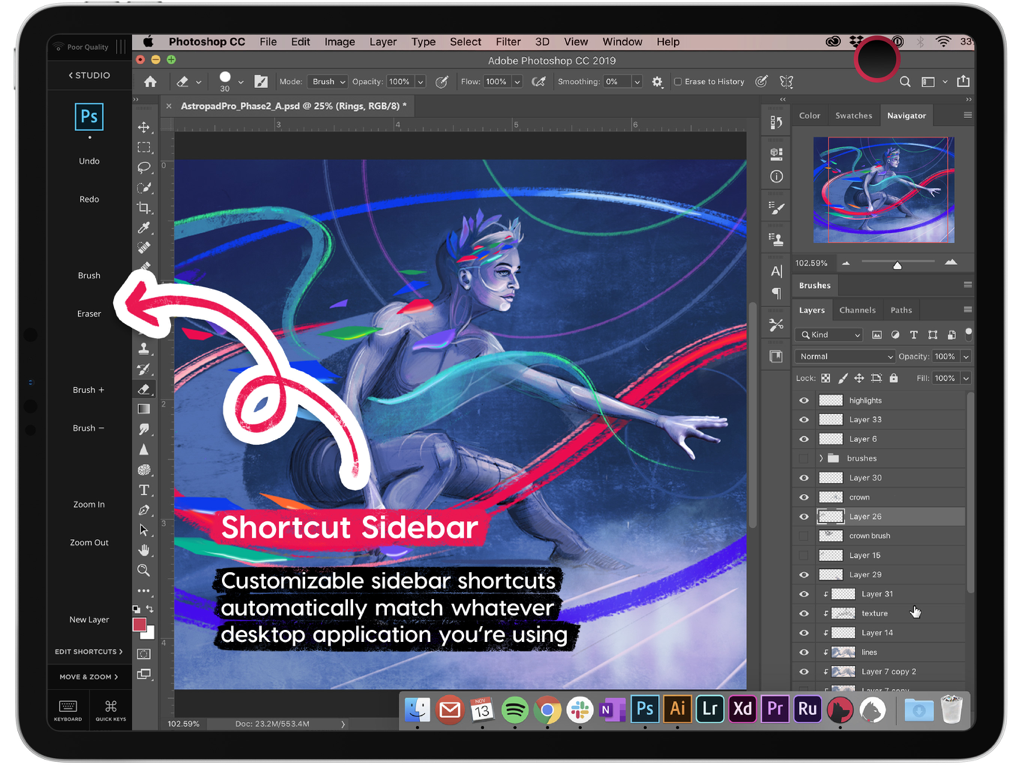
Astropad Studio Drawing Tablet - iPad용 Photoshop의 커스터마이징 가능한 도구를 보여주는 Astropad Studio 단축키 사이드바
iPad용 Photoshop의 커스터마이징 가능한 도구를 보여주는 Astropad Studio 단축키 사이드바

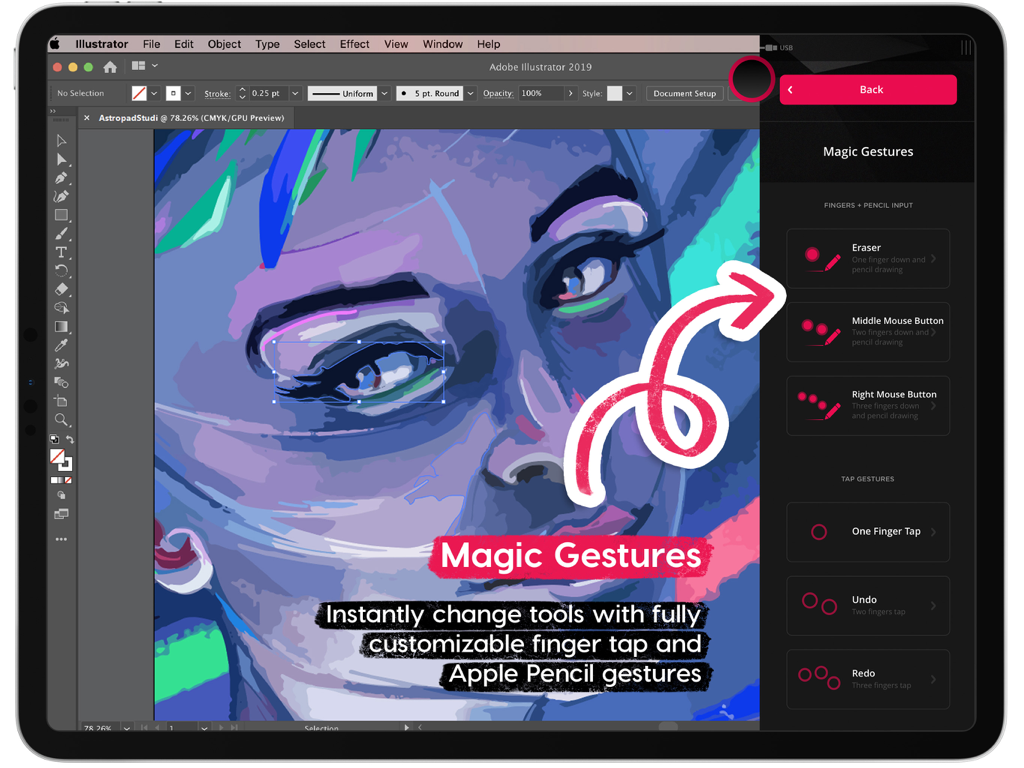
Astropad Studio Drawing Tablet - 커스텀 가능한 iPad 드로잉 단축키를 위한 Astropad Studio 매직 제스처 인터페이스
커스텀 가능한 iPad 드로잉 단축키를 위한 Astropad Studio 매직 제스처 인터페이스

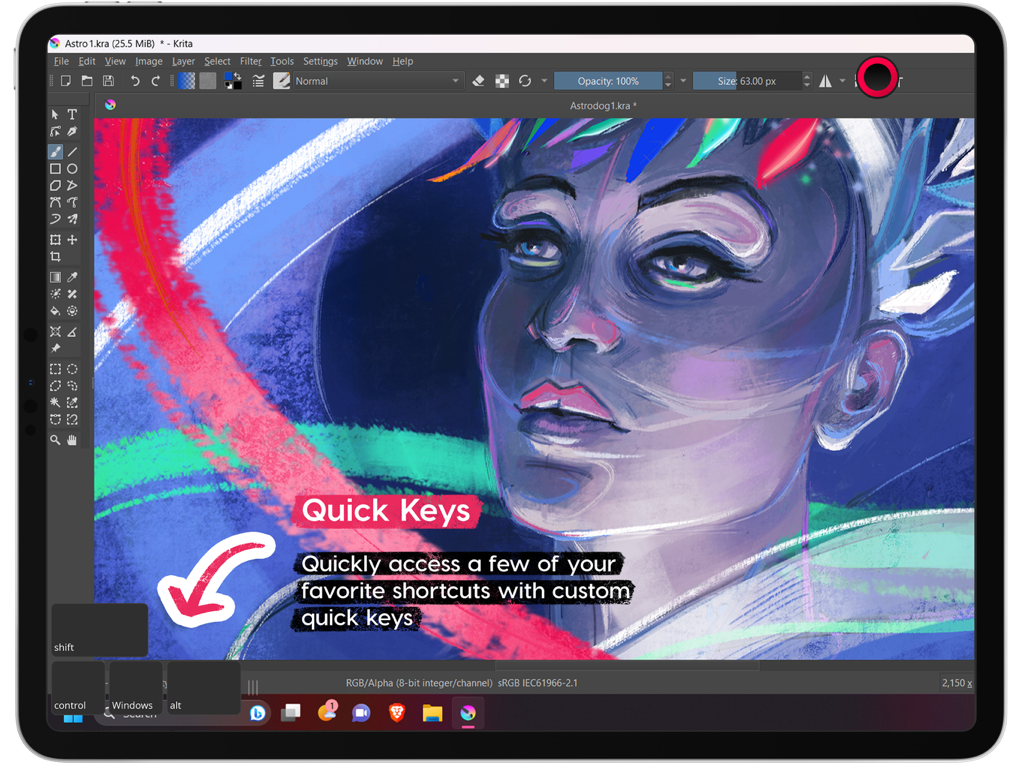
Astropad Studio Drawing Tablet - Krita 소프트웨어를 실행하는 동안 Quick Keys 기능을 강조하는 iPad의 Astropad Studio 인터페이스
Krita 소프트웨어를 실행하는 동안 Quick Keys 기능을 강조하는 iPad의 Astropad Studio 인터페이스

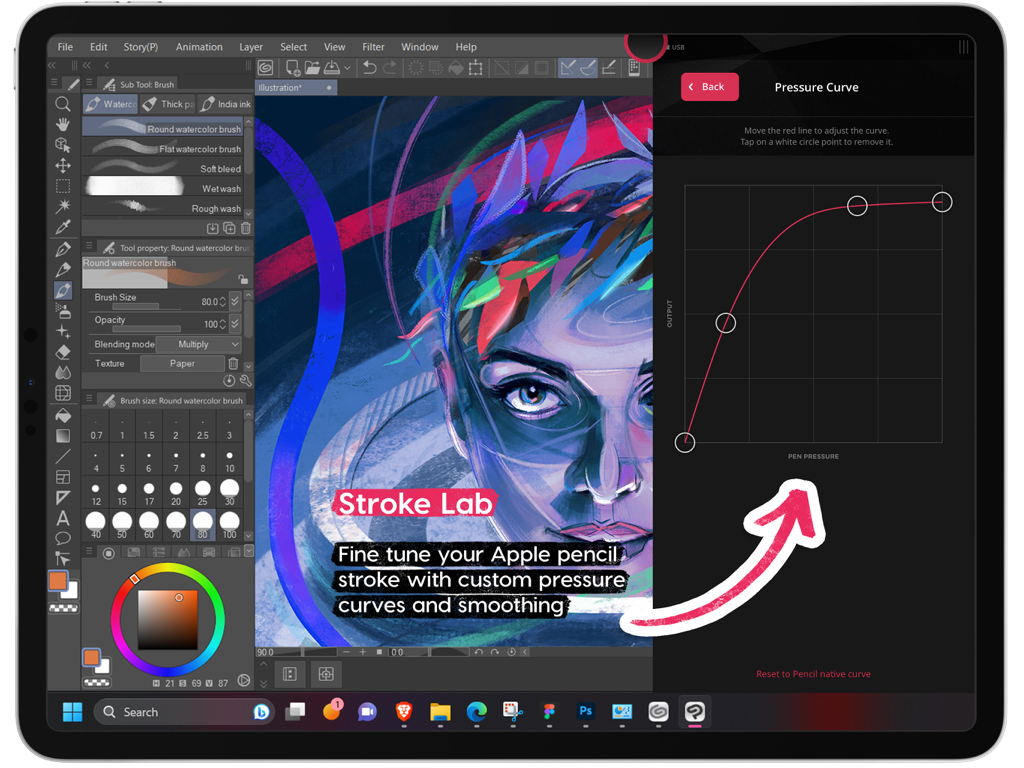
Astropad Studio Drawing Tablet - iPad용 Apple Pencil을 위한 Astropad Studio의 커스텀 필압 곡선 설정
iPad용 Apple Pencil을 위한 Astropad Studio의 커스텀 필압 곡선 설정

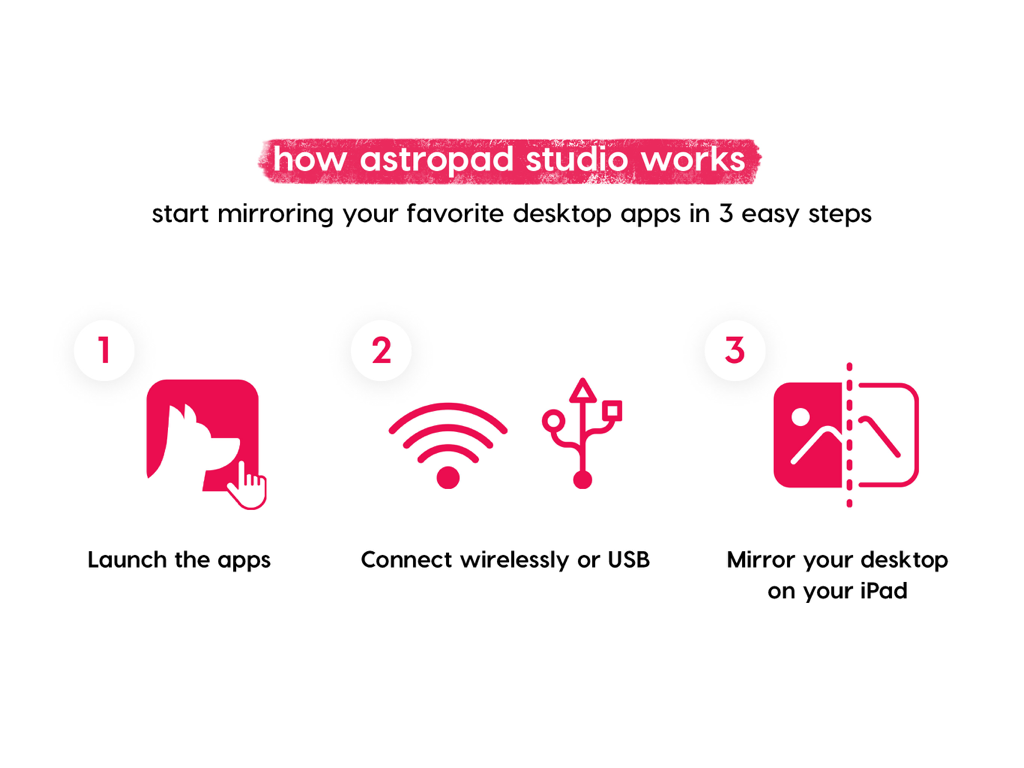
Astropad Studio Drawing Tablet - Astropad Studio를 통해 데스크톱 앱을 iPad로 미러링하는 3단계를 설명하는 인포그래픽
Astropad Studio를 통해 데스크톱 앱을 iPad로 미러링하는 3단계를 설명하는 인포그래픽

Astropad Studio Drawing Tablet - Astropad Studio 14일 무료 체험 제공 화면

Astropad Studio 14일 무료 체험 제공 화면

설명

Go beyond a drawing tablet with Astropad Studio. Start a free 14-day trial today! Astropad Studio is the ultimate wireless drawing tablet, designed for the most demanding creative work. With complete workspace customization, Studio allows artists to work faster and more efficiently, with the freedom to work in the studio, at home, or on-the-go. Built for creative professionals with features like: · Wifi or USB connectivity · Built in 2nd display · Crystal clear & ultra-fast · Gesture shortcut customization · Keyboard support · Customizable pressure curves · Magic Gestures: Create your own gesture shortcuts with touch-Pencil combinations · Shortcut Sets: Sidebar shortcuts automatically adapt to match whatever Mac app you’re working in · Unlimited upgrades · Works on Mac and PC $14.99 monthly or $79.99 annually ___ STREAMLINED PRODUCTIVITY · Pinch to Zoom: Pinch to zoom and pan in Mac or PC Apps · Liquid Extreme: Up to 5x faster than baseline Liquid · Wifi & USB: Use your iPad as a drawing tablet plugged in or wirelessly · Keyboard Support: Access our built-in keyboard or use your own Bluetooth keyboard · Velocity Control: Analyzes network conditions dozens of times per second to balance image quality and latency COMPLETE CUSTOMIZATION · Magic Gestures: Create your own gesture shortcuts with touch-Pencil combinations · Shortcut Sets: Sidebar shortcuts automatically adapt to match whatever Mac app you’re working in BUILT FOR CREATIVES · Apple Pencil Optimized: Designed exclusively for the precision of Apple Pencil · Color Corrected: True to your source material with color corrected output and retina resolution ___ SYSTEM REQUIREMENTS · Mac: OS X 10.14 or later · PC: Windows 10 64-bit, build 1809 or later · iPad iOS 13.1 or later: iPad Mini 4 (2015+), iPad Air (2014+), iPad Pro (2016+), iPad 5th generation (2017+) · Optimized for iPad Pro and Apple Pencil SUBSCRIPTION TERMS · $14.99 monthly or $79.99 annually · Price may vary by location. ___ Subscriptions will be charged to your credit card using your iTunes account. Your subscription will automatically renew unless canceled at least 24 hours before the end of the current period. Subscriptions may be managed by the user and auto-renewal may be turned off by going to the user's Account Settings after purchase. No cancellation of the current subscription is allowed during active subscription period. Any unused portion of a free trial period will be forfeited when the user purchases a subscription. Your account will be charged for renewal within 24-hours prior to the end of the current period. ___ MORE RESOURCES Download the free desktop companion app: astropad.com/downloads FAQ: astropad.com/faq Support: support@astropad.com Twitter: @astropad Instagram: @astropadco Facebook: facebook.com/astropadco ___ Privacy Policy: http://astropad.com/studio/privacy.html Terms of Use: http://astropad.com/studio/terms.html

Download

다운로드: App Store

이 페이지는 앱이나 개발자의 공식 페이지가 아니며, 정보 제공 및 논평을 목적으로 작성된 독립 편집 간행물입니다. 명시적으로 달리 언급되지 않는 한, 해당 앱이나 개발자는 MWM, Apple, Google Play, 앱 퍼블리셔 또는 앱 개발자와 제휴, 보증, 후원, 승인 또는 공식적으로 연결되어 있지 않으며, 이 페이지의 어떤 내용도 해당 앱이 MWM의 서비스를 사용하여 개발되었음을 의미하지 않습니다. 모든 상표, 로고, 스크린샷 및 기타 콘텐츠는 해당 소유자의 자산입니다.








