
이 페이지는 앱이나 개발자의 공식 페이지가 아니며, 정보 제공 및 논평을 목적으로 작성된 독립 편집 간행물입니다. 명시적으로 달리 언급되지 않는 한, 해당 앱이나 개발자는 MWM, Apple, Google Play, 앱 퍼블리셔 또는 앱 개발자와 제휴, 보증, 후원, 승인 또는 공식적으로 연결되어 있지 않으며, 이 페이지의 어떤 내용도 해당 앱이 MWM의 서비스를 사용하여 개발되었음을 의미하지 않습니다. 모든 상표, 로고, 스크린샷 및 기타 콘텐츠는 해당 소유자의 자산입니다.

Remote Mouse
2천만 명의 사용자와 함께 휴대전화를 강력한 마우스, 키보드, 터치패드로 바꿔보세요. 세계에서 가장 신뢰받는 원격 앱으로 미디어를 쉽게 제어하고, 프레젠테이션을 마스터하고, 기기 간 클립보드를 동기화하세요.
다운로드
3M+사용자 평점
총 평가 수
60K+개발사
카테고리
Utilities지원 언어
19최신 버전
5.310크기
90.3 MB출시일
2010년 8월 24일어디서든 컴퓨터를 마스터하세요
Remote Mouse는 모바일 기기를 강력한 무선 브릿지로 바꿔, 업무, 엔터테인먼트 및 그 외 모든 것을 위해 PC 또는 Mac을 완벽하게 제어할 수 있도록 합니다.
직관적인 마우스 및 트랙패드
멀티터치 제스처와 자이로 센서 지원으로 원활한 탐색을 경험하세요. 휴대전화에서 바로 고급 트랙패드처럼 유연하게 커서를 제어할 수 있습니다.
전문가용 프레젠테이션 제어
클리커는 버리고 회의실을 장악하세요. Keynote 및 PowerPoint 전용 패널을 통해 전문적인 방식으로 슬라이드를 전환하고 프레젠테이션을 관리할 수 있습니다.
자주 묻는 질문
에 대해 알아야 할 모든 것 Remote Mouse
Remote Mouse는 무엇인가요?
Remote Mouse는 휴대폰이나 태블릿을 컴퓨터의 다기능 원격 제어 장치로 바꿔줍니다. 무선 마우스, 키보드, 터치패드 역할을 하며 다양한 작업을 위한 전용 제어판을 제공합니다.
Remote Mouse는 어떤 운영체제를 지원하나요?
Remote Mouse는 Windows, Mac OSX, Linux 운영체제를 지원합니다. 이러한 주요 플랫폼에서 작동하며 다기능 컴퓨터 제어를 제공합니다.
Remote Mouse에서 휴대폰의 물리적 볼륨 버튼을 사용할 수 있나요?
예, Remote Mouse에서는 원격 제어 작업을 위해 모바일 장치의 물리적 볼륨 버튼을 사용할 수 있습니다. 이 기능은 직관적인 조작을 향상시킵니다.
Remote Mouse는 어떻게 컴퓨터에 연결되나요?
Remote Mouse는 Wi-Fi 또는 Bluetooth를 통해 컴퓨터에 연결됩니다. IP 주소, QR 코드 또는 연결 기록을 통해 연결을 설정할 수 있습니다.
Remote Mouse는 기기 간 클립보드 기능을 제공하나요?
예, Remote Mouse는 기기 간 클립보드 기능을 포함합니다. 이를 통해 컴퓨터와 모바일 장치 간에 텍스트 및 이미지를 원활하게 전송할 수 있습니다.
Remote Mouse로 컴퓨터를 종료할 수 있나요?
예, Remote Mouse는 전원 옵션을 제공하여 모바일 장치에서 직접 컴퓨터를 원격으로 종료, 절전, 다시 시작 또는 로그오프할 수 있습니다.
Remote Mouse의 미디어 리모컨은 어떤 종류의 미디어 플레이어를 지원하나요?
Remote Mouse의 미디어 리모컨은 iTunes, VLC, Windows Media Player, Keynote, PowerPoint, Windows Photo Viewer와 같은 인기 플레이어를 지원합니다. 더 많은 애플리케이션이 지원될 예정입니다.
Remote Mouse에 다크 모드가 있나요?
예, Remote Mouse는 다크 모드 옵션을 제공합니다. 이 애플리케이션은 사용자 지정 UI 기능과 사용자 지정 가능한 배경 화면을 제공하여 경험을 개인화할 수 있습니다.
Remote Mouse를 시작하려면 어떻게 해야 하나요?
시작하려면 컴퓨터에서 remotemouse.net을 방문하여 서버 소프트웨어를 다운로드하고 설치하세요. 그런 다음 모바일 장치를 동일한 Wi-Fi 네트워크에 연결하거나 Bluetooth를 사용하세요.
Remote Mouse는 터치패드에서 멀티터치 제스처를 지원하나요?
예, Remote Mouse는 Apple Magic Trackpad를 시뮬레이션하며 멀티터치 제스처를 지원합니다. 이는 직관적이고 익숙한 제어 경험을 제공합니다.
다음 스크린샷과 설명은 앱의 공식 스토어 목록에서 직접 가져온 것이며 앱 개발자의 자산입니다.
앱 스토어
스크린샷
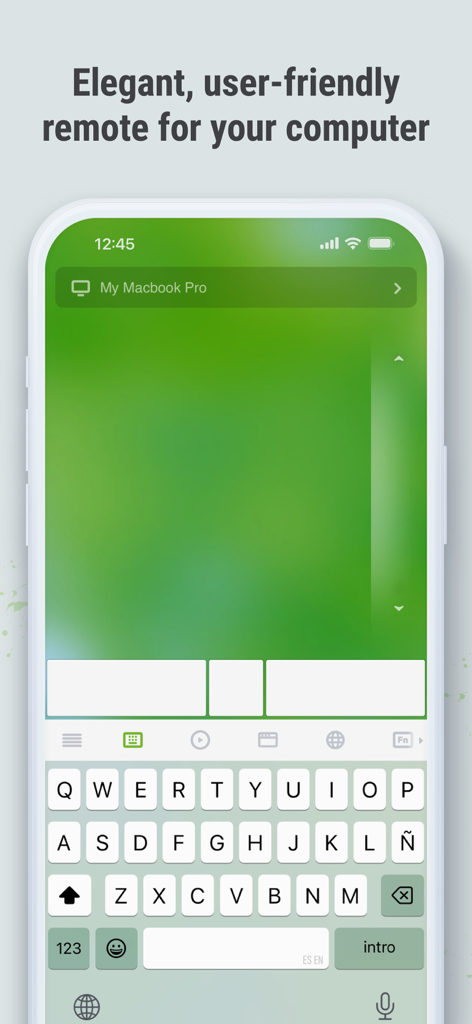
아이폰에서 가상 트랙패드와 키보드를 표시하는 Remote Mouse 앱
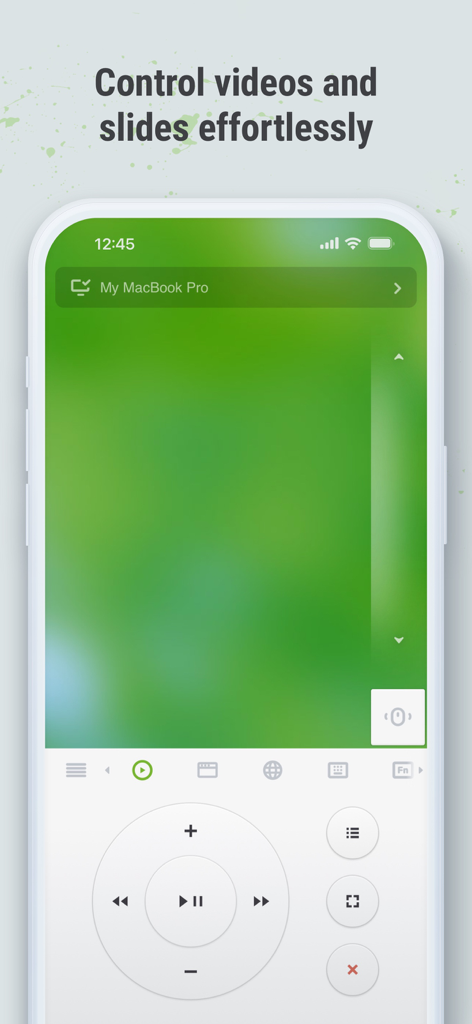
스마트폰에서 비디오 및 슬라이드용 미디어 제어 버튼을 보여주는 Remote Mouse 앱 인터페이스
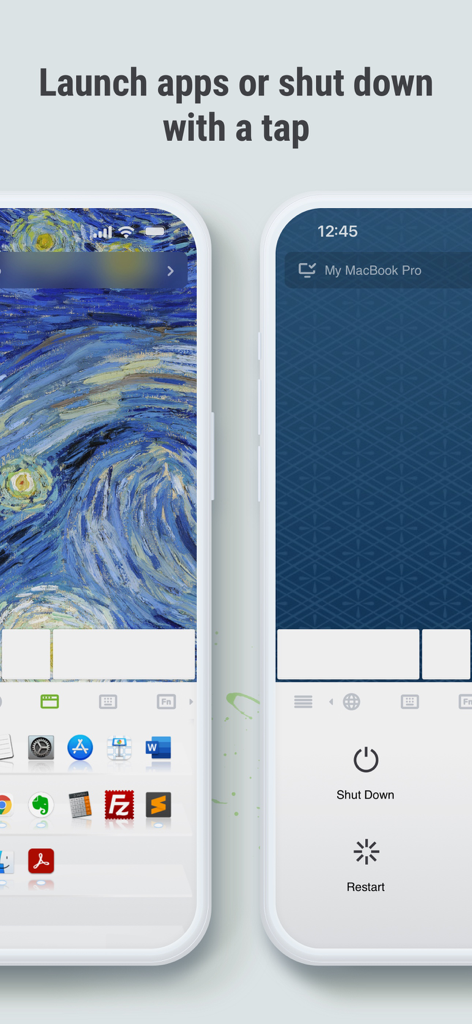
컴퓨터 애플리케이션을 실행하고 컴퓨터를 원격으로 종료하거나 다시 시작하는 옵션을 보여주는 Remote Mouse 모바일 인터페이스
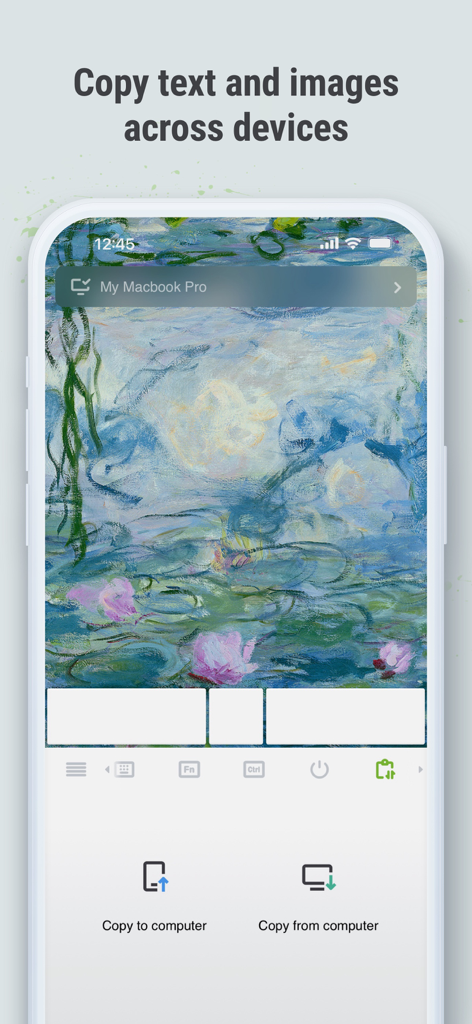
기기 간 복사 및 붙여넣기 기능을 보여주는 Remote Mouse 모바일 인터페이스
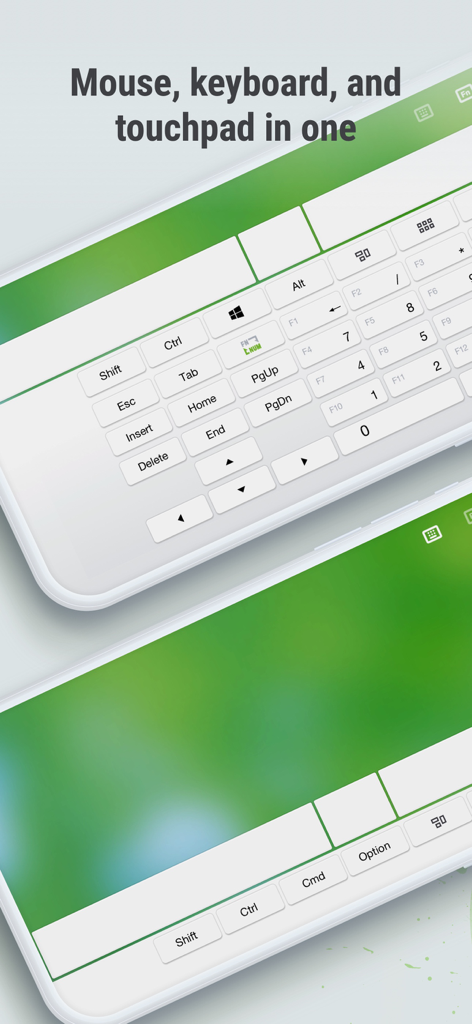
스마트폰 화면에서 가상 키보드 및 터치패드를 보여주는 Remote Mouse 앱 인터페이스
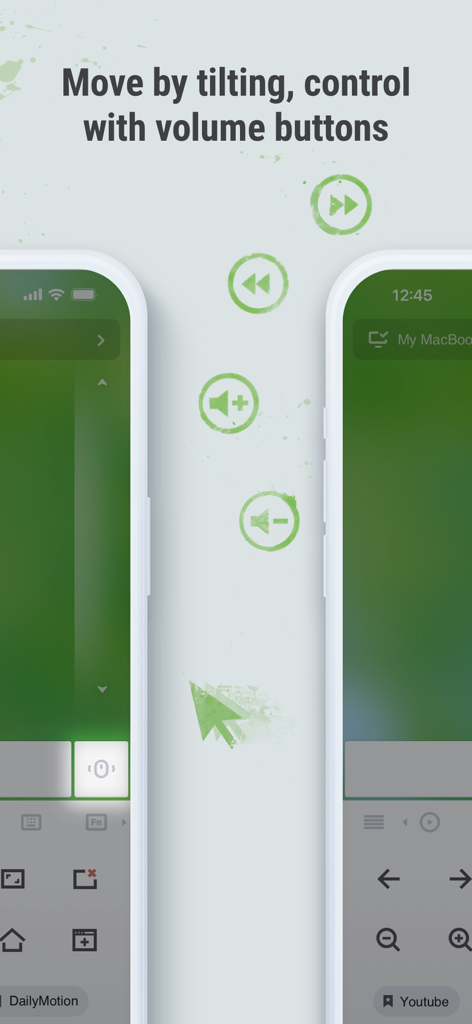
휴대전화 기울이기와 물리적 볼륨 버튼을 사용하여 컴퓨터를 제어하는 기능을 보여주는 Remote Mouse 앱 스크린샷
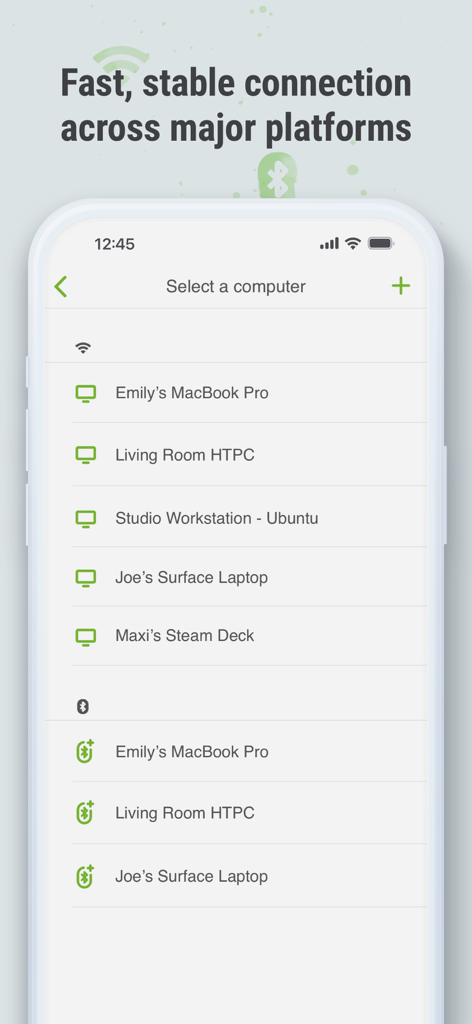
다양한 플랫폼에 걸쳐 Wi-Fi 및 Bluetooth를 통해 연결 가능한 장치 목록을 보여주는 Remote Mouse 앱 인터페이스
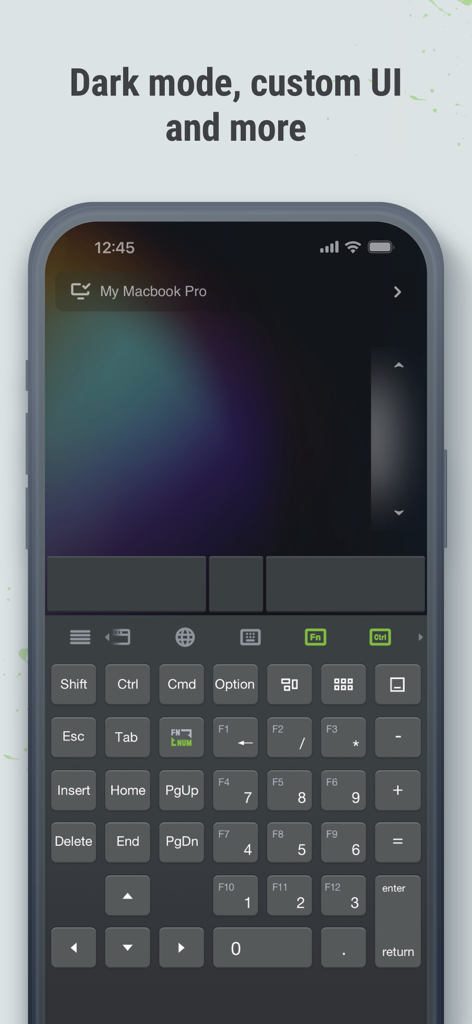
스마트폰 화면에서 다크 모드와 사용자 정의 가능한 키보드 레이아웃을 표시하는 Remote Mouse 앱 인터페이스
설명
Download
비슷한 앱
유사한 기능과 사용자 경험을 가진 앱

Mouse · Keyboard
Remote Sunrise LTD

Camo Camera
Reincubate Ltd

DroidCam Webcam & OBS Camera
DEV47 APPS LTD.

spacedesk - USB Display for PC
datronicsoft Technology GmbH

iVCam Webcam
俊红 柴

CamX - USB Camera
Touchbits Inc.

Genki Studio
Human Things, Inc

Astropad Studio Drawing Tablet
Astro HQ LLC

Remote Mouse & Keyboard
horhe dor
이 페이지는 앱이나 개발자의 공식 페이지가 아니며, 정보 제공 및 논평을 목적으로 작성된 독립 편집 간행물입니다. 명시적으로 달리 언급되지 않는 한, 해당 앱이나 개발자는 MWM, Apple, Google Play, 앱 퍼블리셔 또는 앱 개발자와 제휴, 보증, 후원, 승인 또는 공식적으로 연결되어 있지 않으며, 이 페이지의 어떤 내용도 해당 앱이 MWM의 서비스를 사용하여 개발되었음을 의미하지 않습니다. 모든 상표, 로고, 스크린샷 및 기타 콘텐츠는 해당 소유자의 자산입니다.