Audio Editor: Video to Audio

Audio Editor: Video to Audio

다운로드: App Store
로고: Audio Editor: Video to Audio

오디오 편집기: 비디오를 오디오로: 주머니 속 전문가 사운드 스튜디오

AI 기반 노이즈 감소, 보컬 분리, 정밀 편집으로 콘텐츠를 향상시키세요. 비디오에서 고품질 오디오를 추출하고 몇 초 만에 틱톡, Reels, 팟캐스트에 맞게 사운드를 다듬으세요.

다운로드: App Store

개발사

文 夏

카테고리

Music

다운로드

549K+

사용자 평점

4.7/5

총 평가 수

4K+

지원 언어

9

한눈에 보는 스튜디오 정밀도

이 인터페이스를 사용하는 549K+ 명의 사용자.

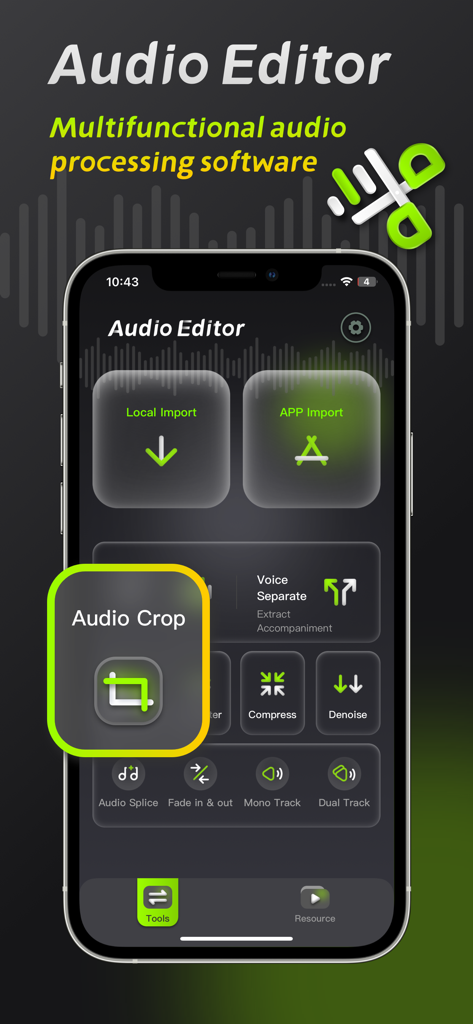
오디오 편집기 모바일 앱 인터페이스로, 오디오 자르기 도구와 전문가 수준의 오디오 처리 기능을 강조합니다.
오디오 편집기 모바일 앱 인터페이스로, 오디오 자르기 도구와 전문가 수준의 오디오 처리 기능을 강조합니다.

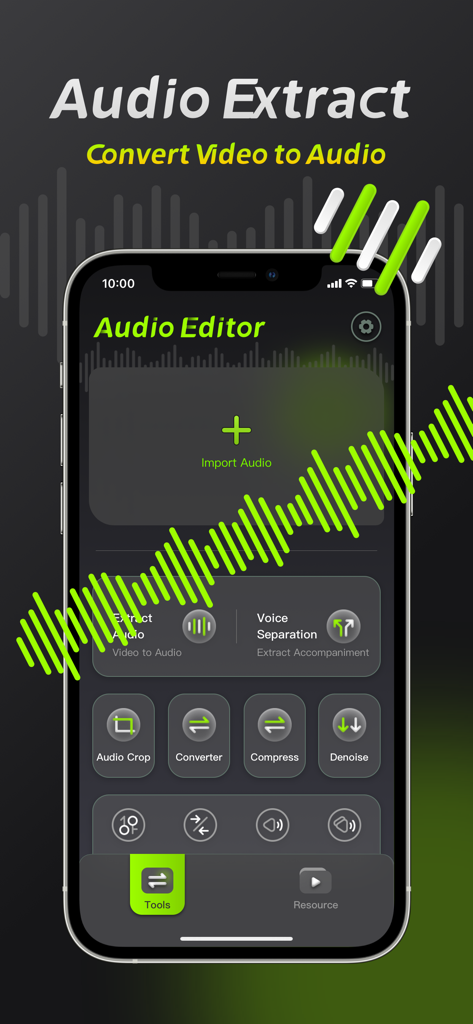
오디오 편집기의 모바일 앱 인터페이스로, 비디오를 오디오로 추출하고 음성을 분리하는 도구를 보여줍니다.
오디오 편집기의 모바일 앱 인터페이스로, 비디오를 오디오로 추출하고 음성을 분리하는 도구를 보여줍니다.

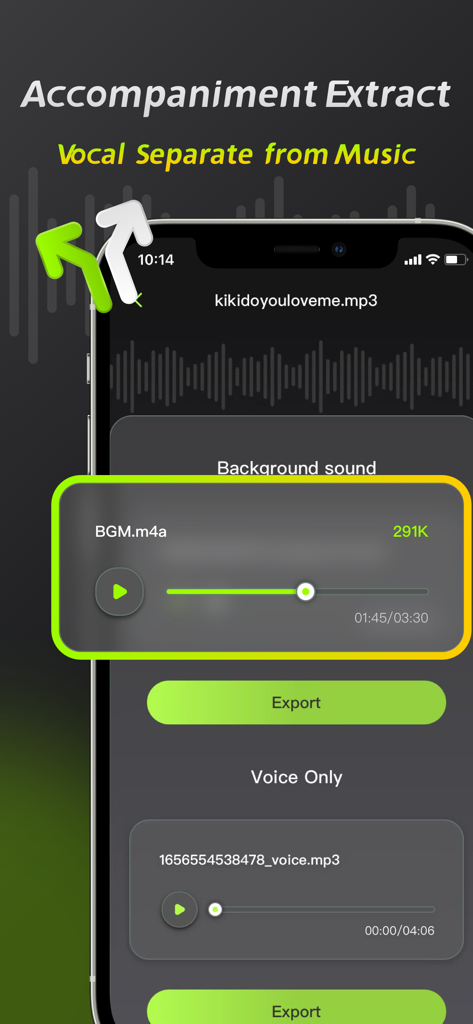
오디오 편집기 앱 인터페이스로, 보컬 분리 및 반주 추출 기능을 보여줍니다.
오디오 편집기 앱 인터페이스로, 보컬 분리 및 반주 추출 기능을 보여줍니다.

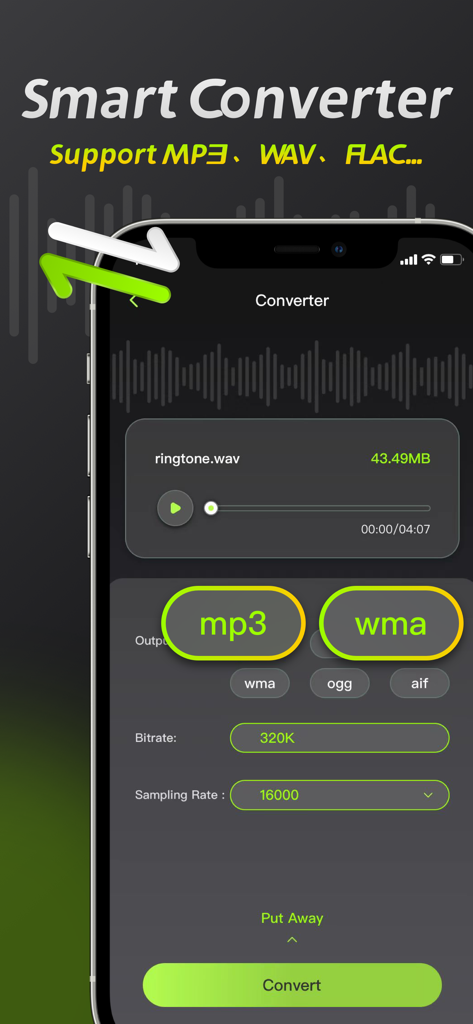
오디오 편집기 앱 인터페이스로, MP3 및 WAV와 같은 파일 형식을 변경하는 스마트 변환기 기능을 보여줍니다.
오디오 편집기 앱 인터페이스로, MP3 및 WAV와 같은 파일 형식을 변경하는 스마트 변환기 기능을 보여줍니다.

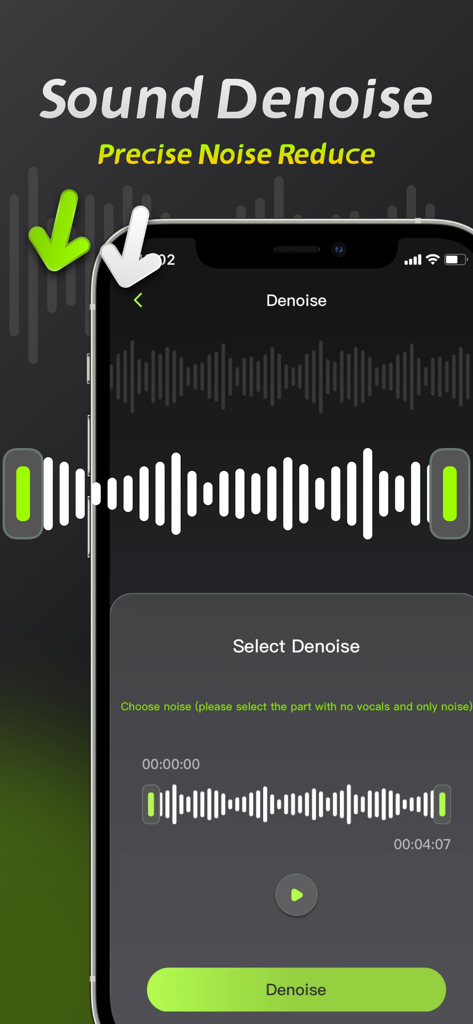
오디오 편집기 앱의 사운드 노이즈 제거 기능과 파형 선택 인터페이스를 보여주는 스마트폰 화면입니다.
오디오 편집기 앱의 사운드 노이즈 제거 기능과 파형 선택 인터페이스를 보여주는 스마트폰 화면입니다.

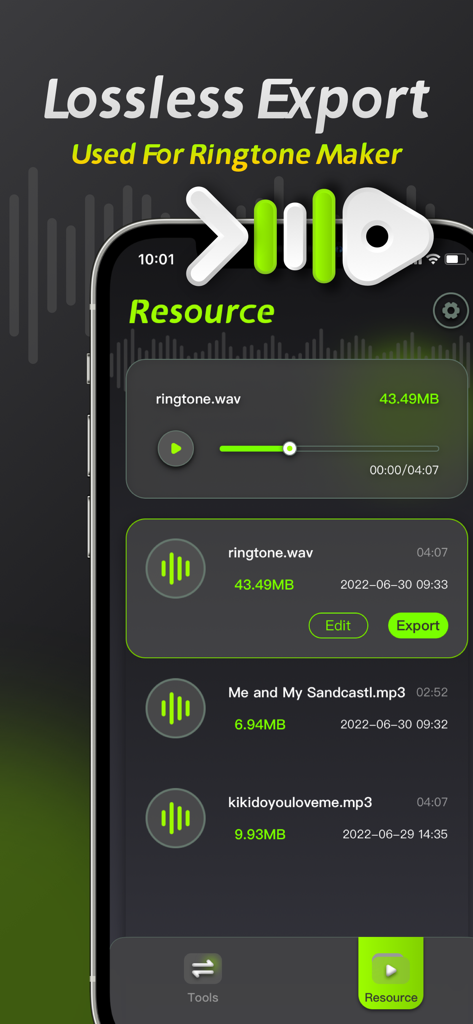
오디오 편집기 앱 인터페이스의 스크린샷으로, 무손실 내보내기 옵션과 벨소리 제작을 위한 오디오 리소스 목록을 보여줍니다.

오디오 편집기 앱 인터페이스의 스크린샷으로, 무손실 내보내기 옵션과 벨소리 제작을 위한 오디오 리소스 목록을 보여줍니다.

주머니 속 전문가 오디오 스튜디오

이 앱을 돋보이게 하는 도구, 549K+ 명의 사용자가 선택.

🪄

원클릭 AI 노이즈 감소

녹음에서 바람, 교통, 배경 소음을 즉시 제거하여 동영상에 선명한 오디오를 제공합니다.

🎤

AI 보컬 및 음악 분리

무손실 정밀도로 보컬 또는 반주 트랙을 분리합니다. 리믹스, 아카펠라 또는 노래방 트랙을 만드는 최고의 도구입니다.

🎞️

전문 등급 비디오 추출

모든 비디오를 MP3 또는 WAV와 같은 고품질 오디오 형식으로 변환합니다. 고정밀 비트 전송률로 소셜 미디어에서 클립을 추출합니다.

전 세계 사용자들에게 사랑받는 앱

Trusted by 549K+ 명이 이 앱을 사랑합니다.

"

"전업 틱톡 크리에이터로서 저는 종종 시끄러운 도시 환경에서 촬영합니다. 이 앱의 노이즈 감소 기능은 게임 체인저입니다. iPhone에서 몇 초 만에 오디오를 정리해 줍니다. 보컬 분리 기능은 내 비디오 클립에서 깨끗한 보이스오버를 만드는 데도 놀랍습니다."

Marcus J.
"

"저는 음악을 전공하는 학생이며 연습 시간에 매일 이 앱을 사용합니다. 보컬을 반주에서 분리하는 기능이 매우 정확하며, 파일을 직접 iPad에서 변환하고 압축할 수 있어 시간을 절약해 줍니다. 제 주머니 속 전문가 등급 도구입니다."

Elena S.

리뷰 분석

사용자 리뷰 인사이트.

감정 점수

33%
부정적

요약

This app receives mixed feedback, with many users appreciating its ease of use, intuitive interface, and comprehensive audio editing functionalities such as cutting, splicing, and multi-format support. However, a significant number of users express strong dissatisfaction with the app's subscription model, citing unexpected auto-renewals, additional fees even after purchasing a membership, and expensive weekly plans. Major complaints also revolve around the poor quality of core features like noise reduction and voice separation, often resulting in distorted audio or complete loss of sound. Furthermore, users reported various performance issues, including crashes, inability to export processed files, and features not working as advertised, leading to a perception of the app being a "scam."

주요 테마

Subscription Model & Hidden Fees(24)
Noise Reduction Quality(10)
Ease of Use & Interface(7)
General Performance Issues(7)
Audio Editing Functionality(4)
Voice Separation Quality(3)
Customer Service(1)

앱 소개

에 대해 알아야 할 모든 것 Audio Editor: Video to Audio.

설명

Audio Editing is an audio processing tool that can achieve audio noise reduction, audio cropping, and vocal separation, allowing you to easily perform professional audio processing on mobile phones and iPads. 【Audio Noise Reduction】 Reduce noise interference in the audio and restore clear audio with one click. 【Vocal Separation】 Supports the separation of vocals and accompaniment in the audio, lossless export. 【Audio extraction】 Convert video to audio, extract video sound with high precision. 【Format conversion】 ●Support conversion of multiple audio formats, mp3, wav, flac, wma, ogg, aiff ●Support manual adjustment of bit rate and sampling rate 【Audio Compression】 Compress audio files with multiple options and one-click to free up phone memory. 【Audio clipping】 Manually adjust and trim the audio range, and support pinch-to-zoom time axis for precise and professional trimming. Member subscription service: 1. Payment: Weekly subscription, monthly subscription, annual subscription, the user debits the payment through the iTunes account, and the user pays after confirming the purchase. 2. Renewal: The user's iTunes account will be charged within 24 hours before expiration, and the corresponding subscription cycle will be added. 3. Cancel the renewal: To cancel the renewal, enter the App Store" and click "App ID", enter the "Account Settings" page, click "Subscription", and choose to cancel the subscription. 4. Privacy Agreement: http://static.yuanfengo.com/html/privacy/10165191112815517292_ios.html?appName=Audio Editor 5. Terms of use: http://static.yuanfengo.com/html/paymentagreement/general_en.html

최신 버전

1.1.8

크기

77.2 MB

출시일

2022년 7월 7일

사운드를 한 단계 업그레이드할 준비가 되셨나요?

549,000명 이상의 크리에이터가 전문 등급의 노이즈 감소 및 보컬 분리 기능을 사용하여 콘텐츠를 완벽하게 만들고 있습니다. 지금 바로 iPhone에서 전문가처럼 편집을 시작하세요.

다운로드: App Store