
이 페이지는 앱이나 개발자의 공식 페이지가 아니며, 정보 제공 및 논평을 목적으로 작성된 독립 편집 간행물입니다. 명시적으로 달리 언급되지 않는 한, 해당 앱이나 개발자는 MWM, Apple, Google Play, 앱 퍼블리셔 또는 앱 개발자와 제휴, 보증, 후원, 승인 또는 공식적으로 연결되어 있지 않으며, 이 페이지의 어떤 내용도 해당 앱이 MWM의 서비스를 사용하여 개발되었음을 의미하지 않습니다. 모든 상표, 로고, 스크린샷 및 기타 콘텐츠는 해당 소유자의 자산입니다.

WavePad Music and Audio Editor
데스크톱 수준의 정밀도로 트랙을 마스터하세요. 이동 중인 제작자를 위해 원활한 클라우드 통합으로 노이즈 감소 및 정규화와 같은 전문 효과를 녹음, 편집 및 적용하세요.
다운로드
2M+사용자 평점
총 평가 수
4K+개발사
카테고리
Music지원 언어
1최신 버전
20.38크기
25.3 MB출시일
2010년 10월 5일주머니 속 전문 오디오 파워
WavePad는 모바일 장치에 데스크톱급 편집 도구를 제공하여 제작자와 전문가가 어디서든 스튜디오 품질의 사운드를 제작할 수 있도록 지원합니다.
정밀 편집 도구
속도를 위해 구축된 전문가 수준의 인터페이스를 사용하여 외과적 정밀도로 오디오를 빠르게 자르고, 다듬고, 붙여넣으세요.
고급 오디오 효과
노이즈 감소, 정규화 및 에코 효과로 사운드를 다듬어 전문적인 명확성을 얻으세요.
자주 묻는 질문
에 대해 알아야 할 모든 것 WavePad Music and Audio Editor
WavePad Music and Audio Editor는 무엇인가요?
WavePad Music and Audio Editor는 음악, 음성 및 기타 오디오 파일을 편집하고 녹음하기 위한 전문 애플리케이션입니다. 오디오 녹음을 편집하고, 효과를 적용하고, 관리하는 도구를 제공합니다.
WavePad는 어떤 오디오 파일 형식을 지원하나요?
WavePad Music and Audio Editor는 vox, gsm, wave, aiff를 포함한 다양한 오디오 파일 형식을 지원합니다. 이를 통해 사용자는 다양한 유형의 오디오를 작업할 수 있습니다.
WavePad Music and Audio Editor로 오디오 파일을 편집할 수 있나요?
예, WavePad Music and Audio Editor는 광범위한 편집 기능을 제공합니다. 여기에는 정밀한 오디오 조작을 위한 자르기, 복사, 붙여넣기, 삽입 및 다듬기와 같은 기본 도구가 포함됩니다.
WavePad Music and Audio Editor에 오디오 효과가 포함되어 있나요?
예, WavePad Music and Audio Editor에는 다양한 오디오 효과가 포함되어 있습니다. 에코, 증폭, 정규화와 같은 기본 효과부터 페이저, 플랜저, 왜곡과 같은 고급 옵션까지 다양합니다.
WavePad Music and Audio Editor에서 음성 활성화 녹음을 제공하나요?
예, WavePad Music and Audio Editor는 음성 활성화 녹음을 지원합니다. 이 기능을 사용하면 애플리케이션이 소리를 감지하면 자동으로 녹음을 시작할 수 있습니다.
WavePad Music and Audio Editor가 클라우드 스토리지에 연결할 수 있나요?
예, WavePad Music and Audio Editor는 클라우드 스토리지 서비스와 통합됩니다. 사용자는 Google Drive 및 Dropbox 계정에서 오디오 파일을 편리하게 업로드하고 다운로드할 수 있습니다.
WavePad Music and Audio Editor에서 구독을 제공하나요?
예, WavePad Music and Audio Editor는 선택적 인앱 구매 및 구독을 제공합니다. 구독은 월별로 청구되며 자동 갱신이 비활성화되지 않는 한 자동으로 갱신됩니다.
WavePad Music and Audio Editor 구독을 어떻게 취소하나요?
구매 후 사용자 계정 설정에서 자동 갱신을 비활성화하여 WavePad 구독을 취소할 수 있습니다. 이 작업은 현재 기간이 종료되기 최소 24시간 전에 수행해야 합니다.
WavePad Music and Audio Editor에서 노이즈 감소를 수행할 수 있나요?
예, WavePad Music and Audio Editor는 노이즈 감소 기능을 제공합니다. 오디오 정리를 위해 다중 대역 노이즈 게이팅 및 자동 스펙트럼 감산과 같은 특정 도구가 포함되어 있습니다.
WavePad Music and Audio Editor에서 이퀄라이저 조정을 지원하나요?
예, WavePad Music and Audio Editor에는 이퀄라이저가 있습니다. 오디오 트랙의 주파수 및 깊이 설정을 제어하기 위한 시각적, 그래픽 및 파라메트릭 조정 옵션을 제공합니다.
다음 스크린샷과 설명은 앱의 공식 스토어 목록에서 직접 가져온 것이며 앱 개발자의 자산입니다.
앱 스토어
스크린샷
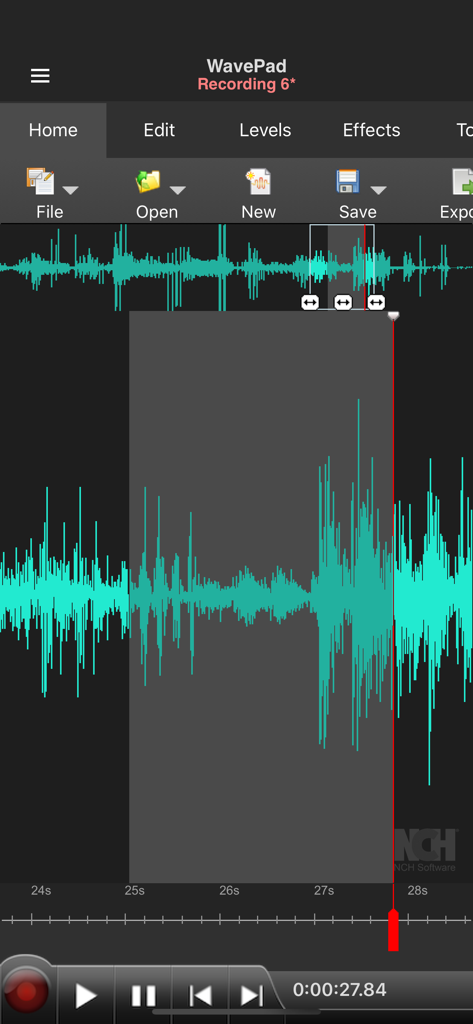
WavePad 오디오 편집기 인터페이스에 편집을 위해 세그먼트가 선택된 청록색 파형이 표시됨
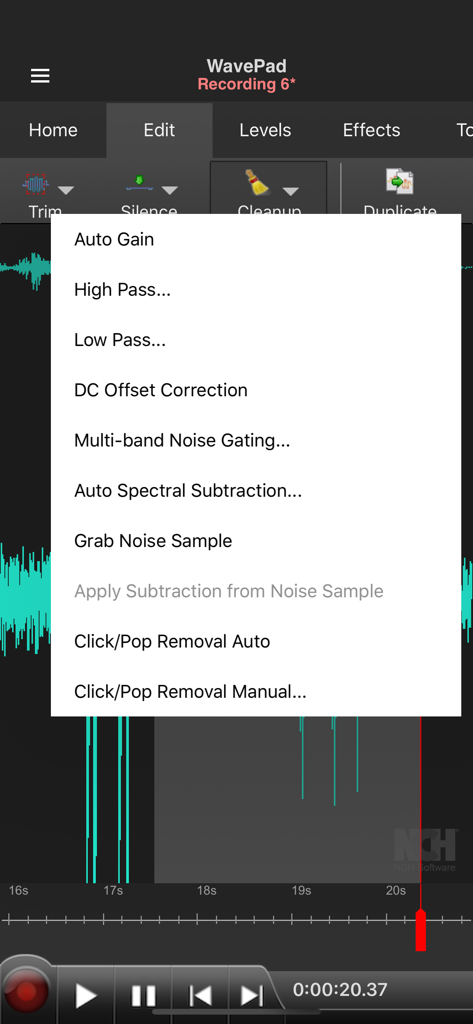
WavePad 오디오 편집기의 인터페이스에 노이즈 게이팅 및 스펙트럼 감산을 포함한 전문 정리 도구가 표시됨
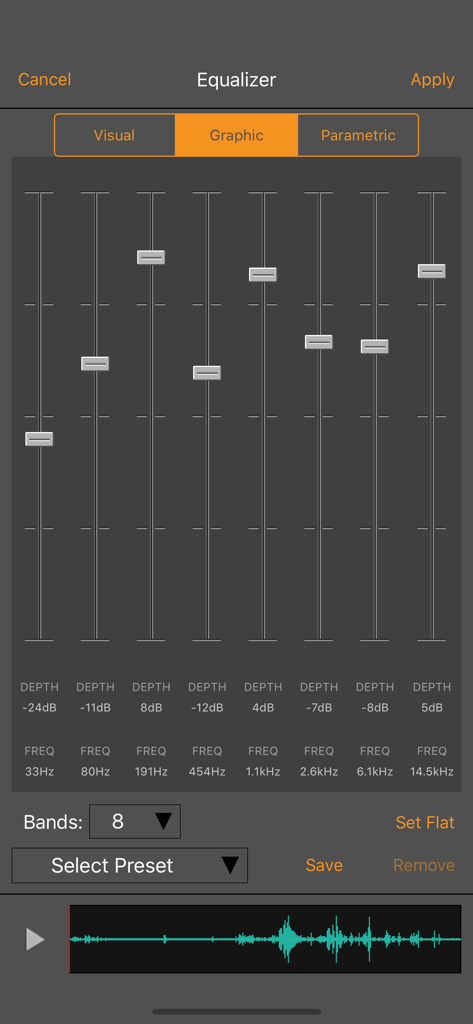
WavePad Music and Audio Editor의 그래픽 이퀄라이저 인터페이스에 8개의 주파수 대역과 오디오 슬라이더가 표시됨
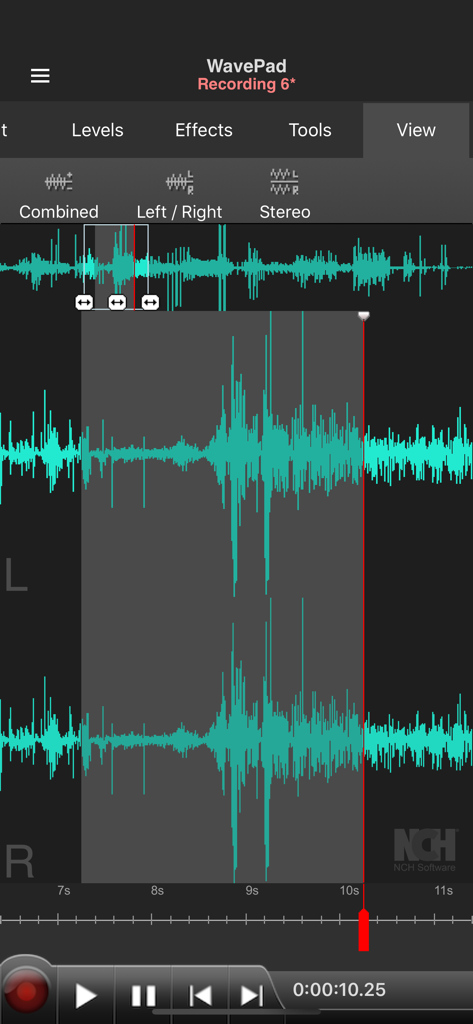
WavePad 앱 인터페이스에 스테레오 오디오 파형 및 편집 컨트롤이 표시됨
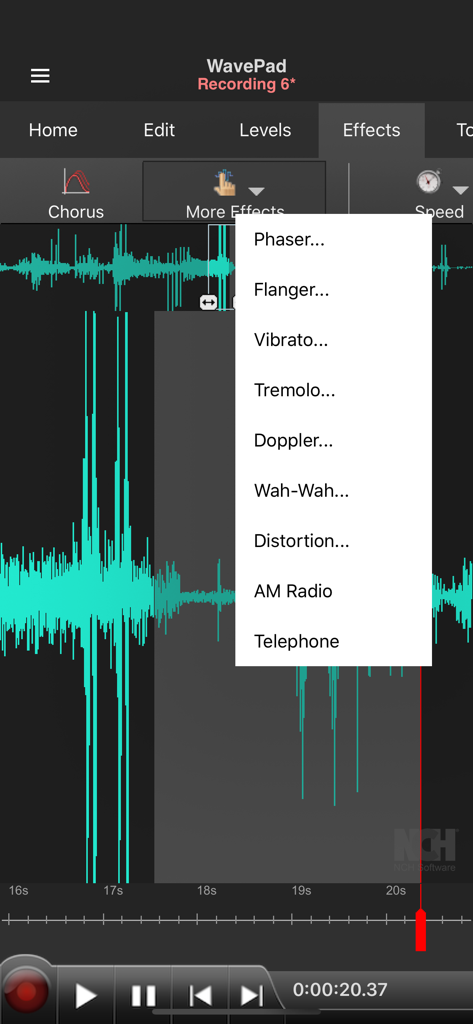
WavePad 오디오 편집기 인터페이스에 청록색 파형과 추가 효과 드롭다운 메뉴가 표시됨
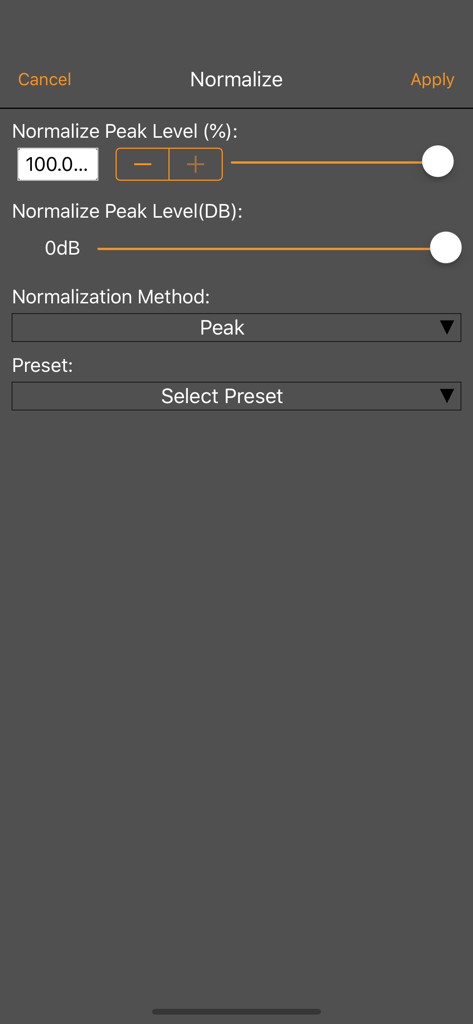
WavePad 오디오 편집기 정규화 도구의 인터페이스에 피크 레벨 조정 및 사전 설정이 표시됨
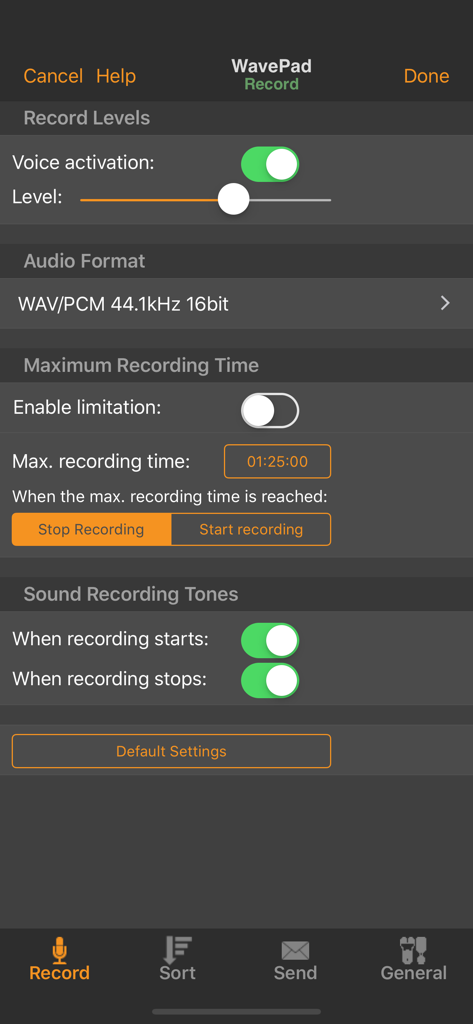
WavePad 녹음 설정 화면에 음성 활성화 레벨, 오디오 형식 선택 및 최대 녹음 시간 옵션이 표시됨
설명
Download
비슷한 앱
유사한 기능과 사용자 경험을 가진 앱

WavePad音频和音乐编辑器
NCH Software

Audio Editor - Music editor
苏娟 陈

SoundLab - Audio Editor
孛 刘

Microphone Live-Voice Recorder
Arpenik Katikyan

Ferrite Recording Studio
Wooji Juice Ltd

Audio Editor - AudioLab, Mixer
Innovation Software Development 360 LLC

au editor - audio cutter
龙刚 李

Audio Editor: Video to Audio
文 夏

Audio Editor:Music Editor
燕倩 费
이 페이지는 앱이나 개발자의 공식 페이지가 아니며, 정보 제공 및 논평을 목적으로 작성된 독립 편집 간행물입니다. 명시적으로 달리 언급되지 않는 한, 해당 앱이나 개발자는 MWM, Apple, Google Play, 앱 퍼블리셔 또는 앱 개발자와 제휴, 보증, 후원, 승인 또는 공식적으로 연결되어 있지 않으며, 이 페이지의 어떤 내용도 해당 앱이 MWM의 서비스를 사용하여 개발되었음을 의미하지 않습니다. 모든 상표, 로고, 스크린샷 및 기타 콘텐츠는 해당 소유자의 자산입니다.