이 페이지는 앱이나 개발자의 공식 페이지가 아니며, 정보 제공 및 논평을 목적으로 작성된 독립 편집 간행물입니다. 명시적으로 달리 언급되지 않는 한, 해당 앱이나 개발자는 MWM, Apple, Google Play, 앱 퍼블리셔 또는 앱 개발자와 제휴, 보증, 후원, 승인 또는 공식적으로 연결되어 있지 않으며, 이 페이지의 어떤 내용도 해당 앱이 MWM의 서비스를 사용하여 개발되었음을 의미하지 않습니다. 모든 상표, 로고, 스크린샷 및 기타 콘텐츠는 해당 소유자의 자산입니다.
Audio Evolution Mobile Studio
모바일 기기에서 데스크톱 스튜디오의 성능을 마음껏 발휘하세요. Vocal Tune Studio, ToneBoosters 효과, 무제한 멀티트랙 유연성 등 전문적인 기능을 통해 구독 없이도 녹음, 편집 및 믹싱이 가능합니다.
주요 수치
다운로드
169K+
사용자 평점
3.8/5
총 평가 수
500
개발사
Davy Wentzler
카테고리
Music
지원 언어
3
최신 버전
7.0.3
크기
158.0 MB
출시일
2017년 1월 7일
기능
전문적인 성능, 모바일의 자유
'장난감' 같은 앱에 만족하지 않는 프로듀서를 위해 설계된, 데스크톱 경험을 그대로 재현한 풀 기능 멀티트랙 DAW를 경험해 보세요.
정밀한 보컬 보정
리튠 타임 및 포먼트 보정 기능을 갖춘 통합 피치 및 시간 편집을 통해 스튜디오 수준의 완벽한 보컬을 구현하세요.
고급 믹싱 및 라우팅
전문적인 ToneBoosters V4 플러그인을 사용하여 무제한 효과 슬롯, 병렬 경로 및 사이드체인 압축을 활용하세요.
다음 스크린샷과 설명은 앱의 공식 스토어 목록에서 직접 가져온 것이며 앱 개발자의 자산입니다.
앱 스토어
스크린샷
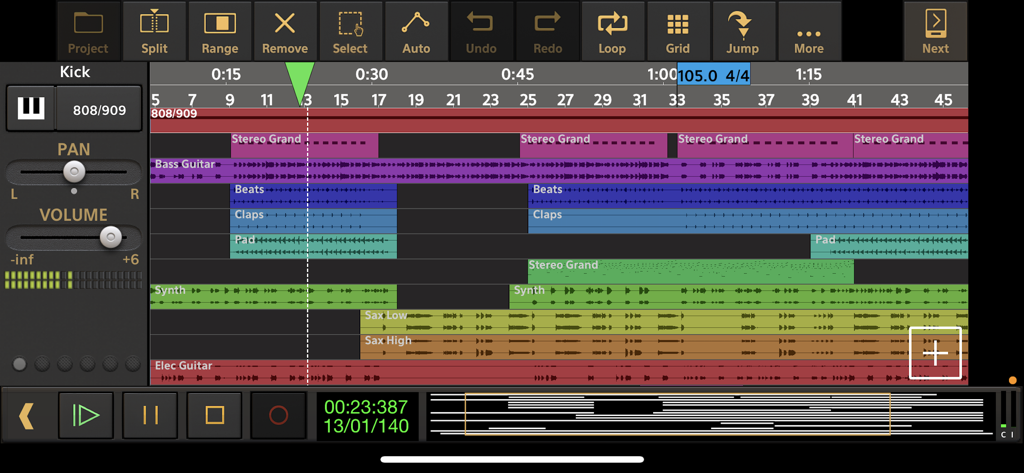
Audio Evolution Mobile Studio의 멀티트랙 오디오 녹음 및 편집 인터페이스
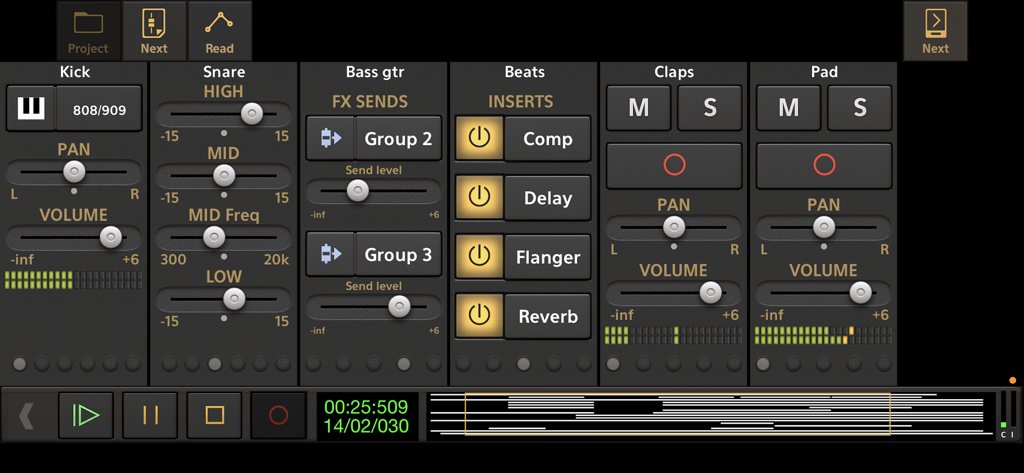
킥, 스네어, 베이스 및 효과 인서트를 위한 멀티트랙 컨트롤을 보여주는 Audio Evolution Mobile Studio의 상세 믹서 인터페이스.
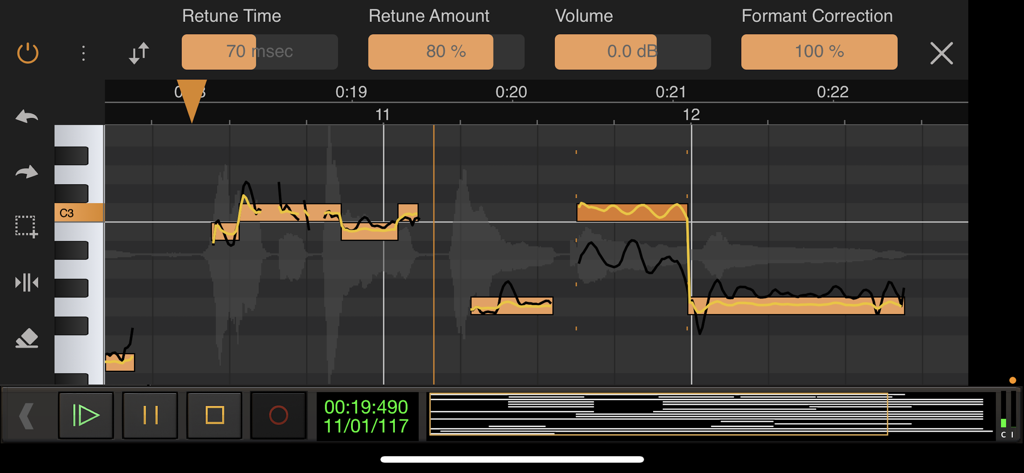
Audio Evolution Mobile Studio의 Vocal Tune Studio 피치 및 시간 보정 인터페이스
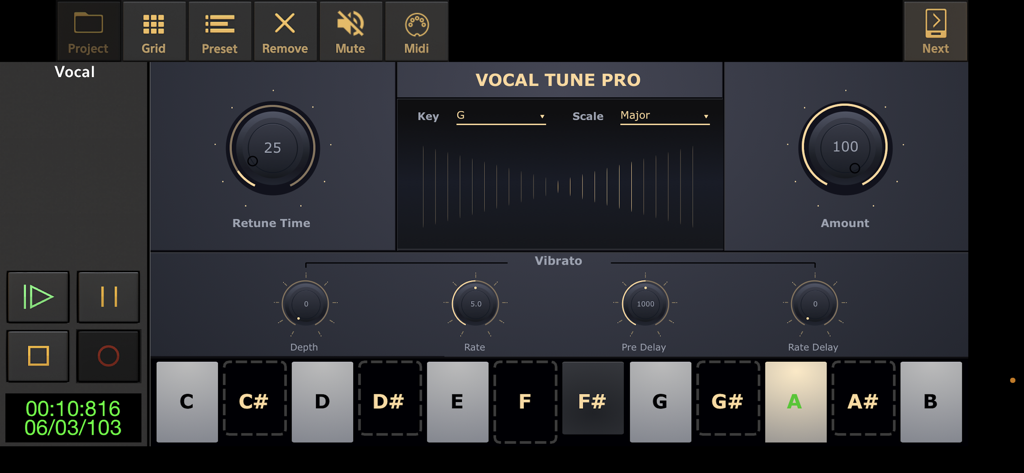
피치 보정 및 비브라토 설정을 보여주는 Audio Evolution Mobile Studio의 Vocal Tune Pro 플러그인 인터페이스
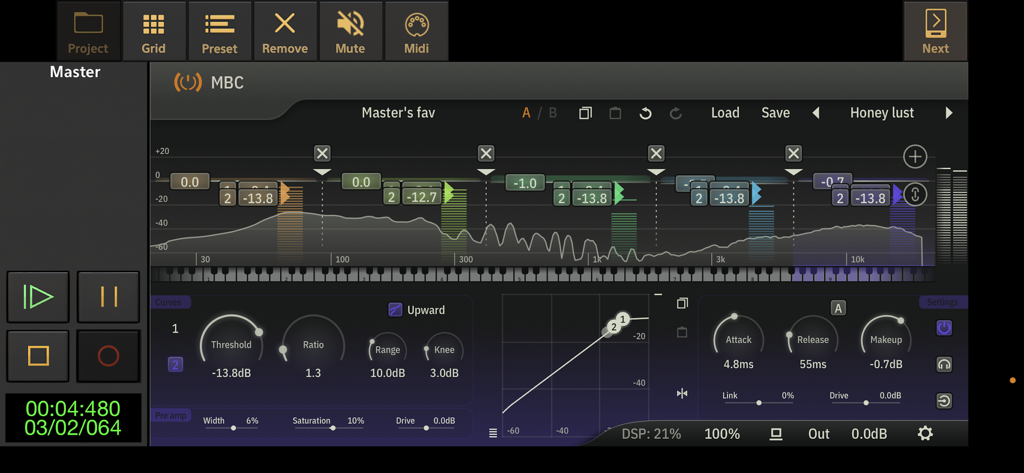
주파수 분석 및 다이내믹 컨트롤을 보여주는 Audio Evolution Mobile Studio의 고급 멀티밴드 컴프레서 플러그인 인터페이스
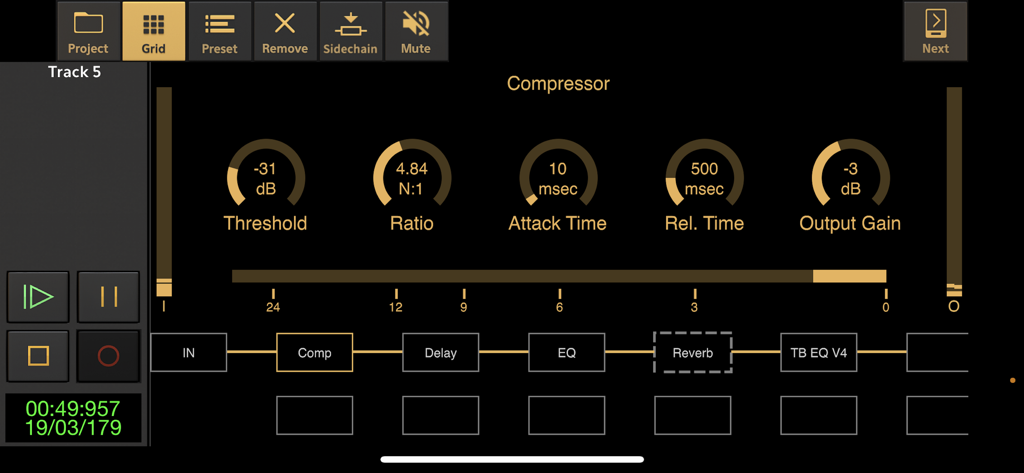
Audio Evolution Mobile Studio의 컴프레서 인터페이스 및 효과 시그널 체인
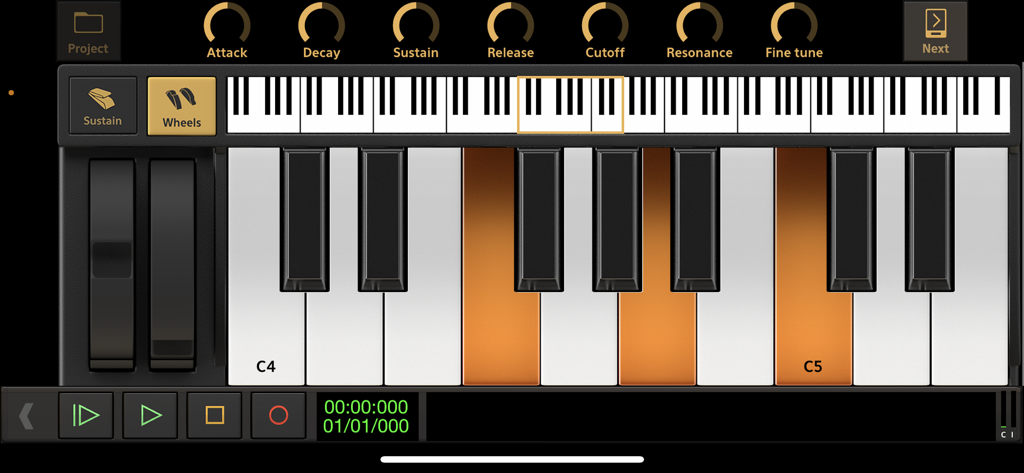
Audio Evolution Mobile Studio의 신디사이저 컨트롤 및 변조 휠이 있는 가상 피아노 키보드 인터페이스.
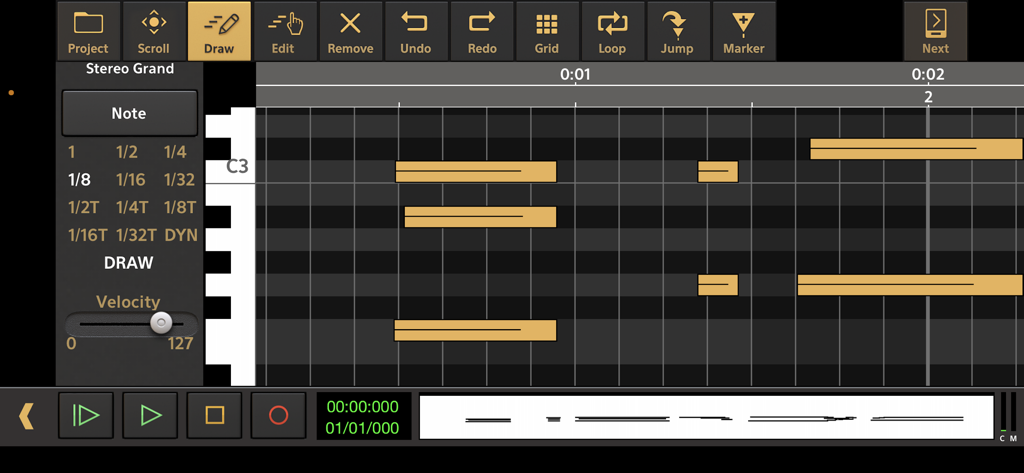
스테레오 그랜드 피아노의 음표 시퀀스를 보여주는 Audio Evolution Mobile Studio의 MIDI 피아노 롤 편집기
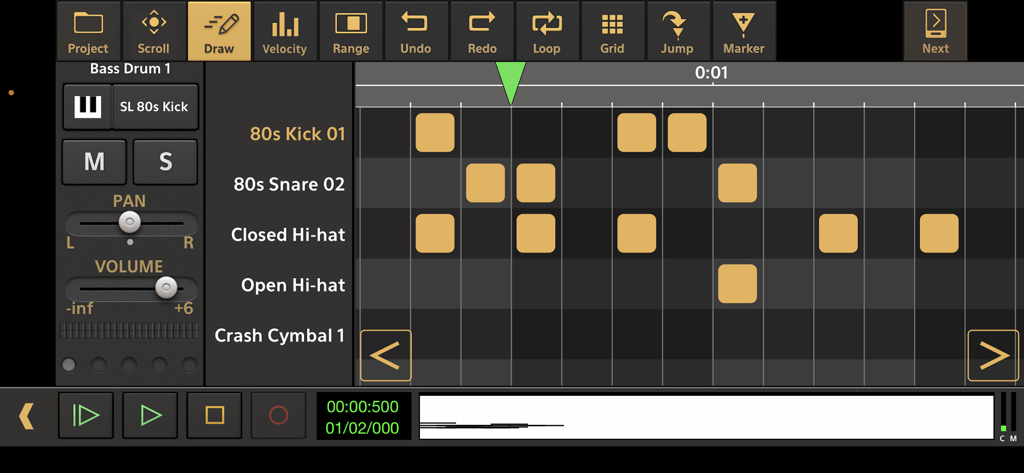
80년대 킥과 스네어 트랙을 보여주는 Audio Evolution Mobile Studio의 드럼 패턴 시퀀서 인터페이스
설명
Record your ideas on the go or create entire music productions from scratch, we'll leave it up to you! This app is a portable multitrack audio and MIDI recording studio featuring virtual instruments, pitch and time editing of vocals (*), unlimited undo/redo, mixing, real-time effects, automation and much more!
Features:
• Multitrack audio recording / playback
• MIDI sequencing with piano roll editor and MPE support
• Drum pattern editor (including triplets, use your own samples and effects chain per drum sound)
• Automatically or manually tune your vocals with Vocal Tune Studio (*) : an editor to correct pitch and time of vocal recordings and the timing of any audio material. It features retune time, retune amount, volume and formant correction per note as well as vibrato controls.
• Add tempo and time signature changes including gradual tempo change
• Real-time effects including: chorus, compressor, delay, dual delay, reverse delay, reverb, flanger, noise gate and many more!
• Flexible effect routing: an unlimited number of effects can be placed on a grid, featuring parallel effect paths.
• Assign LFO's to effect parameters or lock parameters to tempo
• Sidechain on the compressor effects
• Inter-app audio effects and instruments
• AudioBus support (including AudioBus remote)
• Audio Unit instruments, effects and AU MIDI
• Multi-output support for Audio Unit instruments
• Virtual analog synthesizer 'Evolution One' featuring morphing oscillators, FM, Sub Osc, Noise, Portamento, 2 LFO's that can be routed to 12 targets, Moog type filtering, effects, ARP, sequencer and more!
• Soundfont (sf2/sf3/sfz) support: free GS/GM Soundfont included, add more from the Soundfont shop or from your own collection
• Non-linear editing with move, trim, split, cut/copy/paste, remove, cross-fade, time-stretching etc. with full undo/redo
• Virtual instruments (comes with free instruments and more instrument packs to download)
• Track freezing to save CPU usage
• Clip volume and fade points
• Loop playback
• Automation of mixer and effect parameters
• Mix-down to WAV, AIFF and ALAC
• Metronome
• Ghost track display on the piano roll
• MIDI clock sync
• MIDI remote control
• Punch in/out
• Unlimited number of tracks and groups
• Offline effects: fade in/out, normalize, reverse, pitch shift, time stretching
• Several grid options for aligning your samples (with tempo and time signature settings)
• Export to other DAW's by rendering all tracks to separate audio files (stems)
• Media server to access your files easily from a desktop computer
• Multi-core support
• AudioShare support
• Trackpad support
• Cloud sync using Google Drive and Dropbox
In short: a complete portable multitrack music studio that will replace your fourtrack recorder or tape machine!
(*) The following in-app purchases are available to expand your studio:
• ToneBoosters effect pack 1 (Barricade, DeEsser, Gate, Reverb)
• ToneBoosters EQ with frequency analyzer
• ToneBoosters Compressor
• ToneBoosters Ferox
• ToneBoosters V4 Barricade
• ToneBoosters V4 BitJuggler
• ToneBoosters V4 Compressor
• ToneBoosters V4 Enhancer
• ToneBoosters V4 EQ
• ToneBoosters V4 MBC (multi-band compressor)
• ToneBoosters V4 ReelBus
• ToneBoosters V4 Reverb
• ToneBoosters V4 Sibilance
• ToneBoosters V4 Voice Pitcher
• Vocal Tune with two-voice harmonizer and Vocal Tune PRO, both real-time vocal pitch correction effects
• Vocal Tune Studio: auto tune your vocals, pitch and time correction
• Soundfont instrument packs
• Loop packs from Function Loops
The 'PRO' in-app purchase is only for people who downloaded version 1.x in the past and is not applicable to version 2.0 or higher.
If you have any suggestions, questions or want to report a bug, please contact us! We'll gladly solve any problem!
Facebook: https://www.facebook.com/AudioEvolutionMobile
Forum: https://www.extreamsd.com/forum
이 페이지는 앱이나 개발자의 공식 페이지가 아니며, 정보 제공 및 논평을 목적으로 작성된 독립 편집 간행물입니다. 명시적으로 달리 언급되지 않는 한, 해당 앱이나 개발자는 MWM, Apple, Google Play, 앱 퍼블리셔 또는 앱 개발자와 제휴, 보증, 후원, 승인 또는 공식적으로 연결되어 있지 않으며, 이 페이지의 어떤 내용도 해당 앱이 MWM의 서비스를 사용하여 개발되었음을 의미하지 않습니다. 모든 상표, 로고, 스크린샷 및 기타 콘텐츠는 해당 소유자의 자산입니다.