
이 페이지는 앱이나 개발자의 공식 페이지가 아니며, 정보 제공 및 논평을 목적으로 작성된 독립 편집 간행물입니다. 명시적으로 달리 언급되지 않는 한, 해당 앱이나 개발자는 MWM, Apple, Google Play, 앱 퍼블리셔 또는 앱 개발자와 제휴, 보증, 후원, 승인 또는 공식적으로 연결되어 있지 않으며, 이 페이지의 어떤 내용도 해당 앱이 MWM의 서비스를 사용하여 개발되었음을 의미하지 않습니다. 모든 상표, 로고, 스크린샷 및 기타 콘텐츠는 해당 소유자의 자산입니다.


AudioStretch Lite
이 앱은 당신의 손아귀에 사운드 시공간의 통제권을 부여합니다. 그것은 단지 연주를 느리게 하는 것이 아니라, 시간 자체를 찢어버려 음악을 해부하고 마스터할 수 있게 합니다.
다운로드
1M+사용자 평점
총 평가 수
654개발사
카테고리
Music지원 언어
1최신 버전
7.0.0크기
18.0 MB출시일
2013년 5월 17일테크 분석가가 본 음악 학습 및 전사 도구
AudioStretch Lite 분석: 주요 기능
변속 및 피치 조절
이 앱은 음악의 속도를 변경하거나 음높이를 조절하여 학습, 연습 및 분석에 용이하게 합니다. 사용자는 피치를 변경하지 않고 속도를 조절하거나, 속도에 영향을 주지 않고 피치를 조절할 수 있습니다.
유연한 반복 재생
사용자가 음악의 특정 구간을 유연하게 반복 재생하여 어려운 부분을 집중적으로 연습하고 마스터할 수 있도록 돕습니다.
파형 라이브 스크럽
사용자가 파형을 드래그하거나 길게 누르는 동안 개별 노트를 실시간으로 들을 수 있어, 정밀한 음악 분석 및 전사에 매우 유용합니다.
전사 지원 도구
이 앱은 건반 및 스펙트럼 기능을 제공하여 사용자가 음악을 보다 효과적으로 전사하고 시각적으로 분석할 수 있도록 지원합니다.
다중 파일 형식 가져오기
이 앱은 사용자의 음악 라이브러리, 클라우드 서비스(iCloud, OneDrive 등) 및 이메일 첨부파일 등 다양한 소스에서 오디오 및 비디오 파일을 가져와 작업할 수 있도록 지원합니다.
정밀 속도/피치 조절
사용자가 속도 및 피치 표시를 좌우로 드래그하여 매우 미세하고 정밀하게 조절할 수 있어, 세밀한 음악 분석 및 연습이 가능합니다.
0배속 재생 기능
이 도구는 오디오 및 비디오를 0배속으로 즉시 정지 및 재생할 수 있게 하여, 사용자가 미세한 음악적 디테일까지 심층적으로 분석할 수 있도록 돕습니다.
앱 내 비디오 캡처
사용자는 스마트폰 카메라를 통해 비디오를 앱으로 직접 캡처하여, 학습 또는 전사 작업에 즉시 활용할 수 있습니다.
자주 묻는 질문
에 대해 알아야 할 모든 것 AudioStretch Lite
What is AudioStretch Lite?
AudioStretch Lite is an audio and video transcription tool that allows musicians to slow down, loop, and auto-transpose music. It is ideal for learning songs, transcription, and sonic experimentation.
What are the main features of AudioStretch Lite?
AudioStretch Lite allows users to change the speed and pitch of audio/video files, transcribe tunes, capture video, listen to individual notes, play at zero speed, transpose music, and loop difficult sections.
Can AudioStretch Lite transcribe music from videos?
Yes, AudioStretch Lite allows you to transcribe from videos. It is explicitly stated as "the world's first audio and video transcription tool" and you can capture video directly with your phone's camera.
What are the limitations of AudioStretch Lite compared to the full version?
The AudioStretch Lite version has specific limitations: a maximum song duration of 3 minutes, a speed range from -1.5x to 1.5x, and a pitch shift range of +/- 3 semitones.
How do I import files into AudioStretch Lite?
AudioStretch Lite supports importing songs from your Music Library and offers Document Picker import/export via iCloud, OneDrive. It also opens Dropbox files and email attachments using "Open In".
What is LiveScrub™ in AudioStretch Lite?
LiveScrub™ is a feature in AudioStretch Lite that allows users to listen as they drag or hold the waveform, enabling note-by-note listening. Double-tapping the speed display instantly freezes to zero speed.
How do I adjust speed and pitch in AudioStretch Lite?
Users can adjust speed and pitch in AudioStretch Lite by dragging left or right on the speed/pitch display. The app changes the speed without altering the pitch and vice-versa, with no loss in quality.
Can I loop sections of music in AudioStretch Lite?
Yes, AudioStretch Lite allows users to create loops. It includes a flexible looping feature to help musicians focus on and learn difficult sections of music effectively.
Is AudioStretch Lite suitable for musicians?
Yes, AudioStretch Lite is specifically designed for musicians to help with learning, transcription, and sonic experimentation. It offers tools for manipulating pitch, speed, and transposing music.
Does AudioStretch Lite contain ads or in-app purchases?
AudioStretch Lite does not include ads or in-app purchases. This provides a clean and uninterrupted user experience, as stated in its detailed features list.
다음 스크린샷과 설명은 앱의 공식 스토어 목록에서 직접 가져온 것이며 앱 개발자의 자산입니다.
앱 스토어
스크린샷
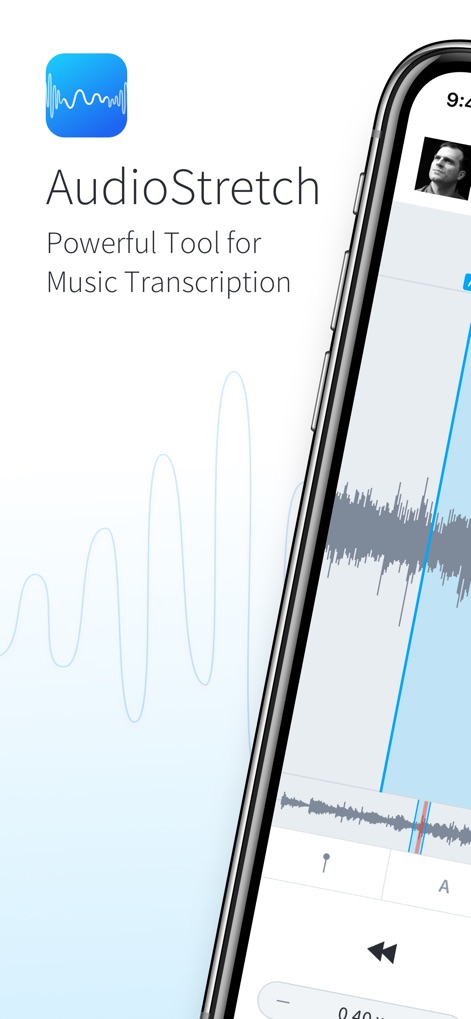
이 앱은 로고와 함께 "AudioStretch" 이름을 명확히 보여주며, 깔끔한 사용자 인터페이스에서 오디오 파형을 시각적으로 나타냅니다.
음악 전사 도구
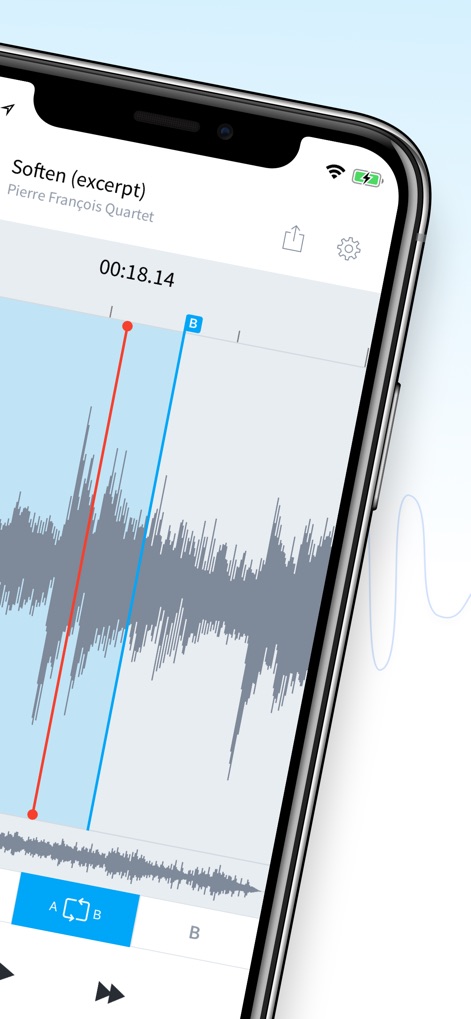
사용자는 오디오 파형 내에서 A 및 B 마커를 설정하여 학습에 필요한 특정 구간을 정밀하게 반복할 수 있습니다.
정밀한 구간 반복

이 도구는 사용자가 라이브 스크러빙 기능을 활용하여 파형을 드래그하며 개별 노트를 들을 수 있게 하며, 속도 및 피치 조절 기능을 함께 제공합니다.
섬세한 스크러빙 경험
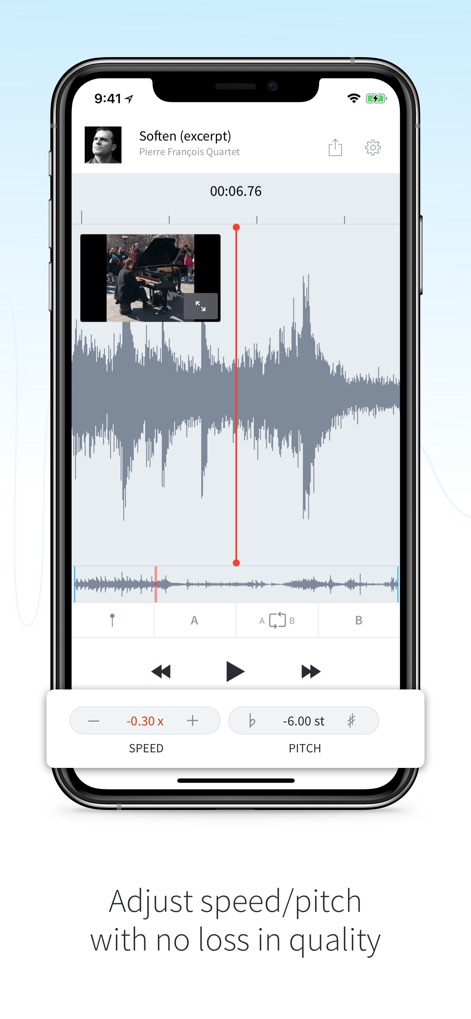
사용자는 비디오 재생 중에도 오디오 품질 손실 없이 속도(-0.30x)와 피치(-6.00 semitones)를 정밀하게 조절하여 원하는 대로 음악을 분석할 수 있습니다.
속도 및 피치 조절
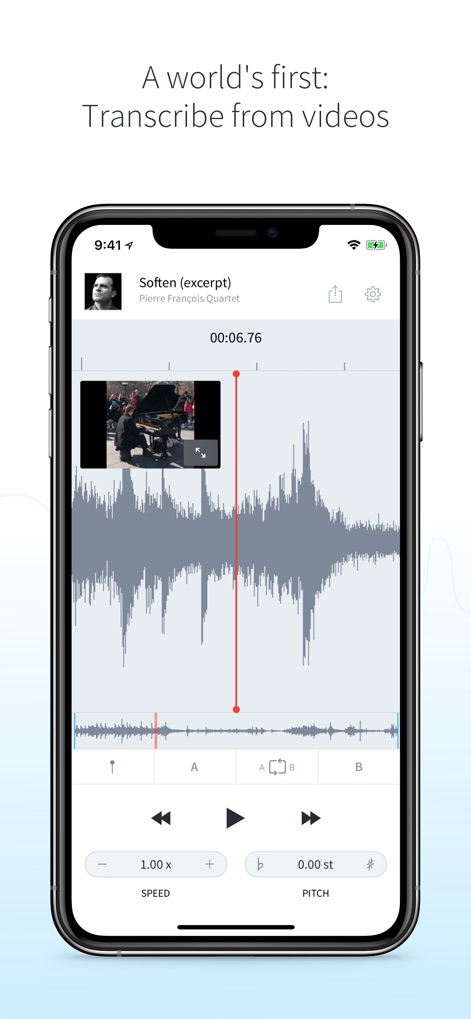
이 앱은 세계 최초로 비디오 파일에서 직접 음악을 전사할 수 있는 기능을 제공하며, 사용자는 비디오 미리보기와 함께 오디오 파형을 보고 편집할 수 있습니다.
비디오에서 전사하기
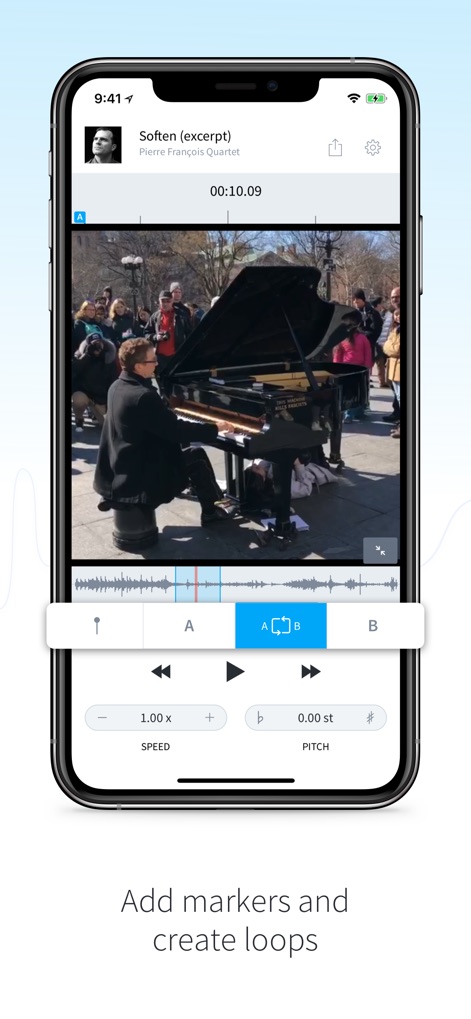
사용자는 비디오 콘텐츠와 함께 오디오 파형에 A 및 B 마커를 추가하여 복잡한 구간을 효과적으로 반복 학습할 수 있습니다.
마커로 반복 구간 설정
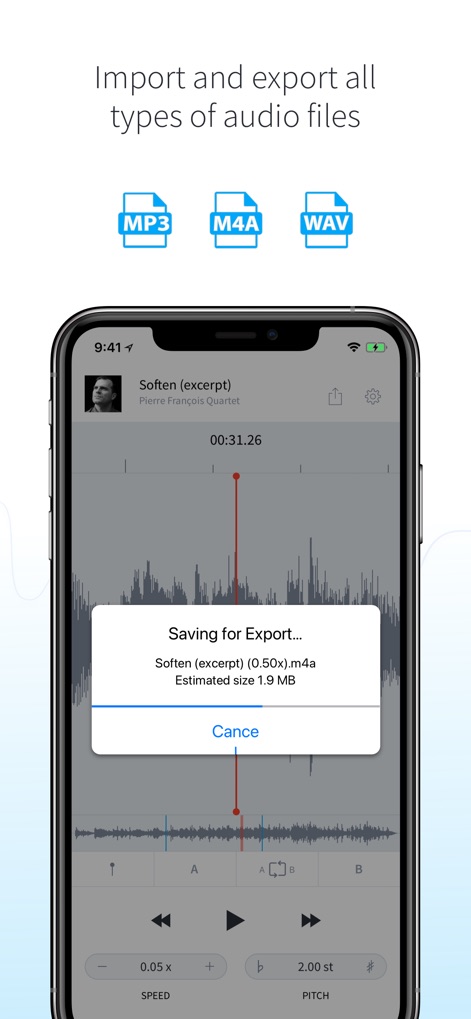
이 도구는 MP3, M4A, WAV와 같은 다양한 오디오 파일 형식을 지원하여 사용자가 파일을 쉽게 가져오고 내보낼 수 있으며, 내보내기 진행 상황을 보여주는 팝업 창을 제공합니다.
유연한 파일 가져오기/내보내기
설명
Download
비슷한 앱
유사한 기능과 사용자 경험을 가진 앱

Music Speed Changer ▶▶▶
Single Minded Productions, LLC

Vocal Remover - Musiclab
CHENGDU Yiwo Tech Development Co., Ltd

Audio Fusion
景睿 文

Audio Jam: AI for musicians
Kiraku Tech Co., Ltd.

Anytune Pro+: Studio Tools
Anytune Inc.

Moises: The Musician's App
Moises Systems Inc

Strum - Play Guitar
W185 Holdings LLC

Chordify: Songs, Chords, Tuner
Chordify BV

Chord ai - Play any song!
Nomad AI OU
이 페이지는 앱이나 개발자의 공식 페이지가 아니며, 정보 제공 및 논평을 목적으로 작성된 독립 편집 간행물입니다. 명시적으로 달리 언급되지 않는 한, 해당 앱이나 개발자는 MWM, Apple, Google Play, 앱 퍼블리셔 또는 앱 개발자와 제휴, 보증, 후원, 승인 또는 공식적으로 연결되어 있지 않으며, 이 페이지의 어떤 내용도 해당 앱이 MWM의 서비스를 사용하여 개발되었음을 의미하지 않습니다. 모든 상표, 로고, 스크린샷 및 기타 콘텐츠는 해당 소유자의 자산입니다.