
이 페이지는 앱이나 개발자의 공식 페이지가 아니며, 정보 제공 및 논평을 목적으로 작성된 독립 편집 간행물입니다. 명시적으로 달리 언급되지 않는 한, 해당 앱이나 개발자는 MWM, Apple, Google Play, 앱 퍼블리셔 또는 앱 개발자와 제휴, 보증, 후원, 승인 또는 공식적으로 연결되어 있지 않으며, 이 페이지의 어떤 내용도 해당 앱이 MWM의 서비스를 사용하여 개발되었음을 의미하지 않습니다. 모든 상표, 로고, 스크린샷 및 기타 콘텐츠는 해당 소유자의 자산입니다.


Authenticator App - 2FA MFA
이 앱은 당신의 디지털 요새를 구축합니다. 비밀번호를 넘어서는 보안, 그것이 이 앱이 당신에게 부여하는 무기입니다.
다운로드
250k+사용자 평점
총 평가 수
853개발사
카테고리
Productivity지원 언어
7최신 버전
1.1.31크기
216.3 MB출시일
2024년 7월 10일온라인 보안 및 계정 관리를 위한 핵심 기능 평가
Authenticator App - 2FA MFA: 주요 기능 분석
종단간 암호화 및 데이터 보호
이 앱은 모든 데이터를 로컬 및 iCloud에 종단간 암호화하여 저장함으로써, 사용자의 인증 코드, TOTP 시크릿, OTP 토큰 및 비밀번호가 항상 안전하게 보호되고 사용자 본인만 접근할 수 있도록 보장합니다.
강력한 2FA/MFA 코드 생성 및 오프라인 접근
이 앱은 시간 기반 일회용 비밀번호(TOTP)와 OTP 코드를 생성하여 사용자가 빠르고 안전하게 로그인할 수 있도록 강력한 보안 계층을 제공하며, 인터넷 연결 없이도 인증 코드에 접근할 수 있게 해줍니다.
앱 잠금 및 보안 기능
이 앱은 PIN, Face ID 또는 Touch ID를 사용하여 앱 자체를 보호하며, 자동 잠금 기능을 활성화하여 2FA 코드, MFA 계정 및 비밀번호를 더욱 안전하게 지킬 수 있게 해줍니다.
2FA 코드 및 비밀번호 암호화된 백업 및 동기화
이 앱은 2FA 코드, TOTP 계정 및 비밀번호를 iCloud에 자동으로 백업하고, iPhone, iPad 등 여러 기기 간에 데이터를 동기화하여 언제든지 접근을 복원할 수 있도록 합니다.
내장된 비밀번호 관리자
이 도구는 2FA 인증 기능 외에 안전한 비밀번호 관리자를 내장하여, 사용자가 모든 비밀번호와 로그인 자격 증명을 한 곳에서 안전하게 저장하고 관리할 수 있도록 지원합니다.
주요 서비스에 대한 광범위한 지원
이 앱은 Google, Microsoft, Instagram, Facebook, Amazon, PayPal, Dropbox 등 대부분의 주요 플랫폼에서 2FA, MFA 및 OTP 인증을 지원하여, 사용자가 다양한 온라인 계정을 통합 관리할 수 있게 합니다.
타 앱에서 간편하게 가져오기
사용자는 QR 코드, CSV 업로드 또는 수동 추가 방식을 통해 Google Authenticator나 Microsoft Authenticator와 같은 다른 앱에서 2FA, MFA 및 TOTP 계정을 쉽게 가져올 수 있어, 기존 데이터를 원활하게 통합할 수 있습니다.
데이터 내보내기 기능
사용자는 QR 코드 또는 CSV를 통해 모든 인증 코드, TOTP 항목 및 2FA 계정을 언제든지 내보낼 수 있으며, 이를 통해 자신의 데이터를 온전히 제어할 수 있습니다.
자주 묻는 질문
에 대해 알아야 할 모든 것 Authenticator App - 2FA MFA
What is Authenticator App ℗?
Authenticator App ℗ protects accounts with two-factor and multi-factor authentication. It securely manages 2FA codes, passwords, and login credentials using a user-friendly, encrypted system focused on privacy.
Is Authenticator App ℗ secure and private?
Yes, Authenticator App ℗ encrypts all data locally and in iCloud using end-to-end encryption. This ensures only you can access your codes and passwords, guaranteeing complete privacy and security.
Does Authenticator App ℗ include a password manager?
Yes, Authenticator App ℗ features a built-in password manager. It stores and manages all your passwords, provides alerts for leaked credentials, and offers password health reports for enhanced account safety.
Can Authenticator App ℗ back up 2FA codes?
Yes, Authenticator App ℗ automatically backs up 2FA codes, secret keys, and passwords to iCloud with secure encryption. This allows for easy restoration and seamless access across multiple devices.
Does Authenticator App ℗ sync across devices?
Yes, Authenticator App ℗ synchronizes authentication codes and passwords across all your devices. Data is securely shared across iPhone, iPad, and other supported devices once online accounts are linked.
How can I import 2FA codes into Authenticator App ℗?
Users can import 2FA codes into Authenticator App ℗ from other apps like Microsoft or Google Authenticator. This is accomplished easily via QR code scanning or CSV file upload in one tap.
Can I export my 2FA codes from Authenticator App ℗?
Yes, Authenticator App ℗ allows users to export all 2FA codes and accounts. This can be done via QR code or CSV file, providing full data control and backup capabilities.
Does Authenticator App ℗ have a Home Screen Widget?
Yes, Authenticator App ℗ provides a Home Screen Widget. It allows instant viewing and copying of 2FA codes directly from your device's Home Screen for faster, one-tap authentication without opening the app.
Is Authenticator App ℗ compatible with Apple Watch?
Yes, Authenticator App ℗ supports Apple Watch. Users can access their 2FA codes directly on their watch, providing instant authentication access without needing to retrieve another device.
How can I organize accounts in Authenticator App ℗?
Authenticator App ℗ allows users to organize 2FA accounts and passwords into folders. It features a simple drag-and-drop interface for managing, moving, and sorting data efficiently.
Does Authenticator App ℗ support custom icons for accounts?
Yes, Authenticator App ℗ supports custom icons and automatically fetches service icons. This feature aids quick recognition of accounts for streamlined management within the app.
How does Authenticator App ℗ secure the application itself?
Authenticator App ℗ secures access with a 4-digit PIN, Face ID, or Touch ID. It also includes auto-lock after inactivity, ensuring only authorized users can access codes and the password manager.
What services does Authenticator App ℗ support for 2FA?
Authenticator App ℗ supports thousands of platforms for 2FA. These include major services such as Google, Facebook, Instagram, Amazon, Microsoft, Twitter, Dropbox, Reddit, PayPal, Zoom, and Uber.
다음 스크린샷과 설명은 앱의 공식 스토어 목록에서 직접 가져온 것이며 앱 개발자의 자산입니다.
앱 스토어
스크린샷
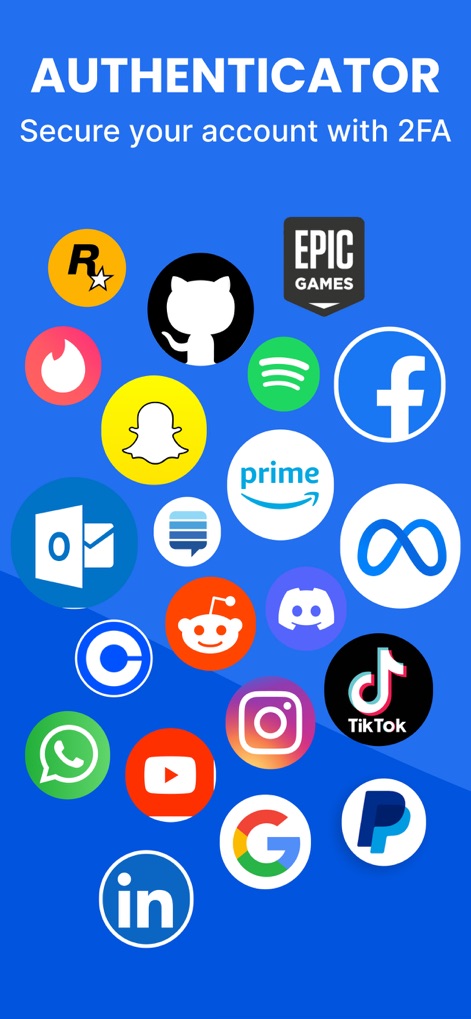
이 앱은 구글, 페이스북, 인스타그램 등 수많은 주요 서비스 로고를 통해 광범위한 2FA 지원을 시각적으로 보여줍니다.
주요 플랫폼 지원

이 화면은 사용자 계정의 2FA 코드를 목록으로 보여주며, 각 항목마다 6자리 OTP 코드와 타이머 형태의 잔여 시간을 명확하게 표시합니다.
보안 코드 관리

이 앱은 구글과 인스타그램 등 다양한 서비스의 저장된 비밀번호 목록을 제공하며, 각 계정의 URL과 복사 아이콘을 통해 손쉬운 접근을 지원합니다.
비밀번호 통합 관리

이 화면은 2FA 설정을 위한 QR 코드 스캔 인터페이스를 보여주며, 사용자는 중앙의 QR 코드 스캔 영역을 통해 손쉽게 새 계정을 추가하거나 수동 입력 옵션을 활용할 수 있습니다.
간편한 QR 스캔

이 화면은 페이스 ID를 통해 앱 잠금을 활성화하는 기능을 소개하며, 중앙의 페이스 ID 아이콘과 'Face ID 활성화' 버튼을 통해 추가적인 보안 계층을 설정할 수 있음을 보여줍니다.
생체 인증 보안

이 앱은 '소셜 미디어'라는 폴더에서 2FA 코드를 효율적으로 정리하는 기능을 제공하며, 폴더 제목과 해당 폴더에 포함된 코드의 수를 명확하게 표시합니다.
코드 폴더 관리
설명
Download
비슷한 앱
유사한 기능과 사용자 경험을 가진 앱

Proton Pass - Password Manager
Proton AG

Dashlane Password Manager
Dashlane

Password Manager - mSecure
mSeven Software, LLC

Kepttor Password Manager
MACREL SRL SEMPLIFICATA

DataVault Manager - Encrypted
MIKHAIL SHERSHNEV

Authenticator ·
SMM service, s.r.o.

Bitwarden Password Manager
Bitwarden Inc

Authenticator App ⁸
AGILE CODE LIMITED

NordPass: Password Manager
Nordvpn S.A.
이 페이지는 앱이나 개발자의 공식 페이지가 아니며, 정보 제공 및 논평을 목적으로 작성된 독립 편집 간행물입니다. 명시적으로 달리 언급되지 않는 한, 해당 앱이나 개발자는 MWM, Apple, Google Play, 앱 퍼블리셔 또는 앱 개발자와 제휴, 보증, 후원, 승인 또는 공식적으로 연결되어 있지 않으며, 이 페이지의 어떤 내용도 해당 앱이 MWM의 서비스를 사용하여 개발되었음을 의미하지 않습니다. 모든 상표, 로고, 스크린샷 및 기타 콘텐츠는 해당 소유자의 자산입니다.