Blink Shell, Build & Code

Blink Shell, Build & Code

다운로드: App Store
로고: Blink Shell, Build & Code

Blink Shell, 빌드 및 코딩: iOS용 프로페셔널 데스크톱급 터미널

iPad를 전문가 수준의 워크스테이션으로 변환하세요. 번개처럼 빠른 SSH, 지속적인 Mosh 연결, 원활한 VS Code 통합을 경험하여 원격 개발 워크플로우를 완성하세요.

개발사

Blink Shell, Inc

카테고리

Developer Tools

다운로드

125K+

사용자 평점

3.0/5

총 평가 수

1K+

지원 언어

1

전문가급 작업 공간

이 인터페이스를 사용하는 125K+ 명의 사용자.

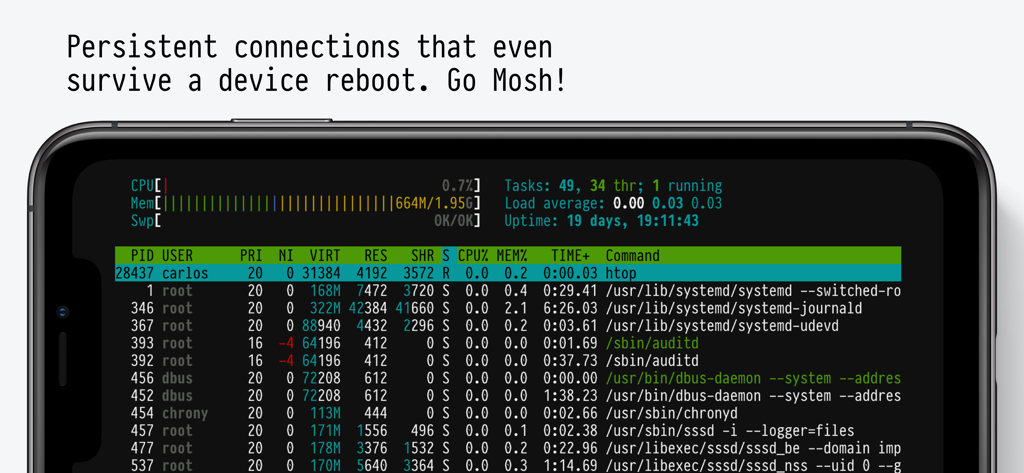
Blink Shell 앱 인터페이스에 지속적인 Mosh 연결로 실행 중인 시스템 모니터가 표시된 모바일 터미널
Blink Shell 앱 인터페이스에 지속적인 Mosh 연결로 실행 중인 시스템 모니터가 표시된 모바일 터미널

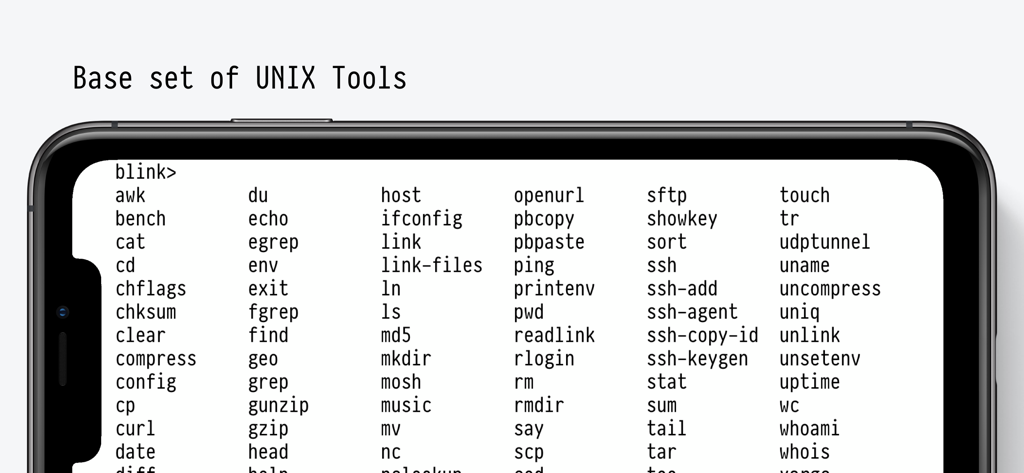
Blink Shell 앱 인터페이스에 스마트폰에 지원되는 기본 UNIX 도구 및 터미널 명령의 포괄적인 목록이 표시됨
Blink Shell 앱 인터페이스에 스마트폰에 지원되는 기본 UNIX 도구 및 터미널 명령의 포괄적인 목록이 표시됨

어두운 배경에 복고풍 픽셀화된 터미널 글꼴로 작성된 텍스트 "기기의 모든 공간을 사용하세요"
어두운 배경에 복고풍 픽셀화된 터미널 글꼴로 작성된 텍스트 "기기의 모든 공간을 사용하세요"

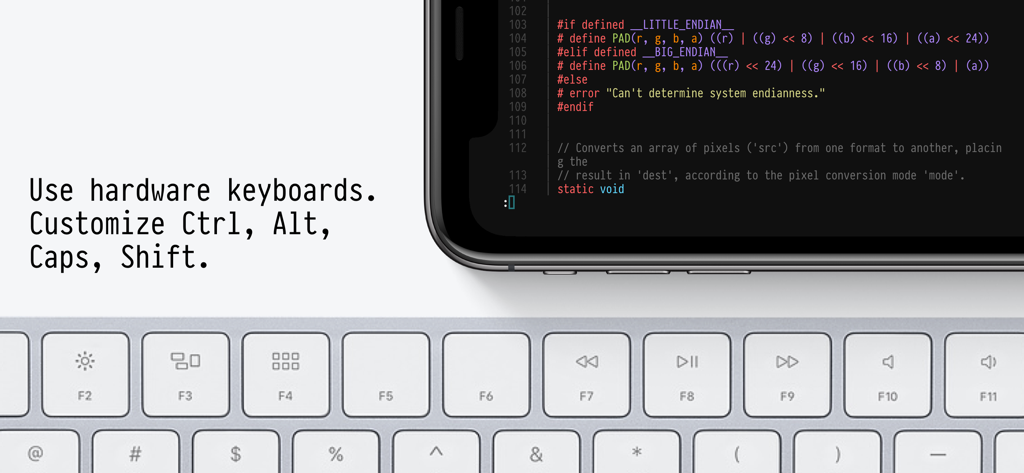
Blink Shell 앱이 물리적 하드웨어 키보드와 페어링된 모바일 장치에 코드를 표시함
Blink Shell 앱이 물리적 하드웨어 키보드와 페어링된 모바일 장치에 코드를 표시함

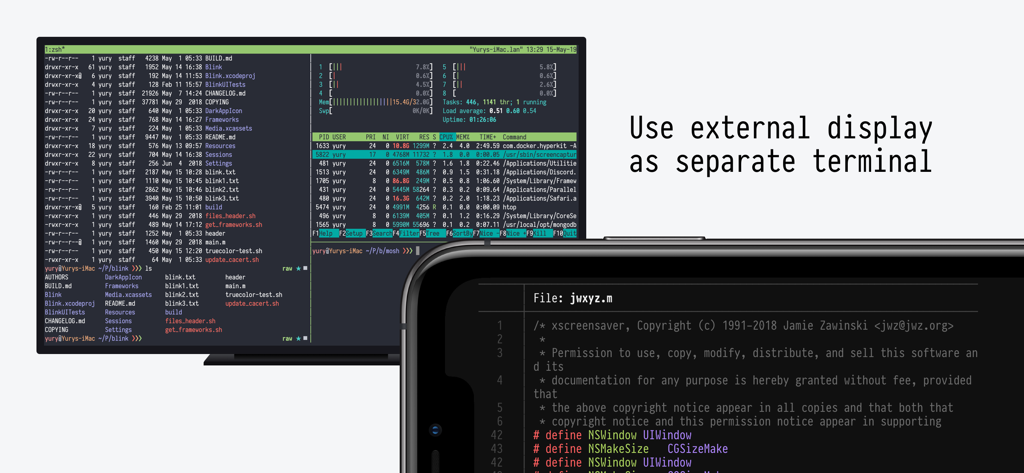
외부 디스플레이와 iPhone에 표시되는 Blink Shell 터미널

외부 디스플레이와 iPhone에 표시되는 Blink Shell 터미널

전문가 워크플로우를 위해 구축됨

이 앱을 돋보이게 하는 도구, 125K+ 명의 사용자가 선택.

끊김 없는 연결

통근 중 세션을 잃지 마세요. Mosh 및 SSH 구현은 네트워크 전환 또는 재부팅 시에도 터미널을 활성 상태로 유지합니다.

💻

전문가급 VS Code 에디터

로컬에서 코드를 편집하거나 GitHub Codespaces 및 GitPod에 연결하세요. 모바일 하드웨어에 최적화된 원활하고 낮은 지연 시간의 코딩 경험을 즐기세요.

🏗️

원격 빌드 런타임

강력한 클라우드 환경으로 무거운 개발 작업을 오프로드하세요. iPad 배터리를 소모하지 않고 DevOps 도구 및 복잡한 빌드를 실행하세요.

리뷰 분석

사용자 리뷰 인사이트.

감정 점수

34%
부정적

요약

A large number of users are highly critical of the app's recent transition to a subscription model, particularly former users who paid for a perpetual license and now feel betrayed or unable to access their purchased version. This change has led to widespread dissatisfaction, with many encountering aggressive paywalls, issues restoring previous purchases, and concerns about developer business practices. Many also report critical bugs, including broken landscape mode on iPhones, connection instability in recent versions, and issues with external keyboard input like non-functional spacebars.

주요 테마

Comprehensive Terminal Features(9)
Optimized for iPad & External Keyboards(3)
Slick User Interface(3)
Reliable Connection Stability(2)
Ease of Use(2)
Lifetime License Policy Reversal(1)

앱 소개

에 대해 알아야 할 모든 것 Blink Shell, Build & Code.

설명

Do Blink! Transform your iOS device into a pro-grade terminal. Blink is the first professional, desktop-grade terminal for iOS that leverages the support of Mosh and SSH. Thus, we can guarantee stable connections, crazy-fast speeds, and full configurations. It can and should be your all-day-long tool.  **Start your 14-day free trial now!** But, Blink is much more. Now with Blink Code and Blink Build**, your entire development workflow fits in your pocket. What the Blink community is saying: “In some ways, I prefer my iPad / Blink / Digital Ocean setup to coding on my Mac“ - TheVerge "I have tried a number of terminals on iOS and this is really The One." - Twit.tv “Connections still come up when I get back to a client project after a weekend off.“ - The Sweet Setup “The way to use VS Code on the iPad” - programminglife.io What our users love the most from Blink Shell: - Mosh connections that even survive a device reboot. - Most complete SSH implementation on iOS. - Code command for VS Code integration. - Blazingly fast terminal and SFTP transfers. - Includes Pragmata Pro with ligatures. Blink Shell has a fully loaded SSH toolset: - SSH with PKI support: DSA, RSA, ECDSA & ED25519 keys. - Support for Secure Enclave Keys and Certificates. - Port forwarding with local, remote & dynamic tunnel support. - SOCKS5 proxy for a private VPN. - Agent Forwarding. - Complete SSH Config file support. - ControlMaster and pooled connections. - Files.app integration for SFTP remote hosts. - SFTP with copy-on-change. Blink has been the leading developer tool in the AppStore for +5 years, so there is a lot more: - External Display support. - Legendary Hardware Keyboard support, even remap shortcuts and keyboard codes. - Local & iCloud Blink Shell folders for Files.app access across devices. - Host sync over iCloud. - Link-files from other applications and work with them in Blink. - Cool themes and fonts, and install your own! - Smart Keys on SW Keyboard to navigate with touch. - FaceCam command to create tutorials and streams. - Bell notifications. - Supports multiple windows and multiple tabs. - Network & UNIX CLI tools, check our docs for more information. Blink Code integrates with VS Code: - Code on local projects, or seamlessly on remote machines. - Fully-loaded code editor. - A coding experience fitted to your device, that connects to VS Code for web, GitHub Codespaces, GitPod or your own VS Code server. Blink Build (Requires a $7.99/month subscription) Creates remote runtimes that can be accessed on all your devices. You can use Build in your day-to-day workflows whether you need to do development, DevOps or just play around with new tooling. Participate in our community, and don’t forget to leave us your feedback and your feature(s) requests. Enjoy! http://blink.sh http://twitter.com/blinkshell http://GitHub.com/blinksh Terms of Use: https://blink.sh/blink-gpl Privacy Policy: https://blink.sh/pp * Blink Code is not affiliated nor endorsed by Microsoft. ** Blink Build requires a separate subscription to make use of our Virtual Machines.

최신 버전

18.4.2

크기

228.2 MB

출시일

2022년 2월 9일

어디에서든 전문가 수준의 개발 환경을 구축하세요.

모바일 설정에서 타협하지 마세요. Mosh의 속도, VS Code의 강력함, 데스크톱급 터미널의 안정성을 경험하세요. 지금 14일 무료 체험을 시작하세요.

다운로드: App Store

App information, icons, screenshots, and descriptions displayed on this page are sourced from the Apple App Store and are the property of their respective developers. Download estimates and rankings are based on MWM's proprietary models and may not reflect actual figures. This page is provided for informational and analytical purposes only.

Believe this page infringes your intellectual property? File a dispute