
이 페이지는 앱이나 개발자의 공식 페이지가 아니며, 정보 제공 및 논평을 목적으로 작성된 독립 편집 간행물입니다. 명시적으로 달리 언급되지 않는 한, 해당 앱이나 개발자는 MWM, Apple, Google Play, 앱 퍼블리셔 또는 앱 개발자와 제휴, 보증, 후원, 승인 또는 공식적으로 연결되어 있지 않으며, 이 페이지의 어떤 내용도 해당 앱이 MWM의 서비스를 사용하여 개발되었음을 의미하지 않습니다. 모든 상표, 로고, 스크린샷 및 기타 콘텐츠는 해당 소유자의 자산입니다.


BookFusion
모든 기기에서 eBook, PDF, 만화를 매끄럽게 정리하고, 읽고, 동기화하세요. 심층적인 Calibre 통합과 전문가 수준의 하이라이트 관리 기능으로 컬렉션을 완벽하게 제어하세요.
다운로드
241K+사용자 평점
총 평가 수
1K+개발사
카테고리
Books지원 언어
4최신 버전
1.41.3크기
149.1 MB출시일
2016년 9월 6일완성된 나만의 개인 디지털 라이브러리
더 나은 독서 경험을 원하는 디지털 독서가들을 위해 설계된 강력한 크로스 플랫폼 eBook 관리자입니다.
데스크톱급 정리 기능
최고의 Calibre 협력 도구입니다. 커스텀 메타데이터, 시리즈, 태그를 포함한 전체 라이브러리를 iPhone과 iPad에 손쉽게 동기화하세요.
세컨드 브레인에 에너지를 공급하세요
하이라이트를 데이터로 활용하세요. 심층적인 주석을 캡처하고 Notion, Obsidian, Roam과 같은 도구로 Markdown 또는 PDF 형식으로 내보낼 수 있습니다.
자주 묻는 질문
에 대해 알아야 할 모든 것 BookFusion
BookFusion이란 무엇인가요?
BookFusion은 클라우드 동기화를 제공하는 크로스 플랫폼 eBook 리더 및 관리자입니다. 사용자는 EPUB, PDF, CBZ/CBR과 같은 형식을 지원하며 모든 기기에서 2백만 개 이상의 eBook을 읽고, 구성하고, 관리할 수 있습니다.
BookFusion은 여러 기기에서 독서 진행 상황을 동기화할 수 있나요?
네, BookFusion은 끊김 없는 동기화를 제공합니다. 독서 진행 상황, 하이라이트, 주석, eBook, 북마크를 모든 기기에서 동기화합니다. 사용자는 어떤 기기에서든 중단한 부분부터 다시 시작할 수 있습니다.
BookFusion은 어떤 eBook 형식을 지원하나요?
BookFusion은 EPUB, PDF, CBZ/CBR eBook을 직접 지원합니다. AZW, DOCX, HTML, TXT 등 추가 형식은 웹 앱을 통해 지원되며, iOS 앱을 사용하기 전에 업로드할 수 있습니다.
BookFusion에 다크 모드가 있나요?
네, BookFusion은 라이트 모드와 다크 모드 옵션을 모두 제공합니다. 사용자는 앱 인터페이스를 읽고 탐색하기 위해 선호하는 시각적 테마를 선택할 수 있습니다.
BookFusion은 eBook을 어떻게 구성하나요?
BookFusion은 가상 책장이나 시리즈를 사용하여 eBook을 구성합니다. 사용자는 카테고리, 태그 또는 작가 필터를 사용하여 eBook을 빠르게 찾을 수 있습니다. 포괄적인 eBook 구성 및 관리자 역할을 합니다.
BookFusion에서 텍스트를 강조 표시하고 주석을 달 수 있나요?
네, BookFusion은 선호하는 색상으로 강조 표시하고 태그를 추가할 수 있습니다. 하이라이트는 날짜/진행 상황별로 정렬되며 CSV, Markdown, HTML, PDF 형식으로 내보낼 수 있습니다.
BookFusion에 텍스트 음성 변환 기능이 있나요?
네, BookFusion에는 텍스트 음성 변환(TTS) 기능이 포함되어 있습니다. Apple의 기본 자연스러운 음성 기능을 사용합니다. 사용자는 오디오 재생을 위해 읽기 속도, 음성 및 접근성 설정을 사용자 지정할 수 있습니다.
BookFusion은 Calibre와 호환되나요?
네, BookFusion은 Calibre와 통합됩니다. 메타데이터, 사용자 정의 열, 시리즈, 태그 및 업데이트된 PDF 및 EPUB 파일을 동기화하여 기기에서 전체 Calibre 라이브러리에 액세스할 수 있습니다.
BookFusion에서 Kindle 기기로 eBook을 보낼 수 있나요?
네, BookFusion에는 "Kindle로 보내기" 기능이 있습니다. 사용자는 자신의 다음 읽을거리를 구성하여 한 번의 클릭으로 Kindle 기기로 빠르게 보낼 수 있습니다.
BookFusion은 일본어와 같은 언어의 세로 쓰기를 지원하나요?
네, BookFusion은 세로 쓰기 지원을 제공합니다. 사용자는 중국어, 베트남어, 한국어, 일본어 eBook을 쉽게 읽을 수 있습니다.
BookFusion으로 이미지와 그래프가 포함된 PDF를 읽을 수 있나요?
네, BookFusion은 PDF에 대한 이미지/영역 하이라이트 및 주석을 지원합니다. 사용자는 PDF 문서 내의 이미지, 표, 그래프 또는 모든 텍스트 요소를 쉽게 주석하거나 강조 표시할 수 있습니다.
BookFusion을 통해 몇 개의 eBook을 이용할 수 있나요?
BookFusion은 2백만 개 이상의 eBook을 관리하고 읽을 수 있도록 합니다. 또한 사용자는 BookFusion 앱 스토어 내에서 70,000개 이상의 eBook 중에서 직접 선택할 수 있습니다.
BookFusion은 iPadOS 및 macOS에서 멀티태스킹을 지원하나요?
네, BookFusion은 iPadOS 및 macOS에서 멀티 윈도우를 지원합니다. 사용자는 여러 책을 나란히 열거나, 분할 보기를 사용하거나, 동시에 읽고 하이라이트를 보면서 효율적인 멀티태스킹을 할 수 있습니다.
BookFusion의 서비스 약관 및 개인정보처리방침은 어디에서 찾을 수 있나요?
BookFusion 서비스 약관은 https://www.bookfusion.com/terms 에서 확인할 수 있습니다. 개인정보처리방침은 https://www.bookfusion.com/privacy 에서 확인할 수 있습니다. 이 문서에는 사용자 계약 및 데이터 처리 관행에 대한 자세한 내용이 나와 있습니다.
다음 스크린샷과 설명은 앱의 공식 스토어 목록에서 직접 가져온 것이며 앱 개발자의 자산입니다.
앱 스토어
스크린샷
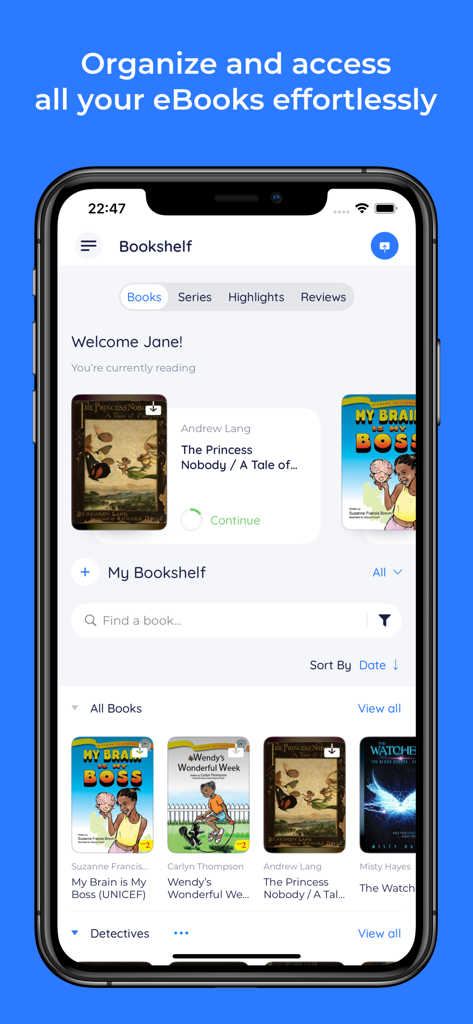
iPhone 화면에 정리된 eBook 표지와 독서 진행률이 표시된 디지털 책장을 보여주는 BookFusion 앱 인터페이스.
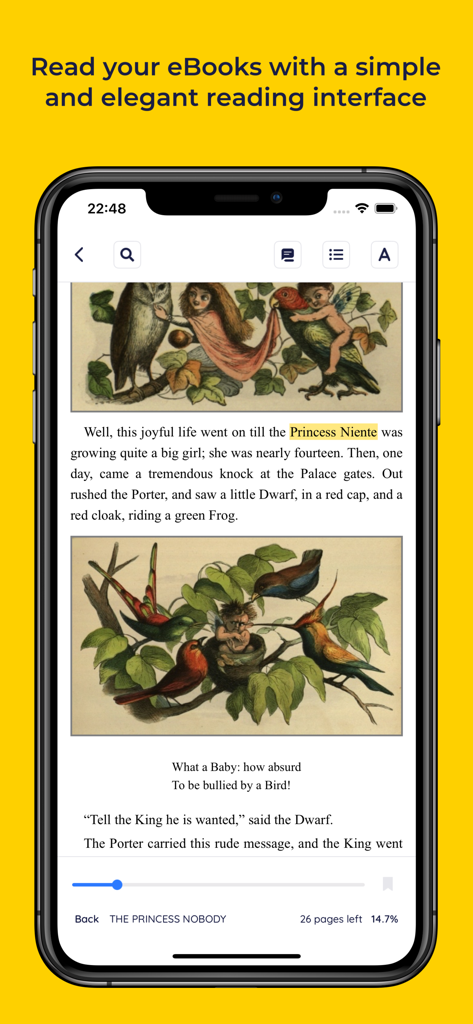
스마트폰에서 깔끔한 독서 인터페이스와 하이라이트 도구를 사용하여 삽화가 포함된 eBook을 보여주는 BookFusion 앱
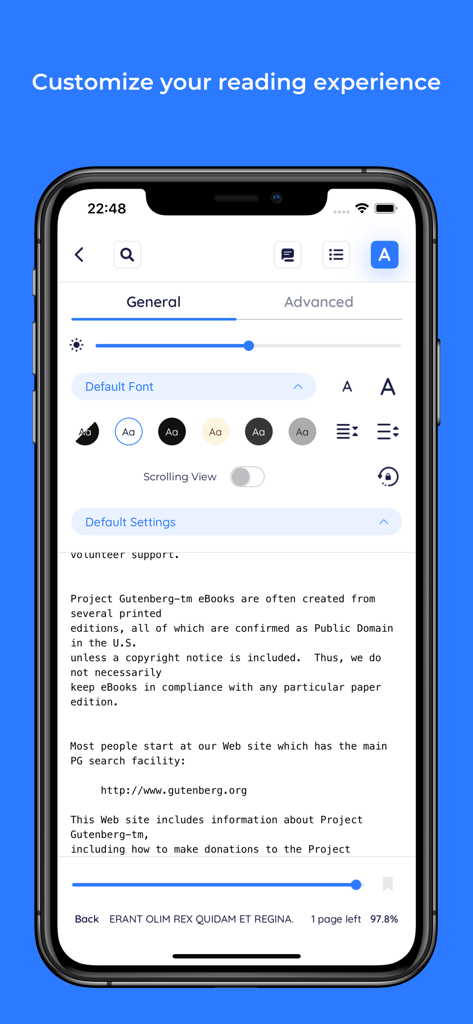
글꼴 및 테마에 대한 사용자 지정 설정을 보여주는 BookFusion 독서 인터페이스
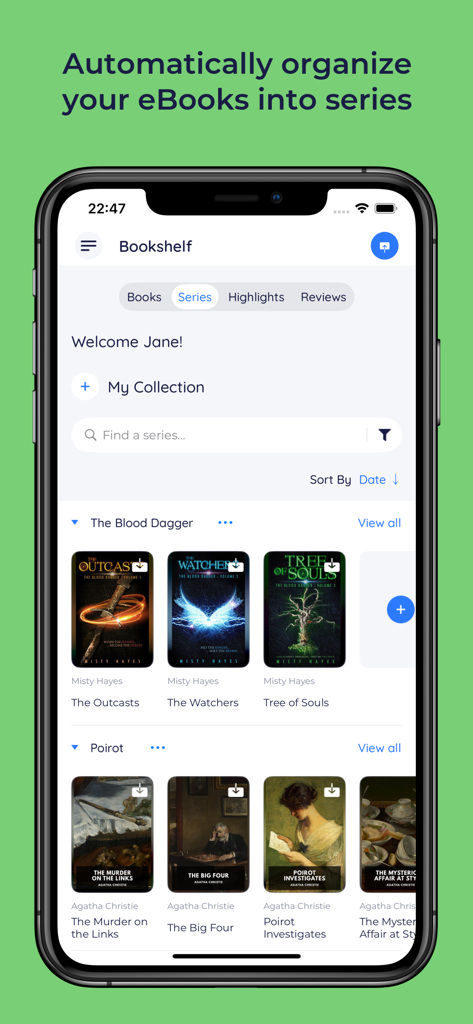
The Blood Dagger 및 Poirot와 같은 시리즈 폴더로 자동 정리된 eBook을 보여주는 BookFusion 앱 인터페이스
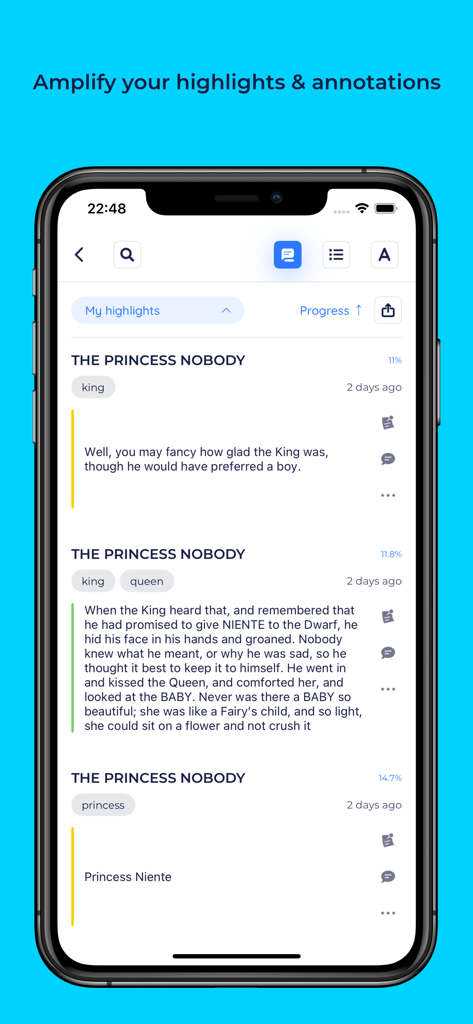
정리된 도서 하이라이트 및 주석을 보여주는 BookFusion 앱의 스크린샷.
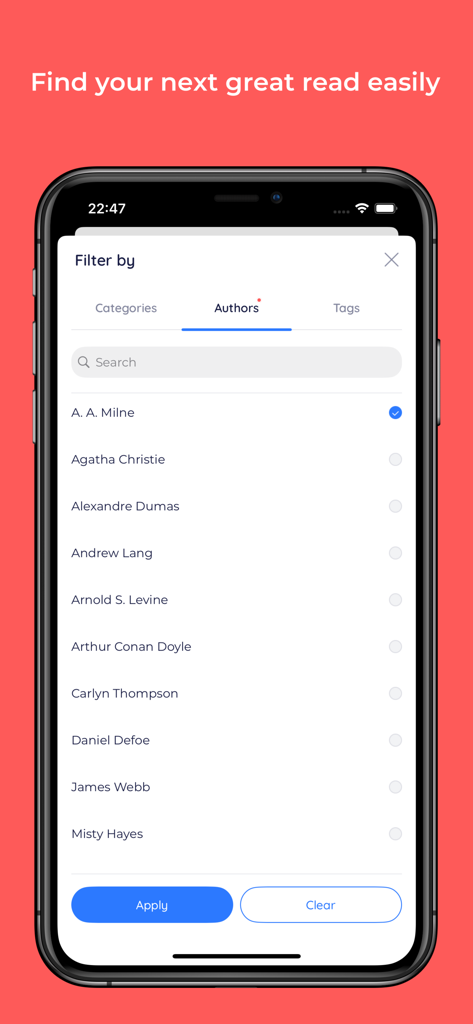
eBook 컬렉션을 필터링하기 위한 저자 목록을 보여주는 BookFusion 앱 인터페이스
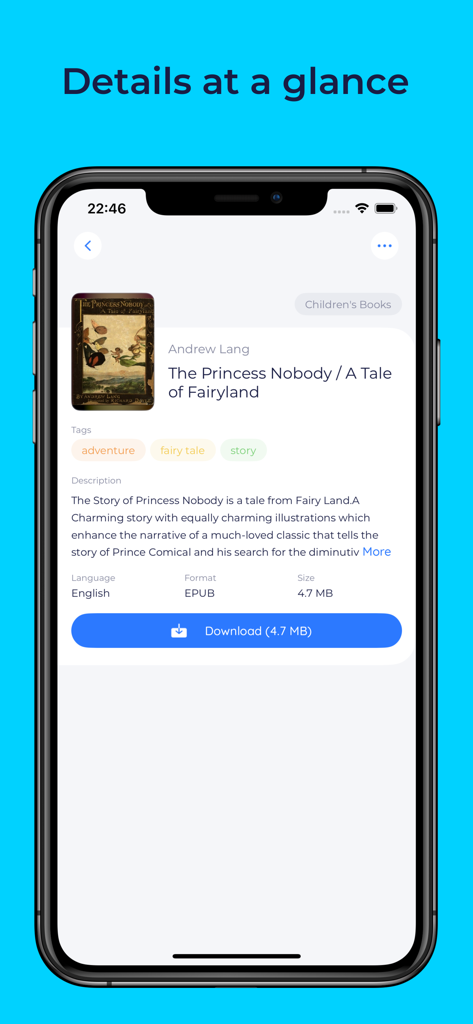
태그, 설명, 다운로드 버튼 등의 eBook 상세 정보를 보여주는 BookFusion 앱 인터페이스
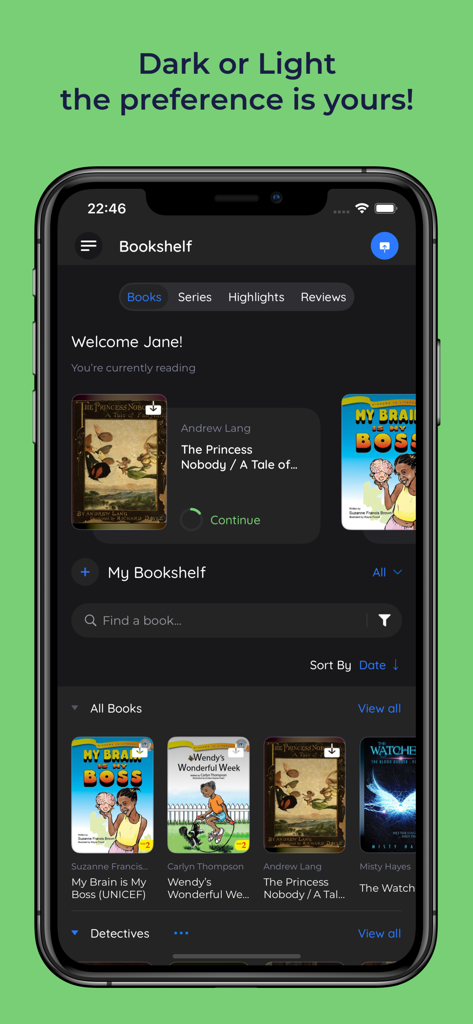
여러 eBook 표지가 포함된 다크 모드의 BookFusion 디지털 라이브러리 앱을 보여주는 스마트폰.
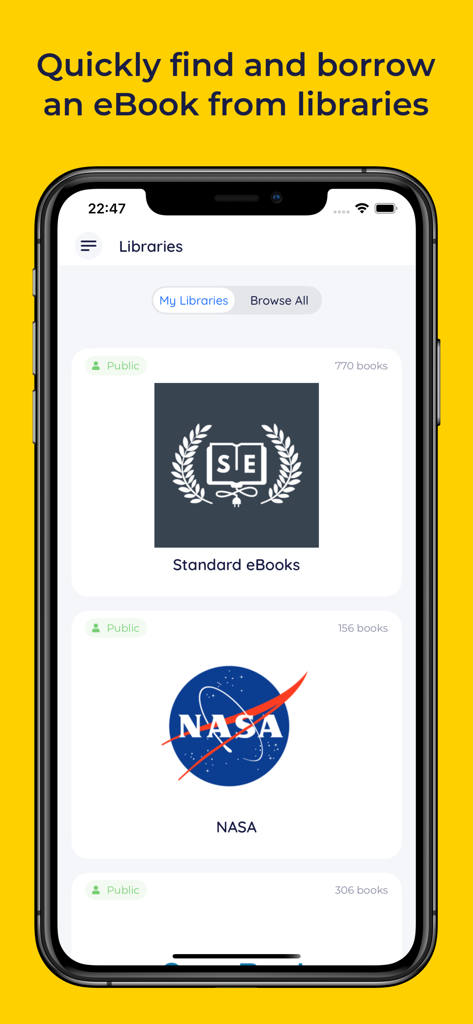
iPhone에서 NASA 및 Standard eBooks를 포함한 공공 eBook 라이브러리 목록을 보여주는 BookFusion 앱 인터페이스
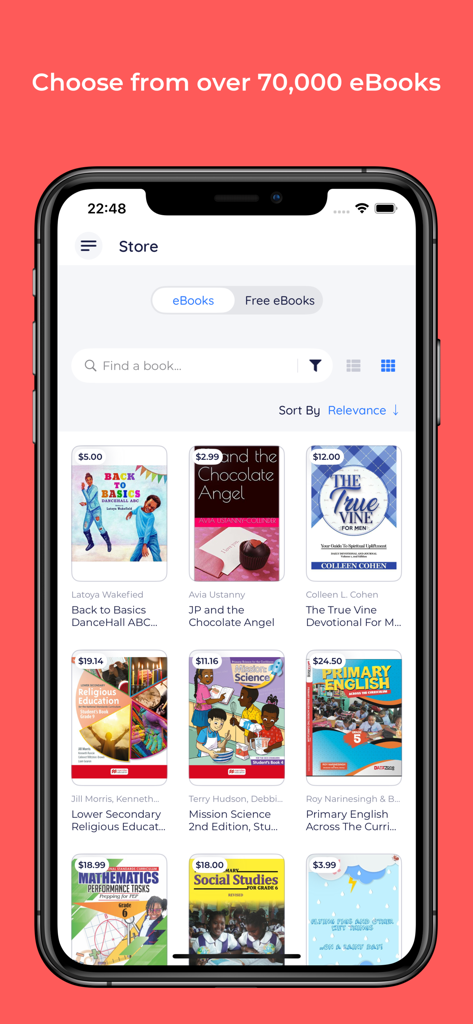
사용 가능한 eBook 컬렉션이 포함된 iPhone용 BookFusion 앱 스토어 인터페이스.
설명
Download
비슷한 앱
유사한 기능과 사용자 경험을 가진 앱

eBoox - fb2 ePub book reader
REDIT, OOO

PureLibro: ebook reader
添欢 谢

Summit Reader
三英 郑

Readingo
哲魁 左

YACReader - Comic Reader
Luis Ángel San Martín

KRed Reader
Kingjet Network Co., Ltd.

Epub Reader -read epub,chm,txt
俊杰 阮

Yomu EBook Reader
Beat Raess

KyBook 3 Ebook Reader
Konstantin Bukreev
이 페이지는 앱이나 개발자의 공식 페이지가 아니며, 정보 제공 및 논평을 목적으로 작성된 독립 편집 간행물입니다. 명시적으로 달리 언급되지 않는 한, 해당 앱이나 개발자는 MWM, Apple, Google Play, 앱 퍼블리셔 또는 앱 개발자와 제휴, 보증, 후원, 승인 또는 공식적으로 연결되어 있지 않으며, 이 페이지의 어떤 내용도 해당 앱이 MWM의 서비스를 사용하여 개발되었음을 의미하지 않습니다. 모든 상표, 로고, 스크린샷 및 기타 콘텐츠는 해당 소유자의 자산입니다.