
이 페이지는 앱이나 개발자의 공식 페이지가 아니며, 정보 제공 및 논평을 목적으로 작성된 독립 편집 간행물입니다. 명시적으로 달리 언급되지 않는 한, 해당 앱이나 개발자는 MWM, Apple, Google Play, 앱 퍼블리셔 또는 앱 개발자와 제휴, 보증, 후원, 승인 또는 공식적으로 연결되어 있지 않으며, 이 페이지의 어떤 내용도 해당 앱이 MWM의 서비스를 사용하여 개발되었음을 의미하지 않습니다. 모든 상표, 로고, 스크린샷 및 기타 콘텐츠는 해당 소유자의 자산입니다.


Bose Connect
이 앱은 보스 하드웨어에 대한 당신의 지배력을 완성한다.
다운로드
25M+사용자 평점
총 평가 수
825.2K개발사
카테고리
Music지원 언어
20최신 버전
25.2크기
231.5 MB출시일
2015년 12월 8일Bose Connect 앱의 주요 기능 분석
Bose Connect는 보스 기기 사용 경험을 개인화하고 확장하는 필수 동반 앱입니다.
정교한 노이즈 캔슬링 제어
이 앱은 QC30 헤드폰에서 노이즈 캔슬링 레벨을 직접 조절하여 외부 소음을 얼마나 허용할지 사용자가 결정할 수 있게 해줍니다.
스테레오 모드
사용자가 두 대의 스피커를 연결하여 사운드를 좌우 채널로 분리함으로써 몰입감 넘치는 스테레오 경험을 즐길 수 있게 해줍니다.
뮤직 셰어 (음악 공유)
이 도구는 두 대의 보스 무선 헤드폰이 동시에 같은 오디오를 공유하여 함께 음악을 감상할 수 있게 해주며, 한 명의 사용자가 DJ 역할을 할 수 있습니다.
파티 모드 (스피커 동기화)
이 앱은 두 대의 SoundLink 스피커를 동기화하여 두 배의 오디오 출력을 제공하며, 서로 다른 두 공간에서 음악을 감상하는 데 이상적입니다.
기기 설정 및 상태 관리
이 앱은 자동 꺼짐 타이머, 볼륨 제어, 배터리 잔량 확인과 같은 핵심 기기 설정에 빠르게 접근할 수 있도록 해주며, 여러 블루투스 연결을 간편하게 관리할 수 있게 합니다.
백그라운드 소프트웨어 업데이트
이 도구는 최신 소프트웨어를 백그라운드에서 다운로드하고, 사용자가 준비되었을 때 설치하여 항상 최신 기능을 사용할 수 있도록 지원합니다.
개인 설정 및 제품 상세 정보
이 앱은 제품 상세 정보를 확인하고, 사용자가 기기의 설정을 개인화하여 보스 무선 제품을 최대한 활용할 수 있게 해줍니다.
심박수 모니터링 (SoundSport Pulse)
이 도구는 SoundSport Pulse 헤드폰의 내장 심박수 모니터에서 측정된 심박수 정보를 앱 내에 명확하게 표시해줍니다.
자주 묻는 질문
에 대해 알아야 할 모든 것 Bose Connect
What does the Bose Connect app do?
The Bose Connect app unlocks the full potential of your Bose Bluetooth® product. It provides easy access to key features like auto-off timer, volume control, battery readings, and manages multiple Bluetooth connections.
Can I share music with another person using Bose Connect?
Yes, the Bose Connect app enables Music Share. This feature allows two pairs of Bose® wireless headphones to share the listening experience simultaneously, with one user acting as the DJ.
Does the Bose Connect app support multiple speaker connections?
Yes, the Bose Connect app supports connecting multiple speakers. Party Mode syncs two SoundLink® speakers for double audio, and Stereo Mode separates sound into Left and Right channels across two paired speakers.
How does Bose Connect manage noise cancellation for headphones?
For QC®30 headphones, the Bose Connect app offers controllable noise cancellation. Users adjust the level of noise cancellation directly within the app, deciding how much of the external world to let in.
Which Bose products are compatible with the Bose Connect app?
The Bose Connect app is compatible with Bose Frames, QC®35, SoundSport® wireless, QuietControl™ 30, SoundLink® wireless II, ProFlight® headphones, and various SoundLink® and S1 Pro® speakers.
Does Bose Connect display heart rate information?
Yes, for SoundSport® Pulse headphones, the Bose Connect app displays the built-in heart rate monitor's readings. The heart rate information appears clearly within the app interface.
Can I rename my Bose device in the Bose Connect app?
Yes, the Bose Connect app allows users to personalize device settings, including nicknaming their Bose products. This feature enhances device identification within the application.
Does the Bose Connect app provide battery status?
Yes, the Bose Connect app provides battery readings for connected Bose Bluetooth® products. This feature is easily accessible within the app for convenient monitoring of your device's power level.
다음 스크린샷과 설명은 앱의 공식 스토어 목록에서 직접 가져온 것이며 앱 개발자의 자산입니다.
앱 스토어
스크린샷
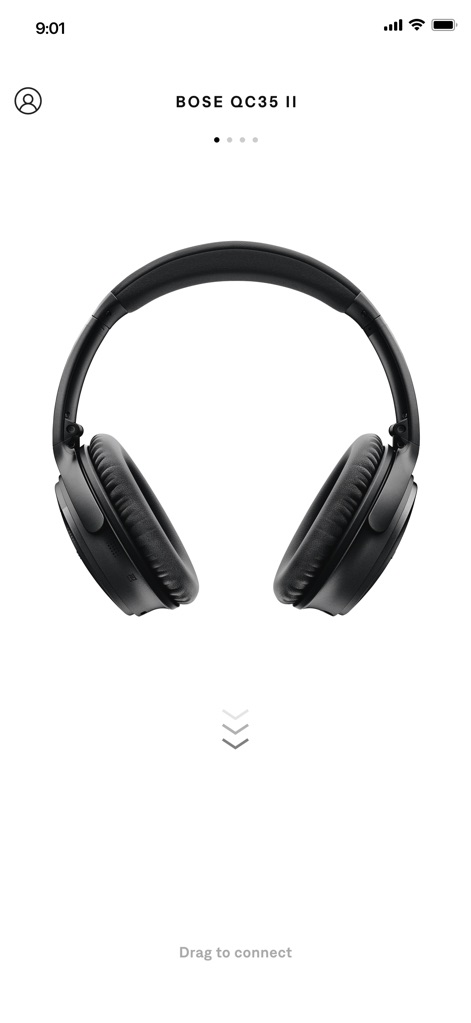
기기 연결 시작
이 앱은 사용자가 Bose QC35 II 헤드폰과 같은 Bose 기기를 손쉽게 확인하고, 'Drag to connect' 지시를 통해 간편하게 연결을 시작할 수 있도록 돕습니다.
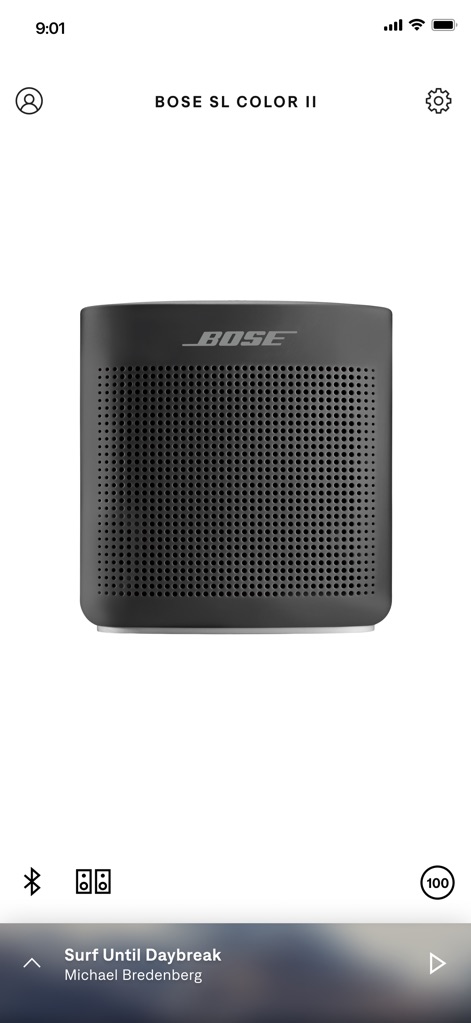
음악 감상 제어
사용자는 이 화면에서 연결된 Bose SL Color II 스피커의 배터리 잔량(100%)을 확인하고, 여러 스피커를 페어링하여 음악을 공유할 수 있는 기능을 직관적인 두 개의 스피커 아이콘을 통해 활용합니다.
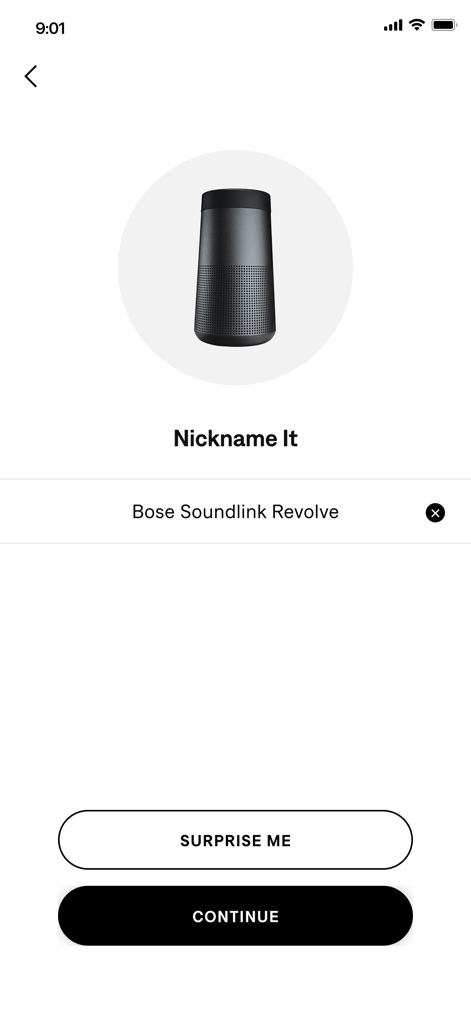
기기 이름 설정
이 화면은 Bose Soundlink Revolve 스피커의 'Nickname It' 기능을 통해 사용자가 기기에 맞춤 이름을 부여하고, 'SURPRISE ME' 버튼을 사용하여 재미있는 이름을 추천받을 수 있도록 지원합니다.
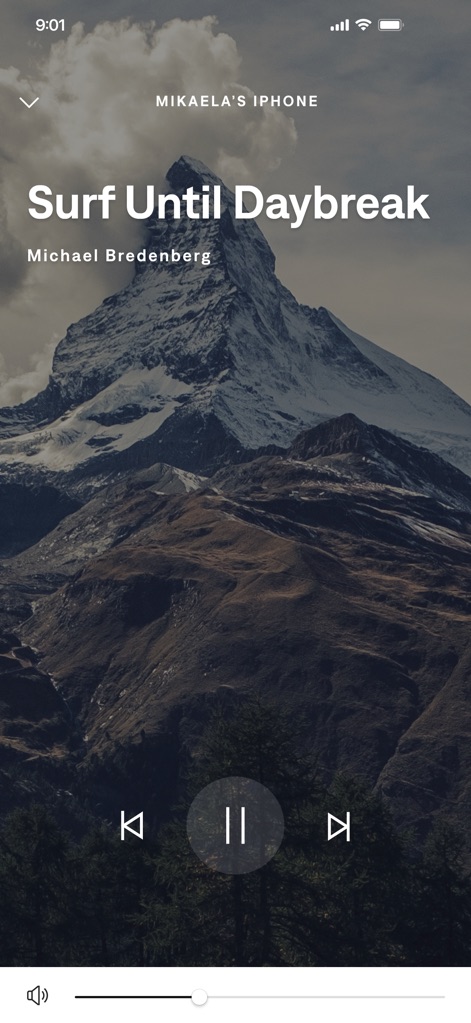
몰입형 음악 재생
이 앱은 전체 화면 인터페이스를 통해 사용자가 'Surf Until Daybreak'와 같은 음악을 재생하고, 하단의 재생/일시정지 버튼과 볼륨 슬라이더를 사용하여 청취 경험을 완벽하게 제어할 수 있게 합니다.
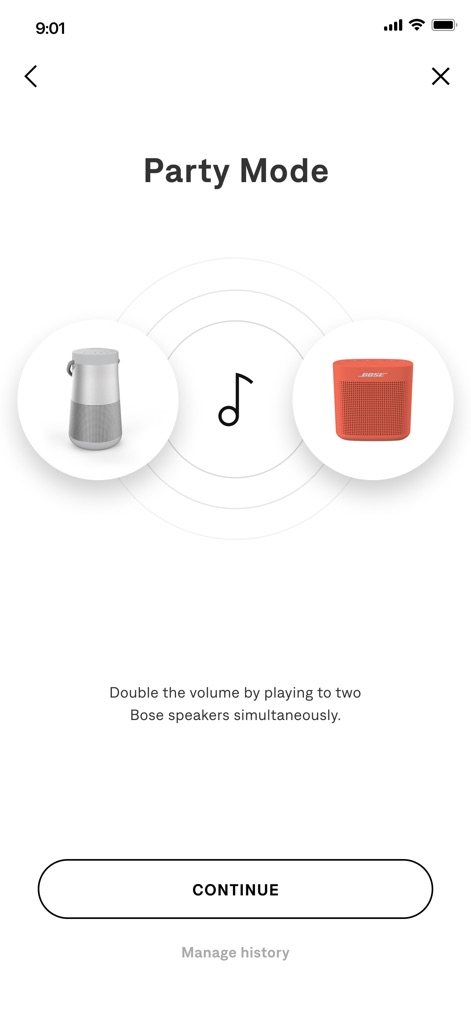
파티 모드 활성화
사용자는 이 화면에서 시각적으로 표현된 두 개의 스피커 연결을 통해 파티 모드를 활성화하고, 'Double the volume by playing to two Bose speakers simultaneously' 설명에 따라 오디오 경험을 확장할 수 있습니다.
설명
Download
비슷한 앱
유사한 기능과 사용자 경험을 가진 앱

Bose
Bose Corporation

Marshall Bluetooth
Marshall Group AB (publ)

JBL PartyBox
Harman International Industries

Bose QC Earbuds
Bose Corporation

JBL Headphones
Harman International Industries

soundcore
Power Mobile Life LLC

JBL Portable
Harman International Industries

Xiaomi Earbuds
Beijing Xiaomi Co., Ltd

Shokz
Shenzhen Shokz Co., Ltd.
이 페이지는 앱이나 개발자의 공식 페이지가 아니며, 정보 제공 및 논평을 목적으로 작성된 독립 편집 간행물입니다. 명시적으로 달리 언급되지 않는 한, 해당 앱이나 개발자는 MWM, Apple, Google Play, 앱 퍼블리셔 또는 앱 개발자와 제휴, 보증, 후원, 승인 또는 공식적으로 연결되어 있지 않으며, 이 페이지의 어떤 내용도 해당 앱이 MWM의 서비스를 사용하여 개발되었음을 의미하지 않습니다. 모든 상표, 로고, 스크린샷 및 기타 콘텐츠는 해당 소유자의 자산입니다.