
이 페이지는 앱이나 개발자의 공식 페이지가 아니며, 정보 제공 및 논평을 목적으로 작성된 독립 편집 간행물입니다. 명시적으로 달리 언급되지 않는 한, 해당 앱이나 개발자는 MWM, Apple, Google Play, 앱 퍼블리셔 또는 앱 개발자와 제휴, 보증, 후원, 승인 또는 공식적으로 연결되어 있지 않으며, 이 페이지의 어떤 내용도 해당 앱이 MWM의 서비스를 사용하여 개발되었음을 의미하지 않습니다. 모든 상표, 로고, 스크린샷 및 기타 콘텐츠는 해당 소유자의 자산입니다.


Bose QC Earbuds
이 앱은 당신의 오디오를 지배합니다. 베이스부터 고음까지, 모든 소리 하나하나를 당신의 손아귀에 넣습니다. 노이즈 캔슬링 모드를 전환하고, 배터리를 확인하며, 단축키로 제어합니다. Apple Music 사용자는 이제 이어버드 버튼으로 재생 목록을 즉시 시작할 수 있습니다. 지루한 사용자 경험은 없습니다. 오직 당신만의 완벽한 사운드 제어만 존재합니다.
다운로드
1M+사용자 평점
총 평가 수
45.8K개발사
카테고리
Utilities지원 언어
7최신 버전
3.0.1크기
227.7 MB출시일
2024년 9월 14일첨단 오디오 경험과 사용자 정의를 위한 필수 도구
Bose QC Earbuds 앱 핵심 기능 분석
ANC 설정 제어
이 앱은 사용자가 'Quiet', 'Aware', 'Off' 모드 사이를 전환하여 주변 소음 제어 수준을 조절하고 다양한 환경에 맞게 청취 경험을 최적화할 수 있도록 합니다.
EQ 사용자 지정
이 도구는 5밴드 EQ를 통해 사용자가 저음, 중음, 고음을 미세 조정하여 개인의 취향에 맞는 완벽한 사운드를 만들 수 있게 해줍니다.
단축키 사용자 지정
이 앱은 사용자가 이어버드 버튼의 기능을 사용자 정의하여 재생 제어, 모드 전환 등 특정 작업을 빠르고 효율적으로 수행할 수 있도록 지원합니다.
Apple Music 플레이리스트 즉시 시작
Apple Music Premium 사용자는 이어버드 단축키 버튼을 활용하여 즐겨찾는 플레이리스트를 즉시 시작하여 끊김 없는 음악 감상 경험을 즐길 수 있습니다.
연결된 장치 관리
이 앱은 사용자가 이어버드에 연결된 장치 목록을 쉽게 보고 관리할 수 있게 해줌으로써, 여러 장치 간의 원활한 전환을 가능하게 합니다.
배터리 수명 확인
사용자는 이어버드의 현재 배터리 잔량을 앱에서 편리하게 확인할 수 있어, 언제든 충전 상태를 파악하고 사용할 수 있습니다.
자주 묻는 질문
에 대해 알아야 할 모든 것 Bose QC Earbuds
What EQ settings does the Bose QC Earbuds app offer?
The Bose QC Earbuds app offers a five-band adjustable EQ. Users control bass, mid-range, and treble levels to personalize their sound.
Can Bose QC Earbuds users adjust active noise cancellation (ANC) through the app?
Yes, Bose QC Earbuds users adjust ANC settings through the app. They can switch between Quiet Mode, Aware Mode, or turn ANC off.
How do I check the battery life of my Bose QC Earbuds?
Users check the battery life of their Bose QC Earbuds directly within the Bose QC Earbuds app. The main dashboard displays individual battery percentages for each earbud.
Can I customize the touch controls on my Bose QC Earbuds using the app?
Yes, the Bose QC Earbuds app allows users to customize touch controls. Users assign actions like Play/Pause, Next Track, or Remote Selfie to single, double, triple press, or hold gestures for each earbud.
Do Bose QC Earbuds support multipoint connection?
Yes, Bose QC Earbuds support multipoint connection via the app. This feature enables simultaneous connection to two devices and seamless switching of audio playback between them.
Can I use voice commands with my Bose QC Earbuds?
Yes, users control their Bose QC Earbuds with voice commands through the app, without an internet connection. Commands manage calls and media playback.
What is the purpose of the Bose QC Earbuds app?
The Bose QC Earbuds app personalizes the earbud experience. It controls sound EQ, manages noise cancellation, monitors battery life, and customizes touch and voice commands.
다음 스크린샷과 설명은 앱의 공식 스토어 목록에서 직접 가져온 것이며 앱 개발자의 자산입니다.
앱 스토어
스크린샷
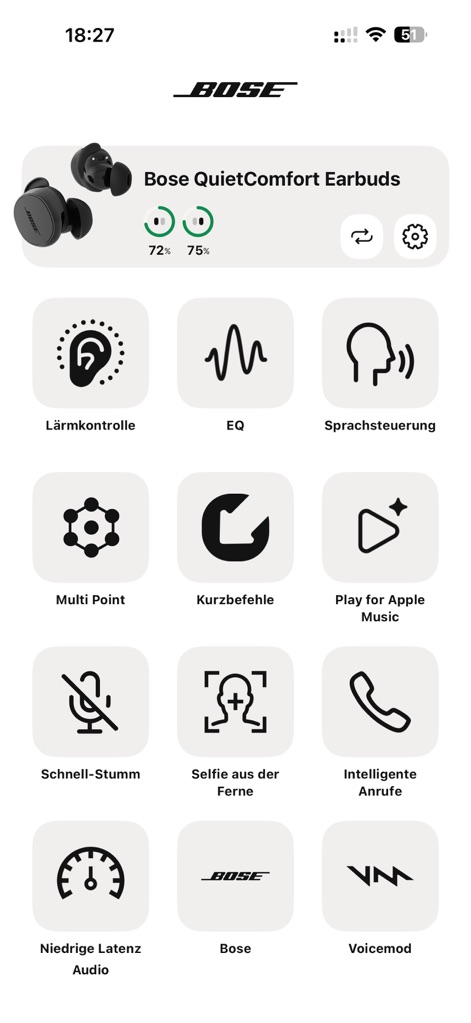
이 앱의 메인 대시보드는 이어버드 배터리 잔량과 함께 노이즈 컨트롤 및 EQ와 같은 핵심 기능에 대한 빠른 접근을 제공합니다.
주요 기능 한눈에
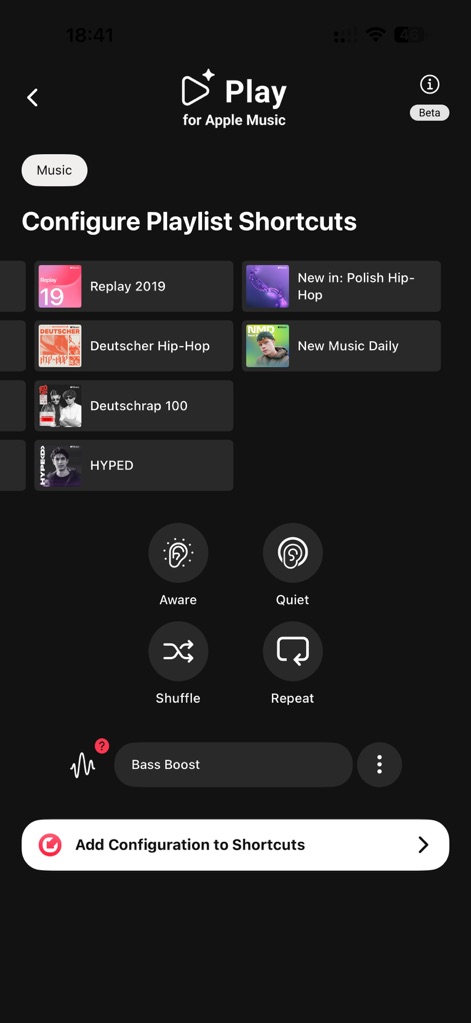
사용자는 Apple Music 재생목록을 바로 가기로 구성하여 선호하는 음악을 빠르게 시작하고, Aware 모드와 Quiet 모드 간에 전환할 수 있습니다.
맞춤형 음악 재생
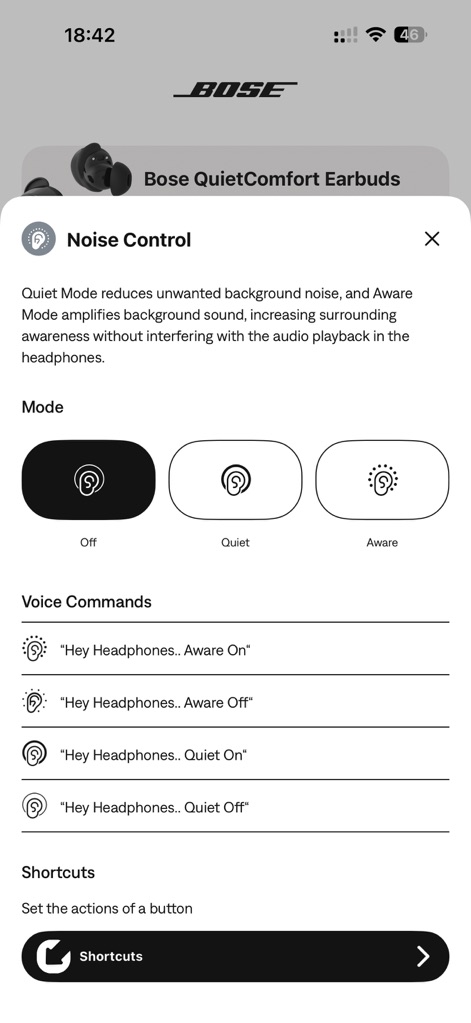
이 화면에서 사용자는 이어버드의 노이즈 컨트롤 모드를 Off, Quiet, Aware 중에서 선택할 수 있으며, 음성 명령 설정을 통해 편리함을 더합니다.
완벽한 소음 제어
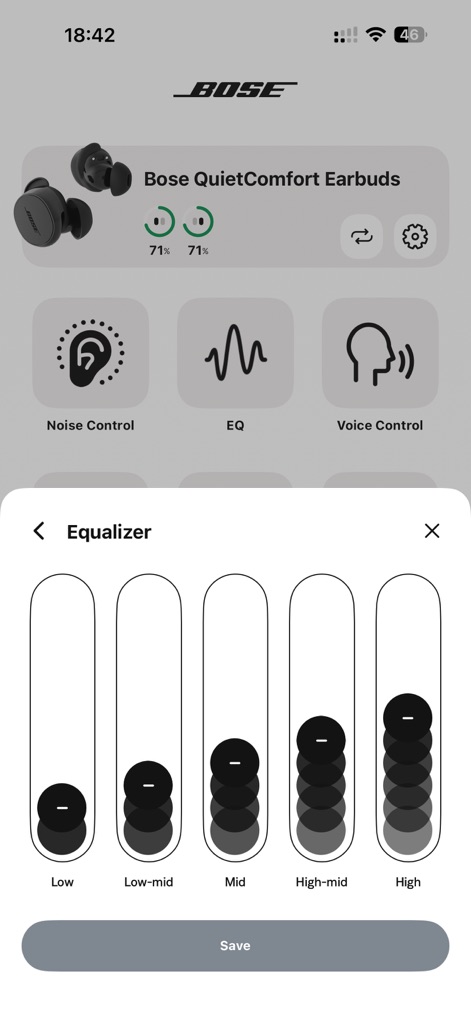
사용자는 5밴드 이퀄라이저를 통해 저음, 중음, 고음을 미세 조정하여 개인의 청취 선호도에 맞춰 오디오 경험을 최적화합니다.
정교한 오디오 맞춤
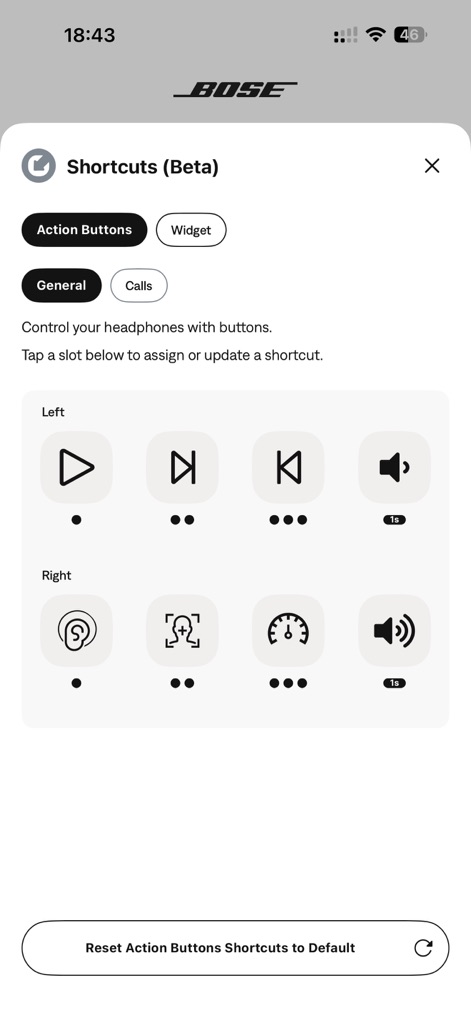
이 앱은 Action Buttons 섹션을 통해 사용자가 왼쪽 및 오른쪽 이어버드 버튼에 재생/일시정지 또는 노이즈 컨트롤과 같은 다양한 기능을 할당할 수 있게 합니다.
단축키로 제어
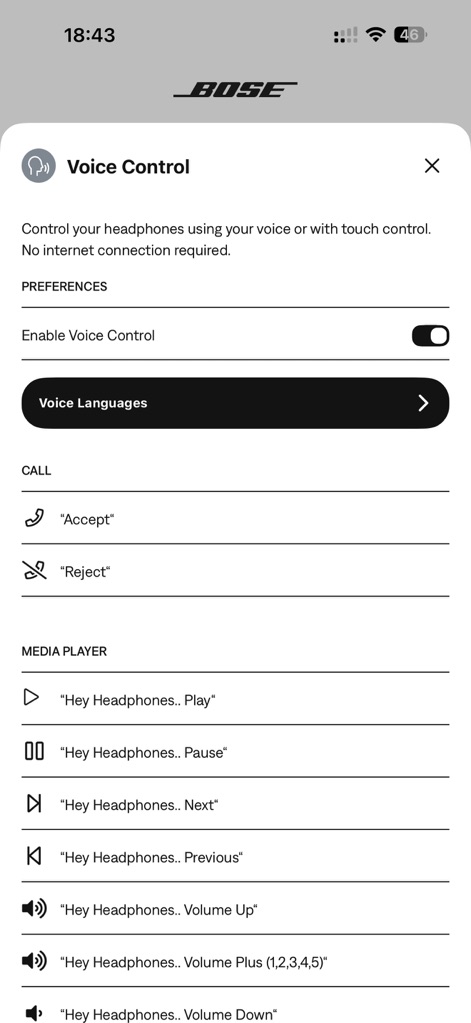
사용자는 음성 제어 기능을 활성화하고, 전화를 수락하거나 미디어 재생을 제어하는 등의 다양한 명령어를 확인하여 이어버드를 더욱 편리하게 사용할 수 있습니다.
음성 제어 편의성
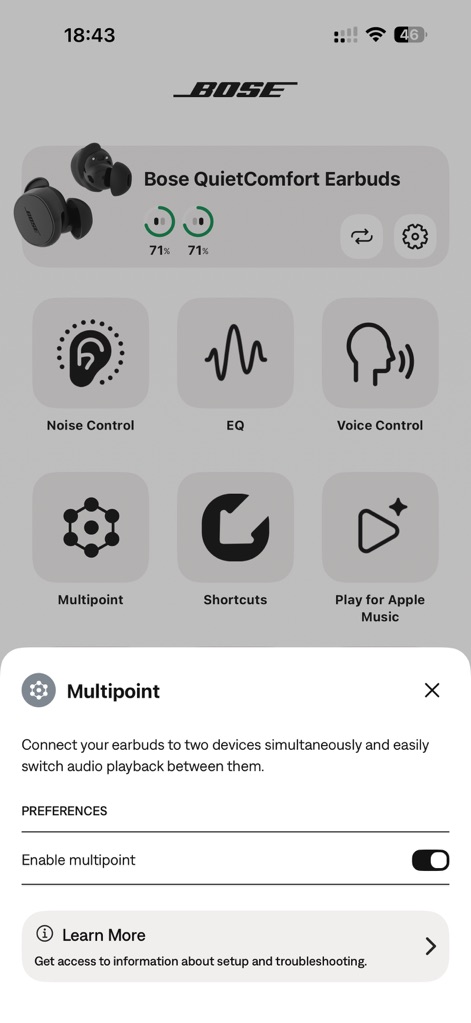
이 화면은 Multipoint 기능을 활성화하여 이어버드를 두 개의 장치에 동시에 연결하고, 장치 간 오디오 전환을 손쉽게 할 수 있는 옵션을 보여줍니다.
스마트한 멀티포인트
설명
Download
비슷한 앱
유사한 기능과 사용자 경험을 가진 앱

Bose
Bose Corporation

Marshall Bluetooth
Marshall Group AB (publ)

JBL PartyBox
Harman International Industries

Bose Connect
Bose Corporation

JBL Headphones
Harman International Industries

soundcore
Power Mobile Life LLC

JBL Portable
Harman International Industries

Xiaomi Earbuds
Beijing Xiaomi Co., Ltd

Shokz
Shenzhen Shokz Co., Ltd.
이 페이지는 앱이나 개발자의 공식 페이지가 아니며, 정보 제공 및 논평을 목적으로 작성된 독립 편집 간행물입니다. 명시적으로 달리 언급되지 않는 한, 해당 앱이나 개발자는 MWM, Apple, Google Play, 앱 퍼블리셔 또는 앱 개발자와 제휴, 보증, 후원, 승인 또는 공식적으로 연결되어 있지 않으며, 이 페이지의 어떤 내용도 해당 앱이 MWM의 서비스를 사용하여 개발되었음을 의미하지 않습니다. 모든 상표, 로고, 스크린샷 및 기타 콘텐츠는 해당 소유자의 자산입니다.