Brother Mobile Connect

Brother Mobile Connect

다운로드: App Store다운로드: Google Play
로고: Brother Mobile Connect

Brother Mobile Connect: 궁극의 모바일 인쇄 및 스캔 제어 센터

어디서든 Brother 프린터를 완벽하게 제어하세요. 원활한 원격 인쇄, 스마트 소모품 모니터링, 바쁜 라이프스타일에 맞춘 자동 잉크 배송으로 워크플로우를 간소화하세요.

다운로드: App Store

개발사

Brother Industries, LTD.

카테고리

Utilities

다운로드

6M+

사용자 평점

4.7/5

총 평가 수

240K+

지원 언어

21

한눈에 보는 효율성

이 인터페이스를 사용하는 6M+ 명의 사용자.

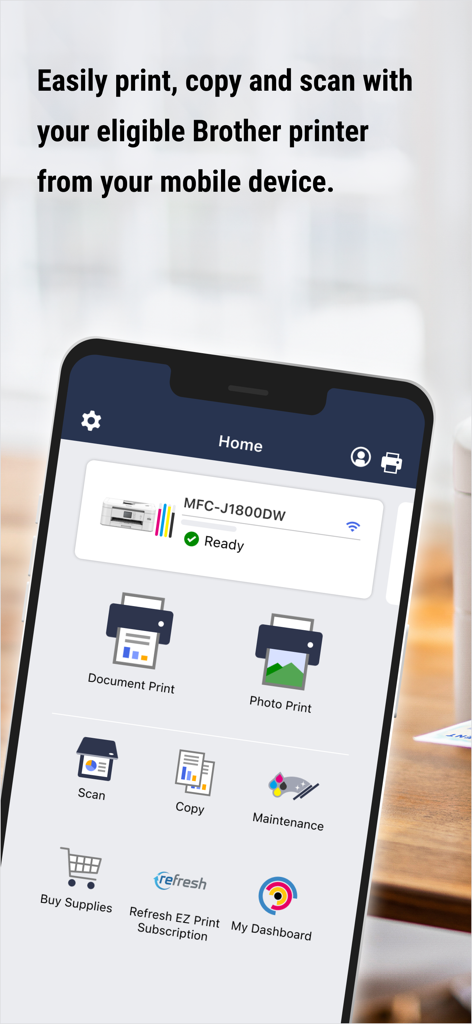
Brother Mobile Connect 앱 인터페이스에 스마트폰에서 Brother 프린터를 인쇄, 스캔, 관리하는 옵션이 표시됩니다.
Brother Mobile Connect 앱 인터페이스에 스마트폰에서 Brother 프린터를 인쇄, 스캔, 관리하는 옵션이 표시됩니다.

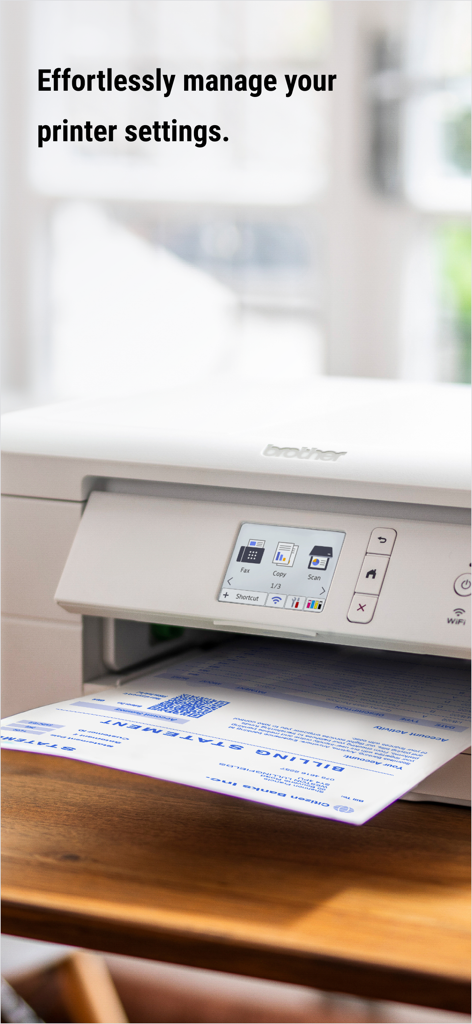
텍스트와 함께 나무 책상 위에 청구서 인쇄 중인 흰색 Brother 프린터, 프린터 설정을 관리하는 것에 대한 내용.
텍스트와 함께 나무 책상 위에 청구서 인쇄 중인 흰색 Brother 프린터, 프린터 설정을 관리하는 것에 대한 내용.

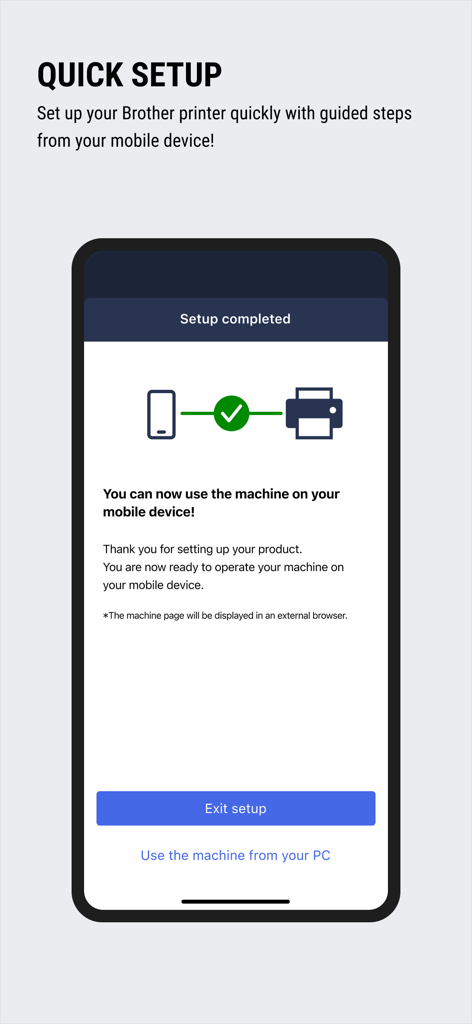
Brother Mobile Connect 앱에서 프린터 설정 완료 메시지가 성공적으로 표시되는 스마트폰 화면.
Brother Mobile Connect 앱에서 프린터 설정 완료 메시지가 성공적으로 표시되는 스마트폰 화면.

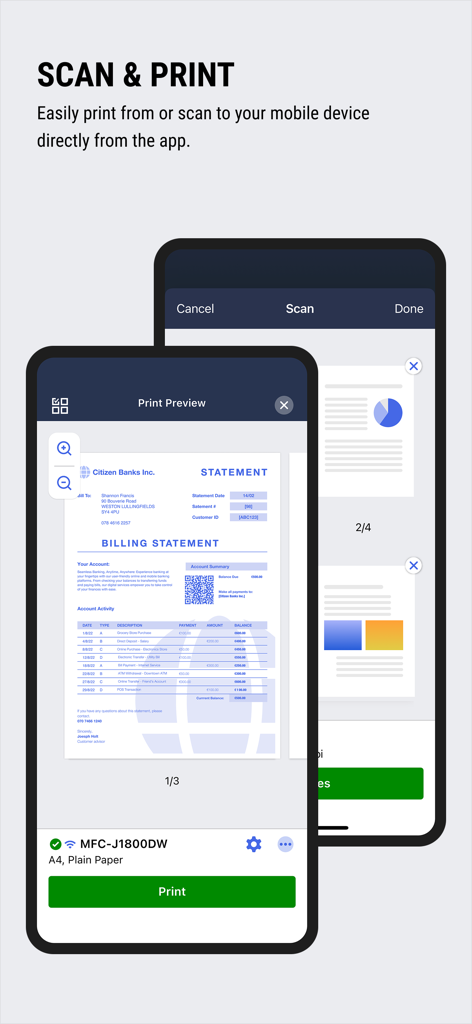
Brother Mobile Connect 앱에서 모바일 기기의 스캔 및 인쇄 미리보기 화면을 보여줍니다.
Brother Mobile Connect 앱에서 모바일 기기의 스캔 및 인쇄 미리보기 화면을 보여줍니다.

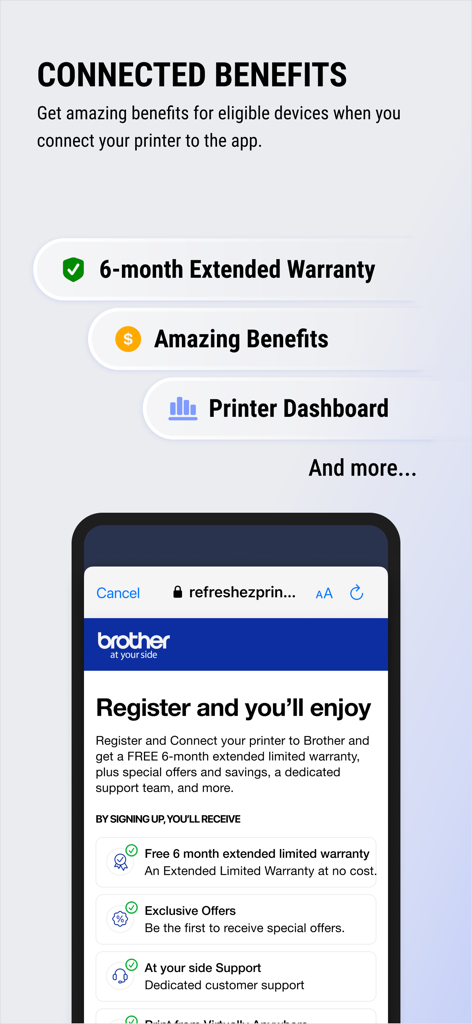
Brother Mobile Connect 앱에서 보증 연장 및 프린터 대시보드와 같은 혜택을 보여줍니다.
Brother Mobile Connect 앱에서 보증 연장 및 프린터 대시보드와 같은 혜택을 보여줍니다.

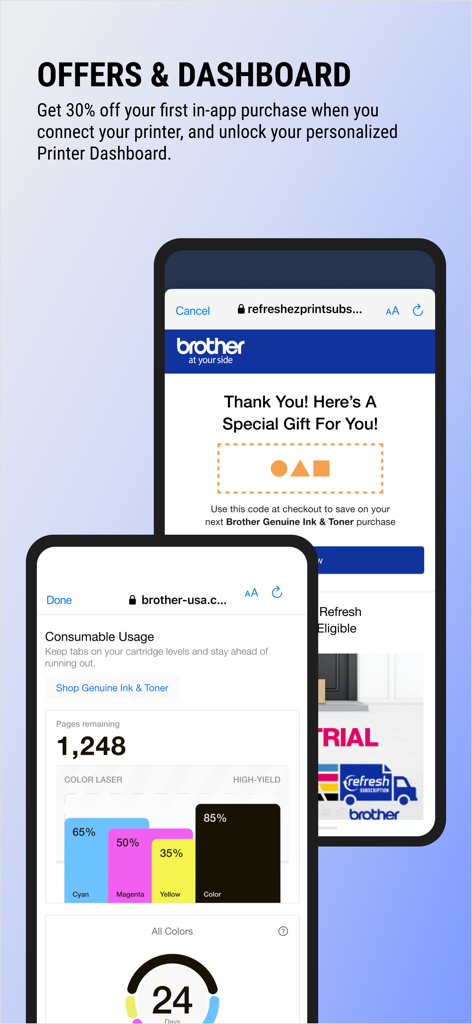
Brother Mobile Connect 앱 인터페이스에 잉크 잔량 모니터링 및 정품 토너 특별 제공 상품이 표시됩니다.
Brother Mobile Connect 앱 인터페이스에 잉크 잔량 모니터링 및 정품 토너 특별 제공 상품이 표시됩니다.

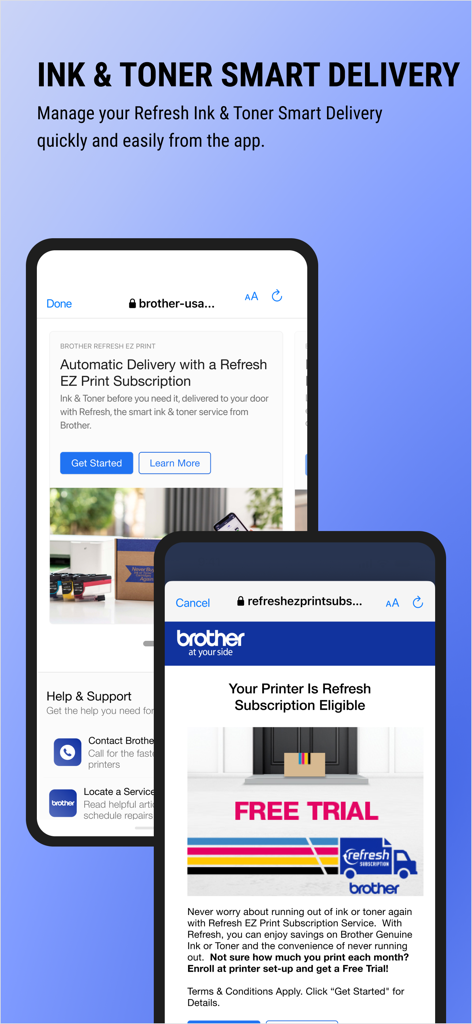
Brother Mobile Connect 앱 인터페이스에 잉크 및 토너 스마트 배송 및 구독 옵션이 표시됩니다.

Brother Mobile Connect 앱 인터페이스에 잉크 및 토너 스마트 배송 및 구독 옵션이 표시됩니다.

탭 한 번으로 워크플로우를 마스터하세요

이 앱을 돋보이게 하는 도구, 6M+ 명의 사용자가 선택.

📱

어디서든 인쇄 및 스캔

케이블의 번거로움을 없애세요. 집이나 사무실의 어떤 방에서든 문서를 인쇄하거나 파일을 모바일 기기로 직접 스캔하세요.

💧

스마트 소모품 관리

실시간으로 잉크 및 토너 잔량을 모니터링하고 Refresh EZ Print로 자동 배송하여 카트리지가 비어 마감일을 놓치는 일이 없도록 하세요.

📊

모바일 대시보드

최대 5개의 기기를 관리하고, 사용 통계를 추적하고, 개인화된 앱 인터페이스에서 직접 보증 연장과 같은 독점적인 보상을 받으세요.

리뷰 분석

사용자 리뷰 인사이트.

감정 점수

27%
부정적

요약

This app receives predominantly negative feedback, with many users reporting severe connectivity issues, especially with Wi-Fi and Wi-Fi Direct setup, which they describe as unintuitive and frustrating. Core printing and scanning functionalities are frequently unreliable, including common failures to print, scanning requiring a computer, and limitations like document resizing or 'storage full' errors. Several users note that recent updates, including those for iPhone, have caused widespread problems like app instability, crashes, and a significant loss of support for older devices and operating systems. While a minority of users praise its ease of use for basic tasks and the quality of Brother printer hardware, the overall experience is marred by widespread technical difficulties.

주요 테마

Connectivity Issues(18)
Printing/Scanning Features(14)
Setup Difficulty(10)
Ease of Use(8)
Updates & Device Compatibility(7)
App Stability(4)
Printer Performance(3)

앱 소개

에 대해 알아야 할 모든 것 Brother Mobile Connect.

설명

Get ready for a unified experience between your printer and device with Brother Mobile Connect. From the app, you can: - Print from and scan-to your mobile device with ease - Quickly and easily set up an eligible Brother printer with guided steps - Print, copy, and scan from virtually anywhere with Connect Advance* - Access your Printer Dashboard for supplies monitoring, pages printed, and settings - Manage your Refresh EZ Print Subscription for automatic delivery of Brother Genuine Ink & Toner before you run out GET REWARDS WITH A CONNECTED PRINTER - PERSONALIZED SAVINGS on ink & toner - FREE 6-month extended printer limited warranty** - Access to your Printer Dashboard MANAGE INK & TONER Brother Mobile Connect allows you to easily monitor ink and toner levels on up to five devices. Running low? Get the right supplies, when you need it, through the app. Ink and toner level monitoring through the app is available on all cartridge-based inkjet printers and laser printers. GET AMAZING PRINTING PERKS Brother Mobile Connect users receive personalized offers. Enable push notifications to ensure you don't miss out! INK & TONER DELIVERED BEFORE YOU RUN OUT WITH A REFRESH EZ PRINT SUBSCRIPTION*** Activate and manage your Refresh EZ Print Subscription, the smart ink & toner delivery service from Brother, directly through the app. Check if your model supports Brother Mobile Connect on the Brother support website: https://support.brother.com/ If your model is not supported, use the Brother iPrint&Scan app. To help us improve the application, send your feedback to Feedback-mobile-apps-ps-mc@brother.com. Please note that we may not be able to respond to individual emails. *Free Brother Mobile Connect App download, wireless connection and connection of an eligible printer with Brother are required. Compatibility may vary by device, operating system and country. **Limited warranty extension is available for select models and only on products with at least 3 months of original product warranty remaining. Maximum warranty coverage period if three years (including standard and extended). ***Refresh EZ Print Subscription is subject to availability and is not available in all countries.

최신 버전

1.22.1

크기

54.4 MB

출시일

2021년 3월 30일

인쇄 경험을 혁신할 준비가 되셨나요?

6백만 명 이상의 전문가들이 모바일 기기에서 직접 Brother 프린터를 인쇄, 스캔, 관리합니다. 지금 다운로드하여 워크플로우를 간소화하고 독점적인 보상을 받으세요.

다운로드: App Store다운로드: Google Play
FAQ

자주 묻는 질문

에 대해 알아야 할 모든 것 Brother Mobile Connect

Brother Mobile Connect이란 무엇입니까?

Brother Mobile Connect는 모바일 장치에서 인쇄하고 스캔하며 프린터 설정을 관리하고 적격 Brother 프린터의 소모품을 모니터링할 수 있는 통합 환경을 제공하는 앱입니다.

Brother Mobile Connect를 사용하여 내 휴대폰에서 직접 문서를 인쇄할 수 있습니까?

예, Brother Mobile Connect를 사용하면 사용자가 적격 Brother 프린터로 모바일 장치에서 직접 문서와 사진을 쉽게 인쇄할 수 있습니다.

Brother Mobile Connect가 프린터 설정에 도움이 됩니까?

예, Brother Mobile Connect 앱은 모바일 장치에서 직접 적격 Brother 프린터를 설정하기 위한 빠르고 쉬운 안내 단계를 제공합니다.

Brother Mobile Connect는 잉크 및 토너 수준을 관리하는 데 어떻게 도움이 됩니까?

Brother Mobile Connect를 사용하면 최대 5개의 장치에 대한 잉크 및 토너 수준을 모니터링할 수 있습니다. 앱은 소모품이 부족할 때 사용자에게 알리고 새 소모품 주문을 용이하게 합니다.

Brother Mobile Connect에 프린터를 연결하면 어떤 이점이 있습니까?

적격 프린터를 Brother Mobile Connect에 연결하면 잉크 및 토너에 대한 개인화된 할인, 무료 6개월 연장 제한 보증, 프린터 대시보드 액세스를 제공합니다.

Brother Mobile Connect 앱을 통해 Refresh EZ Print Subscription을 관리할 수 있습니까?

예, 사용자는 Brother의 스마트 잉크 및 토너 배송 서비스인 Refresh EZ Print Subscription을 Brother Mobile Connect 앱을 통해 직접 활성화하고 관리할 수 있습니다.

Brother Mobile Connect와 함께 보증 연장 혜택이 있습니까?

예, 적격 프린터를 Brother Mobile Connect 앱에 연결하면 무료 6개월 프린터 제한 보증이 연장됩니다. 특정 조건이 적용됩니다.

Brother Mobile Connect가 내 모바일 장치로 문서를 스캔하는 데 도움이 됩니까?

예, Brother Mobile Connect를 사용하면 사용자가 적격 Brother 프린터에서 모바일 장치로 직접 문서와 이미지를 쉽게 스캔할 수 있습니다.

Brother Mobile Connect의 프린터 대시보드는 무엇입니까?

Brother Mobile Connect의 프린터 대시보드는 소모품 모니터링, 인쇄된 페이지, 프린터 설정에 대한 액세스를 제공하여 프린터 상태를 중앙 집중식으로 볼 수 있습니다.

Brother Mobile Connect의 호환성 요구 사항은 무엇입니까?

Brother Mobile Connect 앱은 무료 다운로드, 무선 연결 및 적격 Brother 프린터가 필요합니다. 호환성은 장치, OS 및 국가에 따라 다릅니다.

App information, icons, screenshots, and descriptions displayed on this page are sourced from the Apple App Store and are the property of their respective developers. Download estimates and rankings are based on MWM's proprietary models and may not reflect actual figures. This page is provided for informational and analytical purposes only.

Believe this page infringes your intellectual property? File a dispute