Brushes
Brushes
다운로드: App Store

이 페이지는 앱이나 개발자의 공식 페이지가 아니며, 정보 제공 및 논평을 목적으로 작성된 독립 편집 간행물입니다. 명시적으로 달리 언급되지 않는 한, 해당 앱이나 개발자는 MWM, Apple, Google Play, 앱 퍼블리셔 또는 앱 개발자와 제휴, 보증, 후원, 승인 또는 공식적으로 연결되어 있지 않으며, 이 페이지의 어떤 내용도 해당 앱이 MWM의 서비스를 사용하여 개발되었음을 의미하지 않습니다. 모든 상표, 로고, 스크린샷 및 기타 콘텐츠는 해당 소유자의 자산입니다.

로고: Brushes
다운로드: App Store

Brushes

미니멀한 인터페이스로 전문가급 일러스트레이션을 경험하세요. 고급 레이어, 맞춤형 브러시, 매끄러운 Apple Pencil 정밀도로 예술적 기량을 완성해 보세요.

주요 수치

다운로드

150K+

사용자 평점

4.4/5

총 평가 수

800

개발사

Envoza Ltd

카테고리

Graphics & Design

지원 언어

1

최신 버전

4.2.6

크기

12.6 MB

출시일

2018년 11월 20일
기능

현대 예술가를 위한 전문가용 도구

Brushes 4는 미니멀한 인터페이스와 강력한 창작 기능을 결합하여 영감이 떠오르는 곳 어디에서나 고품질 디지털 아트를 그릴 수 있는 자유를 선사합니다.

획의 달인이 되세요

완벽한 Apple Pencil 최적화와 나만의 스타일에 맞춘 커스텀 필압 곡선으로 비할 데 없는 정밀함을 경험하세요.

고급 레이어 제어

전문가용 블렌딩 모드, 알파 잠금, 무제한 실행 취소 시스템을 사용하여 복잡한 비전을 현실로 구현하고 완벽한 창작의 자유를 누리세요.

다음 스크린샷과 설명은 앱의 공식 스토어 목록에서 직접 가져온 것이며 앱 개발자의 자산입니다.

앱 스토어

스크린샷
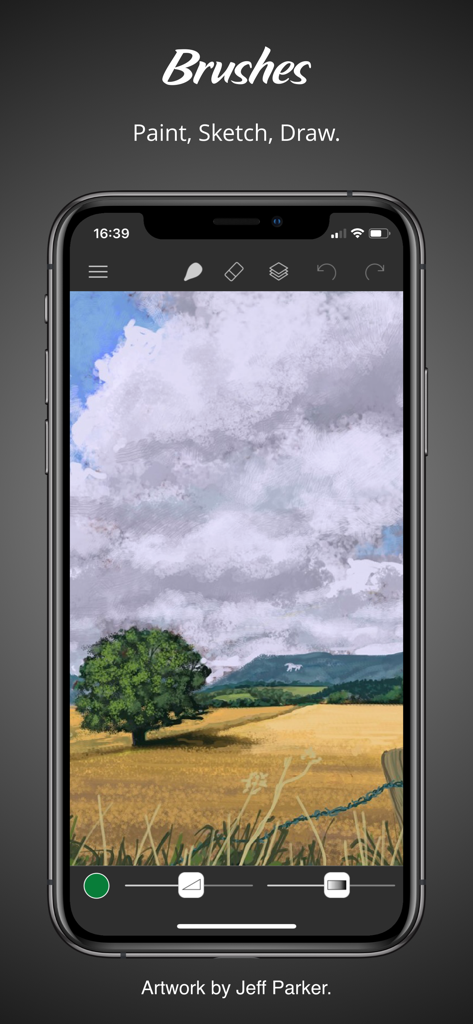
Brushes - 드로잉 도구와 디지털 풍경화가 표시된 iPhone의 Brushes 앱 인터페이스
드로잉 도구와 디지털 풍경화가 표시된 iPhone의 Brushes 앱 인터페이스

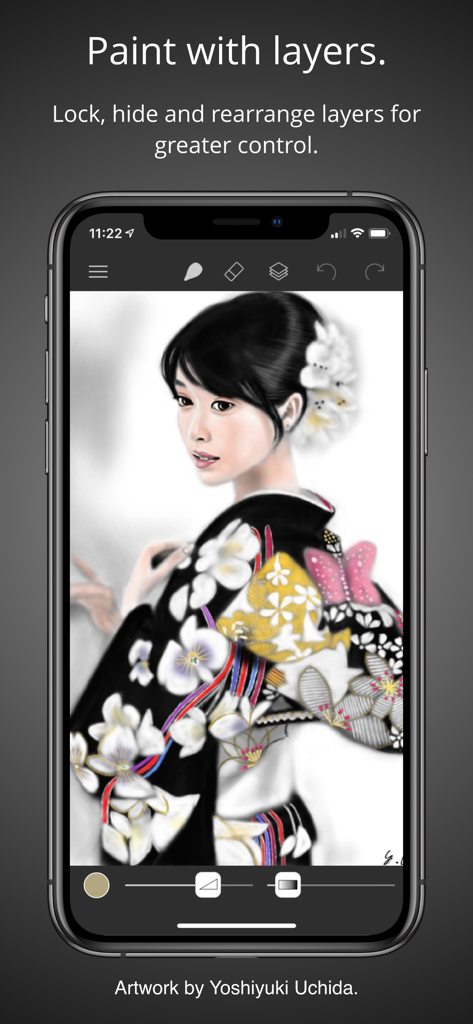
Brushes - 세밀한 여성 디지털 초상화와 레이어 관리 기능을 보여주는 Brushes 4 모바일 앱 인터페이스
세밀한 여성 디지털 초상화와 레이어 관리 기능을 보여주는 Brushes 4 모바일 앱 인터페이스

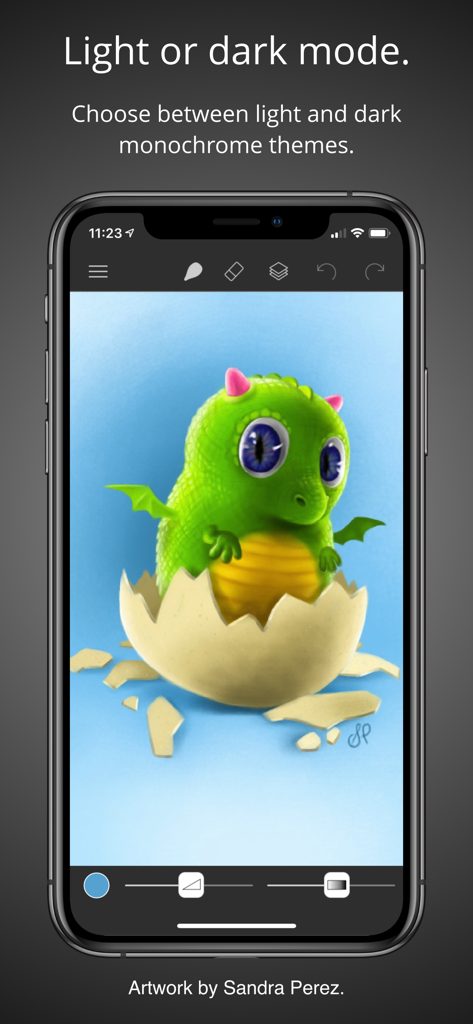
Brushes - 알에서 부화하는 초록색 아기 용의 디지털 일러스트가 포함된 다크 모드 Brushes 4 앱 인터페이스
알에서 부화하는 초록색 아기 용의 디지털 일러스트가 포함된 다크 모드 Brushes 4 앱 인터페이스

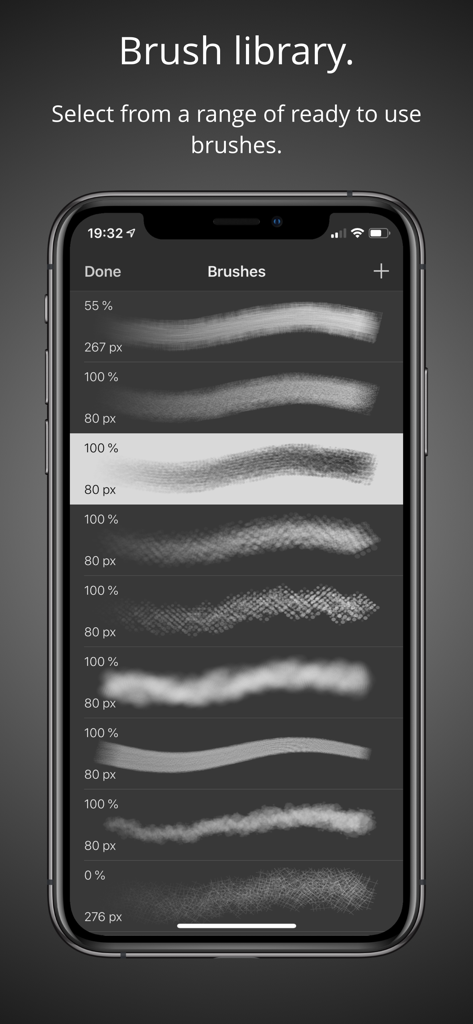
Brushes - 디지털 브러시 스타일 및 크기 메뉴를 보여주는 Brushes 4 모바일 앱 인터페이스
디지털 브러시 스타일 및 크기 메뉴를 보여주는 Brushes 4 모바일 앱 인터페이스

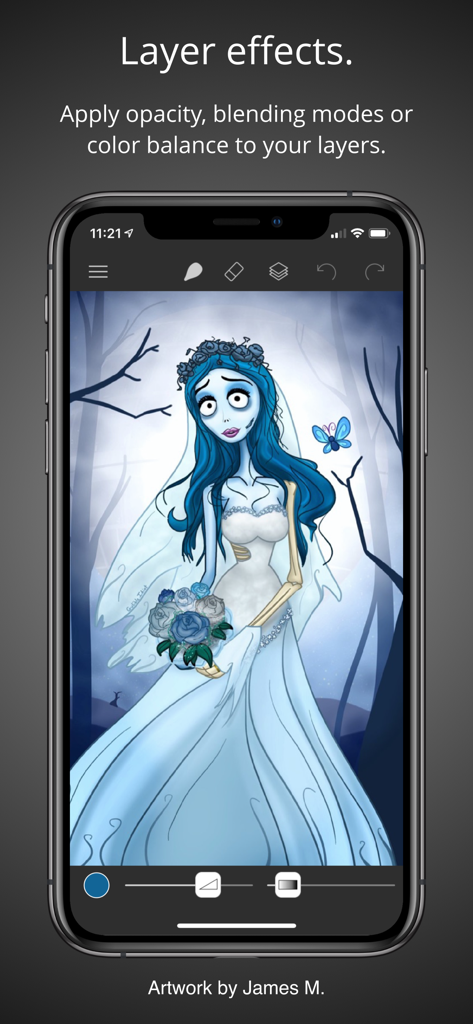
Brushes - Brushes 4 앱의 레이어 효과를 보여주는 iPhone 화면 속 고딕 신부 디지털 일러스트
Brushes 4 앱의 레이어 효과를 보여주는 iPhone 화면 속 고딕 신부 디지털 일러스트

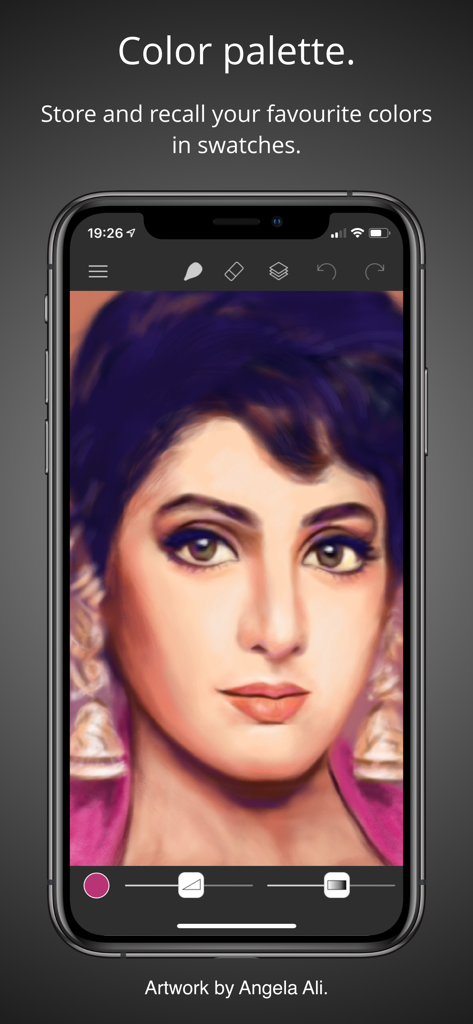
Brushes - 컬러 팔레트 기능을 보여주는 iPhone용 Brushes 4 앱 인터페이스의 여성 디지털 초상화
컬러 팔레트 기능을 보여주는 iPhone용 Brushes 4 앱 인터페이스의 여성 디지털 초상화

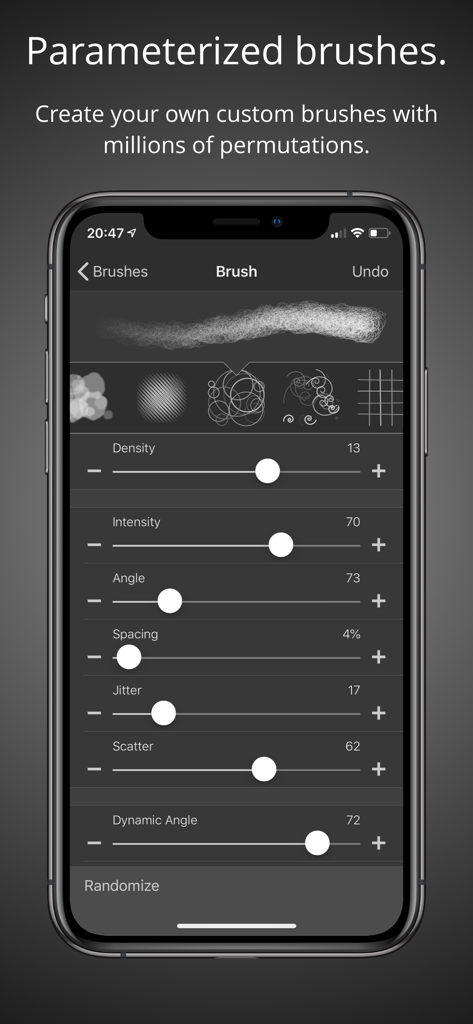
Brushes - Brushes 4 앱의 맞춤형 브러시 파라미터 및 설정을 보여주는 스마트폰 화면
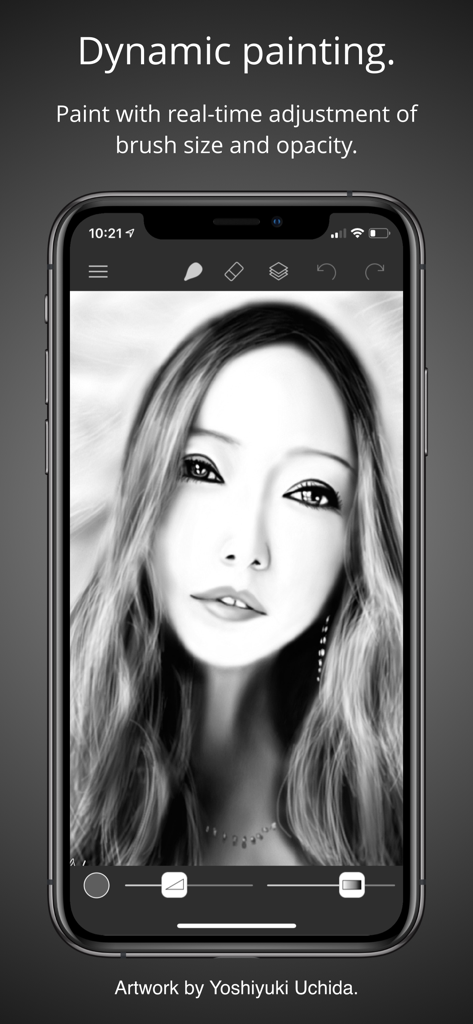
Brushes 4 앱의 맞춤형 브러시 파라미터 및 설정을 보여주는 스마트폰 화면

Brushes - 브러시 조절 슬라이더와 디지털 흑백 초상화가 표시된 iPhone의 Brushes 4 앱 인터페이스
브러시 조절 슬라이더와 디지털 흑백 초상화가 표시된 iPhone의 Brushes 4 앱 인터페이스

Brushes - 색상 링, 채도 사각형 및 색상 견본이 포함된 Brushes 4 앱 색상 선택기 화면
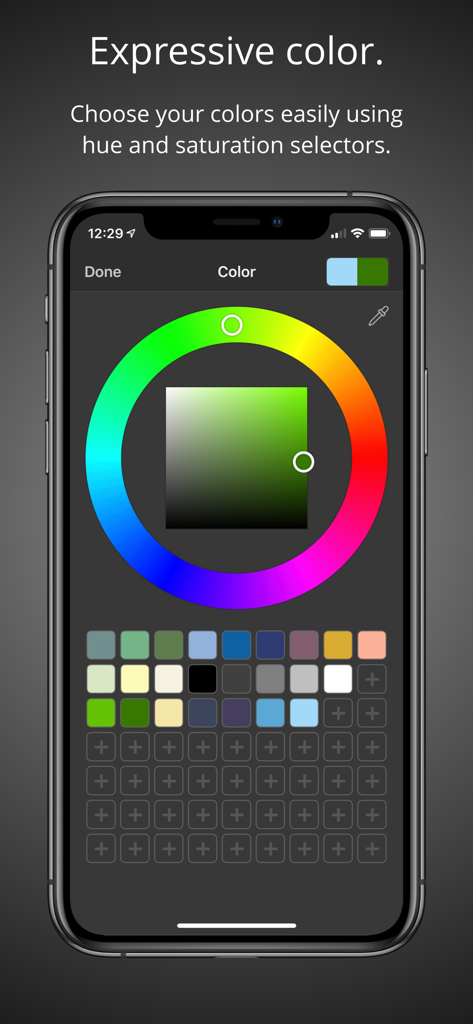
색상 링, 채도 사각형 및 색상 견본이 포함된 Brushes 4 앱 색상 선택기 화면

Brushes - 디지털 숲 그림과 가져오기/내보내기 옵션이 표시된 iPhone의 Brushes 4 앱 화면

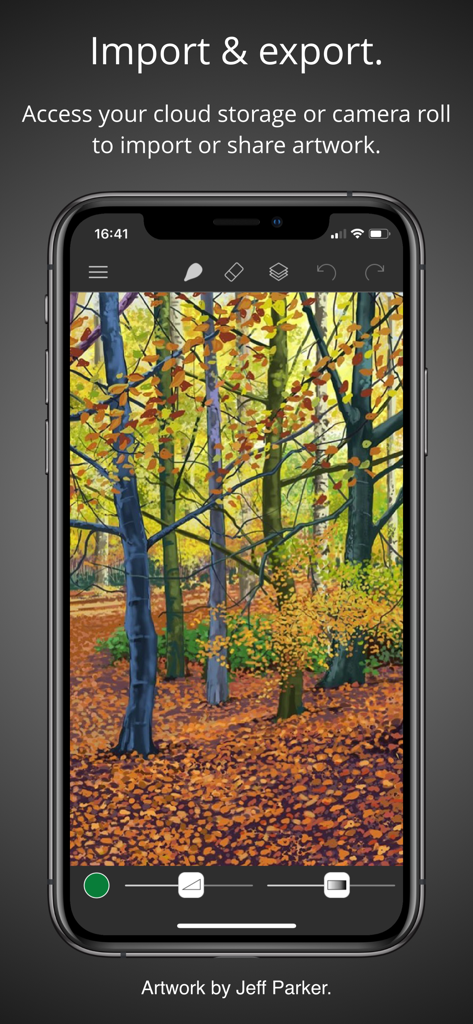
디지털 숲 그림과 가져오기/내보내기 옵션이 표시된 iPhone의 Brushes 4 앱 화면

설명

Brushes 4 is the latest iteration of the app that started the iPhone and iPad painting revolution. Redesigned with a clean and modern user interface, Brushes supports iPhone and iPad with optimisation for the iPhone X, iPhone XS, iPhone Pro and iPad with Apple Pencil. • Highlights: - Clean and modern user interface with light and dark modes. - Files based painting gallery. - New canvas interface. - Apple Pencil support with pressure curve. – Unlimited undo and redo. - Continuous auto-save. - Cloud Drive import and export. • Parameterized Brushes: - Selection of ready to use brushes with customisable settings. - Create your own custom brushes from millions of permutations. - Generate random brushes for inspiration. - Dynamic adjustment of brush size and opacity. • Layers: - Layer your artwork for greater control. – Lock and hide layers. – Use alpha lock to only paint where pixels already exist. – Adjust individual layer opacity. – Duplicate, rearrange and merge layers. – Apply layer blending modes: normal, multiply, screen, exclude. - Color fill any layer. – Invert layer color and desaturate. – Flip and arbitrarily transform layers. – Adjust the color balance per layer. – Adjust layer hue, saturation and brightness. • Colors: - Colour picker with hue ring and saturation square. - Store and recall your favourite colors in swatches. - Sample painting colors with the eyedropper tool. • Apple Pencil: - Intuitive and powerful pressure curve to match your style. - Configurable realtime pressure based adjustment of brush size and opacity. • Creation: - Preset canvas sizes for paper, photographs, iPhone and iPad screens, film and television displays. - Custom canvas size. • Import, export and sharing: - Import images directly from your camera roll. - Import PNG and JPEG images from cloud services. - Export your paintings for sharing or importing into other apps as PNG and JPEG to all cloud storage services or as photos directly to your camera roll. - Compatible with paintings created by Brushes 3 and Brushes Redux. • Light and dark appearances: - Choose between light and dark monochrome appearances, or current system setting. - Minimal use of user interface color so that tints in the user interface do not distract from or influence your artwork color choices. Acknowledgements. Thank you to Angela Ali, Jason M., Jeff Parker, Sandra Perez and Yoshiyuki Uchida for contributing artwork to the App Store screenshots. Please visit our website to see more of their artwork and for links to their portfolios. History. Brushes was originally created by Steve Sprang for iPhone in 2009 and for iPad in 2010. His last version, Brushes 3 was released in 2012, but was removed from the App Store in 2015. I took over development to modernise and support an app that has continued to be enjoyed by so many artists.

Download

다운로드: App Store

이 페이지는 앱이나 개발자의 공식 페이지가 아니며, 정보 제공 및 논평을 목적으로 작성된 독립 편집 간행물입니다. 명시적으로 달리 언급되지 않는 한, 해당 앱이나 개발자는 MWM, Apple, Google Play, 앱 퍼블리셔 또는 앱 개발자와 제휴, 보증, 후원, 승인 또는 공식적으로 연결되어 있지 않으며, 이 페이지의 어떤 내용도 해당 앱이 MWM의 서비스를 사용하여 개발되었음을 의미하지 않습니다. 모든 상표, 로고, 스크린샷 및 기타 콘텐츠는 해당 소유자의 자산입니다.







