CAD迷你看图 - 经典的CAD手机快速看图工具
다운로드: App Store

이 페이지는 앱이나 개발자의 공식 페이지가 아니며, 정보 제공 및 논평을 목적으로 작성된 독립 편집 간행물입니다. 명시적으로 달리 언급되지 않는 한, 해당 앱이나 개발자는 MWM, Apple, Google Play, 앱 퍼블리셔 또는 앱 개발자와 제휴, 보증, 후원, 승인 또는 공식적으로 연결되어 있지 않으며, 이 페이지의 어떤 내용도 해당 앱이 MWM의 서비스를 사용하여 개발되었음을 의미하지 않습니다. 모든 상표, 로고, 스크린샷 및 기타 콘텐츠는 해당 소유자의 자산입니다.


로고: CAD迷你看图 - 经典的CAD手机快速看图工具
다운로드: App Store

CAD迷你看图 - 经典的CAD手机快速看图工具

청사진을 주머니에 휴대하세요. 건축가, 엔지니어 및 계약자를 위해 설계된 강력한 모바일 도구로 현장에서 DWG 도면을 즉시 열고, 측정하고, 편집하세요.

주요 수치

다운로드

1M+

사용자 평점

3.7/5

총 평가 수

600

개발사

Shanghai Xiaocai Technology Co., Ltd

카테고리

Productivity

지원 언어

2

최신 버전

10.6.1

크기

116.1 MB

출시일

2013년 11월 30일
기능

주머니 속의 전문적인 CAD 성능

무거운 노트북을 현장으로 옮기는 것을 멈추세요. 업계에서 가장 빠르고 가벼운 모바일 CAD 도구로 DWG 도면을 보고, 측정하고, 편집하세요.

번개처럼 빠른 DWG 보기

복잡한 2D 및 3D 도면을 몇 초 안에 열어보세요. AutoCAD 버전 R14부터 2019까지 호환되어 도면이 항상 완벽하게 보이도록 보장합니다.

정밀 측정 도구

현장에서 즉시 치수를 확인하세요. 전문적인 도구를 사용하여 현장 점검 중 iPad 또는 iPhone에서 직접 길이와 면적을 계산하세요.

다음 스크린샷과 설명은 앱의 공식 스토어 목록에서 직접 가져온 것이며 앱 개발자의 자산입니다.

앱 스토어

스크린샷
CAD迷你看图 - 经典的CAD手机快速看图工具 - CAD Mini Viewer 앱 시작 화면, 로고 및 중국어 텍스트가 표시된 스마트폰.
CAD Mini Viewer 앱 시작 화면, 로고 및 중국어 텍스트가 표시된 스마트폰.

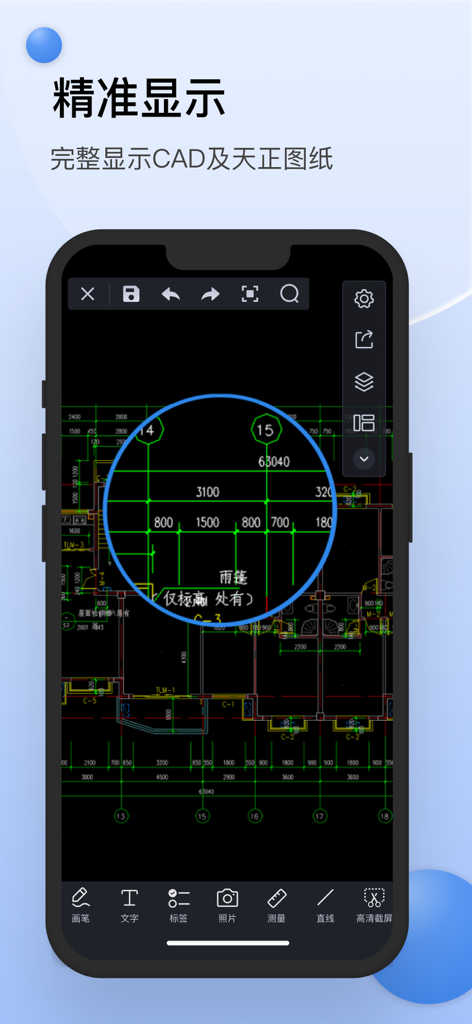
CAD迷你看图 - 经典的CAD手机快速看图工具 - CAD Mini Viewer 앱을 사용하여 스마트폰에 표시된 상세한 건축 CAD 도면.
CAD Mini Viewer 앱을 사용하여 스마트폰에 표시된 상세한 건축 CAD 도면.

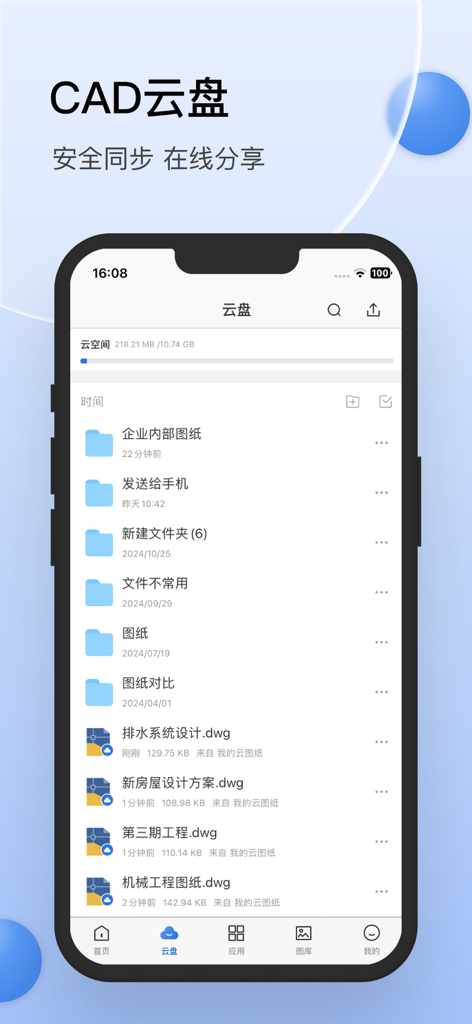
CAD迷你看图 - 经典的CAD手机快速看图工具 - 폴더와 현장 전문가를 위한 DWG 기술 도면이 있는 CAD Mini Viewer 클라우드 스토리지 인터페이스를 보여주는 스마트폰 화면.
폴더와 현장 전문가를 위한 DWG 기술 도면이 있는 CAD Mini Viewer 클라우드 스토리지 인터페이스를 보여주는 스마트폰 화면.

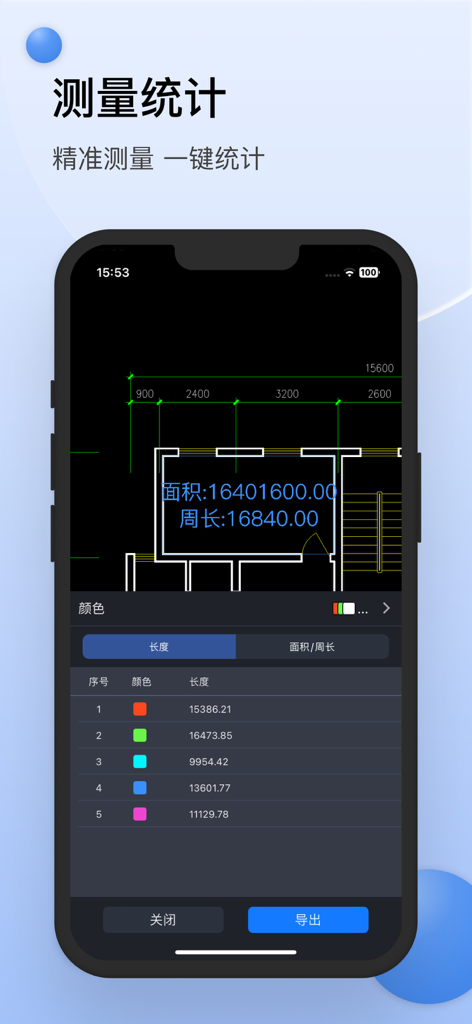
CAD迷你看图 - 经典的CAD手机快速看图工具 - 기술 도면에 면적 및 길이 측정 통계를 보여주는 CAD Mini Viewer의 모바일 인터페이스.
기술 도면에 면적 및 길이 측정 통계를 보여주는 CAD Mini Viewer의 모바일 인터페이스.

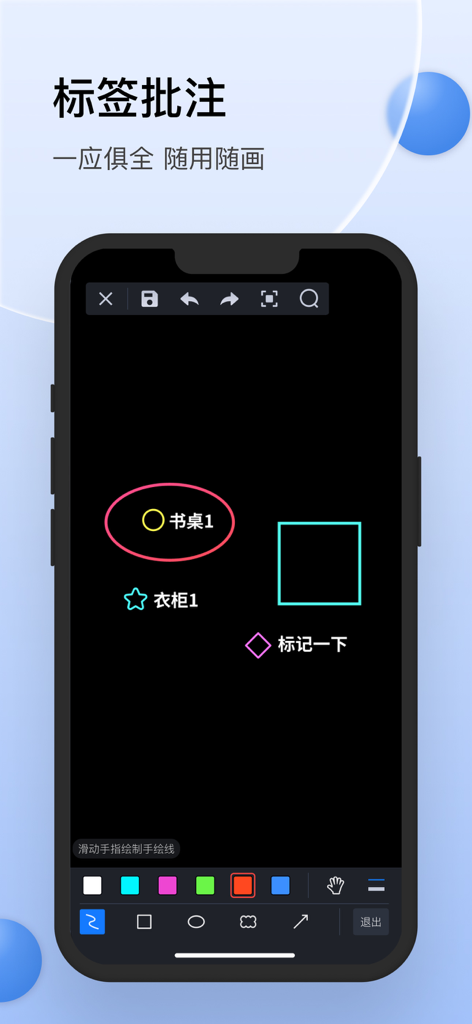
CAD迷你看图 - 经典的CAD手机快速看图工具 - 청사진에 그리기 위한 주석 및 마크업 도구를 보여주는 CAD Mini Viewer의 모바일 인터페이스.

청사진에 그리기 위한 주석 및 마크업 도구를 보여주는 CAD Mini Viewer의 모바일 인터페이스.

설명

• The honours of the company of Tianji Media have been installed and used by over 50 million CAD users. • Small software, powerful and fast • Compatible with AutoCAD R14 to 2019 versions of DWG 2D 3D drawings • Professional CAD technical team maintains maintenance updates • Provide 7*24 hour QQ group (339567706) technical service [Main product features] Look at the picture: - Support for opening .dwg .dxf .zip.jpg.png and other file formats, including encrypted drawings; - Support Tianzheng native format conversion, native to T3 format drawings are not lost; - Supports common viewing operations such as pan, zoom, and full image; - Support layout switching, layer operations. edit: - Support simple editing and changing drawings; - Support for editing graphics, including copying, pasting, deleting, and modifying text. measuring: - Support length measurement and area measurement; - Support for fast measurements. Collaboration and conversion: - Support drawing document roaming, network disk storage; - Support file management, you can add folders, copy, move, delete, rename; - Support sharing and forwarding of CAD drawing files; - Support sweeping and extracting drawings and computer transfer; - Support CAD drawing format conversion, including PDF and common image formats. [Automatic renewal of member description] • Subscription period: 6 months and 12 months • Payment: The user confirms the purchase and payment and is credited to the iTunes account. • Cancel renewal: To cancel the renewal, please enter “iTunes Store and App Store” 24 hours before the current subscription period expires, click “Apple ID” and select “View Apple ID”. Go to the "Account Settings" page, click "Subscribe", and select the corresponding subscription to cancel. • Renewal: Purchase an account that automatically renews membership. Apple iTunes will charge the fee within 24 hours before expiration. After the deduction is successful, the subscription period will be postponed for one cycle. • Privacy Policy: http://www.aec188.com/privacy.php • Member Services and Auto Renewal Agreement: http://www.aec188.com/agreement.php Feedback method: E-mail: wuziheng@pcw268.com QQ group: 339567706

Download

다운로드: App Store

이 페이지는 앱이나 개발자의 공식 페이지가 아니며, 정보 제공 및 논평을 목적으로 작성된 독립 편집 간행물입니다. 명시적으로 달리 언급되지 않는 한, 해당 앱이나 개발자는 MWM, Apple, Google Play, 앱 퍼블리셔 또는 앱 개발자와 제휴, 보증, 후원, 승인 또는 공식적으로 연결되어 있지 않으며, 이 페이지의 어떤 내용도 해당 앱이 MWM의 서비스를 사용하여 개발되었음을 의미하지 않습니다. 모든 상표, 로고, 스크린샷 및 기타 콘텐츠는 해당 소유자의 자산입니다.







