
이 페이지는 앱이나 개발자의 공식 페이지가 아니며, 정보 제공 및 논평을 목적으로 작성된 독립 편집 간행물입니다. 명시적으로 달리 언급되지 않는 한, 해당 앱이나 개발자는 MWM, Apple, Google Play, 앱 퍼블리셔 또는 앱 개발자와 제휴, 보증, 후원, 승인 또는 공식적으로 연결되어 있지 않으며, 이 페이지의 어떤 내용도 해당 앱이 MWM의 서비스를 사용하여 개발되었음을 의미하지 않습니다. 모든 상표, 로고, 스크린샷 및 기타 콘텐츠는 해당 소유자의 자산입니다.


Carnets - Jupyter
iPad를 강력한 모바일 워크스테이션으로 바꿔보세요. Numpy, Pandas, Matplotlib를 갖춘 독립형 Jupyter 환경으로 Python 코드를 로컬에서 실행하세요. 인터넷이나 구독이 필요하지 않습니다.
다운로드
267K+사용자 평점
총 평가 수
400개발사
카테고리
Developer Tools지원 언어
1최신 버전
1.9.0크기
1.4 GB출시일
2019년 4월 17일Jupyter의 강력함, iOS 네이티브
완벽한 이동성을 위해 설계된 완전한 독립형 Python 환경으로 iPad를 전문 데이터 과학 워크스테이션으로 바꿔보세요.
언제 어디서나 오프라인 작업
서버나 인터넷이 필요하지 않습니다. 코드를 실행하고 데이터를 온전히 기기에서 시각화하여 통근자 및 여행자에게 완벽하며 개인 정보 보호와 속도를 중시합니다.
풍부한 Python 생태계
Numpy, Pandas, Matplotlib와 같은 업계 표준 라이브러리에 즉시 액세스하세요. %pip를 통해 순수 Python 패키지를 설치하여 도구 키트를 즉시 확장할 수 있습니다.
다음 스크린샷과 설명은 앱의 공식 스토어 목록에서 직접 가져온 것이며 앱 개발자의 자산입니다.
앱 스토어
스크린샷
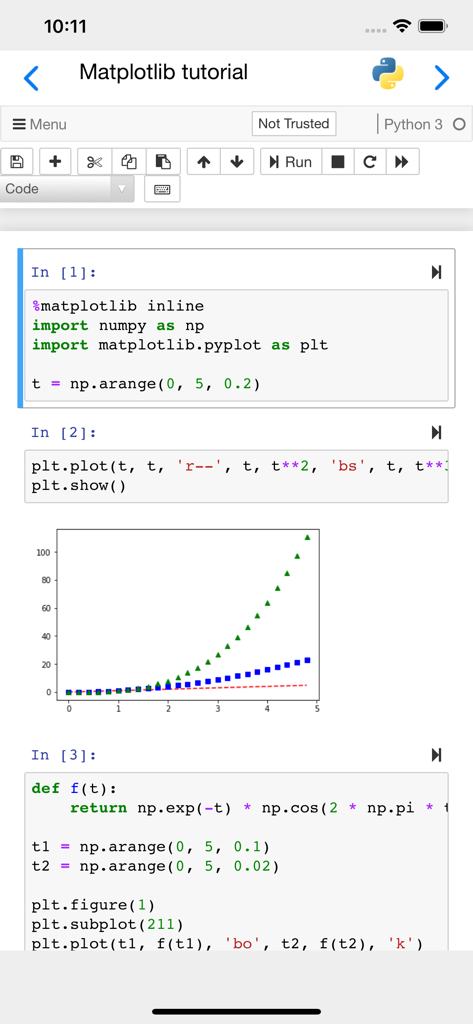
iPhone에서 Python 코드와 생성된 Matplotlib 차트를 보여주는 Jupyter 노트북 인터페이스
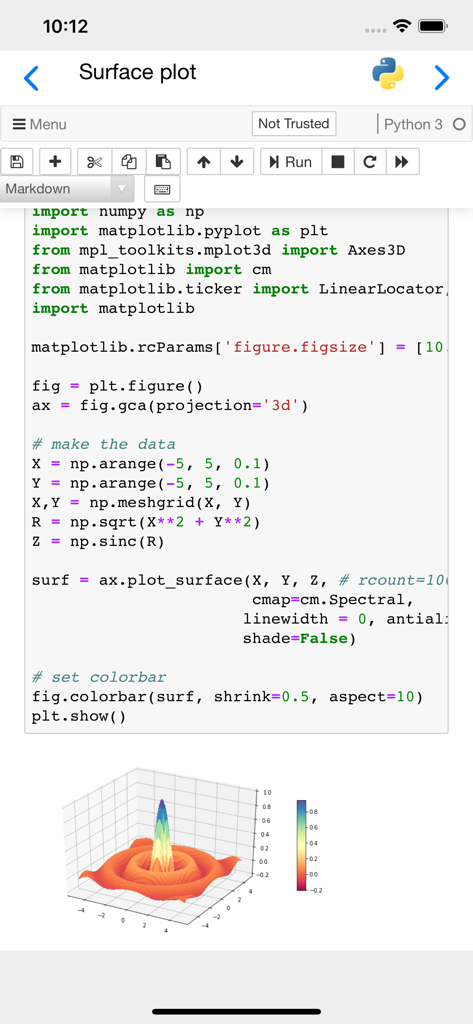
Matplotlib로 생성된 Python 코드와 3D 표면 플롯을 표시하는 Carnets Jupyter 노트북의 모바일 인터페이스.
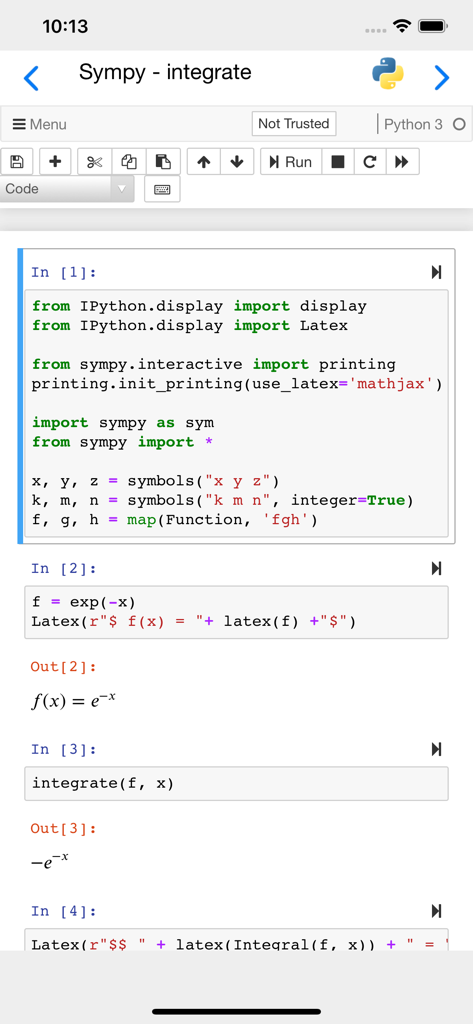
LaTeX 렌더링된 결과와 함께 Sympy를 사용한 수학적 적분을 위한 Python 코드를 보여주는 Carnets Jupyter 앱의 모바일 인터페이스.
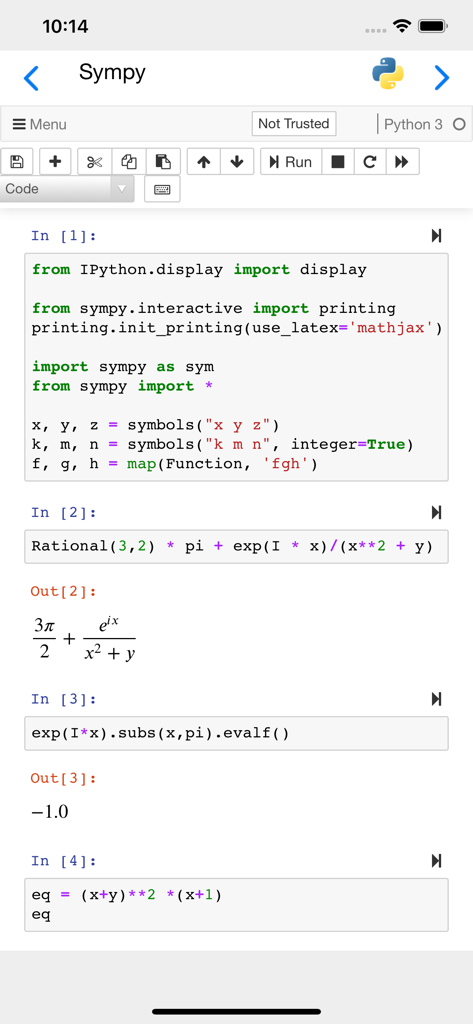
Sympy 코드와 수학적 표현 렌더링이 포함된 노트북을 보여주는 Carnets Jupyter 모바일 앱 인터페이스
설명
Download
비슷한 앱
유사한 기능과 사용자 경험을 가진 앱

Python Coding
婉媚 邵

Scriptable
Simon Stovring

Koder Code Editor
Reny Mustika

Textastic Code Editor
Alexander Blach

Juno – Python and Jupyter
Rational Matter Ltd

C/C++-programming language
小文 黄

Love2D Studio
淑敏 孙

C Compiler IDE
Changsha Chunjue Information Technology Co., Ltd.

delta executor
Amina Sioui
이 페이지는 앱이나 개발자의 공식 페이지가 아니며, 정보 제공 및 논평을 목적으로 작성된 독립 편집 간행물입니다. 명시적으로 달리 언급되지 않는 한, 해당 앱이나 개발자는 MWM, Apple, Google Play, 앱 퍼블리셔 또는 앱 개발자와 제휴, 보증, 후원, 승인 또는 공식적으로 연결되어 있지 않으며, 이 페이지의 어떤 내용도 해당 앱이 MWM의 서비스를 사용하여 개발되었음을 의미하지 않습니다. 모든 상표, 로고, 스크린샷 및 기타 콘텐츠는 해당 소유자의 자산입니다.