Juno – Python and Jupyter
다운로드: App Store

이 페이지는 앱이나 개발자의 공식 페이지가 아니며, 정보 제공 및 논평을 목적으로 작성된 독립 편집 간행물입니다. 명시적으로 달리 언급되지 않는 한, 해당 앱이나 개발자는 MWM, Apple, Google Play, 앱 퍼블리셔 또는 앱 개발자와 제휴, 보증, 후원, 승인 또는 공식적으로 연결되어 있지 않으며, 이 페이지의 어떤 내용도 해당 앱이 MWM의 서비스를 사용하여 개발되었음을 의미하지 않습니다. 모든 상표, 로고, 스크린샷 및 기타 콘텐츠는 해당 소유자의 자산입니다.

로고: Juno – Python and Jupyter
다운로드: App Store

Juno – Python and Jupyter

iPad와 iPhone을 강력한 워크스테이션으로 바꿔보세요. Python 코드를 로컬에서 실행하고, 풍부한 출력을 갖춘 Jupyter 노트북을 탐색하고, NumPy 및 Pandas와 같은 업계 표준 라이브러리를 활용하세요. 모두 설정 없이 완전한 오프라인 지원이 가능합니다.

주요 수치

다운로드

198K+

사용자 평점

4.5/5

총 평가 수

400

개발사

Rational Matter Ltd

카테고리

Developer Tools

지원 언어

7

최신 버전

3.8.2

크기

541.7 MB

출시일

2019년 9월 26일
기능

주머니 속 전문가용 Python 워크스테이션

iPad 또는 iPhone을 고성능 개발 환경으로 바꿔보세요. 데이터 과학 연구부터 자동화된 워크플로우까지, Juno는 어디서든 작동하는 제로 설정, 데스크탑급 경험을 제공합니다.

로컬 및 오프라인 실행

기기에서 완전히 Python 3.10 및 Jupyter 노트북을 실행하세요. 클라우드 구독이나 인터넷 연결이 필요 없습니다. 안전한 코딩과 생산적인 통근에 완벽합니다.

전체 데이터 과학 스택

NumPy, Pandas, Scikit-learn, Matplotlib를 포함한 업계 표준 라이브러리를 사용하여 실제 분석을 수행하세요. 노트북에서 바로 풍부한 플롯과 LaTeX 방정식을 렌더링하세요.

다음 스크린샷과 설명은 앱의 공식 스토어 목록에서 직접 가져온 것이며 앱 개발자의 자산입니다.

앱 스토어

스크린샷
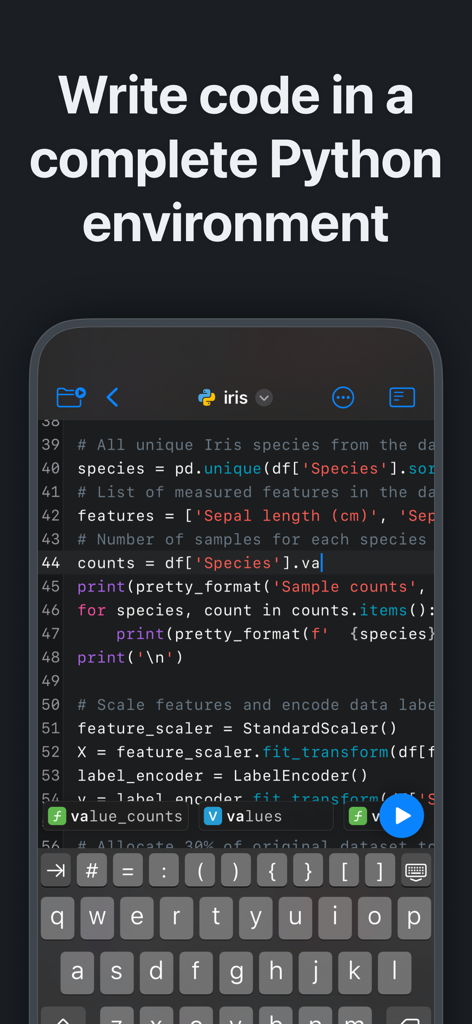
Juno – Python and Jupyter - Juno 앱이 iPhone에서 구문 강조 표시 및 사용자 지정 키보드를 갖춘 Python 코드 편집기를 보여줌
Juno 앱이 iPhone에서 구문 강조 표시 및 사용자 지정 키보드를 갖춘 Python 코드 편집기를 보여줌

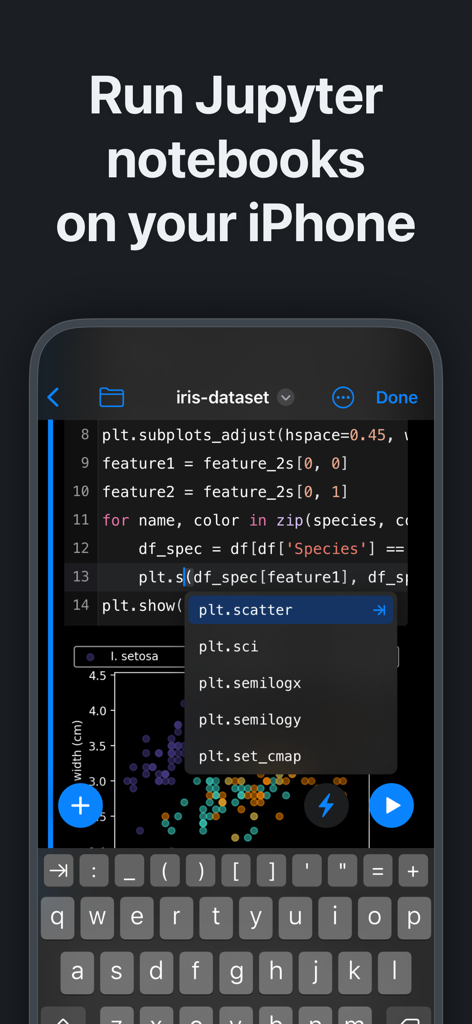
Juno – Python and Jupyter - 데이터 시각화와 함께 iPhone에서 Jupyter 노트북 및 Python 코드를 실행하는 Juno 앱 인터페이스
데이터 시각화와 함께 iPhone에서 Jupyter 노트북 및 Python 코드를 실행하는 Juno 앱 인터페이스

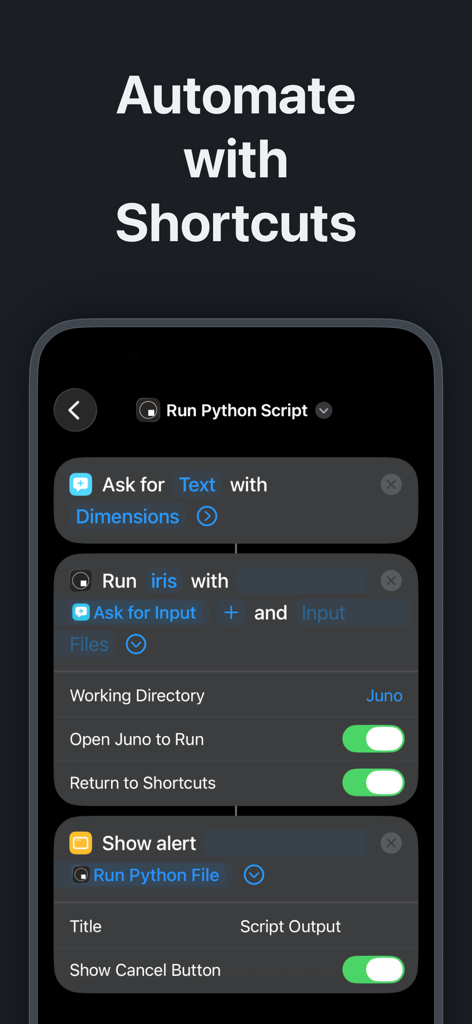
Juno – Python and Jupyter - Juno 앱에서 iOS 단축키를 사용하여 Python 스크립트 자동화를 보여주는 iPhone 인터페이스
Juno 앱에서 iOS 단축키를 사용하여 Python 스크립트 자동화를 보여주는 iPhone 인터페이스

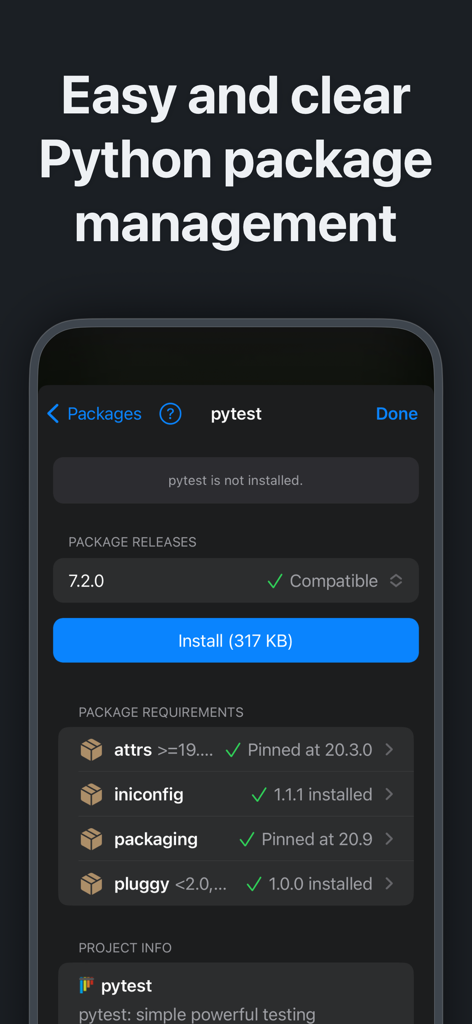
Juno – Python and Jupyter - 모바일 장치에서 pytest용 Python 패키지 관리 및 설치를 보여주는 Juno 앱 인터페이스
모바일 장치에서 pytest용 Python 패키지 관리 및 설치를 보여주는 Juno 앱 인터페이스

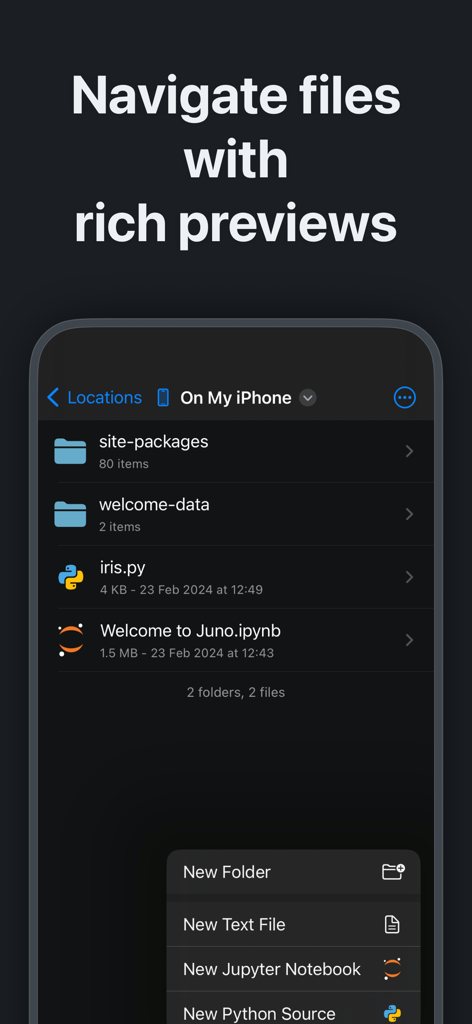
Juno – Python and Jupyter - iPhone에서 Python 스크립트 및 Jupyter 노트북을 보여주는 Juno 앱 파일 관리자
iPhone에서 Python 스크립트 및 Jupyter 노트북을 보여주는 Juno 앱 파일 관리자

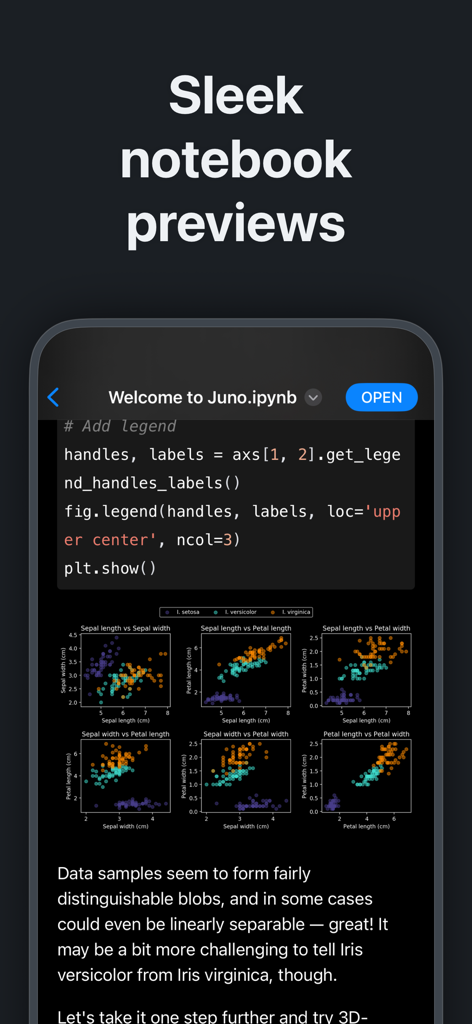
Juno – Python and Jupyter - Python 코드 및 데이터 시각화 플롯이 있는 Juno 앱의 Jupyter 노트북 미리 보기
Python 코드 및 데이터 시각화 플롯이 있는 Juno 앱의 Jupyter 노트북 미리 보기

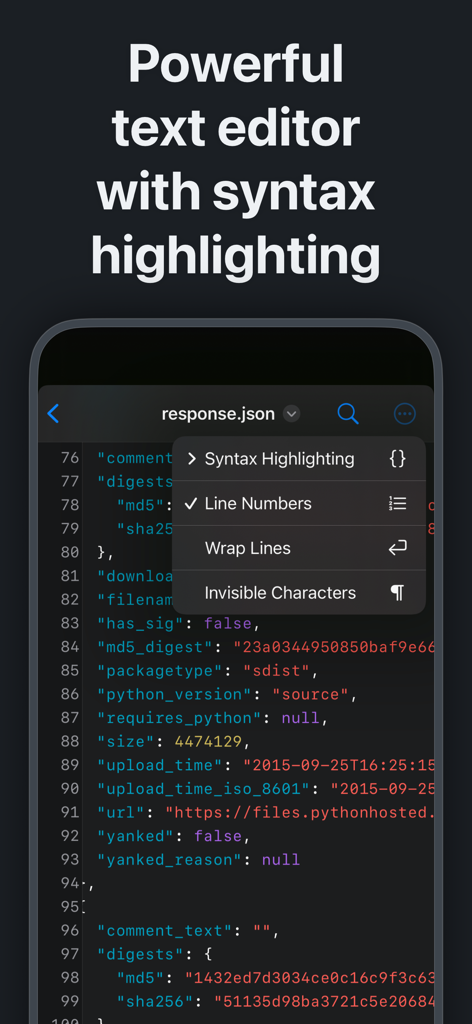
Juno – Python and Jupyter - iPhone에서 구문 강조 표시가 있는 Juno 앱 텍스트 편집기

iPhone에서 구문 강조 표시가 있는 Juno 앱 텍스트 편집기
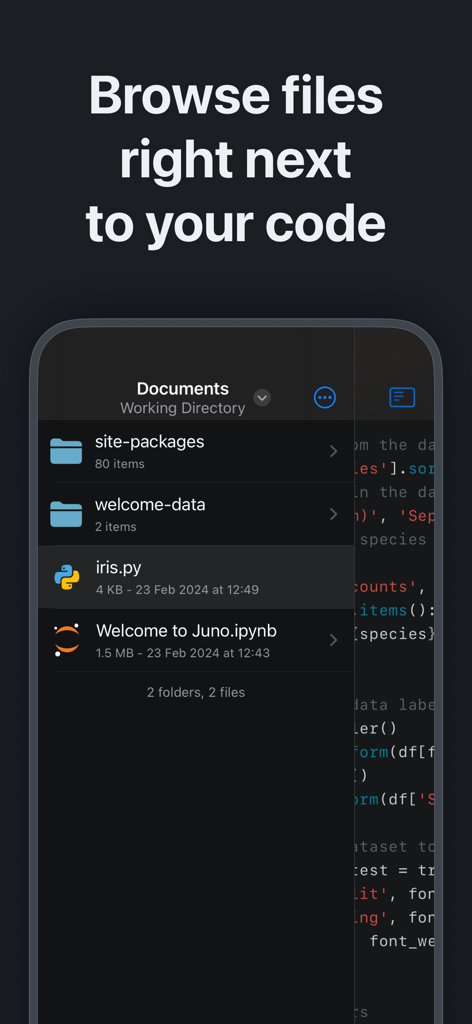
Juno – Python and Jupyter - Juno 모바일 앱 인터페이스가 소스 코드 옆에 Python 스크립트 및 Jupyter 노트북이 있는 파일 브라우저를 보여줌

Juno 모바일 앱 인터페이스가 소스 코드 옆에 Python 스크립트 및 Jupyter 노트북이 있는 파일 브라우저를 보여줌

설명

Zero-setup Python environment and developer toolbox in a first-class citizen app for iPad and iPhone. Juno is designed to cover all your Python coding needs, and will work seamlessly with all source code formats. Juno supports both Python scripts (.py) and Jupyter notebooks (.ipynb) — a document format focused on applying Python to data analysis and computational science. FREE FEATURES - Navigate and manage files and folders, quickly preview documents and media - Browse and view Jupyter notebooks with quick and beautifully rendered previews - View and edit code sources, scripts, JSON, XML, and other text-based formats in a built-in versatile plain text editor with syntax highlighting - Add quick access bookmarks for file system locations outside the app's sandbox, or simply open documents in place PRO FEATURES - Run code in Jupyter notebooks and Python sources locally on your device with a built-in Python 3.10 interpreter, entirely offline - Write and execute Python code in a full-fledged development environment, featuring snappy, intelligent code completion and a console with full terminal emulator support - Access all Jupyter features in a modern, powerful and customizable notebook editor - Works with Siri: create Shortcuts that run Python code or .py scripts in Juno—pass arguments and files, capture output and chain actions - Leverage powerful data analysis, machine learning and developer tools: NumPy, Matplotlib, SciPy, Scikit-learn, Pandas, LXML, and more - Enjoy painless package management: easily install any pure Python package with an intuitive package manager PYTHON SCRIPTS Python scripts are plain-text Python source code files with a .py extension. Juno lets you work on these with snappy code completion, a console with full terminal emulator support, a built-in media viewer for code-generated images, plots, web apps, and more. Juno will execute the code using an embedded Python interpreter, locally on your iPhone or iPad and completely offline. JUPYTER NOTEBOOKS A Jupyter notebook is a versatile document format that enables you to store live code, markdown text, plots, images, and LaTeX equations — all within a single notebook file with a .ipynb extension. Notebooks serve as excellent Python coding playgrounds for data manipulation and experimentation, and Juno makes working with them a breeze! Notebook documents keep a record of all inputs and outputs from an interactive programming session, and the rich output generated by running Python scripts (including HTML, images, video, and plots) is embedded within the Jupyter notebook document. They are particularly convenient for coding in Python for data analysis, machine learning, or computational science in general.

Download

다운로드: App Store

이 페이지는 앱이나 개발자의 공식 페이지가 아니며, 정보 제공 및 논평을 목적으로 작성된 독립 편집 간행물입니다. 명시적으로 달리 언급되지 않는 한, 해당 앱이나 개발자는 MWM, Apple, Google Play, 앱 퍼블리셔 또는 앱 개발자와 제휴, 보증, 후원, 승인 또는 공식적으로 연결되어 있지 않으며, 이 페이지의 어떤 내용도 해당 앱이 MWM의 서비스를 사용하여 개발되었음을 의미하지 않습니다. 모든 상표, 로고, 스크린샷 및 기타 콘텐츠는 해당 소유자의 자산입니다.