Python Coding

Python Coding

다운로드: App Store
로고: Python Coding

Python 코딩 – 모바일 개발 및 데이터 과학을 위한 전문가용 IDE

아이폰 또는 아이패드를 강력한 코딩 워크스테이션으로 전환하세요. NumPy, pandas, Matplotlib와 같은 필수 라이브러리와 내장 튜토리얼을 사용하여 오프라인에서 Python 3 코드를 작성, 실행 및 학습할 수 있습니다.

개발사

婉媚 邵

카테고리

Developer Tools

다운로드

51K+

사용자 평점

4.8/5

총 평가 수

800

지원 언어

1

실행 중인 IDE 보기

이 인터페이스를 사용하는 51K+ 명의 사용자.

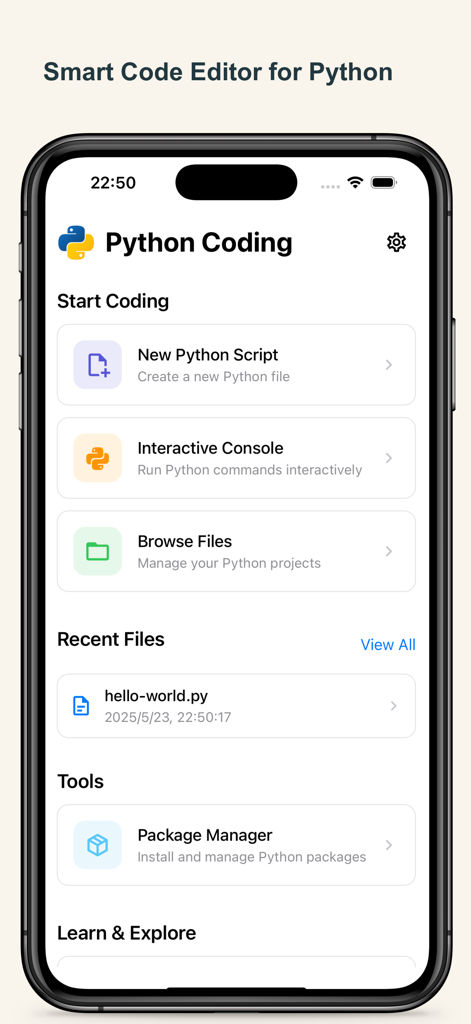
새 스크립트, 대화형 콘솔 및 파일 관리 도구 옵션을 표시하는 아이폰의 Python 코딩 앱 홈 화면.
새 스크립트, 대화형 콘솔 및 파일 관리 도구 옵션을 표시하는 아이폰의 Python 코딩 앱 홈 화면.

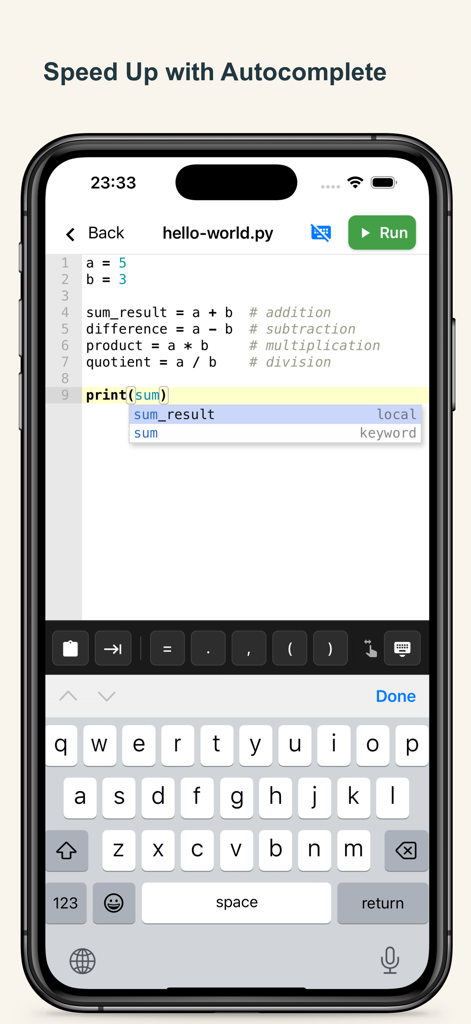
코드 자동 완성 제안 및 특수 코딩 키보드를 보여주는 모바일 Python IDE 편집기
코드 자동 완성 제안 및 특수 코딩 키보드를 보여주는 모바일 Python IDE 편집기

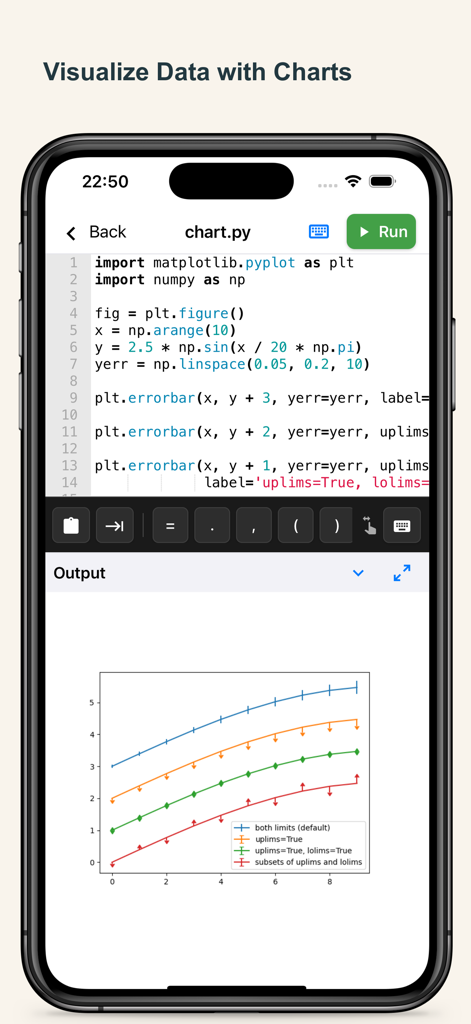
Matplotlib로 만든 데이터 시각화 차트를 보여주는 아이폰의 Python 코드 편집기
Matplotlib로 만든 데이터 시각화 차트를 보여주는 아이폰의 Python 코드 편집기

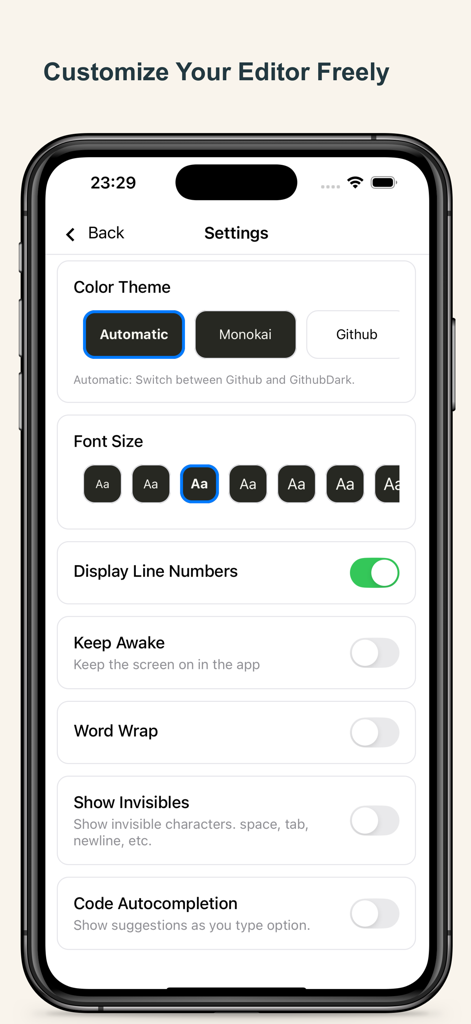
Python 코딩 앱 설정 페이지의 인터페이스로, 편집기 테마, 글꼴 크기 및 코딩 기능이 표시됩니다.
Python 코딩 앱 설정 페이지의 인터페이스로, 편집기 테마, 글꼴 크기 및 코딩 기능이 표시됩니다.

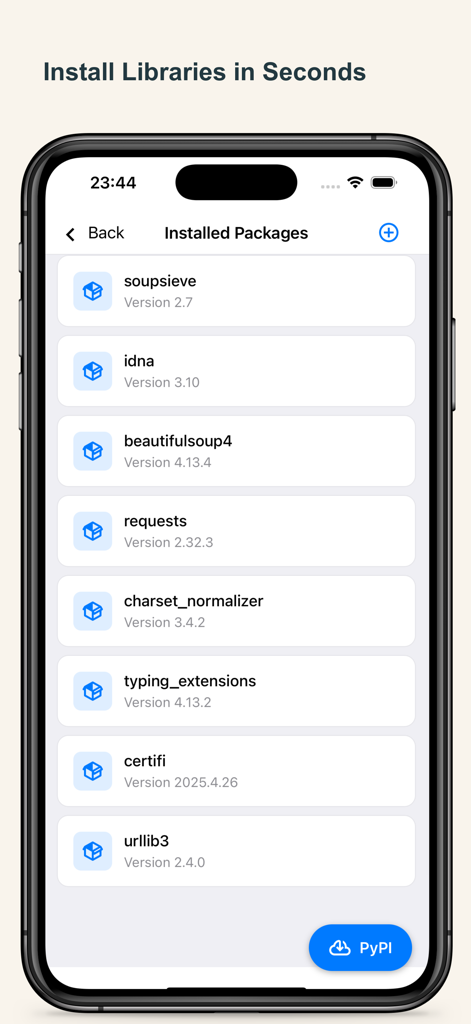
Python 코딩 앱에 설치된 Python 라이브러리 및 패키지 목록을 보여주는 화면
Python 코딩 앱에 설치된 Python 라이브러리 및 패키지 목록을 보여주는 화면

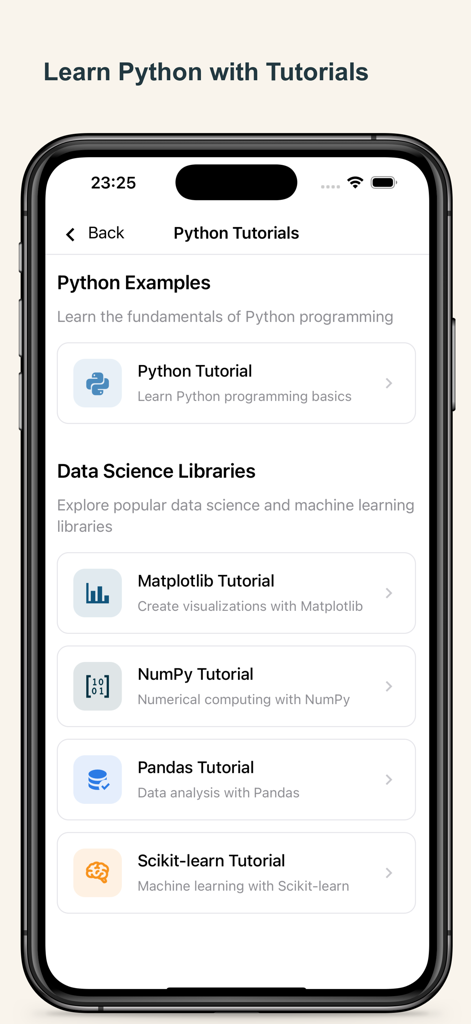
기본 및 Matplotlib, NumPy, Pandas, Scikit-learn과 같은 데이터 과학 라이브러리에 대한 Python 튜토리얼을 보여주는 모바일 화면
기본 및 Matplotlib, NumPy, Pandas, Scikit-learn과 같은 데이터 과학 라이브러리에 대한 Python 튜토리얼을 보여주는 모바일 화면

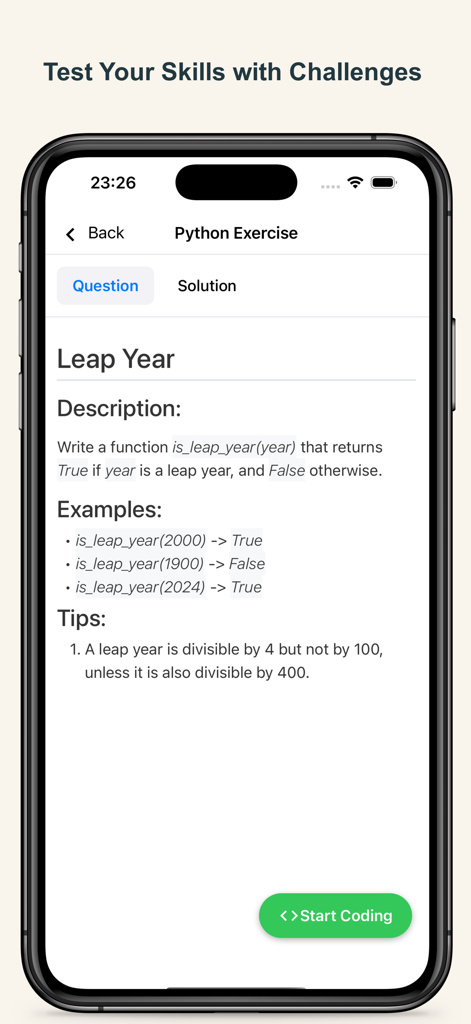
설명과 논리 팁이 있는 윤년 프로그래밍 챌린지를 보여주는 Python 코딩 연습 화면
설명과 논리 팁이 있는 윤년 프로그래밍 챌린지를 보여주는 Python 코딩 연습 화면

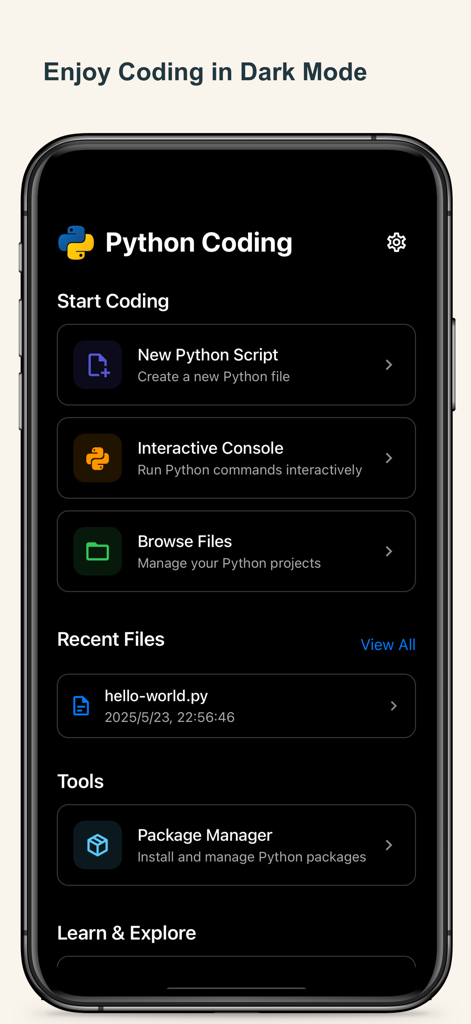
아이폰에서 Python 코딩 앱 대시보드 인터페이스에 다크 모드 테마와 주요 메뉴 옵션이 표시됩니다.

아이폰에서 Python 코딩 앱 대시보드 인터페이스에 다크 모드 테마와 주요 메뉴 옵션이 표시됩니다.

나만의 방식으로 파이썬 마스터하기

이 앱을 돋보이게 하는 도구, 51K+ 명의 사용자가 선택.

📊

전문가 수준의 데이터 과학

NumPy, pandas, Matplotlib와 같은 사전 설치된 산업 라이브러리를 사용하여 이동 중에도 데이터를 분석하고 시각화하세요.

✈️

완벽한 오프라인 자유

Wi-Fi 없이도 생산적인 통근, 비행, 학습 세션에 완벽한 Python 3 스크립트를 어디서든 작성, 실행 및 디버그할 수 있습니다.

🎓

커리어 중심 학습

기술 면접 및 대학 프로젝트에 필요한 기술을 연마하도록 설계된 대화형 튜토리얼과 코딩 챌린지로 수준을 높이세요.

전 세계 사용자들에게 사랑받는 앱

Trusted by 51K+ 명이 이 앱을 사랑합니다.

"

"컴퓨터 과학과 학생으로서 이 앱은 제 통근길에 엄청난 변화를 가져왔습니다. 무거운 노트북을 들고 다니거나 Wi-Fi를 찾을 필요 없이 아이패드에서 NumPy 및 Matplotlib 스크립트를 연습할 수 있습니다. 오프라인 런타임은 놀라울 정도로 안정적이며, 빠른 입력 키보드는 모바일 코딩을 자연스럽게 느끼게 합니다."

Liam Reynolds
"

"이 앱을 찾기 전까지는 데이터 분석가 역할로 전환하는 것이 부담스러웠습니다. pandas 및 scikit-learn용 내장 튜토리얼은 훌륭하며, 점심 시간에 실제 코드를 실험할 수 있다는 점이 마음에 듭니다. 주머니에 쏙 들어가는 전문가 수준의 IDE입니다."

Sarah Jenkins

앱 소개

에 대해 알아야 할 모든 것 Python Coding.

설명

Python Coding – Code Python Anytime, Anywhere Code and learn Python on your iPhone and iPad with Python Coding – a powerful Python IDE designed for learners, developers, and data enthusiasts. Write, run, and explore Python 3 with an advanced editor, full-featured runtime, and built-in tutorials. Whether you’re scripting simple programs or building data science models, Python Coding makes it seamless – even without internet. Core Features • Powerful Python IDE – A full-featured Python editor with syntax highlighting, auto-indentation, code completion, line numbers, indent guides, and bracket matching. Designed for a seamless and responsive coding experience on mobile. • Offline Python Runtime – Run Python 3 scripts and programs anytime, even without internet access. • Live Code Execution – Instantly run and test Python 3 code with real-time output. • Data Science Ready – Includes NumPy, pandas, Matplotlib, and scikit-learn for Python 3 data analysis. • Matplotlib Visualization – Create professional Python charts and graphs right on your device. • PyPI Package Manager – Install and manage Python 3 libraries directly in-app. • Project File System – Organize and manage multiple Python 3 scripts effortlessly. • Interactive Tutorials – Learn Python, NumPy, pandas and sklearn with step-by-step lessons. • Coding Challenges – Practice your skills with fun, interactive Python 3 challenges of varying difficulty. • Dark Mode & Themes – Personalize your Python IDE workspace with themes and fonts. • Quick Input Keyboard – Speed up Python coding with easy access to :, (), {}, and more. Turn your iPhone or iPad into a complete Python IDE. Download Python Coding today to learn Python, practice Python coding, and run Python 3 projects offline — the best way to master Python anywhere. --- Payment will be charged to iTunes Account at confirmation of purchase. Subscription automatically renews unless auto-renew is turned off at least 24-hours before the end of the current period. Account will be charged for renewal within 24-hours prior to the end of the current period, and identify the cost of the renewal. Subscriptions may be managed by the user and auto-renewal may be turned off by going to the user's Account Settings after purchase. Any unused portion of a free trial period, if offered, will be forfeited when the user purchases a subscription to that publication, where applicable. Terms of use https://septudio.com/terms-of-use and privacy policy https://septudio.com/privacy-policy

최신 버전

2.0.4

크기

347.3 MB

출시일

2024년 11월 20일

아이패드를 강력한 파이썬 워크스테이션으로 바꾸세요

이동 중에도 코딩을 마스터하는 51,000명 이상의 학습자와 전문가와 함께하세요. 데이터 과학을 연습하고, 오프라인에서 스크립트를 실행하고, 어디서든 경력을 쌓으세요.

다운로드: App Store