Choiceworks
Choiceworks
다운로드: App Store

이 페이지는 앱이나 개발자의 공식 페이지가 아니며, 정보 제공 및 논평을 목적으로 작성된 독립 편집 간행물입니다. 명시적으로 달리 언급되지 않는 한, 해당 앱이나 개발자는 MWM, Apple, Google Play, 앱 퍼블리셔 또는 앱 개발자와 제휴, 보증, 후원, 승인 또는 공식적으로 연결되어 있지 않으며, 이 페이지의 어떤 내용도 해당 앱이 MWM의 서비스를 사용하여 개발되었음을 의미하지 않습니다. 모든 상표, 로고, 스크린샷 및 기타 콘텐츠는 해당 소유자의 자산입니다.

로고: Choiceworks
다운로드: App Store

Choiceworks

가정과 학교를 위한 최고의 시각 지원 도구. 맞춤 설정 가능한 스케줄과 감정 보드로 아이가 독립성을 키우고, 전환을 탐색하며, 차분함을 찾도록 도와주세요.

주요 수치

다운로드

81K+

사용자 평점

4.6/5

총 평가 수

700

개발사

Bee Visual LLC

카테고리

Education

지원 언어

2

최신 버전

14.1

크기

79.5 MB

출시일

2011년 12월 16일
기능

더 차분하고 예측 가능한 하루를 위한 시각적 도구

가정이나 교실에서 독립성을 키우고 불안을 줄이도록 설계된 맞춤형 시각 지원을 통해 일상적인 전환을 성공적인 이야기로 바꿔보세요.

일상 루틴 마스터

시각적 '다 했어요' 체크리스트로 힘겨루기를 대체하여 아이가 아침과 잠자리 전환을 독립적으로 탐색하도록 도와줍니다.

격한 감정 다루기

아이가 자신의 감정을 파악하고 효과적인 대처 전략을 선택하여 스스로 조절하고 차분함을 유지할 수 있는 명확한 프레임워크를 제공합니다.

다음 스크린샷과 설명은 앱의 공식 스토어 목록에서 직접 가져온 것이며 앱 개발자의 자산입니다.

앱 스토어

스크린샷
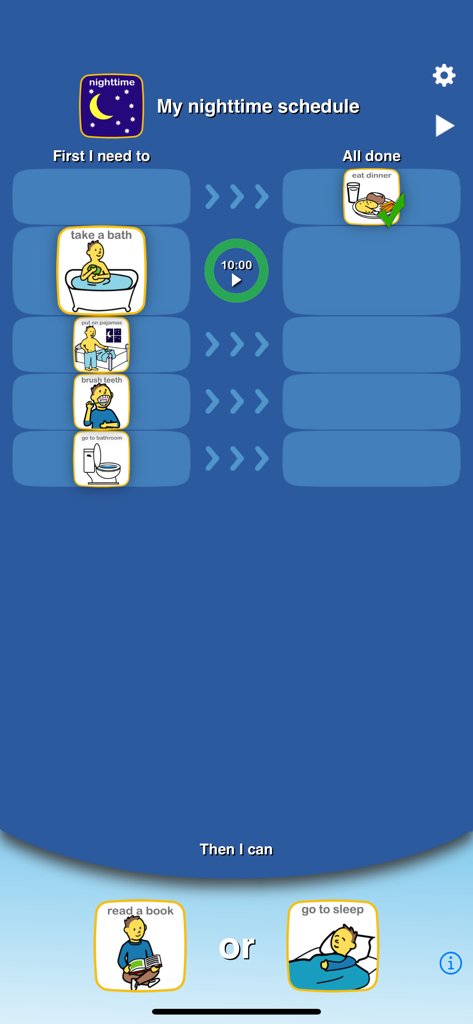
Choiceworks - 목욕하기, 양치질하기 등의 단계를 특징으로 하는 야간 루틴 시각 스케줄
목욕하기, 양치질하기 등의 단계를 특징으로 하는 야간 루틴 시각 스케줄

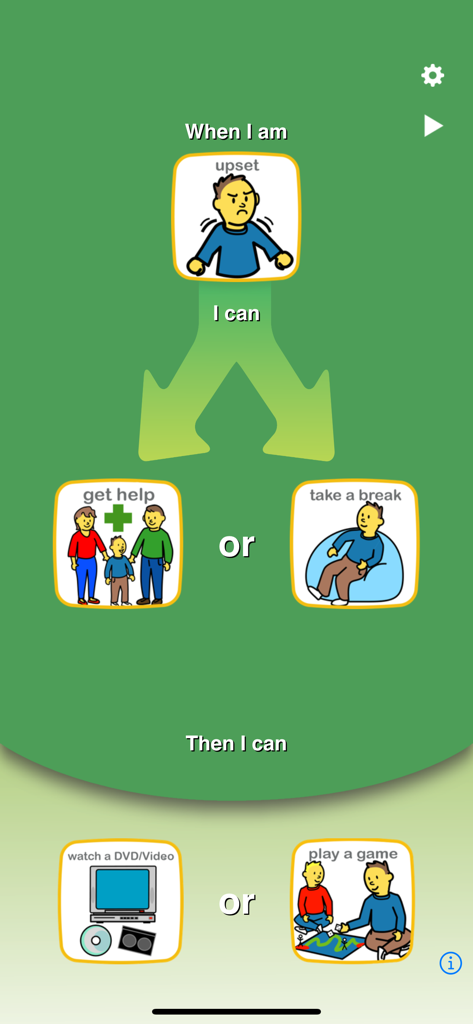
Choiceworks - 감정 관리 및 보상에 대한 시각적 선택을 제공하는 Choiceworks 감정 보드
감정 관리 및 보상에 대한 시각적 선택을 제공하는 Choiceworks 감정 보드

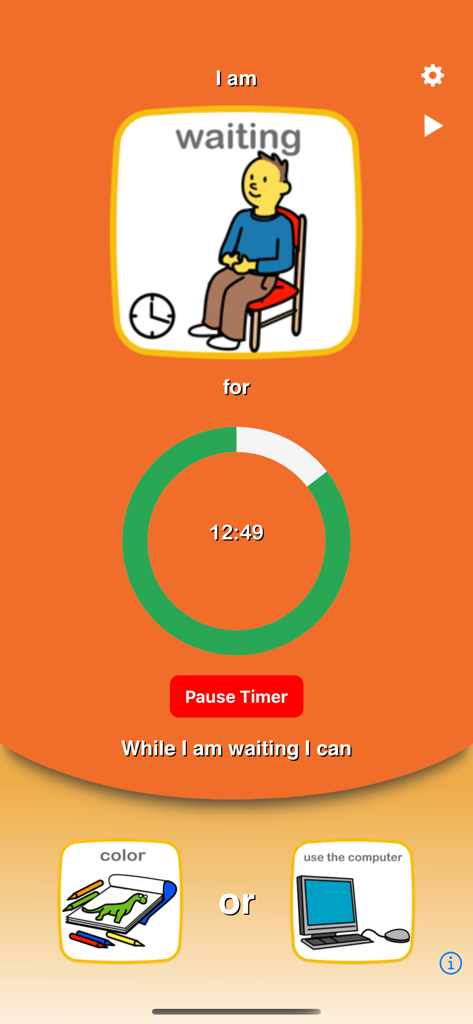
Choiceworks - Choiceworks 앱 대기 보드 화면에는 시각적 카운트다운 타이머와 색칠 또는 컴퓨터 사용 선택 사항이 표시됩니다.
Choiceworks 앱 대기 보드 화면에는 시각적 카운트다운 타이머와 색칠 또는 컴퓨터 사용 선택 사항이 표시됩니다.

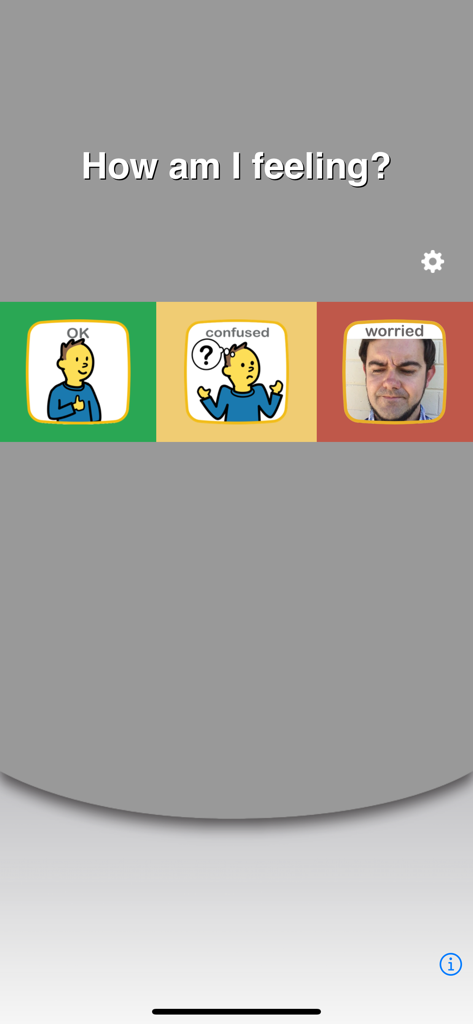
Choiceworks - Choiceworks 앱 인터페이스는 OK, 혼란스러움, 걱정하는 감정에 대한 시각적 옵션을 보여주는 감정 보드를 표시합니다.
Choiceworks 앱 인터페이스는 OK, 혼란스러움, 걱정하는 감정에 대한 시각적 옵션을 보여주는 감정 보드를 표시합니다.

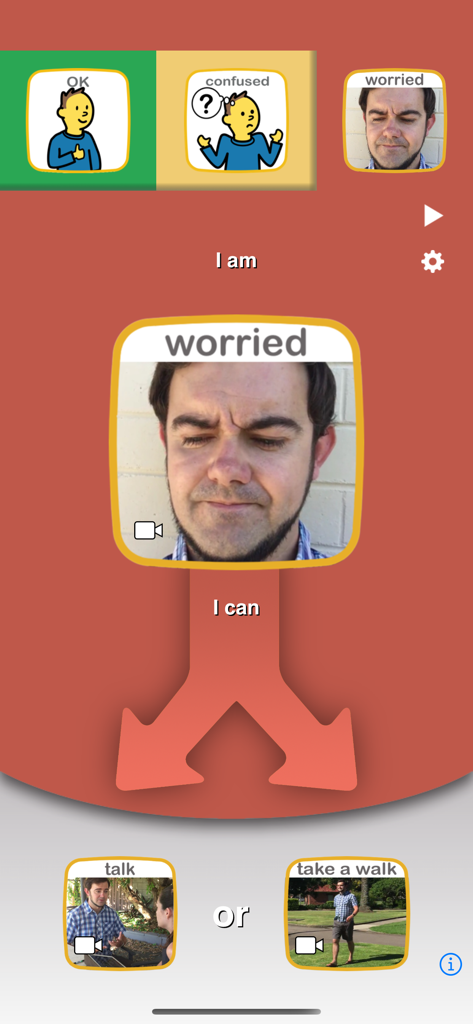
Choiceworks - Choiceworks 앱 감정 보드 인터페이스는 걱정스러운 감정을 관리하기 위한 대화 또는 산책과 같은 아이의 선택 사항을 보여줍니다.
Choiceworks 앱 감정 보드 인터페이스는 걱정스러운 감정을 관리하기 위한 대화 또는 산책과 같은 아이의 선택 사항을 보여줍니다.

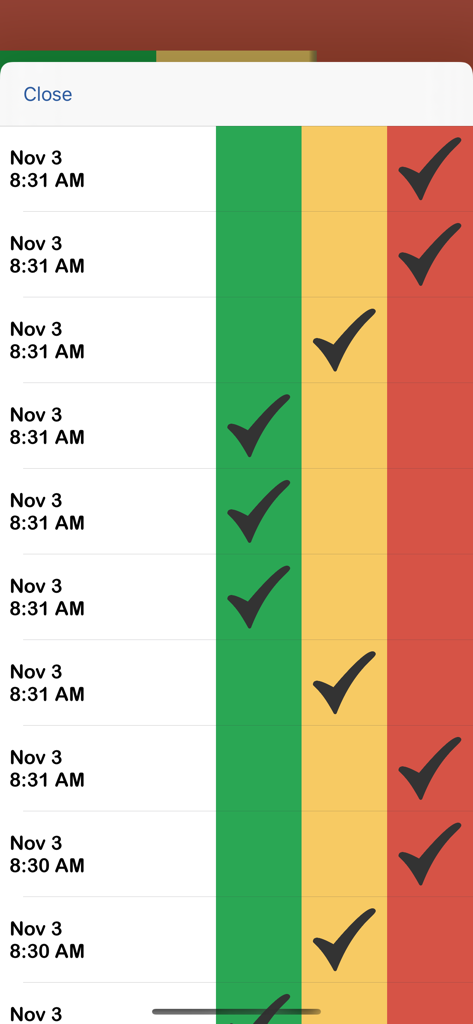
Choiceworks - 녹색, 노란색, 빨간색으로 구분된 구역에 타임스탬프와 체크 표시가 있는 감정 상태를 추적하는 디지털 로그
녹색, 노란색, 빨간색으로 구분된 구역에 타임스탬프와 체크 표시가 있는 감정 상태를 추적하는 디지털 로그

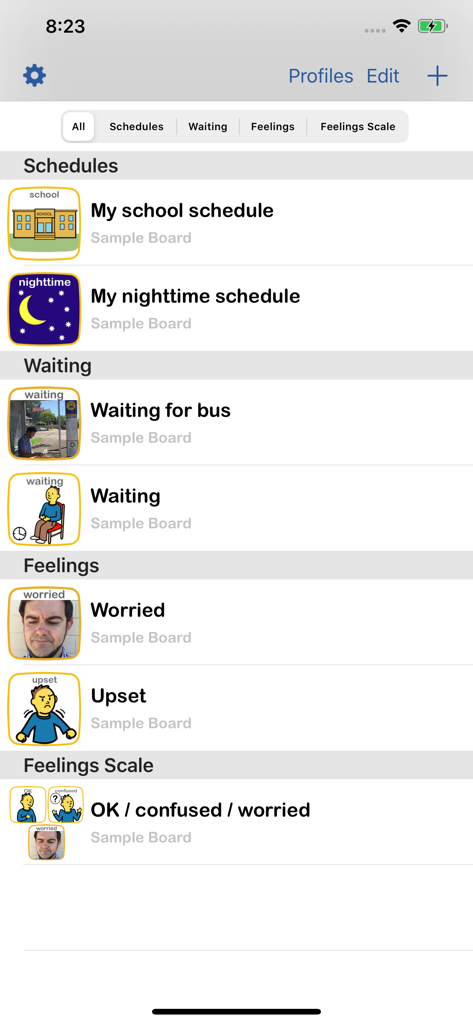
Choiceworks - Choiceworks 앱의 메인 메뉴에는 스케줄, 대기 보드, 감정 척도 옵션이 표시됩니다.
Choiceworks 앱의 메인 메뉴에는 스케줄, 대기 보드, 감정 척도 옵션이 표시됩니다.

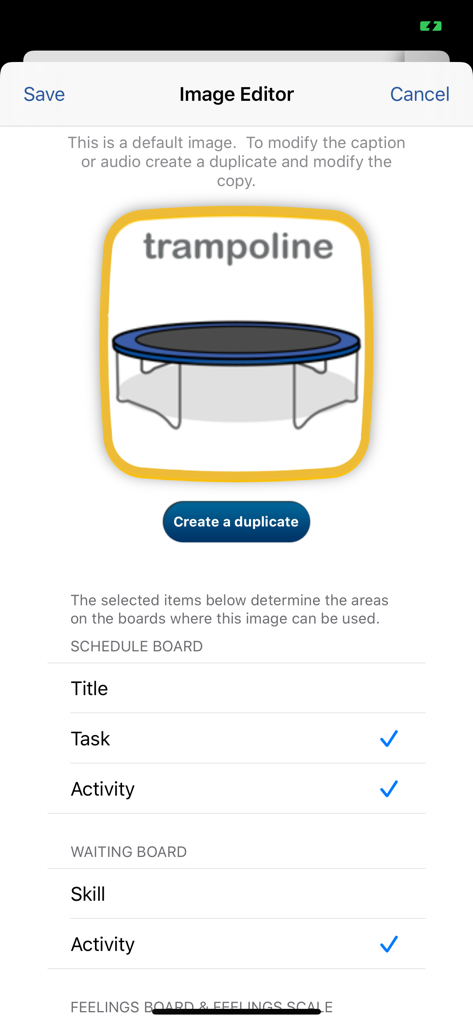
Choiceworks - Choiceworks 앱의 이미지 편집기에는 트램폴린 아이콘과 시각적 스케줄 보드에 대한 사용자 정의 설정이 표시됩니다.

Choiceworks 앱의 이미지 편집기에는 트램폴린 아이콘과 시각적 스케줄 보드에 대한 사용자 정의 설정이 표시됩니다.

설명

The Choiceworks app is an essential learning tool that helps children complete daily routines (morning, day, & night), understand & manage feelings and improve waiting skills (taking turns and not interrupting). Choiceworks is designed for caregivers to provide clear and consistent support to foster a child’s independence, positive behavior, and emotional regulation at home and in the community. It can also be customized for teachers in a school setting. Key features included with Choiceworks: ■ Full, unlimited access to all four board types: Schedule, Waiting, Feelings and Feelings Scale ■ Image Library preloaded with over 180 images and audio ■ Add your own images and record your own audio for limitless customizability ■ Attach video to any board image ■ Easily create profiles to personalize and manage multiple users ■ Save an unlimited number of boards for multiple children or different routines ■ Speaks boards out loud with child or adult voice ■ Share boards by Email, Files app or iTunes with other Choiceworks app users ■ Ability to print boards or save as PDF ■ Advanced sharing options ■ Custom themes ■ Library Assistant ■ Custom timer sounds What do you get with Choiceworks? With your Choiceworks purchase you get access to all the features that have made it an award winning support app used in classrooms and homes around the globe for over a decade. No additional in-app purchase or subscriptions are required and there are no limits to how many boards or images you can create and share. Schedule Board The Schedule Board makes task completion easier and more fun! The schedule is paired with an ‘all done’ column to check off steps toward a motivating reward. Timers can be added to any task or activity. The schedules are easy to edit and fully customizable. Once you have created a schedule, it will be saved automatically. Waiting Board The Waiting Board teaches waiting skills like taking turns and not interrupting. The user can begin by reading the companion book, When Do I Have to Wait? Using the waiting board, the top picture indicates the reason why the child is waiting and a timer can be set to show how long the child will wait. The child can then choose an activity to do while waiting. Feelings Board The Feelings Board provides a tool for helping children understand and express emotions. The user can begin by reading the companion book, When I Get Upset, to provide an example of how the child might recognize an emotion and choose a coping strategy. On the Feelings Board, the user can then help the child indicate how they are feeling from a range of options, select a coping strategy, and then request an activity to help them feel better or re-engage with others. Feelings Scale Helps users identify, manage and cope with feelings across environments throughout the day. By tracking their feelings on the board, users can analyze the data for trends to learn if tasks done at different times of day or in different environments affect outcome. Environments and schedules can then be altered to achieve better results. Terms of Use: https://www.beevisual.com/mobile-app-eula.html Privacy Policy: https://www.beevisual.com/mobile-app-privacy.html

Download

다운로드: App Store

이 페이지는 앱이나 개발자의 공식 페이지가 아니며, 정보 제공 및 논평을 목적으로 작성된 독립 편집 간행물입니다. 명시적으로 달리 언급되지 않는 한, 해당 앱이나 개발자는 MWM, Apple, Google Play, 앱 퍼블리셔 또는 앱 개발자와 제휴, 보증, 후원, 승인 또는 공식적으로 연결되어 있지 않으며, 이 페이지의 어떤 내용도 해당 앱이 MWM의 서비스를 사용하여 개발되었음을 의미하지 않습니다. 모든 상표, 로고, 스크린샷 및 기타 콘텐츠는 해당 소유자의 자산입니다.








