Cisco Jabber

Cisco Jabber

다운로드: App Store
로고: Cisco Jabber

Cisco Jabber: 어디서든 통하는 당신의 전문 사무실 전화

iPhone, iPad, Apple Watch 전반에 걸쳐 보안 메시징, 고품질 영상 통화, 음성 메일 기능을 제공하여 하이브리드 근무를 지원합니다.

개발사

Cisco

카테고리

Business

다운로드

3M+

사용자 평점

4.6/5

총 평가 수

6K+

지원 언어

21

실제 협업 모습

이 인터페이스를 사용하는 3M+ 명의 사용자.

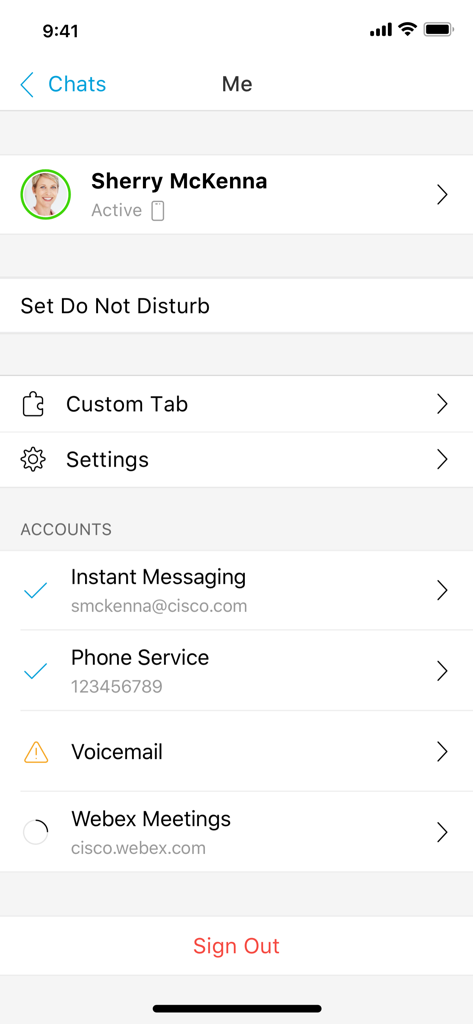
Cisco Jabber 앱 사용자 프로필 및 계정 연결 상태 화면

Cisco Jabber 앱 사용자 프로필 및 계정 연결 상태 화면

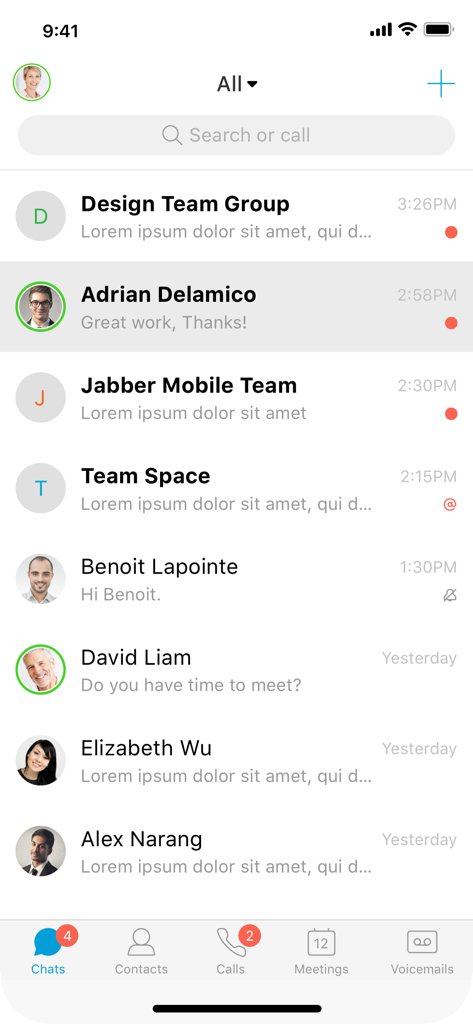
Cisco Jabber 모바일 앱의 채팅 메시지 목록 화면
Cisco Jabber 모바일 앱의 채팅 메시지 목록 화면

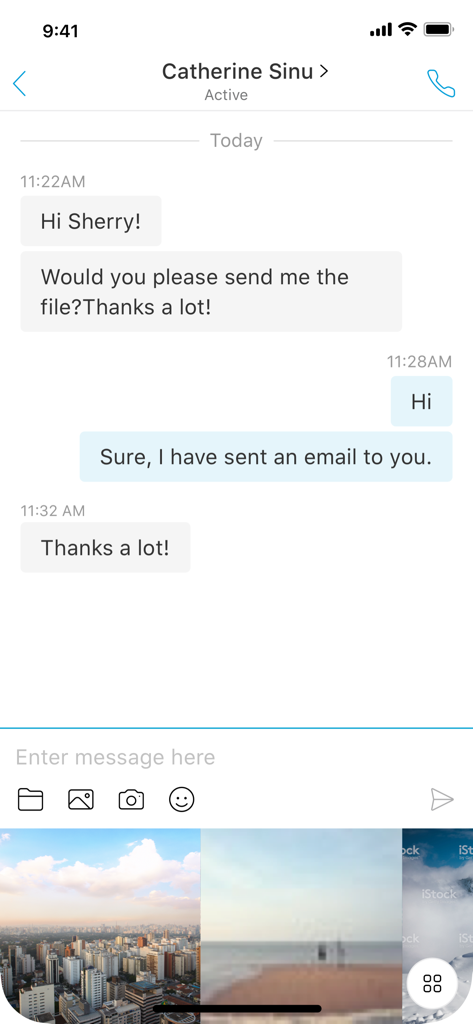
Cisco Jabber 모바일 앱 채팅 화면 (메시지 및 사진 공유 갤러리)
Cisco Jabber 모바일 앱 채팅 화면 (메시지 및 사진 공유 갤러리)

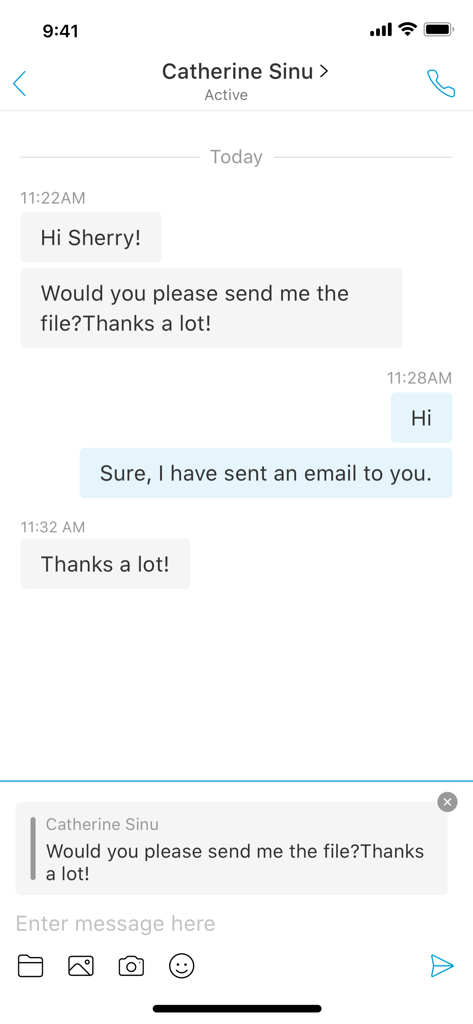
Cisco Jabber 모바일 앱 화면 (iPhone에서 전문적인 메시지 채팅)
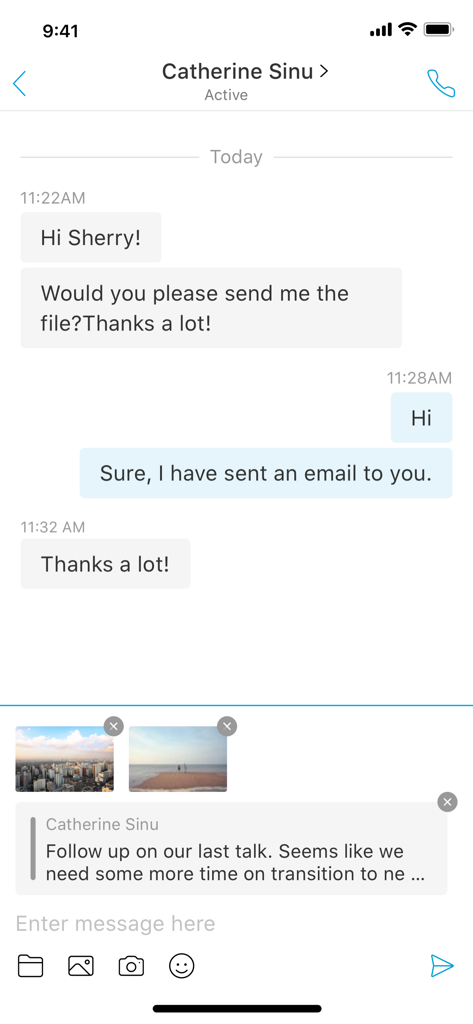
Cisco Jabber 모바일 앱 화면 (iPhone에서 전문적인 메시지 채팅)

Cisco Jabber 인터페이스 (이미지 첨부 파일이 포함된 전문 메시지 대화)
Cisco Jabber 인터페이스 (이미지 첨부 파일이 포함된 전문 메시지 대화)

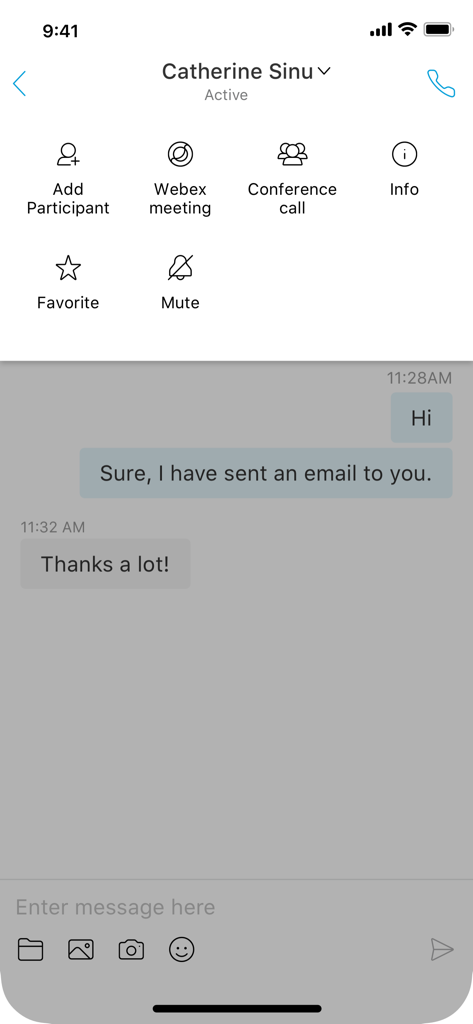
Cisco Jabber 앱 인터페이스 (Webex 및 컨퍼런스 통화와 같은 협업 도구가 통합된 전문 채팅 대화)
Cisco Jabber 앱 인터페이스 (Webex 및 컨퍼런스 통화와 같은 협업 도구가 통합된 전문 채팅 대화)

Cisco Jabber 영상 통화 화면 (전문적인 여성과 공유된 데이터 프레젠테이션)

Cisco Jabber 영상 통화 화면 (전문적인 여성과 공유된 데이터 프레젠테이션)

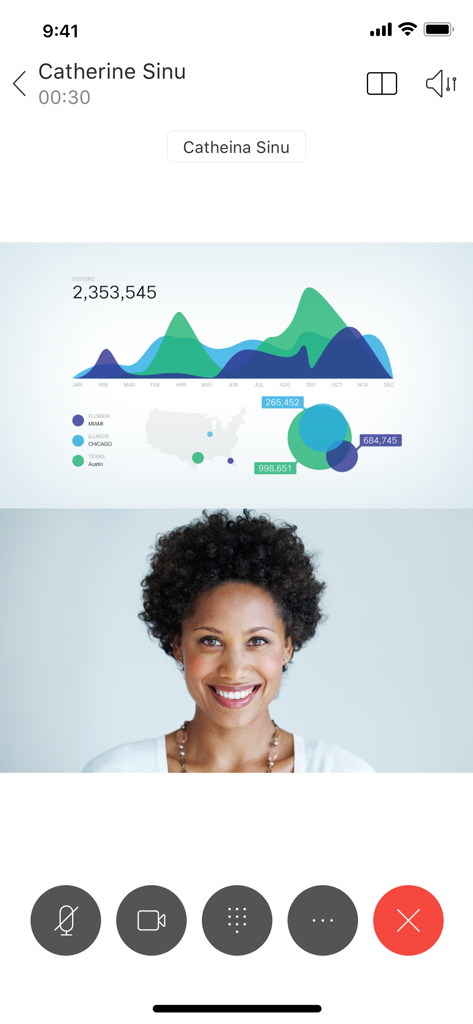
Cisco Jabber 모바일 앱의 고품질 영상 통화 인터페이스 (웃고 있는 두 명의 전문 여성)
Cisco Jabber 모바일 앱의 고품질 영상 통화 인터페이스 (웃고 있는 두 명의 전문 여성)

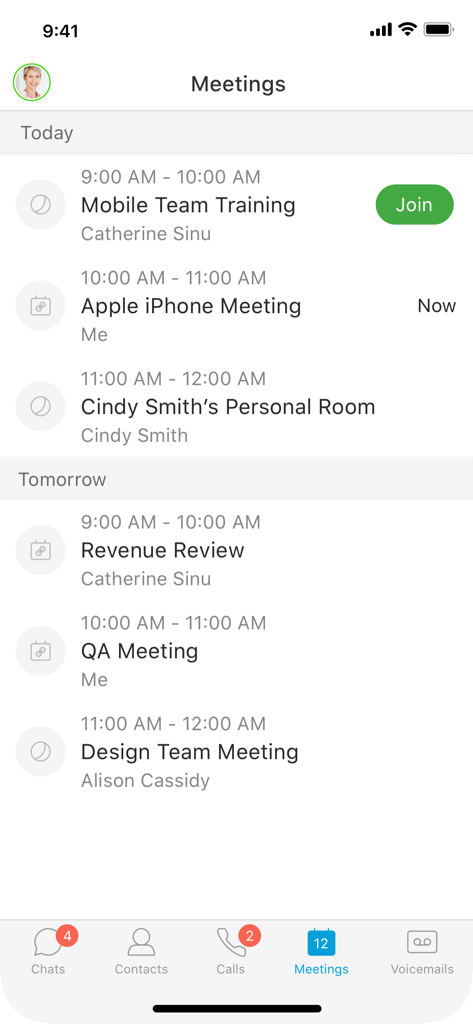
Cisco Jabber 회의 화면 (예약된 기업 통화 및 교육 세션 목록)
Cisco Jabber 회의 화면 (예약된 기업 통화 및 교육 세션 목록)

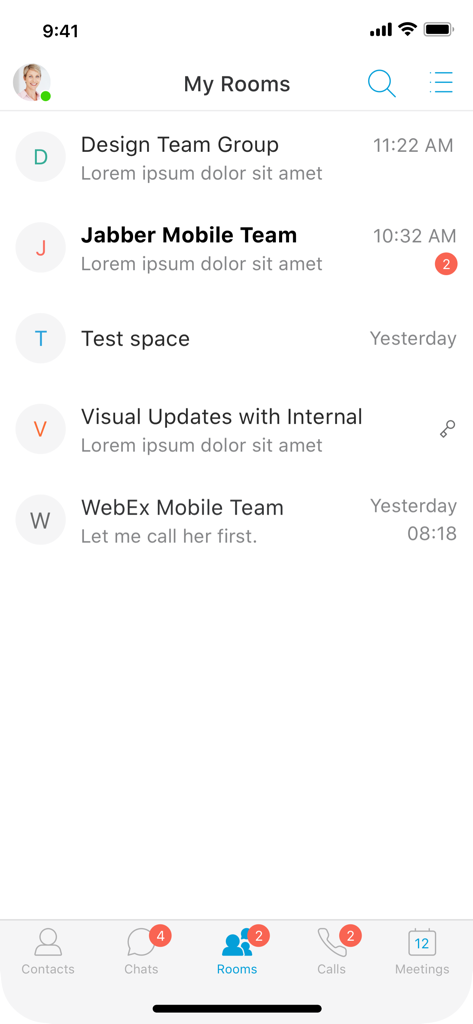
Cisco Jabber 모바일 앱 (내 방 채팅 그룹 목록 인터페이스)

Cisco Jabber 모바일 앱 (내 방 채팅 그룹 목록 인터페이스)

어디서든 전문적인 협업

이 앱을 돋보이게 하는 도구, 3M+ 명의 사용자가 선택.

📞

모바일에서 이용하는 사무실 전화

개인 휴대폰 번호를 비공개로 유지하고 사무실 내선 번호를 사용하여 전화를 걸고 받으세요.

💬

실시간 상태 및 메시징

동료의 실시간 접속 상태를 확인하고 보안 메시지나 그룹 채팅을 통해 몇 초 안에 문의를 해결하세요.

🎥

원탭 영상 통화 전환

어디서든 IM에서 고화질 영상 통화 또는 WebEx 회의로 탭 한 번으로 전환하세요.

전 세계 사용자들에게 사랑받는 앱

Trusted by 3M+ 명이 이 앱을 사랑합니다.

"

"Cisco Jabber는 제 하이브리드 근무 환경에 혁신을 가져왔습니다. Single Number Reach 기능은 필수적입니다. 외출 중에도 iPhone으로 고객 전화를 받을 수 있으며, 사무실 내선 번호로 표시됩니다. 또한, Apple Watch에서 알림을 받으면 화면에 계속 집중하지 않고도 응답할 수 있습니다."

Sarah Jenkins, 선임 계정 담당자
"

"Jabber와 WebEx의 통합은 완벽합니다. 간단한 IM 채팅에 더 자세한 내용이 필요할 때, 탭 한 번으로 전체 영상 회의로 전환할 수 있습니다. 사무실에 있든 집에서 일하든 팀 및 사무실 음성 메일과 연결을 유지하는 가장 안정적인 방법입니다."

Michael Chen, IT 인프라 책임자

리뷰 분석

사용자 리뷰 인사이트.

감정 점수

11%
부정적

요약

The Cisco Jabber app receives overwhelmingly negative feedback, particularly from iOS users. A significant recurring issue is its inability to maintain connections or provide notifications when running in the background or when the phone is locked, leading to frequently missed calls and messages. Users also report poor call quality, frequent call drops, and general app instability, including crashes, slowness, and frustrating login experiences. Furthermore, the messaging features are criticized for being limited and lacking essential functionalities like message syncing or media sharing, contributing to a generally frustrating user experience across various iOS versions, including specific issues reported with iOS 15, iOS 17+, and version 15.0.2 of the app.

주요 테마

Background Functionality(31)
iOS Compatibility(16)
App Stability & Performance(14)
Call Reliability(8)
Messaging Features(6)
Login Experience(5)

앱 소개

에 대해 알아야 할 모든 것 Cisco Jabber.

설명

Cisco Jabber™ for iPhone and iPad is a collaboration application that provides presence, instant messaging (IM), voice, voice messaging, and video calling capabilities on Apple iPhone, iPad, and Apple Watch. Escalate your Jabber calls into multi-party conferencing with Cisco WebEx® Meetings. This application supports the following capabilities: • Integrated voice • High-quality video with interoperability to Cisco video endpoints • IM, presence • Visual voicemail • One-tap escalation to WebEx meetings (cross-launches the Cisco WebEx® Meetings application) Device and Operating System Requirements: The latest Cisco Jabber for iPhone and iPad Release is supported on iOS 18 and iPadOS 18. iPhone models compatible with iOS18: https://support.apple.com/guide/iphone/iphone-models-compatible-with-ios-18-iphe3fa5df43/18.0/ios/18.0 iPad models compatible with iPadOS 18: https://support.apple.com/guide/ipad/ipad-models-compatible-with-ipados-18-ipad213a25b2/ipados For more information about Cisco Jabber, visit: http://www.cisco.com/go/jabber IMPORTANT: If connecting to Cisco Unified Communications Manager, administrators must enable the correct Cisco Jabber for iPhone and iPad configurations, or proper connectivity will not be established. For details, review the latest Cisco Jabber Installation and Configuration Guide, and Server Setup Guide. IMPORTANT: Most of the features described above are specific to a particular system configuration. Please check with your IT administrator to determine the specific features that are available to you. Portions of Cisco Jabber are licensed under the GNU Lesser General Public License (LGPL), and are “Copyright © 1999 Erik Walthinsen omega@cse.ogi.edu”. You may obtain a copy of the LGPL license at http://www.gnu.org/licenses/lgpl-2.1.html. Cisco, Cisco Unified Communications Manager and Cisco Jabber are trademarks of Cisco Systems, Inc. Copyright © 2013-2025 Cisco Systems, Inc. All Rights Reserved. By tapping “Install” you agree to install Jabber and all future software updates, and you accept the terms of service and privacy statement below: http://www.cisco.com/web/siteassets/legal/privacy.html Email us at jabber-ios-feedback@cisco.com with any feedback. Support URL http://www.cisco.com/c/en/us/support/customer-collaboration/jabber-iphone-ipad/tsd-products-support-series-home.html Marketing URL http://www.cisco.com/go/jabber

최신 버전

15.2.0

크기

153.4 MB

출시일

2011년 9월 30일

업무 공간을 모바일로 전환할 준비가 되셨나요?

3백만 명이 넘는 전문가들과 함께 iPhone, iPad, Apple Watch에서 사무실 내선 전화, 보안 메시징, WebEx 회의 기능을 이용하세요.

다운로드: App Store
FAQ

자주 묻는 질문

에 대해 알아야 할 모든 것 Cisco Jabber

iPhone 및 iPad용 Cisco Jabber란 무엇인가요?

iPhone 및 iPad용 Cisco Jabber는 협업 애플리케이션입니다. Apple iPhone, iPad 및 Apple Watch 장치에서 현재 상태, 인스턴트 메시징, 음성, 음성 메시징 및 영상 통화 기능을 제공합니다.

Cisco Jabber의 핵심 커뮤니케이션 기능은 무엇인가요?

네, Cisco Jabber는 통합 음성, 고품질 영상, 인스턴트 메시징, 현재 상태 및 시각적 음성 사서함을 지원합니다. 또한 Cisco WebEx Meetings로 한 번의 탭으로 전환할 수 있습니다.

Cisco Jabber의 운영 체제 요구 사항은 무엇인가요?

iPhone 및 iPad용 Cisco Jabber는 iOS 18 및 iPadOS 18에서 지원됩니다. 사용자는 호환되는 iPhone 및 iPad 모델에 대해 Apple의 지원 가이드를 확인할 수 있습니다.

Cisco Jabber는 iPhone 및 iPad에서 영상 통화를 지원하나요?

네, Cisco Jabber는 영상 통화를 지원합니다. 이 애플리케이션은 고품질 영상 기능을 통합하고 사용자 인터페이스에서 볼 수 있듯이 활성 영상 통화를 표시합니다.

Cisco Jabber로 인스턴트 메시지를 보낼 수 있나요?

네, Cisco Jabber를 사용하면 인스턴트 메시지를 주고받을 수 있습니다. 사용자는 애플리케이션 내에서 메시지를 보내고 받고, 채팅 대화를 관리하고, 미디어를 첨부할 수 있습니다.

Jabber 통화를 WebEx 회의로 전환할 수 있나요?

네, Cisco Jabber는 Cisco WebEx Meetings를 사용한 다자간 회의로 통화를 한 번의 탭으로 전환하고 WebEx Meetings 애플리케이션을 교차 실행할 수 있습니다.

Cisco Jabber에 '방해 금지' 기능이 포함되어 있나요?

네, Cisco Jabber에는 '방해 금지 설정' 옵션이 있습니다. 이 기능은 애플리케이션 내의 '내' 프로필 화면에서 액세스할 수 있습니다.

Cisco Jabber는 Apple Watch와 호환되나요?

네, iPhone 및 iPad용 Cisco Jabber는 Apple Watch를 지원합니다. 이 기능을 통해 웨어러블 장치에서도 협업 기능을 사용할 수 있습니다.

Cisco Jabber 앱을 통해 회의를 보고 참가할 수 있나요?

네, Cisco Jabber는 예약된 회의 목록을 보여줍니다. 사용자는 '회의' 탭에서 직접 회의 세부 정보를 보고 활성 회의에 참가할 수 있습니다.

Cisco Jabber가 Cisco Unified Communications Manager에 연결하려면 무엇이 필요한가요?

관리자는 올바른 연결 및 기능 가용성을 보장하기 위해 Cisco Unified Communications Manager에 연결할 때 iPhone 및 iPad용 Cisco Jabber 구성을 올바르게 활성화해야 합니다.