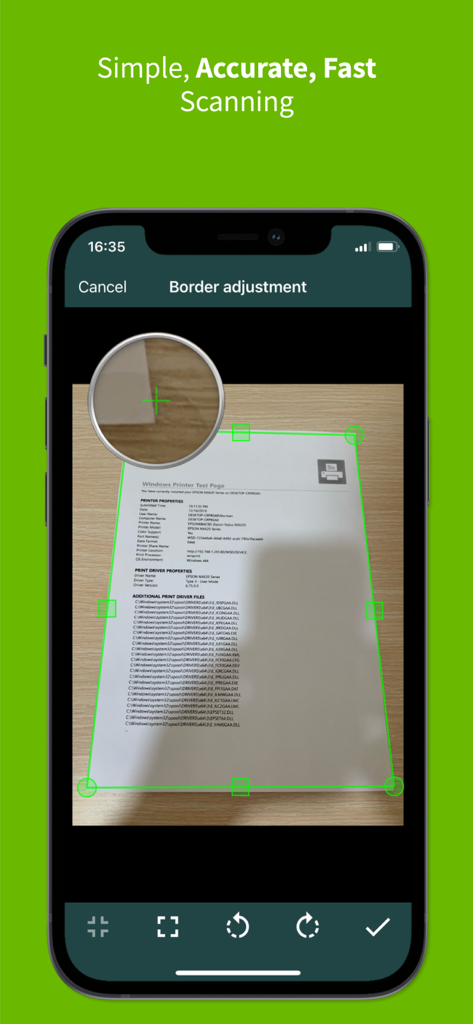
문서 스캔을 위한 수동 가장자리 감지를 보여주는 ClearScanner Pro의 테두리 조정 화면
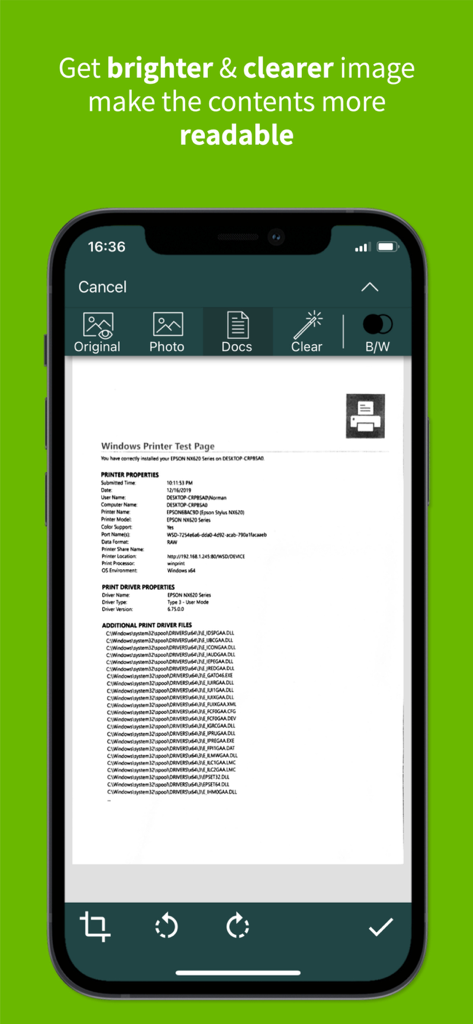
가독성 향상을 위해 이미지 보정 필터가 적용된 스캔 문서를 보여주는 ClearScanner Pro 앱 화면
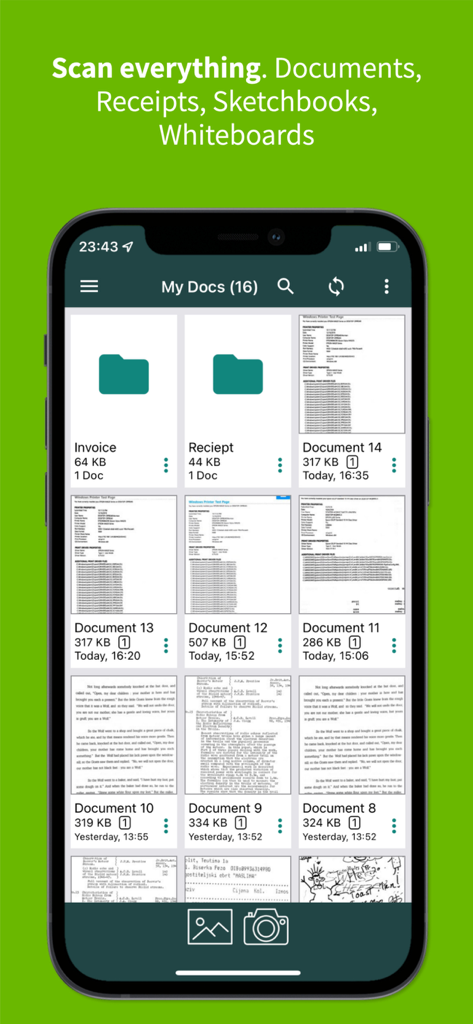
정리된 폴더와 스캔된 문서가 그리드 뷰로 표시된 ClearScanner Pro 앱 인터페이스를 보여주는 스마트폰 화면
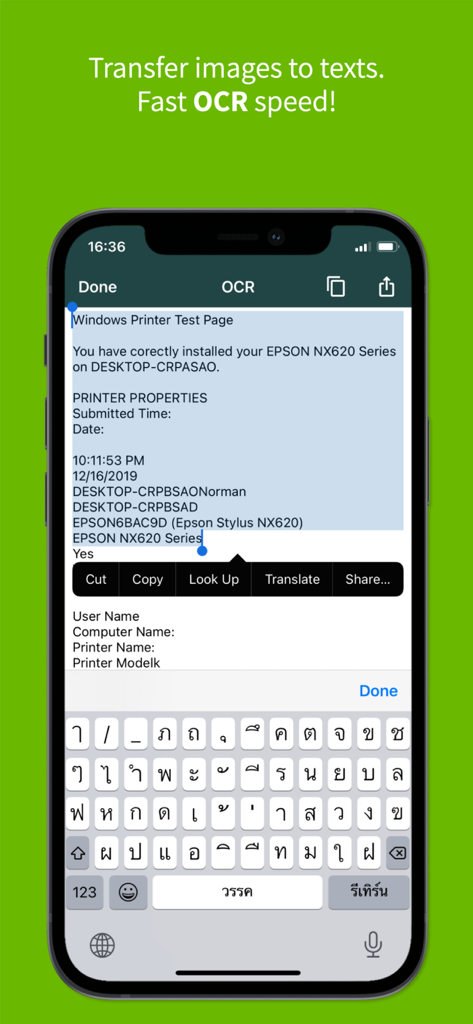
ClearScanner Pro 앱의 OCR 텍스트 인식 기능을 보여주는 휴대폰 화면
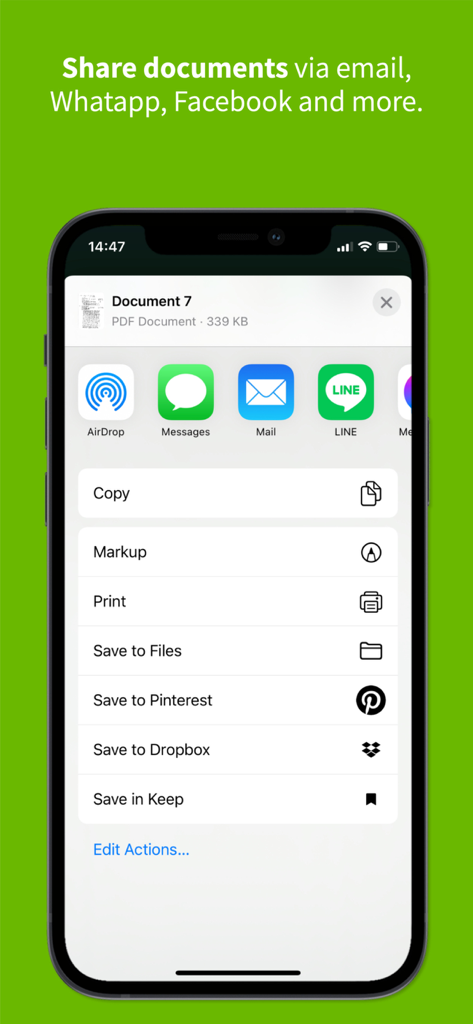
iPhone에서 문서 공유 옵션을 보여주는 ClearScanner Pro 앱 인터페이스
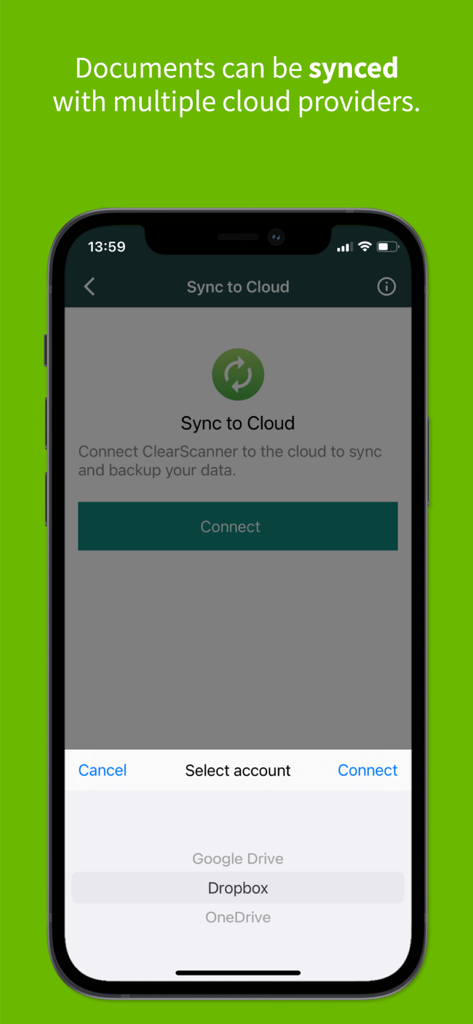
Google Drive 및 Dropbox와 같은 클라우드 공급자와 문서를 동기화하기 위한 ClearScanner Pro 인터페이스
주머니 속의 작은 사무실
이 앱을 돋보이게 하는 도구, 220K+ 명의 사용자가 선택.
✨
수정처럼 선명한 스캔
자동 가장자리 감지 및 그림자 제거 기능으로 문서가 항상 전문적이고 선명하며 완벽하게 정렬되도록 보장합니다.
📂
고급 파일 관리
계층 구조의 폴더 시스템과 스마트 이름 지정 기능을 사용하여 영수증이나 계약서를 몇 초 만에 찾을 수 있도록 정리하세요.
☁️
원활한 클라우드 내보내기
PDF 또는 JPEG 파일을 Google Drive, Dropbox 또는 OneDrive와 즉시 동기화하여 어디서나 업무 흐름을 유지하세요.
앱 소개
에 대해 알아야 할 모든 것 ClearScanner Pro: PDF Scanning.
설명
Now, you can transform your smartphone into a mini pocket scanner and enjoy the high quality images in your device within just one touch with the best ever mobile scanning app “Clear Scanner Pro: Fast PDF Scans”. Clear Scanner allows you to quickly scan any kind of documents in your office, images, bills, receipts, books, magazines, class notes and anything that needs to be there in your device within no time. This is the fastest means to get the scanned document in the highest quality and convert it immediately into PDF or JPEG format so that you can share the scanned document, image, books, bills, important notes or any type of paper that you can think of.
“Clear Scanner” is a must-have for every person be it a school student, college student, business person or any other person. The app lets you scan your photographs and documents in high quality which makes it easy for the person to read the texts present. The app automatically detects the corner of the file that you want to scan for better quality, and you can also crop the part of the document that you want to scan. This feature is really cool and gives the liberty of choice to the user. Apart from this, there are many auto correcting features that the app provides like adjusting the brightness, removing shadows and straightening the image for the better and higher quality result.
Get the faster processing speed for scanning your document with Clear Scanner and share the files immediately over mail, Dropbox, OneDrive, SkyDrive, Google Drive, Evernote and other to enjoy the joy of scanning. Clear Scanner allows the user to convert the scanned document to JPEG format or PDF format. You can even print the scanned document or image over Cloud Print. The app also offers various professional editing features even after saving the images along with various multiple filters. You can also save the image using an appropriate name and reorder the scanned files that makes it easier for the user to find the file, document, image, or other scanned notes. You can choose to email a specific document or an entire folder with faster processing speed.
***********************
APP FEATURES
***********************
+ Automatic document edge detection and perspective correction
+ Extremely fast processing
+ Professional quality results with multiple filter options: photo, document, clear, color or black & white
+ Flexible editing, allowing to edit file after save
+ Folders and subfolders, You can easily manage your files and folders, in order to organize your documents better.
+ Document naming, storage inside the app and search
+ Adding or deleting one page or the entire document
+ Page reordering after adding or deleting
+ Set page sizes for PDF (Letter, Legal, A4, and more)
+ Email specific pages or the entire document
+ Print PDF file via Cloud Print
+ Open PDFs or JPEGs in other apps such as Dropbox, OneDrive, SkyDrive, Google Drive, Evernote, etc. to send to clouds
Clear Scanner is the best scanning app that streamlines your work that saves a huge amount of both time and money. So get this amazing mini pocket scanner app now in your smartphones and get the scanning done from any part of the world and send the scanned image to any person at any location.
************************
SAY HELLO
************************
We are constantly working hard on making the “Clear Scanner Pro: Fast PDF Scans” app better and more useful for you. We need your continuous support to keep improving. Please feel free to email us for any queries, suggestions, problems or if you just want to say hello. We would love to hear from you. If you have enjoyed any feature of the “Clear Scanner Pro: Fast PDF Scans” app, do not forget to rate us on App Store.
최신 버전
10.0.38
크기
76.4 MB
출시일
2016년 3월 25일
업무 효율을 바꿀 준비가 되셨나요?
고품질의 광고 없는 스캔을 위해 ClearScanner Pro를 신뢰하는 220,000명 이상의 전문가 및 학생들과 함께하세요. 오늘 바로 영구적인 포켓 오피스를 마련하고 종이 더미에서 영원히 해방되세요.
App information, icons, screenshots, and descriptions displayed on this page are sourced from the Apple App Store and are the property of their respective developers. Download estimates and rankings are based on MWM's proprietary models and may not reflect actual figures. This page is provided for informational and analytical purposes only.
Believe this page infringes your intellectual property? File a dispute