
이 페이지는 앱이나 개발자의 공식 페이지가 아니며, 정보 제공 및 논평을 목적으로 작성된 독립 편집 간행물입니다. 명시적으로 달리 언급되지 않는 한, 해당 앱이나 개발자는 MWM, Apple, Google Play, 앱 퍼블리셔 또는 앱 개발자와 제휴, 보증, 후원, 승인 또는 공식적으로 연결되어 있지 않으며, 이 페이지의 어떤 내용도 해당 앱이 MWM의 서비스를 사용하여 개발되었음을 의미하지 않습니다. 모든 상표, 로고, 스크린샷 및 기타 콘텐츠는 해당 소유자의 자산입니다.

Adobe Scan: PDF & OCR Scanner
물리적 문서는 완벽한 디지털 자산으로 재탄생합니다. 이 앱은 손안에서 종이의 한계를 압도적으로 지워버립니다.
다운로드
75M+사용자 평점
총 평가 수
6.7M개발사
카테고리
Business지원 언어
19최신 버전
26.03.19크기
332.5 MB출시일
2017년 5월 31일Adobe Scan: 핵심 기능 분석
모바일 기기를 활용한 효율적인 문서 디지털화 및 관리 솔루션
OCR을 통한 텍스트 인식 및 편집
이 도구는 스캔된 이미지의 텍스트를 인식하여 검색 및 편집 가능한 형태로 변환함으로써 문서의 활용도를 극대화합니다.
모바일 기기를 강력한 스캐너로 전환
이 앱은 사용자의 모바일 기기를 고품질 PDF 및 문서 스캐너로 변환하여, 언제 어디서든 종이 문서를 디지털화할 수 있게 해줍니다.
PDF 및 JPEG 변환
사용자는 종이 문서나 인쇄된 이미지를 모바일 기기에서 표준 PDF 또는 JPEG 파일로 쉽게 변환할 수 있습니다.
스캔 이미지 고급 편집
이 앱은 스캔된 이미지의 자르기, 회전, 크기 조정 및 색상, 밝기, 대비 조정을 지원하여 문서의 선명도와 전문성을 향상시킵니다.
효율적인 문서 정리 및 클라우드 동기화
이 도구는 사용자가 맞춤형 폴더를 생성하여 스캔된 문서를 체계적으로 관리하고, Adobe Document Cloud에 자동 저장하여 즉시 접근하고 공유할 수 있게 합니다.
매직 지우개로 스캔 정리
사용자는 스캔 이미지에서 엄지손가락 자국, 얼룩, 구김 등을 제거하여 문서가 깨끗하고 전문적으로 보이도록 정리할 수 있습니다.
고속 대량 스캔 기능
이 도구는 문서를 빠르게 대량으로 스캔하여 여러 장의 문서를 단 몇 초 만에 PDF 파일로 변환함으로써 시간을 절약해 줍니다.
다양한 문서 유형 스캔 지원
이 앱은 영수증, 신분증, 노트, 명함, 화이트보드 등 광범위한 문서 유형을 스캔하여 PDF 또는 JPEG 파일로 생성할 수 있도록 지원합니다.
Office 형식으로 내보내기
이 앱은 스캔된 파일을 Word, Excel, PowerPoint와 같은 다양한 Office 형식으로 내보내어 사용자가 내용을 쉽게 재사용하고 공유할 수 있게 합니다.
명함 스캔 및 연락처 저장
이 도구는 명함에서 연락처 정보를 자동으로 추출하여 사용자가 몇 초 만에 휴대폰 연락처에 저장할 수 있도록 돕습니다.
자주 묻는 질문
에 대해 알아야 할 모든 것 Adobe Scan: PDF & OCR Scanner
Is Adobe Scan a free PDF scanner app?
Yes, Adobe Scan is free to download and use on your mobile device. It turns your device into a PDF and document scanner for creating, saving, and organizing digital files.
What types of documents can I scan with Adobe Scan?
Adobe Scan can scan various items, including receipts, IDs, notes, recipes, photos, business cards, whiteboards, and general paper documents. It converts them into PDF or JPEG files.
Does Adobe Scan support OCR for searchable text?
Yes, Adobe Scan includes OCR (Optical Character Recognition) technology. It uses advanced image-to-text features to make words in your scans searchable and editable.
Can I edit text within scanned documents using Adobe Scan?
Yes, Adobe Scan allows you to edit text in scanned documents. Its image-to-text technology makes words and even handwritten text editable.
How do I remove imperfections from my scans in Adobe Scan?
The Magic eraser tool in Adobe Scan removes imperfections like thumbs, stains, and creases from your document scans. This feature helps ensure a clear and professional appearance.
Can Adobe Scan combine several documents into a single PDF?
Yes, Adobe Scan allows you to combine multiple scans into one single file. This feature is available through an in-app purchase subscription.
Does Adobe Scan automatically save my scanned documents?
Yes, Adobe Scan automatically saves all your scans to Adobe Document Cloud. This provides instant access and sharing capabilities across your devices.
Can Adobe Scan convert documents to JPEG format?
Yes, Adobe Scan can convert your scanned documents into JPEG files in addition to PDFs. You can also export scans to Word, Excel, or PowerPoint formats.
What is the Straighten tool in Adobe Scan?
The Straighten tool in Adobe Scan automatically fixes pages that appear curved or tilted during scanning. It lines everything up to produce neat and professional-looking PDFs without manual effort.
Is Adobe Scan compatible with Adobe Acrobat Reader?
Yes, Adobe Scan integrates with Acrobat Reader. You can open your PDF scans directly in Acrobat Reader to comment, highlight, fill forms, and sign documents securely across devices.
다음 스크린샷과 설명은 앱의 공식 스토어 목록에서 직접 가져온 것이며 앱 개발자의 자산입니다.
앱 스토어
스크린샷

간편한 문서 스캔
이 앱은 문서 유형을 자동으로 감지하고 스캔 영역을 조정하는 자동 프레이밍 및 다양한 스캔 모드를 제공합니다.
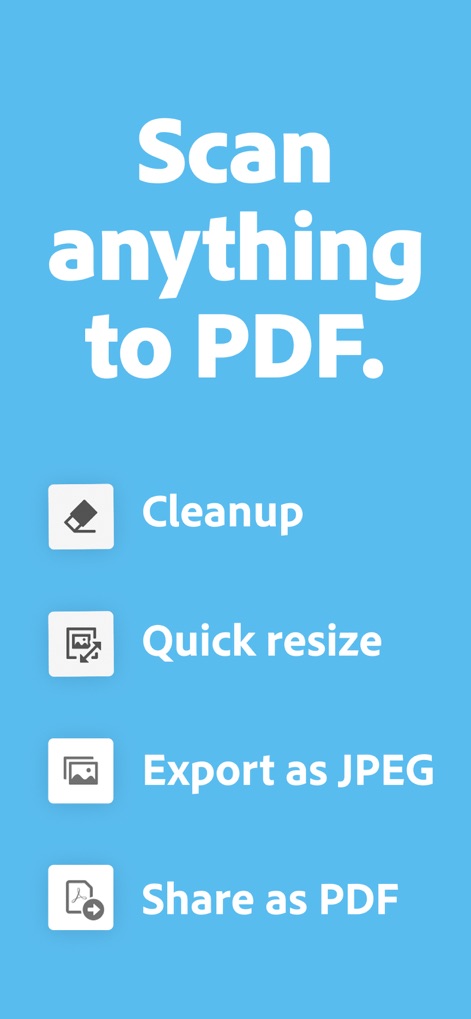
PDF로 변환 및 관리
사용자는 스캔한 문서를 다양한 형식으로 내보내고 불필요한 요소를 정리하여 전문적인 결과물을 얻을 수 있습니다.

다중 페이지 스캔
이 도구는 여러 페이지를 한 번에 스캔하여 효율적인 문서 처리를 지원하며, 하단에는 페이지 미리보기와 페이지 추가 기능이 명확하게 표시됩니다.

텍스트 편집 기능
스캔된 문서의 텍스트를 직접 편집할 수 있으며, 화면에 보이는 텍스트 선택 상자와 가상 키보드를 통해 손쉽게 수정할 수 있습니다.

스캔본 간편 공유
사용자는 스캔한 문서를 링크 공유하거나 이메일 첨부하는 등 다양한 방법으로 손쉽게 공유할 수 있습니다.

PDF 파일 병합
여러 스캔본을 하나의 PDF 파일로 효율적으로 병합할 수 있으며, 현재 페이지 번호와 다음 스캔 옵션이 명확하게 제시됩니다.

문서 관리 허브
스캔된 문서들은 체계적으로 목록화되어 있으며, 사용자는 다양한 관리 옵션과 파일 형식 변환 기능을 통해 문서를 효율적으로 처리할 수 있습니다.

이미지 정리 도구
이 앱은 문서의 얼룩이나 그림자 등 불필요한 요소를 제거하여 깔끔한 스캔본을 제공하며, 대체 색상 선택 옵션으로 정밀한 수정이 가능합니다.

페이지 크기 조정
사용자는 스캔 문서의 다양한 페이지 레이아웃과 표준 용지 크기를 선택하여 필요에 맞게 문서를 최적화할 수 있습니다.

OCR 텍스트 추출
이 앱은 OCR 기능을 통해 스캔된 이미지에서 텍스트를 인식하고 검색할 수 있게 하며, 텍스트 확대경을 통해 특정 단어를 쉽게 확인할 수 있습니다.
설명
Download
비슷한 앱
유사한 기능과 사용자 경험을 가진 앱

PDF PRO Scan Image & Documents
Balzo srl

The PDF Scanner, PDF editor HQ
NEXT K.U.M. LTD

CamScanner - PDF Scanner App
INTSIG Information Co., Ltd

WPS Office: PDF, Docs, Sheets
KINGSOFT OFFICE SOFTWARE CORPORATION LIMITED

iLovePDF - PDF Editor & Scan
ILOVEPDF S.L.

Scanner App: Genius Scan
The Grizzly Labs

Microsoft Lens: PDF Scanner
Microsoft Corporation

Clear Scan: Doc Scanner App
INDY MOBILE APP COMPANY LIMITED

Document Scanner by Lufick
Lufick
이 페이지는 앱이나 개발자의 공식 페이지가 아니며, 정보 제공 및 논평을 목적으로 작성된 독립 편집 간행물입니다. 명시적으로 달리 언급되지 않는 한, 해당 앱이나 개발자는 MWM, Apple, Google Play, 앱 퍼블리셔 또는 앱 개발자와 제휴, 보증, 후원, 승인 또는 공식적으로 연결되어 있지 않으며, 이 페이지의 어떤 내용도 해당 앱이 MWM의 서비스를 사용하여 개발되었음을 의미하지 않습니다. 모든 상표, 로고, 스크린샷 및 기타 콘텐츠는 해당 소유자의 자산입니다.