
이 페이지는 앱이나 개발자의 공식 페이지가 아니며, 정보 제공 및 논평을 목적으로 작성된 독립 편집 간행물입니다. 명시적으로 달리 언급되지 않는 한, 해당 앱이나 개발자는 MWM, Apple, Google Play, 앱 퍼블리셔 또는 앱 개발자와 제휴, 보증, 후원, 승인 또는 공식적으로 연결되어 있지 않으며, 이 페이지의 어떤 내용도 해당 앱이 MWM의 서비스를 사용하여 개발되었음을 의미하지 않습니다. 모든 상표, 로고, 스크린샷 및 기타 콘텐츠는 해당 소유자의 자산입니다.


WPS Office: PDF, Docs, Sheets
모바일에서 문서 지옥에 갇혔다고 생각했나? 이 앱은 절대적 편집 권한과 AI의 지혜로 사용자의 손에 디지털 워크플로우의 지배권을 쥐여준다.
다운로드
25M+사용자 평점
총 평가 수
185.8K개발사
카테고리
Productivity지원 언어
14최신 버전
11.37.40크기
604.2 MB출시일
2019년 12월 13일WPS Office: PDF, Docs, Sheets 앱 분석
효율성과 생산성을 위한 포괄적인 모바일 오피스 스위트 평가
올인원 무료 오피스 스위트
이 앱은 문서, 스프레드시트, 프레젠테이션 및 PDF를 포함한 모든 주요 오피스 문서 처리 기능을 통합하며, Microsoft Office 및 Google Docs 형식과 완벽하게 호환됩니다.
AI 기반 PDF 리더 및 편집기
이 도구는 PDF 텍스트 및 이미지를 쉽게 편집할 수 있게 하며, AI 대화를 통해 PDF에서 통찰력, 요약 및 번역을 얻을 수 있습니다.
WPS AI 콘텐츠 생성 및 재작성
이 기능은 사용자의 요청에 따라 즉각적이고 고품질의 콘텐츠를 생성하거나 전문적인 재작성 및 다듬기 작업을 제공하여 효율성을 높입니다.
클라우드 드라이브 연결
이 앱은 Dropbox, Google Drive 등 주요 클라우드 서비스에 문서를 자동으로 저장하여, 사용자가 언제 어디서든 자신의 파일에 접근하고 최신 상태를 유지할 수 있도록 지원합니다.
문서 공유 및 전송
이 도구는 Wi-Fi, 이메일, 메신저 등 다양한 채널을 통해 오피스 문서를 쉽게 공유하고 전송할 수 있게 하여, 팀 협업을 용이하게 합니다.
문서 암호화
이 앱은 문서 암호화를 지원하여, 사용자의 중요한 오피스 문서와 데이터를 안전하게 보호합니다.
이동 중 프레젠테이션 제작
이 기능은 다양한 레이아웃과 전환 효과를 사용하여 모바일 환경에서 프레젠테이션을 제작하고 발표할 수 있도록 돕습니다.
모든 오피스 파일 형식 지원
이 앱은 DOC, DOCX, XLS, XLSX, PPT, PPTX 등 모든 주요 오피스 파일 형식을 지원하여 폭넓은 문서 호환성을 제공합니다.
자주 묻는 질문
에 대해 알아야 할 모든 것 WPS Office: PDF, Docs, Sheets
What is WPS Office?
WPS Office is a free all-in-one office suite for iPhone and iPad. It integrates Word, Spreadsheet, Powerpoint, PDF, WPS AI, Memo, and Docs Scanner functions in one application.
Is WPS Office compatible with Microsoft Office files?
Yes, WPS Office is fully compatible with Microsoft Office formats including Word, Excel, PowerPoint, Google Docs, and Adobe PDF. It handles various file types for seamless document management.
What AI capabilities are available in WPS Office?
WPS Office includes WPS AI, offering AI-generated content, rewriting, and AI-powered PDF tools. It provides instant content, professional polishing, insights, summaries, and translations for PDFs.
Can WPS Office users edit and sign PDF documents?
Yes, WPS Office allows users to easily edit PDF text and images. It supports signing and filling PDF documents, with e-signatures being legal and secure within the application.
Does WPS Office integrate with cloud storage services?
Yes, WPS Office connects to popular cloud drives such as Dropbox, Google Drive, Box, Evernote, and OneDrive. It automatically saves documents to the cloud for accessibility across devices.
How many languages does WPS Office support for AI translation?
WPS Office supports AI-powered instant translation across more than 50 languages. This feature allows users to translate documents directly within the application.
Is real-time collaboration supported in WPS Office?
Yes, WPS Office supports real-time online collaboration, allowing multiple users to work together on documents simultaneously. This feature enhances team productivity.
Does WPS Office include a comprehensive spreadsheet application?
Yes, WPS Office features a powerful spreadsheet application. It provides complete predefined formulas, making basic data analysis and digital operations convenient for users.
How do I cancel an auto-renewing subscription for WPS Office?
To cancel your WPS Office auto-renewing subscription, turn it off from your iTunes/App Store account settings. You must do this at least 24 hours before the current period ends.
Can WPS Office convert PDF files into editable formats?
Yes, WPS Office can magically convert PDF files into editable Word, Excel, or Powerpoint documents. This feature allows users to modify content from PDFs easily.
Does WPS Office offer document encryption for security?
Yes, WPS Office supports document encryption. This feature helps keep your office documents and data safe and secure within the application.
다음 스크린샷과 설명은 앱의 공식 스토어 목록에서 직접 가져온 것이며 앱 개발자의 자산입니다.
앱 스토어
스크린샷
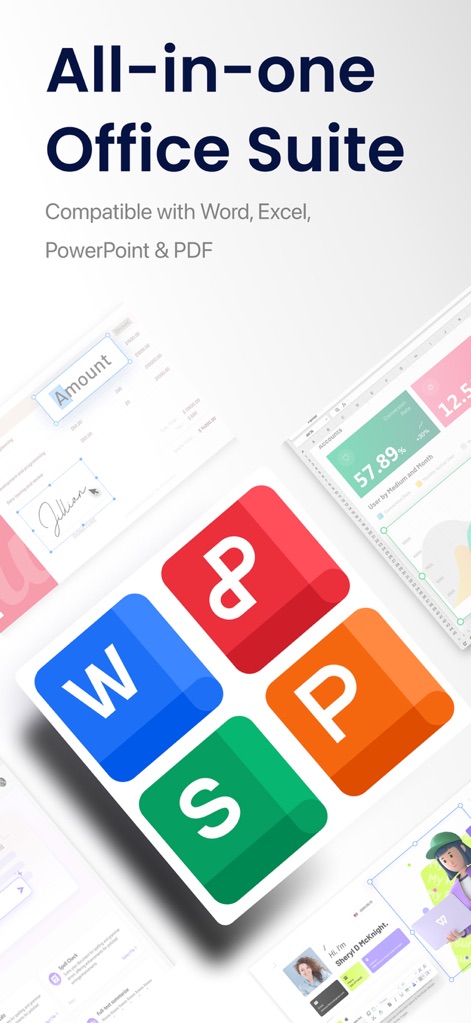
올인원 오피스 솔루션
이 앱은 워드 문서 서명 기능과 스프레드시트의 시각적인 데이터 차트를 통합하여 모든 문서 작업을 한 곳에서 가능하게 합니다.

PDF 편집의 자유
사용자는 PDF 문서에서 텍스트를 직접 편집하고, 필요한 서명을 추가하여 문서를 완벽하게 관리할 수 있습니다.
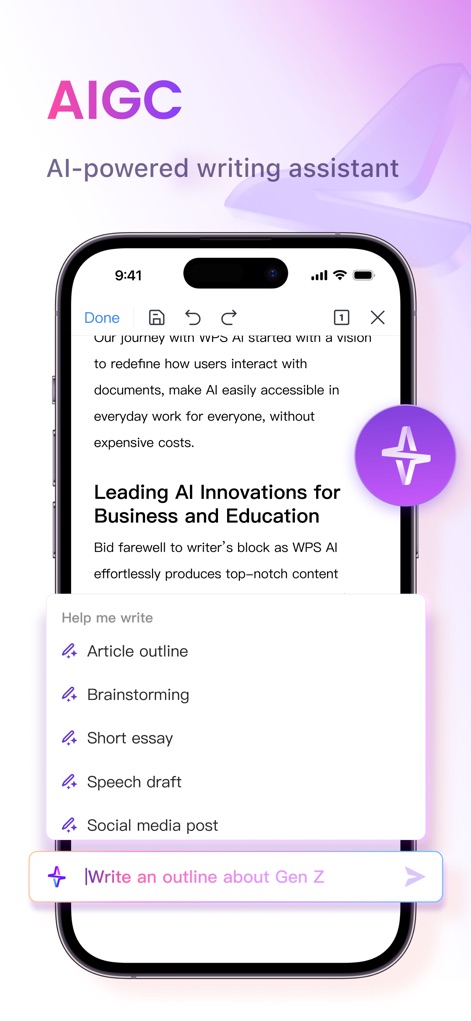
AI 글쓰기 비서
이 도구는 사용자의 프롬프트에 따라 기사 개요를 생성하고 다양한 글쓰기 옵션을 제공하여 콘텐츠 제작을 지원합니다.
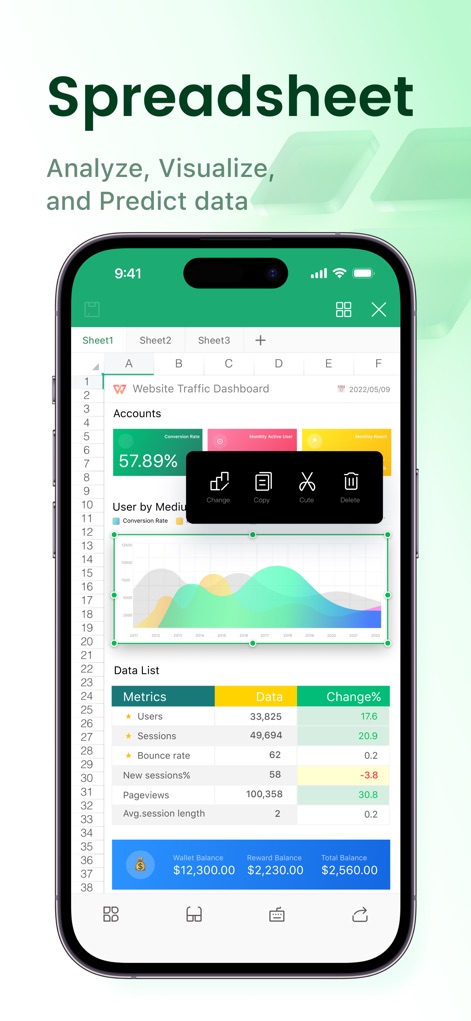
스마트한 데이터 분석
사용자는 상세한 데이터 지표 표를 통해 정보를 파악하고, 시각화된 차트로 데이터 트렌드를 쉽게 분석할 수 있습니다.
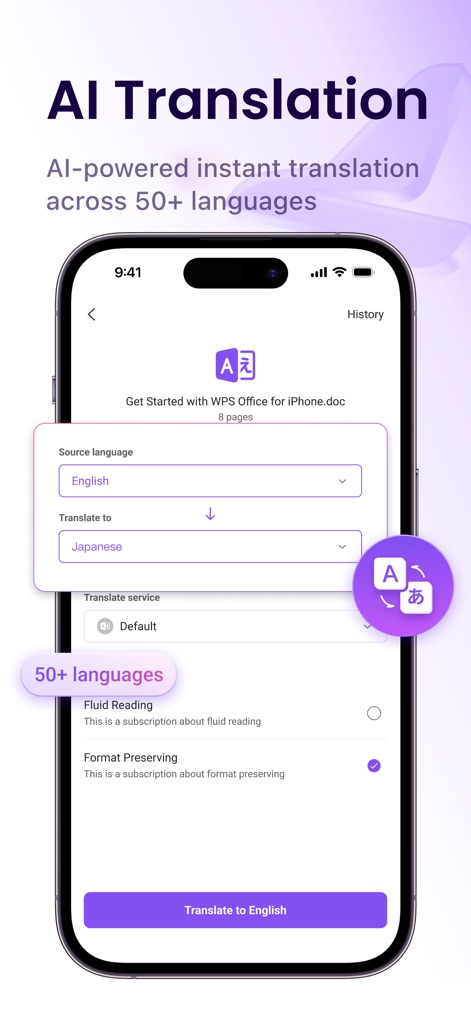
즉각적인 AI 번역
이 앱은 50개 이상의 언어를 지원하며, 사용자는 원문과 번역될 언어를 선택하여 문서를 손쉽게 번역할 수 있습니다.
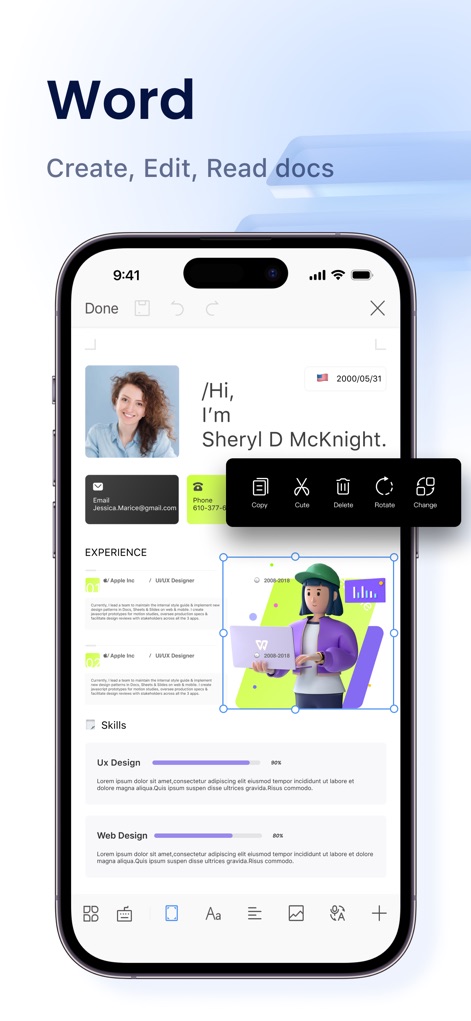
효율적인 문서 작성
사용자는 문서 내의 이미지를 자유롭게 편집하고, 프로필 정보와 같은 텍스트 콘텐츠를 쉽게 관리할 수 있습니다.
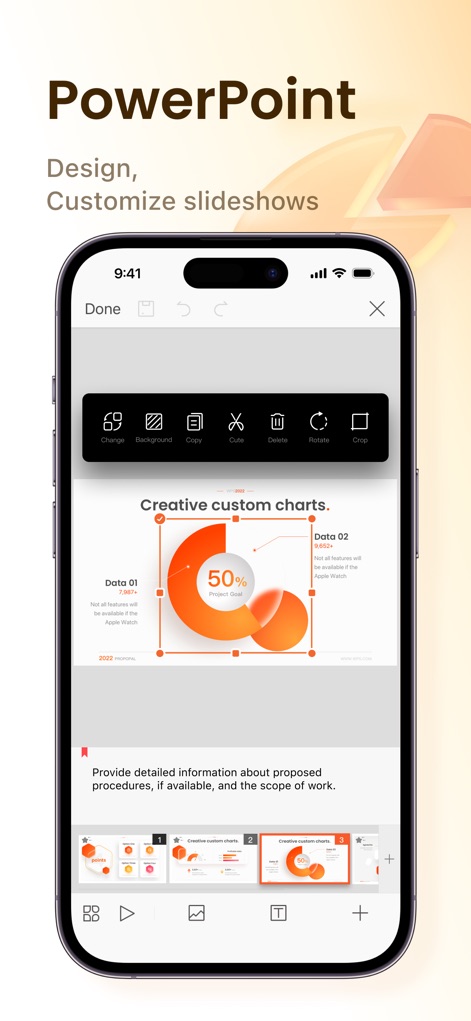
다채로운 프레젠테이션 디자인
이 도구는 사용자가 차트를 쉽게 편집하고 다양한 슬라이드 미리보기를 통해 프레젠테이션 흐름을 확인할 수 있도록 돕습니다.
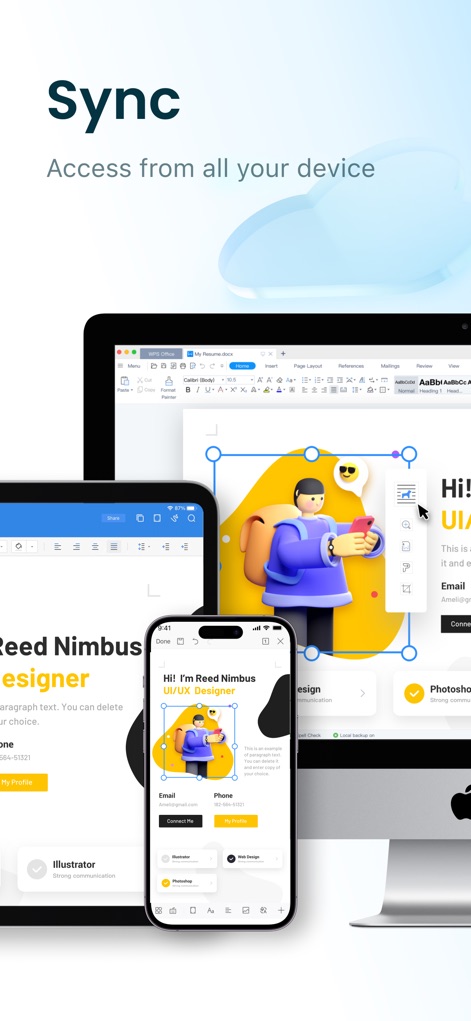
끊김 없는 기기 동기화
사용자는 여러 기기에서 동일한 문서에 접근하고 실시간으로 동기화된 상태를 유지하여 클라우드 기반의 작업 환경을 경험할 수 있습니다.
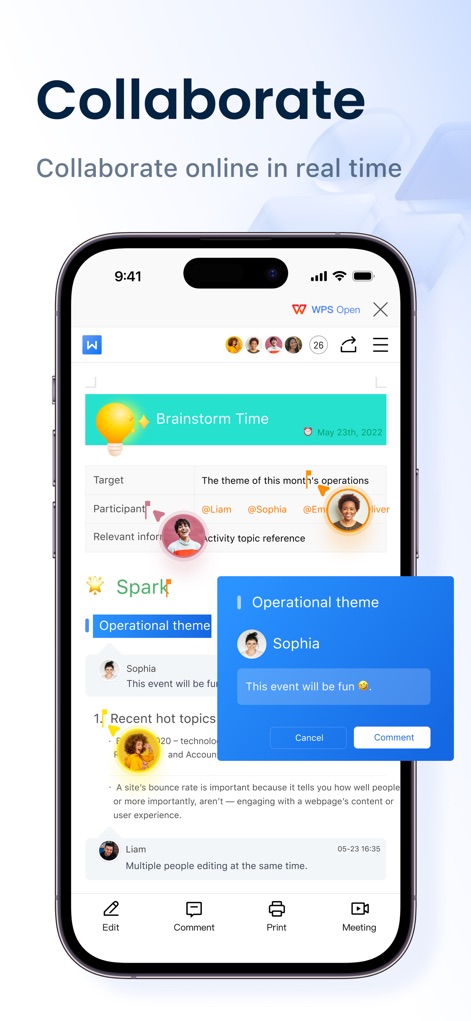
실시간 공동 작업
이 앱은 여러 사용자가 동시에 문서에 접근하여 실시간으로 공동 편집하고, 특정 부분에 대한 댓글을 쉽게 추가할 수 있도록 지원합니다.
설명
Download
비슷한 앱
유사한 기능과 사용자 경험을 가진 앱

PDF PRO Scan Image & Documents
Balzo srl

The PDF Scanner, PDF editor HQ
NEXT K.U.M. LTD

CamScanner - PDF Scanner App
INTSIG Information Co., Ltd

Adobe Scan: PDF & OCR Scanner
Adobe Inc.

iLovePDF - PDF Editor & Scan
ILOVEPDF S.L.

Scanner App: Genius Scan
The Grizzly Labs

Microsoft Lens: PDF Scanner
Microsoft Corporation

Clear Scan: Doc Scanner App
INDY MOBILE APP COMPANY LIMITED

Document Scanner by Lufick
Lufick
이 페이지는 앱이나 개발자의 공식 페이지가 아니며, 정보 제공 및 논평을 목적으로 작성된 독립 편집 간행물입니다. 명시적으로 달리 언급되지 않는 한, 해당 앱이나 개발자는 MWM, Apple, Google Play, 앱 퍼블리셔 또는 앱 개발자와 제휴, 보증, 후원, 승인 또는 공식적으로 연결되어 있지 않으며, 이 페이지의 어떤 내용도 해당 앱이 MWM의 서비스를 사용하여 개발되었음을 의미하지 않습니다. 모든 상표, 로고, 스크린샷 및 기타 콘텐츠는 해당 소유자의 자산입니다.