
이 페이지는 앱이나 개발자의 공식 페이지가 아니며, 정보 제공 및 논평을 목적으로 작성된 독립 편집 간행물입니다. 명시적으로 달리 언급되지 않는 한, 해당 앱이나 개발자는 MWM, Apple, Google Play, 앱 퍼블리셔 또는 앱 개발자와 제휴, 보증, 후원, 승인 또는 공식적으로 연결되어 있지 않으며, 이 페이지의 어떤 내용도 해당 앱이 MWM의 서비스를 사용하여 개발되었음을 의미하지 않습니다. 모든 상표, 로고, 스크린샷 및 기타 콘텐츠는 해당 소유자의 자산입니다.


다운로드
25M+사용자 평점
총 평가 수
1.1M개발사
카테고리
Productivity지원 언어
33최신 버전
2.106.1크기
76.1 MB출시일
2015년 4월 2일Microsoft Lens: PDF Scanner 주요 기능 평가
Microsoft Lens: PDF Scanner 앱의 핵심 기능 분석
고품질 문서 및 화이트보드 스캔
이 앱은 문서, 영수증, 화이트보드 등의 이미지를 자동으로 다듬고 선명하게 개선하여 가독성을 높입니다.
다양한 파일 형식 변환
이 도구는 스캔한 이미지를 PDF, Word, PowerPoint, Excel 등 다양한 Microsoft Office 파일 형식으로 변환할 수 있도록 지원합니다.
텍스트 인식 및 디지털화 (OCR)
사용자가 인쇄된 텍스트나 손글씨(영어만 해당)를 디지털화하여 편집 가능한 텍스트로 추출할 수 있게 해줍니다.
클라우드 및 로컬 저장
이 앱은 스캔한 파일을 OneNote, OneDrive 클라우드 서비스 또는 사용자 기기의 로컬 저장소에 안전하게 저장하는 옵션을 제공합니다.
회의록 및 학습 자료 관리
이 도구는 회의실 화이트보드, 강의 자료, 필기 노트 등을 스캔하여 체계적으로 정리하고 공유하는 데 도움을 줍니다.
명함 스캔 및 연락처 통합
사용자가 명함을 스캔하여 비즈니스 연락처 정보를 쉽게 추출하고 기기의 연락처 목록에 추가할 수 있도록 돕습니다.
자주 묻는 질문
에 대해 알아야 할 모든 것 Microsoft Lens: PDF Scanner
What is Microsoft Lens: PDF Scanner used for?
Microsoft Lens is a mobile scanner application that trims, enhances, and makes pictures of whiteboards and documents readable. It converts images into various file formats like PDF, Word, and PowerPoint.
Can Microsoft Lens convert images to PDF documents?
Yes, Microsoft Lens can convert scanned images into PDF files. It also supports conversion to Word, PowerPoint, and Excel formats.
What types of documents can Microsoft Lens: PDF Scanner scan?
Microsoft Lens scans various documents, including notes, receipts, whiteboards, blackboards, classroom handouts, and business cards. It digitizes both printed and handwritten text.
Does Microsoft Lens support converting handwritten notes to digital text?
Yes, Microsoft Lens digitizes handwritten text, allowing users to edit it later. This feature currently works with English language only.
Where can users save files scanned with Microsoft Lens: PDF Scanner?
Users can save scanned documents from Microsoft Lens to OneNote, OneDrive, or their local device. Files can be stored as PDF, Image, Word, or PowerPoint.
Can Microsoft Lens import existing photos from a device's gallery?
Yes, Microsoft Lens allows users to import images that are already present on their device directly from the Gallery, in addition to live scanning.
Does Microsoft Lens: PDF Scanner integrate with other Microsoft services?
Microsoft Lens integrates seamlessly with Microsoft services like OneNote and OneDrive for saving. It also offers sharing options via Outlook, Email, and Immersive Reader, leveraging the Microsoft 365 ecosystem.
Can Microsoft Lens convert tables from images into editable data?
Yes, Microsoft Lens can effortlessly copy text and tables from pictures. This feature converts visual data into an editable table format.
다음 스크린샷과 설명은 앱의 공식 스토어 목록에서 직접 가져온 것이며 앱 개발자의 자산입니다.
앱 스토어
스크린샷
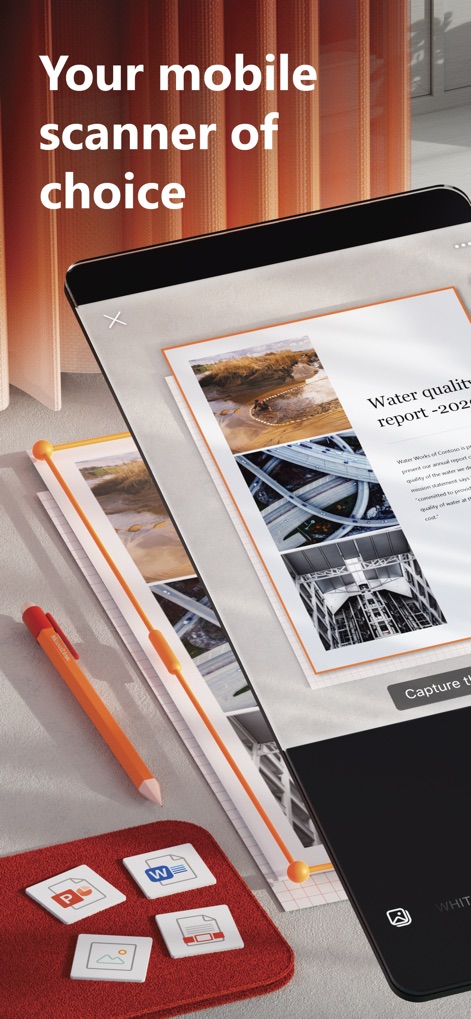
최적의 모바일 스캐너
이 도구는 문서를 깨끗하게 스캔하여 디지털화하며, PDF와 Word를 포함한 다양한 파일 형식 저장 옵션을 하단에서 제공합니다.
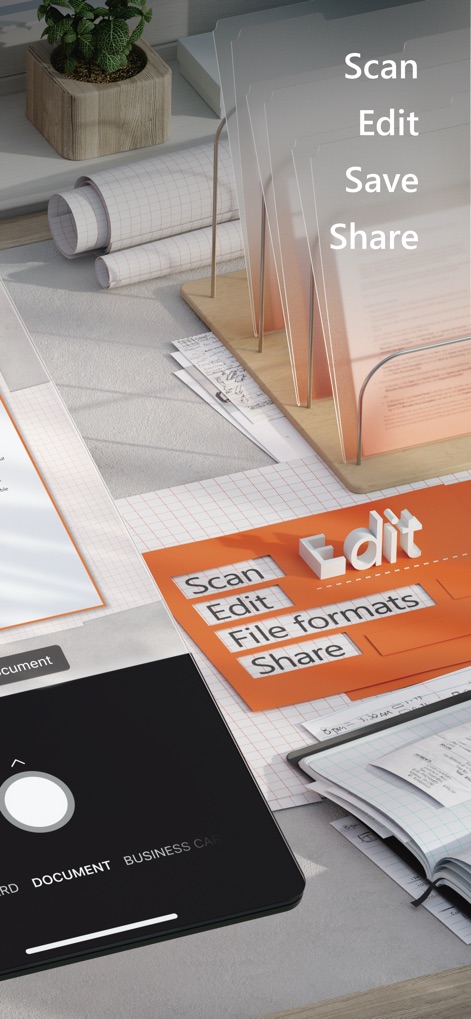
간편한 문서 관리
이 앱은 '스캔, 편집, 저장, 공유'의 핵심 단계를 시각적으로 제시하며, 사용자는 하단의 'DOCUMENT' 모드를 통해 문서 스캔을 즉시 시작할 수 있습니다.

탁월한 스캔 품질
이 도구는 'Water quality report -2020'과 같은 문서를 높은 해상도로 스캔하여 원본의 디테일을 보존하며, 하단에서 '문서'와 '명함' 등 다양한 스캔 유형을 선택할 수 있습니다.

필기 텍스트 변환
이 앱은 'Weekly Team Meeting - Notes'와 같은 필기 노트를 인식하여 디지털 텍스트로 변환하며, 변환된 텍스트는 하단의 미리보기 영역에서 확인하고 공유할 수 있습니다.

이미지 표 추출
이 앱은 이미지 내의 표 데이터를 인식하여 'Item, Quantity, Price'와 같은 항목을 추출하며, 추출된 표는 하단의 미리보기에서 확인 후 복사 또는 공유할 수 있습니다.

강력한 Microsoft 365
이 앱은 Microsoft 365 서비스와 완벽하게 통합되어 있으며, 문서를 'PDF', 'Word' 등 다양한 형식으로 저장하거나 'OneDrive', 'Outlook'을 통해 쉽게 공유할 수 있습니다.
설명
Download
비슷한 앱
유사한 기능과 사용자 경험을 가진 앱

PDF PRO Scan Image & Documents
Balzo srl

The PDF Scanner, PDF editor HQ
NEXT K.U.M. LTD

CamScanner - PDF Scanner App
INTSIG Information Co., Ltd

Adobe Scan: PDF & OCR Scanner
Adobe Inc.

WPS Office: PDF, Docs, Sheets
KINGSOFT OFFICE SOFTWARE CORPORATION LIMITED

iLovePDF - PDF Editor & Scan
ILOVEPDF S.L.

Scanner App: Genius Scan
The Grizzly Labs

Clear Scan: Doc Scanner App
INDY MOBILE APP COMPANY LIMITED

Document Scanner by Lufick
Lufick
이 페이지는 앱이나 개발자의 공식 페이지가 아니며, 정보 제공 및 논평을 목적으로 작성된 독립 편집 간행물입니다. 명시적으로 달리 언급되지 않는 한, 해당 앱이나 개발자는 MWM, Apple, Google Play, 앱 퍼블리셔 또는 앱 개발자와 제휴, 보증, 후원, 승인 또는 공식적으로 연결되어 있지 않으며, 이 페이지의 어떤 내용도 해당 앱이 MWM의 서비스를 사용하여 개발되었음을 의미하지 않습니다. 모든 상표, 로고, 스크린샷 및 기타 콘텐츠는 해당 소유자의 자산입니다.