ClockPhone big digital clocks

ClockPhone big digital clocks

다운로드: App Store
로고: ClockPhone big digital clocks

ClockPhone: 대담한 디지털 시계와 멈추지 않는 스마트 알람

책상 설정을 개선하고 루틴을 정복하세요. 잠꾸러기를 위한 잠 깨우기 어려운 NFC 알람부터 프로 수준의 생산성 타이머까지, 아이폰이나 아이패드에 스타일리시하고 기능적인 두 번째 생명을 불어넣으세요.

개발사

EVGENII KOSTIN

카테고리

Lifestyle

다운로드

1M+

사용자 평점

4.6/5

총 평가 수

40K+

지원 언어

10

초점 속의 시간

이 인터페이스를 사용하는 1M+ 명의 사용자.

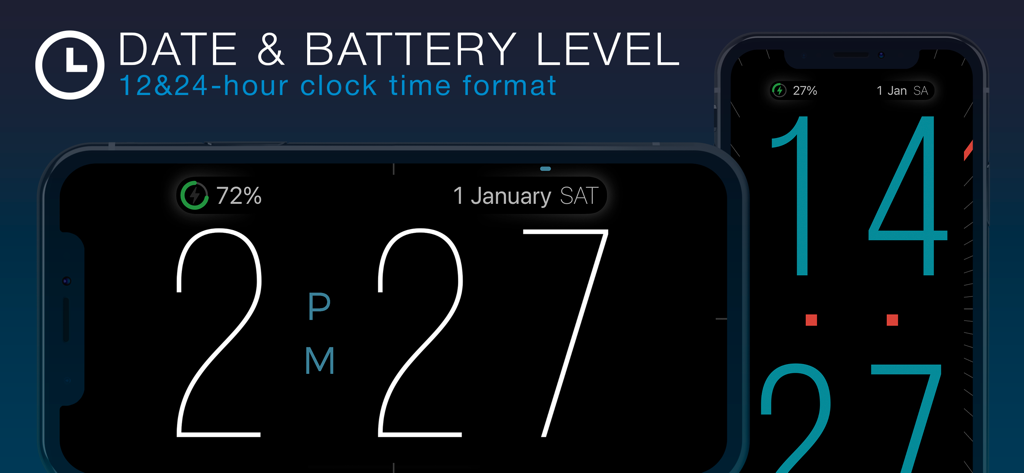
가로 및 세로 모드에서 큰 숫자, 날짜 및 배터리 잔량이 표시되는 아이폰의 디지털 시계 인터페이스.
가로 및 세로 모드에서 큰 숫자, 날짜 및 배터리 잔량이 표시되는 아이폰의 디지털 시계 인터페이스.

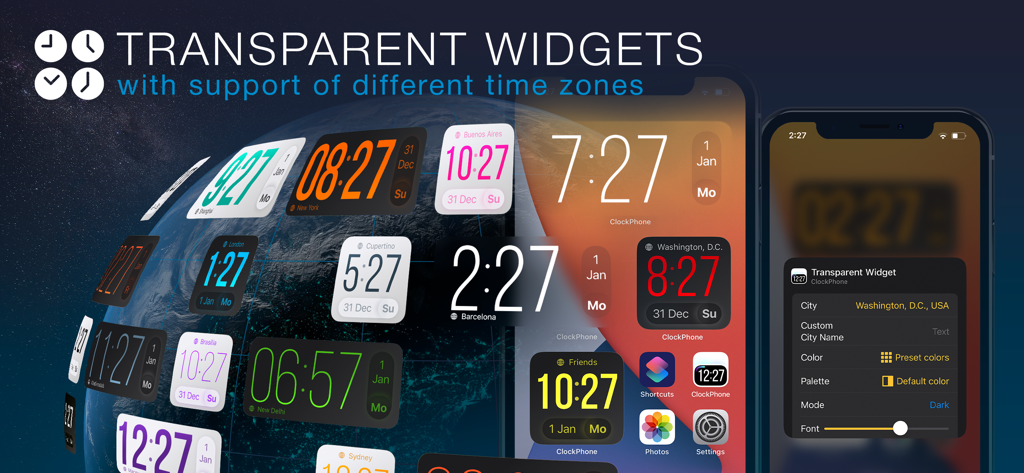
아이폰 홈 화면에서 다른 세계 시간대를 표시하는 다양한 사용자 지정 가능한 투명 시계 위젯.
아이폰 홈 화면에서 다른 세계 시간대를 표시하는 다양한 사용자 지정 가능한 투명 시계 위젯.

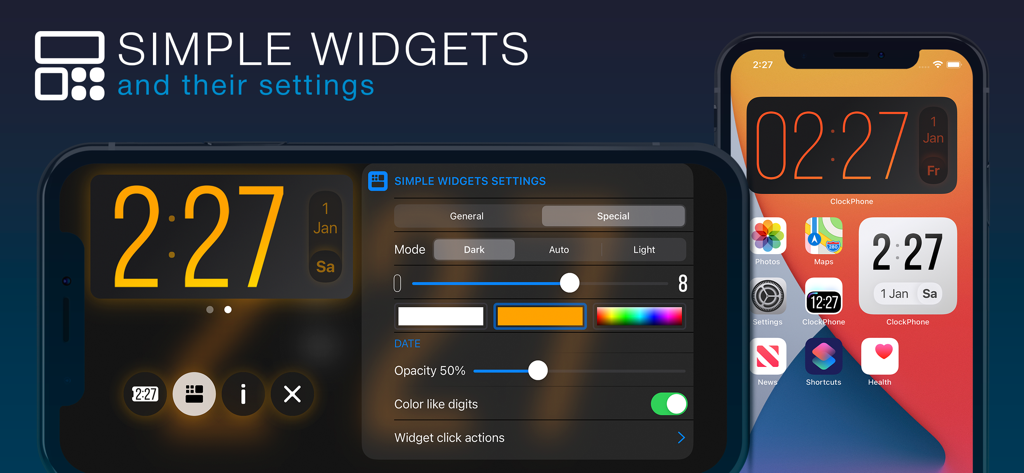
아이폰의 ClockPhone 간단한 위젯 설정 및 홈 화면 시계 디스플레이
아이폰의 ClockPhone 간단한 위젯 설정 및 홈 화면 시계 디스플레이

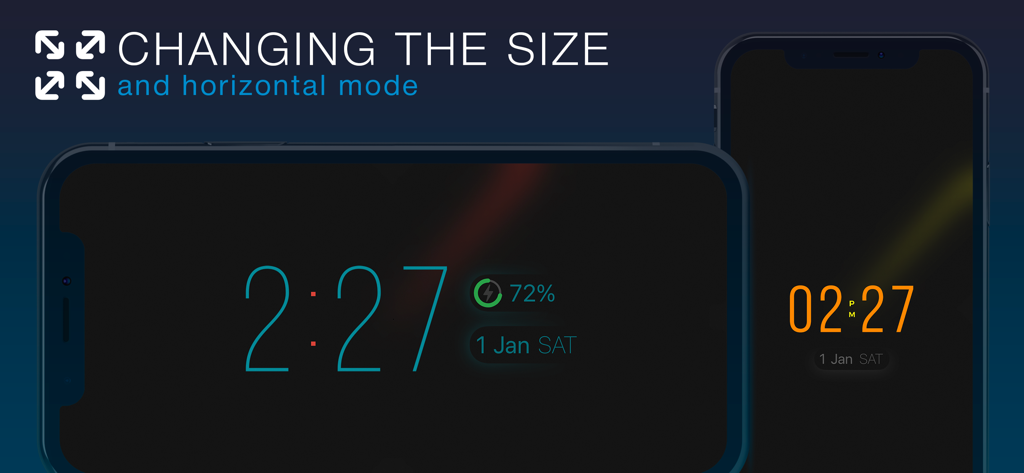
조절 가능한 숫자 크기로 가로 및 세로 모드 모두에서 디지털 시계 디스플레이를 표시하는 ClockPhone 앱
조절 가능한 숫자 크기로 가로 및 세로 모드 모두에서 디지털 시계 디스플레이를 표시하는 ClockPhone 앱

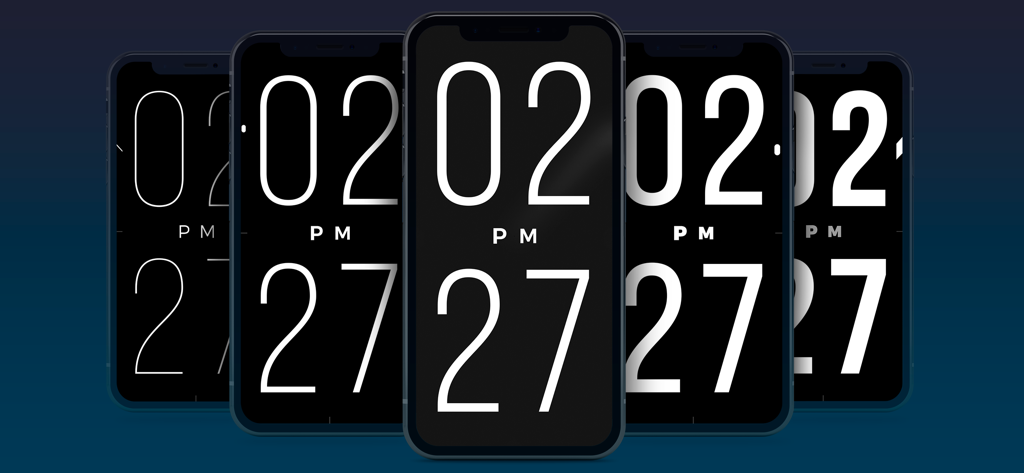
얇은 것부터 굵은 것까지 다양한 숫자 두께를 가진 ClockPhone 앱이 표시된 5개의 아이폰 시리즈
얇은 것부터 굵은 것까지 다양한 숫자 두께를 가진 ClockPhone 앱이 표시된 5개의 아이폰 시리즈

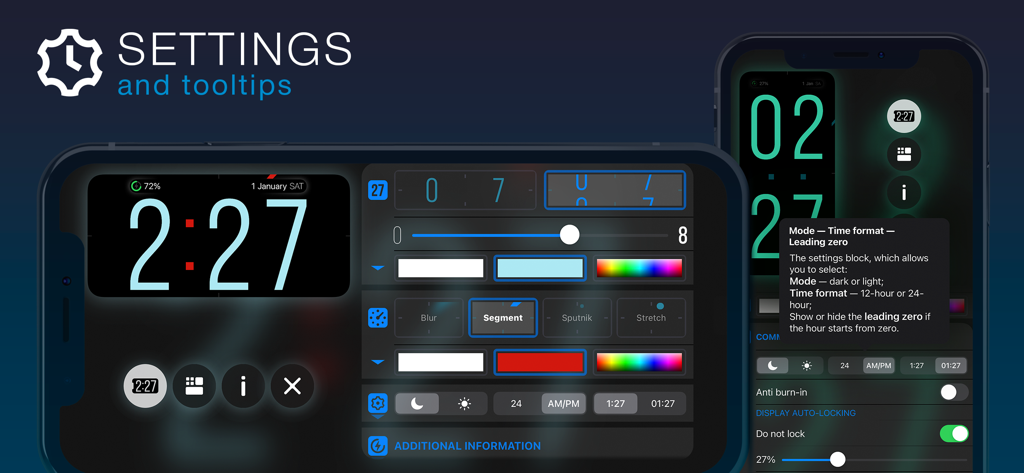
시계 사용자 지정 옵션과 유용한 툴팁을 보여주는 ClockPhone 앱 설정 인터페이스
시계 사용자 지정 옵션과 유용한 툴팁을 보여주는 ClockPhone 앱 설정 인터페이스

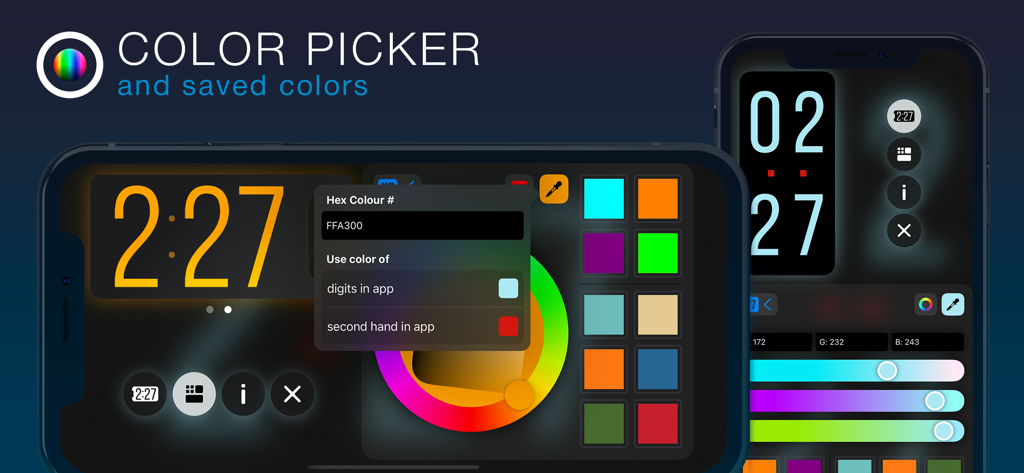
디지털 시계 숫자를 사용자 지정하기 위한 색상 선택기 휠과 16진수 코드 옵션을 보여주는 ClockPhone 앱 인터페이스
디지털 시계 숫자를 사용자 지정하기 위한 색상 선택기 휠과 16진수 코드 옵션을 보여주는 ClockPhone 앱 인터페이스

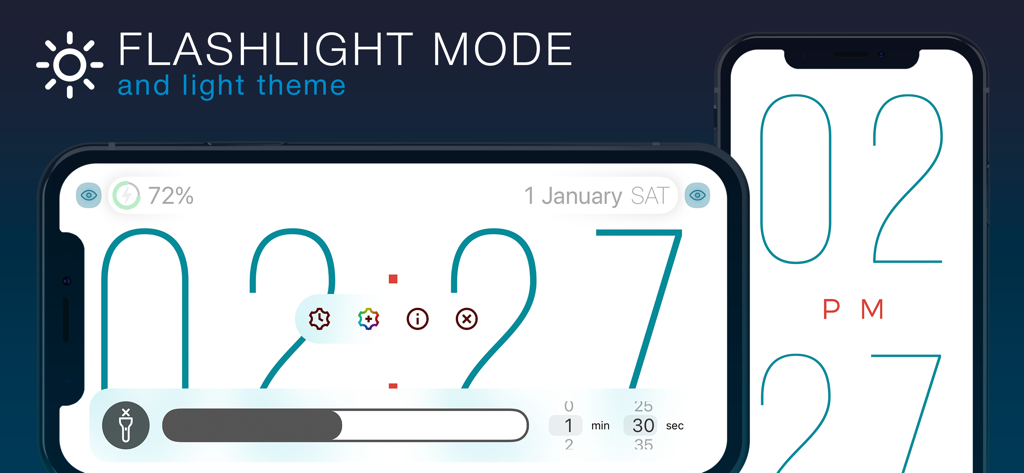
손전등 모드와 큰 디지털 숫자가 특징인 밝은 테마의 ClockPhone 앱 인터페이스
손전등 모드와 큰 디지털 숫자가 특징인 밝은 테마의 ClockPhone 앱 인터페이스

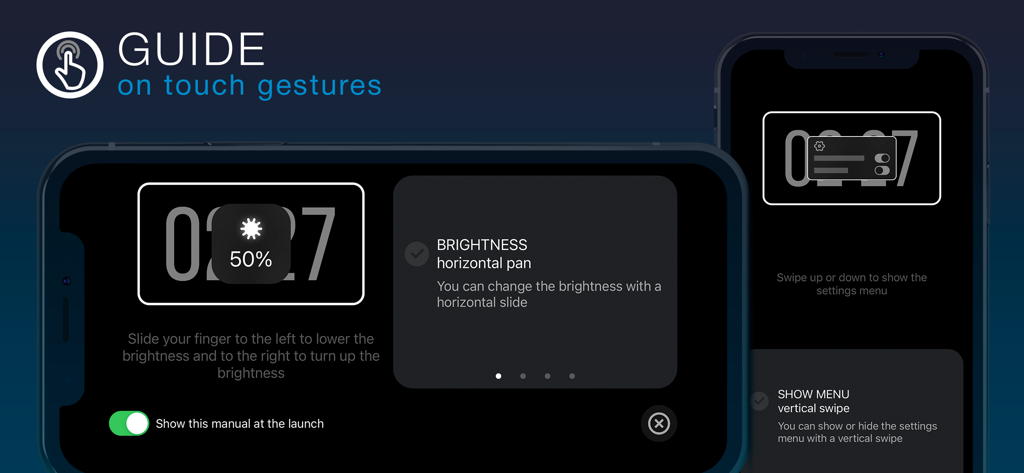
밝기 및 메뉴 탐색을 위한 터치 제스처 지침을 보여주는 ClockPhone 앱 온보딩 화면.

밝기 및 메뉴 탐색을 위한 터치 제스처 지침을 보여주는 ClockPhone 앱 온보딩 화면.

하루를 추적하는 더 스마트한 방법

이 앱을 돋보이게 하는 도구, 1M+ 명의 사용자가 선택.

🧩

실패 없는 기상 방법

수학 문제를 풀거나 욕실에서 바코드를 스캔하여 침대에서 실제로 벗어나도록 함으로써 수면 관성을 극복하세요.

최적화된 집중 및 피트니스

깊은 작업 및 운동 요구에 맞춰진 내장 뽀모도로, 타바타 및 사용자 지정 간격 타이머로 효율성을 높이세요.

세련되고 기능적인 디스플레이

기기를 디자이너 책상 시계로 바꿔보세요. 크고 읽기 쉬운 숫자, 가로 모드 지원, 화면 번인 방지 기능이 내장되어 있습니다.

앱 소개

에 대해 알아야 할 모든 것 ClockPhone big digital clocks.

설명

ClockPhone is a stylish and functional clock app that’s easy to use. It features an advanced alarm with flexible repeat settings: by day of the week, on a specific date, or following a shift schedule. And to make sure you really wake up, there are not just standard options to turn it off, but also advanced methods — like scanning an NFC tag, QR/barcode (for example, on a toothpaste tube in the bathroom), or solving math problems. ClockPhone also includes a versatile timer, perfect for workouts — including various interval types like Tabata, and productivity techniques like Pomodoro, 52/17, and 90/30 — as well as for cooking, meditation, and any task that needs precise time control. The app combines a thoughtfully designed interface with a rich feature set. Thanks to its stylish and attractive time display, ClockPhone fits beautifully into any space. The large digits are easy to read from any distance, and the second hand comes with different display modes for enhanced readability. Time transitions are smoothly animated, and the clock’s appearance is easy to customize via a functional and intuitive interface. Perfect for use on a charging dock or for bringing new life to a favorite device. It looks great in both landscape and portrait orientations. An onboarding guide shows how to control the app with gestures. You can also add ClockPhone widgets to your Home Screen to see the time and date at a glance without opening the app. There are two types of widgets — simple and transparent — each available in two sizes and with plenty of customization options. ● Key app features to tailor it to your needs and use it comfortably in any situation • Screen burn-in protection • Exit lock to prevent unauthorized closure • Simple and transparent widgets • Display of date and battery level • Customization of digit color, animation, thickness, and size • Random color changing of digits • Intuitive gestures: adjust brightness, toggle flashlight, open menu, resize digits • Time signals • Configurations — groups of settings that can be switched manually or on a schedule • Backups • Share settings, configurations, alarms, and timers • Time zone support • Display of analog and digital seconds • Time announcements for visually impaired users ● Alarm features to suit any routine, habit, or personal preference • Repeats by weekday, shift schedule, or specific date • Option to postpone the next trigger • Dismiss methods: standard, NFC tag scan, QR/barcode scan, or solving math problems • Support for custom sounds from the Music library or files saved in iCloud • Gradual volume increase • Flexible snooze options: number of repeats and snooze duration • Actions upon alarm dismissal ● Unique timer features to suit various use cases: interval training, productivity methods for work or study, and more • Multiple intervals with different durations • Repeat settings for entire interval series • Sound at the end of an interval or name announcement at the start • Pause or automatic transition to the next interval • Actions upon timer completion ClockPhone is constantly evolving based on user feedback. Install it on your iPhone, iPad, or iPod touch — and you won’t want to be without it!

최신 버전

2.4.5

크기

201.3 MB

출시일

2019년 11월 4일

지금 바로 시간 관리를 혁신하세요

100만 명이 넘는 사용자와 함께 아이폰이나 아이패드를 궁극의 생산성 허브, 실패 없는 알람, 스타일리시한 침대 옆 동반자로 바꿔보세요.

다운로드: App Store

App information, icons, screenshots, and descriptions displayed on this page are sourced from the Apple App Store and are the property of their respective developers. Download estimates and rankings are based on MWM's proprietary models and may not reflect actual figures. This page is provided for informational and analytical purposes only.

Believe this page infringes your intellectual property? File a dispute