
이 페이지는 앱이나 개발자의 공식 페이지가 아니며, 정보 제공 및 논평을 목적으로 작성된 독립 편집 간행물입니다. 명시적으로 달리 언급되지 않는 한, 해당 앱이나 개발자는 MWM, Apple, Google Play, 앱 퍼블리셔 또는 앱 개발자와 제휴, 보증, 후원, 승인 또는 공식적으로 연결되어 있지 않으며, 이 페이지의 어떤 내용도 해당 앱이 MWM의 서비스를 사용하여 개발되었음을 의미하지 않습니다. 모든 상표, 로고, 스크린샷 및 기타 콘텐츠는 해당 소유자의 자산입니다.

Concepts
아이디어 구상과 현실 사이의 간극을 유연한 벡터 기반 스케치북으로 연결하세요. 전문가 워크플로우와 기술적 정밀도를 위해 제작된 무한 캔버스에서 아이디어를 스케치하고, 조정하고, 확장하세요.
다운로드
10M+사용자 평점
총 평가 수
143K+개발사
카테고리
Graphics & Design지원 언어
12최신 버전
6.30.1크기
208.1 MB출시일
2012년 10월 6일경계 없는 디자인
Concepts는 고성능 벡터 기반 작업 공간을 제공하여 전문 디자이너, 건축가, 시각적 사고가들이 가장 큰 아이디어를 반복하고, 다듬고, 내보낼 수 있게 합니다.
무한한 창의적 자유
페이지 경계에 더 이상 부딪히지 마세요. 무한 캔버스를 통해 단일하고 유연하며 반응성이 뛰어난 작업 공간에서 끝없는 반복과 복잡한 마인드맵을 탐색할 수 있습니다.
벡터 기반 정밀도
벡터의 힘으로 연필의 자연스러운 느낌을 즐기세요. 단 한 줄도 다시 그릴 필요 없이 모든 획을 개별적으로 선택, 조정, 편집할 수 있습니다.
자주 묻는 질문
에 대해 알아야 할 모든 것 Concepts
Concepts 앱이란 무엇인가요?
Concepts는 사용자가 아이디어를 생각하고, 계획하고, 만들 수 있는 유연한 벡터 기반 스케치북입니다. 무한 캔버스를 제공하여 스케치, 노트 필기, 디자인에 사용할 수 있으며, 편집 및 확장이 가능한 스트로크 기능을 제공합니다.
Concepts 앱은 무료로 사용할 수 있나요?
네, Concepts는 무한 캔버스, 선택된 용지 유형, 기본 도구, 전체 COPIC/RGB/HSL 색상환, 5개의 레이어, 무제한 그림, JPG 내보내기 등 무료 기능을 제공합니다.
Concepts에서 사용할 수 있는 유료 기능은 무엇인가요?
Concepts는 200개 이상의 브러시/객체 라이브러리, 팀 공유, 크로스 플랫폼 액세스를 위한 구독을 통해 유료 기능을 제공합니다. 일회성 구매에는 평생 이용 가능한 Essentials, 전문가용 브러시, PDF 워크플로가 포함됩니다.
Concepts 앱으로 이미지와 PDF 파일을 가져올 수 있나요?
네, Concepts 앱을 사용하면 이미지를 드래그 앤 드롭하거나 PDF 파일을 캔버스에 가져올 수 있습니다. 이 기능은 앱 내 프로젝트 워크플로 및 협업을 향상시킵니다.
Concepts는 벡터 기반 스케치를 지원하나요?
네, Concepts는 벡터 기반이므로 모든 스트로크를 편집하고 확장할 수 있습니다. 사용자는 Nudge, Slice, Select와 같은 도구를 사용하여 다시 그리지 않고도 스케치 요소를 쉽게 변경할 수 있습니다.
Concepts는 어떤 내보내기 형식을 지원하나요?
Concepts는 인쇄 또는 앱 통합을 위해 이미지, 벡터 SVG 및 PDF를 내보낼 수 있습니다. 무료 기능은 JPG 내보내기를 허용하며, 유료 Essentials는 PNG, PSD, SVG 및 DXF를 잠금 해제합니다.
Concepts 앱 구독은 어떻게 관리하나요?
사용자는 iTunes 계정 설정 내에서 언제든지 Concepts 구독을 관리하거나 취소할 수 있습니다. 구독은 청구 기간이 종료되기 24시간 전에 취소하지 않으면 자동으로 갱신됩니다.
Concepts에는 다른 색상환이 있나요?
네, Concepts는 HSL, RGB 및 COPIC 색상환을 제공합니다. 전체 COPIC 색상 스펙트럼은 무료 버전에서 사용할 수 있어 창의적인 프로젝트를 위한 색상 선택을 향상시킵니다.
Concepts를 팀 협업에 사용할 수 있나요?
네, Concepts는 유료 구독 기능으로 팀 공유를 제공합니다. 이를 통해 객체 라이브러리, 색상 팔레트 및 브러시의 실시간 공유를 포함한 원활한 협업이 가능합니다.
Concepts Premium 기능을 무료로 체험해 볼 수 있나요?
네, 사용자는 7일 무료 체험판으로 Concepts Premium을 무료로 사용해 볼 수 있습니다. 이 체험 기간 동안 모든 플랫폼에서 모든 구독 기능을 사용할 수 있습니다.
다음 스크린샷과 설명은 앱의 공식 스토어 목록에서 직접 가져온 것이며 앱 개발자의 자산입니다.
앱 스토어
스크린샷
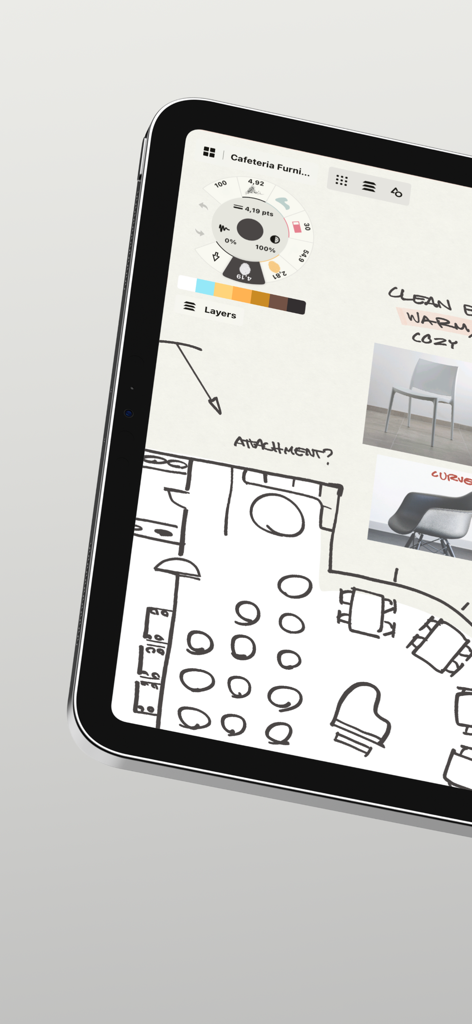
태블릿의 Concepts 앱 인터페이스에 표시된 평면도 스케치와 가구 무드보드.
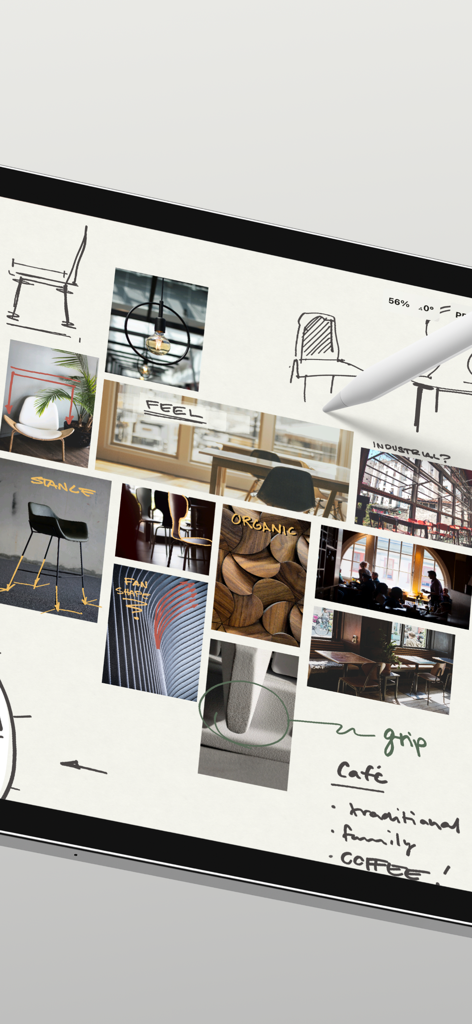
Concepts 앱의 스케치와 참고 이미지가 있는 전문 디자인 무드보드
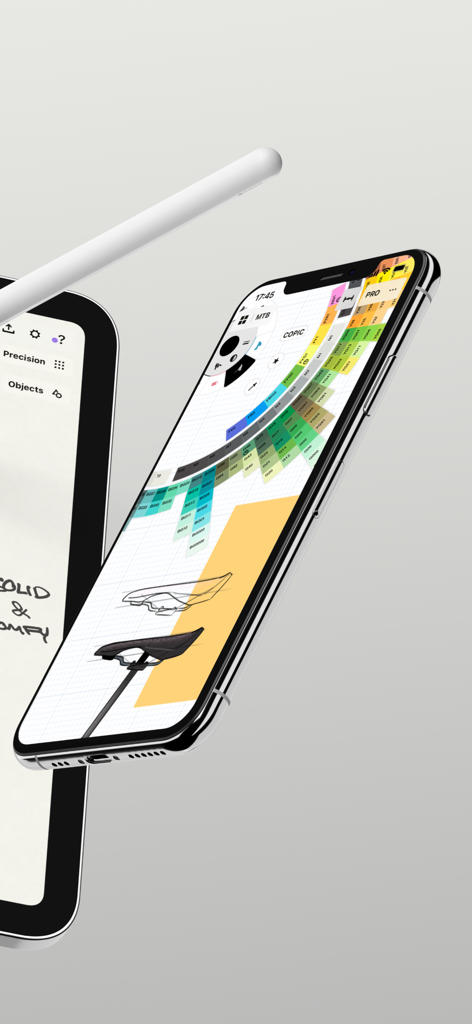
COPIC 색상환과 산업 디자인 스케치가 있는 Concepts 앱 인터페이스를 표시하는 iPhone
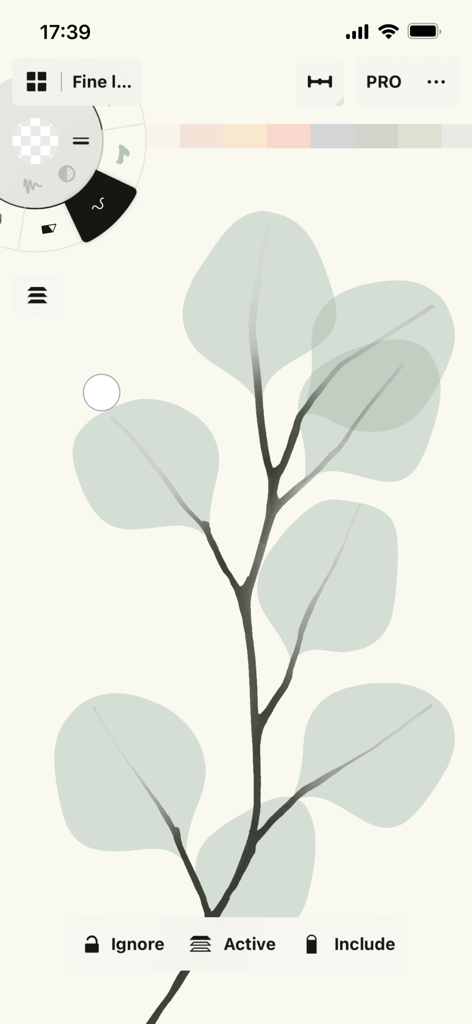
Concepts 앱 벡터 드로잉 인터페이스의 유칼립투스 잎 스케치
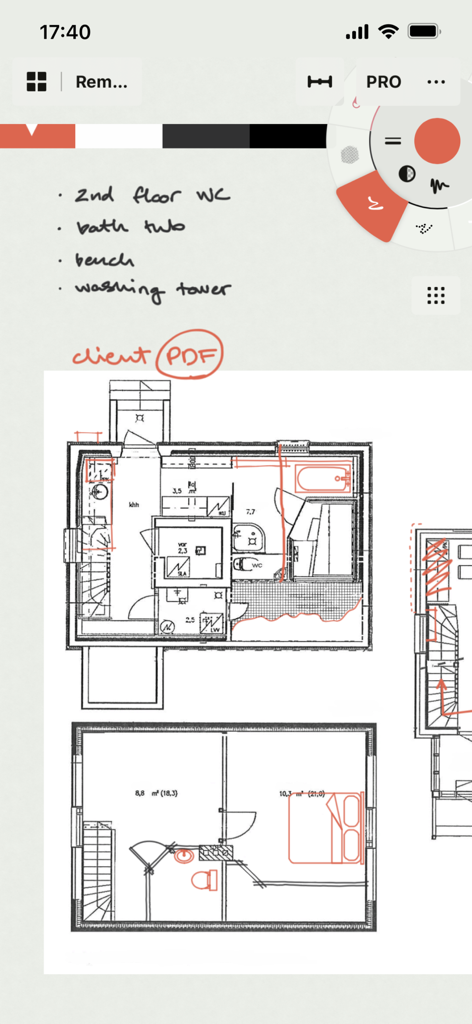
Concepts 앱 인터페이스의 건축 평면도에 있는 손글씨 메모
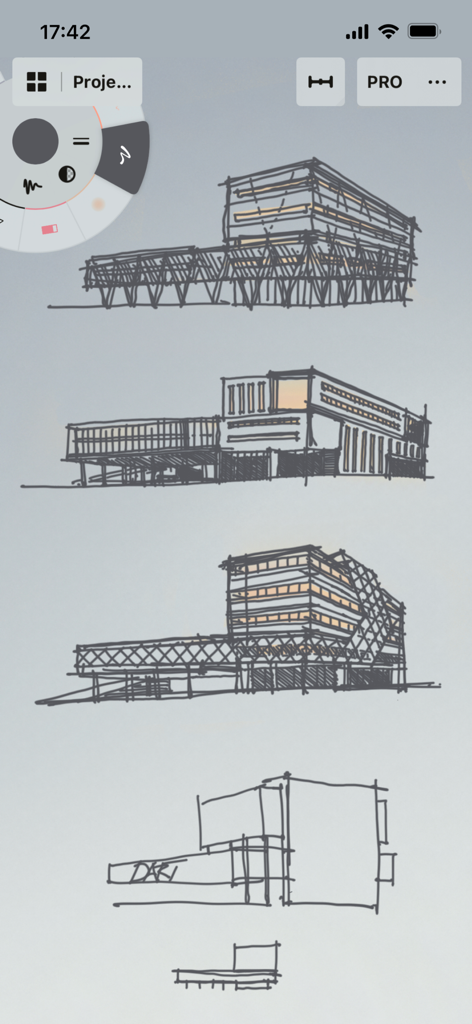
Concepts 앱 인터페이스의 건축물 스케치
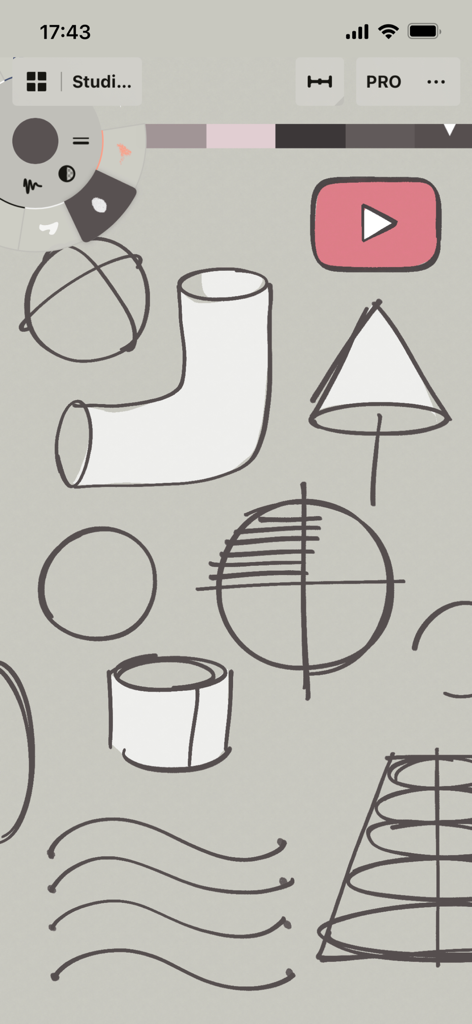
Concepts 앱의 기술 스케치 및 도구 휠 인터페이스.
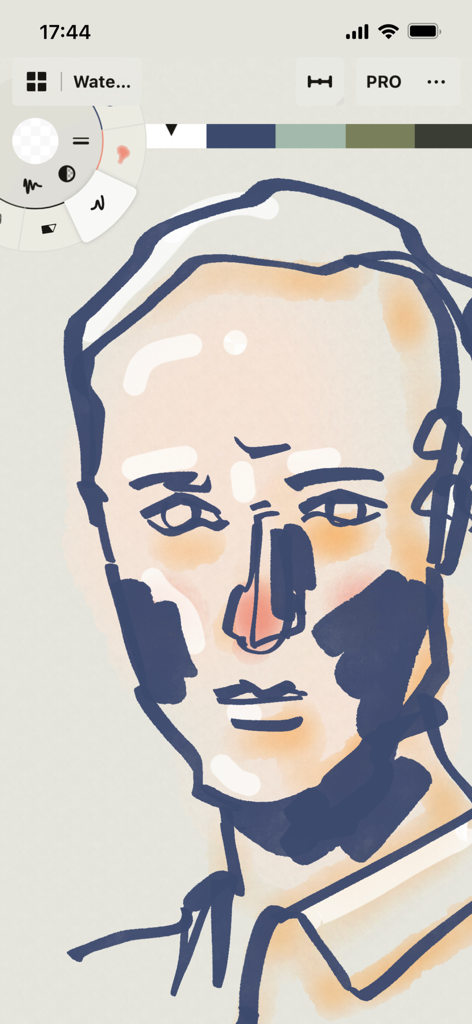
Concepts 앱에서 디지털 수채화 및 잉크 도구를 사용하여 제작 중인 스타일화된 얼굴 일러스트레이션
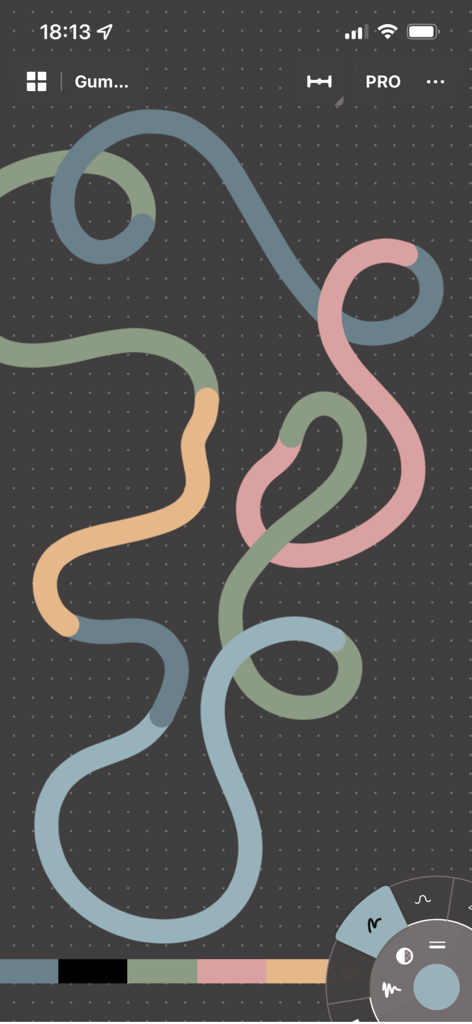
Concepts 앱의 어두운 그리드 캔버스에 있는 여러 색상의 반복되는 벡터 선
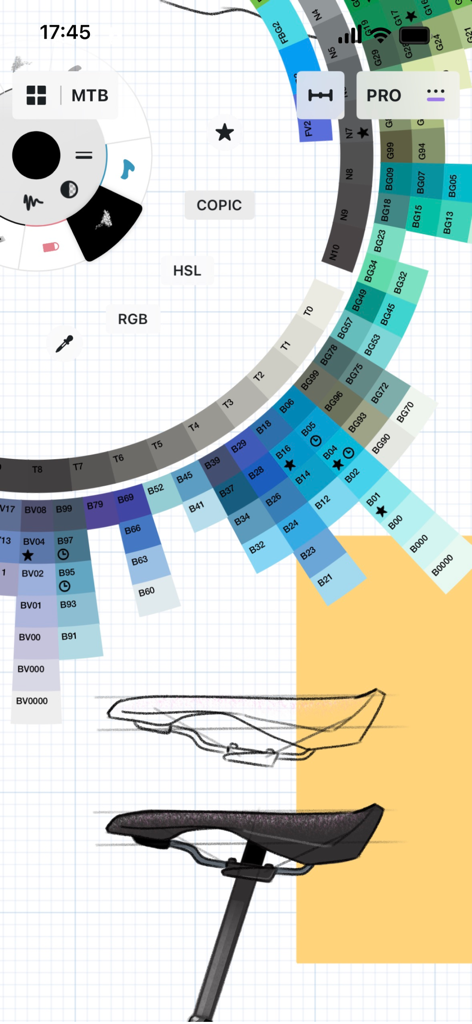
COPIC 색상환 인터페이스가 있는 자전거 안장의 산업 디자인 Concepts 앱
설명
Download
비슷한 앱
유사한 기능과 사용자 경험을 가진 앱

Sketchbook®
Sketchbook, Inc.

Mental Canvas Draw
Mental Canvas, Inc.

ibis Paint
ibis inc.

ibis Paint X
ibis inc.

Paper: Sketch, Draw & Create
Evernote Corporation

Adobe Fresco: Draw & Paint App
Adobe Inc.

Art Set 4
Lofopi Ltd

MediBang Paint – Drawing & Art
MediBang inc.

Tayasui Sketches
SKETCHES SRL
이 페이지는 앱이나 개발자의 공식 페이지가 아니며, 정보 제공 및 논평을 목적으로 작성된 독립 편집 간행물입니다. 명시적으로 달리 언급되지 않는 한, 해당 앱이나 개발자는 MWM, Apple, Google Play, 앱 퍼블리셔 또는 앱 개발자와 제휴, 보증, 후원, 승인 또는 공식적으로 연결되어 있지 않으며, 이 페이지의 어떤 내용도 해당 앱이 MWM의 서비스를 사용하여 개발되었음을 의미하지 않습니다. 모든 상표, 로고, 스크린샷 및 기타 콘텐츠는 해당 소유자의 자산입니다.