Control Samsung Smart TV
다운로드: App Store

이 페이지는 앱이나 개발자의 공식 페이지가 아니며, 정보 제공 및 논평을 목적으로 작성된 독립 편집 간행물입니다. 명시적으로 달리 언급되지 않는 한, 해당 앱이나 개발자는 MWM, Apple, Google Play, 앱 퍼블리셔 또는 앱 개발자와 제휴, 보증, 후원, 승인 또는 공식적으로 연결되어 있지 않으며, 이 페이지의 어떤 내용도 해당 앱이 MWM의 서비스를 사용하여 개발되었음을 의미하지 않습니다. 모든 상표, 로고, 스크린샷 및 기타 콘텐츠는 해당 소유자의 자산입니다.

로고: Control Samsung Smart TV
다운로드: App Store

Control Samsung Smart TV

리모컨을 찾느라 시간을 낭비하지 마세요. 집에서 편안하게 TV를 제어하세요. 반응성이 뛰어난 터치패드로 탐색하고, 앱을 즉시 실행하고, 추가 하드웨어 없이 대형 화면으로 미디어를 전송할 수 있습니다.

주요 수치

다운로드

84K+

사용자 평점

3.9/5

총 평가 수

100

개발사

Invikta Technology Ltd

카테고리

Utilities

지원 언어

20

최신 버전

1.9

크기

37.6 MB

출시일

2024년 6월 26일
기능

삼성 TV를 위한 최고의 제어 센터

부피 큰 플라스틱 리모컨은 잊으세요. 현대적인 스마트 홈과 당신의 생활 방식에 맞춰 설계된 세련되고 반응성이 뛰어난 인터페이스로 탐색, 스트리밍, 전송하세요.

정밀 터치 탐색

복잡한 메뉴를 넘나드는 번거로움은 이제 그만. 고급 터치패드와 아이폰 키보드를 사용하여 영화를 검색하고 웹을 완벽하게 탐색하세요.

즉각적인 앱 실행 허브

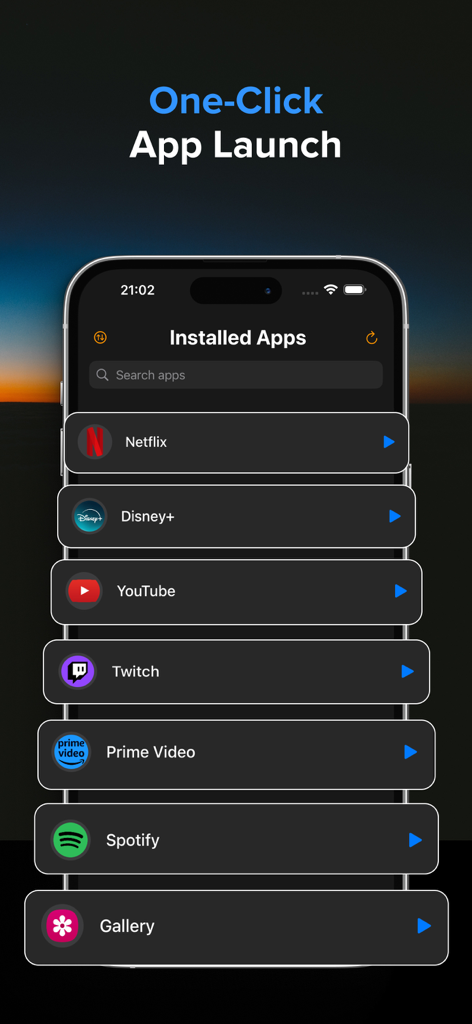
스크롤은 건너뛰세요. 넷플릭스, 유튜브, 훌루와 같은 모든 TV 앱 라이브러리를 한 곳에서 액세스하고 한 번의 탭으로 실행하세요.

다음 스크린샷과 설명은 앱의 공식 스토어 목록에서 직접 가져온 것이며 앱 개발자의 자산입니다.

앱 스토어

스크린샷
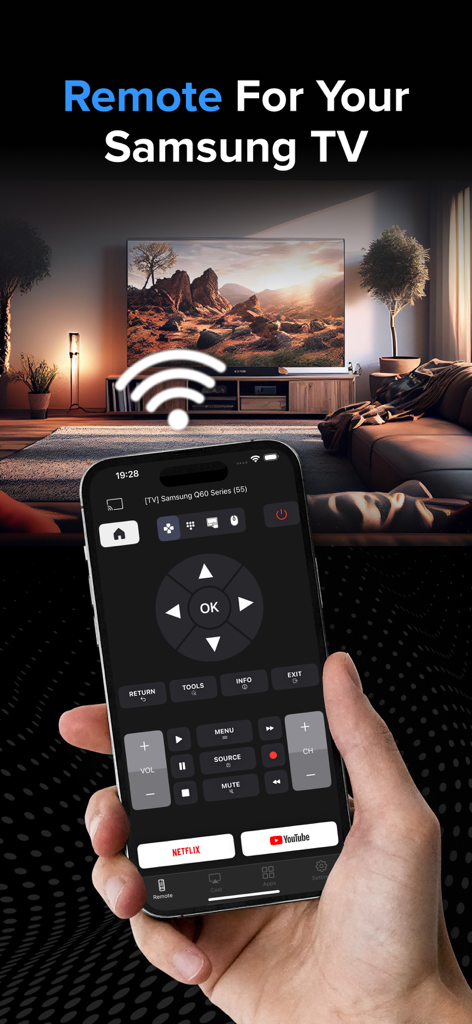
Control Samsung Smart TV - 한 손에 아이폰을 들고 거실의 스마트 TV 앞에 있는 삼성 TV 리모컨 앱 인터페이스를 보여주는 모습.
한 손에 아이폰을 들고 거실의 스마트 TV 앞에 있는 삼성 TV 리모컨 앱 인터페이스를 보여주는 모습.

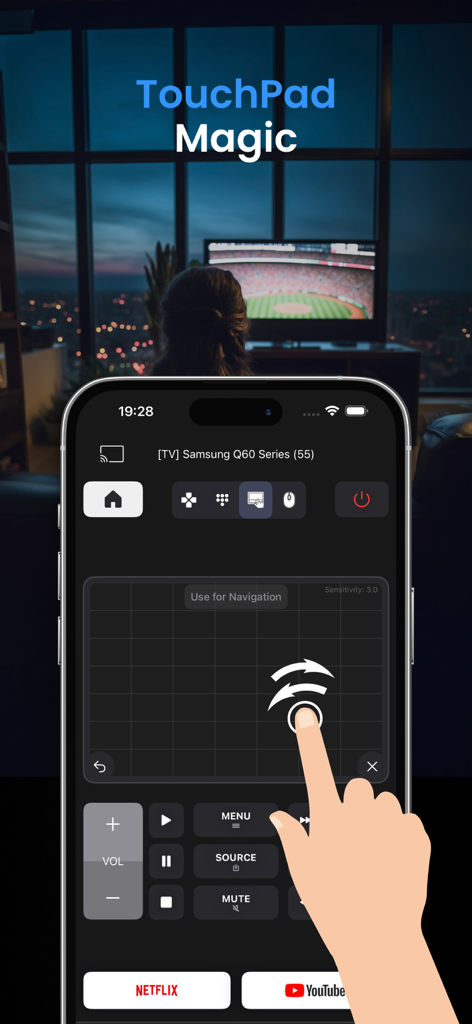
Control Samsung Smart TV - 삼성 스마트 TV를 탐색하기 위한 터치패드 기능을 보여주는 아이폰 앱 화면
삼성 스마트 TV를 탐색하기 위한 터치패드 기능을 보여주는 아이폰 앱 화면

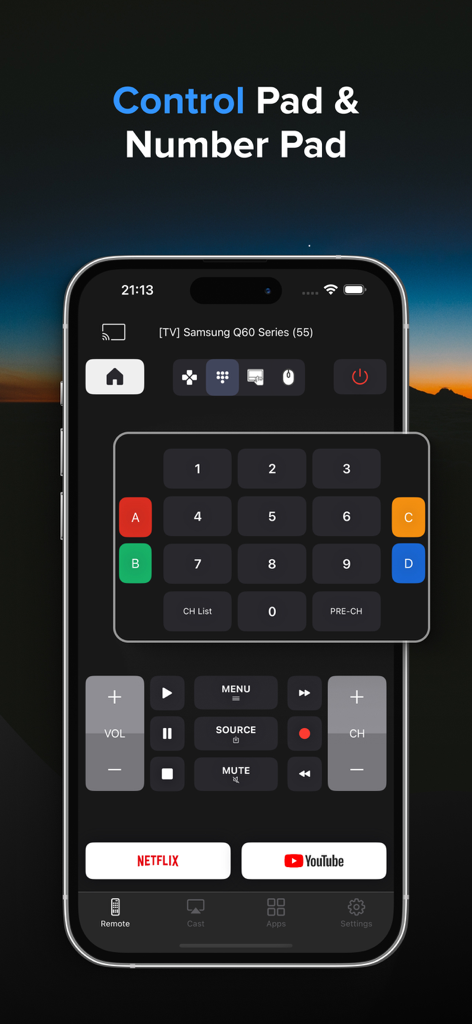
Control Samsung Smart TV - 스마트폰 화면에 숫자 키패드와 재생 컨트롤을 보여주는 삼성 TV 리모컨 앱 인터페이스
스마트폰 화면에 숫자 키패드와 재생 컨트롤을 보여주는 삼성 TV 리모컨 앱 인터페이스

Control Samsung Smart TV - 원클릭 실행을 위해 설치된 스트리밍 앱 목록을 보여주는 삼성 TV 리모컨 앱의 인터페이스
원클릭 실행을 위해 설치된 스트리밍 앱 목록을 보여주는 삼성 TV 리모컨 앱의 인터페이스

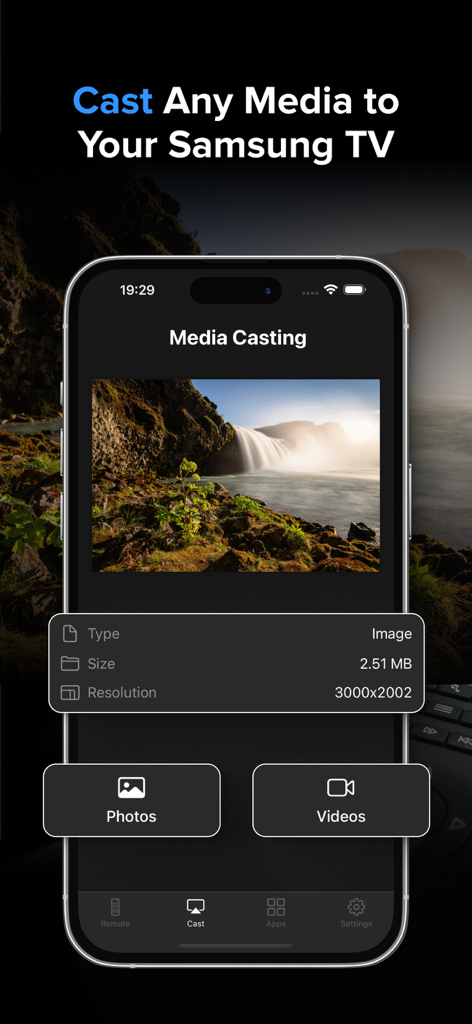
Control Samsung Smart TV - 삼성 스마트 TV 리모컨 앱의 미디어 전송 기능으로 사진 및 동영상 옵션을 보여줌
삼성 스마트 TV 리모컨 앱의 미디어 전송 기능으로 사진 및 동영상 옵션을 보여줌

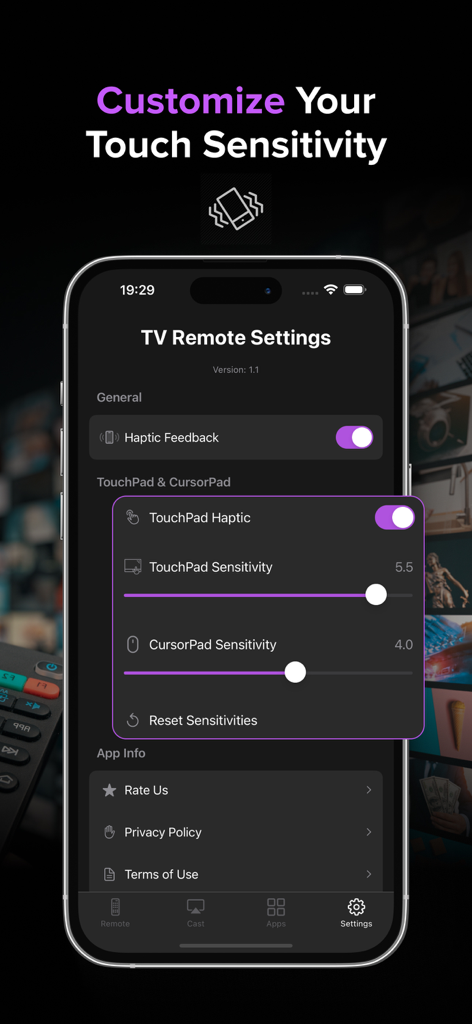
Control Samsung Smart TV - 터치 감도 및 햅틱 피드백 조정을 보여주는 삼성 스마트 TV 리모컨용 모바일 앱 설정 화면
터치 감도 및 햅틱 피드백 조정을 보여주는 삼성 스마트 TV 리모컨용 모바일 앱 설정 화면

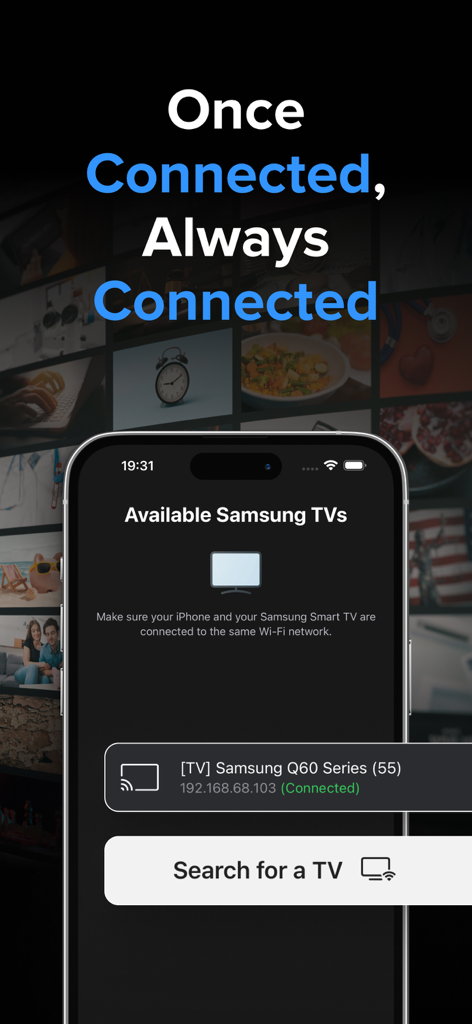
Control Samsung Smart TV - 동일한 Wi-Fi 네트워크에 연결된 사용 가능한 삼성 스마트 TV를 보여주는 아이폰 앱

동일한 Wi-Fi 네트워크에 연결된 사용 가능한 삼성 스마트 TV를 보여주는 아이폰 앱

설명

Samsung TV Remote Control: Your Ultimate Smart TV Companion Transform your iPhone into a powerful, intuitive remote for your Samsung Smart TV! Our app brings the convenience of your TV controls right to your fingertips, offering a seamless and enhanced viewing experience. Key Features: - TouchPad: Navigate your TV with precision using our responsive and advanced TouchPad. Works with TV navigation, all apps and web browser. - Precision Control Customization: Adjustable sensitivity settings for both TouchPad and CursorPad for accurate navigation. - Launch App Hub: Access all your TV's installed apps in one place. Launch any app with a single tap, making it easier than ever to start your favorite content. - Remote Control: Navigate your TV with ease using our sleek, user-friendly interface. Control volume, change channels, access menus, and more - all from your iPhone. - Haptic Feedback: Experience satisfying tactile responses with every button press, making navigation more intuitive and engaging. - Multi-TV Support: Easily switch between multiple Samsung TVs in your home. Perfect for households with several smart TVs. - Quick Launch Apps: Start your favorite streaming services like Netflix and YouTube with just one tap. - Media Casting: Share your memories on the big screen! Cast photos and videos directly from your iPhone to your Samsung TV with our simple-to-use interface. - Customizable Interface: Choose between arrow keys or a dial pad for navigation, tailoring the remote to your preference. - Power Control: Turn your TV on and off remotely - perfect for those cozy nights when you don't want to leave your bed. - Advanced Playback Controls: Play, pause, fast-forward, and rewind with dedicated media control buttons. - No Additional Hardware: Works over your home Wi-Fi network - no dongles or additional hardware required! Experience the future of TV control today! Transform now the way you interact with your Samsung Smart TV! Note: Requires your iPhone and your Samsung TV to be connect on the same Wi-Fi network. * Upgrade to Premium to remove ads and unlock all features, including the Launch App Hub, Touchpad & Media Casting. The Premium subscription costs $3.99 per week. Information about the auto-renewable nature of the Premium Subscription: - Your iTunes account will be charged for the subscription, which automatically renews unless auto-renew is turned off at least 24 hours before the current period ends. The cost of renewal will be the same as the original subscription price. - You can manage auto-renewal in your Account Settings at any time. Please note that refunds are not provided for any unused portion of the subscription. Terms of use: https://reportking.app/remotetvapp/terms.html

Download

다운로드: App Store

이 페이지는 앱이나 개발자의 공식 페이지가 아니며, 정보 제공 및 논평을 목적으로 작성된 독립 편집 간행물입니다. 명시적으로 달리 언급되지 않는 한, 해당 앱이나 개발자는 MWM, Apple, Google Play, 앱 퍼블리셔 또는 앱 개발자와 제휴, 보증, 후원, 승인 또는 공식적으로 연결되어 있지 않으며, 이 페이지의 어떤 내용도 해당 앱이 MWM의 서비스를 사용하여 개발되었음을 의미하지 않습니다. 모든 상표, 로고, 스크린샷 및 기타 콘텐츠는 해당 소유자의 자산입니다.








