문서를 디지털화하고, OCR로 텍스트를 추출하고, 이동 중에도 계약서에 서명하세요. iPhone을 번거로움 없고 전문적인 삶을 위한 고성능 생산성 도구로 변환하세요.
개발사
Kartik Nakrani
카테고리
Productivity
다운로드
712K+
사용자 평점
4.6/5
총 평가 수
16K+
지원 언어
1
생산성을 한눈에
이 인터페이스를 사용하는 712K+ 명의 사용자.
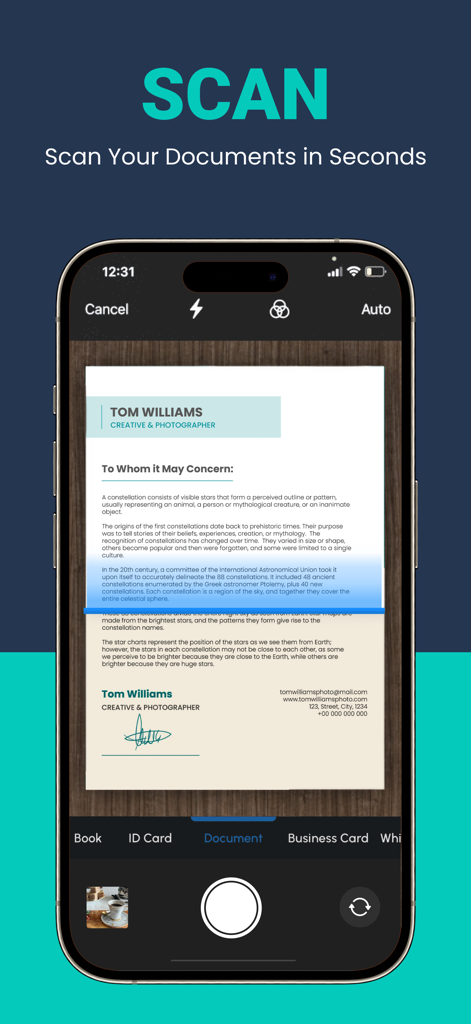
몇 초 안에 문서를 스캔하는 iPhone 앱 인터페이스
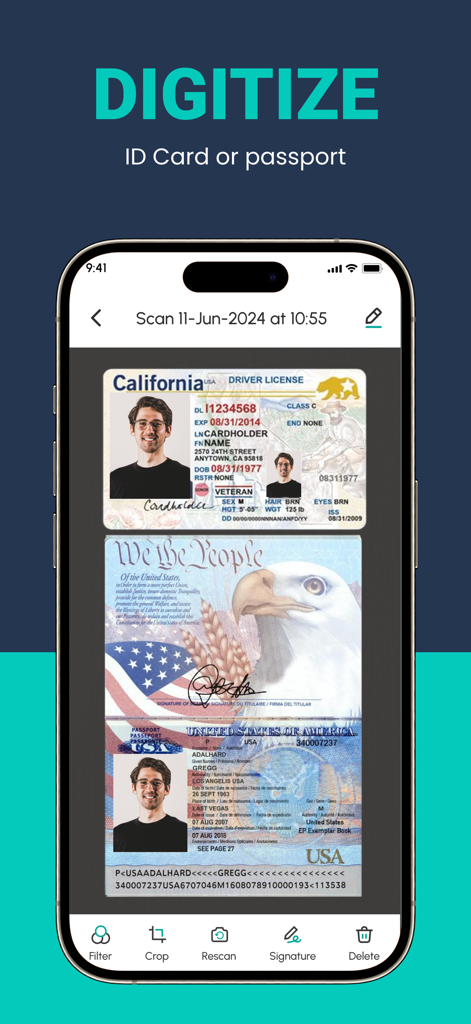
문서 편집 도구로 캘리포니아 운전 면허증과 미국 여권을 디지털화하는 ScanLuxe 앱을 보여주는 스마트폰 화면
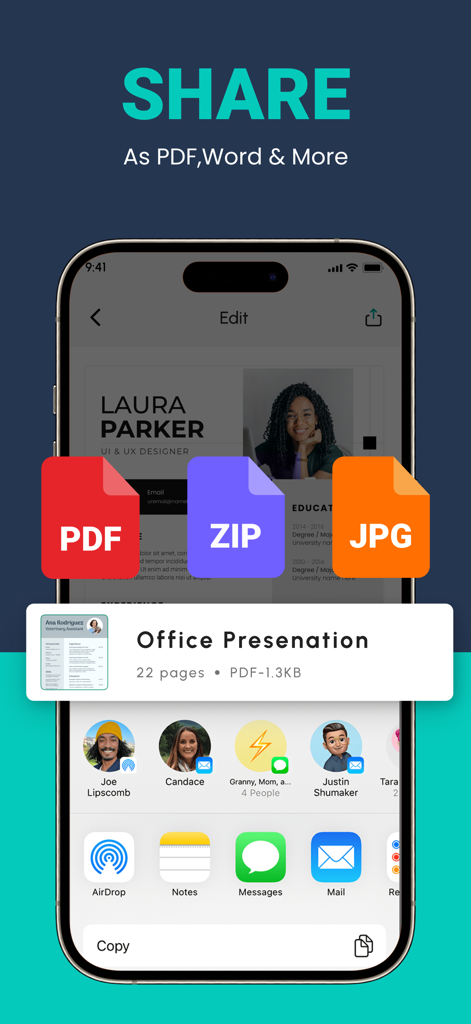
PDF, ZIP 및 JPG 형식으로 스캔된 문서를 공유하기 위한 모바일 앱 인터페이스
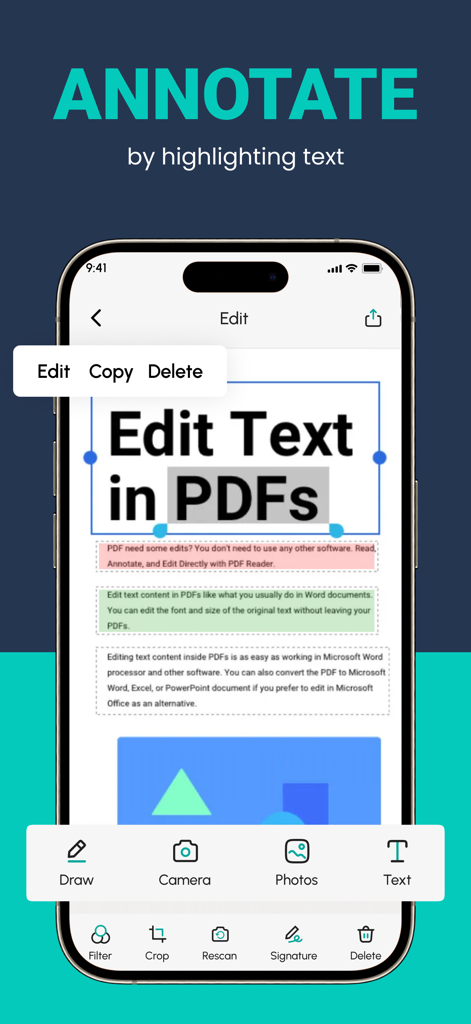
PDF 문서에서 텍스트를 주석 처리하고 편집하기 위한 모바일 앱 인터페이스
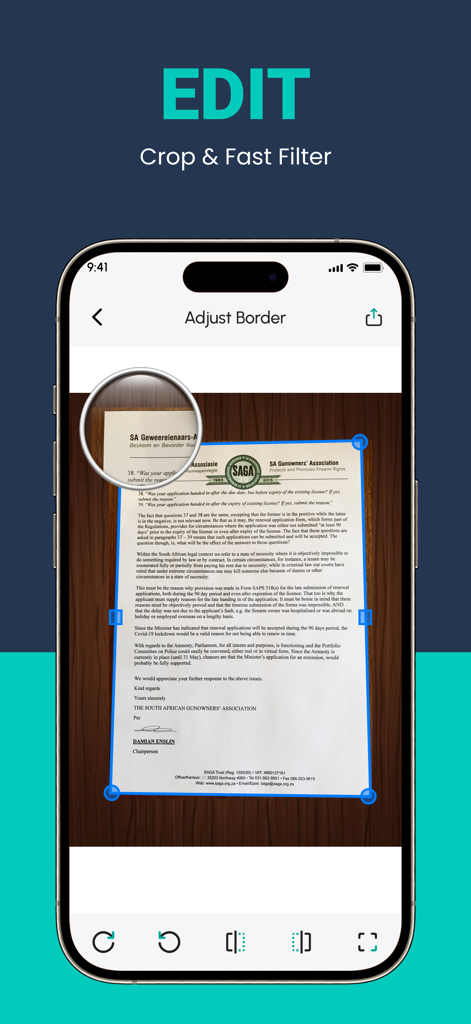
스캔된 문서에 대한 ScanLuxe 앱 자르기 및 테두리 조정 도구를 표시하는 스마트폰 화면
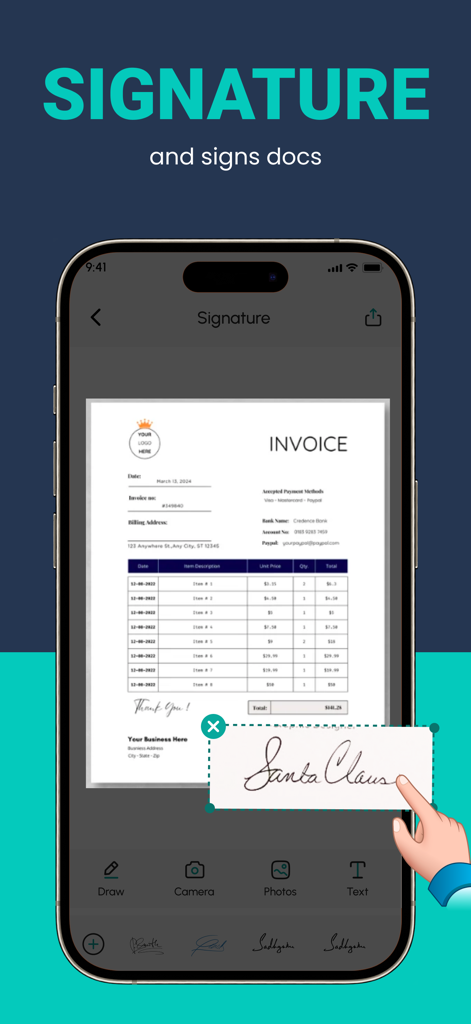
ScanLuxe PDF 스캐너 앱을 사용하여 송장 문서에 디지털 서명을 추가합니다.
주머니 속 생산성 파워하우스
이 앱을 돋보이게 하는 도구, 712K+ 명의 사용자가 선택.
📸
크리스탈처럼 선명한 디지털화
스마트 자동 자르기 및 사무실 하드웨어에 필적하는 전문가 수준의 필터로 종이 문서를 고해상도 PDF로 즉시 변환하세요.
🔍
AI 기반 텍스트 인식
수동 입력 시간을 절약하세요. 당사의 고급 OCR 기술은 스캔에서 텍스트를 추출하여 편집, 검색 및 데이터를 즉시 복사할 수 있습니다.
🖋️
이동 중 서명 및 보안
가장 중요한 문서에 디지털 서명, 사용자 지정 워터마크 및 전문적인 서식을 추가하여 비즈니스 거래를 즉시 완료하세요.
앱 소개
에 대해 알아야 할 모든 것 Convert Image to PDF :ScanLuxe.
설명
A PDF scanner app is a mobile application designed to convert physical documents, such as papers, receipts, or photographs, into digital PDF files using your smartphone or tablet's camera. Would you like to keep your entire office in your pocket and increase your productivity at work?
Use the PDF Scanner : Photo Editor app to handle your paperwork with ease. Say goodbye to huge and heavy copy machines and get this ultra-fast scanner app now. Among these indispensable tools, the PDF scanner emerges as an invaluable solution, revolutionizing the way we interact with paper documents and ushering in the era of digital transformation.
HOW IT WORKS
• With the PDF scanner : Photo Editor app, you can make anything scannable.
• Use the PDF scanner to quickly create a photo scan or PDF scan.
• Scan any document and convert to PDF.
SCAN ANYTHING, ANYWHERE, ANYTIME
• Capture forms, receipts, notes, and business cards with this mobile PDF scanner.
• The PDF scanner : Photo editor app even lets you scan multi-page documents and save with a single tap.
ENHANCE
• Touch up scans or photos from your camera roll.
• Whether it’s a PDF or photo scan, you can preview, reorder, crop, rotate, and adjust color.
The PDF scanner is engineered to ensure the highest level of accuracy during the document digitization process. Equipped with advanced Optical Character Recognition (OCR) technology, this tool meticulously converts scanned images into editable text & Filters. Furthermore, the PDF scanner can recognize various fonts, filters and layouts, making it adept at transforming diverse documents, such as contracts, invoices, and even handwritten notes, into digital format without compromising accuracy.
FEATURES
* Quickly Digitize Documents
The PDF Scanner : Photo Editor app uses the camera on your mobile device to scan and digitize all kinds of paper documents: receipts, notes, invoices, whiteboard discussions, business cards, certificates, etc.
* Optimize Scan Quality
Smart cropping and auto enhancing ensure the text and graphics in your scans are clear and sharp with premium colors, filters and resolutions.
* Extract Text
The optical character recognition (OCR) feature of this scanner app enables you to recognize text in images or PDFs. You can extract the text for later searching, editing, saving or sharing.
* Share PDF Files
With this PDF scanner, you can easily share documents in PDF or format with friends in multiple ways: share with social media, send attachments or download links through email, etc.
* Advanced Document Editing
Make annotations on documents using a full set of editing tools in this PDF scanner. You can also add a customized watermark to mark your own documents. This feature allows you to search for keywords within the PDF or copy and edit the recognized text.
* PDF Creation and Editing
The scanned images are converted into PDF format, and the app typically provides options to combine multiple scans into a single PDF file. You can also rearrange, rotate, or delete pages within the PDF, as well as add annotations, signatures, Text, Filters or watermarks.
Disclaimer for automatic renewable subscription:-
The payment will be charged to your Apple ID Account at confirmation of purchase.
The subscription renews automatically unless the auto-renew is turned off at least 24 hours before the end of the current billing period.
Your account will be charged for renewal within 24-hours prior to the end of your selected subscription.
Your subscriptions can be managed and auto-renewal can be turned off by going to your App Store Account Settings.
privacy policy :- https://sites.google.com/view/techmediaapp/privacy-policy
terms of service :- https://sites.google.com/view/techmediaapp/terms-conditons
최신 버전
3.8.3
크기
63.2 MB
출시일
2022년 12월 18일
프로페셔널 사무실을 주머니에
ScanLuxe를 사용하여 문서를 몇 초 만에 디지털화, 서명, 공유하는 712,000명 이상의 전문가 및 학생들과 함께하세요. 오늘날 최고의 iPhone용 PDF 스캐너를 다운로드하세요.
FAQ
자주 묻는 질문
에 대해 알아야 할 모든 것 Convert Image to PDF :ScanLuxe
Convert Image to PDF :ScanLuxe란 무엇인가요?
Convert Image to PDF :ScanLuxe는 스마트폰이나 태블릿의 카메라를 사용하여 물리적인 문서, 영수증, 사진을 디지털 PDF 파일로 변환하는 모바일 애플리케이션입니다.
Convert Image to PDF :ScanLuxe가 기존 복사기를 대체할 수 있나요?
네, Convert Image to PDF :ScanLuxe는 사용자가 모바일 장치의 카메라를 사용하여 서류를 빠르고 효율적으로 스캔하고 디지털화할 수 있도록 하여 기존 복사기를 대체합니다.
Convert Image to PDF :ScanLuxe를 사용하여 문서를 스캔하는 방법은 무엇인가요?
Convert Image to PDF :ScanLuxe를 사용하면 모바일 장치의 카메라를 사용하여 어떤 문서든 스캔할 수 있습니다. 사진 또는 PDF 스캔을 빠르게 생성하여 물리적인 항목을 디지털 형식으로 변환합니다.
Convert Image to PDF :ScanLuxe는 어떤 종류의 문서를 디지털화할 수 있나요?
Convert Image to PDF :ScanLuxe는 영수증, 메모, 송장, 화이트보드 토론, 명함, 증명서 등 다양한 문서를 디지털화합니다. 또한 신분증, 여권, 다중 페이지 문서 스캔도 지원합니다.
Convert Image to PDF :ScanLuxe에는 광학 문자 인식(OCR) 기능이 포함되어 있나요?
네, Convert Image to PDF :ScanLuxe에는 고급 OCR 기술이 포함되어 있습니다. 스캔한 이미지를 편집 가능한 텍스트로 변환하고 다양한 글꼴과 레이아웃을 정확하게 인식하여 검색, 편집 또는 공유할 수 있습니다.
Convert Image to PDF :ScanLuxe는 어떤 편집 및 향상 기능을 제공하나요?
Convert Image to PDF :ScanLuxe는 미리 보기, 순서 변경, 자르기, 회전, 색상 조정, 필터 적용 등의 기능을 제공합니다. 또한 주석, 워터마크 추가, PDF 내 텍스트 편집을 위한 도구도 제공합니다.
사용자는 Convert Image to PDF :ScanLuxe에서 문서에 서명을 추가할 수 있나요?
네, Convert Image to PDF :ScanLuxe를 사용하면 사용자가 앱 내에서 직접 문서에 서명을 추가할 수 있습니다. 그리기 또는 기존 서명 삽입을 위한 전용 도구를 제공합니다.
Convert Image to PDF :ScanLuxe에서 공유를 위해 지원되는 파일 형식은 무엇인가요?
Convert Image to PDF :ScanLuxe는 PDF, ZIP 및 JPG 형식으로 문서를 공유하는 것을 지원합니다. 사용자는 소셜 미디어, 이메일 첨부 파일 또는 다운로드 링크를 통해 파일을 공유할 수 있습니다.
Convert Image to PDF :ScanLuxe의 구독은 어떻게 작동하나요?
Convert Image to PDF :ScanLuxe 구독은 구매 시 Apple ID 계정에 청구되며 자동 갱신됩니다. 사용자는 App Store 계정 설정을 통해 기간이 종료되기 최소 24시간 전에 자동 갱신을 해제해야 합니다.
Convert Image to PDF :ScanLuxe의 개인 정보 보호 정책은 어디에서 찾을 수 있나요?
Convert Image to PDF :ScanLuxe의 개인 정보 보호 정책은 https://sites.google.com/view/techmediaapp/privacy-policy에서 확인할 수 있습니다. 이 URL은 앱의 스토어 설명에 제공됩니다.
App information, icons, screenshots, and descriptions displayed on this page are sourced from the Apple App Store and are the property of their respective developers. Download estimates and rankings are based on MWM's proprietary models and may not reflect actual figures. This page is provided for informational and analytical purposes only.
Believe this page infringes your intellectual property? File a dispute