Copied - Auto Paste Keyboard
다운로드: App Store

이 페이지는 앱이나 개발자의 공식 페이지가 아니며, 정보 제공 및 논평을 목적으로 작성된 독립 편집 간행물입니다. 명시적으로 달리 언급되지 않는 한, 해당 앱이나 개발자는 MWM, Apple, Google Play, 앱 퍼블리셔 또는 앱 개발자와 제휴, 보증, 후원, 승인 또는 공식적으로 연결되어 있지 않으며, 이 페이지의 어떤 내용도 해당 앱이 MWM의 서비스를 사용하여 개발되었음을 의미하지 않습니다. 모든 상표, 로고, 스크린샷 및 기타 콘텐츠는 해당 소유자의 자산입니다.

로고: Copied - Auto Paste Keyboard
다운로드: App Store

Copied - Auto Paste Keyboard

말 반복은 이제 그만, 소중한 시간을 되찾으세요. 나만의 텍스트 조각을 정리하고, 클립보드 기록을 관리하며, 복잡한 템플릿을 모든 기기에서 탭 한 번으로 붙여넣으세요.

주요 수치

다운로드

21K+

사용자 평점

4.4/5

총 평가 수

800

개발사

Sharply Labs Ltd

카테고리

Utilities

지원 언어

1

최신 버전

2.50

크기

261.2 MB

출시일

2020년 6월 24일
기능

모바일 생산성을 극대화하세요

매번 똑같은 답변을 타이핑하며 시간을 낭비하지 마세요. 정리된 텍스트 조각과 즉각적인 단축키로 키보드를 고성능 도구로 바꿔보세요.

탭 한 번으로 텍스트 조각 사용

가장 자주 사용하는 문구, 이메일 템플릿, FAQ를 저장하세요. 복사-붙여넣기의 번거로움 없이 모든 앱에서 즉시 붙여넣을 수 있습니다.

전문가 수준의 정리 기능

다단계 폴더 구조로 내용을 분류하세요. 업무 답장, 개인 정보, 링크를 완벽하게 정리하세요.

다음 스크린샷과 설명은 앱의 공식 스토어 목록에서 직접 가져온 것이며 앱 개발자의 자산입니다.

앱 스토어

스크린샷
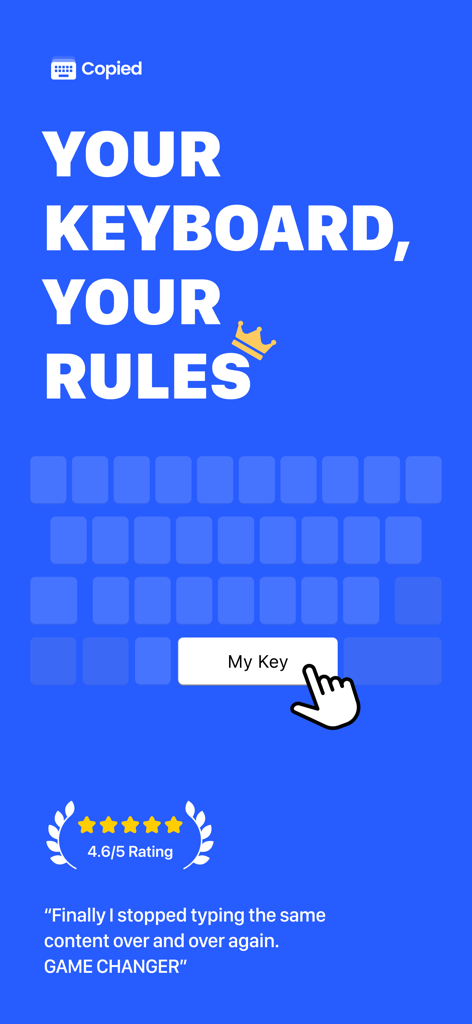
Copied - Auto Paste Keyboard - Copied 앱 홍보 화면, 'Your Keyboard Your Rules' 문구와 4.6점의 별점 후기 포함
Copied 앱 홍보 화면, 'Your Keyboard Your Rules' 문구와 4.6점의 별점 후기 포함

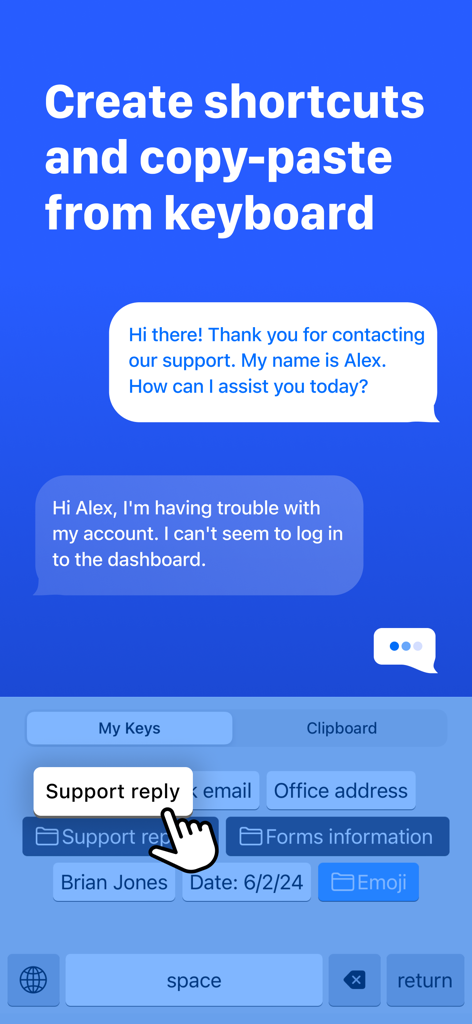
Copied - Auto Paste Keyboard - 사용자 지정 키보드가 있는 사용자 지정 키보드가 있는 모바일 화면, 지원 응답 및 사무실 주소와 같은 빠른 텍스트 붙여넣기를 위한 단축키 포함
사용자 지정 키보드가 있는 사용자 지정 키보드가 있는 모바일 화면, 지원 응답 및 사무실 주소와 같은 빠른 텍스트 붙여넣기를 위한 단축키 포함

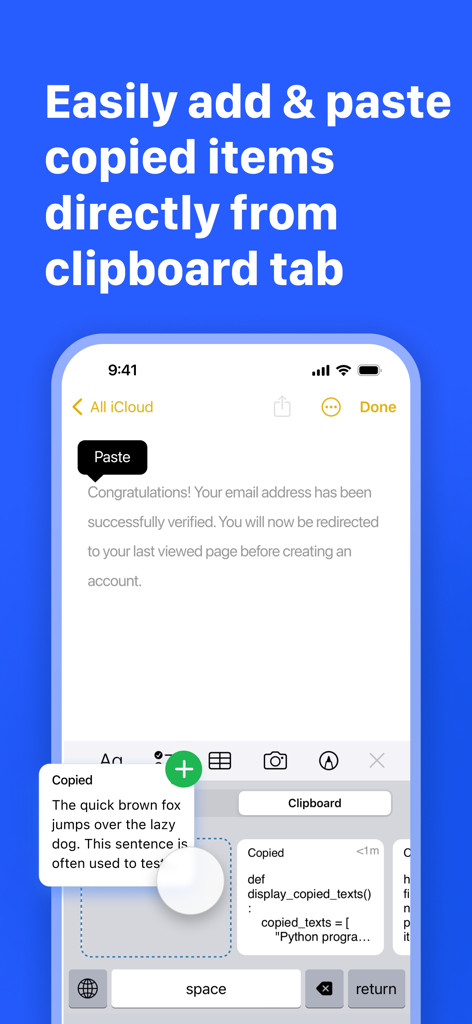
Copied - Auto Paste Keyboard - 클립보드 탭과 저장된 텍스트 조각을 보여주는 Copied 앱 키보드 인터페이스
클립보드 탭과 저장된 텍스트 조각을 보여주는 Copied 앱 키보드 인터페이스

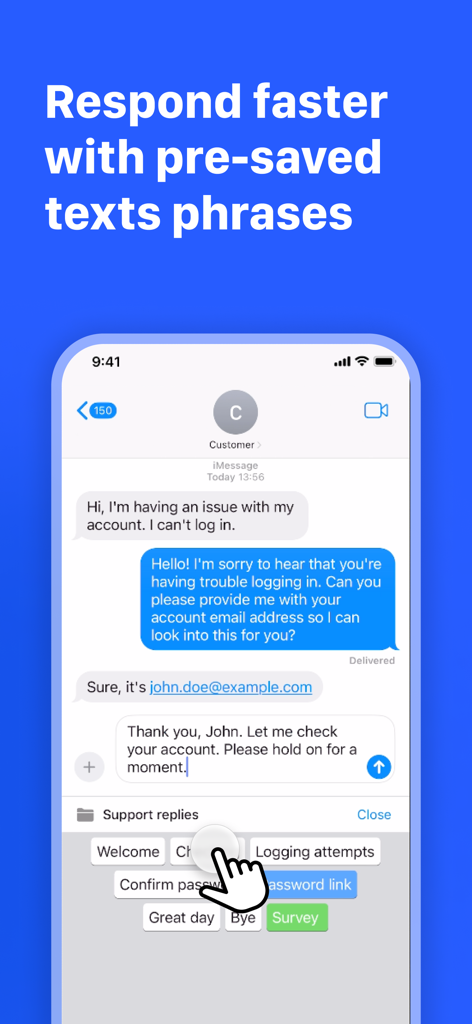
Copied - Auto Paste Keyboard - 빠른 고객 지원 메시지를 위한 사전 저장된 텍스트 구문이 있는 Copied 앱 키보드를 보여주는 iPhone 화면
빠른 고객 지원 메시지를 위한 사전 저장된 텍스트 구문이 있는 Copied 앱 키보드를 보여주는 iPhone 화면

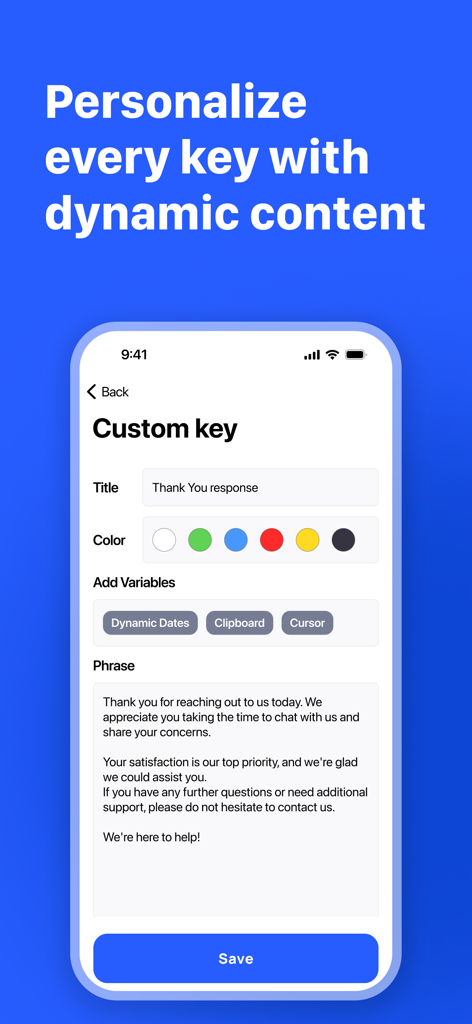
Copied - Auto Paste Keyboard - 동적 변수와 자동화된 텍스트 조각으로 사용자 지정 키보드 키를 개인화하는 인터페이스
동적 변수와 자동화된 텍스트 조각으로 사용자 지정 키보드 키를 개인화하는 인터페이스

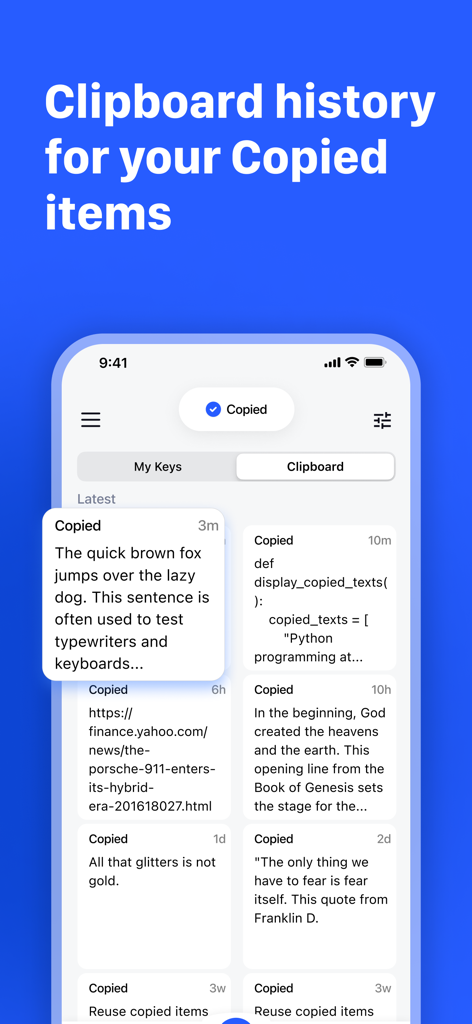
Copied - Auto Paste Keyboard - iPhone에서 다양한 저장된 텍스트 조각 및 링크가 있는 클립보드 기록을 보여주는 Copied 앱 인터페이스
iPhone에서 다양한 저장된 텍스트 조각 및 링크가 있는 클립보드 기록을 보여주는 Copied 앱 인터페이스

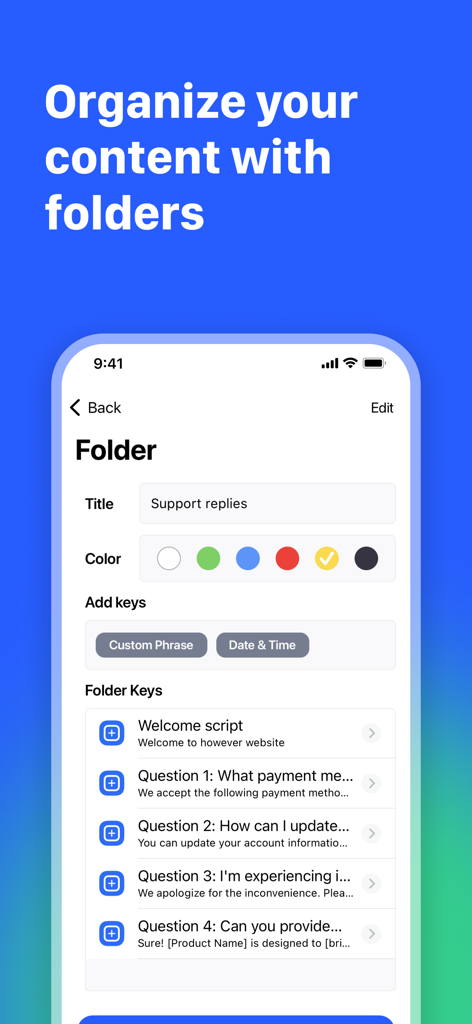
Copied - Auto Paste Keyboard - 'Support replies'라는 제목의 폴더와 저장된 사용자 지정 구문 목록을 보여주는 Copied 앱 인터페이스
'Support replies'라는 제목의 폴더와 저장된 사용자 지정 구문 목록을 보여주는 Copied 앱 인터페이스

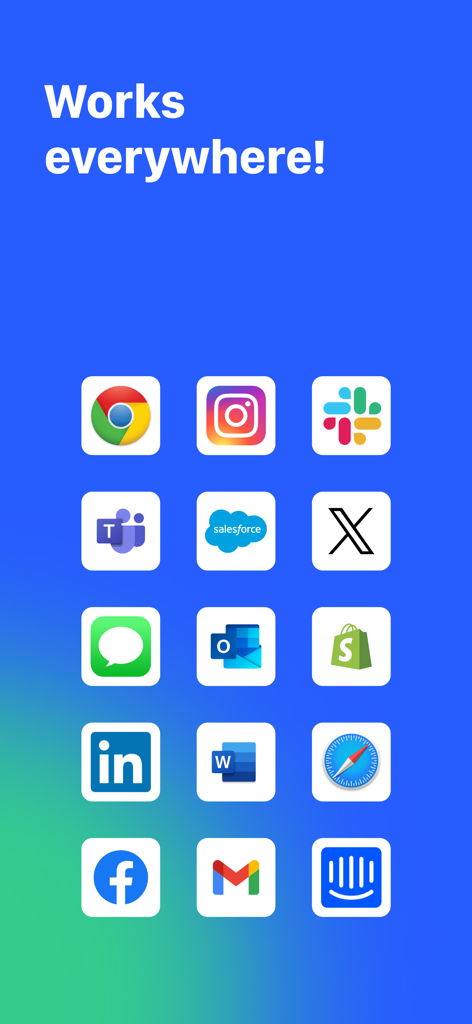
Copied - Auto Paste Keyboard - Slack, Gmail, Instagram을 포함한 인기 앱 아이콘 그리드, Copied 키보드와의 호환성 표시

Slack, Gmail, Instagram을 포함한 인기 앱 아이콘 그리드, Copied 키보드와의 호환성 표시

설명

Make Your Keyboard Do More! Optimize your keyboard and save time. Stop typing the same thing again and again... Be more efficient and personalize your own pre-program keyboard. Copied allows you to add your own custom shortcuts, phrases, and responses to your keyboard. Now you can be more PRODUCTIVE with Copied! Get control of the keyboard and insert your input to the keys and save time. Personalize your custom phrases and templates, save time by inserting snippets, templates, phrases and much more, with just a tap of your keyboard. It's so easy to create a custom key PHRASE, put al group of words standing together and tap SAVE to save yourself time typing on the old keyboard. Copied keyboard, is a great tool for custom text replacement by creating smart keyboard shortcuts. Copied PRO FEATURES: * Clipboard - Add copied, easy add copied text to a list, and paste fast * Organize custom text snippets and phrases in a multi-level folder structure * Expand autotext abbreviations into longer phrases * Remap special characters or text to the keyboard * Copy and paste clipboard keyboard * Use custom phrases with dynamic contents, such as the current date/time, manual input, or calculations * Add custom keys for quick responses, such as emails, shortcuts, phone numbers, address, ID, username etc * Create folders and organize your inputs by custom folders/categories * Variables and templates, insert dynamic variables into your keys, for example, dates. time, clipboard, copy, content, etc * Sync and backup your keys with iCloud * Save Time and use the spare time you gain and Enjoy Life! * Clipboard history manager Copied is a universal app, so it works equally well on the iPhone and iPad. You get up to the 4 keys for free or upgrade to Pro to get unlimited key phrases. To enable the keys you create in the app to be shared with the keyboard 'allow full access' needs to be enabled. We only use this to allow data to be shared between the app and the keyboard, we do not use other features 'full-access' allows such as network access. With Copied clipboard keyboard shortcuts, you will have two Keyboards, a native keyboard+ the Copied keyboard (shortcuts & phrases). Using an additional mobile keyboard is an essential utility for the mobile power user. Snippets, email templates, shortcut phrases, and clipboard manager saves you a lot of your precious time. Use a better keyboard themes. The Time Saving Tool For Busy People. Save time, work smarter, and Download for Free! Pro Terms: Payment will be charged to your iTunes account at confirmation of purchase. Subscription automatically renews unless auto-renew is turned off at least 24 hours before the end of the current period. Account will be charged for renewal within 24 hours of the end of the current period, and the cost of the renewal will be provided. Subscriptions may be managed by the user. Auto-renewal may be turned off by going to the user’s Account Settings after purchase. No cancellation of the current subscription is allowed during the active subscription period. Any unused portion of a free trial period, if offered, will be forfeited when the user purchases a subscription to that publication. Payments and Renewal: Payment will be charged to iTunes Account at confirmation of purchase. Subscription automatically renews unless auto-renew is turned off at least 24-hours before the end of the current period. Account will be charged for renewal within 24-hours prior to the end of the current period. You can manage or turn off auto-renew in your Account settings at any time after purchase No cancellation of the current subscription is allowed during the active period. Terms of use: http://www.sharplylabs.com/nextboard-tos Privacy policy: http://www.sharplylabs.com/nextboard-privacy-policy Contact - www.sharplylabs.com

Download

다운로드: App Store

이 페이지는 앱이나 개발자의 공식 페이지가 아니며, 정보 제공 및 논평을 목적으로 작성된 독립 편집 간행물입니다. 명시적으로 달리 언급되지 않는 한, 해당 앱이나 개발자는 MWM, Apple, Google Play, 앱 퍼블리셔 또는 앱 개발자와 제휴, 보증, 후원, 승인 또는 공식적으로 연결되어 있지 않으며, 이 페이지의 어떤 내용도 해당 앱이 MWM의 서비스를 사용하여 개발되었음을 의미하지 않습니다. 모든 상표, 로고, 스크린샷 및 기타 콘텐츠는 해당 소유자의 자산입니다.








