Crayon Style
Crayon Style
다운로드: App Store

이 페이지는 앱이나 개발자의 공식 페이지가 아니며, 정보 제공 및 논평을 목적으로 작성된 독립 편집 간행물입니다. 명시적으로 달리 언급되지 않는 한, 해당 앱이나 개발자는 MWM, Apple, Google Play, 앱 퍼블리셔 또는 앱 개발자와 제휴, 보증, 후원, 승인 또는 공식적으로 연결되어 있지 않으며, 이 페이지의 어떤 내용도 해당 앱이 MWM의 서비스를 사용하여 개발되었음을 의미하지 않습니다. 모든 상표, 로고, 스크린샷 및 기타 콘텐츠는 해당 소유자의 자산입니다.

로고: Crayon Style
다운로드: App Store

Crayon Style

iPhone 또는 iPad에서 실제 크레용의 향수를 불러일으키는 질감과 풍부한 안료를 경험해 보세요. 아늑한 스케치부터 아이들을 위한 깔끔한 창의적인 놀이까지, 저희의 독창적인 크레용 시뮬레이션 엔진으로 그림 그리는 즐거움을 재발견하세요.

주요 수치

다운로드

96K+

사용자 평점

4.4/5

총 평가 수

100

개발사

P SOFTHOUSE Co., Ltd.

카테고리

Entertainment

지원 언어

2

최신 버전

1.05

크기

44.5 MB

출시일

2013년 4월 16일
기능

모든 연령대를 위한 창의적 자유

모든 사용자를 아티스트로 만드는 기능을 통해 향수를 불러일으키는 따뜻함과 현대적인 디지털 정밀도의 완벽한 균형을 발견하세요.

사실적인 크레용 질감

저희의 독창적인 그림 엔진은 안료 깊이와 겹쳐진 획을 시뮬레이션하여 진짜 같고 깔끔한 왁스 크레용 모양을 만듭니다.

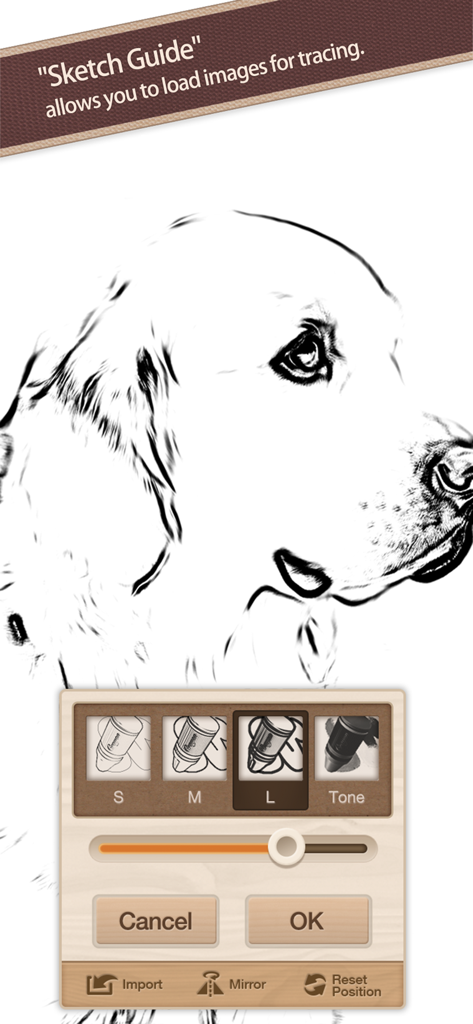
쉬운 스케치 가이드

좋아하는 사진을 가져와 추적 배경으로 사용하세요. 아이들이 배우기 쉽고 성인이 맞춤형 아트를 만들 수 있습니다.

다음 스크린샷과 설명은 앱의 공식 스토어 목록에서 직접 가져온 것이며 앱 개발자의 자산입니다.

앱 스토어

스크린샷
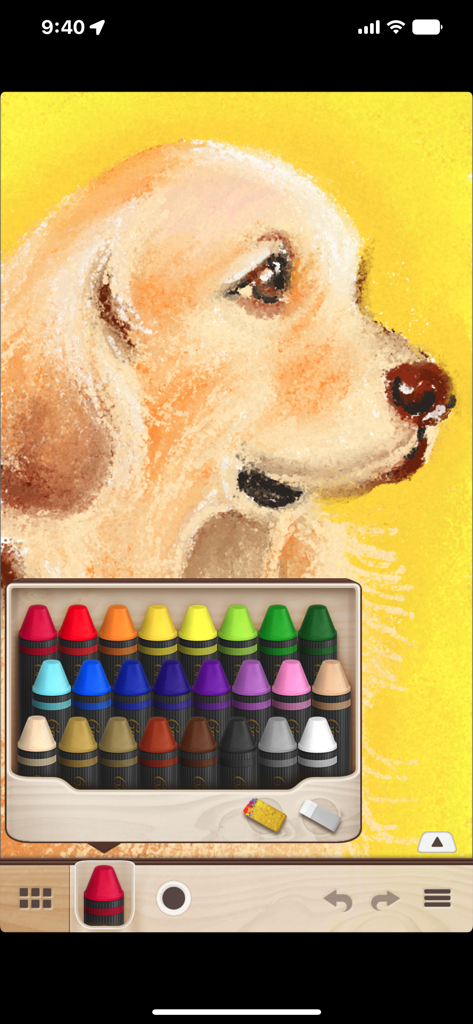
Crayon Style - Crayon Style 앱에서 24색 팔레트를 사용하여 그린 디지털 강아지 크레용 그림.
Crayon Style 앱에서 24색 팔레트를 사용하여 그린 디지털 강아지 크레용 그림.

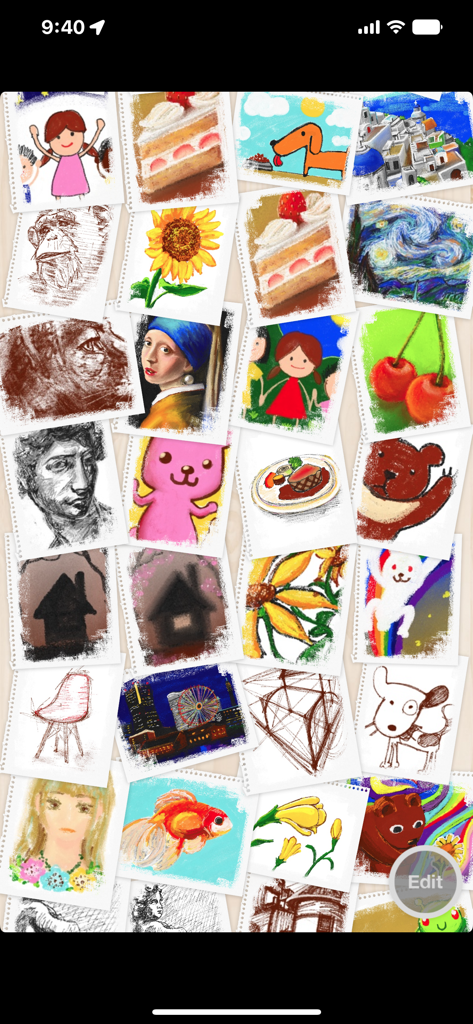
Crayon Style - 앱 갤러리의 다양한 크레용 그림과 스케치 모음.

앱 갤러리의 다양한 크레용 그림과 스케치 모음.

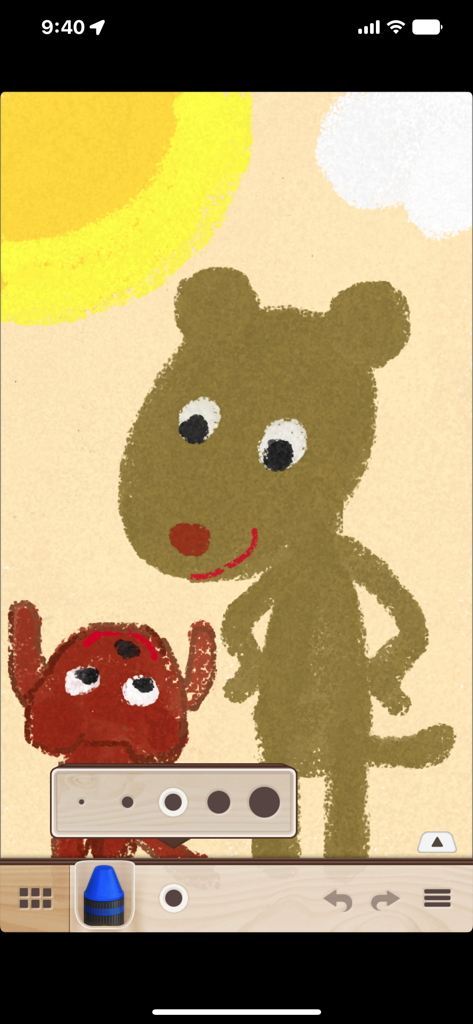
Crayon Style - Crayon Style 앱에서 생성된 두 마리 곰의 디지털 그림으로, 크레용 질감과 선 두께 설정을 보여줍니다.
Crayon Style 앱에서 생성된 두 마리 곰의 디지털 그림으로, 크레용 질감과 선 두께 설정을 보여줍니다.

Crayon Style - Crayon Style 앱의 스케치 가이드 기능을 사용하여 강아지 스케치를 추적하는 중.
Crayon Style 앱의 스케치 가이드 기능을 사용하여 강아지 스케치를 추적하는 중.

Crayon Style - 빨간색 크레용 아이콘과 앱 제목이 특징인 Crayon Style 앱 시작 화면.

빨간색 크레용 아이콘과 앱 제목이 특징인 Crayon Style 앱 시작 화면.

설명

Crayon Style is a painting application reproducing the warm experience of drawing with crayons. Transform your iPhone or iPad into a sheet of drawing paper and enjoy creating all kinds of drawings ranging from doodling and sketching to full-blown art. Crayon Style's simple and stylish user interface is light and easy to use, allowing you to enjoy the application anywhere and at any time. Use it in all kinds of situations to note down ideas, sketch scenery, create illustrations, etc. - Drawing engine reproducing the appearance of crayon art. Crayon Style's original drawing engine simulates the characteristics of drawing with crayons, such as rough lines, pigment depth and the mixed colors produced when layering strokes, reproducing faithfully the warm look and feel of crayon art. -Set photos you like as a background with Sketch Guide. With the Sketch Guide feature, you can set a photo or image as a background to your drawing. Use it to trace over a picture you like or to create an original coloring page. - Smart and fun user interface. With its polished design, seamless screen transitions and casual feel, the user interface feels good and is fun to use. Combined with the features above, you get a simple and smart application which can be enjoyed by children and adults alike. - Share your artwork on social networks! You can post your illustrations to social networks such as Facebook and Twitter using the "Share..." functionality. - Easier, more natural drawing. Supports Apple Pencil and 3D Touch. You can pleasantly draw using your fingers, but you can experience an even more wonderful drawing experience by using a stylus. The app supports stroke pressure with the iPad Pro's Apple Pencil. On the iPhone, the app uses 3D Touch to simulate stroke pressure and unlock more shades of color. With the 3D Touch functionality, it is possible to use stroke pressure with your finger as well as standard styluses. ■Main Features - Drawing engine reproducing the look and feel of crayon art. - 24 colors available. - Rub colors with the sponge tool to blend them together. - Eraser tool. - Color selection history (up to 3 colors). - 5 levels of line thickness (line thickness saved separately for each tool). - Undo / Redo (up to 4 times each). - Enlarge, reduce and rotate the canvas. - Toolbar can be moved to the top or bottom of the screen. - Artwork gallery feature. - Set a photo or image as a background with the Sketch Guide feature. - Output (export) to: - Camera roll (jpg format) - Share.. - Open In.. - Supports Apple Pencil (pressure). - Supports 3D Touch.

Download

다운로드: App Store

이 페이지는 앱이나 개발자의 공식 페이지가 아니며, 정보 제공 및 논평을 목적으로 작성된 독립 편집 간행물입니다. 명시적으로 달리 언급되지 않는 한, 해당 앱이나 개발자는 MWM, Apple, Google Play, 앱 퍼블리셔 또는 앱 개발자와 제휴, 보증, 후원, 승인 또는 공식적으로 연결되어 있지 않으며, 이 페이지의 어떤 내용도 해당 앱이 MWM의 서비스를 사용하여 개발되었음을 의미하지 않습니다. 모든 상표, 로고, 스크린샷 및 기타 콘텐츠는 해당 소유자의 자산입니다.