
이 페이지는 앱이나 개발자의 공식 페이지가 아니며, 정보 제공 및 논평을 목적으로 작성된 독립 편집 간행물입니다. 명시적으로 달리 언급되지 않는 한, 해당 앱이나 개발자는 MWM, Apple, Google Play, 앱 퍼블리셔 또는 앱 개발자와 제휴, 보증, 후원, 승인 또는 공식적으로 연결되어 있지 않으며, 이 페이지의 어떤 내용도 해당 앱이 MWM의 서비스를 사용하여 개발되었음을 의미하지 않습니다. 모든 상표, 로고, 스크린샷 및 기타 콘텐츠는 해당 소유자의 자산입니다.


Dictaphone - Audio Recorder
이것은 평범한 녹음기가 아닙니다. 당신의 목소리를 강력한 무기로 만듭니다. 손은 자유롭고, 당신의 생각은 영원히 기록됩니다.
다운로드
2.5M+사용자 평점
총 평가 수
30.0K개발사
카테고리
Business지원 언어
30최신 버전
1.9.3크기
138.1 MB출시일
2014년 1월 17일학생 및 비즈니스 전문가를 위한 효율적인 고품질 오디오 녹음 및 관리 기능 평가
딕터폰 - 오디오 레코더 앱 주요 기능 분석
오디오-텍스트 변환
이 앱은 녹음된 오디오를 텍스트로 변환하는 기능을 제공하여 사용자가 회의록, 강의 노트 등을 쉽게 문서화할 수 있게 합니다.
다중 클라우드 업로드 지원
이 도구는 Dropbox, GoogleDrive, OneDrive 등 다양한 클라우드 서비스로 녹음 파일을 업로드할 수 있게 하여, 사용자가 손쉽게 자료를 공유하고 백업할 수 있습니다.
고급 오디오 편집 기능
사용자는 녹음 파일을 자르기, 병합, 덮어쓰기 등 다양한 방식으로 편집할 수 있어, 필요한 부분만 정확하게 보존하고 관리할 수 있습니다.
고품질 오디오 녹음
이 앱은 최대 48000Hz/320kbps의 최고 음질로 오디오를 녹음할 수 있도록 지원하여, 사용자가 중요한 내용을 선명하게 기록할 수 있습니다.
무제한 녹음 길이
이 도구는 오디오 녹음 길이에 제한이 없어, 사용자가 장시간의 강의나 회의도 중단 없이 기록할 수 있게 합니다.
백그라운드 녹음 및 재생
사용자가 다른 작업을 하는 동안에도 이 앱은 백그라운드에서 오디오를 녹음하고 재생할 수 있도록 하여, 효율적인 멀티태스킹을 지원합니다.
고급 녹음 파일 정렬
이 앱은 녹음 파일을 이름, 길이, 크기, 생성 날짜 및 유형별로 정렬할 수 있는 기능을 제공하여, 사용자가 방대한 오디오 자료를 체계적으로 관리할 수 있도록 돕습니다.
다중 재생 속도 조절
사용자는 여러 재생 속도 옵션(예: 0.8배, 1배, 1.25배)을 활용하여 강의나 회의 내용을 효율적으로 검토하거나 중요한 부분을 더 자세히 들을 수 있습니다.
자주 묻는 질문
에 대해 알아야 할 모든 것 Dictaphone - Audio Recorder
What is Dictaphone - Audio Recorder?
Dictaphone - Audio Recorder is an app that provides hands-free audio voice recording for memos, notes, meetings, lectures, and interviews. It captures high-quality audio and supports various file formats.
Does Dictaphone - Audio Recorder support high-quality audio recording?
Yes, Dictaphone - Audio Recorder supports high-quality audio recording up to 48000 Hz/320kbps. It also offers MP3 and WAV formats for note-taking and voice capture.
What audio recording formats does Dictaphone - Audio Recorder support?
Dictaphone - Audio Recorder supports MP3 and WAV audio recording formats. Users can choose from various bitrates, including 96 kbps, 128 kbps, 192 kbps, and 320 kbps.
Can Dictaphone - Audio Recorder record phone calls?
No, Dictaphone - Audio Recorder is not designed for recording phone calls. Its primary function is for dictating notes, memos, and recording meetings or lectures.
Does Dictaphone - Audio Recorder limit the length of audio recordings?
No, Dictaphone - Audio Recorder does not impose any limit on the length of audio recordings. Users can record indefinitely for meetings, lectures, or personal notes.
Does Dictaphone - Audio Recorder support background recording?
Yes, Dictaphone - Audio Recorder supports background sound recording and playback. This feature allows users to dictate memos or capture audio while using other applications.
Does Dictaphone - Audio Recorder offer audio editing capabilities?
Yes, Dictaphone - Audio Recorder offers audio editing features through an in-app purchase. These include append, trim, cut, overwrite, insert, and combine recordings.
How can users share audio recordings from Dictaphone - Audio Recorder?
Dictaphone - Audio Recorder allows sharing recordings via iTunes file sharing. With in-app purchases, users can also upload to Dropbox, SoundCloud, GoogleDrive, OneDrive, YouTube, and other services.
Does Dictaphone - Audio Recorder support external microphones?
Yes, Dictaphone - Audio Recorder supports external microphones. It also offers stereo support when using an external microphone, enhancing audio input quality.
Does Dictaphone - Audio Recorder offer audio-to-text transcription?
Yes, Dictaphone - Audio Recorder offers the ability to transcribe audio to text as an in-app purchase feature. This converts spoken words into written format.
Can Dictaphone - Audio Recorder sync recordings with iCloud?
Yes, Dictaphone - Audio Recorder can sync preferences with iCloud. An in-app purchase enables syncing recordings, audio bookmarks, and settings with iCloud.
Does Dictaphone - Audio Recorder offer a dark mode interface option?
Yes, Dictaphone - Audio Recorder allows users to choose between a light or dark mode interface. This option provides a personalized viewing experience.
How does Dictaphone - Audio Recorder behave during an incoming phone call?
Dictaphone - Audio Recorder automatically pauses during incoming phone calls. This ensures that recordings are not interrupted or corrupted by call audio.
Can users sort their audio recordings in Dictaphone - Audio Recorder?
Yes, Dictaphone - Audio Recorder allows users to sort audio recordings by their names, duration, size, date of creation, and type. This helps organize playback lists effectively.
다음 스크린샷과 설명은 앱의 공식 스토어 목록에서 직접 가져온 것이며 앱 개발자의 자산입니다.
앱 스토어
스크린샷
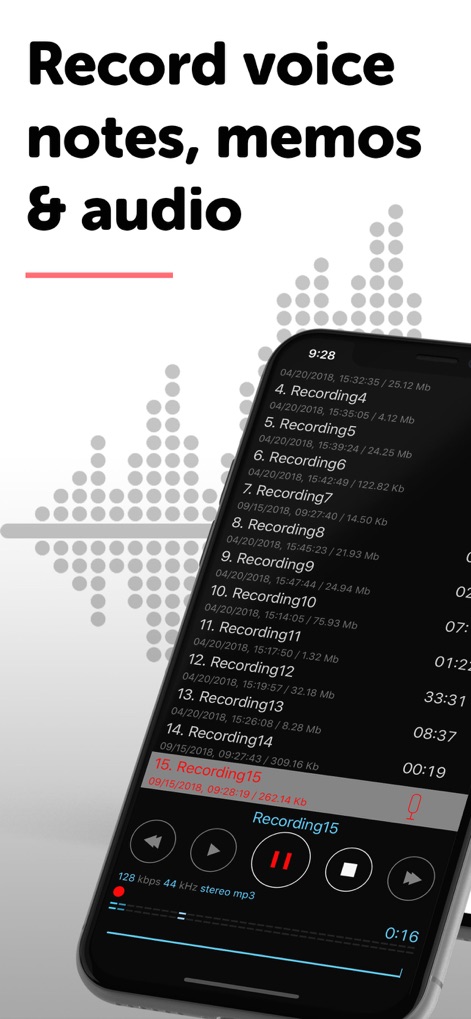
이 앱은 음성 메모, 회의 및 강의를 손쉽게 녹음할 수 있게 합니다. 사용자는 녹음 목록에서 'Recording15'와 같은 개별 항목을 쉽게 선택하고 하단에 표시된 재생 컨트롤을 활용하여 오디오를 들을 수 있습니다.
간편한 음성 녹음
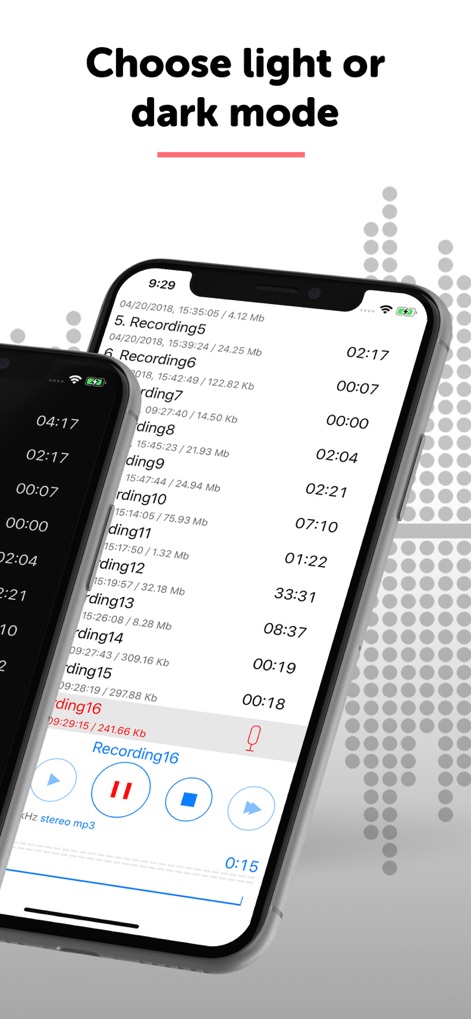
사용자는 앱의 인터페이스를 개인 취향에 맞게 설정할 수 있습니다. 밝은 모드와 어두운 모드를 선택하여 녹음 목록의 시각적 편안함을 조절할 수 있습니다.
모드 선택
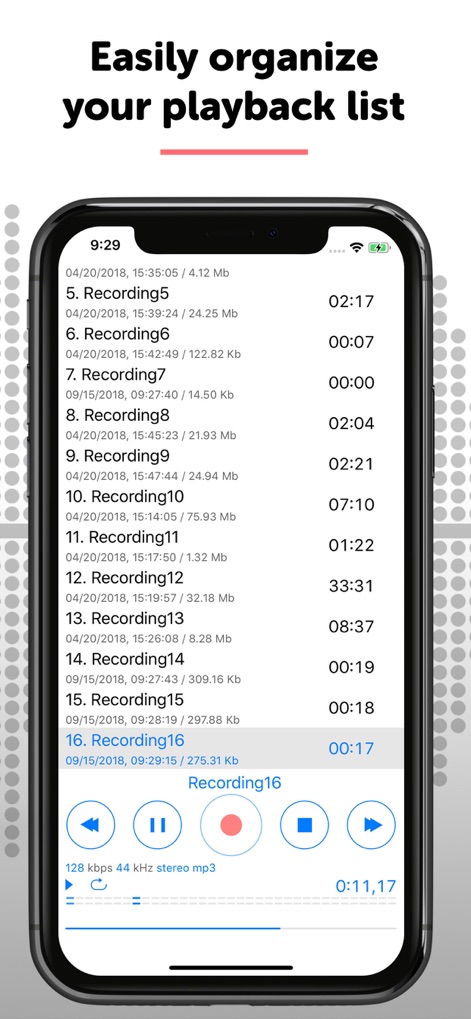
이 앱은 사용자가 녹음 파일을 효율적으로 관리할 수 있도록 돕습니다. 'Recording16'과 같은 개별 녹음 항목을 쉽고 빠르게 찾아 재생할 수 있으며, 각 파일의 재생 시간을 한눈에 확인할 수 있습니다.
재생 목록 관리
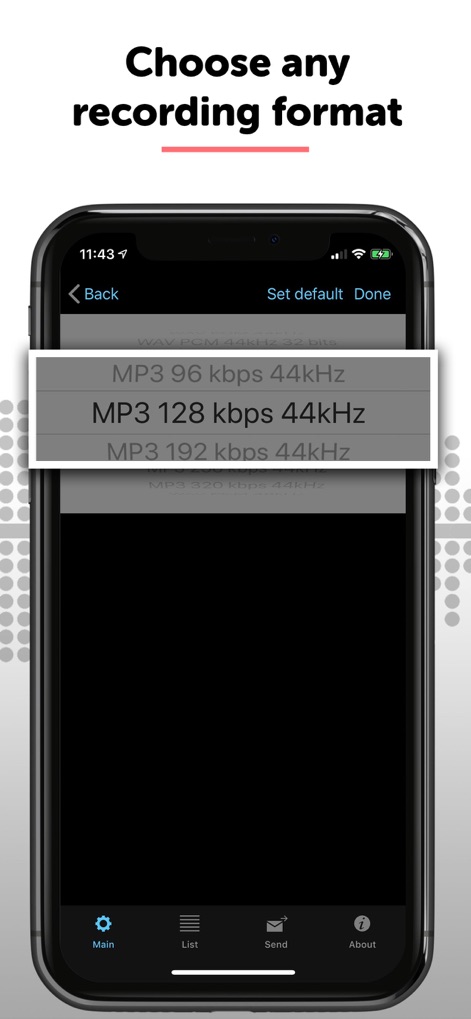
사용자는 필요에 따라 다양한 녹음 형식과 비트레이트를 선택하여 최적의 오디오 품질을 얻을 수 있습니다. 'MP3 128 kbps 44kHz'와 같은 옵션을 통해 선명한 음성 기록을 보장합니다.
녹음 형식 선택
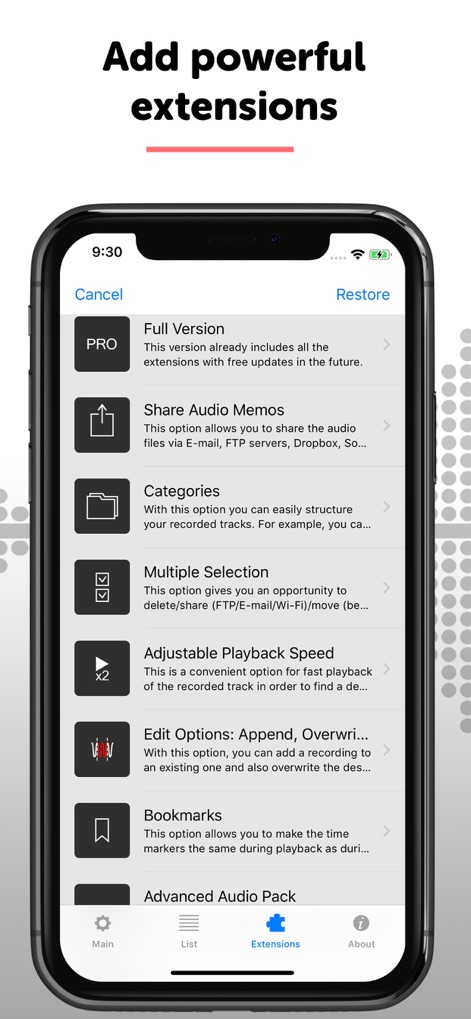
이 도구는 생산성을 높이는 다양한 확장 기능을 제공합니다. 사용자는 '오디오 메모 공유' 및 '카테고리'와 같은 기능을 활용하여 녹음 파일을 효율적으로 관리하고 공유할 수 있습니다.
강력한 확장 기능
설명
Download
비슷한 앱
유사한 기능과 사용자 경험을 가진 앱

Voice Recorder Lite: Record HD
LiveBird Technologies Private Limited

PCM Recorder Lite
Kohei Yasui

Voice recorder - Voz
Hieu Nguyen

MOTIV Audio
Shure Incorporated

Voice recorder: Audio editor
Hieu Nguyen

Voice Recorder - Audio Record
LiveBird Technologies Private Limited

Awesome Voice Recorder PRO AVR
Newkline Co., Ltd.

Voice Memos & Sound Recorder
Protection & Security App LLC

Voice Recorder & Memos
SMM service, s.r.o.
이 페이지는 앱이나 개발자의 공식 페이지가 아니며, 정보 제공 및 논평을 목적으로 작성된 독립 편집 간행물입니다. 명시적으로 달리 언급되지 않는 한, 해당 앱이나 개발자는 MWM, Apple, Google Play, 앱 퍼블리셔 또는 앱 개발자와 제휴, 보증, 후원, 승인 또는 공식적으로 연결되어 있지 않으며, 이 페이지의 어떤 내용도 해당 앱이 MWM의 서비스를 사용하여 개발되었음을 의미하지 않습니다. 모든 상표, 로고, 스크린샷 및 기타 콘텐츠는 해당 소유자의 자산입니다.