Digital Cockpit - CARID
다운로드: App Store

이 페이지는 앱이나 개발자의 공식 페이지가 아니며, 정보 제공 및 논평을 목적으로 작성된 독립 편집 간행물입니다. 명시적으로 달리 언급되지 않는 한, 해당 앱이나 개발자는 MWM, Apple, Google Play, 앱 퍼블리셔 또는 앱 개발자와 제휴, 보증, 후원, 승인 또는 공식적으로 연결되어 있지 않으며, 이 페이지의 어떤 내용도 해당 앱이 MWM의 서비스를 사용하여 개발되었음을 의미하지 않습니다. 모든 상표, 로고, 스크린샷 및 기타 콘텐츠는 해당 소유자의 자산입니다.


로고: Digital Cockpit - CARID
다운로드: App Store

Digital Cockpit - CARID

전문적인 성능 통계, 오프로드 경사계, 글로벌 엔터테인먼트로 모든 차량을 업그레이드하세요. 모든 마일에서 더 많은 것을 요구하는 애호가를 위해 설계된 프리미엄, 데이터 풍부한 콕핏을 경험하세요.

주요 수치

다운로드

22K+

사용자 평점

4.5/5

총 평가 수

100

개발사

Miroslaw Kapalka

카테고리

Navigation

지원 언어

25

최신 버전

1.1.1

크기

43.6 MB

출시일

2022년 12월 18일
기능

모든 드라이브를 위한 전문가 수준의 콕핏

현대 운전자를 위해 설계된 원활한 인터페이스에서 고급 오프로드 도구, 정밀 성능 추적 및 필수 운전 유틸리티로 대시보드를 업그레이드하세요.

전문가용 경사계 및 고도

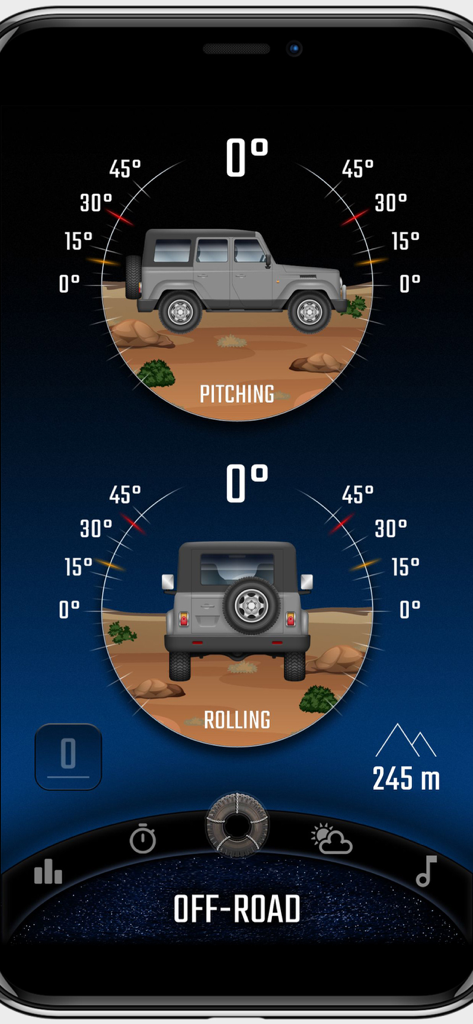
맞춤형 청각 안전 경고와 함께 실시간 피치 및 롤 모니터링으로 거친 지형을 자신 있게 탐색하세요. 오프로드 모험을 위한 안전 경고.

GPS 성능 분석

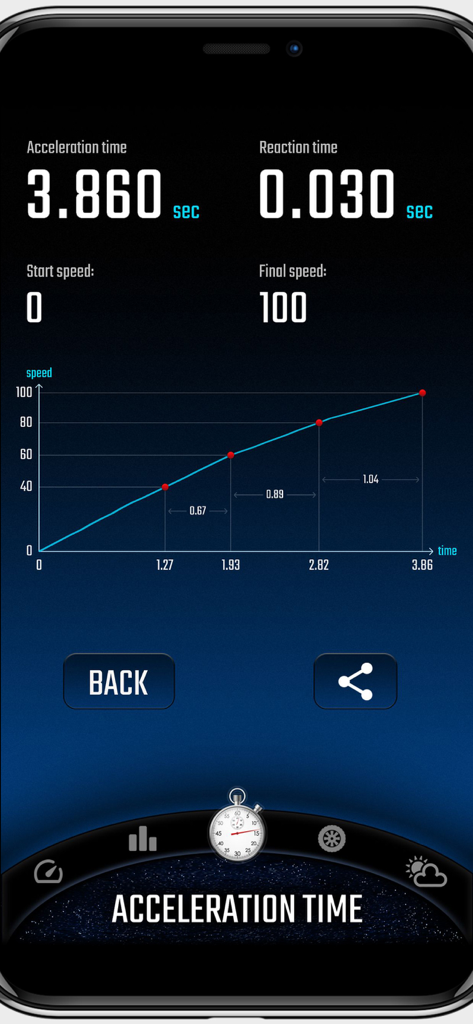
고정밀 GPS 보고 및 시각적 성능 그래프로 0-60 가속, 반응 시간 및 자세한 여행 통계를 추적하세요.

다음 스크린샷과 설명은 앱의 공식 스토어 목록에서 직접 가져온 것이며 앱 개발자의 자산입니다.

앱 스토어

스크린샷
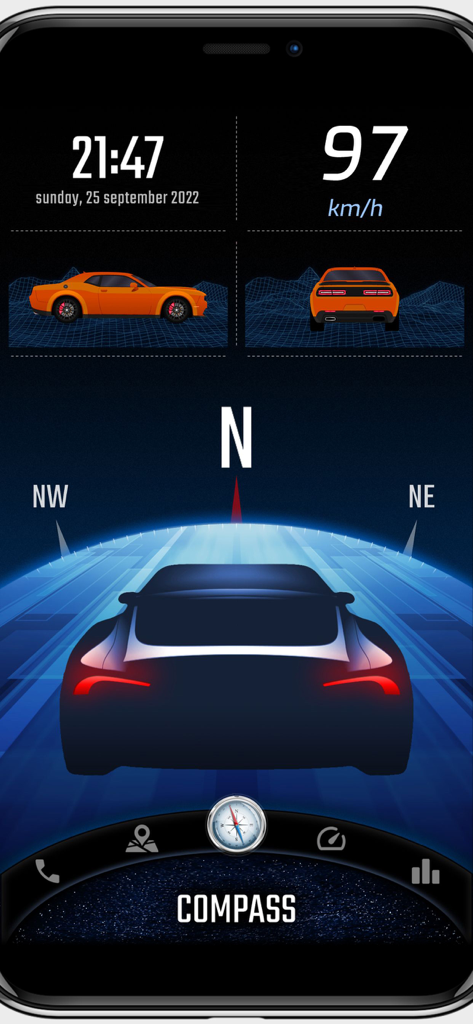
Digital Cockpit - CARID - 속도계, GPS 나침반, 차량 경사계를 특징으로 하는 디지털 콕핏 CARID 앱 인터페이스
속도계, GPS 나침반, 차량 경사계를 특징으로 하는 디지털 콕핏 CARID 앱 인터페이스

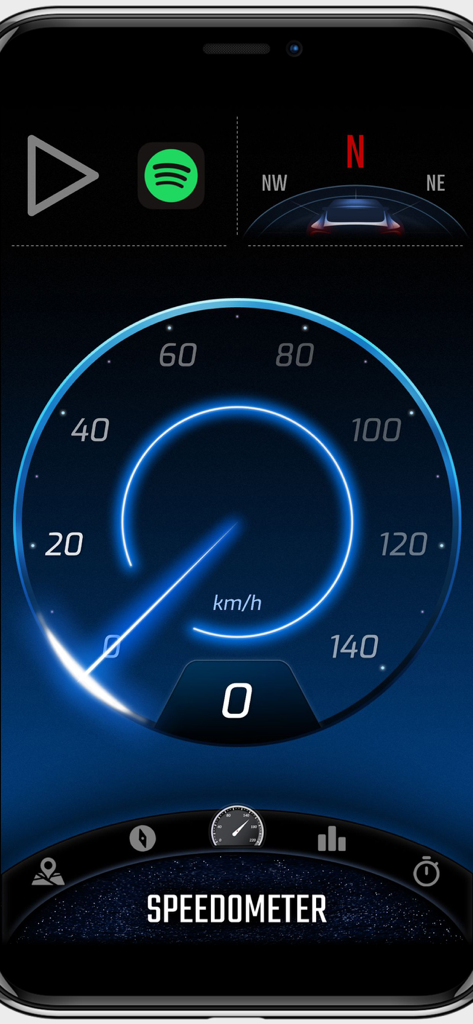
Digital Cockpit - CARID - 파란색 글로우 효과로 kmh로 속도를 표시하는 CARID 앱의 디지털 속도계 인터페이스.
파란색 글로우 효과로 kmh로 속도를 표시하는 CARID 앱의 디지털 속도계 인터페이스.

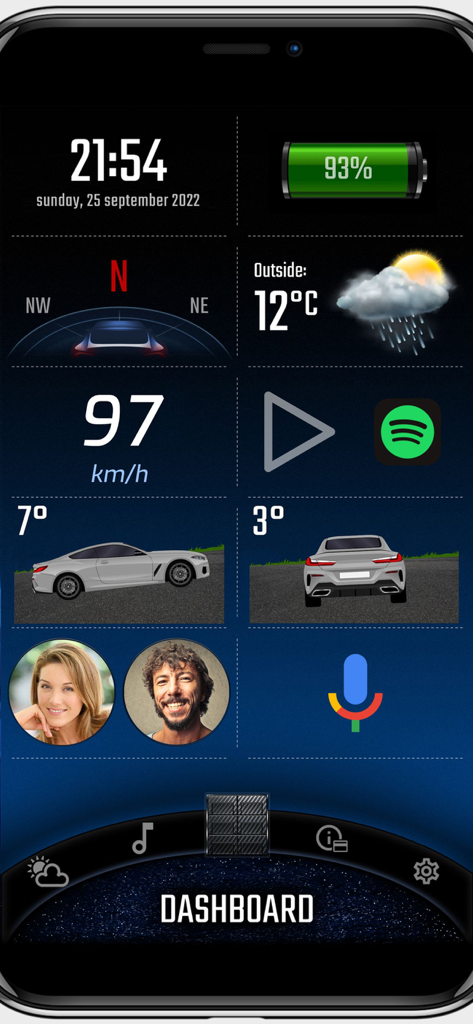
Digital Cockpit - CARID - 속도계, 날씨, 차량 경사계가 있는 디지털 콕핏 CARID 앱 대시보드
속도계, 날씨, 차량 경사계가 있는 디지털 콕핏 CARID 앱 대시보드

Digital Cockpit - CARID - 피치 및 롤 게이지가 있는 오프로드 경사계를 표시하는 디지털 콕핏 CARID 앱.
피치 및 롤 게이지가 있는 오프로드 경사계를 표시하는 디지털 콕핏 CARID 앱.

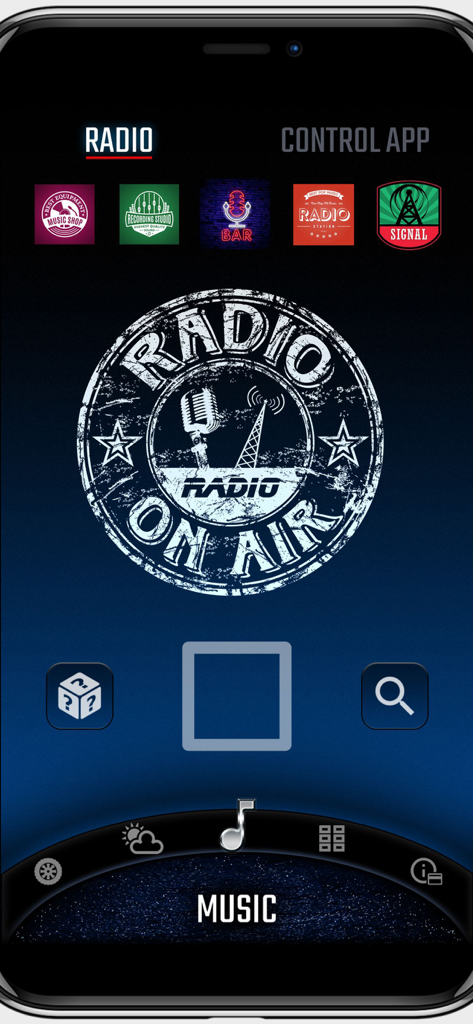
Digital Cockpit - CARID - 스테이션 사전 설정 및 재생 컨트롤을 보여주는 디지털 콕핏 앱 인터넷 라디오 화면
스테이션 사전 설정 및 재생 컨트롤을 보여주는 디지털 콕핏 앱 인터넷 라디오 화면

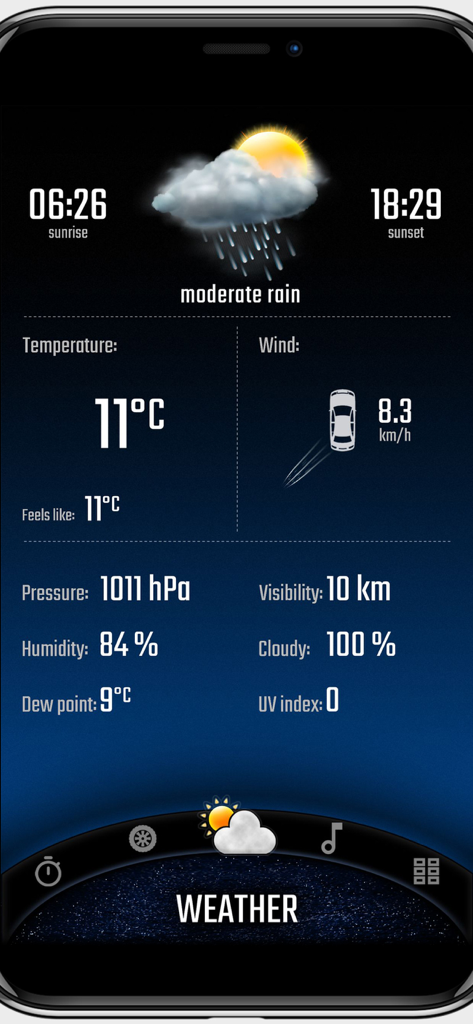
Digital Cockpit - CARID - CARID 앱에서 온도 및 바람 정보를 표시하는 날씨 대시보드

CARID 앱에서 온도 및 바람 정보를 표시하는 날씨 대시보드

Digital Cockpit - CARID - 자동차 가속 시간 및 성능 그래프 통계를 보여주는 디지털 콕핏 앱 인터페이스
자동차 가속 시간 및 성능 그래프 통계를 보여주는 디지털 콕핏 앱 인터페이스

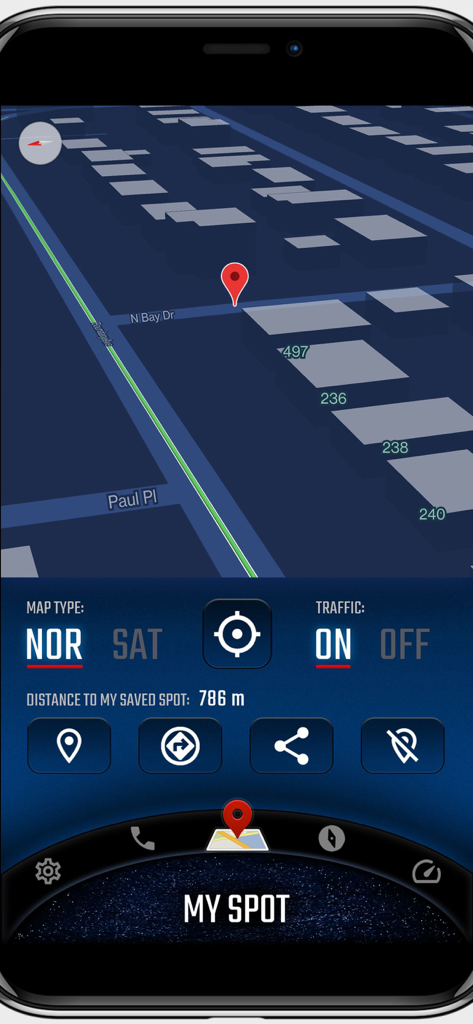
Digital Cockpit - CARID - 3D 뷰와 저장된 지점 추적을 보여주는 디지털 콕핏 CARID 지도 인터페이스
3D 뷰와 저장된 지점 추적을 보여주는 디지털 콕핏 CARID 지도 인터페이스

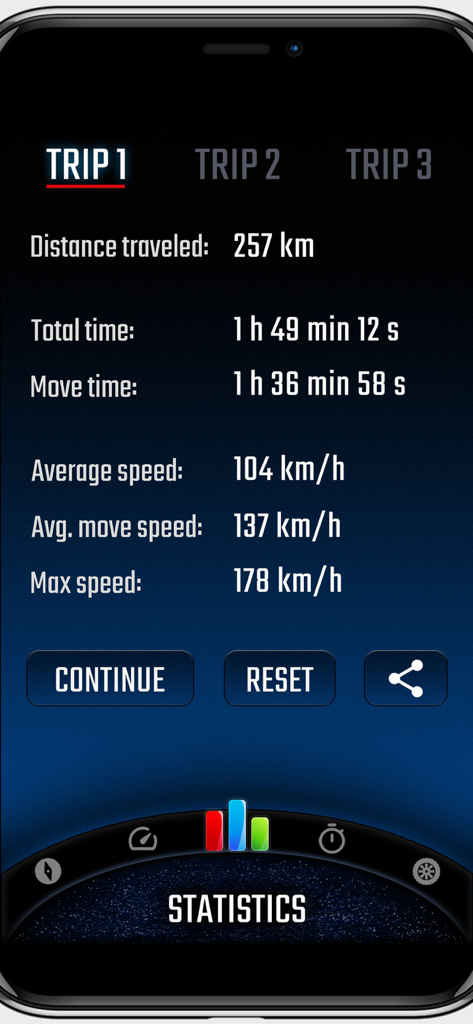
Digital Cockpit - CARID - 거리, 이동 시간, 평균 속도를 포함한 자세한 여행 통계를 보여주는 디지털 콕핏 앱 화면

거리, 이동 시간, 평균 속도를 포함한 자세한 여행 통계를 보여주는 디지털 콕핏 앱 화면

설명

CARID is a set of carefully selected functions that you won't find in the multimedia systems of most cars. Simply and conveniently switch between them while staying safe on the road. You don't have to waste time customizing the layout of our application for your car. Right after launching, a visually attractive application appears ready for use. Our application is one of the few that can work in portrait or landscape mode - adapting to the position of the mounted device in the car. You will find features such as: • Off-road. The inclinometer will tell you how much your vehicle is pitch/roll. You can set visual and sound warnings - necessary for driving in rough terrain. In addition, the altitude above sea level is displayed. You can customize the appearance of your vehicle and terrain. • Statistics. Distance covered, time, average and maximum speed. You can measure all this data for three, independent routes, and then conveniently share with your friends. • Speedometer - an eye-catching display of your current speed. In addition, it shows the current speed limit on the road on which you are traveling (beta version). • Compass - a very reliable way (based on GPS coordinates, not a sensor from the device) to show the direction of the vehicle. • Acceleration times - with this function you will check the acceleration parameters of your car. You can set any starting and ending speed. During the measurement you will see a graph of the speed to time ratio. An interesting feature is also the measurement of reaction time (the moment of detecting movement from the start signal). • Speed dial - add your favorite contacts, then make phone calls with one click. • My place. A map where you can see your current position. You can easily switch between vector view and satellite view (photos) and turn on traffic information. The most important function is to save your current position (or the position selected on the map - by holding the place with your finger for a second). A useful feature to remember the location of your car or a favorite place. Once you save a point, you can very quickly start navigation to that place or share it with friends. • Internet radio stations from around the world. With one click switch between stations, add them to favorites, search by country or keywords. • Current weather that is automatically refreshed based on your location. The most important information for the driver is loaded, including temperature, humidity, cloud cover, visibility and wind direction in relation to the moving car. You can add widgets with the most important information on the home screen (main panel), speedometer and compass views: • Clock (time and date), • Battery charge status, • Compass, • Weather, • Current speed, • Tilt (pitching/rolling) of the car, • Address of the place where you are, • Information on the distance to the saved location, • Statistics information, • Speed dial (phone), • Altitude above sea level. Apple Terms of Use (EULA): https://www.apple.com/legal/internet-services/itunes/dev/stdeula/

Download

다운로드: App Store

이 페이지는 앱이나 개발자의 공식 페이지가 아니며, 정보 제공 및 논평을 목적으로 작성된 독립 편집 간행물입니다. 명시적으로 달리 언급되지 않는 한, 해당 앱이나 개발자는 MWM, Apple, Google Play, 앱 퍼블리셔 또는 앱 개발자와 제휴, 보증, 후원, 승인 또는 공식적으로 연결되어 있지 않으며, 이 페이지의 어떤 내용도 해당 앱이 MWM의 서비스를 사용하여 개발되었음을 의미하지 않습니다. 모든 상표, 로고, 스크린샷 및 기타 콘텐츠는 해당 소유자의 자산입니다.