Doc Scan - PDF Scanner

Doc Scan - PDF Scanner


다운로드: App Store
로고: Doc Scan - PDF Scanner

Doc Scan - PDF 스캐너: 올인원 프로페셔널 포켓 오피스

문서를 쉽게 스캔, 서명 및 팩스하세요. 828,000명 이상의 전문가들과 함께 고품질 OCR, 보안 암호화 및 원활한 클라우드 통합을 사용하여 어디서든 종이 없는 워크플로우를 관리하세요.

다운로드: App Store

개발사

IFUNPLAY CO., LTD.

카테고리

Business

다운로드

828K+

사용자 평점

4.8/5

총 평가 수

34K+

지원 언어

3

한눈에 보는 효율성

이 인터페이스를 사용하는 828K+ 명의 사용자.

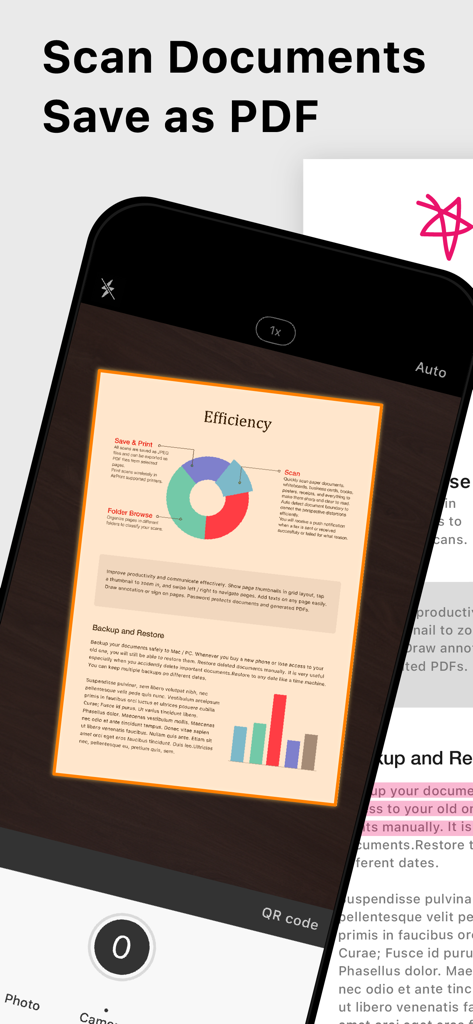
스마트폰에서 Doc Scan 앱을 사용하여 문서를 캡처하고 PDF로 저장하는 모습.

스마트폰에서 Doc Scan 앱을 사용하여 문서를 캡처하고 PDF로 저장하는 모습.

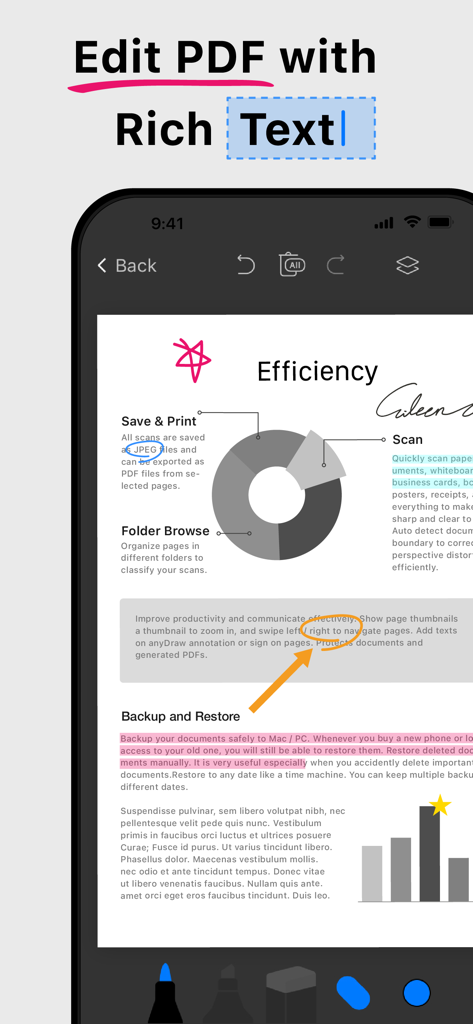
PDF에서 풍부한 텍스트 편집 및 문서 주석 기능을 보여주는 모바일 앱 인터페이스

PDF에서 풍부한 텍스트 편집 및 문서 주석 기능을 보여주는 모바일 앱 인터페이스

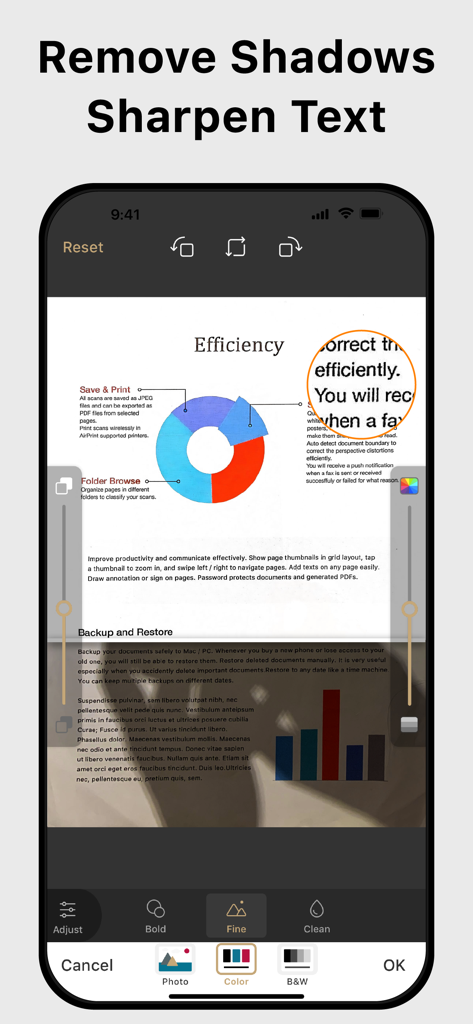
전문적인 모양을 위해 문서 그림자 제거 및 텍스트 선명 효과를 보여주는 모바일 앱 인터페이스.

전문적인 모양을 위해 문서 그림자 제거 및 텍스트 선명 효과를 보여주는 모바일 앱 인터페이스.

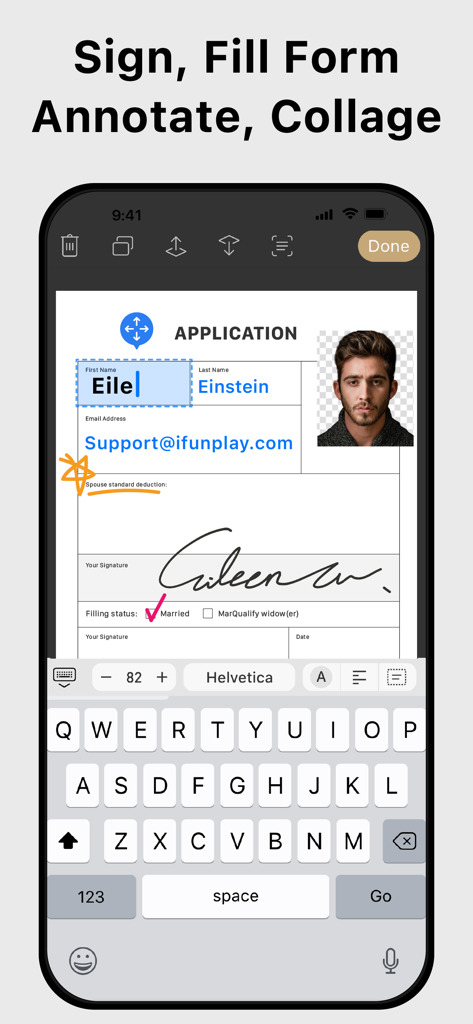
스마트폰에서 디지털 PDF 양식에 서명하고 채우는 모바일 앱 인터페이스

스마트폰에서 디지털 PDF 양식에 서명하고 채우는 모바일 앱 인터페이스

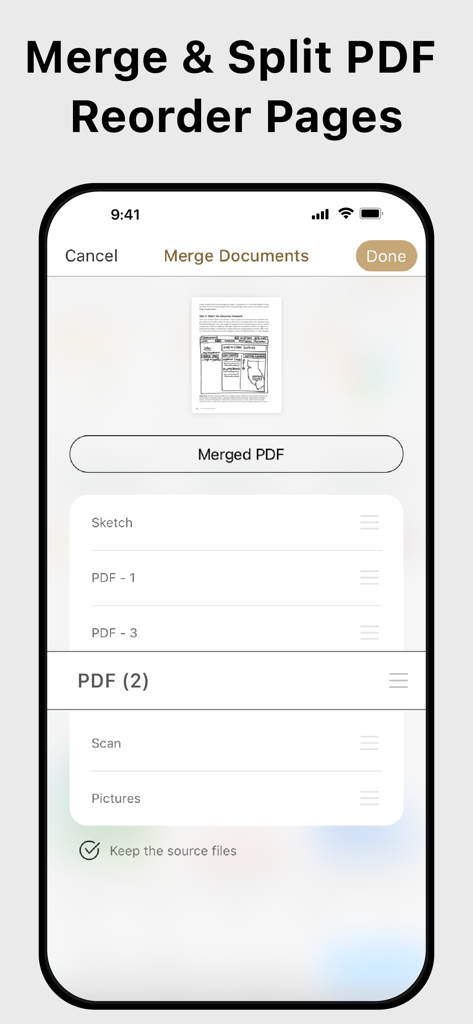
Doc Scan에서 PDF 페이지 병합, 분할 및 재정렬을 위한 인터페이스

Doc Scan에서 PDF 페이지 병합, 분할 및 재정렬을 위한 인터페이스

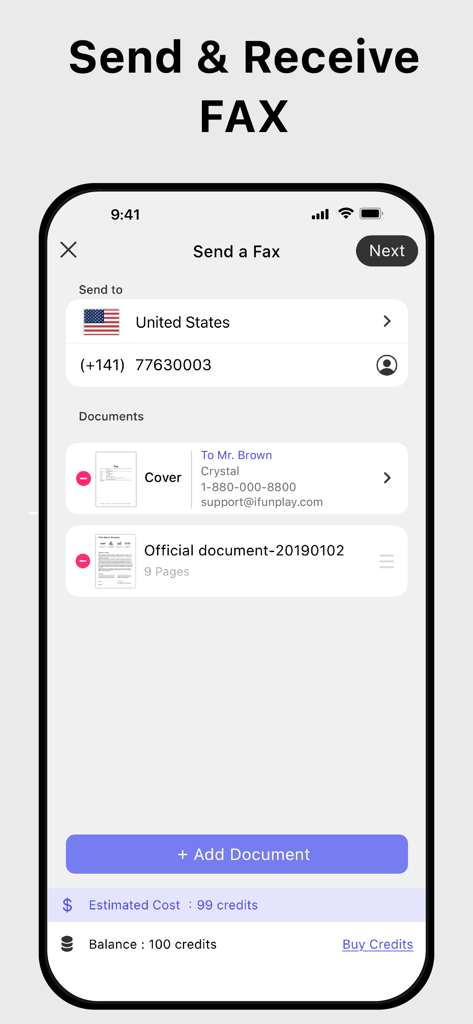
iPhone에서 팩스를 보내고 받는 Doc Scan 앱 인터페이스

iPhone에서 팩스를 보내고 받는 Doc Scan 앱 인터페이스

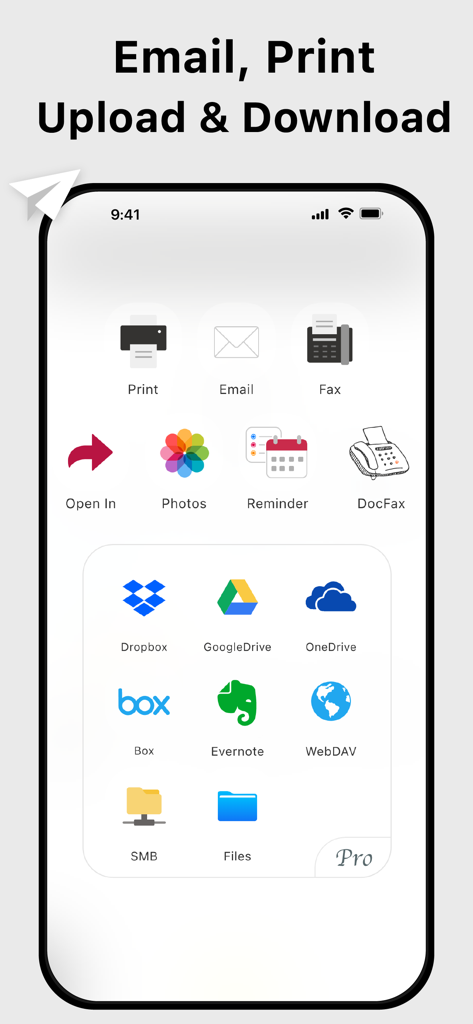
다양한 클라우드 스토리지 서비스에 문서를 이메일, 인쇄 및 업로드하는 옵션을 보여주는 Doc Scan 앱 인터페이스

다양한 클라우드 스토리지 서비스에 문서를 이메일, 인쇄 및 업로드하는 옵션을 보여주는 Doc Scan 앱 인터페이스

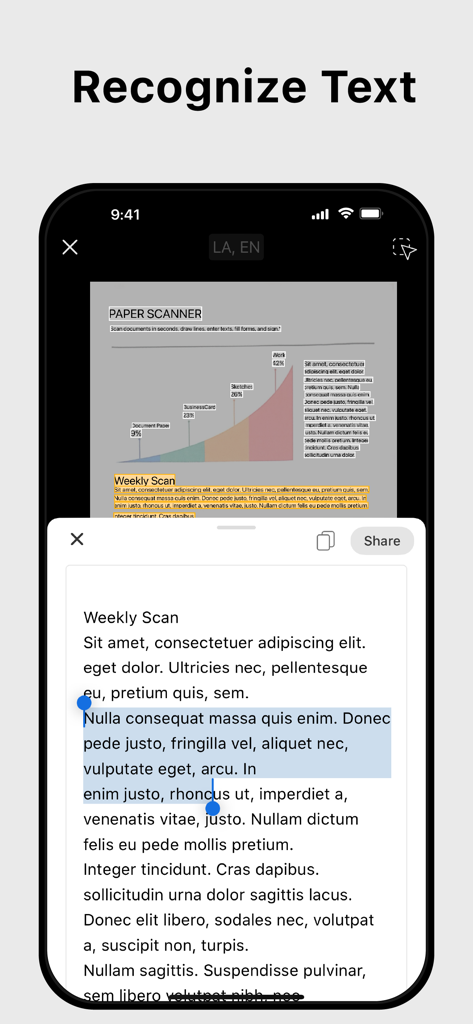
스캔된 문서에서 텍스트를 추출하는 OCR 텍스트 인식 기능을 표시하는 모바일 앱 인터페이스

스캔된 문서에서 텍스트를 추출하는 OCR 텍스트 인식 기능을 표시하는 모바일 앱 인터페이스

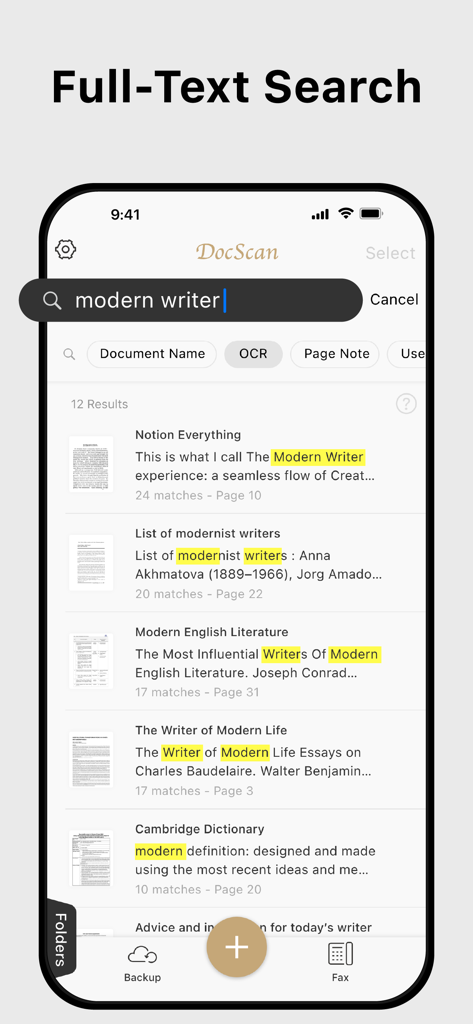
Doc Scan 앱 인터페이스에서 강조 표시된 키워드가 있는 전체 텍스트 검색 결과 표시 스마트폰 화면

Doc Scan 앱 인터페이스에서 강조 표시된 키워드가 있는 전체 텍스트 검색 결과 표시 스마트폰 화면

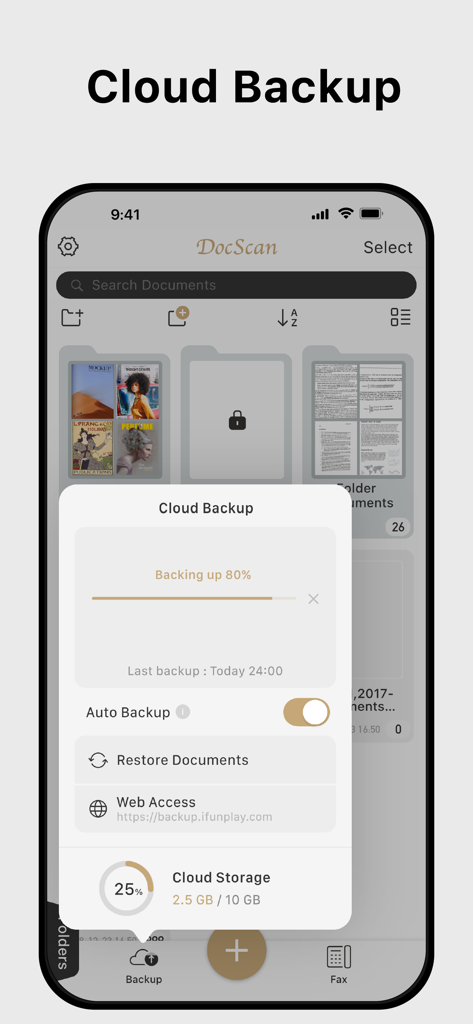
클라우드 백업 진행률 및 저장 상태를 보여주는 Doc Scan 앱

클라우드 백업 진행률 및 저장 상태를 보여주는 Doc Scan 앱

전체 사무실을 주머니에

이 앱을 돋보이게 하는 도구, 828K+ 명의 사용자가 선택.

스튜디오 품질 모바일 스캐닝

경계를 자동으로 감지하고 그림자를 제거하여 고급 사무실 스캐너에서 나온 것처럼 깔끔하고 전문적인 PDF를 만듭니다.

✍️

즉시 서명, 채우기 및 팩스 보내기

프린터나 실제 팩스 기계 없이도 계약을 완료하고 은행이나 진료소와 같은 기존 기관으로 즉시 팩스를 보내세요.

🔍

AI 기반 OCR 및 검색

스캔을 검색 가능한 텍스트로 변환하여 몇 초 안에 특정 조항이나 데이터 포인트를 찾아 디지털 파일 캐비닛을 완벽하게 정리하세요.

앱 소개

에 대해 알아야 할 모든 것 Doc Scan - PDF Scanner.

설명

Scan, OCR, Edit & Share PDF Documents with Ease Transform your iPhone or iPad into a powerful pocket scanner, PDF editor, and photo collage maker. Quickly scan multi-page documents, edit text / image, fill forms, sign, and share them in various formats—anytime, anywhere. Key Features ● High-Quality Scanning & OCR • Auto-detect document borders and correct perspective distortion • Enhance images by removing shadows and sharpening text • Extract text from scanned images with OCR and export as TXT or DOCX ● Edit & Annotate • Fill out forms, highlight important details, or sign documents • Add text, lines, and images to scanned documents • Merge multiple scans into a single PDF ● Organize & Secure Your Documents • Easily search and manage files with folders and custom naming rules • Protect sensitive documents with password encryption ● Seamless Sharing & Cloud Integration • Share scans via PDF, JPEG, TXT, or DOCX through email, fax, SMB, WebDAV, and cloud storage (iCloud Drive, ● Dropbox, Google Drive, One Drive, Box, Evernote, etc.) • Print via AirPrint or save directly to Photo Albums ● Advanced Features • Photo Collage: Combine multiple pages into one sheet (e.g., two sides of an ID on a single A4 page) • QR Code Scanner: Scan from the camera or photo albums to open URLs, call numbers, send emails, or add contacts • Fax Anywhere: Send and receive faxes globally, with real-time status notifications ● Import & Export • Import PDFs and JPEGs from other apps or cloud storage • Support exporting searchable PDFs • Export documents to iTunes, Reminders, and Apple/Google/Outlook Calendars ● Receive Faxes: (non-auto-renew subscription) • Purchase a number to receive faxes • Deny all faxes when no need to receive any fax Subscription Plans Unlock premium features with Bronze, Silver, or Gold plans, including: • Cloud Backup & Restore: Access previous versions of your documents anytime • Flexible subscription options: Monthly or annual plans available • Subscription renews automatically unless auto-renew is turned off at least 24 hours before the end of the current period • Account will be charged for renewal within 24 hours before the end of the current period. The cost depends on the selected plan • Subscriptions may be managed by the user, and auto-renewal may be turned off by going to the user's Account Settings after purchase • Any unused portion of the free trial will be forfeited when the user purchases a subscription or cancel it Terms of Service: https://ifunplay.com/legal.html

최신 버전

19.4.14

크기

271.9 MB

출시일

2011년 8월 11일

전체 사무실을 주머니에

828,000명 이상의 전문가들과 함께 워크플로우를 간소화하세요. iPhone 또는 iPad에서 즉시 문서를 스캔, 서명 및 팩스하세요.

다운로드: App Store

App information, icons, screenshots, and descriptions displayed on this page are sourced from the Apple App Store and are the property of their respective developers. Download estimates and rankings are based on MWM's proprietary models and may not reflect actual figures. This page is provided for informational and analytical purposes only.

Believe this page infringes your intellectual property? File a dispute