Dorico - Compose Music

Dorico - Compose Music

다운로드: App Store
로고: Dorico - Compose Music

Dorico: iPad에서의 전문 음악 표기법의 황금 표준

지금까지 설계된 가장 지능적인 악보 소프트웨어로 작곡에 생동감을 불어넣으세요. 수상 경력에 빛나는 채보부터 강력한 MIDI 편집까지, 스튜디오에서 무대까지 함께하는 데스크톱급 워크플로를 경험하세요.

개발사

Steinberg Media Technologies GmbH

카테고리

Music

다운로드

252K+

사용자 평점

4.6/5

총 평가 수

2K+

지원 언어

1

악보 완성

이 인터페이스를 사용하는 252K+ 명의 사용자.

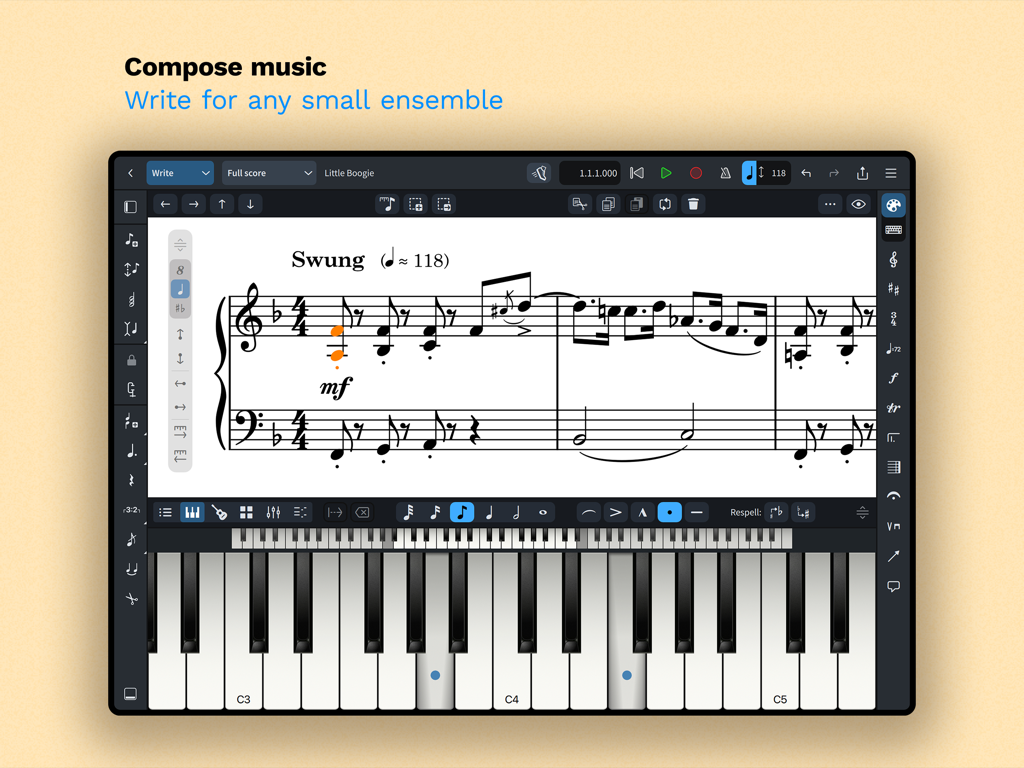
Dorico 음악 표기법 인터페이스가 iPad에 표시되며 악보와 화면상의 피아노 건반이 보입니다.
Dorico 음악 표기법 인터페이스가 iPad에 표시되며 악보와 화면상의 피아노 건반이 보입니다.

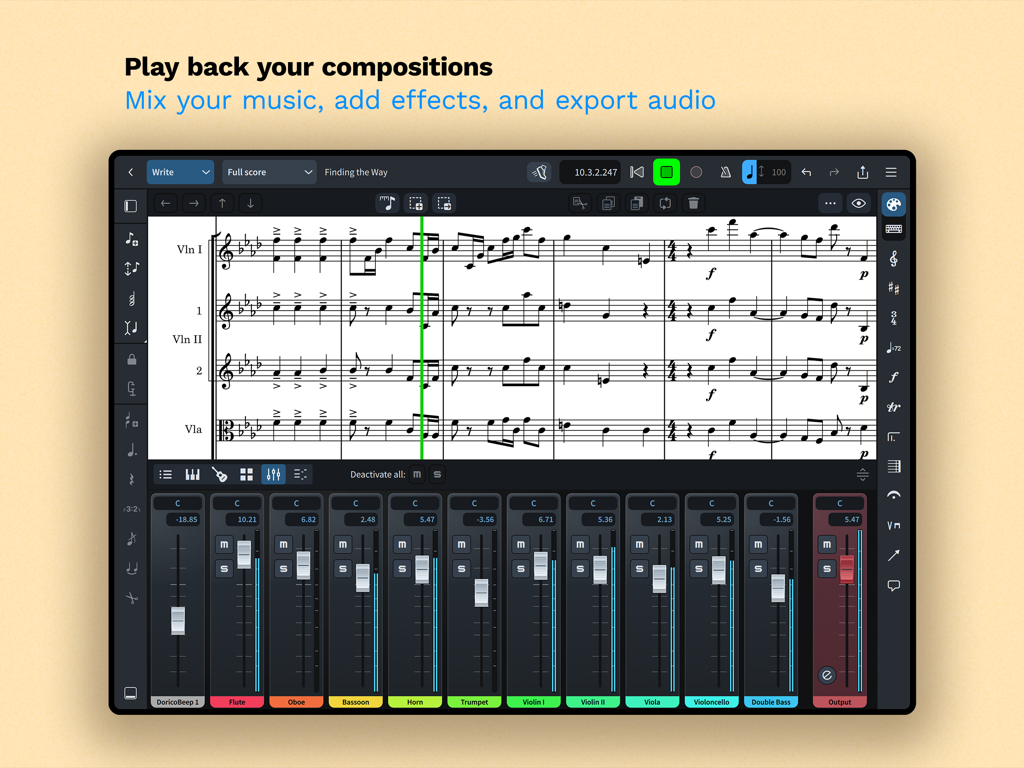
Dorico 앱 인터페이스가 iPad에서 악보와 통합된 멀티트랙 오디오 믹서를 표시합니다.
Dorico 앱 인터페이스가 iPad에서 악보와 통합된 멀티트랙 오디오 믹서를 표시합니다.

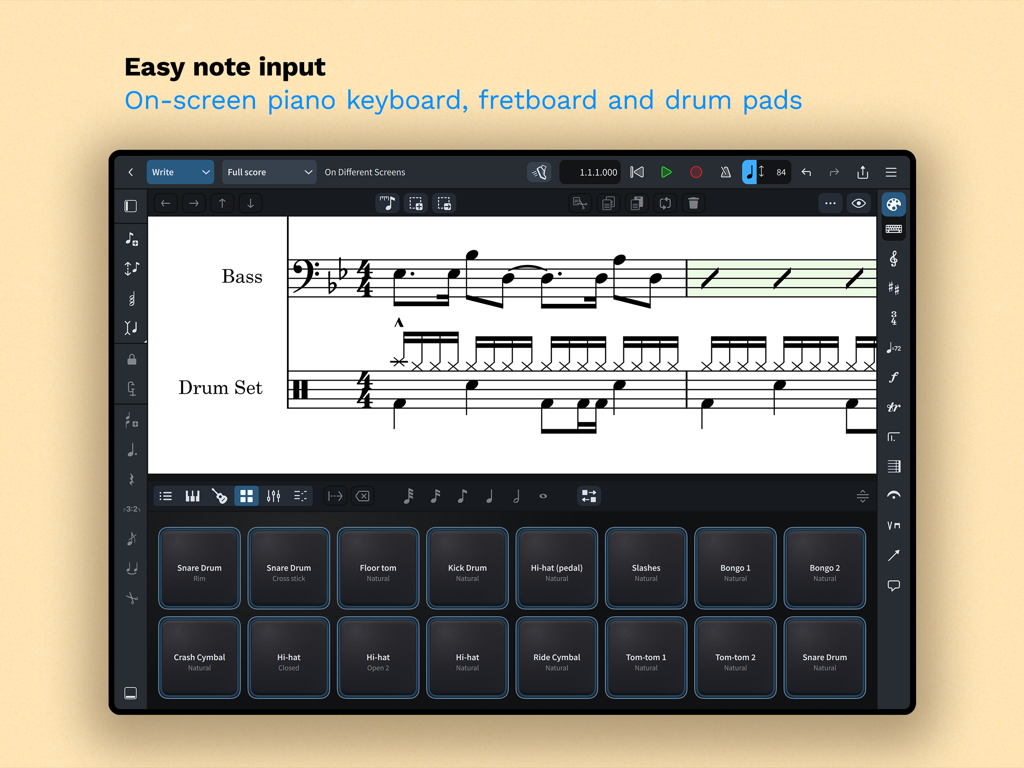
Dorico 앱 인터페이스가 iPad에서 쉬운 음악 표기법 입력을 위한 화면상의 드럼 패드를 표시합니다.
Dorico 앱 인터페이스가 iPad에서 쉬운 음악 표기법 입력을 위한 화면상의 드럼 패드를 표시합니다.

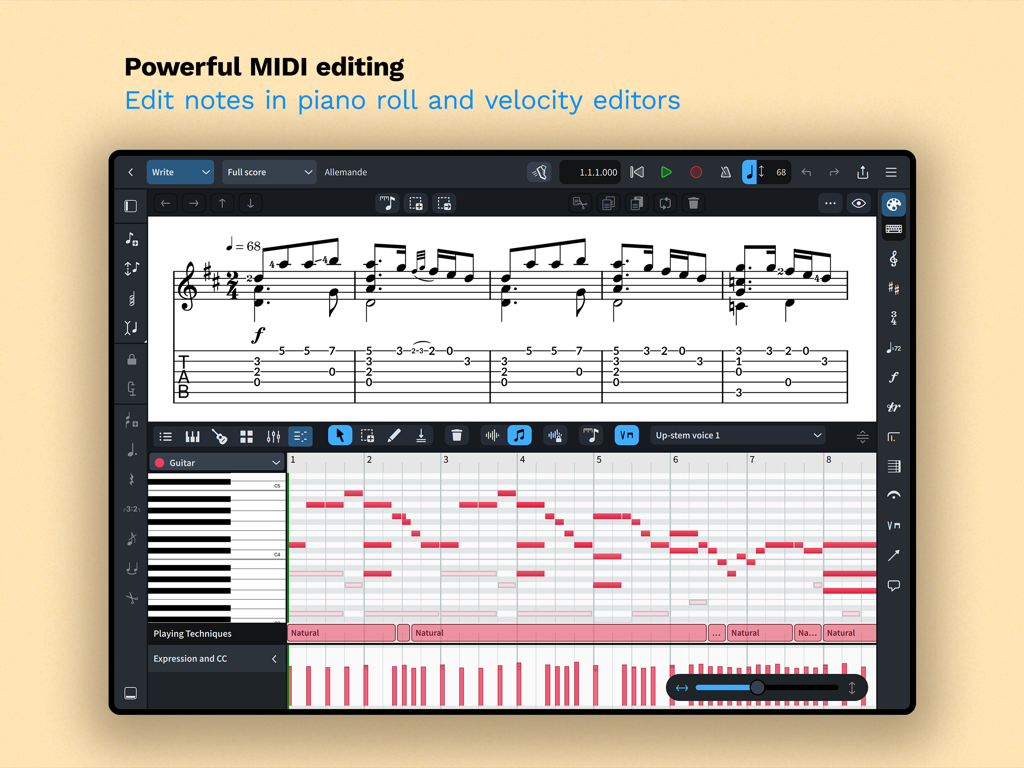
Dorico 앱 인터페이스가 음악 작곡을 위한 피아노 롤 및 벨로시티 편집기를 갖춘 강력한 MIDI 편집을 보여줍니다.
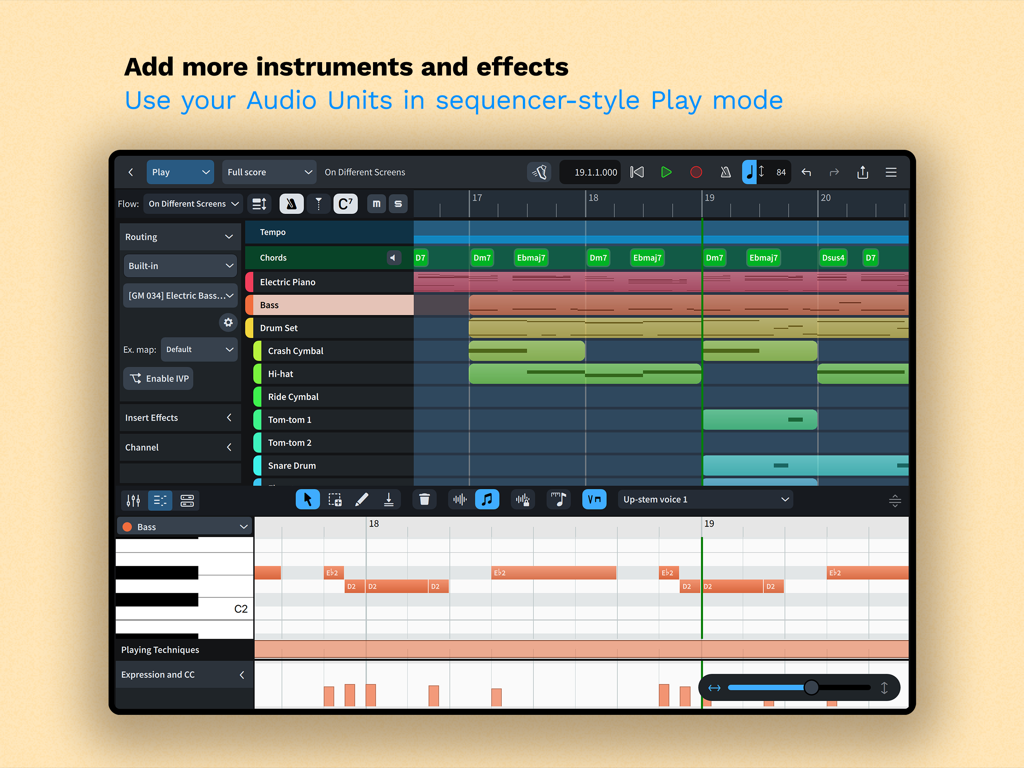
Dorico 앱 인터페이스가 음악 작곡을 위한 피아노 롤 및 벨로시티 편집기를 갖춘 강력한 MIDI 편집을 보여줍니다.

Dorico iPad 앱 플레이 모드 인터페이스는 멀티트랙 시퀀서와 피아노 롤 MIDI 편집기를 특징으로 합니다.
Dorico iPad 앱 플레이 모드 인터페이스는 멀티트랙 시퀀서와 피아노 롤 MIDI 편집기를 특징으로 합니다.

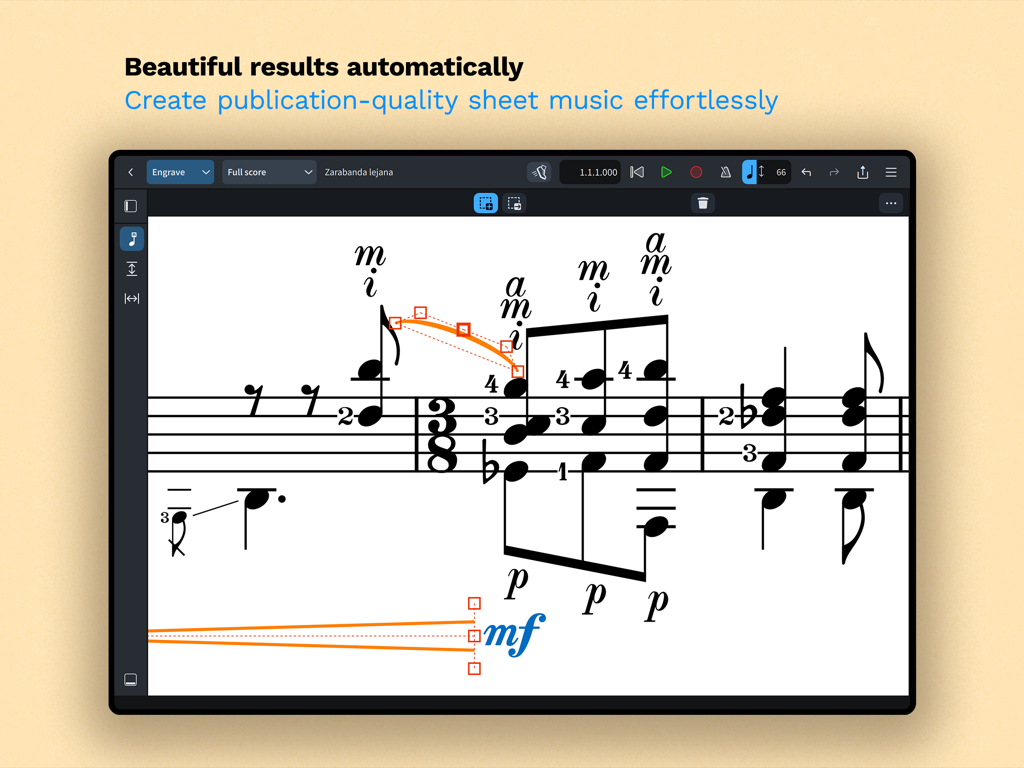
Dorico 앱 인터페이스의 스크린샷으로, 자동 서식이 적용된 채보 모드의 전문 음악 표기법을 보여줍니다.
Dorico 앱 인터페이스의 스크린샷으로, 자동 서식이 적용된 채보 모드의 전문 음악 표기법을 보여줍니다.

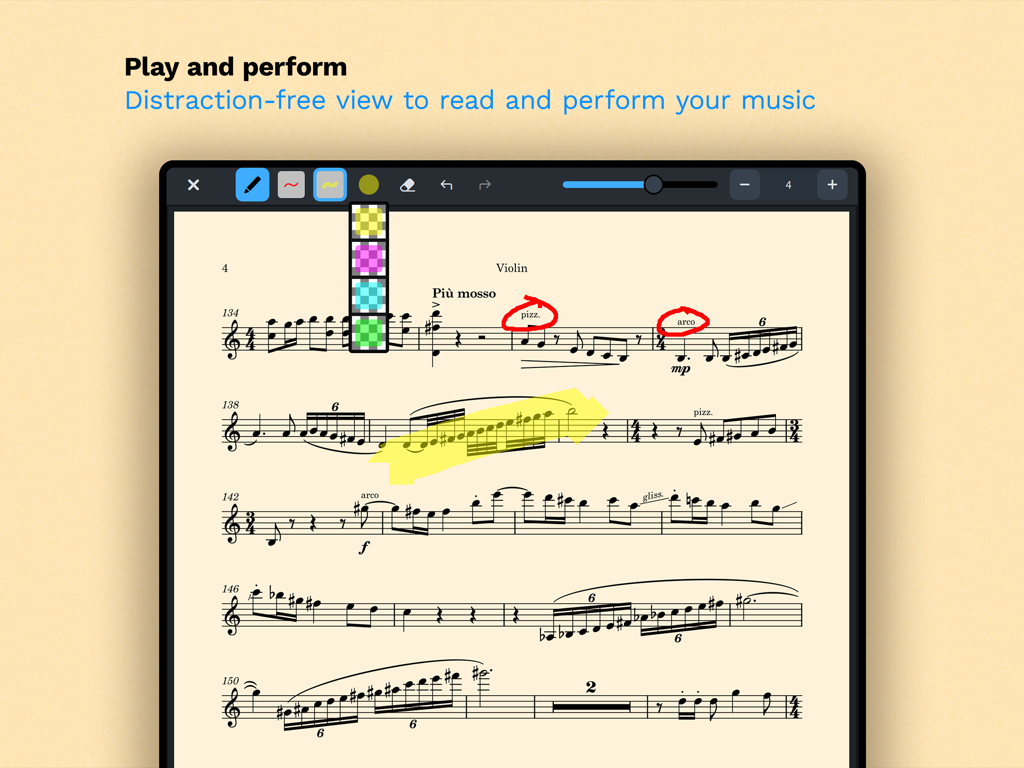
Dorico의 방해 없는 읽기 모드에 있는 바이올린 악보로, 디지털 주석 및 하이라이트가 특징입니다.
Dorico의 방해 없는 읽기 모드에 있는 바이올린 악보로, 디지털 주석 및 하이라이트가 특징입니다.

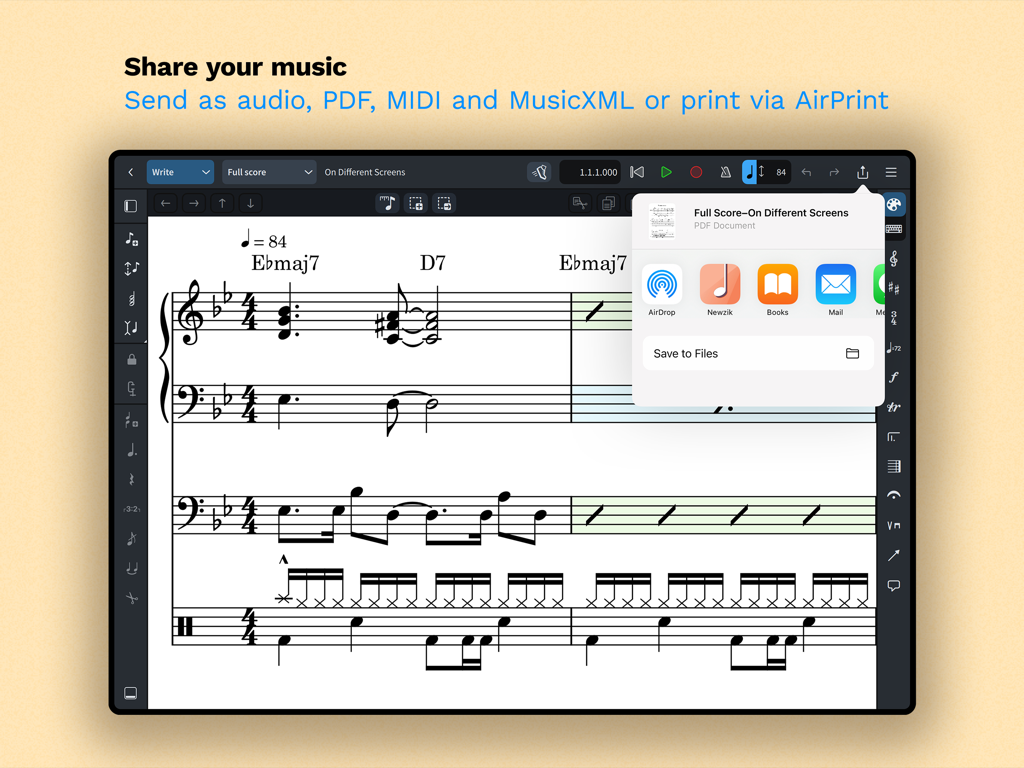
iPad 화면에 Dorico의 음악 표기법 공유 및 내보내기 옵션이 표시됩니다.

iPad 화면에 Dorico의 음악 표기법 공유 및 내보내기 옵션이 표시됩니다.

iPad에서의 데스크톱급 작곡

이 앱을 돋보이게 하는 도구, 252K+ 명의 사용자가 선택.

🎼

지능형 자동 채보

수동 서식 지정에 드는 시간을 절약하세요. 당사의 세계적 수준의 엔진은 작성 시 악보를 자동으로 조정하여 항상 최고 수준의 전문 표준을 충족하도록 합니다.

📲

원활한 전문가 워크플로

스튜디오를 이동하세요. 데스크톱용 Dorico와의 완벽한 호환성과 터치, Magic Keyboard 및 Apple Pencil 주석에 최적화된 인터페이스를 즐기세요.

🎹

시퀀서 스타일 MIDI 편집

악보와 프로덕션 사이의 격차를 해소하세요. 피아노 롤 및 벨로시티 편집기를 사용하여 내장 사운드 또는 Audio Unit 플러그인으로 표현력 있는 연주를 구성하세요.

전 세계 사용자들에게 사랑받는 앱

Trusted by 252K+ 명이 이 앱을 사랑합니다.

"

"영화 작곡가로서 저는 스튜디오에서 무대로 함께 이동할 수 있는 도구가 필요합니다. iPad용 Dorico는 타협하지 않는다는 느낌을 주는 최초의 모바일 앱입니다. 데스크톱 프로젝트와의 원활한 동기화 및 Apple Pencil 지원의 정확성은 녹음 세션 동안 제 워크플로를 완전히 변화시켰습니다."

Julian Vance
"

"모든 악보 소프트웨어를 사용해 보았지만, Dorico의 지능형 레이아웃 엔진은 학교 밴드 편곡에 혁신을 가져왔습니다. 복잡한 튜플릿과 타악기 표기법을 손쉽게 처리합니다. 리허설 중 iPad에서 즉시 악보를 수정하고 AirPrint를 통해 깔끔한 PDF를 즉시 인쇄할 수 있어 수많은 시간을 절약할 수 있었습니다."

Sarah Jenkins

앱 소개

에 대해 알아야 할 모든 것 Dorico - Compose Music.

설명

Compose your own music for free with Dorico. Create beautiful music notation for up to eight instruments quickly and easily with the on-screen keyboard, drum pads and fretboard. Play back instantly with the included sounds and shape the performance with powerful MIDI editing tools. When your piece is finished, share it as PDF, audio or MusicXML, or print directly to your AirPrint-enabled printer. Perform using the built-in read mode, and annotate with your Apple Pencil. Dorico is the award-winning music notation and composition software from Steinberg for macOS, Windows, and iPadOS. It’s easy enough to learn and use that it is used by students in schools, and deep enough that it satisfies the needs of the most demanding professionals in the worlds of concert music, music for film and TV, and music publishing. Dorico for iPad is fully compatible with Dorico for macOS and Windows, so you can work on your projects on the move on your iPad and in your studio on your desktop or laptop computer, or share projects with musicians using Dorico on any platform. Dorico’s interface is split into four modes. In Setup mode, you can add and change instruments, create and reorder sections of music (called “flows”), and choose how your music will be formatted for your musicians into layouts. In Write mode, you can input and edit music and other notations using simple, well-organized toolboxes and panels. In Engrave mode (included if you buy a paid subscription to Dorico’s advanced features), you can make graphical tweaks to every item in your project. Finally, in Play mode, you have access to powerful sequencer-style MIDI editing tools, including piano roll and velocity editors. Dorico includes built-in virtual instruments and effects to allow you to play back your compositions, and you can also easily use any compatible Audio Unit plug-in or external MIDI device (with optional subscription or Lifetime Unlock in-app purchase), and tweak playback using the on-screen Mixer. Input music using an on-screen piano keyboard, or by connecting a MIDI keyboard to your iPad directly via USB or using a compatible USB-to-Lightning adaptor. If you have a Magic Keyboard or other external keyboard, you can make use of extensive keyboard shortcuts to work quickly and efficiently. Dorico is free to use, allowing you to write for ensembles of up to four players. Register with your free Steinberg ID to increase the player limit to eight, allowing you to write for ensembles like string or wind quartet, or SATB choir. If you want to take your composition and arranging to the next level, you can buy an optional subscription or Lifetime Unlock in-app purchase to access more features and power: write for ensembles of any number of players, and gain access to Engrave mode, allowing you to make graphical tweaks to individual items anywhere in your project. HIGHLIGHTS • Best automatic engraving of any software • Easy note input using on-screen keyboard, MIDI keyboard, or external keyboard • Intelligently adjusts notation as you write • Any number of movements or pieces in a single project • Automatic layout of instrumental parts • Expressive playback using included sounds and effects • Supports Audio Unit virtual instruments and effects processors • Sequencer-style piano roll MIDI editor • Sophisticated chord symbols, unpitched percussion and drum set notation • Unbarred music, tuplets across barlines, etc. all handled correctly — no workarounds • Transfer to and from other apps via MusicXML, MIDI, PDF, etc. For support, please visit www.dorico.com/forum If you like Dorico, please support us by rating this app in the App Store. Thank you!

최신 버전

6.1.10

크기

968.9 MB

출시일

2021년 7월 27일

타협 없는 작곡

세계 최고의 작곡가 및 교육자들과 함께하세요. iPad에서 전문적인 수준의 음악 표기법을 경험하고 지금 바로 최대 8개의 악기 파트를 무료로 작곡해 보세요.

다운로드: App Store
FAQ

자주 묻는 질문

에 대해 알아야 할 모든 것 Dorico - Compose Music

Dorico - Compose Music란 무엇인가요?

Dorico는 Steinberg에서 제공하는 수상 경력에 빛나는 악보 작성 및 작곡 소프트웨어로, macOS, Windows 및 iPadOS에서 사용할 수 있습니다. 사용자는 이를 통해 악보를 작곡, 편집, 재생 및 공유할 수 있습니다.

Dorico - Compose Music은 무료인가요?

네, Dorico는 최대 4명의 연주자를 위한 작곡에 무료로 사용할 수 있습니다. 무료 Steinberg ID에 등록하면 이 제한이 8명으로 늘어납니다.

사용자는 Dorico에 어떻게 음악을 입력하나요?

Dorico는 화면상의 피아노 키보드, 드럼 패드 또는 프렛보드를 사용하여 음악을 입력할 수 있습니다. 사용자는 MIDI 키보드를 연결하거나 외부 키보드 단축키를 활용하여 효율적으로 입력할 수도 있습니다.

Dorico - Compose Music에는 재생을 위한 사운드가 포함되어 있나요?

네, Dorico에는 재생을 위한 내장 가상 악기 및 효과가 포함되어 있습니다. 또한 호환되는 Audio Unit 플러그인 및 외부 MIDI 장치를 지원하지만, 종종 별도 구독이 필요할 수 있습니다.

사용자는 Dorico - Compose Music으로 만든 음악을 어떻게 공유할 수 있나요?

사용자는 완성된 Dorico 작곡을 PDF, 오디오 또는 MusicXML 파일로 공유할 수 있습니다. 또한 AirPrint 지원 프린터로 직접 인쇄하는 기능도 지원합니다.

Dorico for iPad는 Dorico의 다른 버전과 호환되나요?

Dorico for iPad는 Dorico for macOS 및 Windows와 완벽하게 호환됩니다. 이를 통해 사용자는 다른 장치에서 프로젝트를 원활하게 작업하고 다른 음악가와 공유할 수 있습니다.

Dorico - Compose Music의 주요 인터페이스 모드는 무엇인가요?

Dorico에는 4가지 모드가 있습니다: 악기와 레이아웃을 설정하는 Setup, 입력 및 편집을 위한 Write, 그래픽 조정을 위한 Engrave(유료 기능), MIDI 편집 및 재생을 위한 Play입니다.

Dorico 구독은 어떤 고급 기능을 잠금 해제하나요?

Dorico의 유료 구독 또는 인앱 구매(Lifetime Unlock)는 Engrave 모드에 대한 액세스를 제공하고 무제한 연주자 편성을 지원합니다.

Dorico - Compose Music은 MIDI 편집 기능을 제공하나요?

네, Dorico는 Play 모드에서 사용할 수 있는 피아노 롤 및 벨로시티 편집기와 같은 강력한 MIDI 편집 도구를 제공하여 음악 연주를 다듬을 수 있습니다.