
이 페이지는 앱이나 개발자의 공식 페이지가 아니며, 정보 제공 및 논평을 목적으로 작성된 독립 편집 간행물입니다. 명시적으로 달리 언급되지 않는 한, 해당 앱이나 개발자는 MWM, Apple, Google Play, 앱 퍼블리셔 또는 앱 개발자와 제휴, 보증, 후원, 승인 또는 공식적으로 연결되어 있지 않으며, 이 페이지의 어떤 내용도 해당 앱이 MWM의 서비스를 사용하여 개발되었음을 의미하지 않습니다. 모든 상표, 로고, 스크린샷 및 기타 콘텐츠는 해당 소유자의 자산입니다.

Notion: Music Notation and Tab
손끝에서 펼쳐지는 전문 작곡으로 창의력을 발휘하세요. 직관적인 필기 인식부터 세계적인 수준의 런던 심포니 오케스트라 사운드까지, iPhone, iPad 및 Mac에서 악보를 손쉽게 만들고 동기화하세요.
다운로드
563K+사용자 평점
총 평가 수
600개발사
카테고리
Music지원 언어
9최신 버전
3.5.1크기
146.0 MB출시일
2011년 12월 16일언제 어디서든 전문적인 작곡
교실과 녹음 스튜디오 모두를 위해 설계된 강력하고 수상 경력에 빛나는 악보 엔진으로 음악적 비전을 실현하세요.
자연스러운 필기 입력
음악을 원하는 대로 쓰세요. Apple Pencil을 사용하여 악보에 직접 음표를 스케치하고, 고급 인식 엔진이 이를 전문적인 디지털 표기법으로 변환하는 것을 지켜보세요.
전설적인 음질
런던 심포니 오케스트라가 연주하는 여러분의 작품을 경험하세요. 상징적인 애비 로드 스튜디오에서 녹음된 실제 오디오 샘플을 사용하여 놀랍도록 사실적인 재생을 즐기세요.
자주 묻는 질문
에 대해 알아야 할 모든 것 Notion: Music Notation and Tab
Fender Notion: Music & Tab의 가격은 얼마인가요?
Fender Notion: Music & Tab은 무료로 다운로드하여 사용할 수 있으며, 무제한 악보와 핵심 사운드셋을 제공합니다. 필기 인식 및 확장 사운드셋과 같은 추가 기능은 인앱 구매 기능 번들 또는 Fender Studio Pro+ 멤버십을 통해 이용할 수 있습니다.
Fender Notion: Music & Tab이란 무엇인가요?
Fender Notion: Music & Tab은 iOS, iPadOS 및 macOS를 위한 수상 경력에 빛나는 음악 작곡 도구입니다. 직관적인 터치 기반 인터페이스를 사용하여 전통적인 악보 또는 기타 타블라투어로 역동적인 작곡을 할 수 있습니다.
Fender Notion에서 기타 타블라투어를 사용하여 음악을 작곡할 수 있나요?
예, Fender Notion: Music & Tab을 사용하면 기타 타블라투어로 역동적인 작곡을 쉽게 할 수 있습니다. 이 앱은 기타 타블라투어 입력 및 편집을 위한 전용 인터페이스를 제공합니다.
Fender Notion은 필기 인식을 지원하나요?
예, Fender Notion: Music & Tab은 MyScript 기반의 필기 인식 기능을 제공합니다. 이 기능은 기능 번들의 일부이며 호환되는 장치에서 압력 감지 입력을 위해 Apple Pencil을 지원합니다.
Fender Notion은 재생을 위해 어떤 사운드 샘플을 사용하나요?
Fender Notion은 Abbey Road Studios에서 런던 심포니 오케스트라가 녹음한 실제 오디오 샘플을 사용하여 사실적인 재생을 제공합니다. 또한 포괄적인 작곡을 위해 샘플링된 기타, 베이스, 드럼 및 기타 인기 악기를 포함합니다.
Fender Notion은 여러 기기에서 음악을 동기화할 수 있나요?
예, Fender Notion: Music & Tab은 여러 기기에서 작업을 동기화하는 것을 지원합니다. 사용자는 선호하는 클라우드 제공업체를 통해 또는 모든 장치의 애플리케이션 간 무선 전송을 통해 이를 달성할 수 있습니다.
Fender Notion에서 사용할 수 있는 내보내기 형식은 무엇인가요?
Fender Notion은 무료로 MIDI, MusicXML, PDF, WAV 및 MP3 파일로 작곡을 내보낼 수 있습니다. 기능 번들은 M4A, OPUS 및 FLAC와 같은 추가 오디오 형식을 제공합니다.
Fender Notion은 크로스 플랫폼 애플리케이션인가요?
예, Fender Notion: Music & Tab은 네이티브 크로스 플랫폼 애플리케이션입니다. 사용자는 지속적인 인터넷 연결 없이도 iOS, iPadOS 및 macOS를 포함한 다양한 장치에서 음악을 작성할 수 있습니다.
Fender Notion에는 작곡을 위한 드럼 패드가 포함되어 있나요?
예, Fender Notion: Music & Tab에는 인터랙티브 드럼 패드가 포함되어 있습니다. 이 기능을 사용하면 애플리케이션 내에서 다양한 악기 타격을 직접 사용하여 드럼 파트를 쉽게 작곡할 수 있습니다.
Fender Notion을 오프라인으로 사용할 수 있나요?
예, Fender Notion: Music & Tab은 오프라인으로 작동합니다. 지속적인 인터넷 연결 없이도 모든 장치에서 언제 어디서든 음악을 작곡할 수 있는 네이티브 크로스 플랫폼 앱입니다.
다음 스크린샷과 설명은 앱의 공식 스토어 목록에서 직접 가져온 것이며 앱 개발자의 자산입니다.
앱 스토어
스크린샷
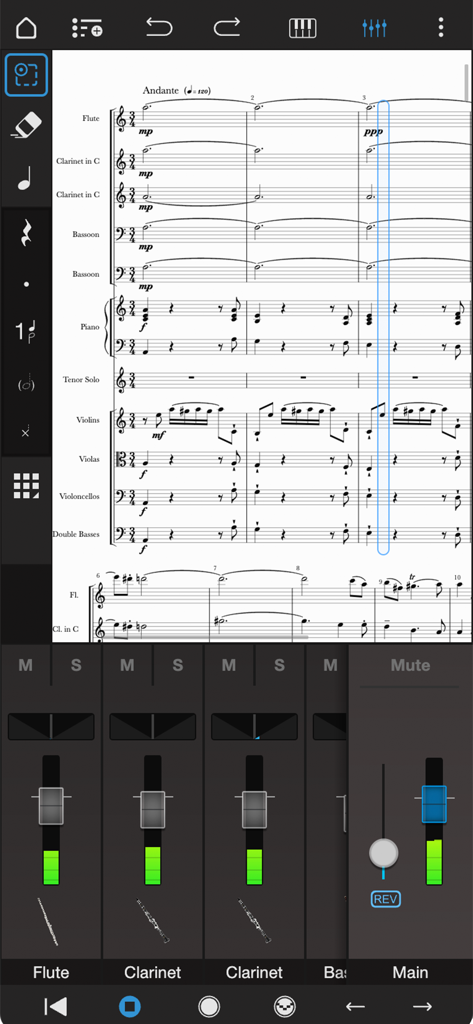
Notion 모바일의 전문 오케스트라 악보 편집 및 오디오 믹서 인터페이스.
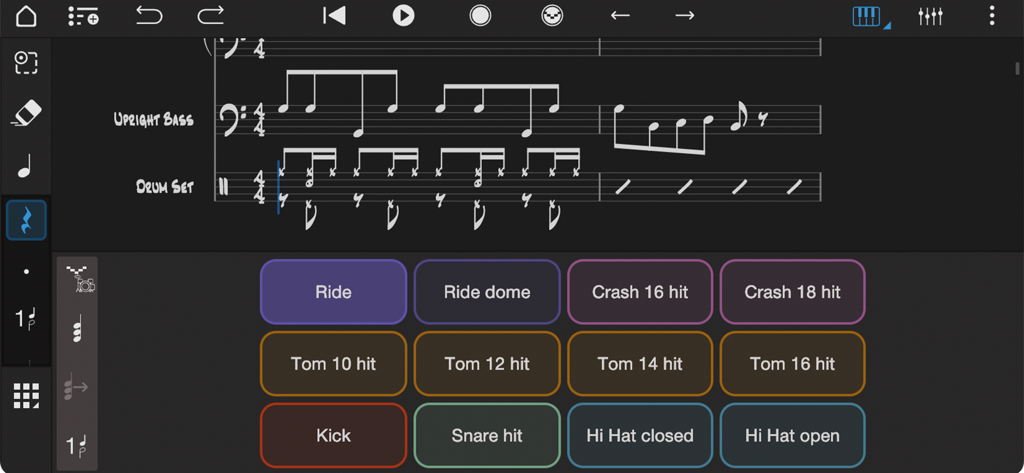
Notion 음악 앱 인터페이스로, 업라이트 베이스와 드럼을 위한 드럼 패드 컨트롤러와 음악 표기법을 보여줍니다.
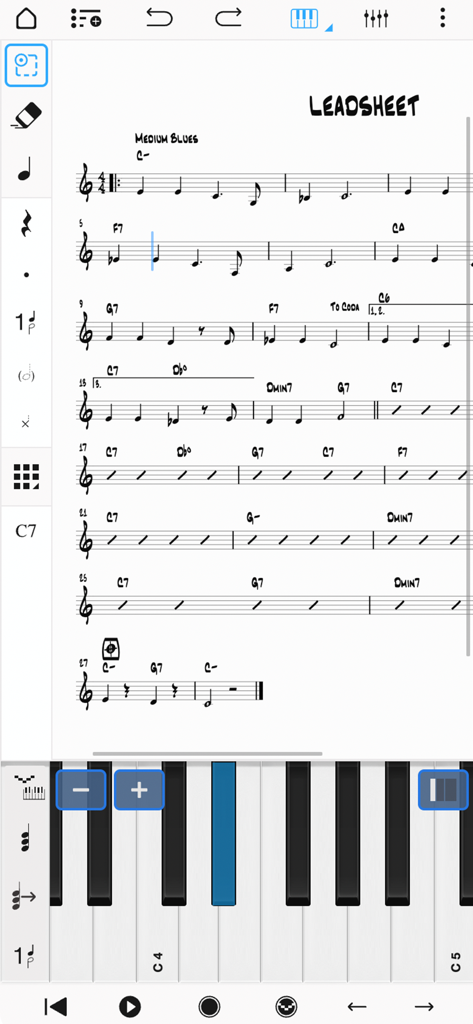
음표 입력을 위한 가상 피아노 건반이 있는 음악 리드 시트를 보여주는 Notion 모바일 앱 인터페이스.
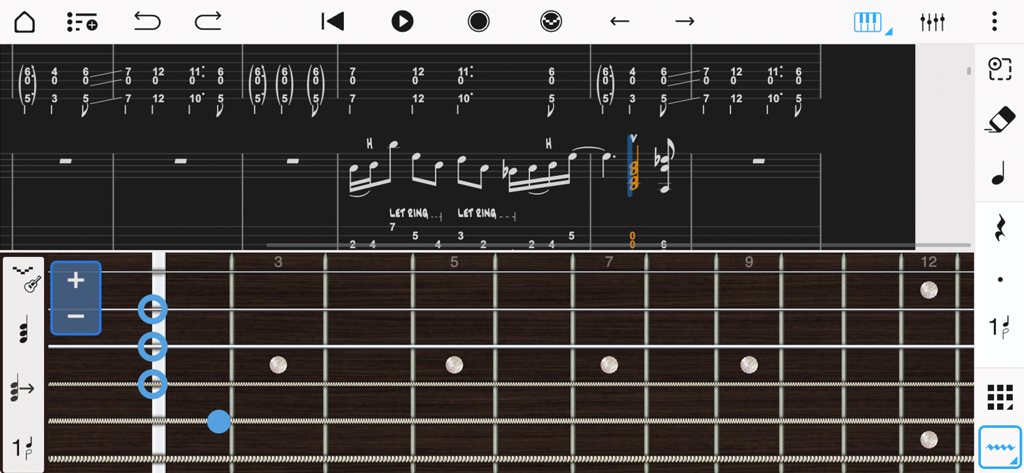
Notion 모바일에서 음표 입력을 위한 가상 프렛보드가 있는 음악 표기법 및 기타 타브 인터페이스.
설명
Download
비슷한 앱
유사한 기능과 사용자 경험을 가진 앱

来音制谱-sheet music editing
Beijing Xihang Technology Co., Ltd.

Dorico - Compose Music
Steinberg Media Technologies GmbH

Composer Pro - Score Creator
嵩 张

Sibelius
Avid Technology Inc

Notation Pad-Sheet Music Score
嵩 张

Piano+ - Sheet Music Composer
嵩 张

Score Creator: compose music
Sharp Notes Company Limited

Maestro - Music Composer
Future Sculptor Pty Ltd

NotateMe
Neuratron Limited
이 페이지는 앱이나 개발자의 공식 페이지가 아니며, 정보 제공 및 논평을 목적으로 작성된 독립 편집 간행물입니다. 명시적으로 달리 언급되지 않는 한, 해당 앱이나 개발자는 MWM, Apple, Google Play, 앱 퍼블리셔 또는 앱 개발자와 제휴, 보증, 후원, 승인 또는 공식적으로 연결되어 있지 않으며, 이 페이지의 어떤 내용도 해당 앱이 MWM의 서비스를 사용하여 개발되었음을 의미하지 않습니다. 모든 상표, 로고, 스크린샷 및 기타 콘텐츠는 해당 소유자의 자산입니다.