
이 페이지는 앱이나 개발자의 공식 페이지가 아니며, 정보 제공 및 논평을 목적으로 작성된 독립 편집 간행물입니다. 명시적으로 달리 언급되지 않는 한, 해당 앱이나 개발자는 MWM, Apple, Google Play, 앱 퍼블리셔 또는 앱 개발자와 제휴, 보증, 후원, 승인 또는 공식적으로 연결되어 있지 않으며, 이 페이지의 어떤 내용도 해당 앱이 MWM의 서비스를 사용하여 개발되었음을 의미하지 않습니다. 모든 상표, 로고, 스크린샷 및 기타 콘텐츠는 해당 소유자의 자산입니다.

来音制谱-sheet music editing
AI 스캐닝으로 종이 악보를 디지털 파일로 변환하고, 직관적인 도구로 모든 악기를 작곡하고, 모바일 장치에서 즉시 마스터피스를 들어보세요.
다운로드
231K+사용자 평점
총 평가 수
11K+개발사
카테고리
Music지원 언어
1최신 버전
2.13.0크기
234.1 MB출시일
2023년 7월 5일전문적인 음악 표기법, 간소화됨
AI 기반 스캐닝부터 직관적인 터치 편집까지, 음악 아이디어를 어디서든 몇 분 안에 아름다운 악보로 변환하세요.
AI 기반 스마트 스캐닝
지루한 수동 입력을 건너뛰세요. 종이 악보 사진을 찍어 즉시 디지털, 편집 가능, 재생 가능한 파일로 변환하세요.
직관적인 모바일 작곡
iPad 또는 iPhone에서 최대 속도를 위해 설계된 과학적인 키보드 레이아웃을 사용하여 피아노, 기타, 우쿨렐레 등을 작곡하세요.
자주 묻는 질문
에 대해 알아야 할 모든 것 来音制谱-sheet music editing
来音制谱-sheet music editing의 주요 기능은 무엇인가요?
来音制谱-sheet music editing은 음악 애호가와 전문가를 위한 사용하기 쉬운 소프트웨어입니다. 키보드 입력과 AI 카메라 인식을 통한 디지털 변환을 통해 사용자가 악보를 효율적으로 만들고, 편집하고, 재생할 수 있습니다.
来音制谱-sheet music editing으로 다양한 악기의 악보를 만들 수 있나요?
네, 来音制谱-sheet music editing은 피아노, 기타, 고쟁이, 바이올린, 우쿨렐레, 보컬 음악의 악보를 만들고 편집하는 것을 지원합니다. 또한 여러 파트의 맞춤 악보 편집과 다양한 표기법을 수용합니다.
来音制谱-sheet music editing은 종이 악보를 어떻게 처리하나요?
来音制谱-sheet music editing은 AI 카메라 인식 기능을 활용합니다. 사용자는 종이 악보를 사진으로 찍어 업로드하기만 하면, 디지털 악보로 변환되어 편집과 휴대성이 용이해집니다.
来音制谱-sheet music editing에서 악보 재생 기능을 제공하나요?
네, 来音制谱-sheet music editing에는 악보 재생 기능이 포함되어 있습니다. 편집 후 사용자는 앱 내에서 직접 작곡한 곡을 재생하여 음악 작품을 미리 보고 다듬는 데 도움을 받을 수 있습니다.
来音制谱-sheet music editing에서 어떤 파일 형식으로 내보낼 수 있나요?
来音制谱-sheet music editing은 만든 악보를 PDF, MusicXML, Laiyin 악보, 이미지 파일 등 여러 형식으로 내보내는 것을 지원하여 다른 애플리케이션에 쉽게 저장하고 공유할 수 있습니다.
来音制谱-sheet music editing에서 악보를 만들기 위한 입력 방법은 무엇인가요?
来音制谱-sheet music editing은 효율적인 입력 방법을 제공합니다. 사용자는 과학적인 키보드 입력, 내장 시뮬레이터 또는 MIDI 장치 입력을 통해 악보를 만들 수 있으며, 다양한 창작 워크플로우를 지원합니다.
来音制谱-sheet music editing에서 표기법 변환이 가능한가요?
네, 来音制谱-sheet music editing은 5선 악보를 간소화된 악보로 변환하는 것을 지원합니다. 이 기능은 사용자가 작곡을 다른 읽기 환경과 음악적 맥락에 맞게 조정하는 데 도움이 됩니다.
다음 스크린샷과 설명은 앱의 공식 스토어 목록에서 직접 가져온 것이며 앱 개발자의 자산입니다.
앱 스토어
스크린샷
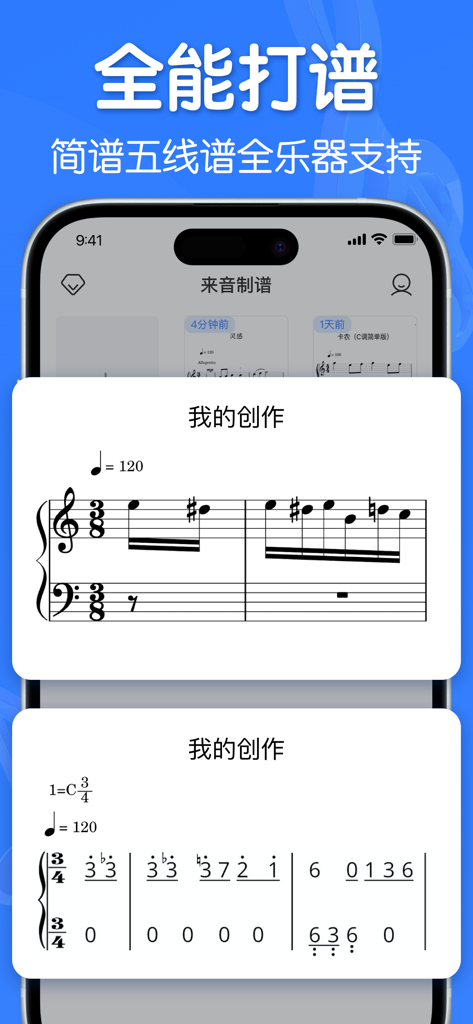
표준 오선보 표기법과 단순화된 숫자 음악 악보가 모두 표시되는 모바일 앱 인터페이스.
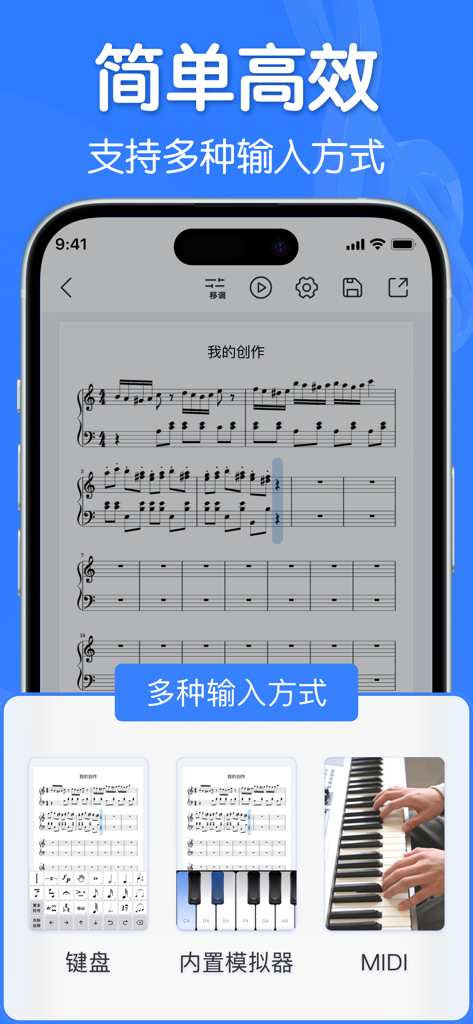
MIDI 및 가상 키보드를 포함한 여러 악보 입력 방법을 보여주는 인터페이스
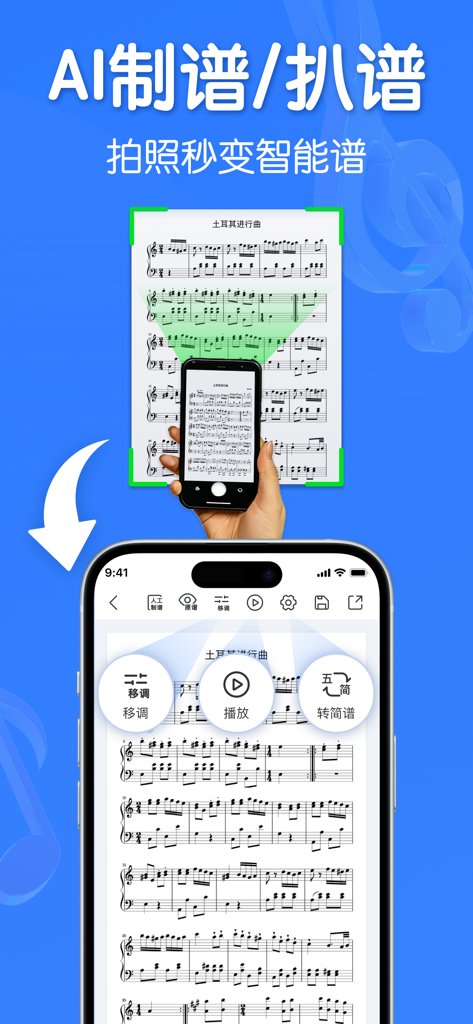
AI를 사용하여 종이 악보를 스캔하고 디지털 표기법으로 변환하는 스마트폰 앱
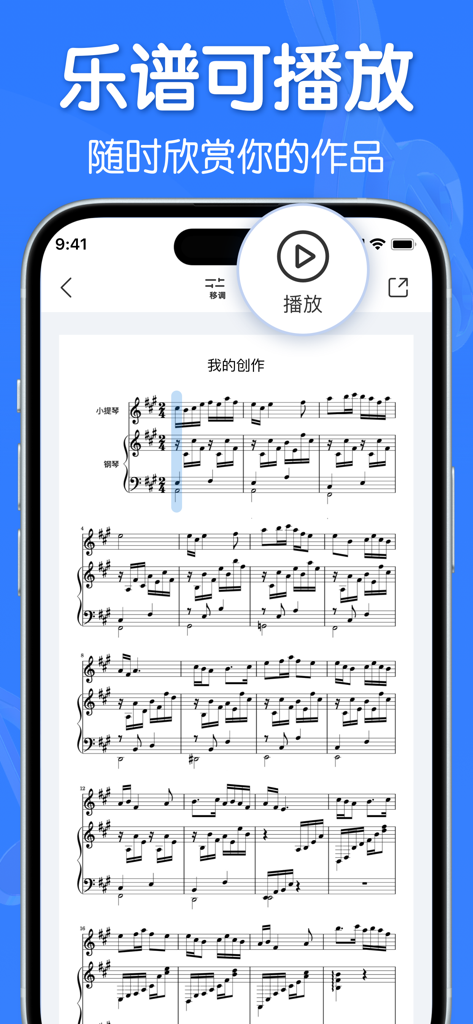
오디오 재생을 위한 큰 재생 버튼이 있는 디지털 악보를 보여주는 모바일 앱.
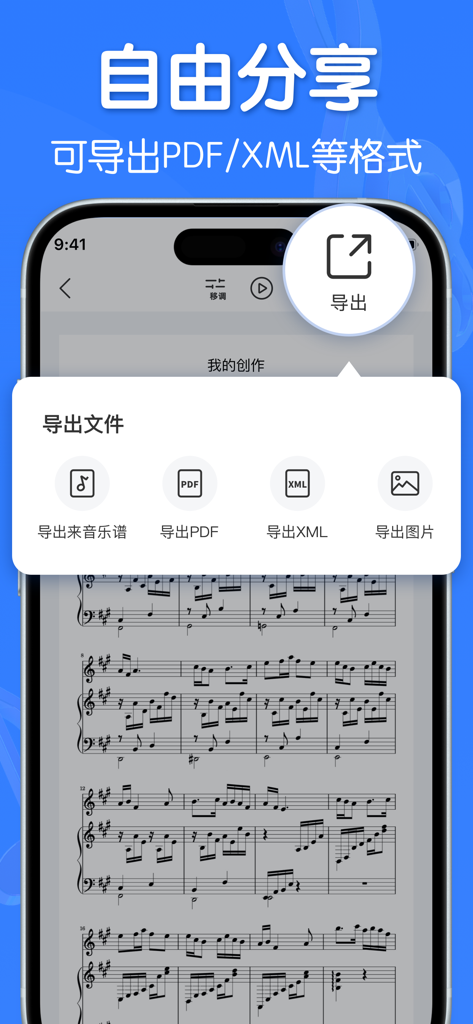
PDF 및 XML 형식 옵션이 있는 내보내기 메뉴를 보여주는 라이인 음악 표기법 앱의 스마트폰 스크린샷
설명
Download
비슷한 앱
유사한 기능과 사용자 경험을 가진 앱

Dorico - Compose Music
Steinberg Media Technologies GmbH

Composer Pro - Score Creator
嵩 张

Sibelius
Avid Technology Inc

Notation Pad-Sheet Music Score
嵩 张

Piano+ - Sheet Music Composer
嵩 张

Score Creator: compose music
Sharp Notes Company Limited

Maestro - Music Composer
Future Sculptor Pty Ltd

NotateMe
Neuratron Limited

Fender Notion: Music & Tab
Fender Digital, LLC
이 페이지는 앱이나 개발자의 공식 페이지가 아니며, 정보 제공 및 논평을 목적으로 작성된 독립 편집 간행물입니다. 명시적으로 달리 언급되지 않는 한, 해당 앱이나 개발자는 MWM, Apple, Google Play, 앱 퍼블리셔 또는 앱 개발자와 제휴, 보증, 후원, 승인 또는 공식적으로 연결되어 있지 않으며, 이 페이지의 어떤 내용도 해당 앱이 MWM의 서비스를 사용하여 개발되었음을 의미하지 않습니다. 모든 상표, 로고, 스크린샷 및 기타 콘텐츠는 해당 소유자의 자산입니다.