Drawing Pad
Drawing Pad
다운로드: App Store

이 페이지는 앱이나 개발자의 공식 페이지가 아니며, 정보 제공 및 논평을 목적으로 작성된 독립 편집 간행물입니다. 명시적으로 달리 언급되지 않는 한, 해당 앱이나 개발자는 MWM, Apple, Google Play, 앱 퍼블리셔 또는 앱 개발자와 제휴, 보증, 후원, 승인 또는 공식적으로 연결되어 있지 않으며, 이 페이지의 어떤 내용도 해당 앱이 MWM의 서비스를 사용하여 개발되었음을 의미하지 않습니다. 모든 상표, 로고, 스크린샷 및 기타 콘텐츠는 해당 소유자의 자산입니다.

로고: Drawing Pad
다운로드: App Store

Drawing Pad

스크린 타임을 어질러지지 않는 창의적인 모험으로 바꿔보세요. 전국 부모와 교육자들이 신뢰하는, 상상력 발견을 위해 설계된 사진처럼 사실적인 도구와 직관적인 메뉴로 아이에게 힘을 실어주세요.

주요 수치

다운로드

319K+

사용자 평점

4.1/5

총 평가 수

5K+

개발사

Murtha Design LLC

카테고리

Graphics & Design

지원 언어

21

최신 버전

2.7.1

크기

222.9 MB

출시일

2010년 4월 1일
기능

아이의 상상력 잠금 해제

차세대 예술가를 위해 특별히 설계된, 전통적인 창의성과 디지털 편의성을 결합한 종합 모바일 아트 스튜디오입니다.

극사실적 미술 도구

물리적인 미술 용품처럼 보이고 느껴지는 크레용, 마크, 붓의 촉감을 그대로 경험하세요. 물론 어질러짐은 없습니다.

직관적인 시각 인터페이스

읽을 필요가 없습니다! 아이콘 중심의 시각적 서랍 시스템을 통해 어린 아이들도 독립적으로 도구와 색상을 전환할 수 있습니다.

다음 스크린샷과 설명은 앱의 공식 스토어 목록에서 직접 가져온 것이며 앱 개발자의 자산입니다.

앱 스토어

스크린샷
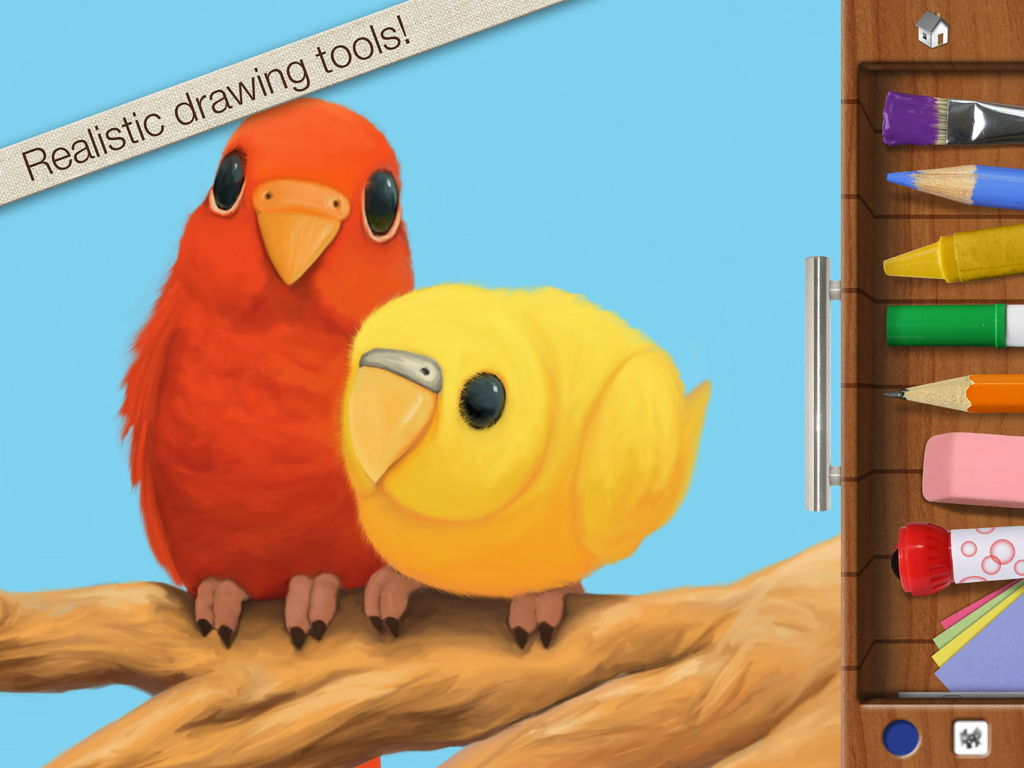
Drawing Pad - 사실적인 크레용과 붓과 같은 미술 도구를 보여주는 사이드바와 함께 빨간색과 노란색 새의 디지털 그림.
사실적인 크레용과 붓과 같은 미술 도구를 보여주는 사이드바와 함께 빨간색과 노란색 새의 디지털 그림.

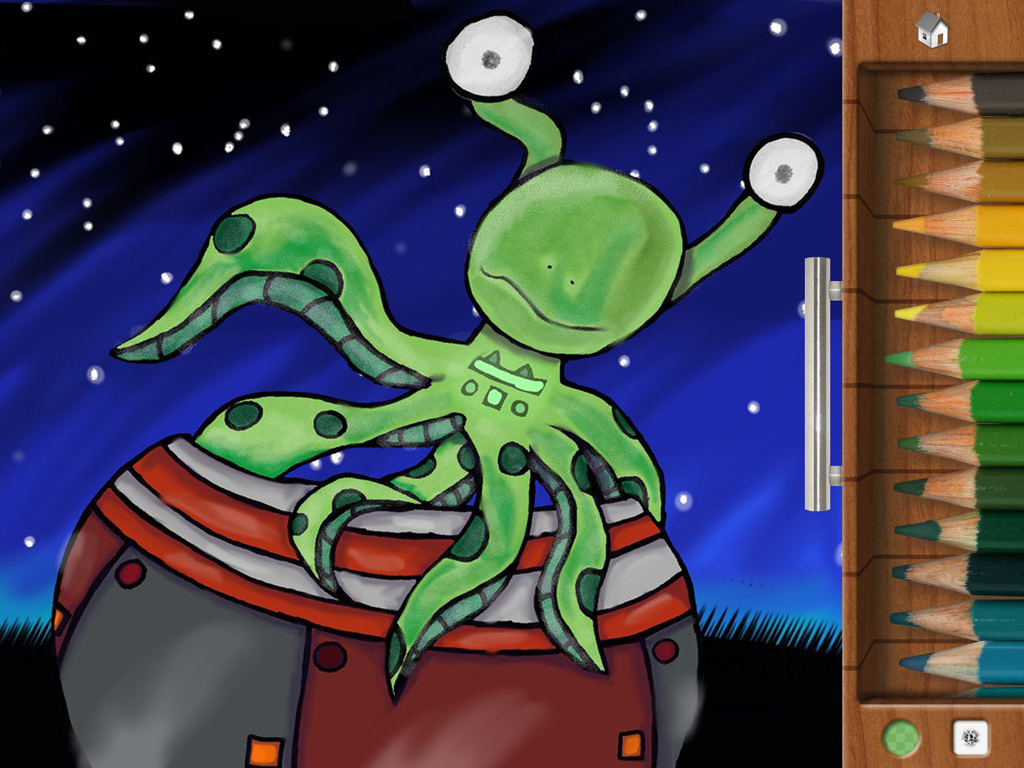
Drawing Pad - 색연필 메뉴가 있는 Drawing Pad 앱에서 그려진 초록색 문어 모양 외계인 캐릭터.
색연필 메뉴가 있는 Drawing Pad 앱에서 그려진 초록색 문어 모양 외계인 캐릭터.

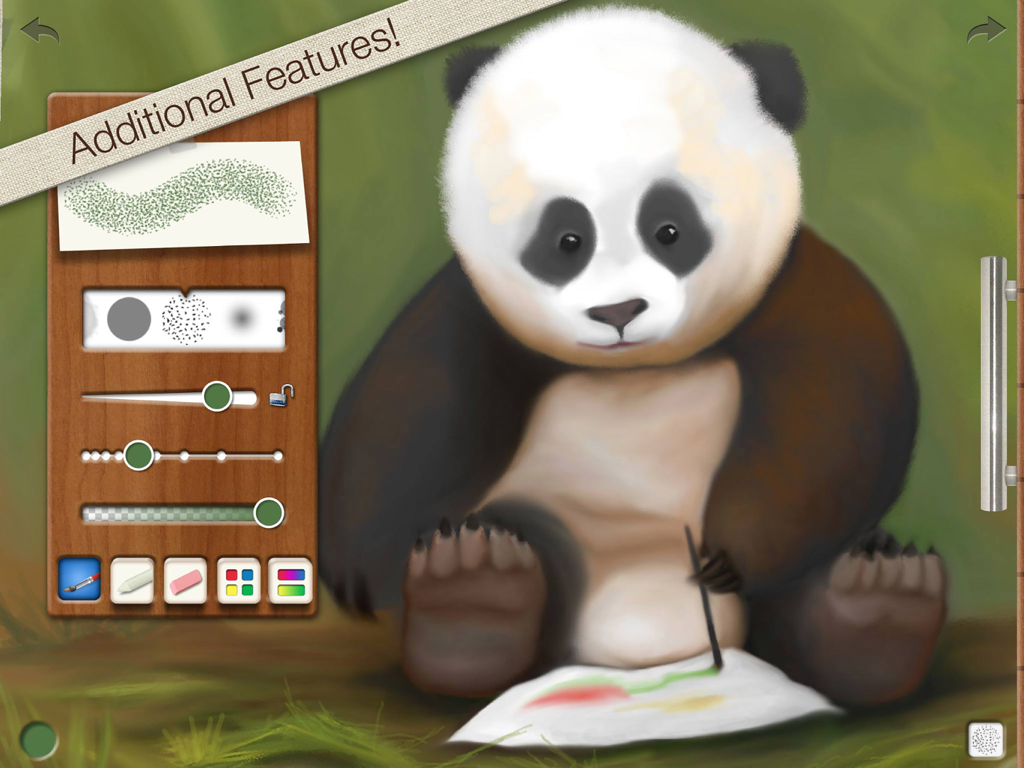
Drawing Pad - 시각적 브러시 및 도구 제어 메뉴를 보여주는 Drawing Pad 앱의 팬더곰 디지털 그림.
시각적 브러시 및 도구 제어 메뉴를 보여주는 Drawing Pad 앱의 팬더곰 디지털 그림.

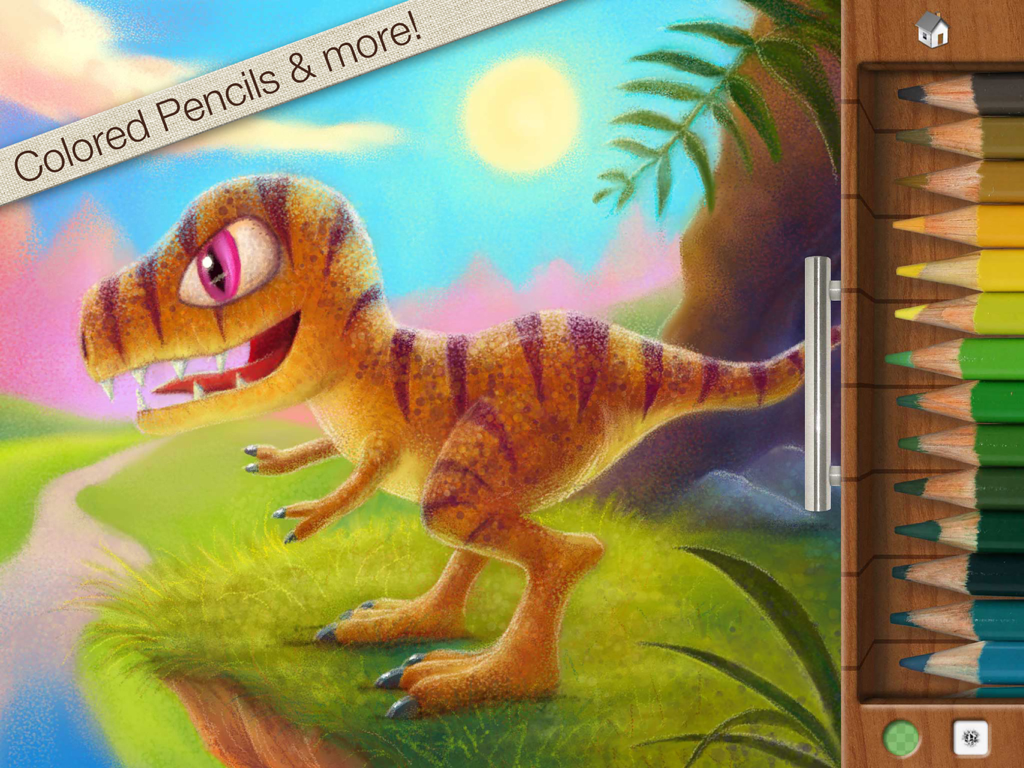
Drawing Pad - Drawing Pad 앱에서 색연필 트레이 옆에 있는 다채로운 공룡 디지털 그림.
Drawing Pad 앱에서 색연필 트레이 옆에 있는 다채로운 공룡 디지털 그림.

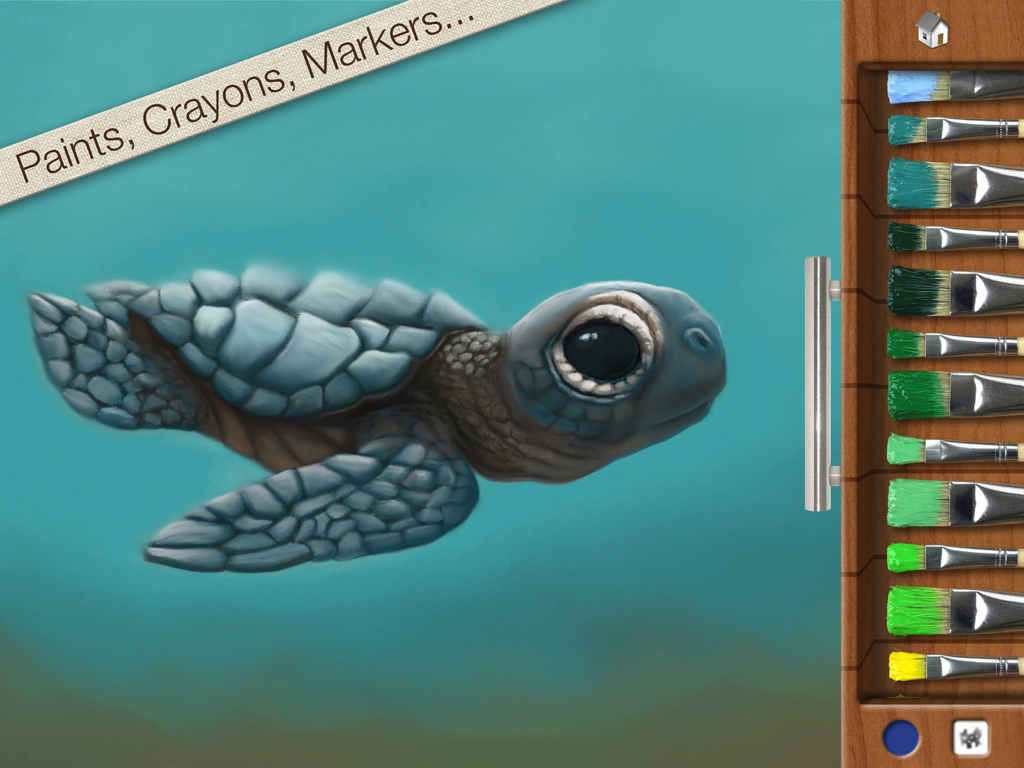
Drawing Pad - 다양한 색상의 붓이 있는 나무 서랍이 특징인 Drawing Pad 앱의 아기 바다거북 디지털 그림.
다양한 색상의 붓이 있는 나무 서랍이 특징인 Drawing Pad 앱의 아기 바다거북 디지털 그림.

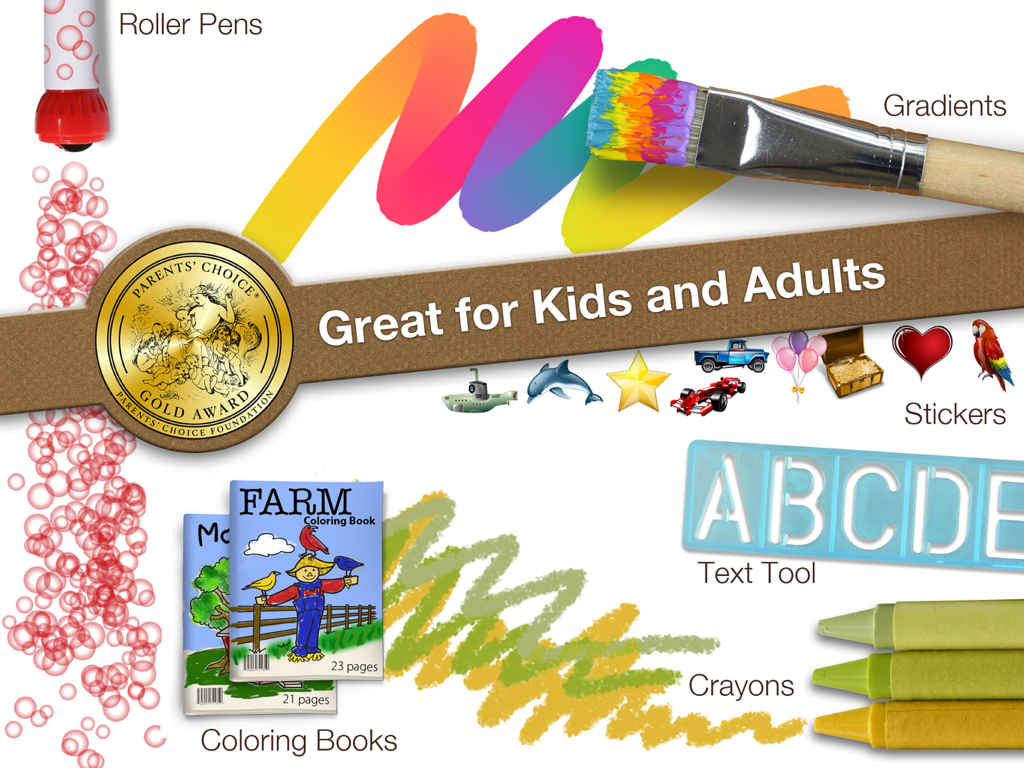
Drawing Pad - Parents Choice Gold Award 씰과 함께 크레용 및 스티커와 같은 미술 도구를 보여주는 Drawing Pad 앱 홍보 그래픽

Parents Choice Gold Award 씰과 함께 크레용 및 스티커와 같은 미술 도구를 보여주는 Drawing Pad 앱 홍보 그래픽

설명

Get the app that was mentioned on TV ABC 7 CHICAGO as a top school app! Watch http://abc7chicago.com/education/back-to-school-tech-shopping-tips/952242/ short link: abc7.ws/1h5RDj9 Previously iPad App of the Week in 12 countries! (http://drawingpadapp.com/apple-features-drawing-pad-as-ipad-app-of-the-week) Drawing Pad is a mobile art studio for all ages! Create your own art using photo-realistic crayons, markers, paint brushes, colored pencils, stickers, roller pens and more! ■ ACCOLADES Winner of a Parents’ Choice Gold Award (bit.ly/parents-choice) Featured on nytimes.com (bit.ly/nytimes-drawingpad) Featured on usatoday.com (usat.ly/2x5xrKx) Featured on the iLounge 2011 Buyer's Guide 100 Essential Apps of 2010! Featured by iLounge as First runner up to kids' iPad App of the Year! Featured on Gizmodo's 2010 Gift Guide (bit.ly/gizmodo-drawingpad) Featured in November 2010 MacWorld Magazine in the UK 4 out of 5 stars Awarded Editor's Choice Award from Children's Technology Review ■ IN BOOKS Featured in the book “iPad Apps for Kids for Dummies” - by Jinny Gudmundsen Featured in the O’Reilly book “Best iPad Apps” - by Peter Meyers ■ IN MUSEUMS As seen in the Star Studio Exhibit at the Indianapolis Museum of Art! (bit.ly/ima-museum) ■ QUOTES "Drawing Pad is a fantastic drawing app!" 9to5mac.com “Wonderful chalk tools! You can almost taste the dust!” Mickey Paraskevas, Illustrator and Creator of the Maggie and the Ferocious Beast TV show. "Drawing Pad is a fun and easy to use iPad art app for kids and adults alike. It has very visual menus giving you instant access to a broad range of useful art tools. There are amazing features for kids including downloadable colouring books and additional advanced features for more ambitious artists." Kyle Lambert - Artist - www.kylelambert.com ■ HOW TO USE DRAWING PAD Watch the video inside the App! (or drawingpadapp.com/tutorial) Tap a tool, choose a color, and start drawing. It’s really that simple. Your artwork is automatically saved in the Drawing Pad album. For brush options like size and spacing, tap the brush thumbnail at the bottom of the drawer. Import photo backgrounds by first tapping the stationary icon in the drawer, then the filmstrip. Import photo stickers by first tapping the sticker icon, then the stack of photos. Use one finger to move your photo and two fingers to rotate and resize. Blender tool allows you to soften and blend colors! ■ SHARING OPTIONS Export to the Device Camera Roll, print via AirPrint, share via Email, and other favorite apps like Instagram & Facebook. Even assign your artwork to a contact in your address book! ■ ALL THESE TOOLS ARE INCLUDED! Crayons Markers Paint Brushes Colored Pencils Sketch Pencils Roller Stamp Pens Erasures Stickers Construction Paper Blenders Text Sticker Tool Photo Background Import Photo Stickers Gradient Brushes & Crayons Advanced Brush Control Color wheel and Gradient Panel Pinch Zoom Autosave Two Coloring Books ■ EXTRA FUN Download extra coloring books via in app purchase! Restore prior "Coloring Book in app purchases" by tapping the "Redeem prior purchase" button on the Coloring Book store details page. See drawingpadapp.com/restore ■ DEMONSTRATION Video at http://drawingpadapp.com ■ CONTACT Email us at "support" -at- "drawingpadapp.com" BUY NOW! Don't have an iPad yet? Don't let it stop you! Great price today! Buy now and tell your friends. CREDITS: "Birds," "Panda Bear," and "Turtle" by Igor Cheban instagram.com/icheban "Dinosaur," and "Kitten" by Kyle Lambert www.kylelambert.com

Download

다운로드: App Store

이 페이지는 앱이나 개발자의 공식 페이지가 아니며, 정보 제공 및 논평을 목적으로 작성된 독립 편집 간행물입니다. 명시적으로 달리 언급되지 않는 한, 해당 앱이나 개발자는 MWM, Apple, Google Play, 앱 퍼블리셔 또는 앱 개발자와 제휴, 보증, 후원, 승인 또는 공식적으로 연결되어 있지 않으며, 이 페이지의 어떤 내용도 해당 앱이 MWM의 서비스를 사용하여 개발되었음을 의미하지 않습니다. 모든 상표, 로고, 스크린샷 및 기타 콘텐츠는 해당 소유자의 자산입니다.







