
이 페이지는 앱이나 개발자의 공식 페이지가 아니며, 정보 제공 및 논평을 목적으로 작성된 독립 편집 간행물입니다. 명시적으로 달리 언급되지 않는 한, 해당 앱이나 개발자는 MWM, Apple, Google Play, 앱 퍼블리셔 또는 앱 개발자와 제휴, 보증, 후원, 승인 또는 공식적으로 연결되어 있지 않으며, 이 페이지의 어떤 내용도 해당 앱이 MWM의 서비스를 사용하여 개발되었음을 의미하지 않습니다. 모든 상표, 로고, 스크린샷 및 기타 콘텐츠는 해당 소유자의 자산입니다.


DrawPlan
종이에 그릴 수 있다면, 이 앱은 그보다 더 나은 결과를 보장합니다.
다운로드
1M+사용자 평점
총 평가 수
6.0K개발사
카테고리
Productivity지원 언어
1최신 버전
5.0.7크기
73.9 MB출시일
2019년 3월 3일전문가 및 DIY 사용자를 위한 혁신적인 도면 작성 도구 평가
DrawPlan 앱 주요 기능 분석
정확한 축척 도면 및 자동 치수
이 앱은 사용자가 별도의 제도 경험 없이도 정확하고 전문적인 축척 도면을 자동으로 생성할 수 있도록 지원합니다. 이는 프로젝트의 정밀도를 크게 향상시킵니다.
AI 기반 도면 생성 지원
이 도구는 사용자가 원하는 내용을 설명하면 AI가 계획, 레이아웃 구상 및 학습 과정을 보조하여 도면 작성의 효율성과 속도를 높여줍니다.
다양한 개체 및 사용자 지정
사용자는 문, 창문, 가구 등 다양한 표준 개체를 도면에 추가할 수 있으며, 자신만의 사용자 지정 개체를 생성하고 저장하여 상세하고 현실적인 계획을 수립할 수 있습니다.
이미지 추적 및 배경 활용
이 앱은 기존 이미지나 도면을 가져와서 배경 위에 직접 추적하거나 그려서 새로운 도면을 만들 수 있게 합니다. 이는 기존 계획을 수정하거나 디지털화하는 데 유용합니다.
클라우드 동기화 및 무제한 프로젝트
이 도구는 사용자가 필요한 만큼 프로젝트를 생성하고 관리할 수 있도록 해주며, 클라우드 동기화를 통해 여러 장치에서 언제든지 계획에 접근하고 작업 연속성을 유지할 수 있습니다.
고해상도 및 깨끗한 내보내기
이 앱은 격자나 워터마크 없이 고해상도 PNG 또는 PDF 파일로 도면을 내보낼 수 있는 기능을 제공합니다. 이를 통해 전문적이고 깔끔한 결과물을 공유할 수 있습니다.
자주 묻는 질문
에 대해 알아야 할 모든 것 DrawPlan
How can users create floor plans in DrawPlan?
Users create floor plans in DrawPlan by sketching freely with their finger for quick layouts or drawing precise, to-scale plans with automatic dimensions. AI also assists in planning and layout.
Does DrawPlan utilize AI technology?
Yes, DrawPlan utilizes AI technology. Users describe what they want to draw, and the AI helps with planning, layout, and learning faster within the app.
Can I add objects like doors and furniture in DrawPlan?
Yes, users add various objects in DrawPlan, including doors, windows, furniture, fixtures, labels, and dimensions. The app also allows for the creation and saving of custom objects.
Is it possible to create custom objects within DrawPlan?
Yes, DrawPlan allows users to create and save their own custom objects. This feature enables personalization of floor plans beyond the standard library.
Does DrawPlan allow tracing over imported images?
Yes, DrawPlan supports tracing. Users import images or existing plans and then trace or draw directly over these backgrounds to refine their designs.
For what professions is DrawPlan suitable?
DrawPlan is built for professionals and individuals in trades, design, real estate, renovations, and general planning. It creates clean plans for effective communication.
Does DrawPlan support an unlimited number of projects?
Yes, DrawPlan supports unlimited projects. Users create and manage as many floor plans as they need, with cloud sync available across devices.
Is cloud synchronization available in DrawPlan?
Yes, cloud synchronization is available in DrawPlan. This premium feature allows users to access and manage their plans across all their devices, ensuring continuity.
What features are included in DrawPlan's premium subscription?
DrawPlan's premium subscription unlocks cloud sync across all devices, high-resolution PNG/PDF exports, clean exports without grids or watermarks, priority support, and early access to new features.
How does DrawPlan handle exports of floor plans?
DrawPlan offers high-resolution exports in PNG and PDF formats as a premium feature. Exports without a premium subscription may include grids or watermarks, as indicated.
Can users try DrawPlan for free?
Yes, users can try DrawPlan for free. Payment is charged to their Apple ID account after the free trial period ends, if they proceed with a subscription.
How can I cancel my DrawPlan subscription?
Users manage or cancel their DrawPlan subscription anytime in their App Store account settings. Cancellation must occur at least 24 hours before the current period ends.
Does DrawPlan create accurate and to-scale floor plans?
Yes, DrawPlan creates accurate and to-scale floor plans. The app supports precise drawing with automatic dimensions, ensuring professional and reliable outputs.
Do DrawPlan exports include watermarks?
Yes, DrawPlan exports generated without a premium subscription include watermarks. Upgrading to a Monthly or Yearly plan unlocks clean exports without grids or watermarks.
다음 스크린샷과 설명은 앱의 공식 스토어 목록에서 직접 가져온 것이며 앱 개발자의 자산입니다.
앱 스토어
스크린샷
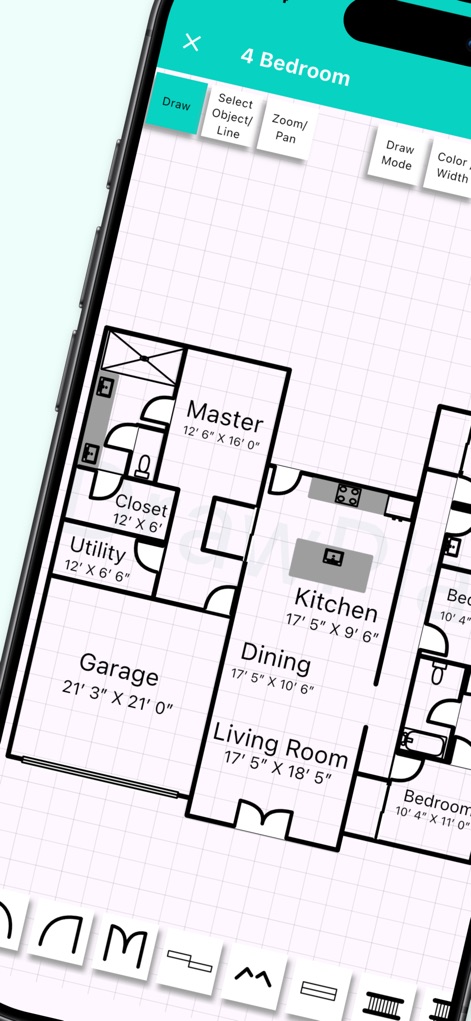
이 앱은 사용자에게 세밀한 평면도를 쉽게 그릴 수 있게 해주며, 방 레이블과 정확한 치수를 자동으로 제공합니다.
정교한 평면도 제작
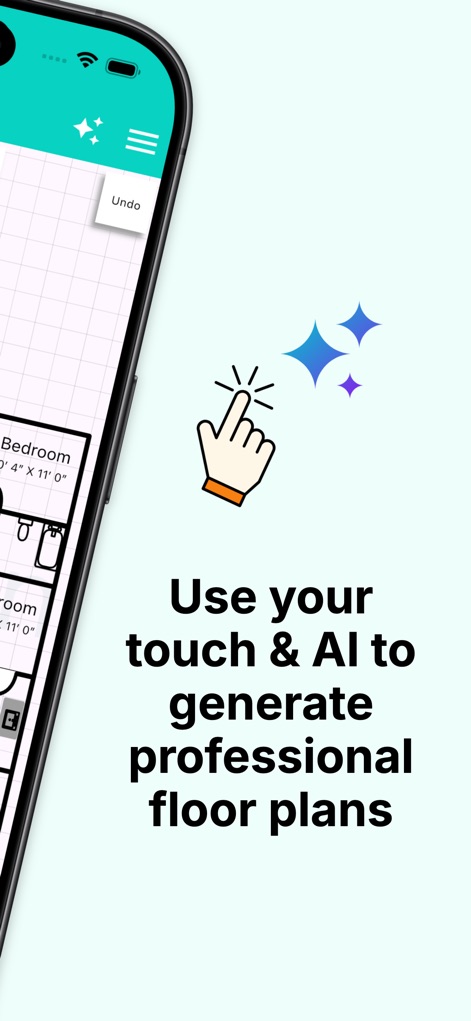
사용자는 직관적인 터치 조작과 인공지능 지원을 통해 전문적인 평면도를 효율적으로 생성할 수 있습니다.
AI 기반 설계
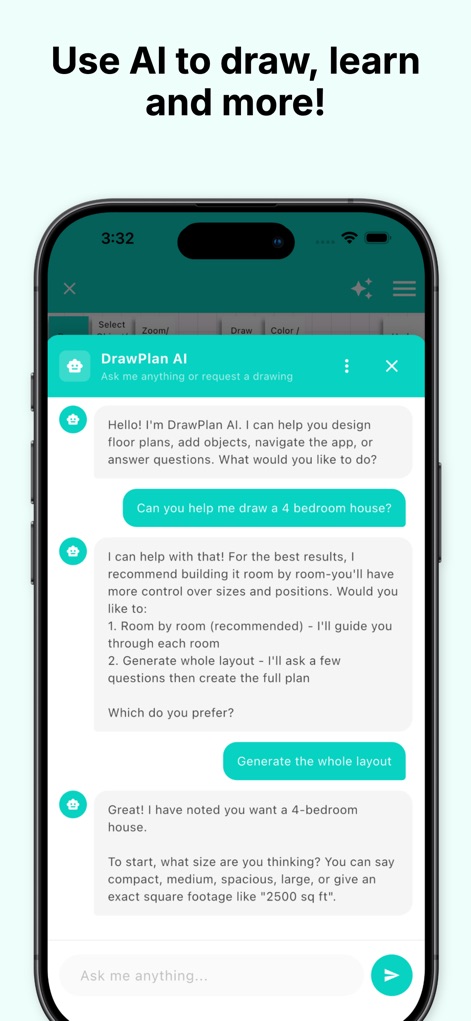
이 앱의 AI는 사용자의 구체적인 요청에 따라 디자인 프로세스를 안내하고, 다양한 레이아웃 옵션을 제안하여 계획을 돕습니다.
대화형 AI 플래너
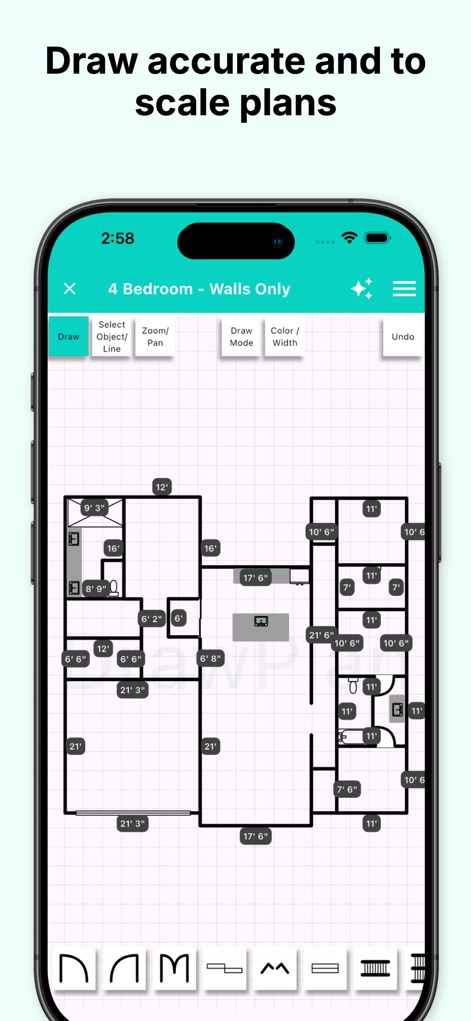
이 도구를 사용하면 정확한 축척으로 계획을 작성하고, 자동 치수 표시 기능을 통해 정밀한 측정을 즉시 확인할 수 있습니다.
정확한 축척 도면
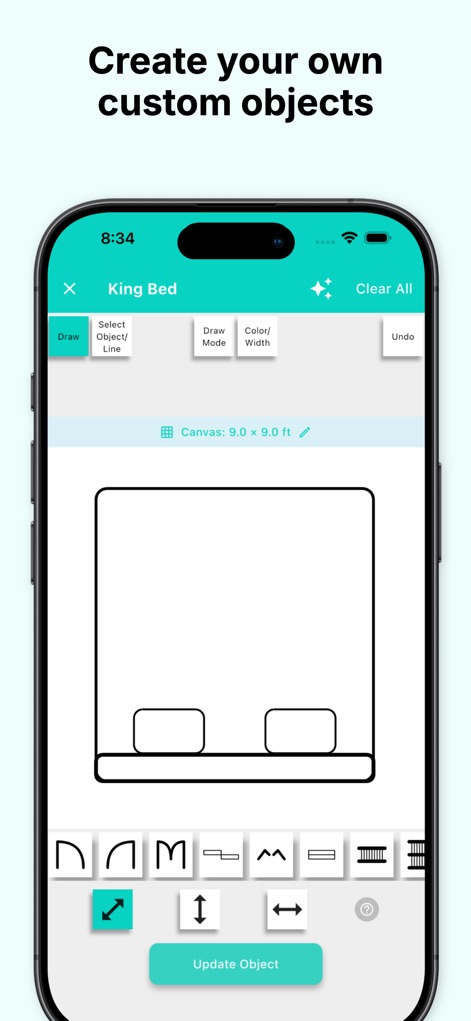
사용자는 가구와 같은 자신만의 객체를 만들고 저장하여, 크기와 형태를 자유롭게 조정하며 디자인에 통합할 수 있습니다.
맞춤형 객체 생성
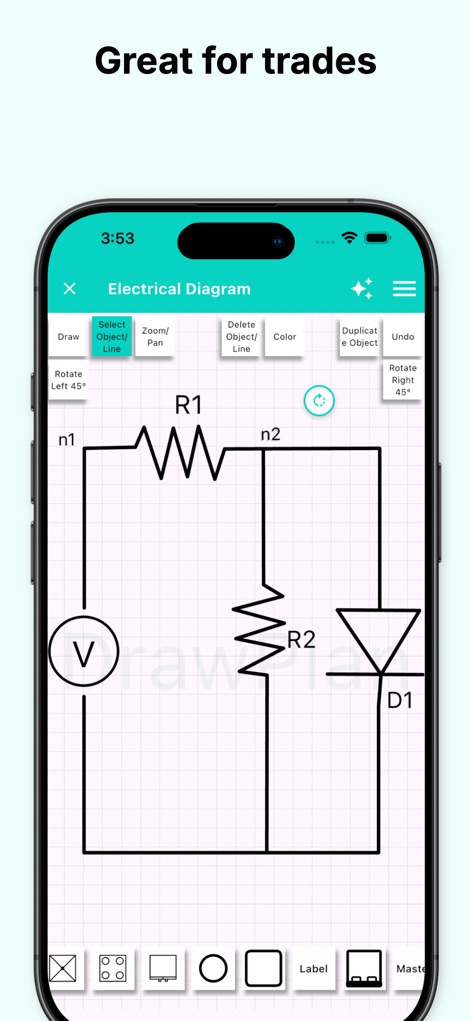
이 앱은 전기 회로와 같은 다양한 기술 도면을 지원하여, 특정 기호를 활용한 전문적인 계획 수립을 가능하게 합니다.
전문 기술 도면
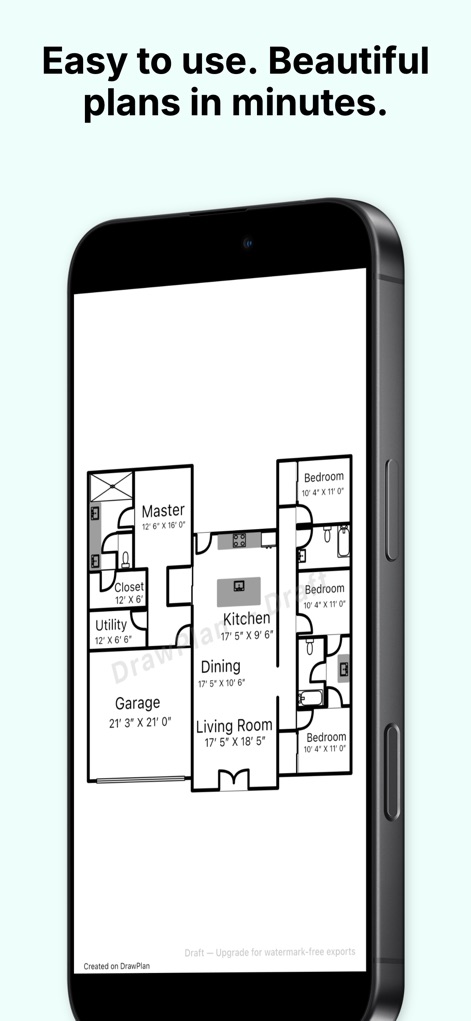
사용자는 이 앱을 통해 전문적이고 보기 좋은 평면도를 빠르게 완성할 수 있으며, 인쇄 및 공유에 적합한 깔끔한 레이아웃을 얻을 수 있습니다.
깔끔한 최종 결과물
설명
Download
비슷한 앱
유사한 기능과 사용자 경험을 가진 앱

Floor Plan & AI Home - CamPlan
CamPlan AI Ltd

SketchUp - 3D Modeling
Trimble Inc.

ArcSite: Floor Plans and CAD
Arctuition LLC

Morpholio Trace - Sketch CAD
Morpholio LLC

Keyplan 3D Lite - Home design
Quasarts LLC

Smart Home Design 3D
Sebastian Kemper

Keyplan 3D - Home design
Quasarts LLC

Home Design 3D: Draw & Plan
Anuman

Homestyler-3D Home Decor
Homestyler (Shanghai) Technology Co., Ltd.
이 페이지는 앱이나 개발자의 공식 페이지가 아니며, 정보 제공 및 논평을 목적으로 작성된 독립 편집 간행물입니다. 명시적으로 달리 언급되지 않는 한, 해당 앱이나 개발자는 MWM, Apple, Google Play, 앱 퍼블리셔 또는 앱 개발자와 제휴, 보증, 후원, 승인 또는 공식적으로 연결되어 있지 않으며, 이 페이지의 어떤 내용도 해당 앱이 MWM의 서비스를 사용하여 개발되었음을 의미하지 않습니다. 모든 상표, 로고, 스크린샷 및 기타 콘텐츠는 해당 소유자의 자산입니다.