DSLR Camera - Manual Camera

DSLR Camera - Manual Camera

다운로드: App Store
로고: DSLR Camera - Manual Camera

DSLR 카메라 - 수동 카메라: 궁극의 모바일 크리에이터를 위한 전문가급 제어

iPhone 센서의 모든 것을 제어하세요. 48MP ProRAW 사진 촬영부터 Apple Log 지원 4K ProRes 시네마 녹화까지, 하드웨어가 제공하는 기술적 정밀도를 최대한 활용하세요.

개발사

Xiamen Miuhua Technology Co., Ltd.

카테고리

Photo & Video

다운로드

177K+

사용자 평점

4.7/5

총 평가 수

6K+

지원 언어

3

모든 프레임을 마스터하세요

이 인터페이스를 사용하는 177K+ 명의 사용자.

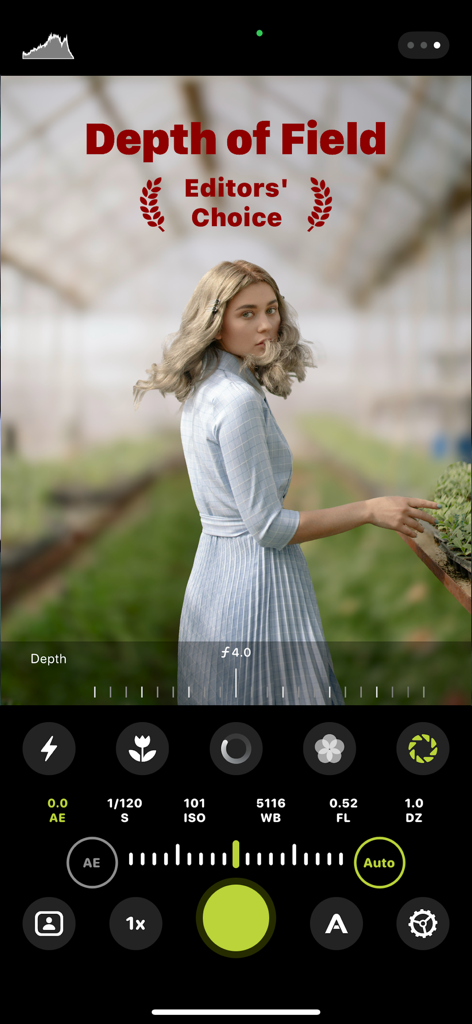
여성이 뒤에 있는 흐릿한 온실 배경으로 심도 모드를 보여주는 모바일 카메라 인터페이스.
여성이 뒤에 있는 흐릿한 온실 배경으로 심도 모드를 보여주는 모바일 카메라 인터페이스.

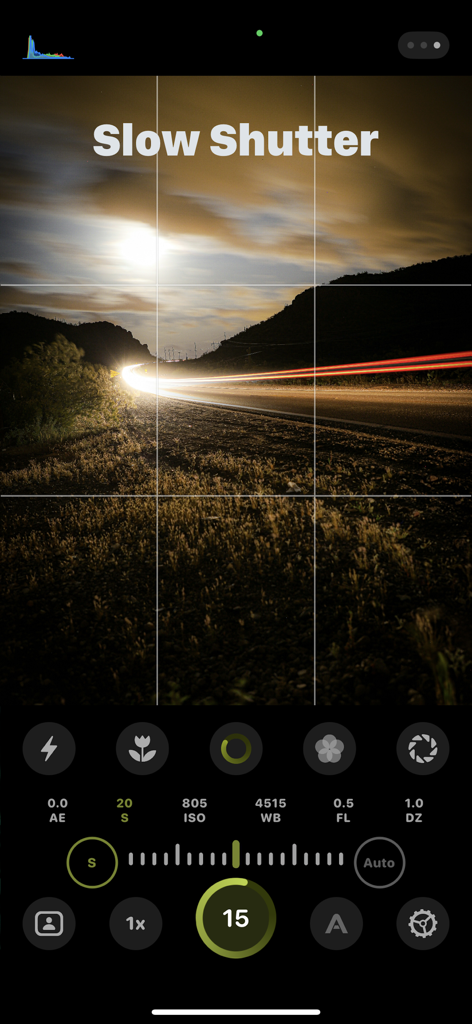
DSLR 카메라 앱 수동 인터페이스에서 긴 노출 자동차 불빛 궤적이 있는 슬로우 셔터 모드를 보여줍니다.
DSLR 카메라 앱 수동 인터페이스에서 긴 노출 자동차 불빛 궤적이 있는 슬로우 셔터 모드를 보여줍니다.

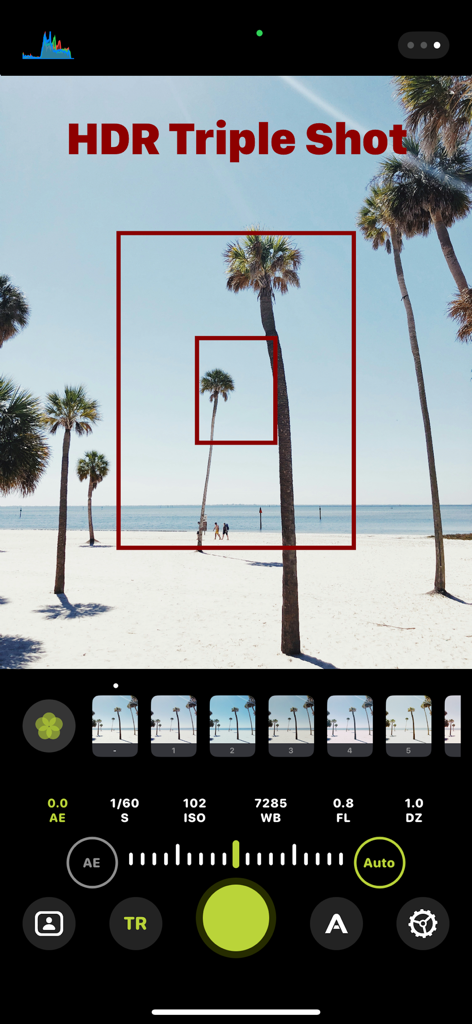
해변 풍경 위로 수동 ISO 및 셔터 제어가 있는 HDR 트리플 샷 기능을 보여주는 DSLR 카메라 앱 인터페이스.
해변 풍경 위로 수동 ISO 및 셔터 제어가 있는 HDR 트리플 샷 기능을 보여주는 DSLR 카메라 앱 인터페이스.

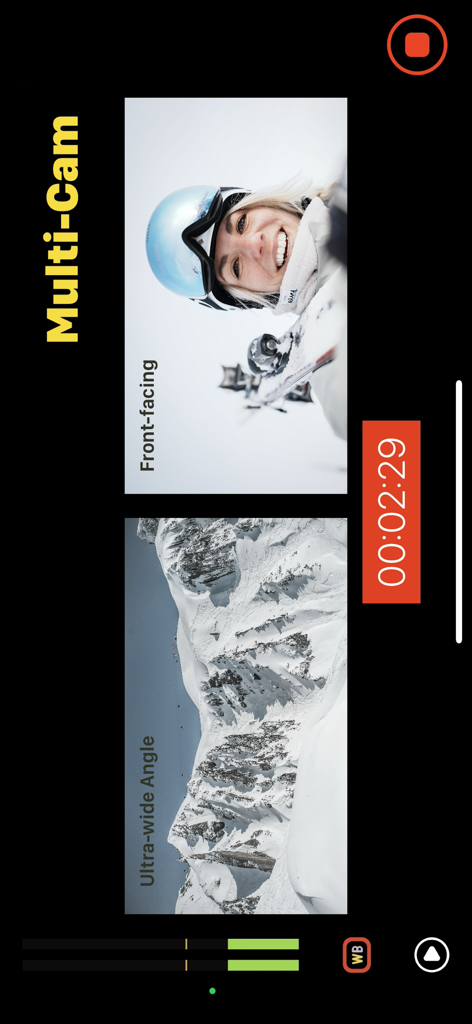
DSLR 카메라 앱의 분할 화면 비디오 녹화 인터페이스, 전면 및 초광각 보기 동시 제공.
DSLR 카메라 앱의 분할 화면 비디오 녹화 인터페이스, 전면 및 초광각 보기 동시 제공.

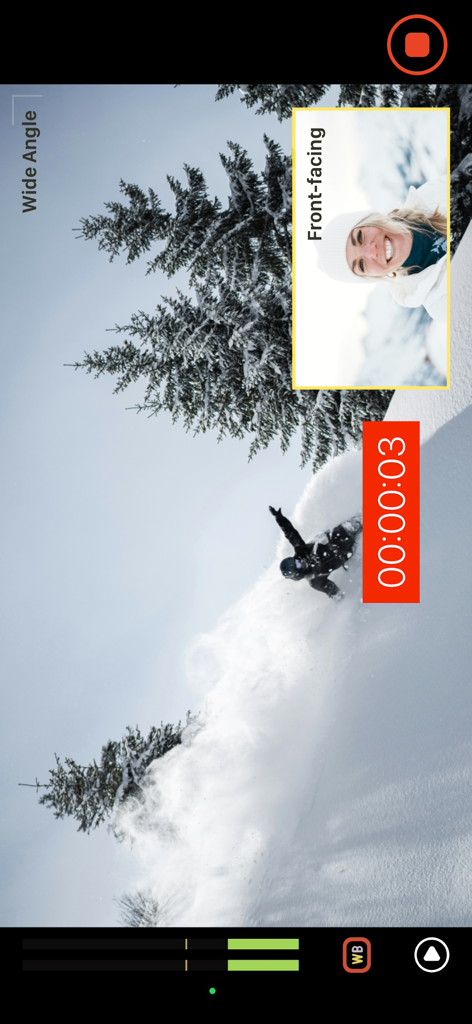
DSLR 카메라 앱의 픽처 인 픽처 모드로 듀얼 카메라 녹화를 보여주는 인터페이스. 광각 스노우보더 장면과 전면 셀카 보기가 특징입니다.
DSLR 카메라 앱의 픽처 인 픽처 모드로 듀얼 카메라 녹화를 보여주는 인터페이스. 광각 스노우보더 장면과 전면 셀카 보기가 특징입니다.

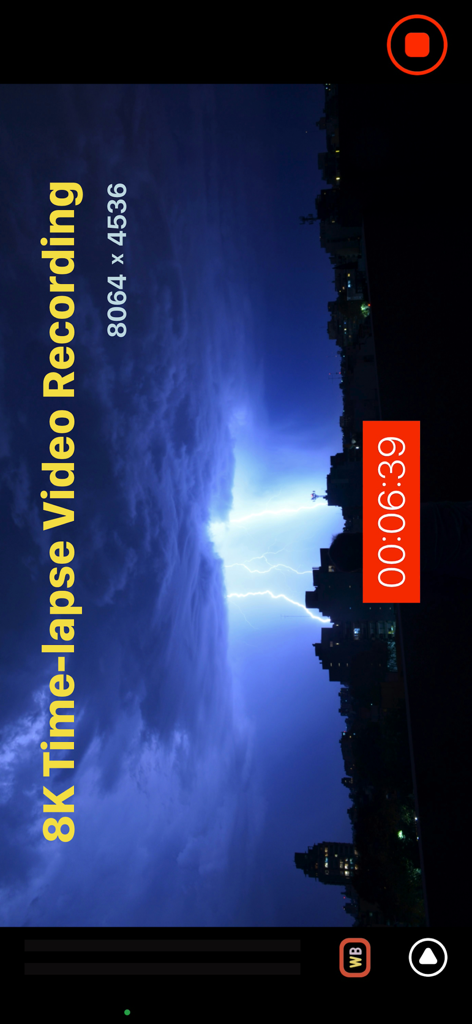
밤 도시 위로 번개가 치는 8K 타임랩스 비디오 녹화.
밤 도시 위로 번개가 치는 8K 타임랩스 비디오 녹화.

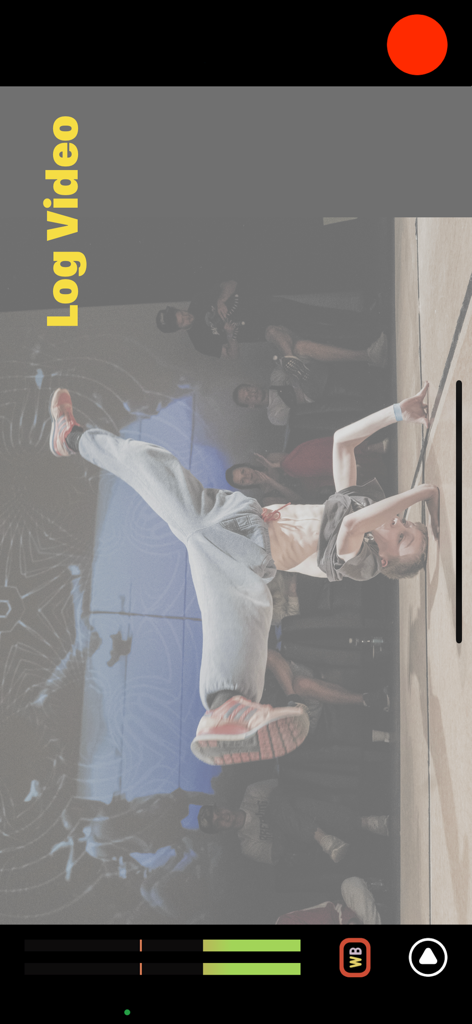
DSLR 카메라 수동 앱에서 Apple Log 비디오 녹화를 사용하여 캡처한 브레이크 댄서.
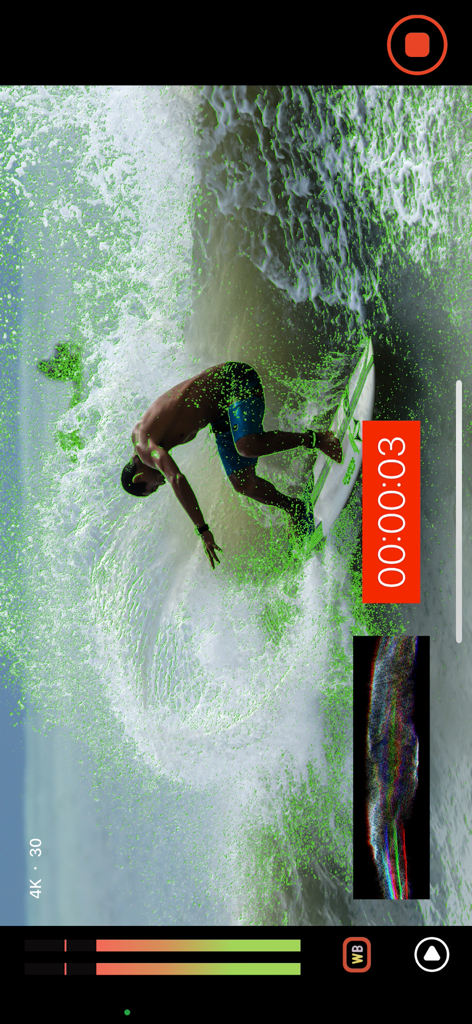
DSLR 카메라 수동 앱에서 Apple Log 비디오 녹화를 사용하여 캡처한 브레이크 댄서.

포커스 피킹 및 4K 설정이 있는 전문가 수동 비디오 녹화 인터페이스.
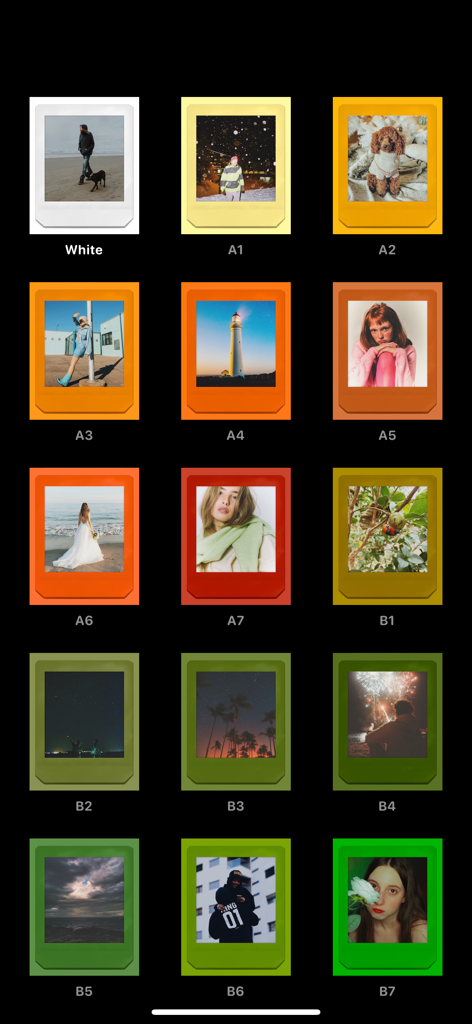
포커스 피킹 및 4K 설정이 있는 전문가 수동 비디오 녹화 인터페이스.

DSLR 카메라 앱 인터페이스 내에서 다양한 빈티지 폴라로이드 필름 사전 설정 및 다채로운 사진 프레임 그리드 디스플레이.
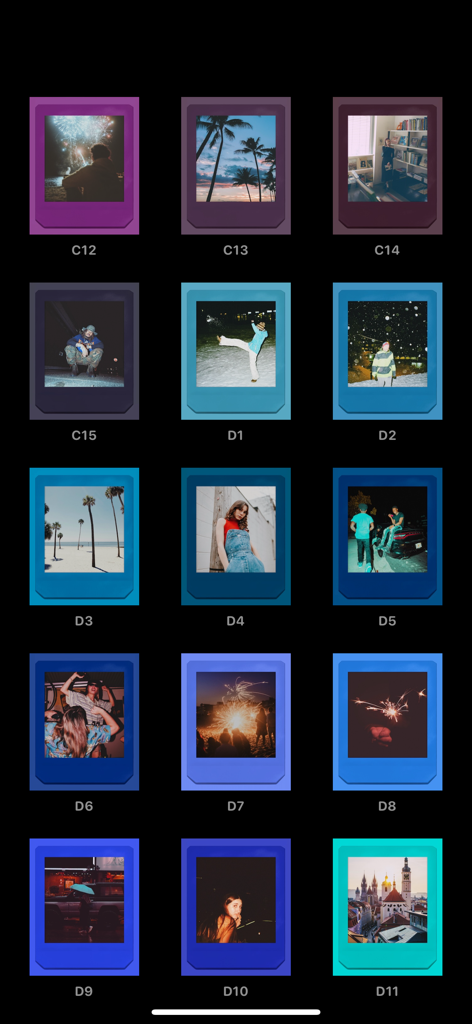
DSLR 카메라 앱 인터페이스 내에서 다양한 빈티지 폴라로이드 필름 사전 설정 및 다채로운 사진 프레임 그리드 디스플레이.

인스턴트 사진 프레임으로 표시되는 빈티지 필름 사전 설정 및 필터 그리드.

인스턴트 사진 프레임으로 표시되는 빈티지 필름 사전 설정 및 필터 그리드.

시각적 완벽주의자를 위한 전문가 도구

이 앱을 돋보이게 하는 도구, 177K+ 명의 사용자가 선택.

🎛️

완전한 수동 정밀도

촉각적 인터페이스로 셔터 속도, ISO, 초점을 제어하여 '스마트폰 느낌'을 제거하고 완전한 창의적 권한을 부여하세요.

🎬

시네마급 워크플로우

실시간 웨이브폼, 지브라 스트라이프, Apple Log 지원으로 노출을 마스터하여 영상이 방송 준비 상태이고 색상 보정에 최적화되도록 하세요.

📸

전혀 타협하지 않는 이미지 품질

ProRAW, HEIF 또는 RAW 형식으로 캡처하고 최대 8K 해상도로 타임랩스를 촬영하여 전문가 수준의 후반 작업을 위해 모든 디테일을 보존하세요.

앱 소개

에 대해 알아야 할 모든 것 DSLR Camera - Manual Camera.

설명

Shooting Modes: - Professional Camera - Professional Cinema Camera - Multiple Cameras - 8K Time-lapse Photography - Film Camera Professional Camera Features: - Manual/Automatic Exposure Control (Shutter, ISO) - Manual/Automatic Focus Control - Manual/Automatic White Balance Control (Color Temperature, Tint) - Manual Zoom Control - Exposure/Focus Points of Interest - Zebra Lines, Peak Focus, False Color Image Analysis - Brightness Histogram, RGB Histogram - Macro Mode - Depth Mode - Slow Shutter Mode - Live Photos - HDR photography - Burst - Presets - Triple Camera Simultaneous Shooting - Timed Photography - De-sharpening - Level - Assist Lines - Multiple aspect ratios - Photo Quality Settings - Photo Formats (RAW+JPEG, RAW+HEIF, JPEG, HEIF, TIFF, RAW, PRORAW, PRORAW+JPEG) - Photo Pixels (48MP, 24MP, 12MP, 8MP, 5MP, 0.3MP) - Front Camera Mirroring Professional Cinema Camera Features: - Manual/Automatic Exposure Control (Shutter, ISO) - Manual/Automatic Focus Control - Manual/Automatic White Balance Control (Color Temperature, Tint) - Manual Zoom Control - Exposure Points of Interest, Focus Points of Interest (Supports Exposure-Focus Separation) - Zebra Lines, Peak Focus, False Color Image Analysis - Real-time Oscilloscope, including Brightness Histogram, RGB Histogram, Brightness Waveform, RGB Component Waveform, RGB Overlay Waveform - Real-time Audio Analysis - Local Video Management, Batch Saving, Batch Deletion, Supports Viewing Video Information Video Resolutions: - 4K, 3K, 2K, 1080P, 720P, 540P Video FPS: - 4K, 3K, 2K Video Recording, 24 fps, 25 fps, 30 fps, 48 fps, 60 fps - 1080P Video Recording, 24 fps, 25 fps, 30 fps, 48 fps, 60 fps, 120 fps, 240 fps - 720P Video Recording, 24 fps, 25 fps, 30 fps, 48 fps, 60 fps, 120 fps, 240 fps - 540P Video Recording, 24 fps, 25 fps, 30 fps, 48 fps, 60 fps Video Aspect Ratios: - 16:9, 1:1, 2.2:1, 4:3, 2.39:1, 3:2 Video Codecs: - HEVC, H.264, ProRes Video Dynamic Range: - SDR8, SDR10, HDR (Dolby Vision), Apple Log (Only supports iPhone 15 Pro and above models) Video Color Mapping: - LTM, GTM Video Quality: - Low (30Mbps), Standard (60Mbps), High (100Mbps), Extreme (150Mbps) Video Storage Formats: - MOV, MP4 Audio Settings: - Microphone Position (Bottom, Front, Rear) - Audio Encoding Format (AAC, PCM) - Audio Sampling Frequency (44.1 kHz, 48 kHz) - Stereo Recording - Mute Recording Other Settings: - Assist Lines (Thirds, Crosshairs, Visual Safe Area, Golden Spiral, Golden Ratio, Golden Triangle) - Stabilization Support (Standard, Film, Extreme) - Video Storage Locations (Local, System, Dual Storage) Multi-Camera Shooting Features: - Picture in Picture (Displays a small window in the corner of the main screen containing the image captured by another camera) - Split Screen (Divides the screen into two parts, each displaying the image captured by different cameras) - Independent Storage (In multiple camera shooting mode, the image captured by each camera can be stored independently in different media files) Time-Lapse Photography Features: - Supports 8K resolution (Only supports iPhone 14 Pro and above models) Film Camera Features: - Film presets - Photo paper — About Subscription — Annual Subscription: $9.99 / Year About the subscription: After the trial period ends, it will automatically convert to a paid subscription. You can cancel the subscription before the trial period ends. Payment: When confirming the purchase, payment will be charged to your iTunes account. Auto-Renewal: The subscription will automatically renew unless auto-renewal is turned off at least 24 hours before the end of the current subscription period. Canceling Renewal: To cancel the renewal, please manually turn off the auto-renewal feature in the iTunes/Apple ID settings management at least 24 hours before the current subscription period expires. Privacy Policy: http://www.movieoff.com/privacypolicy.html User Agreement: http://www.movieoff.com/termsofuse.html

최신 버전

3.0.36

크기

61.8 MB

출시일

2023년 7월 13일

알고리즘을 능가할 준비가 되셨습니까?

스톡 카메라가 당신의 비전을 과도하게 처리하도록 내버려 두지 마세요. 177,000명 이상의 프로슈머와 함께 Apple Log, ProRAW, 전체 수동 제어를 통해 iPhone을 전문가급 시네마 장비로 전환하세요.

다운로드: App Store

App information, icons, screenshots, and descriptions displayed on this page are sourced from the Apple App Store and are the property of their respective developers. Download estimates and rankings are based on MWM's proprietary models and may not reflect actual figures. This page is provided for informational and analytical purposes only.

Believe this page infringes your intellectual property? File a dispute