
이 페이지는 앱이나 개발자의 공식 페이지가 아니며, 정보 제공 및 논평을 목적으로 작성된 독립 편집 간행물입니다. 명시적으로 달리 언급되지 않는 한, 해당 앱이나 개발자는 MWM, Apple, Google Play, 앱 퍼블리셔 또는 앱 개발자와 제휴, 보증, 후원, 승인 또는 공식적으로 연결되어 있지 않으며, 이 페이지의 어떤 내용도 해당 앱이 MWM의 서비스를 사용하여 개발되었음을 의미하지 않습니다. 모든 상표, 로고, 스크린샷 및 기타 콘텐츠는 해당 소유자의 자산입니다.


EasyCut : Video Editor & Maker
당신은 더 이상 평범한 사진이나 동영상에 갇히지 않습니다. 이 앱은 당신의 콘텐츠를 전문가 수준으로 끌어올리는 비밀 병기입니다.
다운로드
100k+사용자 평점
총 평가 수
3.8K개발사
카테고리
Photo & Video지원 언어
11최신 버전
4.0크기
67.7 MB출시일
2025년 4월 7일소셜 미디어 콘텐츠 제작자를 위한 핵심 기능 평가
EasyCut: 비디오 에디터 & 메이커 앱 분석
다중 캔버스 크기
이 도구는 인스타그램, 틱톡, 유튜브 등 다양한 플랫폼에 최적화된 여러 캔버스 크기를 제공하여, 사용자가 콘텐츠를 각 소셜 미디어 형식에 맞춰 쉽게 조절할 수 있도록 합니다.
배경 음악 추가
이 앱은 사용자가 좋아하는 음악을 가져와 비디오에 삽입할 수 있게 하여, 완벽한 사운드트랙으로 영상의 분위기와 몰입도를 크게 높여줍니다.
비디오 필터 및 효과
이 도구는 시네마틱 필터와 다양한 시각 효과를 제공하여, 비디오 클립의 매력을 높이고 전문적이고 트렌디한 느낌을 연출할 수 있도록 합니다.
비디오 자르기 및 분할
이 앱은 비디오에서 원하지 않는 부분을 정밀하게 제거하고 클립을 분할할 수 있는 기능을 제공하여, 깔끔하고 효율적인 영상 편집을 가능하게 합니다.
사진 필터
이 도구는 다양한 스타일의 사전 설정 필터를 제공하여, 사용자가 한 번의 탭으로 이미지의 분위기와 색감을 손쉽게 향상시킬 수 있도록 돕습니다.
비디오 크롭 및 크기 조정
이 앱은 비디오의 화면비를 조절하고 특정 플랫폼에 맞게 크기를 조정할 수 있도록 지원하여, 다양한 미디어 환경에 적합한 콘텐츠 제작을 용이하게 합니다.
이미지 세부 조정
이 도구는 밝기, 대비, 채도 등 이미지의 핵심 요소를 미세하게 조정할 수 있는 기능을 제공하여, 사용자가 원하는 시각적 완성도를 구현할 수 있도록 합니다.
텍스트 편집기
이 앱은 다양한 글꼴, 스타일, 테두리, 배경 옵션을 통해 텍스트를 자유롭게 꾸밀 수 있게 하여, 사진과 비디오에 개인화된 메시지와 정보를 효과적으로 추가할 수 있도록 돕습니다.
자르기 및 회전
이 도구는 사진의 구도를 완벽하게 잡기 위한 정확한 자르기 및 회전 기능을 제공하여, 이미지를 원하는 형태로 쉽게 재구성할 수 있도록 합니다.
볼륨 조절
이 앱은 비디오 오디오의 볼륨 수준을 세밀하게 조절할 수 있는 기능을 제공하여, 배경 음악과 원본 오디오의 균형 잡힌 믹싱을 통해 전체적인 사운드 품질을 향상시킵니다.
자주 묻는 질문
에 대해 알아야 할 모든 것 EasyCut : Video Editor & Maker
What is EasyCut: Video Editor & Maker?
EasyCut is a powerful yet simple application that transforms photos and videos into professional-quality content. It offers comprehensive editing tools for creating memories and social media posts effortlessly.
Does EasyCut include photo editing features?
Yes, EasyCut: Video Editor & Maker includes photo editing tools. Users can adjust brightness, apply filters, add text and stickers, crop, rotate, and choose from multiple layout grid styles.
What video editing tools are available in EasyCut?
EasyCut provides extensive video editing tools including trim, cut, crop, and resize. It also allows adding music, applying filters and effects, and controlling volume for seamless sound mixing and platform optimization.
Can users add music to videos in EasyCut: Video Editor & Maker?
Yes, EasyCut: Video Editor & Maker allows users to import their favorite music tracks for the perfect video soundtrack. It also includes volume control to adjust audio levels precisely.
What are the subscription options for EasyCut: Video Editor & Maker?
EasyCut: Video Editor & Maker offers auto-renewing subscriptions. Users can choose weekly ($2.99), monthly ($4.99), or annual ($29.49) plans. These options provide access to all app features without ads.
How does EasyCut handle auto-renewal for subscriptions?
EasyCut subscriptions automatically renew. Users must turn off auto-renewal at least 24 hours before the current period ends to prevent charges. Subscriptions are managed through iTunes Account Settings.
Can I create GIFs with EasyCut: Video Editor & Maker?
Yes, EasyCut: Video Editor & Maker includes a dedicated GIF Maker feature. This tool allows users to create GIF animations directly within the application interface.
Where can I find the Privacy Policy for EasyCut: Video Editor & Maker?
The Privacy Policy for EasyCut: Video Editor & Maker is available at https://easyvideomakerandeditor.blogspot.com/2025/04/privacy-policy.html. This link is provided in the app's store description.
Does EasyCut: Video Editor & Maker allow users to trim and cut videos?
Yes, EasyCut: Video Editor & Maker provides precise trim and cut functionality. Users can easily remove unwanted sections from their videos using these dedicated editing tools.
Does EasyCut support multiple video canvas sizes?
Yes, EasyCut supports multiple canvas sizes for video editing. This feature optimizes videos for various platforms like Instagram, TikTok, and YouTube, ensuring content fits perfectly.
다음 스크린샷과 설명은 앱의 공식 스토어 목록에서 직접 가져온 것이며 앱 개발자의 자산입니다.
앱 스토어
스크린샷
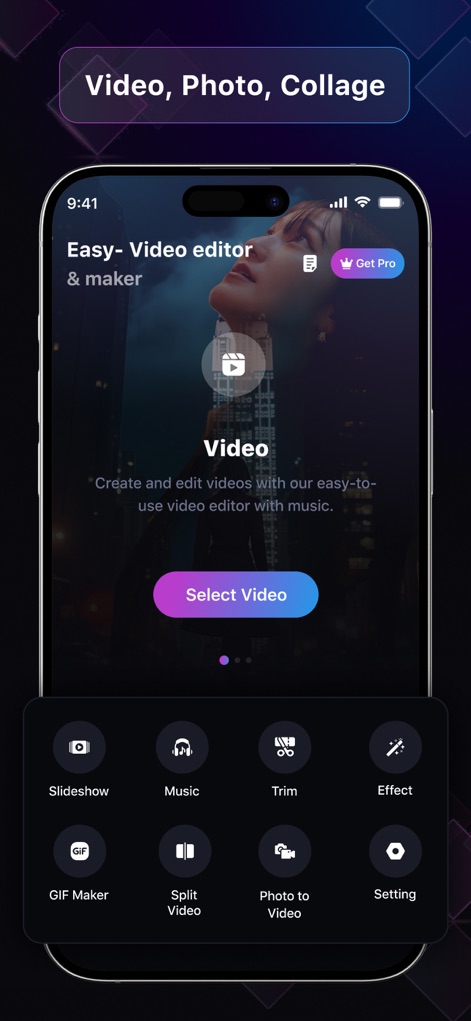
이 앱의 깔끔한 홈 화면에서 사용자는 비디오 편집, 사진 편집, 콜라주 기능을 시작할 수 있으며, 하단의 다양한 도구 아이콘(예: 슬라이드쇼, GIF 메이커)을 통해 즉시 접근 가능합니다.
직관적인 홈 화면
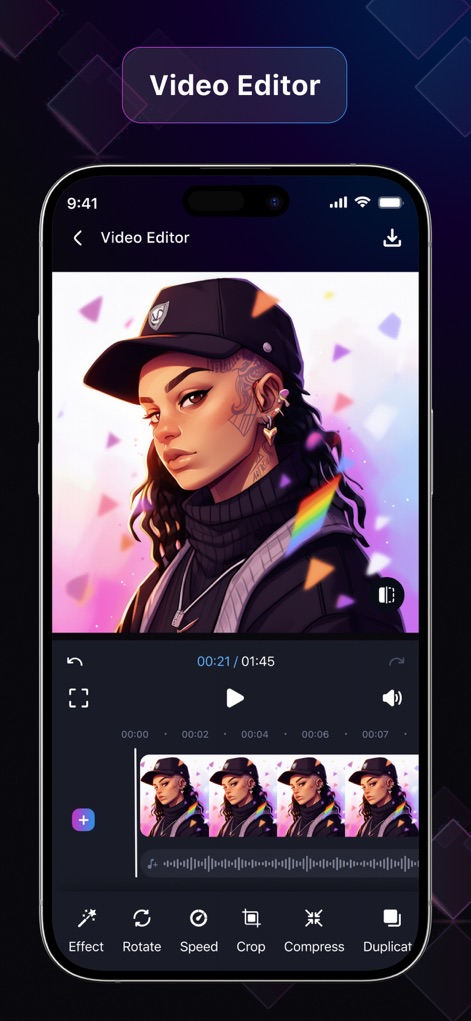
사용자는 영상 타임라인을 통해 비디오 길이를 시각적으로 확인하고 편집하며, 하단의 '회전', '속도', '자르기'와 같은 도구로 세밀하게 조정할 수 있습니다.
정교한 비디오 편집
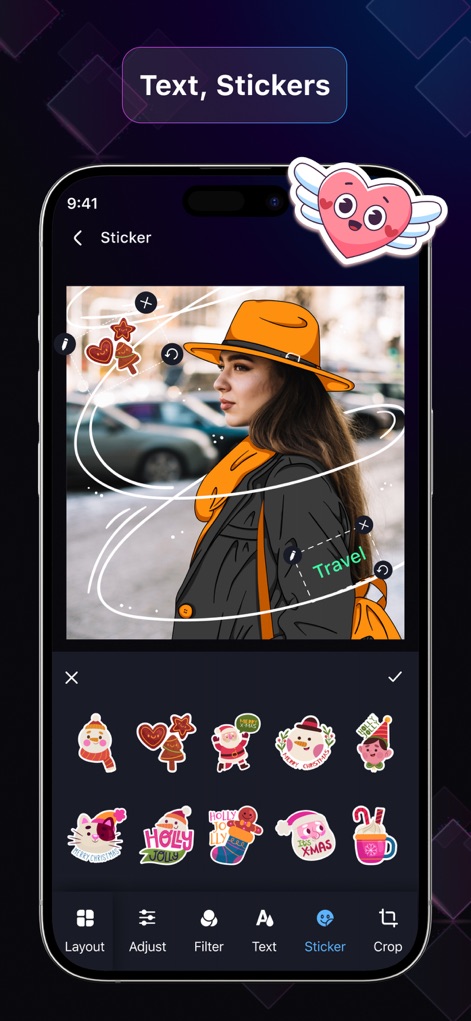
이 도구를 사용하면 다양한 스티커 옵션으로 사진을 풍성하게 만들고, 이미지 위에 'Travel'과 같은 텍스트를 추가하여 개성을 표현할 수 있습니다.
개성 있는 꾸미기
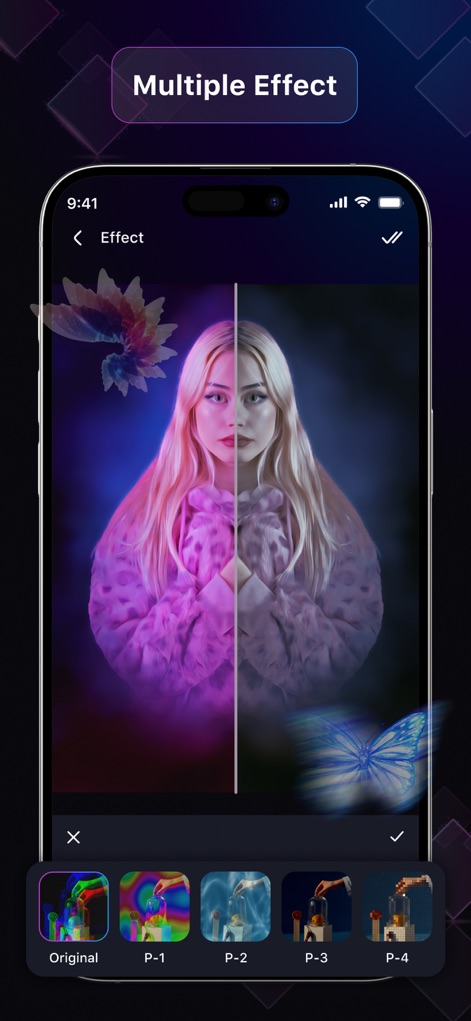
이 앱은 분할 화면으로 효과 전후를 쉽게 비교할 수 있도록 해주며, 하단에는 'P-1', 'P-2' 등 다양한 필터 프리셋을 제공하여 시각적 변화를 줍니다.
다채로운 시각 효과
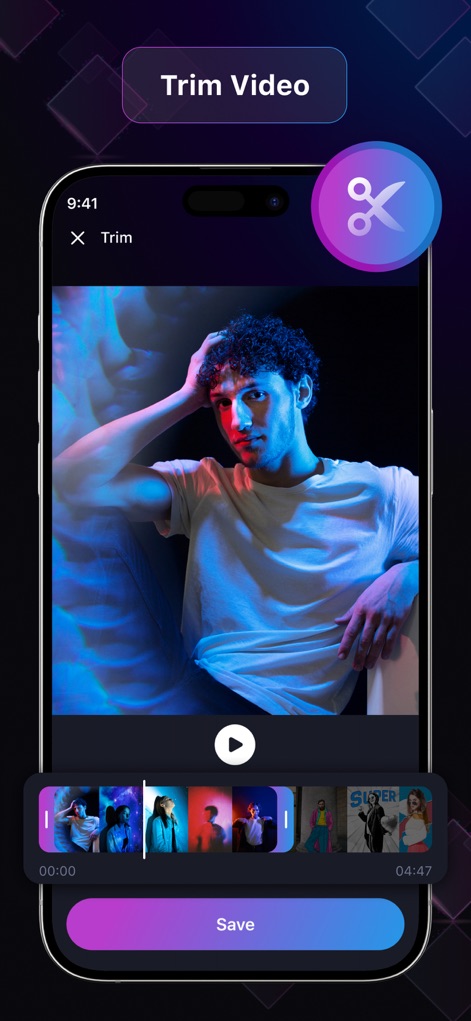
사용자는 동영상 타임라인에서 원하는 구간을 정확하게 선택하여 자를 수 있으며, 명확한 가위 아이콘으로 자르기 기능이 강조되어 있어 손쉽게 편집할 수 있습니다.
간편한 비디오 자르기
설명
Download
비슷한 앱
같은 카테고리의 상위 앱

CapCut: Photo & Video Editor
BYTEDANCE PTE. LTD.

Instagram, Inc.

YouTube
Google LLC

Canva: AI Photo & Video Editor
Canva Pty Ltd

Snapchat
Snap, Inc.

快手
Beijing Kwai Technology Co., Ltd.

Edits: Video Editor
Instagram, Inc.

Meitu- AI Photo & Video Editor
Xiamen Meitu Technology Co., Ltd.

Google Photos: Backup & Edit
Google LLC
이 페이지는 앱이나 개발자의 공식 페이지가 아니며, 정보 제공 및 논평을 목적으로 작성된 독립 편집 간행물입니다. 명시적으로 달리 언급되지 않는 한, 해당 앱이나 개발자는 MWM, Apple, Google Play, 앱 퍼블리셔 또는 앱 개발자와 제휴, 보증, 후원, 승인 또는 공식적으로 연결되어 있지 않으며, 이 페이지의 어떤 내용도 해당 앱이 MWM의 서비스를 사용하여 개발되었음을 의미하지 않습니다. 모든 상표, 로고, 스크린샷 및 기타 콘텐츠는 해당 소유자의 자산입니다.