Emulsio 5 › Video Enhancer

Emulsio 5 › Video Enhancer

다운로드: App Store
로고: Emulsio 5 › Video Enhancer

Emulsio 5: 시네마틱 안정화 및 AI 향상

흔들리는 영상을 복구하고 전문적인 도구로 편집하세요. 4K로 업스케일하고, 유려한 AI 슬로우 모션을 생성하며, 장치의 Neural Engine의 모든 기능을 활용하여 놀라운 고품질 비디오 콘텐츠를 만드세요.

개발사

Creaceed SRL

카테고리

Photo & Video

다운로드

638K+

사용자 평점

3.9/5

총 평가 수

100

지원 언어

24

시네마틱 파워를 한눈에

이 인터페이스를 사용하는 638K+ 명의 사용자.

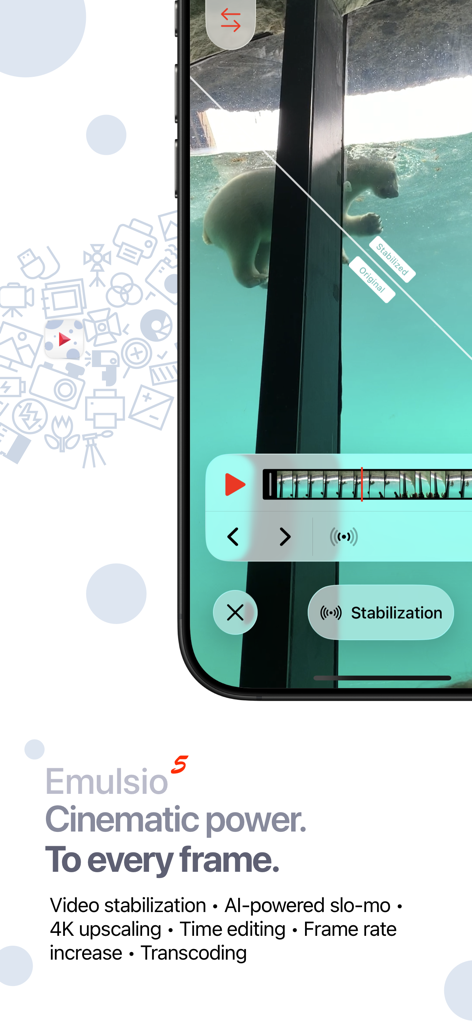
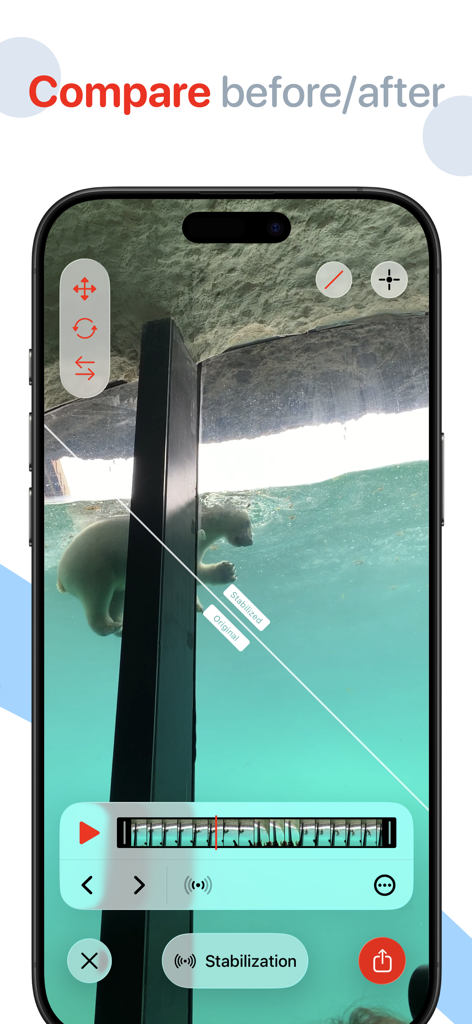
Emulsio 5 앱 인터페이스, 분할 화면 비교와 함께 실시간 비디오 안정화 표시
Emulsio 5 앱 인터페이스, 분할 화면 비교와 함께 실시간 비디오 안정화 표시

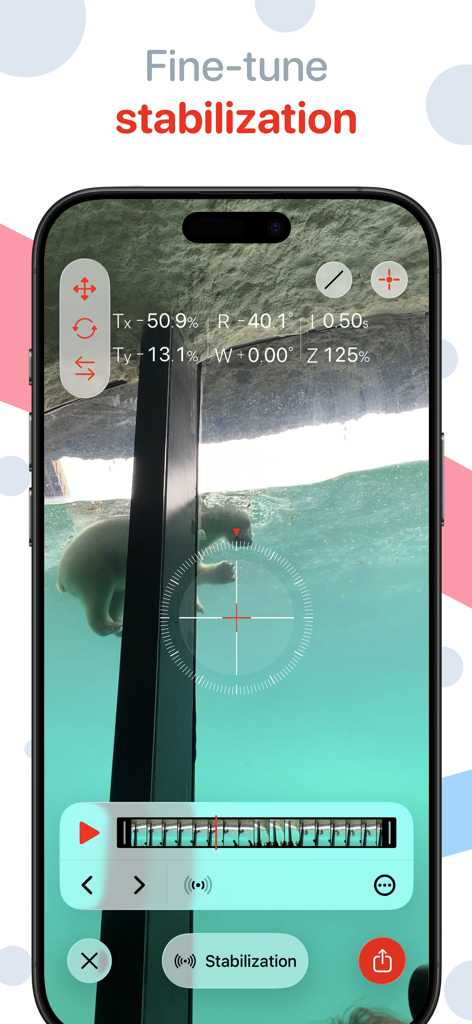
Emulsio 5 앱 인터페이스, 비디오 클립에 대한 미세 조정 안정화 컨트롤 표시
Emulsio 5 앱 인터페이스, 비디오 클립에 대한 미세 조정 안정화 컨트롤 표시

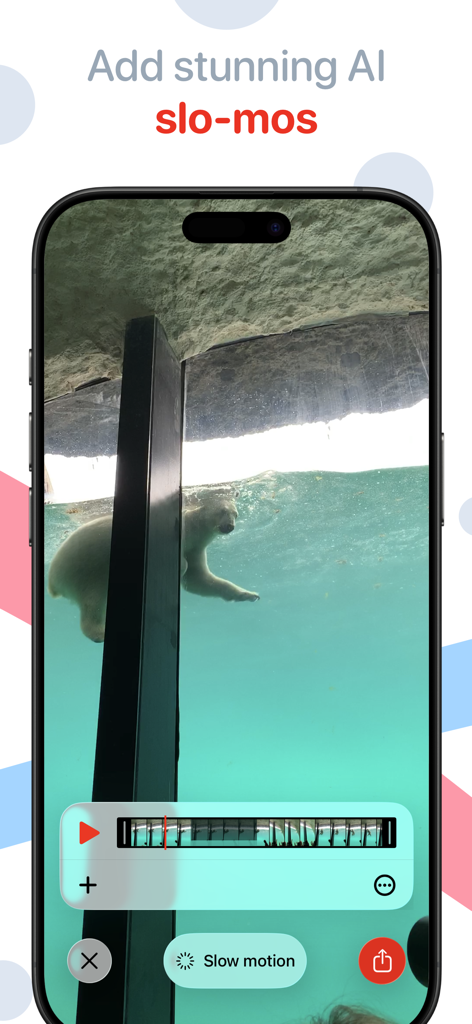
Emulsio 5 앱 인터페이스, 수영하는 북극곰 비디오에서 AI 슬로우 모션 편집 기능 표시
Emulsio 5 앱 인터페이스, 수영하는 북극곰 비디오에서 AI 슬로우 모션 편집 기능 표시

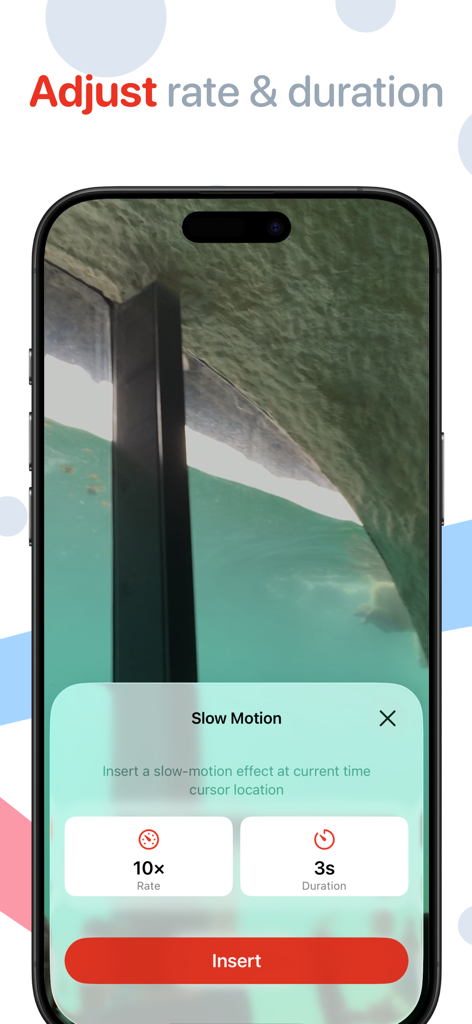
Emulsio 비디오 향상 앱에서 슬로우 모션 속도 및 지속 시간 조정 인터페이스
Emulsio 비디오 향상 앱에서 슬로우 모션 속도 및 지속 시간 조정 인터페이스

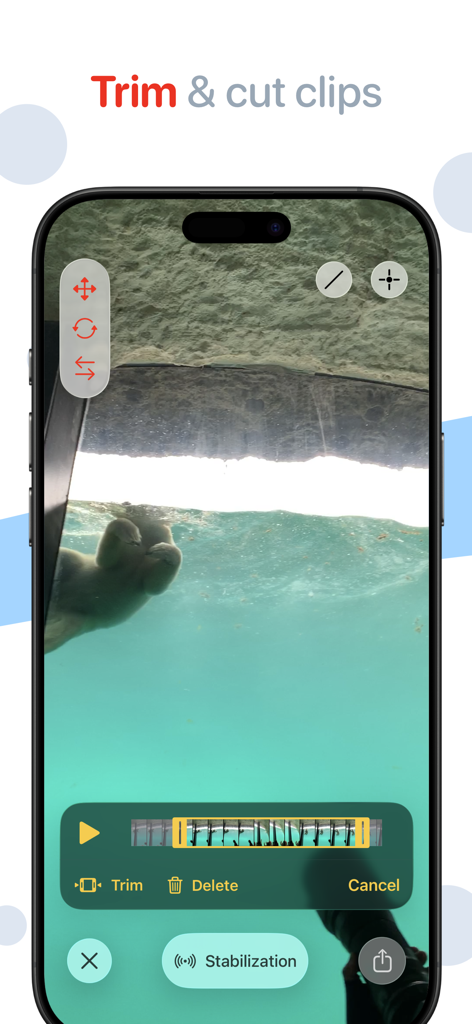
Emulsio 5 앱의 사용자 인터페이스, iPhone에서 비디오 클립을 자르고 편집하는 방법 시연
Emulsio 5 앱의 사용자 인터페이스, iPhone에서 비디오 클립을 자르고 편집하는 방법 시연

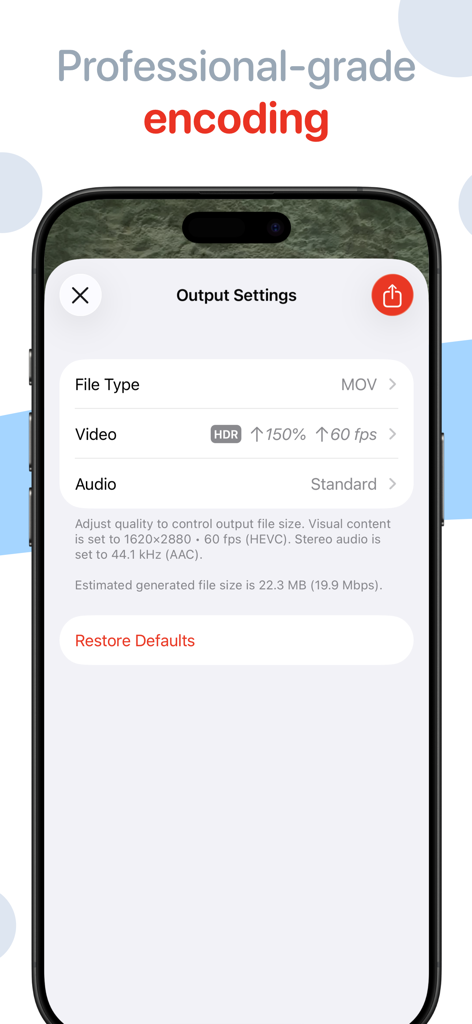
파일 형식, 프레임 속도 및 해상도 조정을 위한 Emulsio 5의 전문 비디오 인코딩 설정
파일 형식, 프레임 속도 및 해상도 조정을 위한 Emulsio 5의 전문 비디오 인코딩 설정

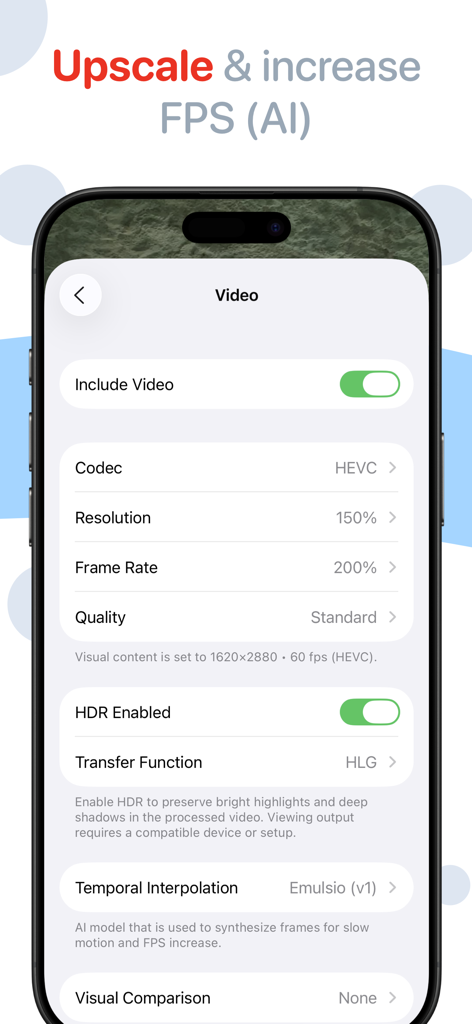
Emulsio 5 앱에서 AI를 사용하여 업스케일링 및 FPS 증가를 위한 비디오 내보내기 설정
Emulsio 5 앱에서 AI를 사용하여 업스케일링 및 FPS 증가를 위한 비디오 내보내기 설정

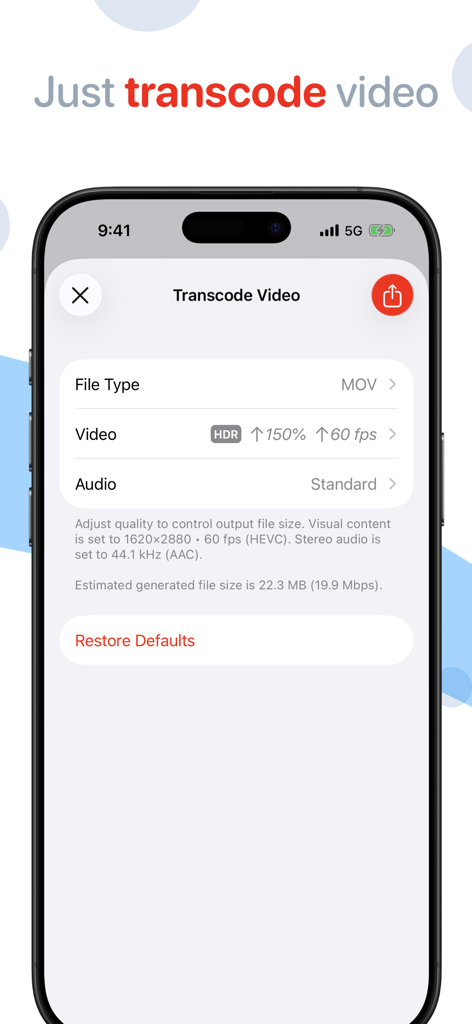
Emulsio 앱에서 사용자 정의 설정으로 비디오를 트랜스코딩하기 위한 모바일 인터페이스
Emulsio 앱에서 사용자 정의 설정으로 비디오를 트랜스코딩하기 위한 모바일 인터페이스

Emulsio 앱 분할 화면 비교, 원본 대 안정화 비디오 영상 표시

Emulsio 앱 분할 화면 비교, 원본 대 안정화 비디오 영상 표시

전문가 수준의 비디오 향상

이 앱을 돋보이게 하는 도구, 638K+ 명의 사용자가 선택.

🎥

정밀 안정화

기본 필터를 넘어선 기능. 안정화 강도를 실시간으로 조정하여 자연스러운 카메라 움직임을 유지하면서 떨림을 제거하세요.

AI 기반 업스케일링

콘텐츠에 프리미엄 품질을 더하세요. 해상도를 4K로 업스케일하고 프레임 속도를 높여 초고화질의 선명한 영상을 만드세요.

🐌

프로 수준의 슬로우 모션

AI 프레임 생성을 통해 놀라운 드라마틱한 효과를 얻으세요. 원본보다 최대 10배 느린 부드러운 슬로우 모션 시퀀스를 만드세요.

앱 소개

에 대해 알아야 할 모든 것 Emulsio 5 › Video Enhancer.

설명

** Macworld Conference ‘Best of Show’ winner (San Francisco) ** Bring cinematic power to every frame. Emulsio is a powerful video editing app that helps you transform ordinary footage into polished, cinematic moments. Instantly stabilize shaky shots, upscale to crisp 4K, enhance frame rate, and even add stunning AI-generated slow motion for dramatic effect — all with intuitive control. "The BEST iOS Video Stabilizer App Just Got BETTER!" — iPhoneographers (USA) "A serious and sophisticated stabilization app [...] This is my gold standard stabilization app." — Josh S. (USA) "Very useful, accurate, efficient, simple to use and an affordable stabilizer app! [...] highly recommend it to any mobile phone videographer and content creator." — Ashdeli (Canada) Perfect for content creators, Emulsio gives you precise tools to shape your vision. Adjust stabilization strength in real time. Insert slow-motion segments exactly where you want them, with custom timing and playback speed. Trim, cut, and fine-tune before export, all while maintaining full control over output quality, including HDR support. Emulsio works seamlessly with video shot from Apple devices, drones, action cams, and more. Available on iPhone, iPad, and Mac. STABILIZER & SLOW MOTION • Import any video from your album or from Files. • Fine-tune stabilization strength to remove unwanted shake with precision • Smooth out horizontal, vertical and rotational camera motion, even rolling shutter distortion • Advanced border handling options, including motion limits and multi-frame inpainting • Instantly preview stabilization results with interactive split-screen playback • Insert slow motion anywhere in the timeline with custom speed (up to 10x slower) and duration, on-device AI-powered frame generation(*) is performed during export OTHER FEATURES • Adjust video frame rate up(*) or down • Up to 400% frame rate increase (ex. 30 → 120 FPS) • Upscale lower-res video with on-device AI processing (ex. HD → 4K) • Trim or cut clips non-destructively with timeline editing • Full HDR support, including Dolby Vision/HLG & PQ, ensures dynamic range stays intact from import to export • Fully exposed video encoder settings: format (mov, mp4, m4a), codec (H.264, HEVC), quality/bitrate, resolution to customize output for smaller size or better quality • Share your final video anywhere, from social platforms to pro workflows • Video transcoding: convert video without applying edits or effects • Supports high-speed video (up to 240 FPS) while maintaining native frame rates • Modern OS features: import and export with hardware accelerated HEVC, on-device CoreML processing optimized for Apple Neural Engine, Metal optimized rendering, Drag & Drop, and modern video browsing / searching PRICING Emulsio is available as a free download to try it out. You can unlock all Emulsio 5 features with Pro Pack 5, a one-time purchase that includes feature updates up to the next major release, or with Pro Plan, a subscription that also includes all future updates. Upgrade pricing is available within the app if you own a previous version. HELP & FEEDBACK Visit creaceed.com/emulsio for more information. Send your questions and feedback to emulsio@creaceed.com Terms of Use: https://creaceed.com/terms Privacy Policy: https://creaceed.com/privacy (*) an iPhone or iPad with at least 6GB of RAM (iPhone 12 Pro / iPhone 14 or above) is required for best quality slo-mo or frame rate increase.

최신 버전

5.2.1

크기

154.4 MB

출시일

2011년 1월 11일

모든 프레임을 시네마틱하게 만들 준비가 되셨나요?

600,000명 이상의 크리에이터가 Emulsio의 온디바이스 AI를 사용하여 편집물을 안정화, 업스케일 및 개선하고 있습니다. 지금 다운로드하여 iPhone, iPad 및 Mac에서 전문가 수준의 비디오 파워를 경험하세요.

다운로드: App Store

App information, icons, screenshots, and descriptions displayed on this page are sourced from the Apple App Store and are the property of their respective developers. Download estimates and rankings are based on MWM's proprietary models and may not reflect actual figures. This page is provided for informational and analytical purposes only.

Believe this page infringes your intellectual property? File a dispute