Essayist: Academic Writing App
다운로드: App Store

이 페이지는 앱이나 개발자의 공식 페이지가 아니며, 정보 제공 및 논평을 목적으로 작성된 독립 편집 간행물입니다. 명시적으로 달리 언급되지 않는 한, 해당 앱이나 개발자는 MWM, Apple, Google Play, 앱 퍼블리셔 또는 앱 개발자와 제휴, 보증, 후원, 승인 또는 공식적으로 연결되어 있지 않으며, 이 페이지의 어떤 내용도 해당 앱이 MWM의 서비스를 사용하여 개발되었음을 의미하지 않습니다. 모든 상표, 로고, 스크린샷 및 기타 콘텐츠는 해당 소유자의 자산입니다.


로고: Essayist: Academic Writing App
다운로드: App Store

Essayist: Academic Writing App

APA, MLA, Chicago 스타일의 논문을 쉽게 작성하세요. 자동 참고 문헌 관리부터 방해 요소 없는 편집까지, Essayist는 Mac, iPad, iPhone에서 학술적인 여정을 간소화합니다.

주요 수치

다운로드

136K+

사용자 평점

4.4/5

총 평가 수

400

개발사

Essayist Software Inc.

카테고리

Productivity

지원 언어

1

최신 버전

1.17.7

크기

63.0 MB

출시일

2021년 1월 11일
기능

학술 작문 마스터하기

Essayist가 복잡한 형식, 인용, 스타일 가이드라인을 처리하는 동안 연구와 아이디어에 집중하세요.

스트레스 없는 서식

여백과 머리글에 대한 걱정을 멈추세요. 엄격한 APA, MLA 또는 Chicago 표준을 충족하도록 전체 논문을 자동으로 서식을 지정합니다.

스마트 참고 문헌 관리

단일 탭으로 완벽하게 서식이 지정된 인용 또는 참고 문헌을 검색하고 삽입하여 정리되고 정확하게 유지합니다.

다음 스크린샷과 설명은 앱의 공식 스토어 목록에서 직접 가져온 것이며 앱 개발자의 자산입니다.

앱 스토어

스크린샷
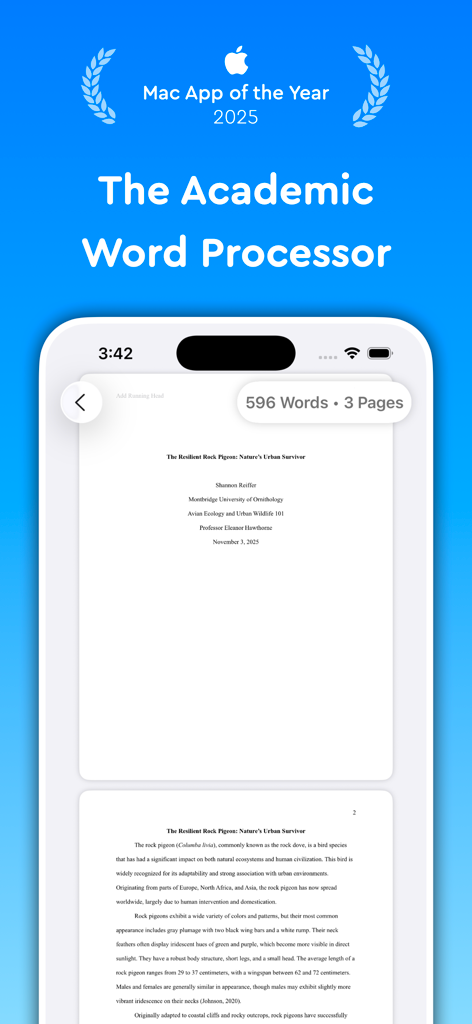
Essayist: Academic Writing App - Mac App of the Year 2025 수상 문구가 있는 모바일 장치 화면에 서식이 지정된 학술 에세이를 보여주는 Essayist 앱 인터페이스
Mac App of the Year 2025 수상 문구가 있는 모바일 장치 화면에 서식이 지정된 학술 에세이를 보여주는 Essayist 앱 인터페이스

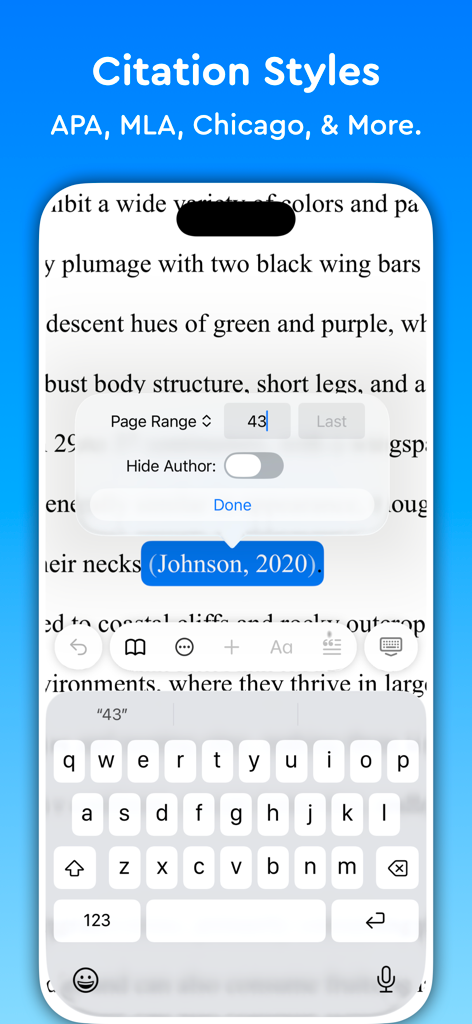
Essayist: Academic Writing App - 학술 인용 스타일 및 텍스트 내 참조 편집 옵션을 보여주는 Essayist 앱의 iPhone 인터페이스
학술 인용 스타일 및 텍스트 내 참조 편집 옵션을 보여주는 Essayist 앱의 iPhone 인터페이스

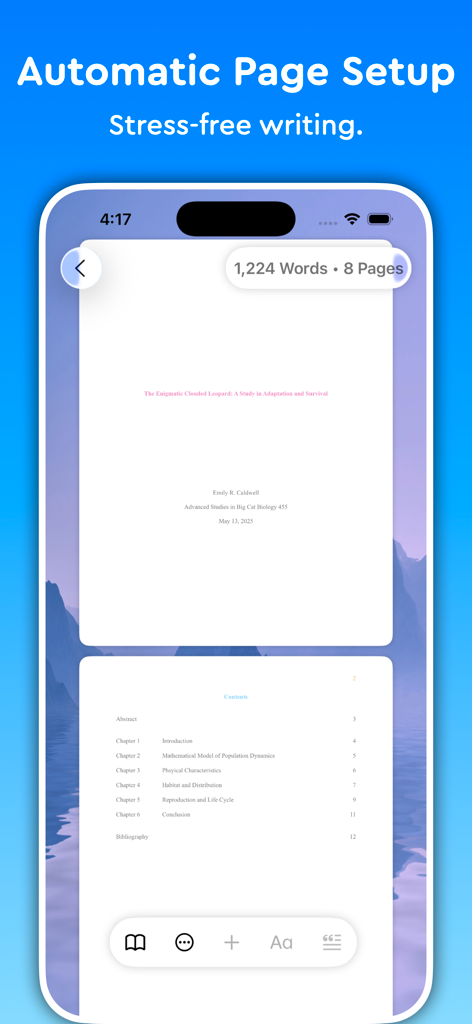
Essayist: Academic Writing App - 학술 작문을 위한 자동 페이지 설정 및 목차를 보여주는 Essayist 앱
학술 작문을 위한 자동 페이지 설정 및 목차를 보여주는 Essayist 앱

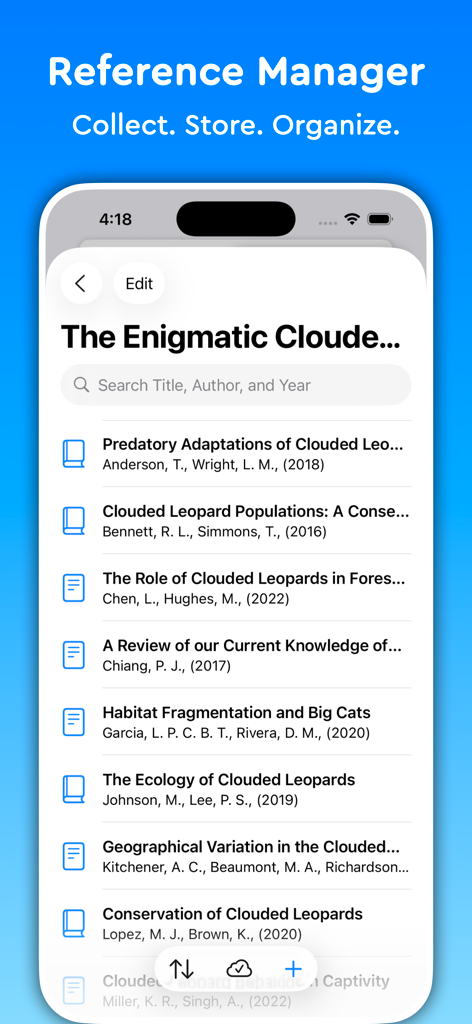
Essayist: Academic Writing App - 검색창이 있는 학술 출처 목록을 보여주는 Essayist 앱의 참고 문헌 관리자 인터페이스
검색창이 있는 학술 출처 목록을 보여주는 Essayist 앱의 참고 문헌 관리자 인터페이스

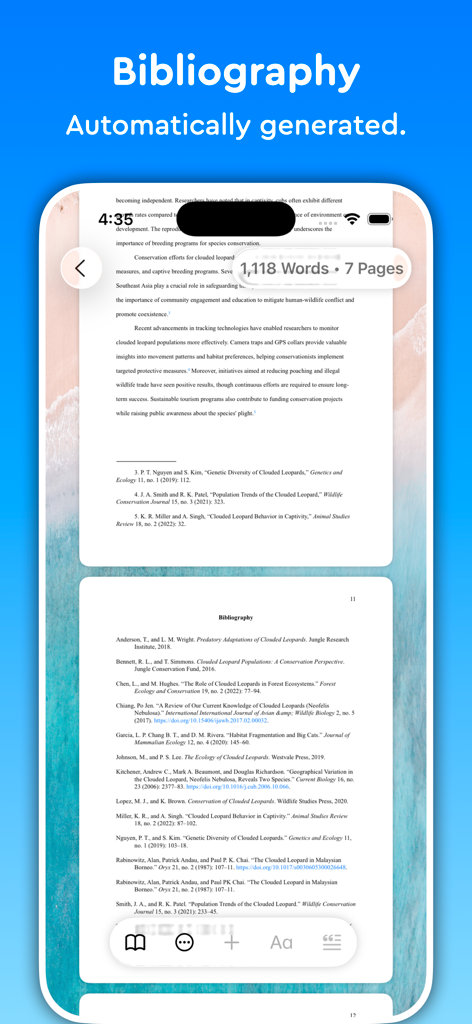
Essayist: Academic Writing App - 학술 논문에 대해 자동으로 생성된 서식이 지정된 참고 문헌 페이지를 보여주는 iPhone의 Essayist 앱 스크린샷.
학술 논문에 대해 자동으로 생성된 서식이 지정된 참고 문헌 페이지를 보여주는 iPhone의 Essayist 앱 스크린샷.

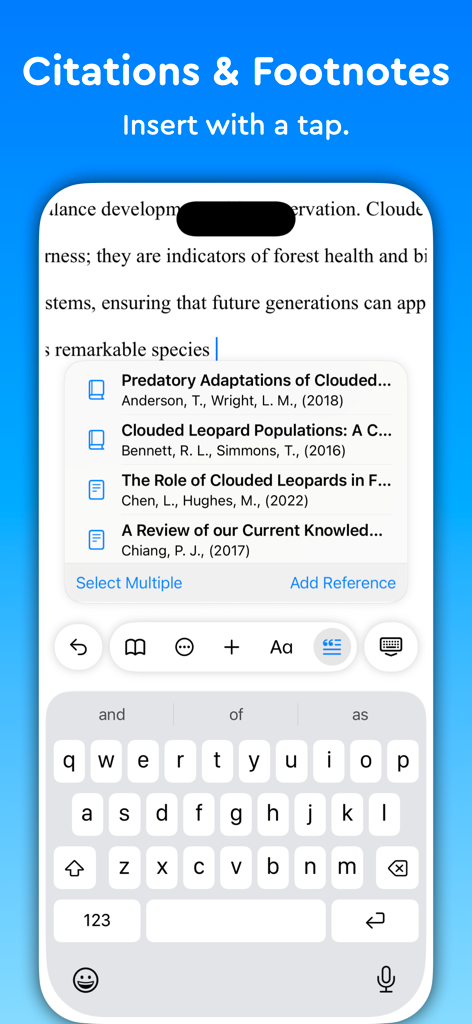
Essayist: Academic Writing App - 단일 탭으로 학술 인용 및 각주를 삽입하는 방법을 보여주는 스마트폰의 Essayist 앱 인터페이스.
단일 탭으로 학술 인용 및 각주를 삽입하는 방법을 보여주는 스마트폰의 Essayist 앱 인터페이스.

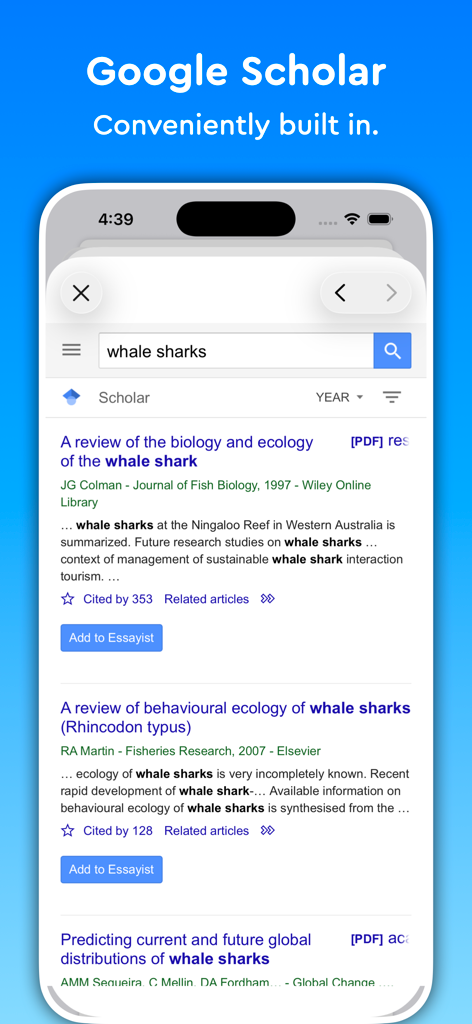
Essayist: Academic Writing App - 학술 연구를 위한 내장 Google Scholar 검색 도구를 표시하는 Essayist 앱 스크린샷
학술 연구를 위한 내장 Google Scholar 검색 도구를 표시하는 Essayist 앱 스크린샷

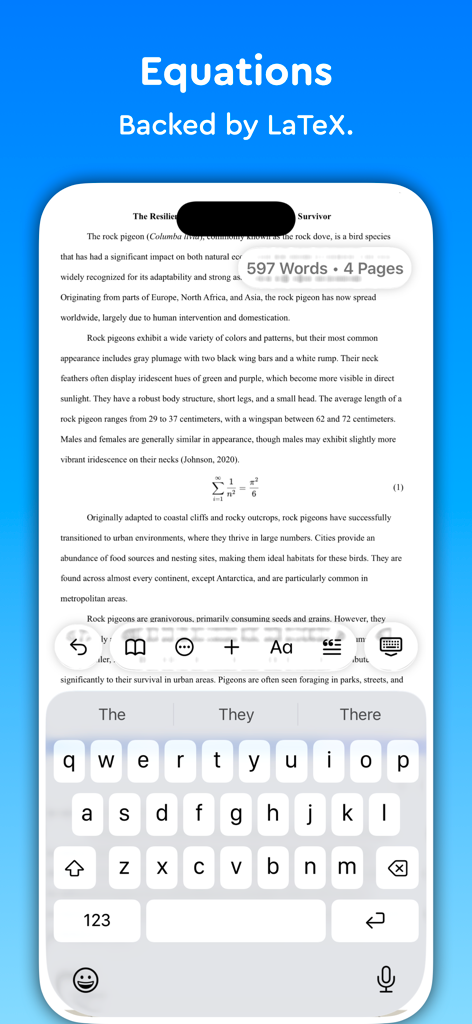
Essayist: Academic Writing App - iPhone에서 학술 논문 내 LaTeX 방정식을 표시하는 Essayist 앱 인터페이스
iPhone에서 학술 논문 내 LaTeX 방정식을 표시하는 Essayist 앱 인터페이스

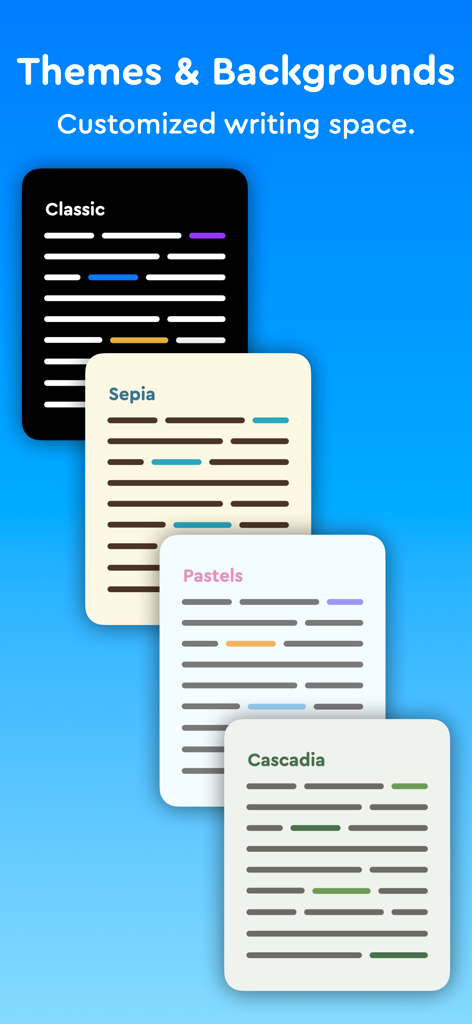
Essayist: Academic Writing App - 다양한 작문 테마 및 배경을 표시하는 Essayist 앱 인터페이스
다양한 작문 테마 및 배경을 표시하는 Essayist 앱 인터페이스

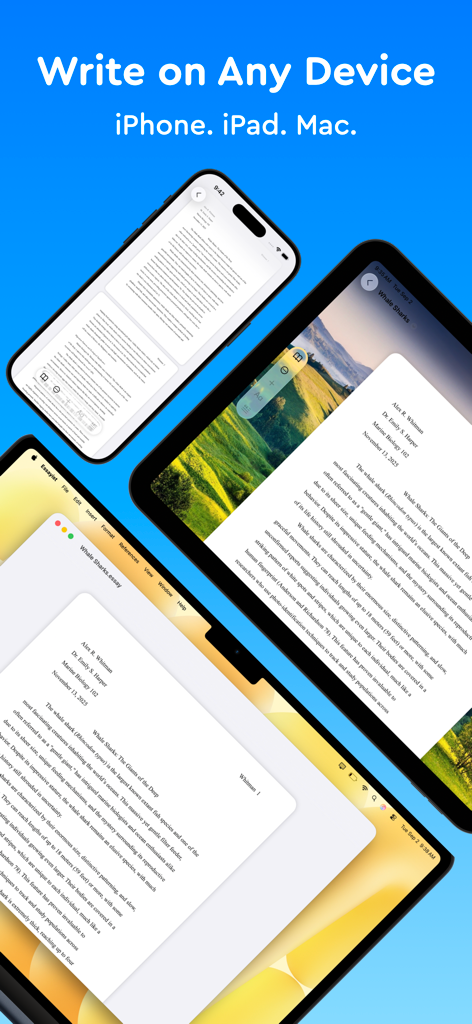
Essayist: Academic Writing App - iPhone, iPad 및 Mac 노트북에서 학술 논문을 보여주는 Essayist 앱 인터페이스.

iPhone, iPad 및 Mac 노트북에서 학술 논문을 보여주는 Essayist 앱 인터페이스.

설명

Try Essayist for free today! "Mac App of the Year 2025 — Apple" "App of the Day" — Apple "Editors' Choice" — Apple "A-Plus Apps for Students " — Apple "Apps You Need This Week" — Apple Essayist allows you to write APA, MLA, Chicago & Harvard Style essays with ease. From in-text citations and footnotes to references and page setup, Essayist takes care of everything. It greatly simplifies the academic writing process. AUTOMATIC FORMATTING Essayist formats everything for you. Upon starting a new essay it sets up the title section/page, margins, font, line spacing, alignment, page headers/footers, etc. It formats your references, in-text citations, footnotes/endnotes, figures, tables, table of contents and more. UNIVERSAL REFERENCE MANAGER Store and manager references in a universal reference manager backed by iCloud. Search for, add, and store references in one place and use references across multiple essays. Create separate collections (folders) within the reference manager to organize and manage references. Add references quickly and easily using Google Scholar, Essayist’s built-in search, by pasting a URL or manual entry forms. Once added, references are automatically formatted and added to your essay’s references/works cited list. CITATIONS (IN-TEXT CITATIONS, FOOTNOTES, ENDNOTES) Add in-text citations and footnotes/endnotes with ease. Simply tap the insert citation button and select the reference you wish to cite. An in-text citation/footnote/endnote is automatically created for you GENERAL FOOTNOTES Add general footnotes to any essay. EQUATIONS Essayist supports equations backed by LaTeX. CITATION STYLES Essayist supports four citation styles: AMA, APA, MLA, Chicago/Turabian Harvard & Vancouver. EXPORT Export your work to PDF or Word. MINIMAL INTERFACE A simple interface helps you write without distractions. You know all those buttons in other word processors you never use? We got rid of those. ABSTRACT, APPENDICES & TABLE OF CONTENTS Add an abstract, appendices and a table of contents to your essay. FIGURES & TABLES Easily add figures and tables with all the required information (caption, title, numbering, notes, etc.). REGULAR UPDATES We are working hard to make Essayist the best academic writing app it can be. If you have feature requests or encounter issues, please don't hesitate to contact us at contact@essayist.app MORE - iOS & macOS versions (universal purchase) - Built-in Universal Reference Manager - Pre-defined & customizable paragraph styles (Block Quote, Headings, etc.) - Bold, Italicize & Underline options - Import BibTeX - Multiple reference types (News Article, Magazine, Website, Dictionary, etc. …) - Two paper sizes: US Letter & A4 - Two font choices: Times New Roman & Arial - Word Count & Page Count - Multiple background choices - Spell Check, Auto Completion & Auto Capitalization - Dark mode - Designed for Accessibility PRICING Essayist Pro requires a subscription. Choose between a monthly and a yearly subscription. Terms of Use: https://www.iubenda.com/terms-and-conditions/82031685 Privacy Policy: https://www.iubenda.com/privacy-policy/82031685

Download

다운로드: App Store

이 페이지는 앱이나 개발자의 공식 페이지가 아니며, 정보 제공 및 논평을 목적으로 작성된 독립 편집 간행물입니다. 명시적으로 달리 언급되지 않는 한, 해당 앱이나 개발자는 MWM, Apple, Google Play, 앱 퍼블리셔 또는 앱 개발자와 제휴, 보증, 후원, 승인 또는 공식적으로 연결되어 있지 않으며, 이 페이지의 어떤 내용도 해당 앱이 MWM의 서비스를 사용하여 개발되었음을 의미하지 않습니다. 모든 상표, 로고, 스크린샷 및 기타 콘텐츠는 해당 소유자의 자산입니다.