
이 페이지는 앱이나 개발자의 공식 페이지가 아니며, 정보 제공 및 논평을 목적으로 작성된 독립 편집 간행물입니다. 명시적으로 달리 언급되지 않는 한, 해당 앱이나 개발자는 MWM, Apple, Google Play, 앱 퍼블리셔 또는 앱 개발자와 제휴, 보증, 후원, 승인 또는 공식적으로 연결되어 있지 않으며, 이 페이지의 어떤 내용도 해당 앱이 MWM의 서비스를 사용하여 개발되었음을 의미하지 않습니다. 모든 상표, 로고, 스크린샷 및 기타 콘텐츠는 해당 소유자의 자산입니다.


Flexcil Note & Good PDF Reader
종이의 시대는 끝났다. 펜 제스처가 당신의 생산성을 지배한다.
다운로드
1M+사용자 평점
총 평가 수
18.0K개발사
카테고리
Productivity지원 언어
15최신 버전
1.5.24크기
159.4 MB출시일
2020년 11월 2일Apple 기기 사용자들을 위한 생산성 및 학습 효율성 극대화 도구
Flexcil Note & Good PDF Reader 핵심 기능 분석
Apple Pencil 최적화 및 제스처 기반 주석
이 앱은 Apple Pencil과의 완벽한 통합을 통해 필기 경험을 극대화하며, 직관적인 제스처를 사용하여 텍스트 하이라이트 및 이미지/텍스트 캡처를 신속하게 수행할 수 있도록 지원합니다.
강력한 PDF 편집 및 주석 기능
사용자는 다양한 펜 도구, 색상, 글꼴을 활용하여 PDF 문서에 자유롭게 주석을 달고 편집할 수 있어, 학습 및 작업 효율성을 크게 높일 수 있습니다.
노트 연동 오디오 녹음 및 재생
이 도구는 강의나 회의 중 오디오를 녹음하고, 나중에 노트의 특정 부분을 탭하여 해당 시점의 음성을 재생함으로써 내용을 효과적으로 복습할 수 있도록 돕습니다.
유연한 멀티태스킹 및 문서 관리
이 앱은 다른 앱과 동시에 사용하거나 두 개의 PDF 문서를 동시에 편집하는 등 효율적인 멀티태스킹 환경을 제공하며, 사용자가 문서와 노트를 체계적으로 정리하고 관리할 수 있도록 지원합니다.
기기 간 클라우드 동기화
사용자는 클라우드 동기화 기능을 통해 언제 어디서든 자신의 노트에 접근하고 여러 Apple 기기에서 끊김 없는 작업 환경을 경험하며 생산성을 유지할 수 있습니다.
학습 및 연구 보조 기능
이 앱은 텍스트 요약 및 정리, 사전 검색, 그리고 손쉬운 텍스트 드래그 앤 붙여넣기 기능을 제공하여 사용자의 학습 효율성과 연구 과정을 효과적으로 향상시킵니다.
자주 묻는 질문
에 대해 알아야 할 모든 것 Flexcil Note & Good PDF Reader
What is Flexcil?
Flexcil is an ultimate iOS note-taking app that supports bullet journaling, reading documents, and editing pages from textbooks. Users can annotate PDFs, capture text/images with gestures, and organize notes.
Can I annotate PDFs in Flexcil?
Yes, Flexcil allows users to easily annotate PDFs. It supports editing PDF pages and annotating almost anything within the document.
Does Flexcil support Apple Pencil?
Yes, Flexcil supports the Apple Pencil, including the 2nd generation with double-tap functionality. It simulates real-life note-taking and guarantees zero touch malfunctions.
Can Flexcil record audio during note-taking?
Yes, Flexcil offers audio recording and playback features. Users can record lectures or meetings while taking notes simultaneously, then review by tapping specific notes.
Does Flexcil offer cloud synchronization?
Yes, Flexcil includes cloud sync as a new feature. Users can access notes from anywhere and seamlessly sync them across multiple devices.
Can I view multiple documents at once in Flexcil?
Yes, Flexcil offers multitasking capabilities, including a Pop-up Viewer that allows users to effortlessly compare and view two documents side-by-side. It also supports editing two PDFs simultaneously.
What is the masking pen feature in Flexcil?
The masking pen is a new feature in Flexcil designed to enhance annotations with precision. It allows users to refine their mark-ups.
Does Flexcil offer a dark mode for studying?
Yes, Flexcil includes a Dark Mode feature. This provides a comfortable study environment, specifically designed to be easy on the eyes.
How do pen gestures work in Flexcil?
Flexcil utilizes pen gestures for efficient note-taking, allowing users to highlight, capture images and text, and summarize content. This streamlines tasks in just two easy steps.
Is Flexcil compatible with Google Drive?
Yes, Flexcil is compatible with Google Drive. It also integrates with other services such as Zoom, Google Classroom, Dropbox, Box, and iCloud for versatile use.
다음 스크린샷과 설명은 앱의 공식 스토어 목록에서 직접 가져온 것이며 앱 개발자의 자산입니다.
앱 스토어
스크린샷

이 앱은 PDF 관리 및 클라우드 동기화를 통해 사용자의 작업 흐름을 향상시킵니다.
프리미엄 기능
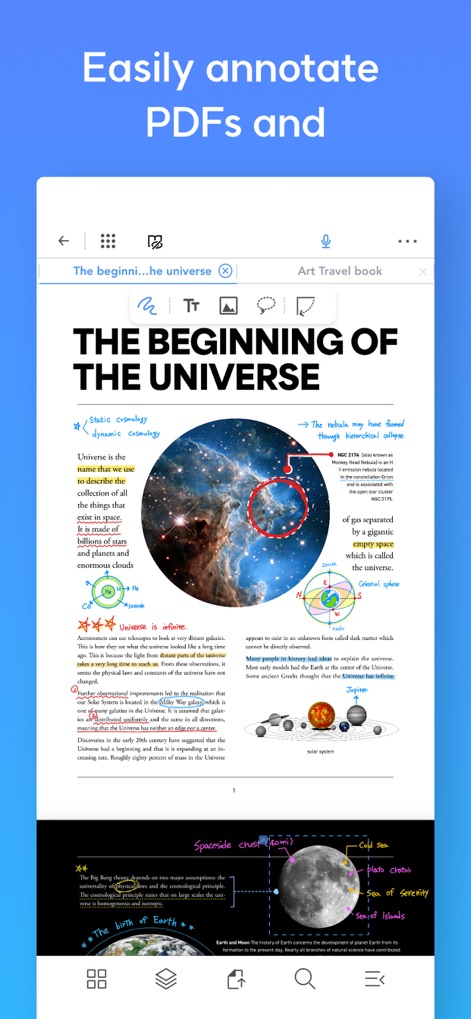
사용자는 PDF 문서에 강조 표시와 이미지를 추가하여 중요한 정보를 효과적으로 시각화할 수 있습니다.
PDF 간편 주석

이 도구는 PDF 문서와 필기 화면을 동시에 표시하여 이미지 드래그 앤 드롭을 통한 효율적인 정보 추출을 지원합니다.
한 화면에서 필기

사용자는 팝업 뷰어를 통해 여러 문서를 동시에 비교하고 텍스트 및 이미지 편집 도구를 활용할 수 있습니다.
팝업 뷰어 활용

이 기능은 문서에서 이미지를 선택하고 노트로 즉시 이동시켜 정보 수집을 간소화합니다.
직관적인 드래그 앤 드롭

사용자는 강조 표시된 텍스트와 원본 문서의 문맥을 연결하여 빠른 정보 확인이 가능합니다.
원본 참조 링크

이 앱은 필기하는 동안 오디오를 녹음하고 특정 노트 지점과 동기화하여 중요한 정보를 놓치지 않게 합니다.
오디오 녹음 및 동기화

사용자는 펜 제스처로 텍스트를 빠르게 선택하고, 표시된 편집 메뉴를 통해 즉시 서식을 변경할 수 있습니다.
효율적인 펜 제스처

이 앱은 주석, 링크, 모든 마크업 정보를 사이드 메뉴에 정리하여 사용자가 쉽게 탐색할 수 있도록 합니다.
체계적인 사이드 메뉴
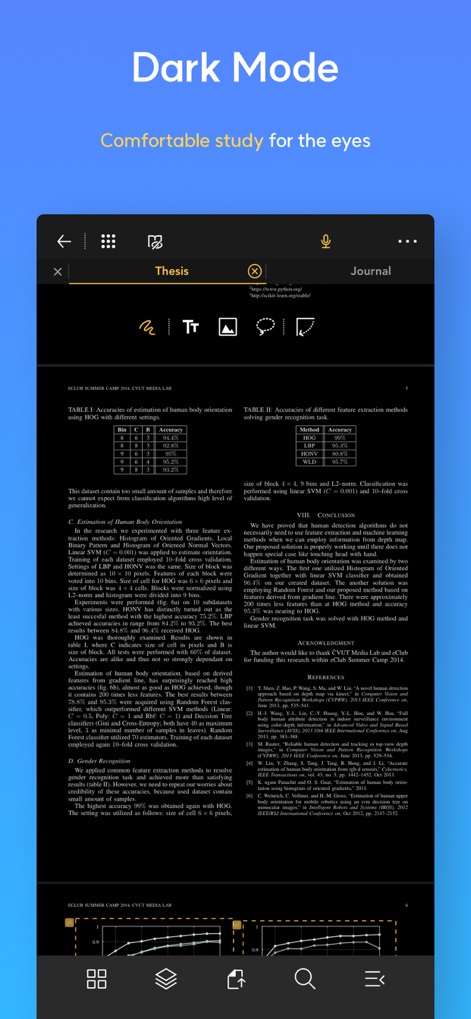
사용자는 다크 모드를 활성화하여 장시간 작업 시 눈의 피로를 줄이고 편안하게 문서를 읽을 수 있습니다.
눈이 편안한 다크 모드
설명
Download
비슷한 앱
유사한 기능과 사용자 경험을 가진 앱

MarginNote 3
Beijing Yunsi Software Technology Co., Ltd

公文宝-公文写作
Guangzhou Weia Information Technology Co., Ltd.

Mapify: AI Mind Map Summarizer
Xmind Ltd.

Readest - eBook Reader
Bilingify LLC

BoardNotes: Notes&PDF&Mindmap
朝民 肖

LiquidText Prepaid
LiquidText, Inc.

Readwise
Readwise, Inc

Essayist: Academic Writing App
Essayist Software Inc.

GitMind: AI Mind Map & Notes
Wangxu Technology Co., Ltd
이 페이지는 앱이나 개발자의 공식 페이지가 아니며, 정보 제공 및 논평을 목적으로 작성된 독립 편집 간행물입니다. 명시적으로 달리 언급되지 않는 한, 해당 앱이나 개발자는 MWM, Apple, Google Play, 앱 퍼블리셔 또는 앱 개발자와 제휴, 보증, 후원, 승인 또는 공식적으로 연결되어 있지 않으며, 이 페이지의 어떤 내용도 해당 앱이 MWM의 서비스를 사용하여 개발되었음을 의미하지 않습니다. 모든 상표, 로고, 스크린샷 및 기타 콘텐츠는 해당 소유자의 자산입니다.