FengShui Transparent Compass
다운로드: App Store

이 페이지는 앱이나 개발자의 공식 페이지가 아니며, 정보 제공 및 논평을 목적으로 작성된 독립 편집 간행물입니다. 명시적으로 달리 언급되지 않는 한, 해당 앱이나 개발자는 MWM, Apple, Google Play, 앱 퍼블리셔 또는 앱 개발자와 제휴, 보증, 후원, 승인 또는 공식적으로 연결되어 있지 않으며, 이 페이지의 어떤 내용도 해당 앱이 MWM의 서비스를 사용하여 개발되었음을 의미하지 않습니다. 모든 상표, 로고, 스크린샷 및 기타 콘텐츠는 해당 소유자의 자산입니다.


로고: FengShui Transparent Compass
다운로드: App Store

FengShui Transparent Compass

궁극의 디지털 나침반으로 당신의 공간을 마스터하세요. 전문적인 정확도로 에너지 흐름을 최적화하기 위해 고정밀 나침반 눈금을 건축 도면 및 지도에 직접 오버레이하세요.

주요 수치

다운로드

12K+

사용자 평점

3.2/5

총 평가 수

0

개발사

fate amtb

카테고리

Utilities

지원 언어

4

최신 버전

6.6

크기

70.7 MB

출시일

2018년 9월 26일
기능

전문적인 풍수 분석 도구

당신의 기기를 정밀 나침반으로 변환하세요. 주택 소유자, 디자이너, 전문가를 위해 설계된 고급 오버레이로 어떤 공간에서든 에너지 흐름을 마스터하세요.

투명 디지털 나침반

주택 평면도 또는 실시간 지도에 12개 이상의 전문 나침반 면을 원활하게 오버레이하여 즉각적인 방향 설정 및 평가를 수행하세요.

정확한 공간 매핑

구궁 격자 및 다각형 도구를 사용하여 에너지 구역을 정확하게 정의하고 모든 건축 설계의 실제 중심을 찾으세요.

다음 스크린샷과 설명은 앱의 공식 스토어 목록에서 직접 가져온 것이며 앱 개발자의 자산입니다.

앱 스토어

스크린샷
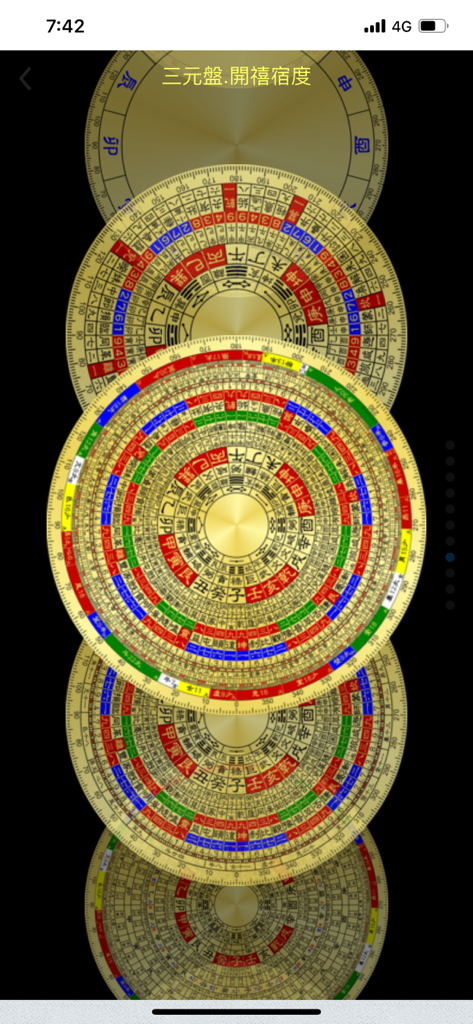
FengShui Transparent Compass - 전통적인 중국 문양이 있는 다양한 디지털 풍수 나침반 디자인의 수직 스택.
전통적인 중국 문양이 있는 다양한 디지털 풍수 나침반 디자인의 수직 스택.

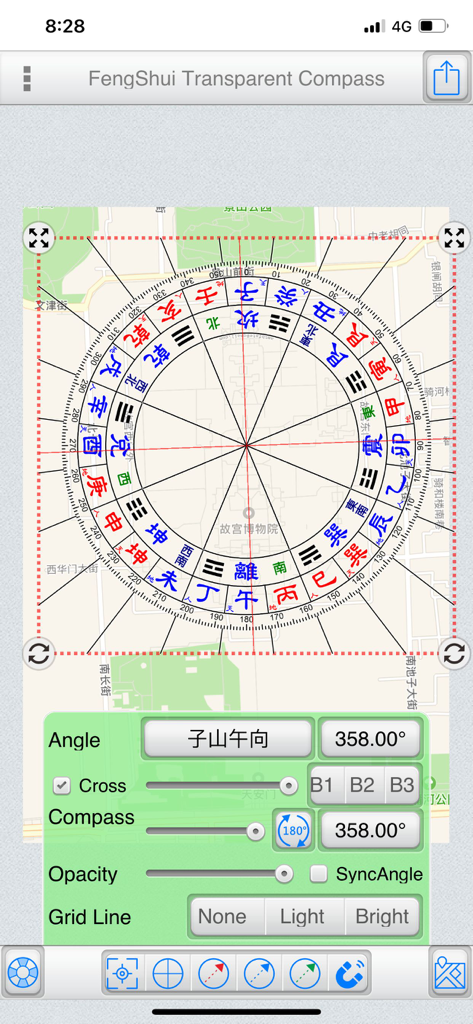
FengShui Transparent Compass - 각도 및 불투명도 조절 컨트롤이 있는 도시 지도에 오버레이된 디지털 풍수 나침반.
각도 및 불투명도 조절 컨트롤이 있는 도시 지도에 오버레이된 디지털 풍수 나침반.

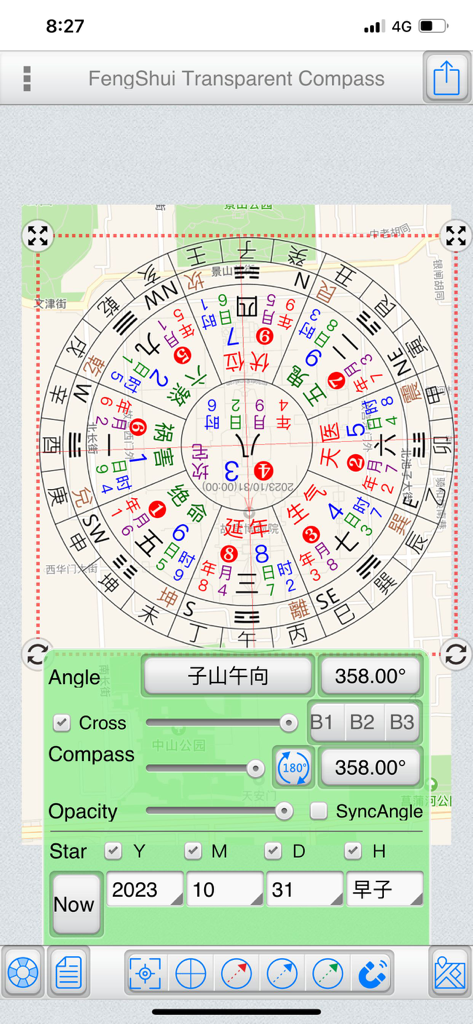
FengShui Transparent Compass - 각도 및 투명도 조절이 가능한 디지털 풍수 나침반 도구가 지도에 오버레이된 모습.
각도 및 투명도 조절이 가능한 디지털 풍수 나침반 도구가 지도에 오버레이된 모습.

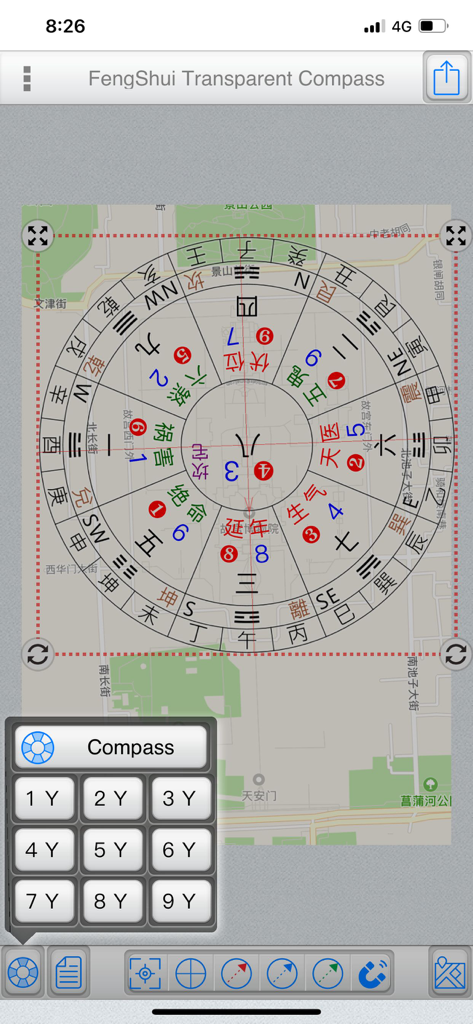
FengShui Transparent Compass - 방향 분석을 위해 거리 지도에 오버레이된 디지털 풍수 나침반 도구.
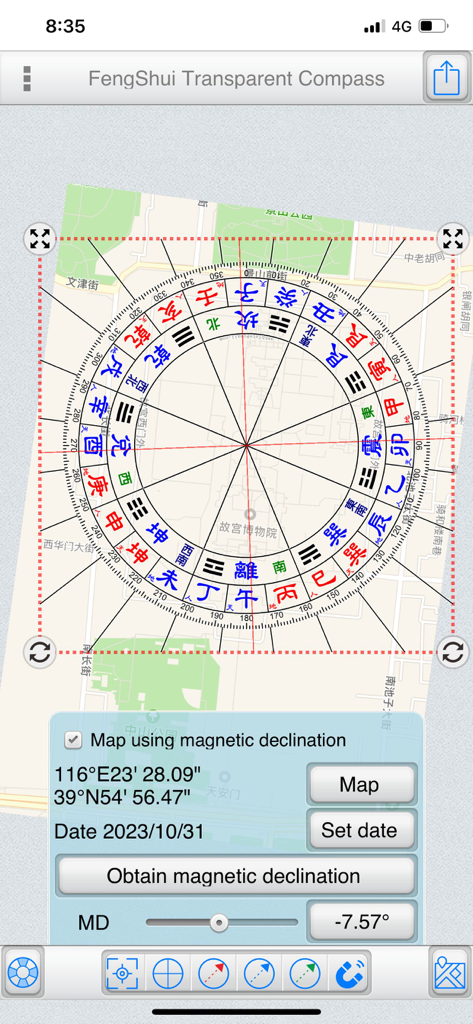
방향 분석을 위해 거리 지도에 오버레이된 디지털 풍수 나침반 도구.

FengShui Transparent Compass - 자기 복각 컨트롤이 있는 도시 지도에 오버레이된 투명 풍수 나침반.
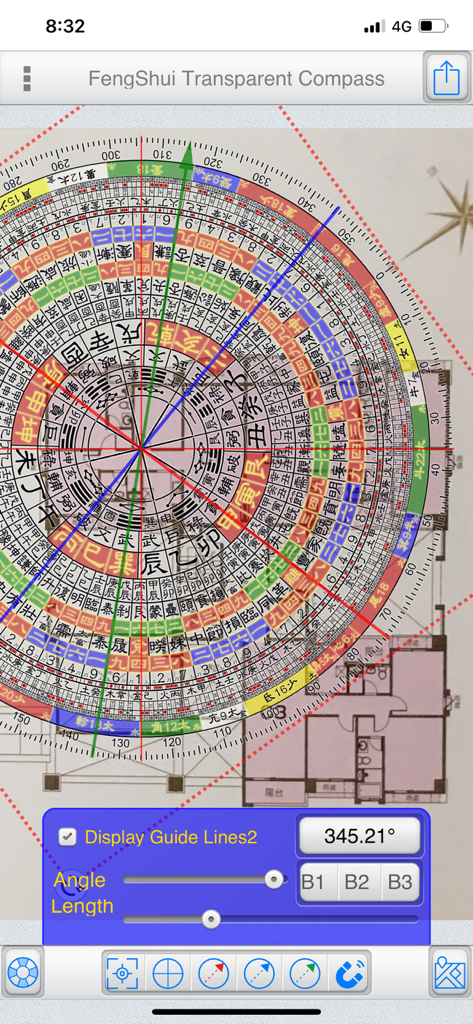
자기 복각 컨트롤이 있는 도시 지도에 오버레이된 투명 풍수 나침반.

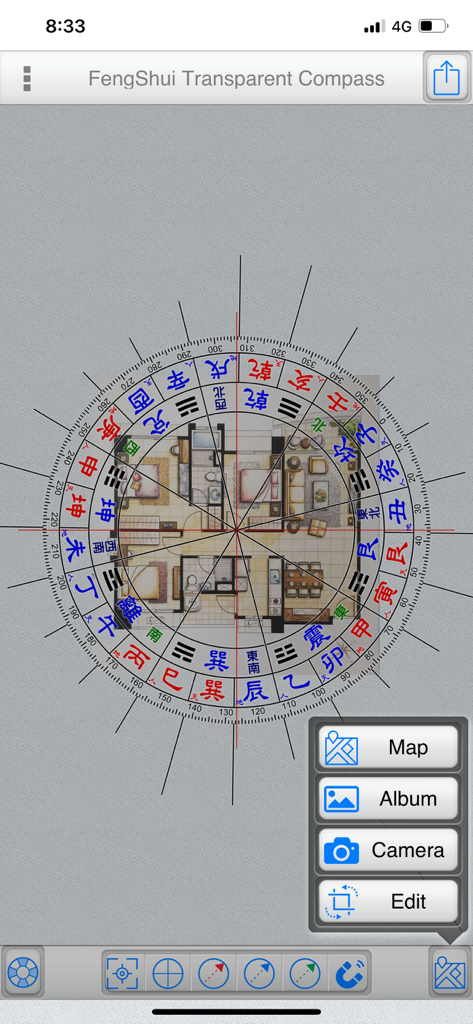
FengShui Transparent Compass - 방향 측정을 위해 건축 평면도에 오버레이된 디지털 풍수 나침반.

방향 측정을 위해 건축 평면도에 오버레이된 디지털 풍수 나침반.
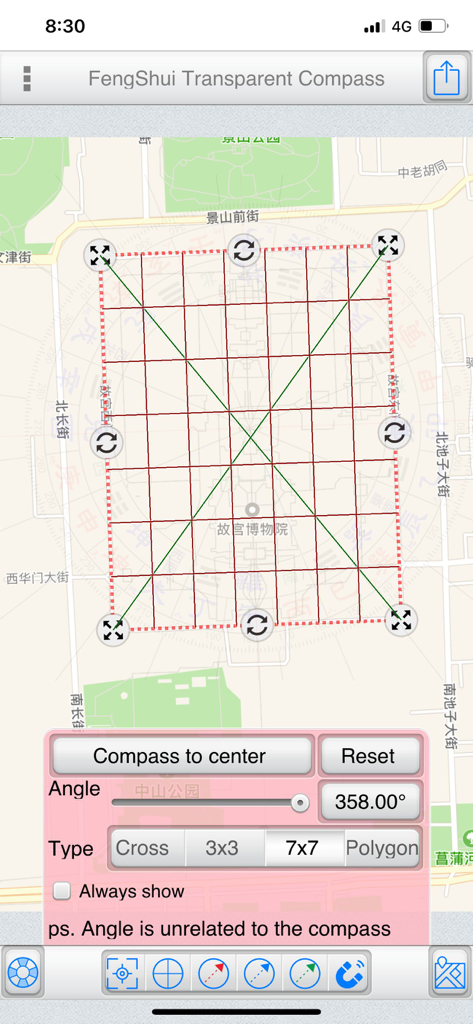
FengShui Transparent Compass - 방향 및 각도 컨트롤이 있는 도시 지도에 7x7 격자가 오버레이된 풍수 투명 나침반 앱 스크린샷.
방향 및 각도 컨트롤이 있는 도시 지도에 7x7 격자가 오버레이된 풍수 투명 나침반 앱 스크린샷.

FengShui Transparent Compass - 방향 측정을 위해 주택 건축 평면도에 오버레이된 디지털 풍수 나침반.
방향 측정을 위해 주택 건축 평면도에 오버레이된 디지털 풍수 나침반.

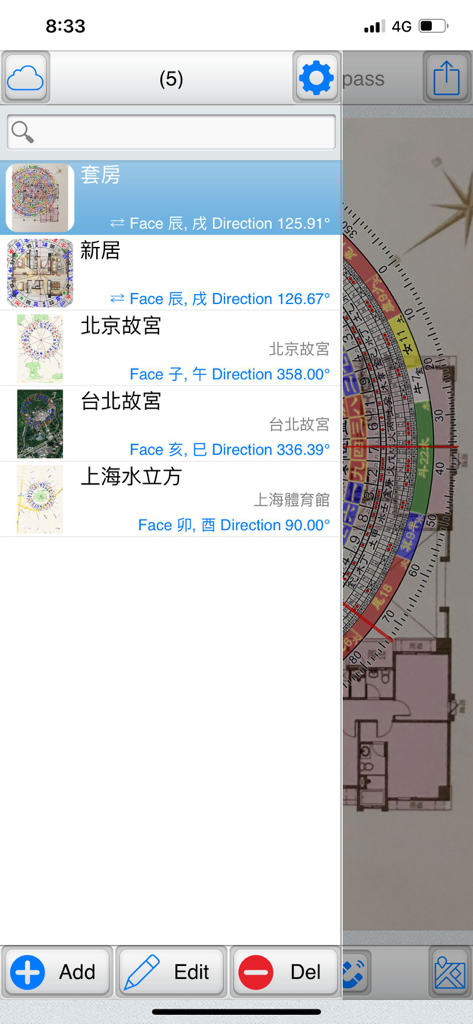
FengShui Transparent Compass - 풍수 투명 나침반 앱에서 저장된 평면도 목록과 해당 방향 데이터를 보여주는 파일 관리 화면.
풍수 투명 나침반 앱에서 저장된 평면도 목록과 해당 방향 데이터를 보여주는 파일 관리 화면.

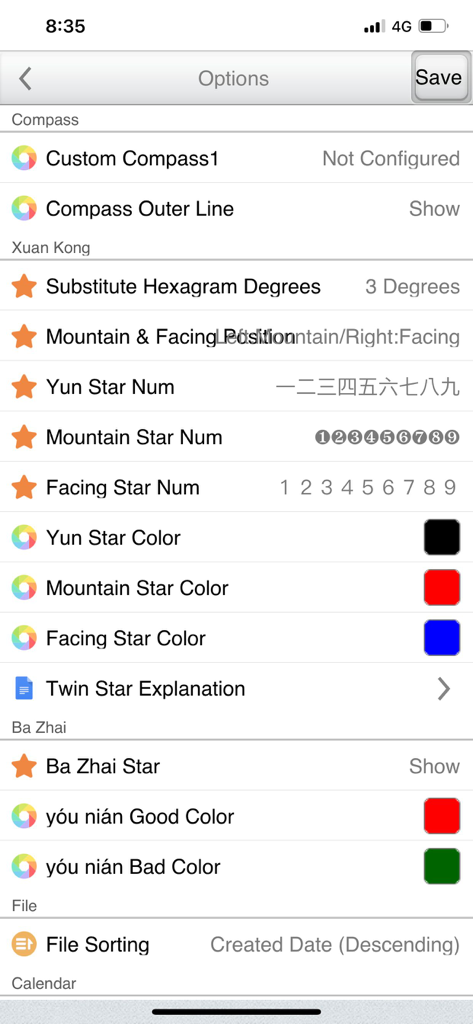
FengShui Transparent Compass - 풍수 투명 나침반 앱의 설정 화면으로, 현공(Xuan Kong) 및 팔채(Ba Zhai) 분석에 대한 사용자 지정 옵션을 보여줍니다.

풍수 투명 나침반 앱의 설정 화면으로, 현공(Xuan Kong) 및 팔채(Ba Zhai) 분석에 대한 사용자 지정 옵션을 보여줍니다.

설명

"FengShui Transparent Compass" is a tool used for measuring orientation on "maps" and "house architectural floor plans." It provides various polar scales, acting as a transparent compass overlaid on a map or image to facilitate orientation measurement and Feng Shui assessment. Provides more than a dozen compass face options. File Management: (Offers file management with thumbnail previews to easily manage all manipulated files) Supports iCloud Cloud Backup and Data Recovery functions (backing up overlay files and settings). Base Maps:  ●Map: Capture maps to use as base maps, with three display modes: Normal, Satellite, and Hybrid. You can also search for addresses (which can be recorded in the current file).  ●Album: Choose images from the device's photo album as base maps.  ●Camera: Use the camera to take photos and use them as base maps.  ●Edit: Crop and rotate base maps. Central Positioning:  ●Purpose: Measure the central position of a specific area on the base map.  ●Styles: Offers four styles – Crosshair, Nine Palaces Grid, 7x7 Grid, and Polygon.  ●Fixed Display: Check to keep it displayed continuously and save the state.  ●Operating Steps:   ●Place a polygon and align it with a specific area on the base map.   ●Adjust its size and rotation freely.   ●Tap "Place Polar Scale in Center" to position the polar scale at the center. Note that the rotation angle does not affect the polar scale; the primary purpose is alignment with the base map.  ●Polygon Operation:   ●Drag the red dot to align with the measured area.   ●Tap on a line and drag to add a new point. The blue central dot represents the center of the polygon. Polar Scale:  ●Adjust the angles of the "Polar Scale" and "Crosshair" to align with the orientation of the buildings on the base map.  ●Input angles or use sliders to adjust them.  ●Sync Option:   ●Map as the base map: Uncheck synchronization since the map's orientation is fixed at True North, and you only need to adjust the crosshair orientation.   ●Photo as the base map: Synchronization is automatically checked. If the bottom is "Zuo Shan" and the top is "Xiang Shan," synchronization is adjusted accordingly. (Exceptional cases can uncheck synchronization and adjust separately.)  ●Transparency: Adjust the transparency of the polar scale based on the base map's color.  ●Crosshair: Show or hide the crosshair.  ●Gesture Controls:   ●Tap the polar scale once to reveal buttons at its four corners.    ●Hold the top-left and top-right corners to resize and rotate the polar scale.    ●Hold the bottom-left and bottom-right corners to resize the polar scale (use this if you don't want to change the angle).   ●Two fingers to zoom in and out.  ●You can also share the overlay via Google Cloud Print, WeChat, Line, Messenger, and other platforms depending on device sharing options. Double Star Explanation:  ●When using a 1-9 Yun Xuan Kong Flying Star chart, tapping on a palace will display a double star explanation (editable in settings). Auxiliary Lines:  ●Offers three auxiliary line colors: Red, Blue, Green.  ●Tap the bottom function to display a specific auxiliary line, or uncheck it to hide.  ●Methods to adjust auxiliary line angles:   1.From within the polar scale, drag to rotate the auxiliary lines.   2.Use the angle buttons below to input angles.   3.Use the slider below to adjust angles. Magnetic Declination:  ●Specify latitude, longitude, and date to obtain magnetic declination from the NOAA website, or manually input magnetic declination.  ●You can apply magnetic declination to correct the orientation of the base map. Preferences Settings... ● This tool is only an auxiliary tool for Feng Shui identification, and the user needs to have relevant knowledge of Feng Shui. ● Operation interface: Traditional Chinese, Simplified Chinese, Japanese, English. ● It also supports tablet large screen display in any direction.

Download

다운로드: App Store

이 페이지는 앱이나 개발자의 공식 페이지가 아니며, 정보 제공 및 논평을 목적으로 작성된 독립 편집 간행물입니다. 명시적으로 달리 언급되지 않는 한, 해당 앱이나 개발자는 MWM, Apple, Google Play, 앱 퍼블리셔 또는 앱 개발자와 제휴, 보증, 후원, 승인 또는 공식적으로 연결되어 있지 않으며, 이 페이지의 어떤 내용도 해당 앱이 MWM의 서비스를 사용하여 개발되었음을 의미하지 않습니다. 모든 상표, 로고, 스크린샷 및 기타 콘텐츠는 해당 소유자의 자산입니다.








