
이 페이지는 앱이나 개발자의 공식 페이지가 아니며, 정보 제공 및 논평을 목적으로 작성된 독립 편집 간행물입니다. 명시적으로 달리 언급되지 않는 한, 해당 앱이나 개발자는 MWM, Apple, Google Play, 앱 퍼블리셔 또는 앱 개발자와 제휴, 보증, 후원, 승인 또는 공식적으로 연결되어 있지 않으며, 이 페이지의 어떤 내용도 해당 앱이 MWM의 서비스를 사용하여 개발되었음을 의미하지 않습니다. 모든 상표, 로고, 스크린샷 및 기타 콘텐츠는 해당 소유자의 자산입니다.


File Manager & Documents
아이폰과 아이패드에 PC급 통제력을 부여합니다. 'File Manager & Documents'는 모바일 장치의 제약에서 벗어나 데이터를 완전히 제어합니다.
다운로드
500k+사용자 평점
총 평가 수
8.1K개발사
카테고리
Utilities지원 언어
1최신 버전
7.1크기
84.7 MB출시일
2019년 11월 25일'File Manager & Documents' 앱의 핵심 역량을 평가하여 사용자 경험에 미치는 영향력을 분석합니다.
앱 분석: File Manager & Documents 주요 기능
클라우드 저장소 통합
이 앱은 사용자가 파일을 클라우드에 저장하여 기기 내부 메모리를 절약할 수 있도록 합니다.
PC와 유사한 파일 관리 경험
이 도구는 사용자가 PC에서처럼 파일을 다운로드, 탐색 및 정리할 수 있게 하여 친숙하고 포괄적인 관리 환경을 제공합니다.
내장 브라우저를 통한 직접 다운로드
이 앱은 내장된 전문 브라우저를 통해 사용자가 앱 내에서 직접 파일을 다운로드할 수 있도록 지원합니다.
고급 파일 정리 및 정렬
이 앱은 사용자가 폴더를 생성하여 파일을 직관적으로 정리하고, 이름, 날짜, 크기 또는 유형별로 파일을 정렬할 수 있는 기능을 제공합니다.
중앙 집중식 파일 저장
이 앱은 모든 파일을 하나의 편리한 위치에 직접 저장하여 사용자의 파일 접근성을 높입니다.
특수 검색 옵션을 통한 미디어 다운로드
이 앱은 특수 검색 옵션을 사용하여 사용자가 특정 이미지나 비디오를 효과적으로 찾아 다운로드할 수 있도록 돕습니다.
자주 묻는 질문
에 대해 알아야 할 모든 것 File Manager & Documents
What is the main purpose of the File Manager & Documents app?
The File Manager & Documents app allows users to manage, browse, and organize downloaded files on their iPhone or iPad. It also offers cloud storage to save internal memory.
Does File Manager & Documents offer cloud storage?
Yes, the File Manager & Documents app allows users to store files on the cloud. This feature saves valuable internal memory on the device.
How much does the Download Manager subscription cost?
The Download Manager subscription offers a weekly plan for $2.99, a monthly plan for $9.99, or a yearly plan for $49.99. Each option includes a 3-day free trial.
Can users organize files into folders with the File Manager & Documents app?
Yes, users can create folders within the File Manager & Documents app to organize all their data in an intuitive way. This helps manage imported and downloaded files efficiently.
Is there a free trial for the Download Manager app?
Yes, the Download Manager subscription includes a 3-day free trial period. Payment is charged to the iTunes Account after the trial, unless canceled.
How can I download files using the File Manager & Documents app?
The File Manager & Documents app includes a specialized built-in browser for direct downloads. Users can also download images or videos with special search options.
How do I cancel my File Manager & Documents subscription?
Users can manage their File Manager & Documents subscription and turn off auto-renewal through their iPhone settings or Account Settings on their device after purchase.
What types of files can the File Manager & Documents app handle?
The File Manager & Documents app handles various file types, including images, videos, documents, audio, archives, and zip files. It also allows sorting by name, date, size, or type.
Where is the privacy policy for the File Manager & Documents app?
The privacy policy for the File Manager & Documents app is available at the provided URL: https://giantbrainsllc.wordpress.com/privacy-policy/.
다음 스크린샷과 설명은 앱의 공식 스토어 목록에서 직접 가져온 것이며 앱 개발자의 자산입니다.
앱 스토어
스크린샷

이 앱은 내부 저장 공간과 클라우드 저장 공간 정보를 한눈에 제공하며, 사용자는 다양한 카테고리별로 파일을 쉽게 분류할 수 있습니다.
간편한 파일 관리
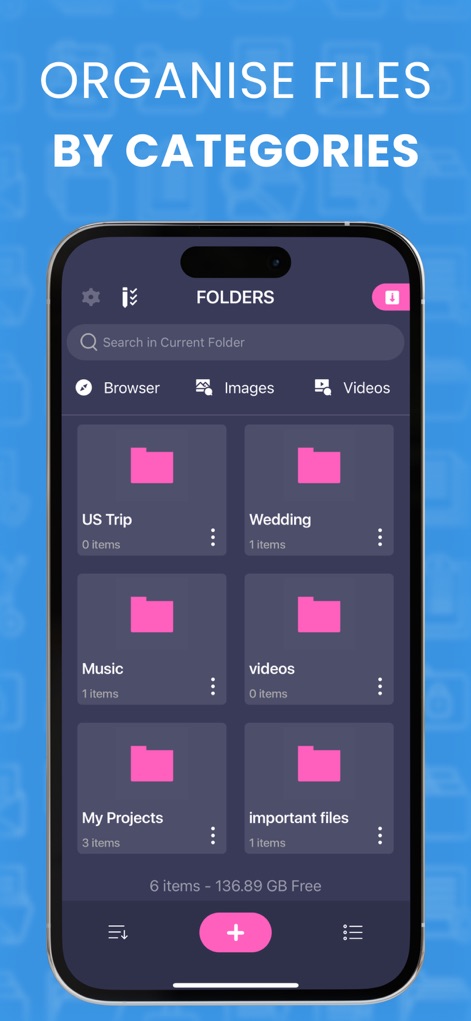
사용자는 직관적인 폴더 구조로 파일을 정리하고, 검색 기능을 활용하여 원하는 파일을 빠르게 찾거나 정렬할 수 있습니다.
체계적인 폴더 분류
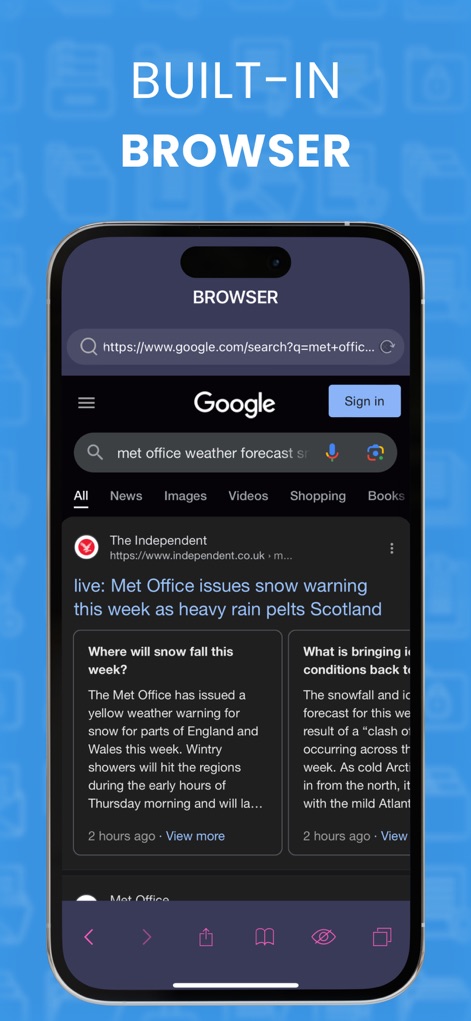
이 앱은 콘텐츠를 직접 검색하고 다운로드할 수 있는 전용 내장 브라우저를 제공하며, 웹 페이지 탐색을 위한 하단 제어 버튼을 포함합니다.
내장 브라우저 탐색
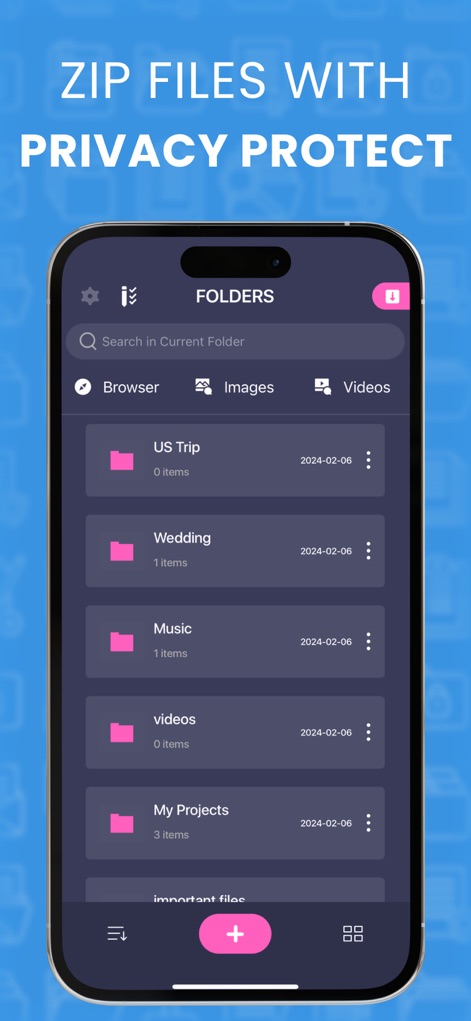
사용자는 날짜 정보가 명시된 폴더들을 통해 파일을 체계적으로 관리하며, 이 앱은 강력한 개인 정보 보호 기능을 지원합니다.
파일 압축 및 보호
설명
Download







이 페이지는 앱이나 개발자의 공식 페이지가 아니며, 정보 제공 및 논평을 목적으로 작성된 독립 편집 간행물입니다. 명시적으로 달리 언급되지 않는 한, 해당 앱이나 개발자는 MWM, Apple, Google Play, 앱 퍼블리셔 또는 앱 개발자와 제휴, 보증, 후원, 승인 또는 공식적으로 연결되어 있지 않으며, 이 페이지의 어떤 내용도 해당 앱이 MWM의 서비스를 사용하여 개발되었음을 의미하지 않습니다. 모든 상표, 로고, 스크린샷 및 기타 콘텐츠는 해당 소유자의 자산입니다.