
이 페이지는 앱이나 개발자의 공식 페이지가 아니며, 정보 제공 및 논평을 목적으로 작성된 독립 편집 간행물입니다. 명시적으로 달리 언급되지 않는 한, 해당 앱이나 개발자는 MWM, Apple, Google Play, 앱 퍼블리셔 또는 앱 개발자와 제휴, 보증, 후원, 승인 또는 공식적으로 연결되어 있지 않으며, 이 페이지의 어떤 내용도 해당 앱이 MWM의 서비스를 사용하여 개발되었음을 의미하지 않습니다. 모든 상표, 로고, 스크린샷 및 기타 콘텐츠는 해당 소유자의 자산입니다.


Files Transfer - Quick share
블루투스보다 100배 빠른 속도로 4K 동영상 및 대용량 파일을 전송하세요. 로컬 연결 또는 암호화된 원격 링크를 통해 완벽한 개인 정보 보호로 원본 품질 콘텐츠를 즉시 공유하세요.
다운로드
147K+사용자 평점
총 평가 수
200개발사
카테고리
Utilities지원 언어
1최신 버전
2.3크기
68.1 MB출시일
2025년 8월 26일모든 것을 공유하고, 아무것도 희생하지 마세요
크리에이터와 전문가가 방 안에서든 전 세계 어디에서든 고해상도 파일을 즉시 이동할 수 있는 최고의 도구입니다.
번개처럼 빠른 로컬 공유
셀룰러 데이터 또는 Wi-Fi 연결을 사용하지 않고도 블루투스보다 100배 빠른 속도로 4K 동영상 및 대용량 문서를 전송하세요.
무압축 품질
고해상도 콘텐츠의 모든 픽셀을 그대로 유지하세요. 메시징 앱의 압축 없이 원본 품질 사진과 무손실 오디오를 보내세요.
자주 묻는 질문
에 대해 알아야 할 모든 것 Files Transfer - Quick share
Files Transfer - Quick share란 무엇인가요?
Files Transfer - Quick share는 간단하고 효과적인 공유를 위해 설계된 효율적인 파일 전송 도구입니다. 데이터 케이블, 이메일 첨부 파일, 복잡한 설정 없이도 파일 전송 방식을 재정의합니다.
Files Transfer - Quick share는 대면 전송 시 인터넷 연결이 필요한가요?
아니요, Files Transfer - Quick share는 대면 전송 시 데이터 사용이나 네트워크가 필요하지 않습니다. 매우 빠른 공유를 위해 주변 장치와 직접 연결을 설정합니다.
Files Transfer - Quick share의 대면 전송 속도는 얼마나 빠른가요?
Files Transfer - Quick share의 대면 전송 속도는 블루투스보다 백 배 빠릅니다. 이를 통해 사진, 비디오 및 대용량 문서를 빠르게 공유할 수 있습니다.
Files Transfer - Quick share를 사용하여 대면 전송 시 데이터 보안이 유지되나요?
예, Files Transfer - Quick share는 대면 전송 시 완벽한 개인 정보 보호 기능을 제공합니다. 모든 데이터는 장치 간에만 전송되며 클라우드에 업로드되지 않아 안전합니다.
Files Transfer - Quick share를 사용하여 원격으로 파일을 공유할 수 있나요?
예, Files Transfer - Quick share는 암호화된 다운로드 링크를 생성하여 원격 파일 공유를 허용합니다. 이 링크는 멀리 떨어진 친구나 동료와 공유할 수 있습니다.
Files Transfer - Quick share에서 원격 공유 링크에 비밀번호와 만료일을 설정할 수 있나요?
예, Files Transfer - Quick share를 사용하면 비밀번호로 원격 공유 링크를 사용자 정의하고 유효 기간을 설정할 수 있습니다. 이를 통해 개인 파일의 보안 및 제어 가능성을 보장합니다.
Files Transfer - Quick share는 어떤 파일 형식을 지원하나요?
Files Transfer - Quick share는 작업 PPT, 디자인 초안, 비디오 컬렉션, 사진, PDF 문서 등 모든 형식의 파일을 지원합니다. 제한 없이 모든 유형을 처리합니다.
Files Transfer - Quick share는 전송 중에 파일을 압축하나요?
아니요, Files Transfer - Quick share는 무압축 전송을 수행합니다. 원본 품질 비디오, 무손실 오디오 파일 및 원본 문서는 그대로 전송되어 품질을 보장합니다.
Files Transfer - Quick share는 과거 전송 기록을 유지하나요?
예, Files Transfer - Quick share는 모든 전송을 기록합니다. 이 앱은 "기록" 섹션에 전송, 수신 및 다운로드된 파일과 만료 세부 정보를 표시합니다.
Files Transfer - Quick share는 구독 갱신을 어떻게 처리하나요?
Files Transfer - Quick share의 구독은 현재 기간이 종료되기 최소 24시간 전에 자동 갱신을 비활성화하지 않는 한 자동으로 갱신됩니다. 결제는 iTunes 계정으로 청구됩니다.
다음 스크린샷과 설명은 앱의 공식 스토어 목록에서 직접 가져온 것이며 앱 개발자의 자산입니다.
앱 스토어
스크린샷
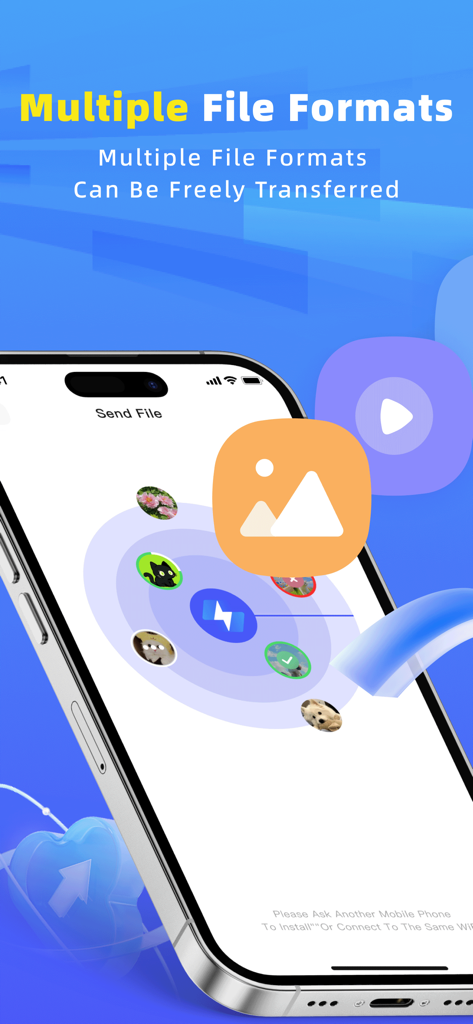
Files Transfer 앱 인터페이스가 iPhone에서 다양한 파일 형식의 고속 공유를 보여줍니다.
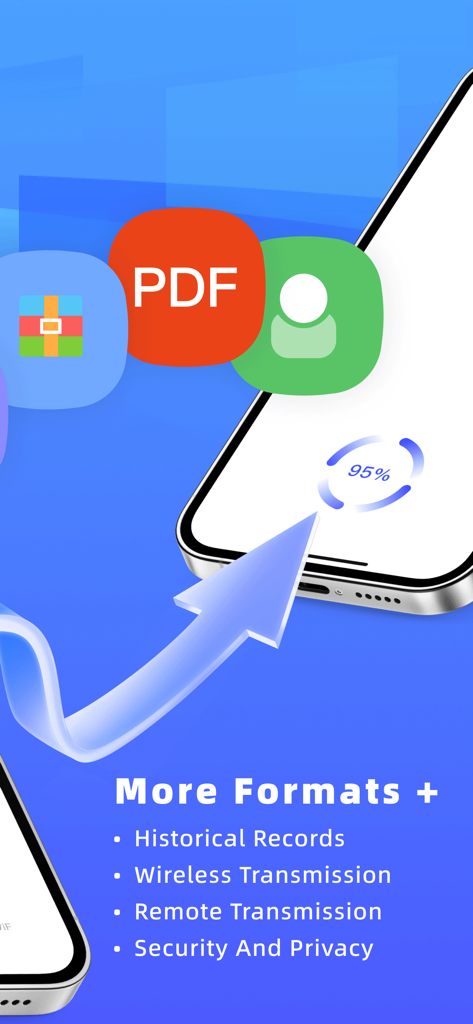
Files Transfer 앱 인터페이스가 다양한 파일 형식을 지원하는 무선 및 원격 전송 진행 상황을 보여줍니다.
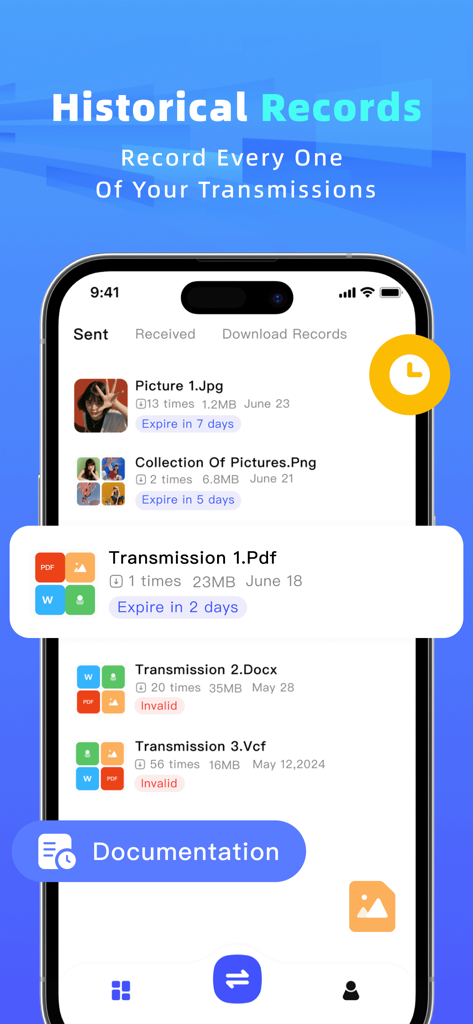
파일 공유 앱의 기록 화면이 만료 상태와 함께 보내고 받은 파일 목록을 보여줍니다.
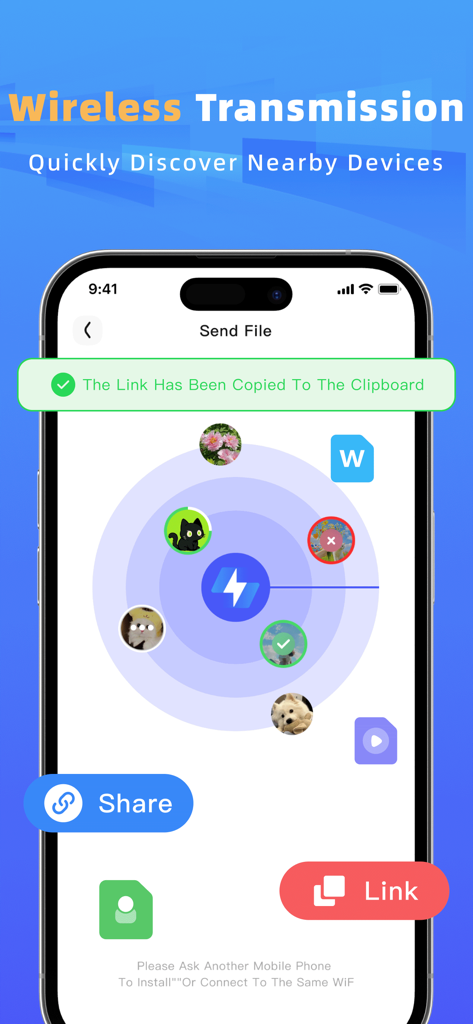
무선 파일 전송을 위해 주변 장치를 검색하는 레이더 보기를 보여주는 인터페이스
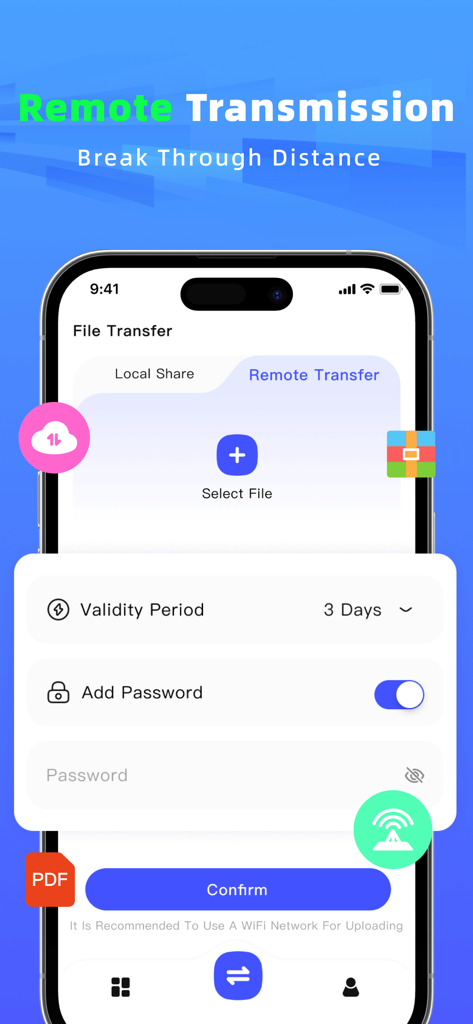
암호 보호 및 사용자 정의 링크 유효성 설정을 특징으로 하는 모바일 앱의 원격 파일 공유 인터페이스
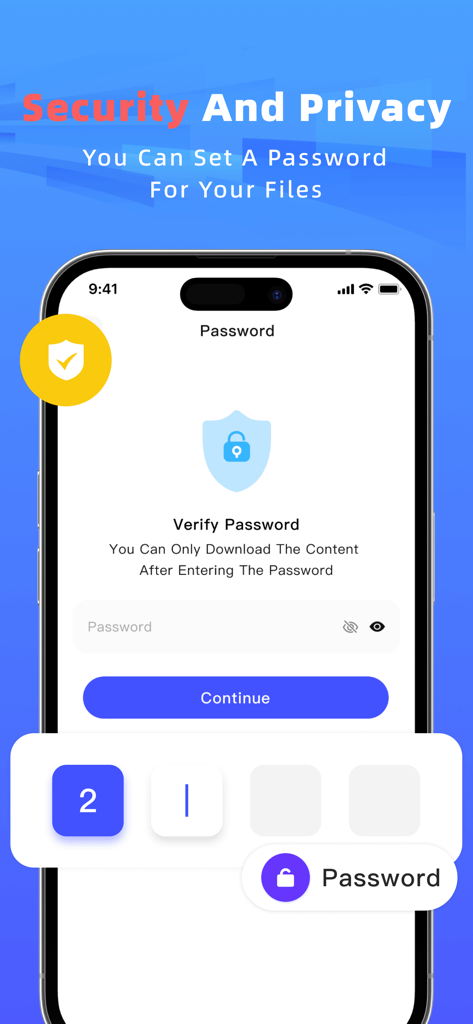
Files Transfer 앱에서 안전한 파일 공유를 위한 암호 보호 기능을 보여주는 스마트폰 화면
설명
Download
비슷한 앱
유사한 기능과 사용자 경험을 가진 앱

WeTransfer: Transfer Files
Wetransfer B.V.

Send Anywhere - File Transfer
Rakuten Symphony Korea, Inc.

Blip: Send Files in a Click
Blip Studio Inc.

Zapya - File Sharing
Lindong Network Technology(Beijing) Co.,Ltd.

Air File Share & Drop
Best Free and Fun Games, LLC

手机克隆-极速换机助手免流量数据迁移
军甫 贺

Photo Transfer: Send via WiFi
Mobileware Studio SL

SHAREit: Transfer, Share Files
SHAREit Technologies Co. Ltd

LocalSend
Tien Do Nam
이 페이지는 앱이나 개발자의 공식 페이지가 아니며, 정보 제공 및 논평을 목적으로 작성된 독립 편집 간행물입니다. 명시적으로 달리 언급되지 않는 한, 해당 앱이나 개발자는 MWM, Apple, Google Play, 앱 퍼블리셔 또는 앱 개발자와 제휴, 보증, 후원, 승인 또는 공식적으로 연결되어 있지 않으며, 이 페이지의 어떤 내용도 해당 앱이 MWM의 서비스를 사용하여 개발되었음을 의미하지 않습니다. 모든 상표, 로고, 스크린샷 및 기타 콘텐츠는 해당 소유자의 자산입니다.