
이 페이지는 앱이나 개발자의 공식 페이지가 아니며, 정보 제공 및 논평을 목적으로 작성된 독립 편집 간행물입니다. 명시적으로 달리 언급되지 않는 한, 해당 앱이나 개발자는 MWM, Apple, Google Play, 앱 퍼블리셔 또는 앱 개발자와 제휴, 보증, 후원, 승인 또는 공식적으로 연결되어 있지 않으며, 이 페이지의 어떤 내용도 해당 앱이 MWM의 서비스를 사용하여 개발되었음을 의미하지 않습니다. 모든 상표, 로고, 스크린샷 및 기타 콘텐츠는 해당 소유자의 자산입니다.


Zapya - File Sharing
데이터 요금과 케이블의 속박을 조롱한다: Zapya는 당신의 파일을 물리적 제약 없이 순간 이동시키는 도구임이 확인됩니다.
다운로드
12.5M+사용자 평점
총 평가 수
129.4K개발사
카테고리
Utilities지원 언어
2최신 버전
6.4.7크기
95.9 MB출시일
2012년 12월 13일Zapya - 파일 공유 앱 심층 분석
케이블 및 데이터 없이 대용량 파일을 빠르고 안전하게 공유하는 핵심 기능 탐구
무선 및 데이터 무료 파일 공유
이 앱은 케이블이나 모바일 데이터 없이도 기기 간에 파일을 무료로 공유할 수 있도록 해줍니다.
초고속 대용량 파일 전송
이 도구는 여러 플랫폼에서 초당 최대 10MB 또는 1분 안에 최대 260장의 사진을 전송하는 초고속으로 대용량 파일을 원활하게 공유할 수 있게 해줍니다.
간편한 휴대폰 데이터 마이그레이션
사용자는 오래된 기기에서 새 휴대폰으로 통화 기록과 사진을 몇 분 만에 이동할 수 있습니다.
보안을 위한 숨김 폴더
사용자가 중요한 파일을 선택하고 숨김 폴더에 잠가 다른 사람이 접근할 수 없도록 하여, 파일 공유 시 개인정보를 보호할 수 있도록 제공합니다.
QR 코드 기반 다중 파일 공유
사용자는 개인화된 QR 코드를 생성하여 여러 파일을 한 번에 공유할 수 있으며, 수신자는 코드 스캔만으로 즉시 파일을 다운로드할 수 있습니다.
GPS 기반 주변 기기 찾기
이 앱은 GPS 위치 지원을 통해 주변 기기를 빠르고 정확하게 찾을 수 있는 방법을 제공합니다.
오프라인 채팅 기능
사용자는 파일 공유 외에도 최대 5개의 다른 기기와 오프라인으로 채팅할 수 있습니다.
흔들어서 연결
이 앱은 사용자들에게 동시에 기기를 흔들어 주변 기기와 손쉽게 연결할 수 있는 직관적인 방법을 제공합니다.
PeerCam 원격 카메라 제어
사용자는 PeerCam 기능을 사용하여 연결된 기기의 카메라를 원격으로 제어하여 사진을 찍을 수 있습니다.
iPad USB 백업 및 복원
이 앱은 iPad에서 USB 백업 및 복원을 지원하여 사용자에게 추가적인 데이터 관리 옵션을 제공합니다.
자주 묻는 질문
에 대해 알아야 할 모든 것 Zapya - File Sharing
What is Zapya and what does it do?
Zapya is a file-sharing app that facilitates device-to-device transfers without cables or cellular data. It supports massive file transfers across multiple platforms.
How do I connect devices for file sharing with Zapya?
Zapya connects devices for sharing using GPS location, by shaking devices simultaneously, or through scanning personalized QR codes for instant downloads.
What are the file transfer speeds of Zapya?
Zapya achieves file transfer speeds of up to 10MB per second. This allows for the transfer of approximately 260 pictures within one minute.
Does Zapya provide features to protect my privacy or encrypt files?
Yes, Zapya offers a hidden folder feature. Users can select and lock important files into this folder to prevent unauthorized access during sharing.
Can I chat offline using Zapya?
Yes, Zapya supports offline chat functionality. Users can chat with up to five other devices without requiring an internet connection.
Can Zapya help transfer data between an old and a new phone?
Yes, Zapya can transfer phone logs and photos from an old device to a new phone efficiently, completing the process in minutes.
Does Zapya offer remote camera control?
Yes, Zapya includes a PeerCam feature. This allows users to remotely control the camera of a connected device, provided they have peer permission.
Is USB backup and restore supported by Zapya?
Yes, Zapya supports USB Backup and Restore capabilities. This feature is specifically available for iPad devices.
Does Zapya offer online file sharing and conversion services?
Yes, Zapya provides online file sharing through its zapyatransfer.com platform. It also offers an online file converter, with unlimited access for Zapya Transfer Pro users.
Can Zapya remotely control a computer?
Yes, Zapya features a "Remote Control" function. This allows users to remotely control a computer, for tasks like page navigation.
Does Zapya use location services and affect battery life?
Yes, Zapya may use your location even when the app is not actively open. This continuous location usage can lead to decreased device battery life.
다음 스크린샷과 설명은 앱의 공식 스토어 목록에서 직접 가져온 것이며 앱 개발자의 자산입니다.
앱 스토어
스크린샷
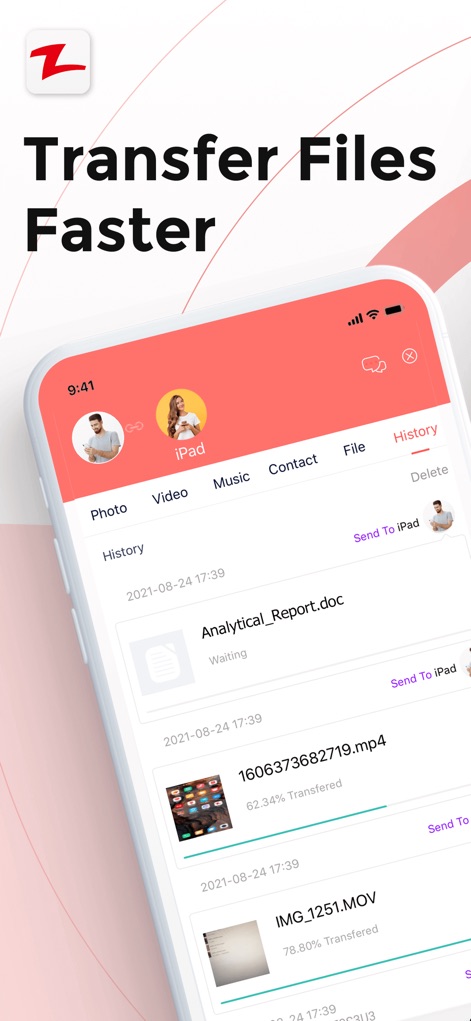
빠른 파일 전송
사용자는 이 앱의 직관적인 인터페이스에서 문서 파일과 비디오 파일의 전송 진행 상황을 쉽게 확인하고, 다양한 파일 유형 탭을 통해 효율적으로 관리할 수 있습니다.

간편한 기기 연결
이 앱은 중앙 프로필을 중심으로 주변 기기들을 시각적으로 배열하여 간편한 연결을 유도하며, 사용자는 프로필 사진을 클릭하여 즉시 파일 전송을 시작할 수 있습니다.
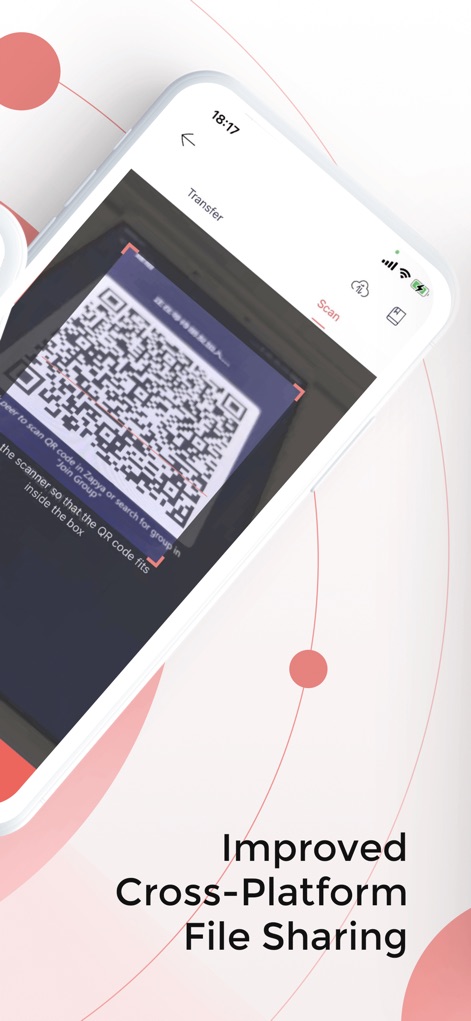
QR 코드 공유
사용자는 QR 코드 스캐너를 활용하여 빠르고 정확하게 파일 공유 그룹에 참여하거나, 개인화된 QR 코드를 생성하여 여러 파일을 한 번에 공유할 수 있습니다.

온라인 파일 변환
이 도구는 웹 기반 인터페이스를 통해 파일을 온라인으로 업로드 및 수신할 수 있게 하며, 비디오 압축 및 오디오 추출과 같은 다양한 온라인 파일 변환 기능을 제공합니다.
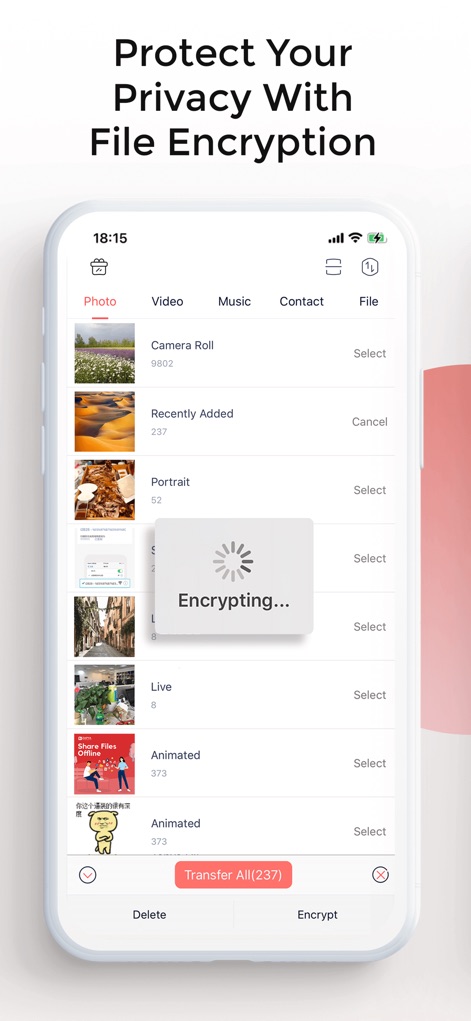
안전한 파일 암호화
사용자는 이 앱의 파일 관리 화면에서 중요한 파일을 선택하여 암호화할 수 있으며, 이 과정을 통해 개인 정보 보호를 강화하고 숨겨진 폴더에 안전하게 보관할 수 있습니다.

간편한 휴대폰 복제
이 기능은 사용자가 기존 휴대폰에서 새 휴대폰으로 데이터(예: 전화 기록, 사진)를 쉽게 이동할 수 있도록 지원하며, 'Old' 또는 'New' 폰을 선택하여 복제 과정을 시작할 수 있습니다.
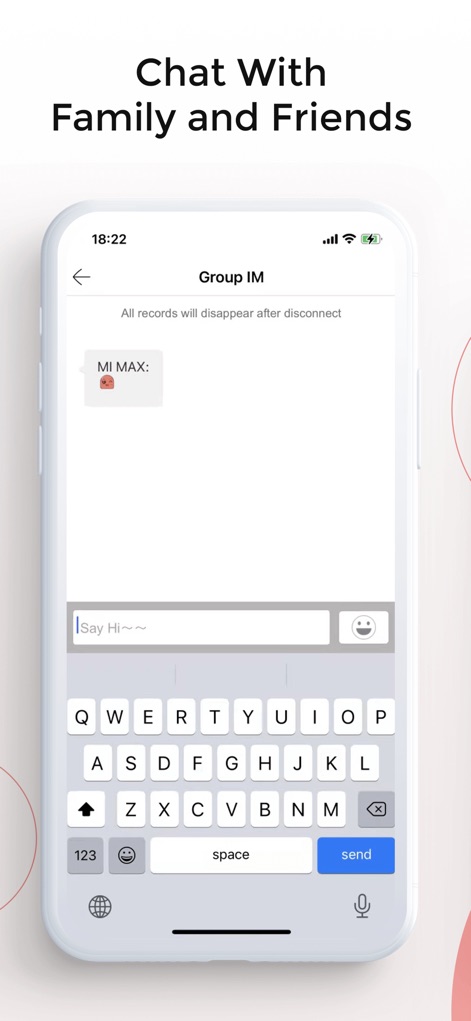
오프라인 그룹 채팅
이 앱은 최대 다섯 대의 기기에서 오프라인으로 그룹 채팅을 할 수 있는 기능을 제공하여, 사용자가 편리한 텍스트 입력 필드를 통해 친구 및 가족과 소통할 수 있도록 돕습니다.
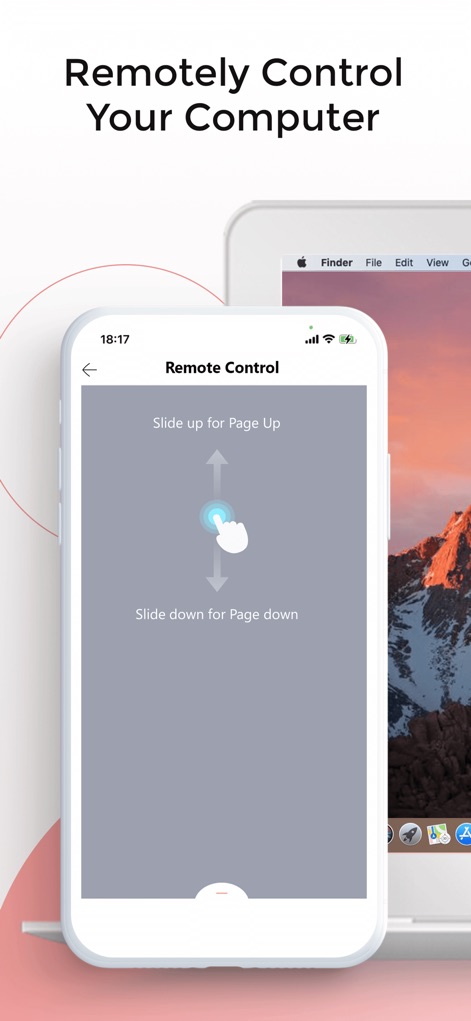
원격 컴퓨터 제어
사용자는 이 앱을 활용하여 휴대폰으로 컴퓨터를 원격 제어할 수 있으며, 화면에 표시된 'Page Up' 및 'Page Down' 제스처 지시를 통해 편리하게 문서나 웹 페이지를 탐색할 수 있습니다.
설명
Download
비슷한 앱
유사한 기능과 사용자 경험을 가진 앱

WeTransfer: Transfer Files
Wetransfer B.V.

Send Anywhere - File Transfer
Rakuten Symphony Korea, Inc.

Blip: Send Files in a Click
Blip Studio Inc.

Files Transfer - Quick share
梦洋 崔

Air File Share & Drop
Best Free and Fun Games, LLC

手机克隆-极速换机助手免流量数据迁移
军甫 贺

Photo Transfer: Send via WiFi
Mobileware Studio SL

SHAREit: Transfer, Share Files
SHAREit Technologies Co. Ltd

LocalSend
Tien Do Nam
이 페이지는 앱이나 개발자의 공식 페이지가 아니며, 정보 제공 및 논평을 목적으로 작성된 독립 편집 간행물입니다. 명시적으로 달리 언급되지 않는 한, 해당 앱이나 개발자는 MWM, Apple, Google Play, 앱 퍼블리셔 또는 앱 개발자와 제휴, 보증, 후원, 승인 또는 공식적으로 연결되어 있지 않으며, 이 페이지의 어떤 내용도 해당 앱이 MWM의 서비스를 사용하여 개발되었음을 의미하지 않습니다. 모든 상표, 로고, 스크린샷 및 기타 콘텐츠는 해당 소유자의 자산입니다.