Photo Transfer: Send via WiFi
다운로드: App Store

이 페이지는 앱이나 개발자의 공식 페이지가 아니며, 정보 제공 및 논평을 목적으로 작성된 독립 편집 간행물입니다. 명시적으로 달리 언급되지 않는 한, 해당 앱이나 개발자는 MWM, Apple, Google Play, 앱 퍼블리셔 또는 앱 개발자와 제휴, 보증, 후원, 승인 또는 공식적으로 연결되어 있지 않으며, 이 페이지의 어떤 내용도 해당 앱이 MWM의 서비스를 사용하여 개발되었음을 의미하지 않습니다. 모든 상표, 로고, 스크린샷 및 기타 콘텐츠는 해당 소유자의 자산입니다.


로고: Photo Transfer: Send via WiFi
다운로드: App Store

Photo Transfer: Send via WiFi

케이블이나 클라우드 요금 없이 고해상도 사진과 동영상을 이동하는 가장 쉬운 방법입니다. 파일을 비공개로 유지하고 메타데이터를 로컬 네트워크에서 그대로 보존하세요.

주요 수치

다운로드

1M+

사용자 평점

4.6/5

총 평가 수

53K+

개발사

Mobileware Studio SL

카테고리

Photo & Video

지원 언어

6

최신 버전

10.1.3

크기

37.5 MB

출시일

2010년 4월 4일
기능

간편한 미디어 전송, 완벽한 제어

케이블, 클라우드 구독, 품질 손실 없이 Wi-Fi를 통해 iPhone, iPad, 컴퓨터 간에 사진과 동영상을 즉시 이동하세요.

모든 장치 연결

Apple 생태계에서 벗어나세요. 케이블이나 iTunes의 번거로움 없이 Windows PC 또는 Mac으로 미디어를 원활하게 전송하세요.

100% 비공개 및 보안

추억은 로컬 네트워크를 벗어나지 않습니다. 외부 서버를 건너뛰고 데이터를 직접 관리하는 안전하고 직접적인 연결을 즐기세요.

다음 스크린샷과 설명은 앱의 공식 스토어 목록에서 직접 가져온 것이며 앱 개발자의 자산입니다.

앱 스토어

스크린샷

Photo Transfer: Send via WiFi - 전체 품질로 무선 사진 및 동영상 전송을 강조하는 Photo Transfer 앱 스크린샷
전체 품질로 무선 사진 및 동영상 전송을 강조하는 Photo Transfer 앱 스크린샷

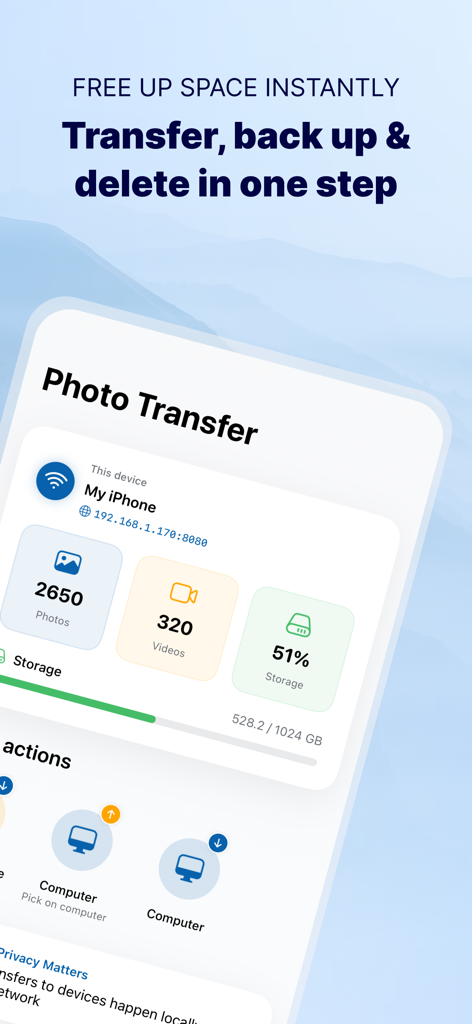
Photo Transfer: Send via WiFi - Wi-Fi를 통해 컴퓨터로 백업 옵션 및 저장 공간 사용 통계를 보여주는 Photo Transfer 앱 대시보드
Wi-Fi를 통해 컴퓨터로 백업 옵션 및 저장 공간 사용 통계를 보여주는 Photo Transfer 앱 대시보드

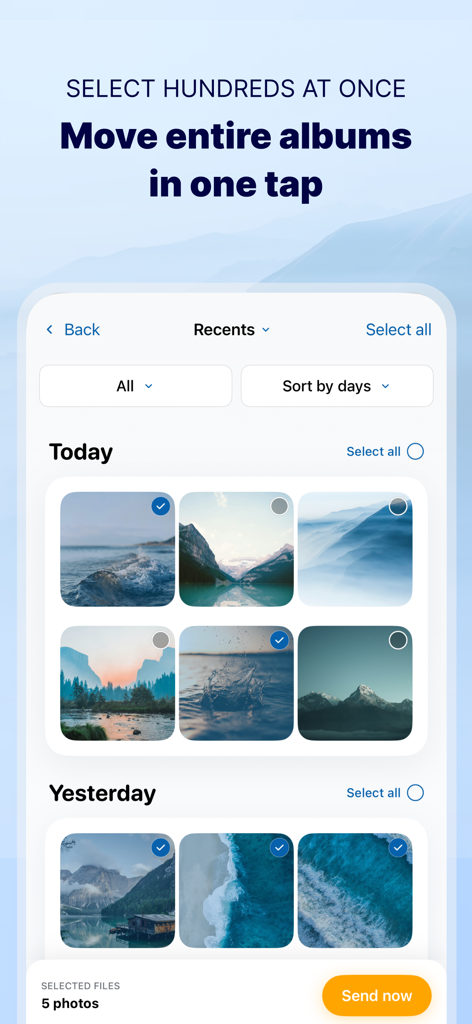
Photo Transfer: Send via WiFi - Wi-Fi를 통해 일괄 전송을 위해 여러 사진이 선택된 앱 화면

Wi-Fi를 통해 일괄 전송을 위해 여러 사진이 선택된 앱 화면

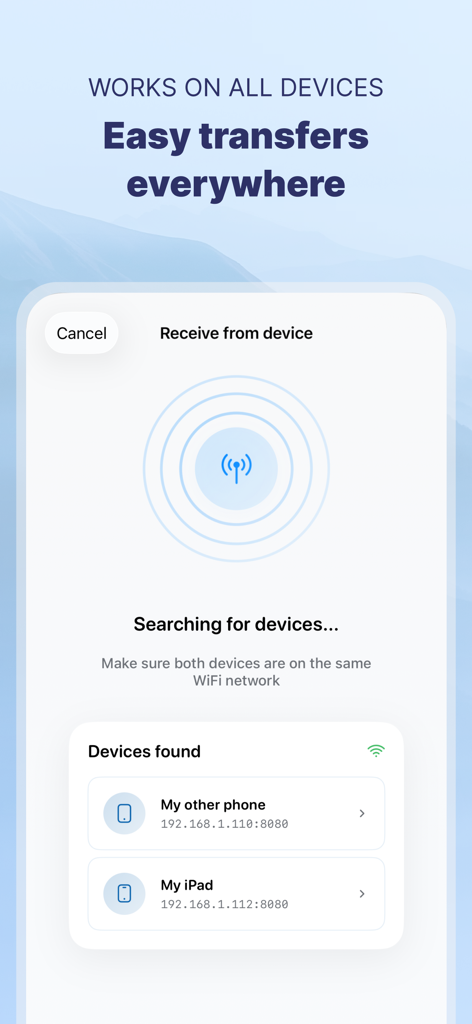
Photo Transfer: Send via WiFi - 쉬운 파일 공유를 위해 Wi-Fi를 통해 로컬 장치를 검색하고 찾는 Photo Transfer 앱을 보여주는 스마트폰 화면
쉬운 파일 공유를 위해 Wi-Fi를 통해 로컬 장치를 검색하고 찾는 Photo Transfer 앱을 보여주는 스마트폰 화면

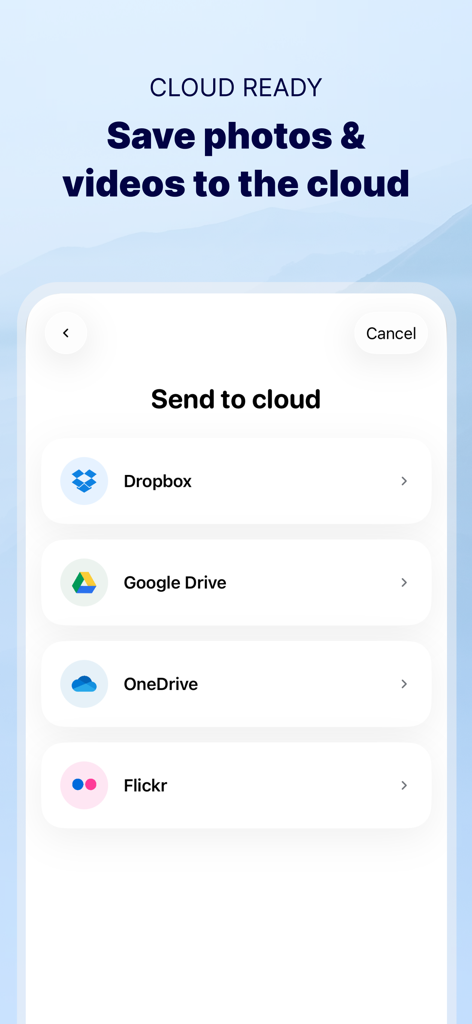
Photo Transfer: Send via WiFi - Dropbox Google Drive OneDrive 및 Flickr를 포함한 클라우드 저장 서비스 옵션을 보여주는 Photo Transfer 앱 인터페이스
Dropbox Google Drive OneDrive 및 Flickr를 포함한 클라우드 저장 서비스 옵션을 보여주는 Photo Transfer 앱 인터페이스

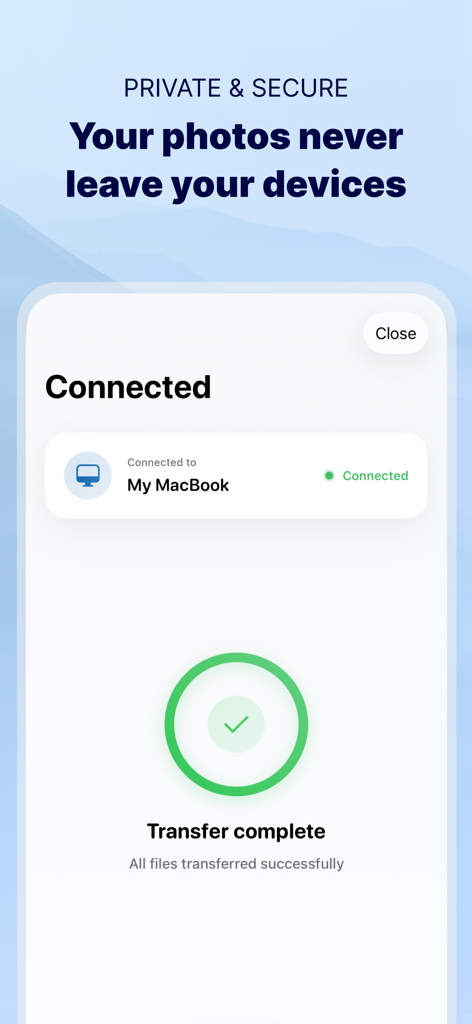
Photo Transfer: Send via WiFi - 비공개 Wi-Fi 네트워크를 통해 iPhone과 MacBook 간에 성공적이고 안전한 사진 전송을 보여주는 확인 화면
비공개 Wi-Fi 네트워크를 통해 iPhone과 MacBook 간에 성공적이고 안전한 사진 전송을 보여주는 확인 화면

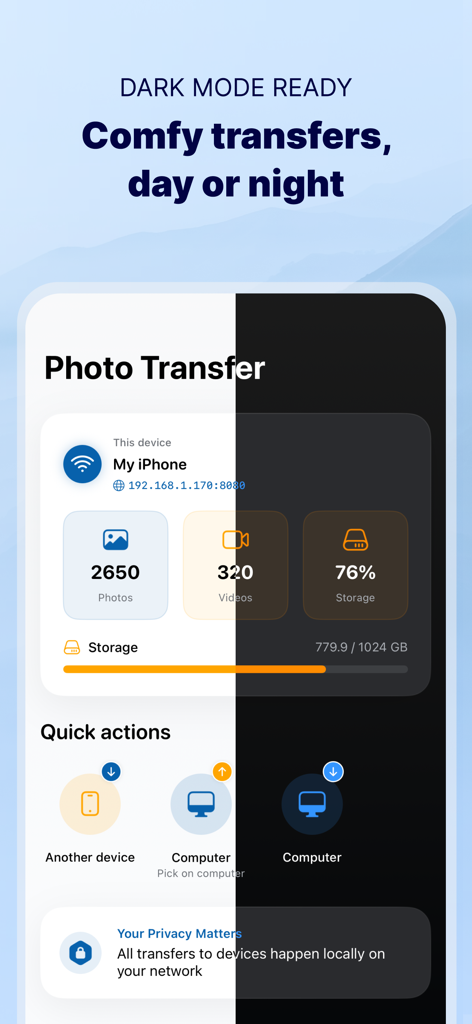
Photo Transfer: Send via WiFi - 사진 저장 및 전송 옵션을 보여주는 밝은 모드 및 어두운 모드의 Photo Transfer 앱 인터페이스 분할 보기

사진 저장 및 전송 옵션을 보여주는 밝은 모드 및 어두운 모드의 Photo Transfer 앱 인터페이스 분할 보기

설명

Photo Transfer allows you to easily send and share photos and videos through your WiFi. Make a backup of your photos and videos quickly and move your files from other mobile devices to iOS, iPad or computer and vice versa. With over 2,5M downloads, more than 9k reviews in the App Store coming from happy users and millions of photo transfers made, this app is an indispensable tool for your iOS device. Photo Transfer enables easy wifi transfer to send photos and videos between devices. It also allows users to make a backup. Whether you're an experienced user or a novice, you'll find it easy to use. To send photos and videos, you will only need to have the app installed in both devices and a stable WiFi connection. You don’t need any cable! ▶ Main features: · Download multiple photos from your iPad, iPhone or iPod touch to your computer. · Upload photos and videos from your computer to your iOS or other mobile devices. · Transfer and delete photos and videos stored on your iOS or other devices via WiFi. · Transfer full-resolution photos and videos without losing quality and preserve files metadata in all transfer directions. ▶ More features you will love: · Drag & drop photos from the app to any folder on your Mac and create new albums to upload photos. · Use Photo Transfer with any web browser and preview your photos. · Transfer your photos and videos directly from device to device using your local WiFi network. They are not stored in an external server and they never leave your local WiFi network, so your pictures will be safe! · Use the USB cable to transfer photos between your Mac and your device when there is no access to a valid or stable WiFi signal. · Pay only once when both devices use the same Apple account to purchase apps. · Support to automatically convert HEIC files (High-Efficiency Image) to JPG when transferring from iPhone to any device or cloud service that we support. With Photo Transfer you can transfer photos and videos from: ◉ Mobile device to iPhone: · Transfer photos and videos from mobile device to iOS via wifi. ◉ iOS to another device: · Move your photos and videos from your gallery to any mobile device. · Send photos from an iPhone or iPad to your mobile device (photos and videos are saved on the default folder of Photo Transfer, but you can set your own album Gallery as destination). ◉ Any device or iOS to a computer (and vice versa): · Use the wifi transfer feature to share photos and videos between Windows or Mac and Iphone, iPad, or another mobile device. You can also use the desktop app while transferring to Windows or MAC, or use the web browser as an alternative. · Upload photos from your computer to your device. Some requirements for using Photo Transfer: · Access to a stable wifi network · Public or private WiFi networks usually block communication between devices preventing the transfer connection. · The app should be installed and opened on your devices when you transfer files. Subscriptions: ► If you choose to purchase the PRO Upgrade subscription for 1 year, payment will be charged to your Apple account, and your account will be charged for renewal 24 hours before the end of the current period. ► Auto-renewal may be turned off at any time by going to your Apple ID settings after purchase. ► Any unused portion of a free trial period, if offered, will be forfeited when the user purchases a subscription to that publication, where applicable. Privacy Policy: phototransferapp.com/privacy/app/ Terms of Service: phototransferapp.com/terms/app/ IMPORTANT: Free version allows you to transfer up to 5 photos in full resolution. Upgrade to PRO version and transfer more photos and videos at once! If you have any issue, visit phototransferapp.com or contact us at: support@phototransferapp.com Download Photo Transfer to send and share photos, pictures, images and videos via wifi transfer.

Download

다운로드: App Store

이 페이지는 앱이나 개발자의 공식 페이지가 아니며, 정보 제공 및 논평을 목적으로 작성된 독립 편집 간행물입니다. 명시적으로 달리 언급되지 않는 한, 해당 앱이나 개발자는 MWM, Apple, Google Play, 앱 퍼블리셔 또는 앱 개발자와 제휴, 보증, 후원, 승인 또는 공식적으로 연결되어 있지 않으며, 이 페이지의 어떤 내용도 해당 앱이 MWM의 서비스를 사용하여 개발되었음을 의미하지 않습니다. 모든 상표, 로고, 스크린샷 및 기타 콘텐츠는 해당 소유자의 자산입니다.