Find Air: My Device Tracker
다운로드: App Store

이 페이지는 앱이나 개발자의 공식 페이지가 아니며, 정보 제공 및 논평을 목적으로 작성된 독립 편집 간행물입니다. 명시적으로 달리 언급되지 않는 한, 해당 앱이나 개발자는 MWM, Apple, Google Play, 앱 퍼블리셔 또는 앱 개발자와 제휴, 보증, 후원, 승인 또는 공식적으로 연결되어 있지 않으며, 이 페이지의 어떤 내용도 해당 앱이 MWM의 서비스를 사용하여 개발되었음을 의미하지 않습니다. 모든 상표, 로고, 스크린샷 및 기타 콘텐츠는 해당 소유자의 자산입니다.

로고: Find Air: My Device Tracker
다운로드: App Store

Find Air: My Device Tracker

비싼 장비를 잃어버리는 당황스러움을 멈추세요. 고정밀 신호 레이더를 사용하여 사라지기 전에 AirPods, Apple Watch 및 헤드폰을 찾으세요.

주요 수치

다운로드

2M+

사용자 평점

3.3/5

총 평가 수

3K+

개발사

SMART WIDGET LABS COMPANY LIMITED

카테고리

Utilities

지원 언어

4

최신 버전

10.15

크기

120.2 MB

출시일

2019년 12월 27일
기능

정밀하게 귀중품을 복구하세요

분실한 장비의 당황스러움을 멈추세요. AirFinder는 휴대폰을 강력한 추적 도구로 변환하여 몇 초 만에 AirPods, Apple Watch 및 Bluetooth 기기를 찾도록 도와줍니다.

정밀 레이더 추적

실시간 신호 강도 측정기를 따라 쿠션 밑, 헬스장 가방 속 또는 자동차 깊숙한 곳에 숨겨진 기기를 찾으세요.

즉시 소리 트리거

보이지 않나요? 분실한 헤드폰이나 시계에서 큰 벨 소리가 나도록 하여 소리를 통해 정확한 위치를 파악하세요.

다음 스크린샷과 설명은 앱의 공식 스토어 목록에서 직접 가져온 것이며 앱 개발자의 자산입니다.

앱 스토어

스크린샷
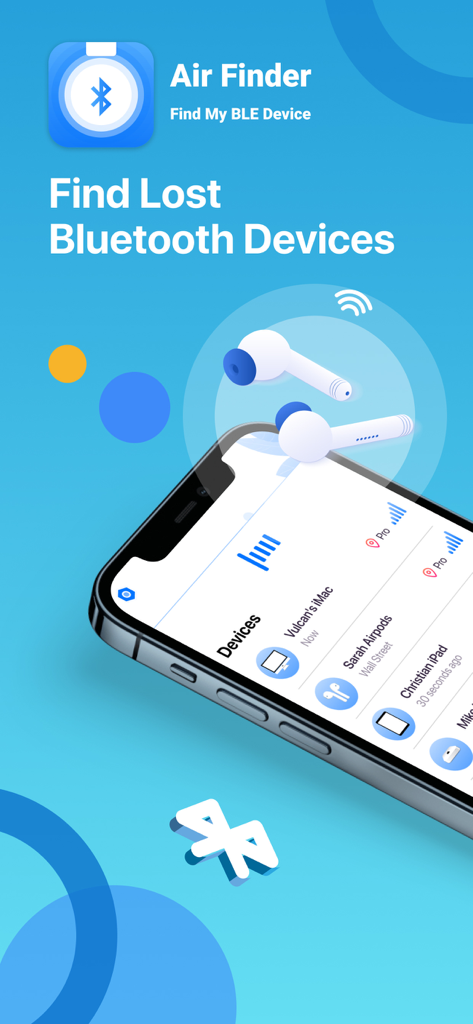
Find Air: My Device Tracker - Find Air 앱 인터페이스에 AirPods 및 iMac과 같은 추적된 Bluetooth 기기 목록이 표시됩니다
Find Air 앱 인터페이스에 AirPods 및 iMac과 같은 추적된 Bluetooth 기기 목록이 표시됩니다

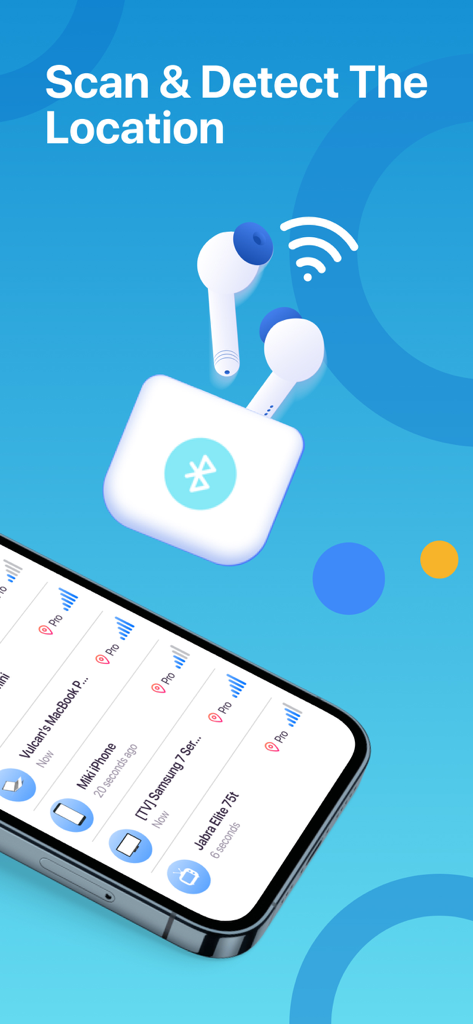
Find Air: My Device Tracker - Find Air 앱 인터페이스에 주변 Bluetooth 기기 목록과 신호 강도가 표시됩니다
Find Air 앱 인터페이스에 주변 Bluetooth 기기 목록과 신호 강도가 표시됩니다

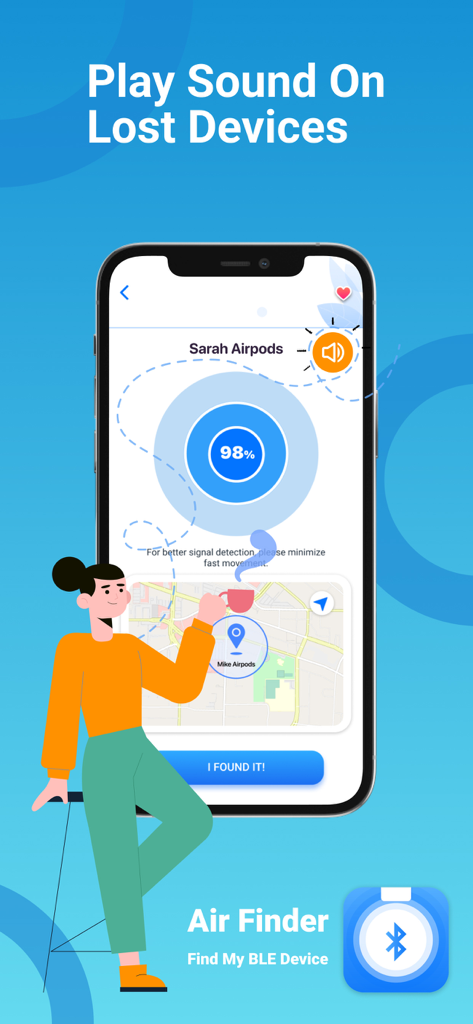
Find Air: My Device Tracker - Find Air 앱 화면에 분실한 기기를 위한 신호 레이더 및 소리 재생 기능이 표시됩니다
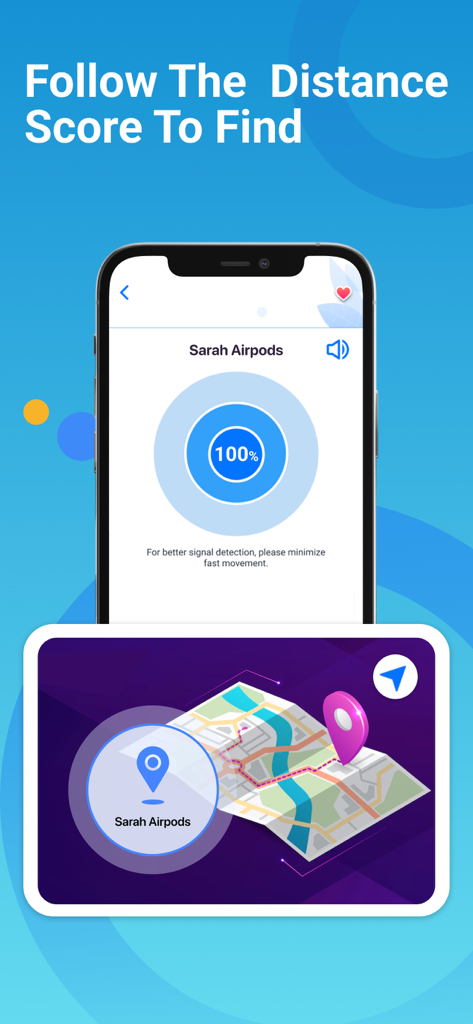
Find Air 앱 화면에 분실한 기기를 위한 신호 레이더 및 소리 재생 기능이 표시됩니다

Find Air: My Device Tracker - Find Air 앱 화면에 분실한 헤드폰에 대한 신호 강도 레이더 및 지도 위치가 표시됩니다

Find Air 앱 화면에 분실한 헤드폰에 대한 신호 강도 레이더 및 지도 위치가 표시됩니다

설명

AirFinder helps you find your lost Bluetooth devices within seconds! Whether it’s your AirPods, Apple Watch, iPhone, Bose headphones, Beats Studio, Powerbeats Pro, or fitness tracker - AirFinder shows you exactly where to look. It works like a smart Bluetooth AirTag - scan, locate, and recover your devices in just a few steps! Stop wasting time searching or spending money on replacements. With AirFinder, you can track, locate, and secure your favorite devices anytime. How to Use AirFinder 1. Open the app and let it scan nearby Bluetooth devices. 2. Select your lost device from the list. 3. Move slowly while watching the signal strength radar. The stronger the signal, the closer you are. 4. When the signal is above 90 and distance is below 0.5m, look around carefully. Your device is nearby! Tip: Make sure your lost device is powered on and Bluetooth-enabled while searching. Example: If both AirPods are inside a closed case, Bluetooth signal might not be detectable. KEY FEATURES - Device Location Scanner: Detects and displays all nearby Bluetooth devices instantly. - Signal Strength Radar: Visual indicator to guide you step-by-step toward your lost item. - Map Tracker: View the last known address and time your device was seen. - Play Sound: Make supported devices (AirPods, Bose, Beats, etc.) emit sound for easier tracking. - Favorites List: Add frequently used devices for quick scanning next time. - Real-Time Detection: Move around and discover more devices as signals appear. COMPATIBLE DEVICES AirFinder supports all Bluetooth Low Energy (BLE) devices, including: - Apple Devices: AirPods, iPhone, iPad, Apple Watch - Bluetooth Headphones: Beats, Bose, JBL, Sony, and more - Fitness Trackers: Fitbit, Galaxy Fit, Garmin - Bluetooth Speakers and Wearables Your Privacy First We respect your privacy. AirFinder only scans for Bluetooth signals locally on your device — we never store or share personal data. Premium Access - Upgrade to AirFinder Premium for unlimited scanning, ad-free experience, and extended features such as: - Unlimited Bluetooth device searches - Map tracking & history view - Priority support Subscription Options: 1 Week: $3.99 USD; 1 Month: $9.99 USD; Lifetime: $29.99 USD Your iTunes account will be charged upon purchase confirmation. Subscriptions auto-renew unless canceled at least 24 hours before renewal. Disclaimer We are not affiliated with Apple Inc. or any mentioned companies. All trademarks (including AirPods) are property of their respective owners. AirFinder is designed to support Bluetooth-enabled devices and has been tested with a wide range of brands. • Terms of Use: https://smartwidgetlabs.com/terms-of-use/ • Privacy Policy: https://smartwidgetlabs.com/privacy-policy/ • You are welcome to contact us at support@smartwidgetlabs.com

Download

다운로드: App Store

이 페이지는 앱이나 개발자의 공식 페이지가 아니며, 정보 제공 및 논평을 목적으로 작성된 독립 편집 간행물입니다. 명시적으로 달리 언급되지 않는 한, 해당 앱이나 개발자는 MWM, Apple, Google Play, 앱 퍼블리셔 또는 앱 개발자와 제휴, 보증, 후원, 승인 또는 공식적으로 연결되어 있지 않으며, 이 페이지의 어떤 내용도 해당 앱이 MWM의 서비스를 사용하여 개발되었음을 의미하지 않습니다. 모든 상표, 로고, 스크린샷 및 기타 콘텐츠는 해당 소유자의 자산입니다.








